1
Connecting to GV-System
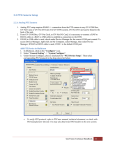
1. On your mobile phone, tap the GV-iView icon on the main screen. This page appears.
2. On the login screen, enter the IP address of the GV-System, port value (default value is
8866), ID and Password. Then tap Connect. Once the connection is established, the live
display of 6 cameras will appear.
3. Select ON for HTTPS if SSL is enabled for WebCam Server. If the default SSL port of 443
on the WebCam Server is modified, specify the new port number used for HTTPS
connection at the end of the IP address, e.g., webcam.geovision.com.tw:445.
Note: If the default HTTP port of 80 on the WebCam Server is modified, specify the new port
number used for HTTP connection at the end of the IP address, e.g.,
webcam.geovision.com.tw:81.
GeoVision Inc.
3
Revision Date: 2013/10/11