1
Playing Back the Recordings on GV-System
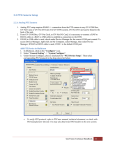
1. On the login screen, press RPB View
.
2. Enter the IP address of the GV-System, port value (default value is 5511), ID and
Password. You can also search the recordings after a specified date and time by selecting
RPB Time Setting and entering the date and time. Then press Connect.
3. Select the desired recordings from the event list for playback. Use the Change cam
button at the top right corner to switch cameras.
GeoVision Inc.
6
Revision Date: 2013/10/11