1
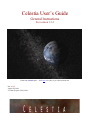
Celestia User’s Guide
2 of 40
Table of Contents – Part 1 – General Instructions:
Introduction to Celestia.......................................................................................................................... 3
Night Sky Demo .................................................................................................................................... 5
NEW - Scripts and Educational Journeys............................................................................................. 5
Program download and add-ons ............................................................................................................ 5
Computer Hardware Requirements ....................................................................................................... 6
Installation and Uninstallation ............................................................................................................... 7
General Operation and Keyboard commands...................................................................................... 10
The Opening Screen............................................................................................................................. 10
Field of View: ...................................................................................................................................... 10
Set Program Options (Render menu)................................................................................................... 11
Alternate Textures and Surfaces .......................................................................................................... 21
Movement ............................................................................................................................................ 22
Joystick Control [F8] ......................................................................................................................... 23
Selecting Objects ................................................................................................................................. 24
Navigation Menu ................................................................................................................................. 25
Select Objects by Keystroke ................................................................................................................ 29
Selecting Objects by Enter/Name/Enter Method................................................................................. 29
Flying your Spaceship ......................................................................................................................... 30
Telling Where You Are ....................................................................................................................... 31
Adjusting Time (TIME MENU) [L], [K], [J], [Spacebar], [\], [!] ...................................................... 31
NEW: FILE Menu – Open Script ....................................................................................................... 32
FILE MENU - Saving Images, Movies and Locations........................................................................ 33
Cel://URLs ........................................................................................................................................... 34
Multiview (VIEW MENU) ................................................................................................................ 36
Other Documentation Available .......................................................................................................... 36
Credits.................................................................................................................................................. 37
Celestia Keyboard and Mouse Command Summary........................................................................... 38