1
PIN Management
9
Classic Client PIN Management Tool
The Classic Client PIN Management tool allows you to make changes to the PINs
associated with a particular smart card/token.
PIN PAD Readers
You can use the Gemalto PIN PAD, “PC Pinpad” with the PIN Tool. PC Pinpad
behaves like a normal reader in transparent mode.
PIN Management Tasks
This section describes the tasks that you can perform with the PIN Management Tool.
How to Access the Classic Client PIN Management Tool
To access the PIN Tool:
1
Make sure that your smart card/token is connected to your computer.
2
Either browse to /usr/bin/ and double-click CCChangePinTool or open a terminal,
go to /usr/bin/ and type ./CCChangePinTool.
3
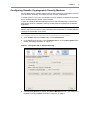
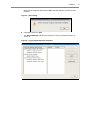
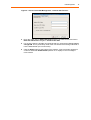
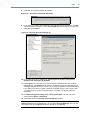
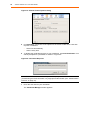
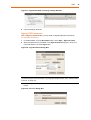
When the window shown in “Figure 7” appears, select a smart card reader from the
list and click Apply.
Figure 7 - Selecting a Smart Card Reader for the PIN Management Tool
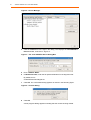
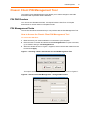
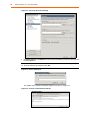
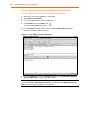
This opens the Classic Client PIN Management Window as shown in “Figure 8”.
Figure 8 - Classic Client PIN Management - Change PIN Function