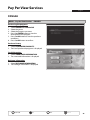
1
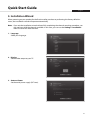
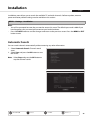
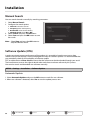
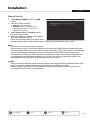
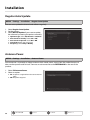
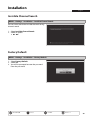
Installation English Manual Update 1.Select Manual Update and press the OK button. 2. Enter the options manually. Channel: Select the channel. Frequency: Enter the frequency. The corresponding frequency value will be automatically displayed. 3.Select Search and press the OK button to search for new software. 4. When new software is detected, select Yes to start the update process now. Please wait until the update is complete. When completing the software update, the product is automatically powered off and on again. Note: • It may take 5~10 minutes to update software. • Other functions such as scheduling programmes will not activate while software update takes place. • Be sure to update software when the signal strength and quality is high. If the weather is not favorable and the signal strength and quality are not recommendable, perform the software update later. • The product will search new software automatically during standby. If new software is detected, you can choose either to download immediately or later when you switch into operation mode. If you select Later, the message will be displayed again when you power on. Caution: • Please be careful to keep the power on and the power cord plugged in during software update. If the power is off during software update, fatal damage may be caused to the product. • Please be careful not to pull out the signal line (RF cable) during software update. Update may be interrupted and the product may not operate. Menu On/Off Select YELLOW Confirm BLUE GREEN RED Enter 0~9 37