1
Device Walking
The RAKv2 comes with a Device Walk tool. A "device walk" is a text file that contains all
SNMP information available from a device. Generally, you would only complete a device
walk if requested to by technical support.
To do a device walk:
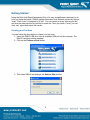
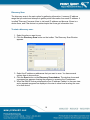
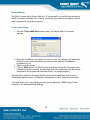
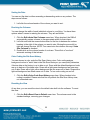
1. Click the Tools->Walk Device menu item. The Device Walk Tool window
appears.
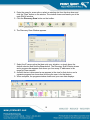
2. Enter the IP address of the device you want to walk. As a shortcut you can select
a device in the device view before you start the walk and the IP address is
populated for you.
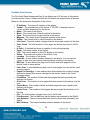
3. Select the walk options.
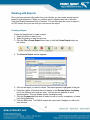
4. Click the Walk button. The RAKv2 starts to walk the device and the progress bar
indicates the scan is running. As the actual size of the walk cannot be determined
beforehand, the progress bar indicates activity, not overall progress.
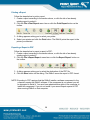
The walk file is created in the same directory as the main parak2.exe, and is named
<IPAddress>Walk.txt where <IPAddress> corresponds to the IP address of the device.
If the walk times out for any reason you may need to adjust the "SNMP request" time
out value in the Advanced Walk Settings.
20