1
Aeronautical Navigator AvMap EKPV
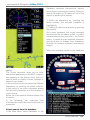
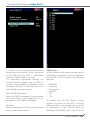
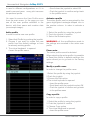
ENTER on Simulation and modify from
Off to On. Then press ESC to go back to
Navigation Setup menu or MAP to move
directly to the map.
14. Tools
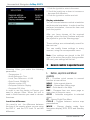
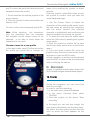
In the Tools menu the connection setup of
external devices to the EKP V are managed,
like:
-
-
-
-
-
-
External GPS
Autopilot
XM weather
Traffic
EFIS
Video In
EKP V has one USB input connection on
the cigarette lighter power cable to connect
one external device. When used with the
Cockpit Docking Station, it is possible to
connect several external devices to the EKP
V through the Cockpit Docking Station. The
Cockpit Docking Station has 2 serial input
(COM A and COM B) and 4 USB input. For
more details on the Cockpit Docking Station
visit www.avmap.it.
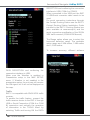
For each external device the connection
interface needs to be confirmed in the
dedicated tools menu selecting COM A,
COM B or USB.
External GPS
When installed in the Cockpit Panel of the
aircraft it is recommended to use the EKP V
external GPS antenna (included in the box
content of the Cockpit Docking Station and
available as additional accessory) with the
EKP V to get a good GPS reception. The
EKP V external GPS antenna needs to be
connected to the USB port on the Cockpit
Docking Station.
For connection instructions see the EKP V
Docking Station Installation Guide included
in the EKP V Docking Station box and
available at www.avmap.it.
Autopilot
Most third-party autopilots common used in
aviation are compatible with EKP V. For a
compatible list of third-party autopilots visit
www.avmap.it.
NMEA output
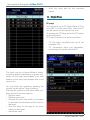
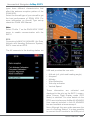
To enable autopilot communication with
the EKP V activate the communication of
information in the TOOLS Menu by selecting
Autopilot and turning on the NMEA output.
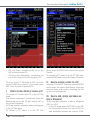
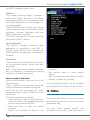
Connection Interface
The autopilot can be connected to COM
22 - Quick Manual