1
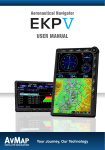
Aeronautical Navigator AvMap EKPV
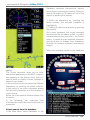
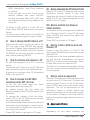
POWER – Turn On/Off, Standby and controls
brightness (press once)
JOYSTICK – Used for PAN the map and
when pressed as ENTER
WHEEL – Used for Zoom In/Zoom out on
the map and for navigating in the Menus
II. EKP V Views
The EKP V software is made by two main
views: Map and Menu.
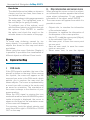
The Map view is accessed pressing the
map button; it contains the moving-map
representation. Three different configurations
can be selected by the user: Track Up, Leg
Up and North Up.
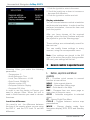
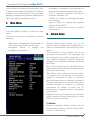
The Menu view is made by different pages
and contains data and settings.
How to operate in the Map view
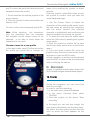
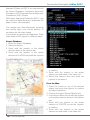
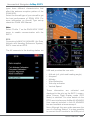
Move the joystick to move the cursor on the
map. Push the joystick to open the cursor
menu.
The wheel (or knob) controls the ZOOM
level on the map.
How to operate in the Menu view
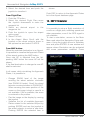
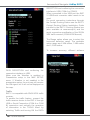
The Main Menu bar is available on the top of
the page displayed. Each page has different
areas. To move to an area below the current
one, move the joystick down; to move to an
area above, move the joystick left or press
ESC.
To focus on the desired option use the wheel.
To select a menu item push the joystick.
4. GPS Page
To optimize the GPS antenna reception, we
advise that you open the antenna and keep
it lifted upon a parallel position in reference
to the sky.
The GPS status is displayed in all pages and
8 - Quick Manual
also in the map view by the “satellite” icon.
Three green bars mean a perfect signal
reception, instead the icon made with a red
bar and a WARNING symbol inside a triangle
means that the signal is not present.
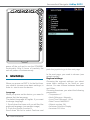
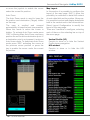
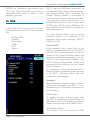
To control the reception status, you need to
access to System Setup menu in the main
menu and select GPS Page.
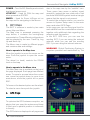
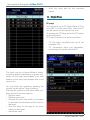
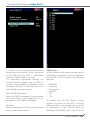
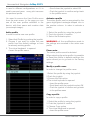
In this page you can see the signal level for
each satellite and the constellation scheme,
together with additional data regarding the
reception and the position.
In the EXT. GPS box, you can see the
wording EXT. if you are using the external
antenna, while you can see the wording
DIS. if you are using the internal antenna.
WARNING: Global Positioning System is
a system provided and maintained by The