1
Utility Options
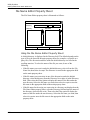
Using the Utility Options to Change Data in the Part
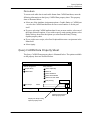
output of the first operation to the work table so that the Utility options can operate
on the selected entities.
For example, if you wanted to select all entities with the attribute STOCKNO
equal to 84578 and then move those entities to layer 210, you would do this as
follows:
6-6
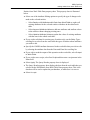
1.
Use the Highlight Entities option described in Chapter 4, “Display Options,” to
highlight all entities with the attribute STOCKNO equal to 84578.
2.
Use the Create Work Table Data option with the Entity Selection option set to
Select All Marked.
3.
Use an RDBMS tool to edit the layer assignment of the entities in the work
table.
4.
Use the Edit Entities from Work Table option to update the part database with
the new layer assignment.
EDMInformation User Guide and Menu Reference