1
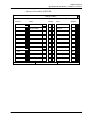
Attribute Options
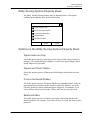
Editing Attributes of Parts and Entities
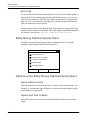
Standalone Entities
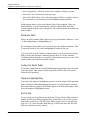
Select this option to process the selected entity if no object is derived from it.
CADDS Attribute Editor and Associated Attribute
Editor
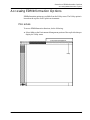
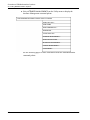
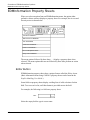
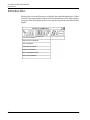
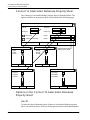
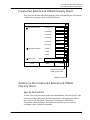
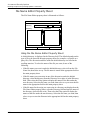
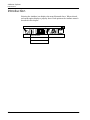
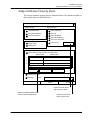
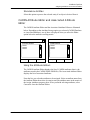
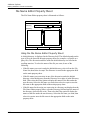
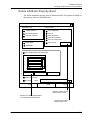
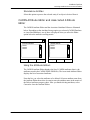
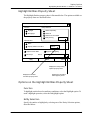
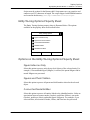
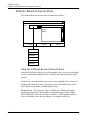
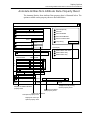
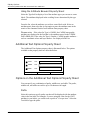
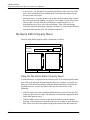
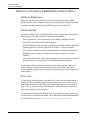
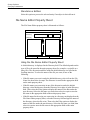
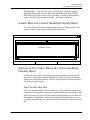
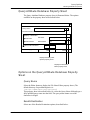
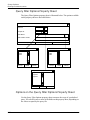
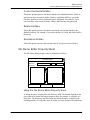
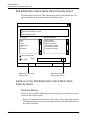
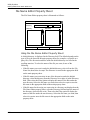
The CADDS Attribute Editor and the Associated Attribute Editor are illustrated
below. Depending on the Attribute Storage option you selected (CADDS Database
or Associated Database), one of these is displayed when you select the Editor
option below the attribute scrolling matrix.
CADDS Attribute Editor
Associated Attribute Editor
CADDS Attribute
Associated Attribute
Name1
Name2
Name3
.
.
.
Name1
Name2
Name3
.
.
.
Accept
Reset
Cancel
Accept
Reset
Cancel
Using the Attribute Editors
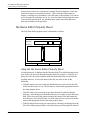
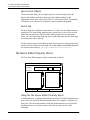
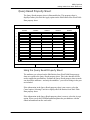
The CADDS Attribute Editor displays the list of CADDS attributes (that is, the
attributes stored in the CADDS DATA.PROP file). The Associated Attribute Editor
displays the list of associated attributes.
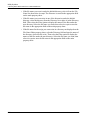
From the list, you select the attributes to be edited. Select an attribute name from
the Attribute Editor then select Accept to store the attribute name in the matrix of
the Edit Attributes property sheet. After you finish selecting attributes, select
Cancel to close the Attribute Editor.
EDMInformation User Guide and Menu Reference
3-21