1
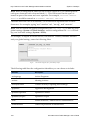
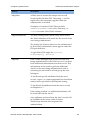
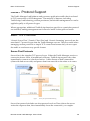
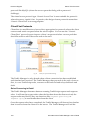
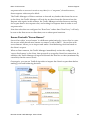
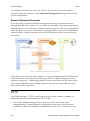
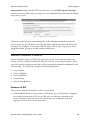
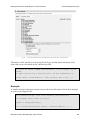
Protocol Support Session Initiation Protocol however this will leave the Traffic Manager more vulnerable to a Denial of Service attack. Communicating with UDP-Based SIP Servers Typically, UDP-based SIP servers respond to requests much like TCP-based SIP servers – by sending the response from the same port on which they received the original request. This behavior is not explicitly required, however, and some SIP servers might respond from a different port or even from a different IP to the one on which it received the corresponding request. The Traffic Manager caters for this behavior with a configuration setting ‘udp_accept_from’ on the Pools > Edit > Connection Management page (where the pool is used by a UDP service). Here you can select how the Traffic Manager receives responses to UDP requests, from the following options: Only the IP address and port to which the request was sent. Only the IP address it was sent to but any port. A specific set of IP addresses but any port. Any IP address and any port. These settings provide a varying degree of trade-off between security and compatibility. Allowing responses from multiple IP addresses can pose a greater security risk due to the increased possibility of fraudulent responses, yet certain SIP servers may require this functionality to communicate correctly. You should select the option that most closely matches your requirements. If you choose to only accept responses from a specific set of IP addresses, you will need to enter a CIDR Mask (such as 198.51.0.0/16) in the box provided. Important: Please note that requests sent to an IPv4 address will expect a response back from an IPv4 address only. Conversely, requests sent to an IPv6 address will allow a response back in either IPv4 or IPv6 form. An associated config setting is provided for SIP (over UDP) Health Monitors. See the Built-in Health Monitors section of CHAPTER 14 for further details. 196 Brocade Virtual Traffic Manager: User's Guide