1
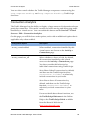
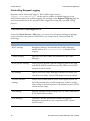
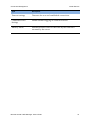
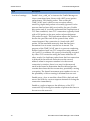
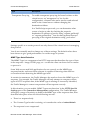
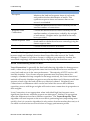
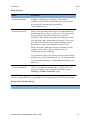
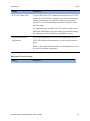
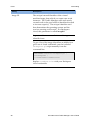
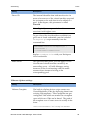
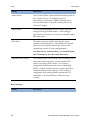
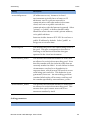
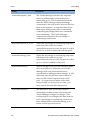
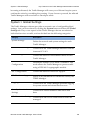
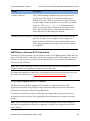
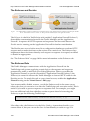
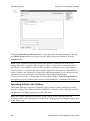
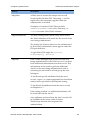
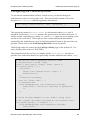
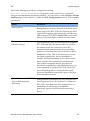
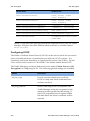
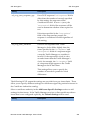
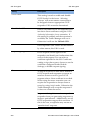
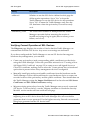
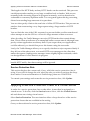
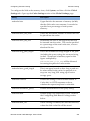
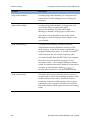
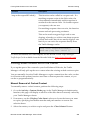
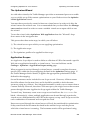
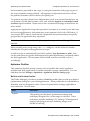
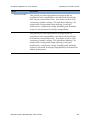
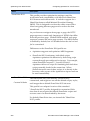
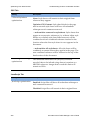
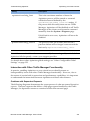
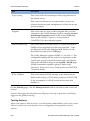
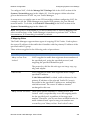
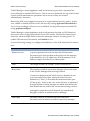
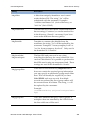
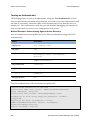
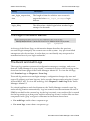
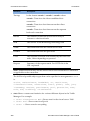
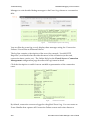
Configuring Aptimizer for Your Services Name Other Web application Basic (deprecated) Advanced (deprecated) Aptimizing Your Web Content Description This profile provides basic optimization settings appropriate for safely accelerating most Web applications. It includes CSS StyleSheet inlining, CSS minification, background image inlining, JavaScript minification, compression, and image shrinking and metadata removal. You can use this profile as a template for creating new profiles customized to the optimization requirements of your Web applications. This profile is designed to enable a useful number of basic optimization techniques that work well on a wide range of Web sites. These techniques include shrinking CSS, inlining CSS background images, minifying JavaScript, shrinking images, URL versioning and advanced caching. This profile enables more advanced optimization techniques in addition to those offered by the Basic profile, including combination of CSS style sheets and combination of HTML images into image sprites. These techniques will dramatically reduce page load time, but may require customized rules for compatibility with some sites. In this case, you would clone the profile in order to create a custom Aptimizer profile (discussed below). If these profiles cannot offer you the desired level of optimization across all elements of your Web site, you can opt to create a new custom Aptimizer Profile that fulfills your specific requirements. New custom profiles can be created in the Create a new Aptimizer Profile section using one of the built-in profiles as a template. Select the desired template profile from the drop-down list and click the Create Aptimizer Profile button. Built-in profiles can also be duplicated to create new custom profiles using the Save As option on the Edit profile page. Custom profiles provide a range of additional acceleration options, as discussed in the Understanding Custom Acceleration Profiles section below. Optimization Modes and Page Information Aptimizer can run in one of three modes, defined using the aptimizer_mode configuration key: Off: Acceleration is disabled, but requests for Aptimizer resources are served. Brocade Virtual Traffic Manager: User's Guide 293