1
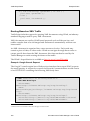
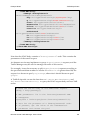
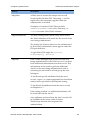
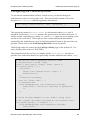
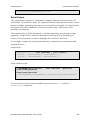
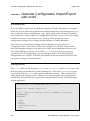
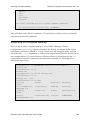
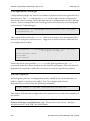
Global Load Balancing Extending the Traffic Manager's GeoIP Database In the above example: "-t any": requests any type of record (A, NS, CNAME, PTR, and so on). "+norec": indicates that the request should be sent with the recursive flag set to "off". "www.example.com": the record you are testing. "@192.0.2.1": the name server that the request is sent to. When testing a DNS server or service, it is very important that you always perform non-recursive queries. This ensures that you receive either an authoritative answer or that you know exactly which name servers are authoritative for the domain name you are trying to resolve. You do not receive an answer that the name server you are querying has looked up for you (since you cannot always verify the source of that information). Extending the Traffic Manager's GeoIP Database The Traffic Manager contains a GeoIP database that maps IP addresses to location longitude and latitude, city, county and country. GLB uses this GeoIP database to estimate distances between remote users and local datacenters. You can access the database directly using the included geo.* TrafficScript and Java functions. For example, to discover the 2-letter country code that a site visitor is accessing from, use the following TrafficScript: $ip = request.getRemoteIP(); $countryCode = geo.getCountryCode( $ip ); The Traffic Manager uses a database derived from MaxMind's GeoLite City database (http://dev.maxmind.com/geoip/legacy/geolite/). Brocade updates this database with each Traffic Manager release, however you can update to a later version manually using an upgrade package. See the Brocade Community Web site for more information at http://community.brocade.com. Unrecognized IP Addresses The database does not include locations for private IP address ranges (see RFC1918), and other IP address ranges might be missing or inaccurate if they were recently allocated or moved. This section provides information on how you can extend the internal GeoIP database to add or override IP address ranges. 436 Brocade Virtual Traffic Manager: User's Guide