1
4.0 Members
Members are the people whose Skype usage you want to manage in your Skype
Manager.
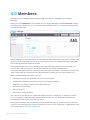
When you click Members in the toolbar of your Skype Manager, the All members screen
is displayed by default so you can see all the members that you currently manage within
your Skype Manager.
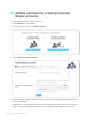
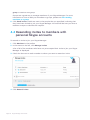
Before adding any new members, you should first decide whether you want to create new
business Skype accounts for them or invite them to join your Skype Manager using their
own existing personal Skype accounts.
A business Skype account is owned by the Skype Manager where it was created. You
control who uses the account and all the features and credit allocated to it.
A personal Skype account is owned by the person who created it. You cannot control who
uses it and there are limitations on the features and credit that you can allocate to it.
With a business Skype account, you can:
•
•
•
•
•
•
Change the email and password of the account holder
Permanently delete the account when it's no longer required
Take back any Skype Credit you've allocated to it
Allocate call forwarding
Set up Caller ID
Allocate an Online Number
You cannot do the above for a personal Skype account. Therefore, to retain full control
of your company's Skype usage, we recommend that you only add new members by
creating business Skype accounts for them.
Note that a member can only belong to one Skype Manager at a time. Also note that you
cannot invite members with personal Skype accounts if your company is registered in the
U.S. Please see your Terms of Service.
Page 15 Skype Manager User Guide