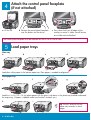
1
6
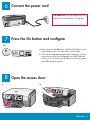
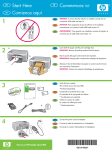
Connect the power cord
USB cable users: Do not connect the USB
cable until instructed later in this guide.
7
Press the On button and configure
On
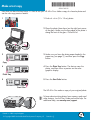
a After you press the On button, the blue light flashes, and
then becomes solid. This may take up to a minute.
b Wait for the language prompt before continuing. Use the
arrow keys to select your language, press OK, and then
confirm. Use the arrow keys to select your country/region,
press OK, and then confirm.
8
a
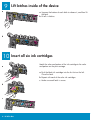
Open the access door
b
HP All-in-One • 3