1
Start and
Close Excel
Y
ou can start the Excel program using the
Windows Start menu. When you open the
Start menu, a search field appears at the
bottom and the All Programs choice appears
immediately above the search field. Once you select
All Programs, Windows displays folders that contain
the programs installed on your computer. The shortcut
to start Excel appears in the Microsoft Office folder.
After you select Excel from the Microsoft Office folder
several times, it will appear on the Start menu in the
list of recently opened files. You can select Microsoft
Office Excel 2007 from that list to open the program.
If you use Excel regularly, you may want to pin Excel
to the Start menu or create a desktop shortcut for it so
that you can open it more quickly.
You can close Excel using a command on the Office
menu, or you can use the Close button in the upperright corner of the Excel window. Excel behaves
differently, depending on the method you choose to
close the program, the number of workbooks you
have open, and whether you have made changes to
any of the open workbooks.
Start and Close Excel
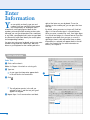
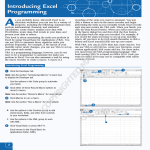
Start Excel
1
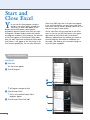
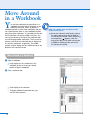
Click Start.
The Start menu appears.
2
Click All Programs.
2
1
• All Programs changes to Back.
3
Click Microsoft Office.
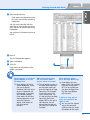
list of installed Microsoft Office
• The
programs appears.
4
3
Click Microsoft Office Excel 2007.
•
•
6
4