1
Application Integration
❘ 21
that are part of the inherent user experience. For example, capabilities like user authentication, page
caching, drill-through, drill-down, and prompt interaction are normally part of the standard browserbased UI. By handling the report rendering through SOAP calls, the developer must manage rendering,
report and image content streaming, and any dynamic report features themselves. The advantage of the
SOAP-based API is that developers can integrate reports into custom applications using any programming platform that speaks SOAP, such as Java, PERL, or C++.
The ReportViewer control allows report execution to be managed through a self-contained user
interface while still preserving programmable objects for more advanced control. Two versions exist:
the Win Forms control is used to place a report on a Windows form application developed in Visual
Studio with the .NET Framework and common language runtime. The Web Forms control is exactly
the same but used to add a report to an ASP.NET web form. Both of these controls can render
reports on the report server using the remote processing mode, or reports may be rendered locally
within the application using local processing mode. For Win Forms, reports are actually processed
on the desktop and for Web Forms; the report is processed on the web server hosting the web forms
application.
The ReportViewer SharePoint web part is an ASP.NET wrapper around the Web Forms ReportViewer
control. It has the same behavior as the web form control but processes reports only on the report
server in remote processing mode.
Installing the Reporting Services Samples
and SQL Server Sample Databases
The report recipes in this book use a variety of sample databases. With the exception of those that have
special requirements, most of our recipes use the sample databases provided by Microsoft. You can
download working samples of all the reports and the specialized databases from Wrox.com.
The standard SQL Server sample databases primarily consist of two databases containing data related
to a fictional bicycle manufacturer, Adventure Works Cycles. The OLTP sample database contains
structures typical of a transactional system, whereas the DW sample database contains structures
typical of an analytical system. Together, these will assist you in gaining familiarity with both operational and analytical reporting. To work through all of the SSRS 2008 recipes that depend on a SQL
Server data source, download and install the AdventureWorks2008 transactional database, the AdventureWorksDW2008 sample data warehouse, and the Adventure Works DW Analysis Services sample
database and project.
The Reporting Services samples and SQL Server sample databases are available on the CodePlex
web site at www.CodePlex.com/SqlServerSamples. For each sample database and the Reporting Services samples, you will need to download an installation file appropriate to your hardware platform.
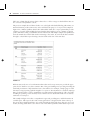
These files are identified in the following table. Each recipe will tell you what version of SQL Server
is supported. Many of the recipes will work with the sample databases from either SQL Server 2005
or 2008.