1
26
❘
CHAPTER 1
BUSINESS REPORTING PARADIGMS
These formats may include HTML, CSV, XML, or a custom file format. The Reporting Services team
recommends attempting to leverage the XML-rendering format with XSLT for specialized rendering
needs before attempting to implement a custom rendering extension.
The Image-Rendering Extension
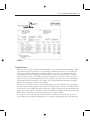
Through the Image-rendering extension, reports are published to one of seven image formats, the
default of which is Tagged Image File Format (TIFF). TIFF is a widely used format for storing document
images. Many facsimile (fax) programs use TIFF as their transfer standard, and many organizations
make use of it for document archives.
The PDF-Rendering Extension
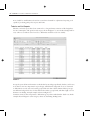
Reporting Services comes with a rendering extension for Adobe’s Portable Document Format (PDF).
The PDF format is one of the most popular for document sharing over the Internet. It produces clean,
easy-to-read documents with exceptional printing capabilities. In addition, PDF documents are not
easily altered.
Although not as interactive as an HTML report with the HTML Viewer, PDFs do support document
maps. This functionality enables the creation of a table of contents-like feature, which is invaluable
with large reports. Adobe Acrobat Reader 6.0 or higher is required for viewing the PDF documents
produced by Reporting Services. It is available for free download from the Adobe web site.
The Excel-Rendering Extension
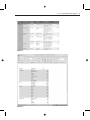
Rendering reports to Excel is another option supported by Reporting Services. Rendering to Excel is
highly useful if additional analysis is to be performed on the data by the end-user.
Not all report elements translate to Excel. While many features not available in prior versions of the
Excel-rendering extension (such as nested data regions and sub-reports) are supported in this release,
other features continue to render poorly or not at all. It is a good idea to review your reports rendered
to this format prior to publication if Excel rendering is a critical requirement. Reporting Services Books
Online provides details of how each report feature is handled when rendered to Excel.
The Word-Rendering Extension
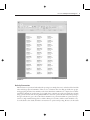
The Word-rendering extension is new for Reporting Services 2008. The extension renders reports in
Microsoft Word 97 format with many of the same features and limitations as rendering in PDF. Unlike
PDF, the Word format allows reports to be more easily edited by the end-user following rendering.
SUMMARY
Most all reports will fit into the categories introduced in this chapter. There will be other variations
of these basic themes and you’ll likely develop a set of designs that work best for you, your users,
project sponsors, or clients. We encourage you to leverage successful report designs others have created.
Following proven design patterns provides a reliable starting point. After you discover what does and
doesn’t work for you, you can make necessary adjustments to create your own brand of reports.