1
224 Images, Animation, and Multimedia
Sound
•
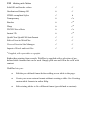
There are actually two sound playback options—background sound,
where a sound loads and plays automatically when a specific page is
first displayed in the visitor's web browser, and linked sound,
triggered by a mouse click (for example on an icon or hyperlinked
object). The supported audio formats are .aiff, .au, .midi, .mp3,
RealAudio (.ra, .ram), and .wav.
Video
•
Linked video works like linked sound. Supported video formats are
.avi, QuickTime (.mov, .qt), MPEG (.mpg, .mpeg, .mpe, .mpv), and
RealVideo (.ram, .rv). (Non-streaming files must download in entirety
to a user's computer before they begin playing; streaming files require
a special player that buffers incoming data and can start playing before
the whole clip has arrived.)
•
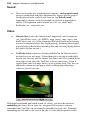
YouTube videos which are already published on the Internet can be
included on your web page. Videos themselves are not be embedded
in your site; instead, just the unique YouTube video ID is embedded in
your page as you place the YouTube video on your page—a link is
created from your web page back to www.youtube.com. This lets you
add media content to your pages while avoiding uploading large
videos as part of your site.
With both background and linked sound (or video), you have the option of
embedding the source file in your site, as opposed to keeping it separate
(remember that YouTube videos cannot be embedded in your site). Although
embedding any file adds to the size of the site, it is the default option because