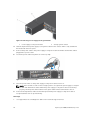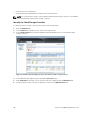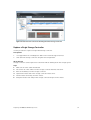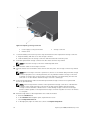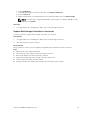
1
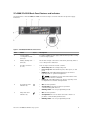
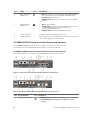
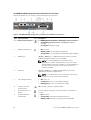
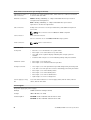
Item Control/Feature
Icon Description
9
Recessed reset button
Reboots the storage controller forcing it to restart at the POST
process
10
Identification LED
•
•
•
11
USB port
Not for customer use on SCv2000/SCv2020 Storage Systems.
12
Diagnostic LEDs (8)
13
Serial port (3.5 mm mini
jack)
14
Four Mini-SAS High
Density (HD) ports
—
•
•
Off: Identification disabled
Blinking blue (for 15 sec.): Identification is enabled
Blinking blue (continuously): Storage controller shut down
to the Advanced Configuration and Power Interface (ACPI)
S5 state
Green LEDs 0–3: Low byte hex POST code
Green LEDs 4–7: High byte hex POST code
Not for customer use.
—
Front-end connectivity ports
NOTE:
The mini-SAS HD ports are for front-end connectivity only and
cannot be used for back-end expansion.
15
Mini-SAS port B
Back-end expansion port B
16
Mini-SAS port A
Back-end expansion port A
SCv2000/SCv2020 Drives
Dell Enterprise hard disk drives (HDDs) and Enterprise Solid-State Drives (eSSDs) are the only drives that
can be installed in an SCv2000/SCv2020 storage system. If a non-Dell Enterprise drive is installed,
Storage Center prevents the drive from being managed.
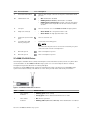
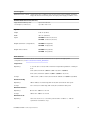
The drives in an SCv2000 storage system are installed horizontally. The drives in an SCv2020 storage
system are installed vertically. The indicators on the drives provide status and activity information.
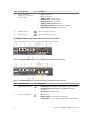
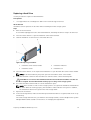
Figure 8. SCv2000/SCv2020 Drive Indicators
Item
Name
Indicator Code
1
Drive activity
indicator
•
•
Blinking green: Drive activity
Steady green: Drive is detected and there are no faults
2
Drive status
indicator
•
•
Off: Normal operation
Blinking amber (on 1 sec. / off 1 sec.): Drive identification is enabled
About the SCv2000/SCv2020 Storage System
15