1
Get ready
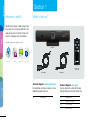
Guided Setup
telyHD
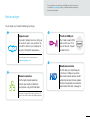
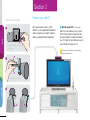
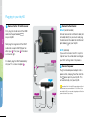
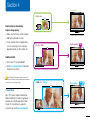
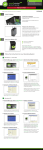
4 Change the Input/Source on your TV
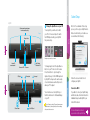
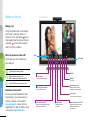
4 Noise-canceling microphones
to enhance audio quality
Ringer
To use telyHD, you will need to switch
your TV or AV receiver’s input to match
the HDMI input used by your telyHD in
the previous step.
Front view
Setup
Privacy shutter
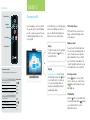
Note: For the remainder of the setup
process you’ll need your telyHD remote.
After a few moments you should see a
screen similar to the following:
Examples may not match your remote.
telyHD button
& indicator LED
Camera on LED
USB port
Ethernet port
Power port
To change inputs, look for the Input/Source
button on your TV remote or AV receiver.
Press this button to cycle through the
inputs until you get to the HDMI input used
by telyHD. You may need to wait a couple
of seconds between each button press to
allow your TV to adjust.
You should now see the telyHD logo or
the Welcome Screen for the Guided Setup
on your TV.
Built-in Wi-Fi
SD card reader
Mini HDMI port
Note: To return to watching TV, repeat the same process
described above. Cycle through the Input or Source settings
until you reach the correct one.
Follow the onscreen instructions to
configure your telyHD.
More info
Back view
Speaker
HD camera
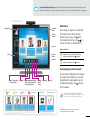
Make a call
Infrared (IR)
remote receiver
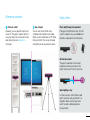
Connect via Wi-Fi
If you did not connect your telyHD using
an Ethernet cable, follow the instructions
in Guided Setup to add telyHD to your
home Wi-Fi network.
For more information on how to
use your remote, flip open this flap.