1
Get ready
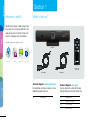
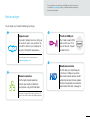
Plugging in your telyHD
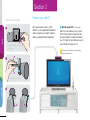
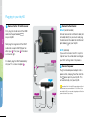
1 Connect to the TV or AV receiver
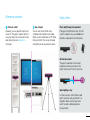
2 Connect to the Internet
TV
First, plug the smaller end of the HDMI
cable into the port labeled
on your telyHD.
Setup
Wired: (recommended)
Connect one end of an Ethernet cable (not
included) directly to your router and plug
the other end of the cable into the Ethernet
port labeled
on your telyHD.
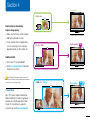
Next plug the larger end of the HDMI
cable into an open HDMI (IN) port on
either your A TV or your B AV receiver
as shown at right.
Make a call
If in doubt, plug the HDMI cable directly
into your TV as shown in option A .
AV receiver
A
3 Connect to power
B
Plug the included power adapter into a
power outlet, and plug the other end into
the
power port on your telyHD. This
will automatically start your telyHD.
telyHD
More info
Power
Broadband
Ethernet
or
5
Wi-Fi: (alternate)
If you want to connect via Wi-Fi, skip this
step for now. You will be able to configure
your Wi-Fi settings later in the process.
International Use: Your telyHD’s power adapter will work
worldwide and can accommodate from 110 to 240 volt. If you
are outside the USA, you may need a plug adapter to fit into the
power outlet used in your country.