1
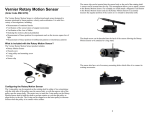
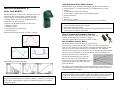
Features of the Motion Detector The Motion Detector is capable of measuring objects as close as 0.15 m and as far away as 6 m. The short minimum target distance (new to this version of the Motion Detector) allows objects to get close to the detector, which reduces stray reflections. The Motion Detector has a pivoting head, which helps you aim the sensor accurately. For example, if you wanted to measure the motion of a small toy car on an inclined plane, you can lay the Motion Detector on its back and pivot the Motion Detector head so that it is perpendicular to the plane. The Motion Detector has a Sensitivity Switch, which is located under the pivoting Motion Detector head. To access it, simply rotate the detector head away from the detector body. Rubber feet on the Motion Detector provide stability. Rubber feet are located on the back of the Motion Detector, which provides stability when the Motion Detector is placed on its back. Rubber feet on the bottom provide stability when the Motion Detector is standing up. A standard camera screw mount can be found on the back of the Motion Detector. This screw mount allows you to use the Motion Detector Clamp (sold separately, order code MD-CLAMP), which is a universal-mounting clamp, or to use it with typical tripod-mounting hardware. Camera Screw Mount Motion Detector Clamp (sold separately) Connecting the Motion Detector to an Interface To use the Motion Detector with LabPro, LabQuest 2, LabQuest, LabQuest Mini, TI-Nspire Lab Cradle, or CBL 2, the Motion Detector is connected to the interface with the included cable. Connect the cable to the DIG/SONIC port on the side of the Motion Detector. Connect the other end of the cable to the interface. To use the Motion Detector with the Universal Lab Interface, connect the cable to Port 2 of the ULI. 3 Using the Sensitivity Switch Slide the Sensitivity Switch to the right to set the switch to the “Normal” setting. This setting is best used for experiments such as studying the motion of a person walking back and forth in front of the Motion Detector, a ball being tossed in the air, pendulum motion, and any other motion involving relatively large distances or with objects that are poor reflectors, e.g., coffee filters. The other sensitivity setting, which we call “Track,” works well when studying motion of carts on tracks like the Vernier Dynamics System, or motions in which you want to eliminate stray reflections from objects near to the sensor beam. Using the Motion Detector with Other Sensors The Motion Detector can be used with one or more other sensors connected to the interface. Here are some examples of how the Motion Detector can be used for experiments with another sensor: With a force sensor to study the relationship between force and motion With a force sensor to study collisions and impulse With a force sensor to study simple harmonic motion With a light sensor to study the inverse square law With a magnetic field sensor to study how magnetic field varies with position With a second Motion Detector (LabPro, LabQuest 2, LabQuest, TI-Nspire Lab Cradle, and LabQuest Mini only) Tips on Getting Good Results with the Motion Detector1 The most frequently reported problems with a Motion Detector are (1) that the Motion Detector does not work beyond a certain distance or (2) that the graph is very noisy. There are a number of ways to troubleshoot these situations, and they are described below. 1. See if the Sensitivity Switch makes a difference. Simply set the Sensitivity Switch to the other position and retry the experiment. This change may solve the problem. 2. The Motion Detector does not work beyond a certain distance, e.g., it does not detect anything beyond 1.2 m. Here are some things to check if you have this problem: Check for movable objects (textbooks, ring stands, etc.) in the cone of the ultrasound. If possible, move these objects out of the measurement cone. It may not take a very large object to cause problems. 1 An excellent discussion of motion detector theory and operation can be found in “Physics and Technical Characteristics of Ultrasonic Sonar Systems”, Dan MacIsaac and Ari Hamalainen, The Physics Teacher 40, 39–46 (January 2002). 4