1
CLI
Management Guide
TigerAccess™ EE
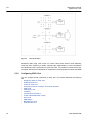
Switch A
Priority : 8
Path-cost
50
Designated
Switch
Root Switch
Path-cost
100
Switch C
Priority : 10
Switch B
Priority : 9
Path-cost
100
Path-cost
100
Path 1
Path 2
Switch D
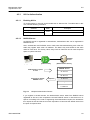
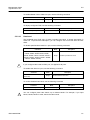
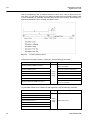
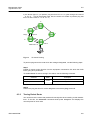
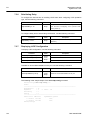
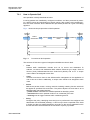
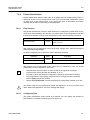
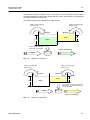
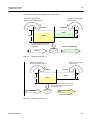
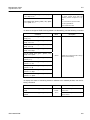
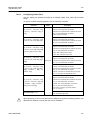
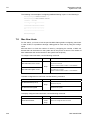
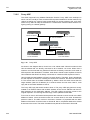
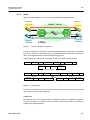
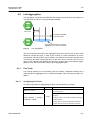
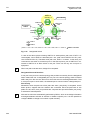
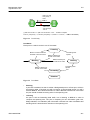
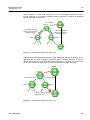
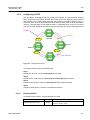
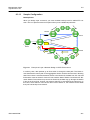
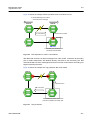
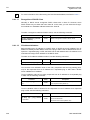
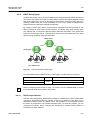
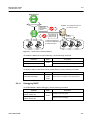
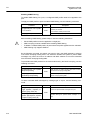
(PATH 1 = 50 + 100 = 150, PATH 2 = 100 + 100 = 200, PATH 1 < PATH 2, ∴ PATH 1 selected
Fig. 8.12
Designated Switch
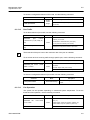
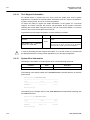
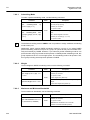
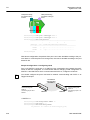
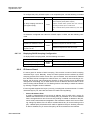
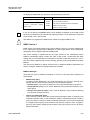
In case of the above picture showing SWITCH C sends packet, path-cost of PATH 1 is
150 and path- cost of PATH 2 is total 200(100 + 100 ; path-cost of SWITCH C to B + pathcost of SWITCH B to C). Therefore lower path-cost, PATH 1 is chosen. In this case, port
connected to root switch is named root port. In the above picture, port of SWITCH C connected to SWITCH A as Root switch is root port. There can be only one root port on
equipment.
i
When root path-costs are same, bridge ID is compared.
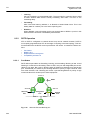
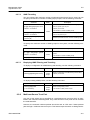
Designated Port and Root Port
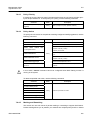
A root port is the port in the active topology that provides connectivity from the designated
switch toward the root. A designated port is a port in the active topology used to forward
traffic away from the root onto the link for which this switch is the designated switch. That
is; except root port in each switch, the selected port to communicate is a designated port.
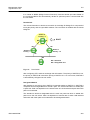
Port Priority
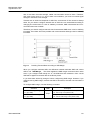
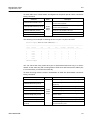
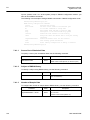
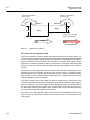
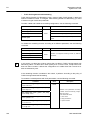
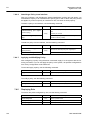
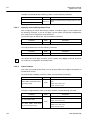
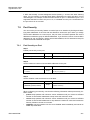
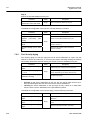
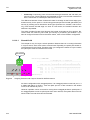
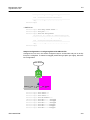
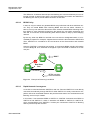
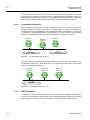
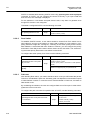
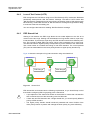
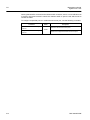
Meanwhile, when the path-cost of two paths are same, port-priority is compared. As the
below picture, suppose that two switches are connected. Since the path-costs of two
paths are 100, same, their port priorities are compared and port with smaller port priority
is selected to transmit packet.
i
260
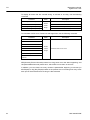
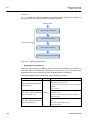
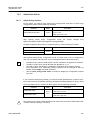
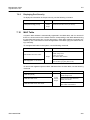
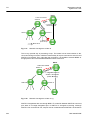
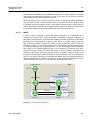
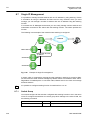
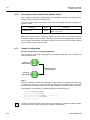
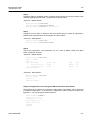
All these functions are automatically performed by BPDU, which is the bridge information
exchanged between switches to activate or disable a specific port. It is also possible to
configure BPDU to change a root switch or path manually.
SMC7824M/VSW