1
Management Guide
TigerAccess™ EE
8.3.8.4
CLI
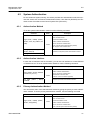
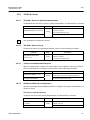
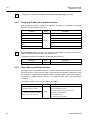
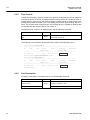
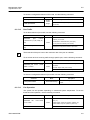
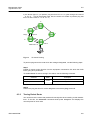
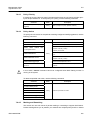
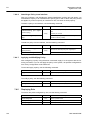
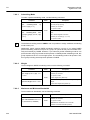
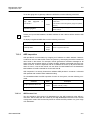
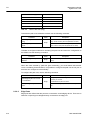
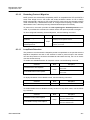
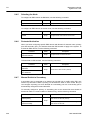
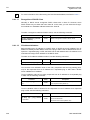
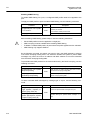
Port Priority
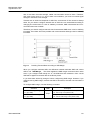
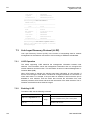
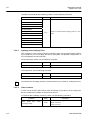
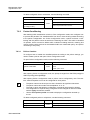
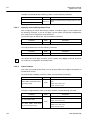
When all conditions of two routes of switch are same, the last standard to decide a route
is port-priority. You can configure port priority and select a route manually.
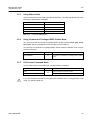
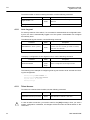
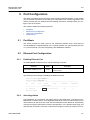
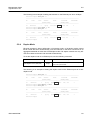
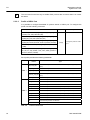
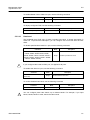
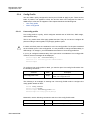
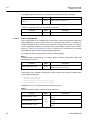
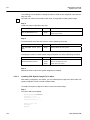
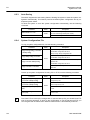
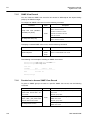
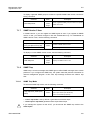
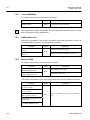
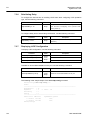
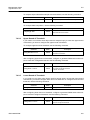
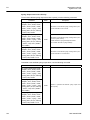
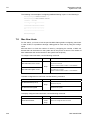
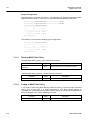
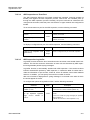
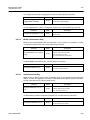
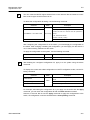
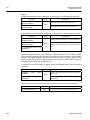
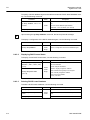
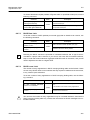
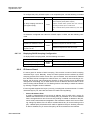
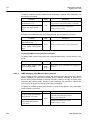
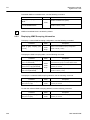
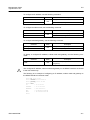
To configure a port priority for specified VLAN, use the following command.
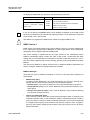
Command
Mode
Configures the port priority of specific VLAN.
spanning-tree vlan VLANS port
PORTS port-priority <0-240>
8.3.8.5
Description
VLANS: VLAN ID (1-4094)
Bridge
0-240: port priority in increments of 16 (default:128)
no spanning-tree vlan VLANS
Deleted the configuration port priority of specifiec
port PORTS port-priority
VLAN
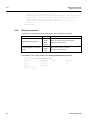
Displaying Configuration
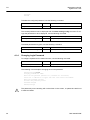
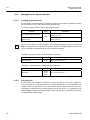
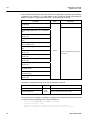
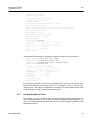
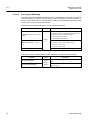
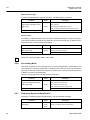
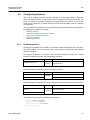
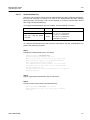
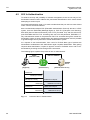
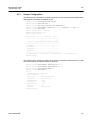
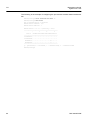
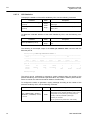
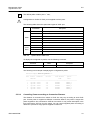
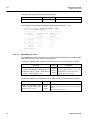
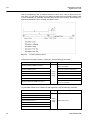
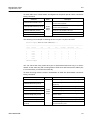
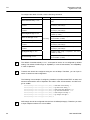
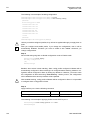
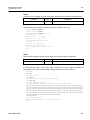
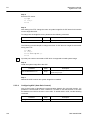
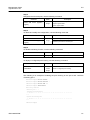
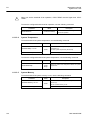
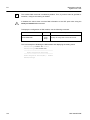
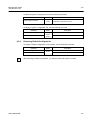
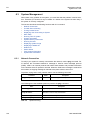
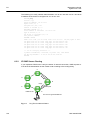
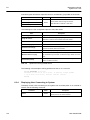
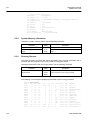
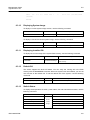
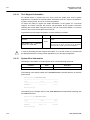
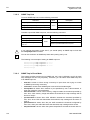
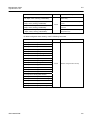
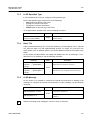
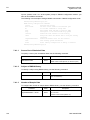
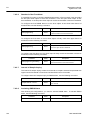
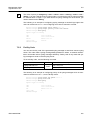
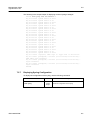
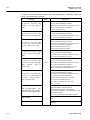
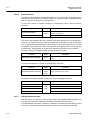
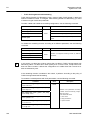
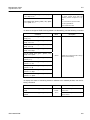
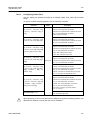
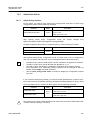
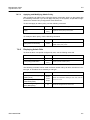
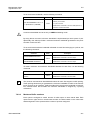
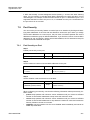
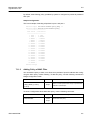
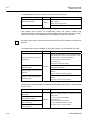
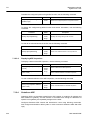
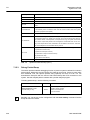
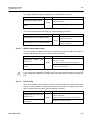
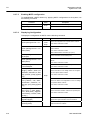
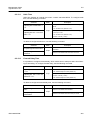
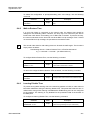
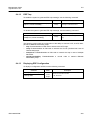
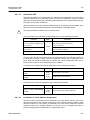
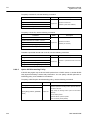
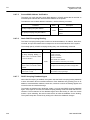
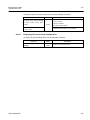
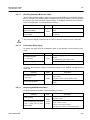
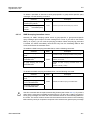
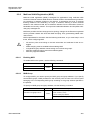
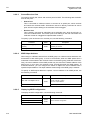
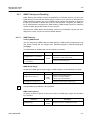
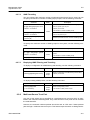
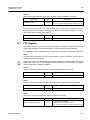
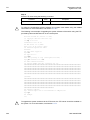
To display the configuration after configuring PVSTP, use the following command.
Command
Mode
Enable
show spanning-tree vlan VLANS
Global
Bridge
Description
Shows all configurations of a specific vlan id:
VLANS: VLAN ID (1-4094)
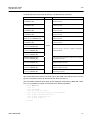
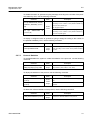
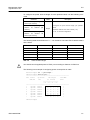
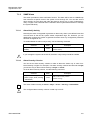
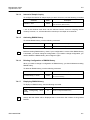
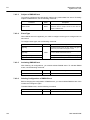
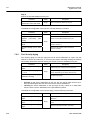
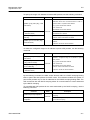
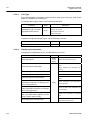
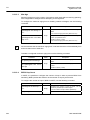
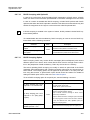
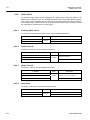
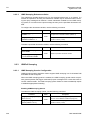
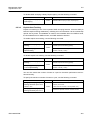
Shows information of a specific vlan id on active inter-
show spanning-tree vlan VLANS
face:
active [detail]
detail: detailed PVSTP information (as option).
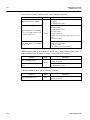
show spanning-tree vlan VLANS
Shows information of the blocked ports
blockedport
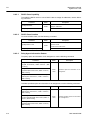
show spanning-tree vlan VLANS
Shows detailed information of the specific vlan id:
detail [active]
VLANS: VLAN ID (1-4094)
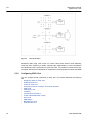
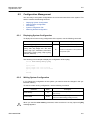
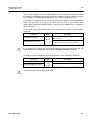
show spanning-tree vlan VLANS
Shows information of root-inconsistency state.
inconsistentports
VLANS: VLAN ID (1-4094)
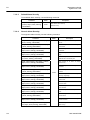
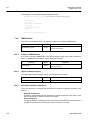
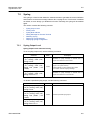
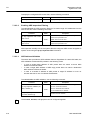
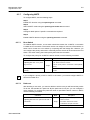
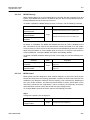
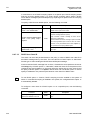
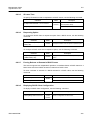
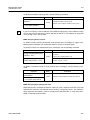
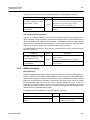
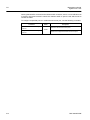
show spanning-tree vlan VLANS
bridge [{ address | detail | for-
Shows information of the bridge status and configura-
ward-time | hello-time | id | max-
tion of a specific vlan id
age | protocol | priority [systemid] }]
Bridge
VLANS: VLAN ID (1-4094)
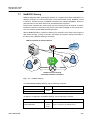
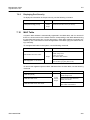
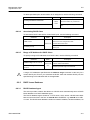
show spanning-tree vlan VLANS
root [{ address | cost | detail |
Shows the status and configuration for the root bridge
forward-time | hello-time | id |
of a specifiec vlan id.
max-age | port | priority [system-
VLANS: VLAN ID (1-4094)
id] }]
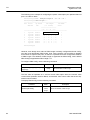
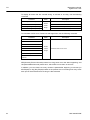
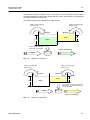
show spanning-tree vlan VLANS
port PORTS [{ active [detail] |
cost | detail [active] | edgeport |
inconsistency | rootcost | state |
Shows information of vlan id for specified port.
VLANS: VLAN ID (1-4094)
priority }]
SMC7824M/VSW
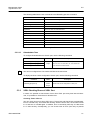
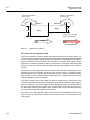
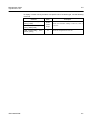
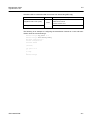
show spanning-tree vlan VLANS
Shows a summary of a specific vlan id:
summary [totals]
totals: the total lines of PVSTP
279