1
CHAPTER 7—MAINTENANCE
GENERAL INFORMATION
Note: If your library is installed in a rack, it is not necessary to remove the library
from the rack to complete this procedure. It is also not necessary to
disconnect the Ethernet cable from the back of the library.
Obtain these items—a #2 Phillips screwdriver and a small flat-blade
screwdriver.
Ensure that the environment is free of conditions that could cause
electrostatic discharge (ESD)—If possible, use an antistatic mat and a
grounded static protection wristband during installation. If a mat and
wristband are not available, touch a known grounded surface, such as a
computer’s metal chassis.
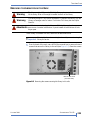
Warning
Before performing any installation or maintenance procedures, be sure that the
library’s power switch is off and that the power cord is disconnected from the
library and the outlet.
Warnung
Vor der Ausführung von Installations- oder Wartungsarbeiten ist darauf zu
achten, daß der Library-Netzschalter auf “Aus” gestellt ist und daß das
Anschlußkabel vom Library und der Steckdose entfernt ist.
Advertencia
Antes de realizar cualquier procedimiento de instalación o de mantenimiento,
comprobar que el interruptor de alimentación de la biblioteca está apagado y
que el cable de alimentación no está enchufado ni a la biblioteca ni a la toma de
corriente.
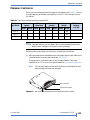
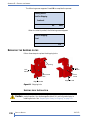
The library accommodates Ultrium 4 (LTO-4), Ultrium 3 (LTO-3), or Ultrium 2
(LTO-2) tape drives and both half height (HH) and full height (FH)
configurations. The library does not accommodate LTO-1 tape drives.
!
The tape drives must be specially configured (at the factory) for
Important use in a Tandberg Data library. Purchase tape drive kits only from
Tandberg Data or Tandberg Data-approved suppliers.
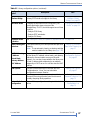
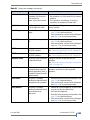
To view this information...
go to...
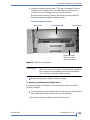
Installing a tape drive
page 174
Resuming operation
page 177
Confirming the installation
page 178
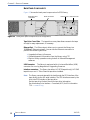
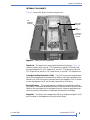
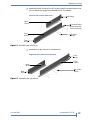
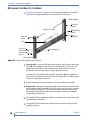
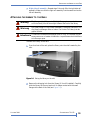
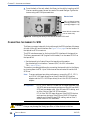
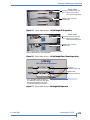
Reference Illustrations (including serial and power cable routing)
page 171
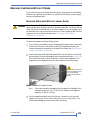
Note: Most of the illustrations show SCSI configurations. Use the same steps to
install Fibre Channel or SAS tape drives.
170
PRODUCT MANUAL
1017472