1
BACKUP SOFTWARE REPORTS AN ERROR
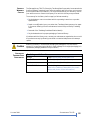
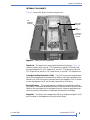
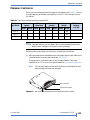
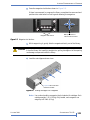
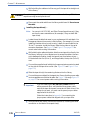
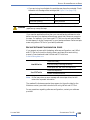
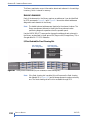
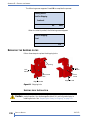
If you are trying to write data, the cartridge may be write-protected. Check
the switch on the edge of the cartridge (see Figure 5-2 on page 115).
Caution
If the switch...
the tape is...
does not cover the opening
write-enabled
covers the opening
write-protected
Use a pen or small screwdriver to move the switch. Do not use a pencil because
graphite may corrupt the tape.
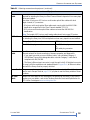
If you used an application other than your normal backup software to write
data to the tape, your backup software may report that it does not recognize
the tape. For example, if you have used LTO Tool to write and read test data,
the test tape will not be “recognized” by your backup software. Perform a tape
erase using either LTOTool or your backup software.
BACKUP SOFTWARE CONFIGURATION ISSUES
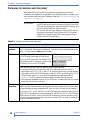
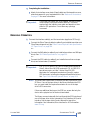
If you suspect an issue with the backup software configuration, use LibTool
and LTOTool to first confirm that the library and tape drive are working
properly. Download and install LibTool and LTO tool from
www.tandbergdata.com.
Detect the library
Use LibTool to
View the library’s cartridge inventory
Move tapes into and out of the tape drive
Use LTOTool to
Detect the tape drive
Perform a Read/Write test
Note: LibTool may return an error message with some tape drives, but still
returns the requested information.
The readme file that accompanies the program (or the online help for the
Windows version) provides instructions for using LibTool and LTOTool.
For any questions regarding software configuration, contact your software
provider.
OCTOBER 2009
STORAGELIBRARY T24 LTO
205