1
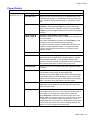
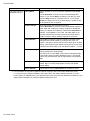
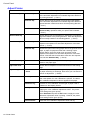
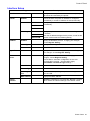
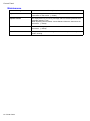
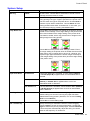
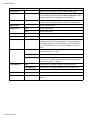
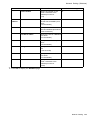
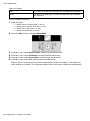
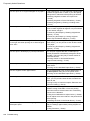
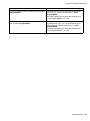
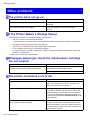
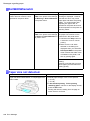
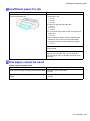
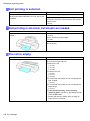
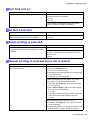
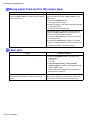
Other problems Other problems The printer does not go on Cause Corrective Action The printer is unplugged. Plug the power cord into the outlet, and then turn on the printer. The specied voltage is not supplied. Check the voltage of the outlet and breaker. (→P.79) If the Printer Makes a Strange Sound The following sounds do not indicate a problem with the printer. • There is a sound of vacuum from the Platen To prevent paper from rising, paper is held against the Platen by suction from Vacuum holes under it. • Roll paper makes a uttering sound during printing There may be a uttering sound when large paper is advanced. • If you suddenly hear the tone for cleaning operations At regular intervals, for printer maintenance, cleaning operations will begin automatically, even if the printer is in Sleep mode. In other cases, contact your Canon dealer. Messages advising to check the maintenance cartridge are not cleared Cause The printer has not detected the new Maintenance Cartridge that was used to replace the old one. Corrective Action Remove the new Maintenance Cartridge you have just installed and insert it again rmly. Restart the printer. The printer consumes a lot of ink Cause Corrective Action Many full-page color images are printed. In print jobs such as photos, images are lled with color. This consumes a lot of ink. This does not indicate a problem with the printer. Head Cleaning B is used often. Head Cleaning B consumes a lot of ink. This does not indicate a problem with the printer. Unless the printer has been moved or stored for a long period or you are troubleshooting Printhead problems, we recommend not performing Head Cleaning B, to the extent possible. You have just nished initial installation, when more ink is consumed to ll the system. After initial installation or at the rst-time use after transfer, ink ows into the system between the Ink Tank and Printhead, which may cause the ink level indicators to drop to 80%. This does not indicate a problem with the printer. 678 Troubleshooting