1
Chapter 1
Introduction
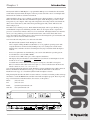
The Symetrix 9022 2x2 DSP Engine is a programmable DSP processor intended for the installed
sound market. Symetrix Audio Workplace software provides real-time control over multiple audio
functions from a Windows 95/98 PC environment.
Audio Workplace allows you to configure, program presets, adjust parameters, or download new
DSP code in the field. The 9022 has a minimal front panel; Audio Workplace provides a virtual
front panel via your computer. After setup and configuration, the settings remain stored inside the
9022’s non-volatile memory. The virtual front panel disappears with your PC. This leaves the
chassis tamper-proof.
The 9022 is a two-channel processor. Each channel has EQ, high- and low-pass filtering, delay,
and multiband compression and limiting available. There are two inputs and two outputs. The
processor’s user interface imitates a dual-row, 8-slot card frame. The highly intuitive user interface
allows you to drag and drop processor blocks into the frame, and to interconnect them. Don’t
worry about what works and what doesn’t; the software has been designed to prevent mistakes and
simply won’t allow an incorrect interconnection.
You’ll need the following items to use and control the 9022:
The 9022 and the Symetrix Audio Workplace software.
A PC computer running the Microsoft Windows 95 or 98 graphical operating system. The
computer must have an unused serial (COM) port. If you’re starting from scratch, install
Windows first, and make sure that it is running before trying to install the Audio Workplace
software.
·
Processor requirements are determined by your version of the Windows operating system.
·
You should have at least 16 Mb of RAM.
·
You need at least 2 Mb of free space on the computer’s hard drive.
·
The display subsystem should use at least 64K colors (also known as 16-bit high-color) and
should also be set to use small fonts.
·
A suitable interconnect cable from the computer’s serial port to the 9022’s front-panel
RS-232 connection. The cable needs to have pins 2, 3, 4, and 5 wired between the male and
female connectors (2 to 2, 3 to 3, 4 to 4, 5 to 5).
You can install and run the Symetrix Audio Workplace software without having a 9022 connected.
Refer to the Hardware Installation section (pg. 3) to install the 9022. Refer to the Software
Installation section (pg. 8) to install the Symetrix Audio Workplace software.
This printed guide describes the 9022’s features and how to install it. For further product and usage
information, consult the HELP menu available in the Audio Workplace program. Please report any
bugs or inconsistencies with the hardware, the software, or this guide to:
Phone:
Fax:
Email:
Web site:
(425) 778-7728
(425) 778-7727
[email protected]
www.symetrixaudio.com
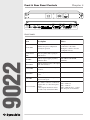
PRESET
SYSTEM STATUS
CH1
TM
AUDIO WORKPLACE
9022
2X2 DSP ENGINE
CLIP
RS-232 CONTROL
CH2
1
2
3
4
SIGNAL
SIGNAL
5
6
BYPASS
BYPASS
7
8
POWER
COMM
CLIP
INPUT
Front panel
CH2 OUTPUT
TM
REMOTE PROGRAM SELECT
1 2
3 4
5 6
7 8
9022 AUDIO WORKPLACE
CONNECT TO
SYMETRIX PS3 OR
PS3E POWER
SUPPLY ONLY.
SLAVE PORT
CH2 INPUT
CH1 INPUT
CH2 IN
CH1 IN
AUDIO WORKPLACE
TM
9022
2X2 DSP ENGINE
1
FABRIQUÉ AUX E.-U. PAR SYMETRIX INC., LYNNWOOD, WASHINGTON.
RÉFÉREZ TOUTE RÉPARATION À UN TECHNICIEN QUALIFIÉ.
CH1 OUTPUT
CH2 OUT CH1 OUT
DEVICE
ADDRESS
HOST PORT
DOWNSTREAM
UPSTREAM
2
3
4
5
6
7
8
MANUFACTURED IN
LYNNWOOD, WA, USA
THIS UNIT CONTAINS NO
USER SERVICEABLE PARTS
Rear panel
1
9022
·
·