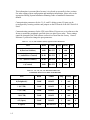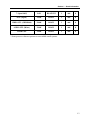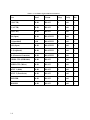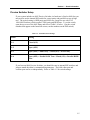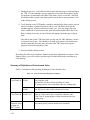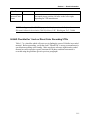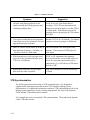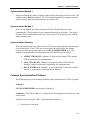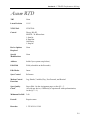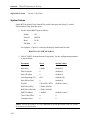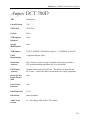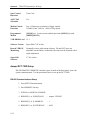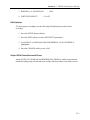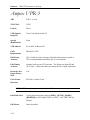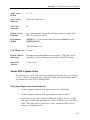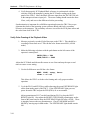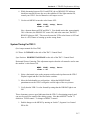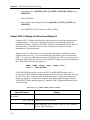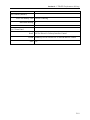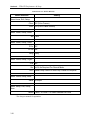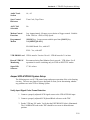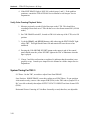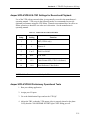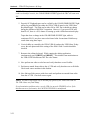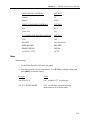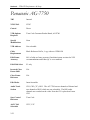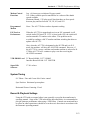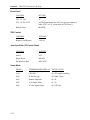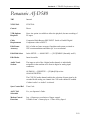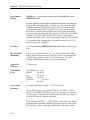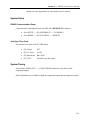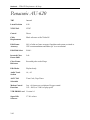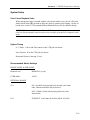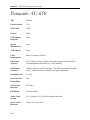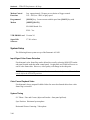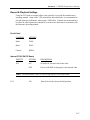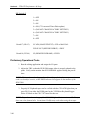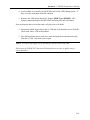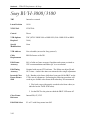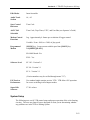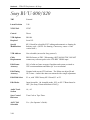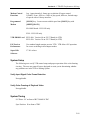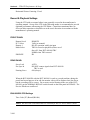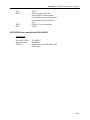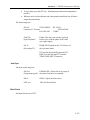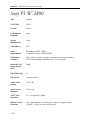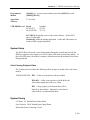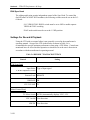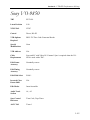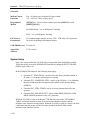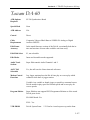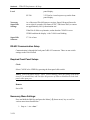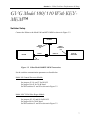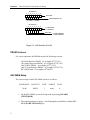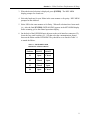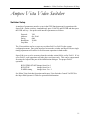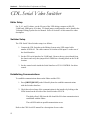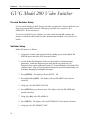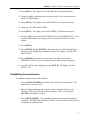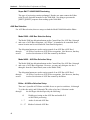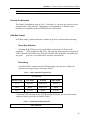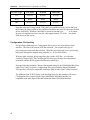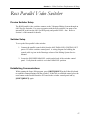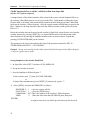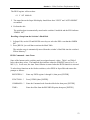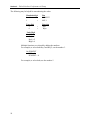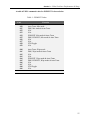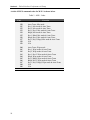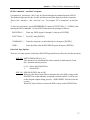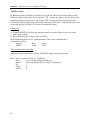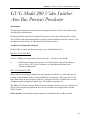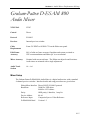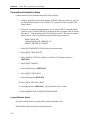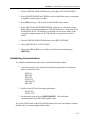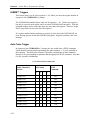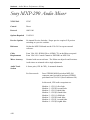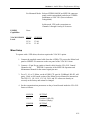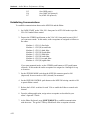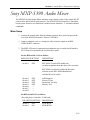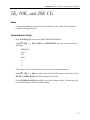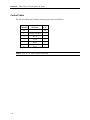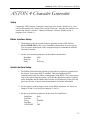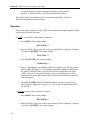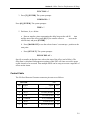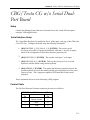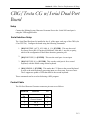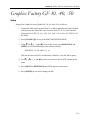
1
Peripheral Equipment Setup & Timing Click Section Titles to link! SECTION 1 GENERAL INFORMATION Editor General Setup Information Preview Switcher Setup NTSC Color Framing & SC/H Phase VTR Synchronization Causes of Cueing Errors Causes of VTR Runaway Causes of System Hang-up SECTION 2 VTRS AND ATRS Abekas A62/A64/A66 Accom RTD Ampex DCT 700D Ampex VPR-3 Ampex VPR-300 Ampex VPR-6/VPR-80 Bosch DCR100 Bosch DCR500 Fostex D-20 Digital Master Recorder JVC BR-S525U S-VHS JVC BR-S811U S-VHS JVC BR-S822U S-VHS Panasonic AG-7750 Panasonic AJ-D350 Panasonic AJ-D580 Panasonic AU-620 Panasonic AU-650 Panasonic AU-660 Sony APR-5003 Sony BVH-2000/2500/2700 Sony BVH-2800 Sony BVH-3000/3100 Sony BVU-800/820 Sony BVU-950/970 Sony BETA (BVW-10/15/40) Sony BETA-SP (BVW-60/65/75) Sony DVR-10/20 Sony DVR-1000 Sony DVR-18/28 Sony DVR-2100 Sony DVW-500 Sony PCM-7030 Sony PVW-2800 Sony UVW-1800 Sony VO-9850 Tascam DA-60 Tascam DA-88 JVC BR-D85U SECTION 3 VIDEO SWITCHERS GVG Model 100/110 Without Key-Mem™ GVG Model 100/110 With KEY-MEM™ Ampex Century Video Switcher Ampex Vista Video Switcher CDL Serial Video Switcher GVG Model 200 Video Switcher GVG Model 300 Video Switcher GVG Model 1000 Switcher GVG 1600-1X Video Switcher GVG 1600 Multi-M/E Video Switcher GVG 1680-10X Video Switcher GVG 1680 Multi-M/E Video Switcher GVG Model 3000/4000 Switcher Ross Parallel Video Switcher Ross/Encore 216A/504/514 Video Switcher Abekas 8100/8150 Video Switcher GVG Model 200 Aux Bus Previews GVG Model 2200 Aux Bus Previews Sony Video Switchers SECTION 4 AUDIO MIXERS Preview Switching Editing With 4-Channel Audio Previewing Methods Audio Mixer Options For VPE Editor Control SWAP Feature For ESAM-2 Audio Mixers GVG AMX-100 Audio Mixer GVG AMX-170 Audio Mixer Graham-Patten 600 Series Audio Mixers Graham-Patten D-ESAM 800 Audio Mixer Sony MXP-290 Audio Mixer Sony MXP-S390 Audio Mixer Soundcraft 200BVE Audio Mixer Yamaha 03D Audio Mixer ESAM-2 Program Bus Monitoring SECTION 5 OTHER DEVICES Using a Serial Printer With VPE Editors 5K, 10K, and 20K CG ASTON 4 Character Generator CBG/Texta CG w/o Serial Dual-Port Board CBG/Texta CG w/Serial Dual-Port Board Graphics Factory GF-30, -40, -50 Presto Character Generator Abekas A53 GVG DPM-100, DPM-700 GVG Kaleidoscope DPM Ensemble TC400 TBC Controller Zaxcom MTBC1000 Multiple TBC Controller DPM-1325 Digital Source Selector GVG PERFORMER Preview Preselector GVG TEN-XL Preview Preselector Lexicon 1200C Audio Time Compressor/Expander Lexicon 2400 Audio Time Compressor/Expander RCI DVE-P2 Teletype Serial Tape Reader/Punch Timeline Lynx/VSI Synchronizer Accom RTD Disk Recorder Tektronix Profile Disk Recorder Videotek SDC-101 Color Corrector TypeDeko Character Generator Cable Procedure for running Super Edit from the RAM Disk Section 1 – Genal Information Section 1 General Information Introduction This manual provides instructions to set up VTRs, video switchers, audio mixers, and other peripheral equipment to work with VPE videotape editing systems. It also aids in evaluating equipment operation and enhances the performance of your editor by explaining edit timing. Contents of This Manual The sections in this manual contain the following information (click on Section # to link): Section 1 – Provides an overview of the manual and includes general information about editing system setup, NTSC color framing, VTR synchronization, and VTR cue error. Section 2 – Discusses VTR and ATR edit performance and setup. Information for a variety of VTR and ATR models is provided. Section 3 – Details video switcher control and configuration. Most popular configurations are listed. Section 4 – Details audio mixer control and configuration. Most popular configurations are listed. Section 5 – Discusses setting up serial printers, digital effects' devices, character generators, paint boxes, timebase corrector controllers, and preview preselectors. Editor General Setup Information The Tables below list typical factory pre-configured communication parameters for VPE editing system serial I/O ports. Table 1-1 for the GVG System 31, 41, and 51 Editors; Table 1-2 for the VPE-131, 141, 141L, 241, 241L, and 251, and 300 series Editors; Table 1-3 for the VPE-151 Editor. In general, you should set your peripherals to match these settings, unless you are asked to do otherwise in the instructions for a particular peripheral. 1-1 This information is presented here because it is referred to repeatedly in later sections. For other editing system configuration and installation information, please refer to the appropriate Editing System Installation Planning Guide or Installation Instructions manual. Communication parameters for the 31, 41, and 51 editing system I/O ports can be reconfigured by resetting switches and jumpers on the I/O boards of the 8493 Serial I/O Panel. Communication parameters for the VPE series Editor I/O ports are set in software at the factory to match the peripherals specified when you placed your order. These settings cannot be changed in the field without a software revision from the factory. Contact Editware if you need to change the port parameters. Table 1-1. 31, 41, and 51 Editors (8493) Typical I/O Port Parameters Port Baud Comm Stop Parity Bits 0 (Preview Switcher) 9600 RS-232 1 odd 8 1 (Audio/Direct Control) 38.4K RS-232 1 odd 8 2-5, 7 (Direct Control) 38.4K RS-232 1 odd 8 6 (Control) 9600 RS-232 1 odd 8 Table 1-2. 131, 141, 241, 251 IPS-100 and IPS-110/2 51 EDITORS TYPICAL I/O PORT PARAMETERS 1-2 Port Baud Comm Stop Parity Bits 0 (Peripheral)* 38.4K RS-422 1 odd 8 1 (R-VTR) 38.4K RS-422 1 odd 8 2 (A-VTR) 38.4K RS-422 1 odd 8 3 (B-VTR) 38.4K RS-422 1 odd 8 4-5 (Open) 38.4K RS-422 1 odd 8 6 (Open) 38.4K RS-422/232 1 odd 8 Section 1 – Genal Information 7 (Open/8465) 9.6K RS-422/232 1 odd 8 8-14* (Open) 38.4K RS-422 1 odd 8 VIDEO CTL (SWR/8466) 38.4K RS-422 1 odd 8 AUDIO CTL (Mixer) 38.4K RS-422 1 odd 8 CHAR GEN 38.4K RS-422 1 odd 8 * Some ports are either not present or not available on all systems 1-3 Table 1-3. 151 Editors Typical I/O Port Parameters Port Baud Comm Stop Parity Bits 1 (R-VTR) 38.4K RS-422 1 odd 8 2 (A-VTR) 38.4K RS-422 1 odd 8 3 (B-VTR) 38.4K RS-422 1 odd 8 4-6 (Open) 38.4K RS-422/232 1 odd 8 7 (Open/8465) 9.6K RS-422/232 1 odd 8 8-10 (Open) 38.4K RS-422/232 1 odd 8 11 (Peripheral) 38.4K RS-422/232 1 odd 8 12 (Character Generator) 38.4K RS-422/232 1 odd 8 VIDEO CTL (SWR/8466) 38.4K RS-422 1 odd 8 AUDIO CTL (Mixer) 38.4K RS-422 1 odd 8 ACCY 1 (8466) 38.4K RS-422 1 odd 8 ACCY 2 (Preselector) 38.4K RS-422 1 odd 8 PRINTER 38.4K RS-422 1 odd 8 MODEM 38.4K RS-422 1 odd 8 1-4 Section 1 – Genal Information Preview Switcher Setup If your system includes an 8465 Preview Switcher, its baud rate is fixed at 9600, but you may need to set the internal DIP switch for correct parity and parallel low true or high true. The typical setting is ODD parity and LOW true, except for use with GVG 1600/1680 switchers, which require EVEN parity and HIGH true. To set the switch, open the top cover of the 8465 frame and refer to Table 1-4 below. (Use the switch numbers that appear on the board silk-screen, not the numbers on the DIP switch). Table 1-4. 8465 DIP Switch Settings Switch Setting S1-1 Closed (ON) S1-2 Open (OFF) S1-3 Open (OFF) = Odd Parity / Closed (ON) = Even Parity S1-4 Open (OFF) = Parallel LOW True / Closed (ON) = Parallel HIGH True If you have an 8466 Preview Switcher, you should be sure its internal DIP switches and jumpers match the editor's communication parameters. The 8466 editor port and switcher port can be set independently. Refer to Table 1-5 for switch settings. 1-5 Table 1-5. 8466 DIP Switch and Jumper Settings Switch Setting Result 1-7 Open (OFF) Inverted XPT (LOW = True) Closed (ON) * Non-inverted XPT (HIGH = True) Open (OFF) * 1 Stop Bit (Switcher) Closed (ON) 2 Stop Bits (Switcher) Open (OFF) * Use Parity (Switcher) Closed (ON) Ignore Parity (Switcher) Open (OFF) * Odd Parity (Switcher) Closed (ON) Even Parity (Switcher) Open (OFF) 9600 Baud (Switcher) Closed (ON) * 38.4K Baud (Switcher) Open (OFF) 9600 Baud (Editor) Closed (ON) * 38.4K Baud (Editor) 1-2 RS-232 2-3* RS-422 3-1 3-2 3-3 3-4 3-8 J12-J19 * Factory Default Settings 1-6 Section 1 – Genal Information NTSC Color Framing & SC/H Phase The following provides information and tips about color framing. NTSC video is a four-field sequence. Fields one and two comprise frame A, and fields three and four comprise frame B. There is only a subtle difference between color frames A and B. Specifically, at a given point in each frame, the subcarrier is inverted relative to the opposite frame. It may be possible to make perfect video edits every other frame (four fields) and still maintain the correct subcarrier relationship. However, there is a time-accuracy advantage in editing frame by frame. Such a signal will record very nicely on any 1-inch VTR, and would pose no problem when observing the playback signal directly from the VTR without a timebase corrector (TBC). The monitor will quickly re-lock to any changes in subcarrier phase due to bad color frame edits. Also, there is no problem when recording in a non-NTSC format such as Betacam or U-Matic, since the color information is not recorded in the same manner as direct color VTRs. Timebase Correctors When playing back directly-recorded NTSC color through a timebase corrector, problems can occur. The purpose of the TBC is to stabilize the off-tape signal and lock it to the house reference so that it can be used as a source for a video switcher, a keyer, or other effects device. When the TBC encounters a bad color frame, it will do one of the following: 1. Keep the horizontal picture position the same and give inverted color as a video output. 2. Shift the horizontal position slightly (140 nSec) so that chroma and burst phase remain locked to house reference. NOTE: TBC manufacturers have chosen the latter approach. The 140 nSec shift will not be noticeable to most viewers and poses no legal or technical problem for transmission. The shift is quite noticeable, however, if it occurs at a match point in the video, as would happen if the matching video were edited on the wrong frame, thereby forcing a color frame error. 1-7 This difficulty arises when duplicating the original recording conditions on a later tape generation. As the playback VTR encounters inverted color frame video, it may shift the output video 140 nSec in the opposite direction to accomplish lock. Therefore the horizontal position of the picture may not match that of a previous edit by 280 nSec, since the difference shows up as the sum of +140 nSec and -140 nSec from the reference point. Thus, editing inverted color frame material can produce undesirable and unpredictable shifts in horizontal position at the edit point. SC/H Phasing Incorrect SC/H phasing can add to the unpredictable horizontal shift problems of bad color framing. It is possible to record an excellent master with perfect match frame edits while suffering from poor SC/H phasing. However, attempting to match to that master later, perhaps in another facility, will result in unpredictable horizontal shifts, as the playback TBC attempts to take out the SC/H phase errors in the off-tape signal. Clearly it is necessary to record from a source that has been properly SC/H phased. This procedure is part of the plant set up, as changes in SC/H phase involve changes in the position of sync relative to subcarrier, and changing one source will cause it to be out-oftime, out-of-phase, or both with the rest of the plant. H-Shift Summary In summary, TBCs add H-shifts because of two causes: SC/H errors and color frame inversions. Color frame inversions are actually known SC/H errors of 180°, and manufacturers have taken steps to reduce the embarrassment of random lockups to such inverted color frames. When a tape is played back, there are three possible states for correct lockup to house reference video for a correct SC/H phased output signal: 1. Correct color frame, where the H position matches the original. 2. Lockup with a 140 nSec left shift. 3. Lockup with a 140 nSec right shift. Since the TBC corrects poor SC/H phase by shifting the H position slightly, it generally does not differentiate between inverted color frame video (180°) and bad SC/H phased video (up to +180°). The video could be shifted left or right with equal probability. Therefore, uncertainty is created at 180° (i.e., is it +180° or -180°?) 1-8 Section 1 – Genal Information Color Frame ID To remove the ambiguity caused by color frame inversions and SC/H phase, a CFID pulse can be fed to the TBC to determine when the incoming video is out of color frame and to consistently shift it, for example, to the left. Consistent matches can then be made to inverted color-framed material, while the SC/H error correction range of the TBC is not compromised. The color frame signal can usually be selected from several sources, but the most valuable is to use playback video as a reference. This assumes the VTR is comparing off-tape video to house reference by means of a color frame detector. Time code should have a fixed relationship to color frame: EVEN code for one color frame; ODD for the other. This is acceptable if the video has been recorded with no inversions of color frame and the time code is continuous on the tape. Control Track, which has a CFID pulse, can also be used as a reference. Again, if inversions in video color frame have been recorded, the wrong reference pulse will be sent to the TBC. In such a case, the TBC may interpret the 180° phase inversion as an error rather than a wrong color frame. An ambiguous left or right shift may result. Guidelines For reliable, predictable editing, follow the guidelines listed below whenever possible: 1. Manually stripe new tape (record Black) with the VTR in 4-field mode, hard record, using time code from a generator that is locked to a color frame pulse. This provides a consistent color frame to time code relationship. Fields one and two are Color Frame-A and should have even time code numbers. Fields three and four are Color Frame-B and should have odd time code numbers. All source tapes should conform to this standard. 2. Prior to the editing session, play each source tape and the record master with their VTRs in 4-field mode. Select playback video as the color frame reference to the TBC (if your VTR has this capability). Adjust the TBC to center the indication for COLOR FRAMED for this mode of playback. (Refer to the VTR manufacturer's recommendations.) Run the Super Edit program. Assign the VTRs as described in the Assignments section of this manual. Now place all VTRs in remote and in 2-field mode; set-in time code for a sample edit having an even-even or an odd-odd relationship and make a test BVB preview on each playback VTR. 1-9 3. During the preview, verify that the color framer indicates proper color framing on the VTR. If color framing is wrong, toggle the record color frame and try again. For properly recorded tapes, the editor color frame will be set on 000. Note that this assumes that a proper color frame pulse from the house sync generator is fed to the editing system. 4. Verify that the record VTR makes consistent, matched edits from a source such as house Color Bars, whether IN-point is odd or even. The Editor will lock the machine properly to house reference in either case. You may toggle the color frame with Record Color Frame at this point and make another edit to the Color Bars recording to see how an out-of-frame edit appears when the tape is played back. Note that as the record VTR plays back over the edit, the TBC indicates a switch to inverted color frame. You should see H-shift in the picture, but the direction should consistently be in the same direction if the TBC color frame input is properly referenced to playback video. 5. Proceed with the editing session. By making the effort to use hardware features and perform adjustments to improve color frame accuracy, you will be able to produce tapes recorded with greater consistency in color framing. Summary of Definitions of Color-framed Video Table 1-6 summarizes the preceding definitions of color framed video. Table 1-6. Color-Framed Video Definitions Summary Color Frame A Color Frame B Playback video at output of TBC. Proper 1-10 Field 1 Has even time code Has half line of video visible at bottom of screen. SC going positive when coincident with sync leading edge. Field 2 Has full line of video visible at bottom of screen. Field 3 or 4 Same as Field 1 and 2 above except has odd time code. Field 3 has SC going negative when coincident with sync leading edge. Horizontal picture position nominal (as recorded). Section 1 – Genal Information Color Frame. Inverted Color Frame Horizontal picture position 140 nSec to the left or right, depending on VTR manufacturer. NOTE: A diagram of the RS-170A proposed video format is available from the Electronic Industries Association, 2001 Eye Street, N.W., Washington, D.C., 20006. H-Shift Checklist for 1-inch or Direct Color Recording VTRs Table 1-7 is a checklist which will assist you in finding the cause of H-shifts in recorded material. Before proceeding, verify that each VTR and TBC is set up per manufacturer's specification regarding color framing. Make sure house reference signals and recorded material on source tapes have good, consistent SC/H phase, and that test material is recorded using the guidelines given in previous paragraphs. 1-11 Table 1-7. H-Shifts Checklist Symptom 1. 140 nSec shift during playback of test signal recorded direct from generator and containing multiple edits. Suggestion Check for reverse color-frame edits in recording. If R-VTR was used without the Editor to record, then check to see that VTR is in 4-field mode. If the Editor was used for recording, then try playing the R-VTR without the Editor. 2. Test signal recorded direct from generator Normal if VTR is in 2-field mode. For manual comes up in one of two positions, 140 nSec operation, correct by going to 4-field mode. apart each time play is pushed. 3. Same as 2 above except comes up in one of TBC not fed with color frame pulse from three positions (reference; +140 nSec; or transport. Check source of CFID pulse for -140 nSec) while in 2-field mode. valid signal. 4. With repeated play cycles, test tape comes up in one of two positions 280 nSec apart. VTR is in 4-field mode. If TBC as CF adjustment, then optimize. Inverted color-frame was recorded relative to source for color frame pulse (time code or control track). Use P/B video as CFID source for feed to TBC. 5. Match-frame edits have 140 nSec shift. Edits look the same if repeated. Trim source machine (or record machine) by ±1 frame. VTR Synchronization The following provides information on VTR Synchronization. It is designed to supplement the information provided in other VPE Videotape Editing System documentation. For additional information relating to VTR synchronization refer to the Editing System Installation, Setup, and Operating manuals, the Super Edit Operator's Guide, and the VTR manufacturers' manuals. Two methods are used to accomplish VTR synchronization. The method used depends on the VTR under control. 1-12 Section 1 – Genal Information Synchronization Method 1 In the first method, the editing computer sends an edit point and pre-roll time to the VTR and then issues a ROLL command. The VTR is then responsible for getting to the edit point on time by properly synchronizing to its internal clock. Synchronization Method 2 In the second method, the editing computer rolls the VTR and reads time code, comparing the VTR's position to a time computed internally in the Editor. Tape Speed Override (TSO) commands (Fast/Slow) are issued to get VTR position in sync with the Editors internal clock. Synchronization Summary With either method, the time code from each VTR is read and compared with an internal clock in the Editor. If the VTR is not in sync before the edit IN-point, the Editing System will abort the operation and report a NOT SYNCHRONIZED error. The method of synchronization used depends on the VTR and interface as follows: • AMPEX VTR (RS-422): Method 1 is used with all Ampex VTRs and the VTR is responsible for synchronization. • SONY VTR (RS-422): Method 2 is used with all Sony VTRs and the Editing Computer assumes the responsibility for synchronization. • RS-232 INTERFACE: Method 1 is used with all RS-232 interfaces and the interface is responsible for synchronization function. Common Synchronization Problems The following discuss some common problems with synchronization of VTRs in general. Problem 1 NOT SYNCHRONIZED error message is displayed. Symptom 1: The VTR is stable (i.e., Capstan Servo not hunting) but it did not get to the correct point. Possible Causes for Ampex VTRs: (Synchronization Method 1) 1. Preroll may be too short. 1-13 2. Color framer is ON at one of the connected VTRs. (All color framers should be OFF on all VTRs.) 3. VTR software (PROM Version) may be incorrect. (See Videotape Editing System Installation Guide for correct version number.) 4. VTR Servo controller is damaged or misadjusted. 5. The Editing Computer is sending the Roll command at the wrong time. (This may be caused by recent changes in the VTR control PROMs.) 6. The VTR SC/H and AST are not properly adjusted. The SC/H of the reference signal to the VTR is incorrect causing the VTR to wait before beginning the roll sequence. 7. On PAL systems, the VTR color frame number set in Super Edit may be incorrect. (Refer to Super Edit Operator's Guide, Initialization Section.) Possible Cause for Sony VTRs: (Synchronization Method 2) Preroll may be too short. Symptom 2: The VTR capstan servo is unstable and hunting around for the correct point. Listen to the time code track on a monitor speaker. A wobble in the time code pitch indicates instability. With either method of synchronization the problem can be caused by any of the following: Possible Causes: 1. VTR servo damaged or misadjusted. 2. Color framers on VTR(s) are ON. (They should be off). 3. Bad time code on tape or problem in VTR time code reader. 4. Time code is in the wrong field or wrong location on the tape relative to video/control Track. 5. VTR time code head is out of alignment or dirty. Clean or adjust as needed. 6. Reel of tape is either too large or too small, which can cause an inertia problem and affect the VTR's ability to achieve proper capstan lock. Symptom 3: VTR is stable at the correct point but arrived too late. 1-14 Section 1 – Genal Information Possible Causes: 1. Preroll time too short. NOTE: PAL VTRs require a longer preroll time because servo and time code sampling is slower than in NTSC VTRs. 2. The reel of tape is too large. 3. VTR SYNC QC; reduce the QC number. 4. VTR transport or servo problems. Symptom 4: The VTR is stable and arrives at the correct point early enough, but NOT SYNCHRONIZED error message is displayed anyway. Possible Causes for Ampex VTRs: (Synchronization Method 1) 1. Wrong time code offset may be selected on the Editing System. 2. New PROMs installed in VTR have changed communications times. 3. Time code communication delay switch in VTR is set incorrectly. 4. Erratic time code is occurring late in the preroll period. Possible Cause for Sony VTRs: (Synchronization Method 2) Erratic time code is occurring late in the preroll period. Common Synchronization Problems With Specific VTRs The following discusses some common problems with synchronization of specific VTRs. Sony BVU-800 Oscillations are normal in the stock (unmodified) VTR due to the tape tension arm. Tape tension must be set exactly to Sony specifications on all VTRs, especially the U-MATIC types. 1-15 Typically, synchronization should improve after a few tries if caused by this problem. The tension arm should not cause problems on a BVU-820 if it is set to DT mode. For additional information see Tech Note 85-110. The time code may be in the wrong field if the tape was made on an older UMATIC or BVU-800 with the framing servo set to OFF, or on a “CMX Modified” unit. The time code may be non-synchronous, resulting in different characteristics in different areas of the tape. Sony BVH-2000 and BVW Series The VTR color frame switch may be set to ON (i.e. more than 2-fields). BVH2000 VTRs exhibit severe synchronization problems when the preroll is not integral seconds. Refer to the VPE Videotape Editing System Installation Guide for further information. Ampex VPR-3 The AST may not be set up correctly. AST affects lockup and may cause the VTR to park at the wrong position. Verify that SC/H phase for the external reference vertical advance (from TBC) is correct and the same SC/H as the reference signal to the TBC. Refer to VPE Videotape Editing System Installation Guide for further information. PAL VTRs The color frame setting may be incorrect at the Record or Source VTR. Verify that settings are in accordance with the Operator's Guide. Tests & Checks to Improve Synchronization 1. Try using a longer preroll time. If this helps, the VTR is capable of synchronization, but not with a standard preroll time. 2. Set QC to a lower value. This may allow the use of tapes with poor time codes. NOTE: If synchronization improves with lowered QC value, some type of VTR or tape problem may be overlooked by the computer. Edit accuracy may be reduced. 3. Try the Tape Timer mode when testing for time code problems. If the problem appears to clear up, the time code track or reader in the VTR is probably at fault. 1-16 Section 1 – Genal Information 4. Check editing timing. Visually inspect edits with known good tapes on Record and Playback. See the Installation Guide, Edit Timing section, for further information. 5. Try to narrow the problem to one VTR. Move the tape in question to another VTR to see if the problem follows or if it stays with the original VTR even with another tape. 6. Change to another known good tape on the same VTR. A tape that will not synchronize may have time code, drag, or other problems preventing the VTR from moving it to the correct location. Poor time codes can cause confusing symptoms because the time code reader in the VTR may be switching from time code to control track update repeatedly, producing bad time code values. 7. Try re-recording the time code if the time code is suspected as the problem. 8. Reproduce a previously successful operation. Try to determine what is different, to isolate the cause. 9. Always keep a set of known good test tapes to use as a trouble-shooting aid when things go wrong. 10. Try edit using the VTR/s local edit controls (if it has them). Other Items to Check System • Correct sync source to VTRs and interfaces. • All VTRs and the Editing System are fed from the same sync generator. • Proper CFID signal connected to the Editing System (Test with Sync Test diagnostic). • Reference Black signal to VTRs and interfaces is correct level and SC/H phase, etc. • Check all switch settings. • Check servo setup. • Check Capstan for dust or dirt, and roller pressure, which can cause tape slippage or drag if not correct. • Time code reader is in wrong position or time code head is dirty. VTRs 1-17 Tape • Time code is in the wrong phase (i.e. Location on tape); not locked to video. • Gaps in time code or control track. • Distortion of time code due to dubbing without regeneration. • Video glitches causing control track errors, servo instability, and lockup problems during preroll. • Zero inertia devices such as Kaleidoscope DPM-1, DPM-100 and Abekas A62 should not have synchronizing problems. Check SC/H phase, setup, etc. Other VPE Auto-Sync Mode Auto-Sync Mode is a unique feature of VPE Editing Systems equipped to control Sony RS-422 VTRs. The Super Edit program starts with a set of synchronizing parameters that are typical for various Sony VTRs. After going through the synchronization process, the Editor “learns” the optimum parameters for each individual VTR and takes into account wear, adjustments, etc. From that point on, synchronization should be very rapid, with a minimum of TSO action. The optimizing parameters are automatically saved if you make a configuration file after running the synchronization Learn process. This is a recommended practice, since it both checks your configuration file, and archives the optimum VTR synchronizing performance. Learned parameters will not be changed by VTR reassignment, but will be reset to the default values if you enter new values for the specific VTR setup of either Model or QC. VTR Cue Error The following paragraphs provide information on VTR Cue Error and are designed to supplement the information provided in other VPE Videotape Editing System documentation. For additional information relating to VTR Cue Error, please refer to the VPE editor Installation, Setup, and Operating manuals, the Super Edit Operators Guide, and the manufacturers Manuals for the VTR(s) you are using. 1-18 Section 1 – Genal Information Cueing Problems The cue problem is a function of how the VPE Editing System interacts with the VTR under control when you press the [CUE] key on the keyboard, start a Preview, or a Record function. The Editing System initiates commands using one of the two methods discussed below, depending on the type of VTR under control. Method 1 In this method, the Editing System issues a CUE command to the VTR along with the cue point, in time code value. The VTR is responsible for finding the cue point and signaling the Editing System when it has done so. Method 2 In the second method, the Editing System reads the time code and then issues a SHUTTLE command to servo the VTR to the proper point. A STOP command is sent to the VTR when the Editing System reads the proper time code for the cue point. The method used depends on the type of VTR and interface as follows: 1. Ampex VTR (RS-422): Method 1 is used with all Ampex VTRs. The VTR is responsible for cueing. 2. Sony BVH-2000 (RS-422): Method 1 is used for Sony BVH series VTRs. The VTR is responsible for cueing. 3. Sony Cassette: Sony Cassette VTRs use a combination of methods to cue. If the cue point is less than 30 seconds away, the VTR is responsible for cueing (Method 1). If the cue point is more than 30 seconds away, the Editing System assumes the responsibility for cueing until the VTR gets within 30 seconds, then the VTR is responsible. 4. RS-232 Interfaces: Method 1 is used for all RS-232 interfaces. The interface is responsible for cueing. Causes of Cueing Errors The CUE ERROR message may be caused by either of the following: • The VTR is reporting that it is incorrectly cued. For some reason, it was unable to find the point requested by the editor. 1-19 • The Editing Computer reads the VTRs time code and finds that the VTR is parked more than one second away from the target point. (The VTR will usually recover automatically). Causes of VTR Runaway VTR runaway, where the VTR fails to complete a search and then runs to the end of the tape, can be caused by any of the following: 1. The VTR is unable to read the time codes at wind (fast forward/reverse) speeds. 2. The time codes at the Editor and VTR do not match. Verify that the modes (DF or NDF) of the IN-edit and position match. Problems in this area are usually caused by a reel change. Play and mark-in the VTR prior to issuing a cue command. 3. Bad time code on tape resulting from multi-generation recording without reshaping, or a low level recording. 4. Worn or misadjusted time code read head or poor tape guiding at wind speed. 5. Out-of-Sequence time code on tape. 6. If using Vertical Interval time code (VITC), the reader in the VTR may be incorrectly set for operation using the combination of VITC and Longitudinal time code (LTC). See the Videotape Editing System Installation Guide. 7. VTR transport problem. Brakes may be old, worn, or misadjusted. If the cue point is too close to the end of the tape, the VTR may not be able to stop, allowing the tape to come off the reel. 8. On Sony BVH series VTRs, make sure that the machine is assigned correctly with VTR Model/QC. 9. Cassette VTRs may have read the wrong time code into the reader before the cue, causing the Editor to send the VTR in the wrong direction. 10. Time code cue point too close to the end of the tape. VTR operation may interact with end of tape functions. 1-20 Section 1 – Genal Information Causes of System Hang-up Hang-up, where the VTR stops and the Editing System appears to be waiting indefinitely without completing the edit, may be caused by any of the following: • The VTR has stopped but is reporting to the Editing System that it has NOT completed the cueing process. The Editing Computer will wait indefinitely for the proper indication. Press [ALLSTOP] (Space bar) and try again. • Tape tension or reel servos may be misadjusted on the VTR. This can cause the tape to stick to the drum or hang up in the cassette. This can prevent the VTR from finding the desired point. The VTR may keep trying, appearing to hang-up the system. • On the Ampex VPR-6, control PROMs earlier then V2.0 will occasionally cause hang-up problems. Press [ALLSTOP] (Space bar) and try again. 1-21 Section 2 VTRs and ATRs Introduction This section presents setup and edit performance information for a variety of machines. You will find machine descriptions in the order listed below. For ease of reading, details are presented in the same format for each VTR or ATR. Click on Topic to Link! 2-1 Abekas A62/A64/A66 Sony BVH-2000/2500/2700 Accom RTD Sony BVH-2800 Ampex DCT 700D Sony BVH-3000/3100 Ampex VPR-3 Sony BVU-800/820 Ampex VPR-300 Sony BVU-950/970 Ampex VPR-6/VPR-80 Sony BVW-10/15/40 Bosch DCR 100 Sony BVW-60/65/75 Bosch DCR 500 Sony DVR-10/20 Fostex D-20 Sony DVR-1000 JVC BR-S525US-VHS Sony DVR-18/28 JVC BR-S811U S-VHS Sony DVR-2100 JVC BR-S822I S-VHS Sony DVW-500 Panasonic AG-7750 Sony PCM-7030 Panasonic AJ-D350 Sony PVW-2800 Panasonic AJ-D580 Sony UVW-1800 Panasonic AU-620 Sony VO-9850 Panasonic AU-650 Tascam DA-60 Panasonic AU-660 Tascam DA-88 Sony APR-5003 JVC BR-D85U Section 2 – VTR/ATR Performance & Setup Abekas A62/A64/A66 TBC None Latest Revision 10/90 NTSC/PAL NTSC Control Direct, RS-422 VTR Options Required Dual Channel RS-422 SMPTE Control Special Modifications None VTR Address 1 (The rotary switch located near the center of the board.) Cable Requirements Yes, see System Connections Edit Frame Accuracy 98% of edits are frame accurate if machine/system are timed to VPE recommendations and Editor QC is set to nominal. Edit Field Select Selectable on the device Inverted Color Frame Shift None, due to use of color processor. Recording inverted color frame under Editor control results in inverted chroma. Note that the A64/A66 are component digital devices and color framing is not applicable Color Frame Reference PB Video Edit Modes Insert/Record - One channel, A or B port Record/Play - B-channel must be Record; A-channel must be Playback. Audio Track Section No Audio Sync Control Reference Time Code 2-2 Section 2 – VTR/ATR Performance & Setup Alt TC Ref Selectable No, NDF Time Code 00:00:00 - 1:39:29 Motion Control Functions Jog: approximately ±4 frames per revolution of Jogger control. Var: ±393% of play speed. Programmed Motion [SLOW] key: Learn current variable speed into [SLOW] key with[SHIFT][SLOW]. SLO-MO Match: Yes FILL: Yes VTR PROM Level TC Board #68000: IC17 VSI0882 Interface Board #61000: IC2 VSI0735B Super Edit Software V7.0L or later System Connections The A62/A64/A66 are generally used as two devices (SMPTEA/SMPTEB) with a keyer in the middle used for layering. They can not both PLAY or RECORD at the same time; one will PLAY and the other RECORD. The interconnection shown in Figure 2-1 allows use of the A-62/A64 as a separate record device, using the A62/A64/A66's internal direct digital copy facility. 2-3 Section 2 – VTR/ATR Performance & Setup VTR1 VTR2 --- VIDEO INPUTS PGM OUT GVG300 PST OUT REF IN ABEKAS A62 VID OUT 1 2 VTR3 VID IN KEY IN PVW OUT CONT A B VTR2 PB VTR1 TEN-XL 10X1 ROUTER OUT PREVIEW MONITOR REC REC IN SWR IN PREVIEW SWITCHER PREVIEW PRESELECTOR OPTION GVG EDITOR Figure Section 2-1. Editing System & A-62/A64 Interconnections When another VTR is to be used for the record machine, switch the A62/A64/A66 Key/Matte function OFF to pass video directly from VID IN to VID OUT, and select (PVW Preselect Option) or patch the record VTR to the 8465/8466 Preview Switcher RECORD input. On the GVG300 switcher, use the PST bus to route a key signal to the A62/A64. NOTE: On the A66, the Editor must be connected to Remote Port 2 and the Remote Protocol selection in Menu 6 should be SMPTE. Switch Settings Using the Abekas A62/A64/A66 with an external editor is not generally covered in the manufacturer's operating manual. Setup of the VTR in the modes described below is recommended to provide optimum performance when using a VPE Editor. Controls not mentioned have no effect on editor operation or should be set at the user's discretion in accordance with the Abekas operating manual. 2-4 Section 2 – VTR/ATR Performance & Setup NOTE: There are no hardware settings. Control Panel For DUAL Channel Operation: [SETUP] [REMOTE] Port A SMPTE, 38.4K baud Port B SMPTE, 38.4K baud [PVW] [ON] NOTE: The PVW switch is located on the Control Panel. For single or dual playback, A-channel or B-channel record: Press [SETUP], [MATTE], [KY/MAT] = OFF Press [SETUP, [RECORD], [CONFIG] = NORMAL Setup Tests The following information provide tests to verify that the controls of the A62/A64/A66 are set up properly and that the color framing function is working properly. The tests are general and are designed to assist you in isolating a problem to the A62/A64/A66 or the editing system. System Timing 1. Monitor the video output. 2. Check SC phase: Press [SETUP], [phase], and [subcar] on the A62 MENU. 3. Check Sync position: Press [SETUP], [phase], and [horiz] on the A62. 4. Horizontal Picture Centering of BARS: NOT adjustable. 5. Press [hzfine] to adjust the S/CH phase of the output signal. If adjustment is required, double check the S/CH phase of the signal being compared and the S/CH settings during record. 2-5 Section 2 – VTR/ATR Performance & Setup Record & Playback Settings. Verify Input Signal Color Frame Detection 1. On the A62 panel, Turn PVW to ON and monitor the PVW output. 2. Connect a properly-adjusted S/CH-phased signal source to the A62. 3. Connect a properly-adjusted S/CH-phased black reference to the A62. 4. Observe the S/CH indicators on the A62 MENU by pressing [SETUP], [phase]. Both should be ON and the corresponding numerical setting near 50. If not, DO NOT proceed and refer to the Abekas manual for A62 set-up procedures. Verify Color Framing of Playback Video 1. Make a video recording on the disk using the A62 panel. 2. Play back the recorded video and verify Color Framing. An inversion of color indicates bad input SC/H phase adjustment. Verify Proper Operation Under Editor Control 1. Make a recording from the editor. Verify that RECORD COLOR FRAME (if applicable) is set to Ø. 2. Playback the recorded video. If the color is inverted, check system setup and check for proper Color Frame Identification (CFID) pulse to the editor. NOTE: Minor maladjustments of input and reference SC/H phase settings will result in recordings that have inverted color or are H-shifted 140 nSec. A62/A64/A66 Operation The A62/A64/A66 are random access, disk-based, video recorders, which when interfaced to a VPE Editor, can be used as source or recording devices, or both. The A64 can be assigned as a single device with a 120 second duration or as two 60 second duration devices. 2-6 Section 2 – VTR/ATR Performance & Setup The A62 can be assigned as a single device with a 100 second duration or as two 50 second duration devices. In use, this device appears in the Mark Table as a VTR. Using 2 control ports, it can be assigned as two independent machines. The A62/A66 has no keyer and cannot simultaneously PLAY and RECORD when assigned as two devices. NOTE: When the A64 is used as a single device, the unused port must be unassigned. Failure to do so will cause the A64 not to record the first few frames after switching sides. The A62 can be used as a record or playback device, as both simultaneously, or as a digital playback device (in copy mode). The optional TEN-XL Preview Preselector allows the record device, (A62/A64/A66 or other VTR) to be reassigned as a source without patching. Record Playback When used as a Record/Playback device, the editor controls the A62/A64/A66 like a VTR, prerolling before an edit and displaying a post roll after edit. All Editor functions are available. The switcher can create new composite foreground material over a super black (-5 IRE) background luminance level, allowing self-keying over the background in the A62/A64/A66. It can also be used in the additive matte mode to provide insert quality that is superior to a key. After recording a layer on the A62/A64/A66, the Record and Source time codes can be reversed on the editor, and another layer created in the next EDL event. Editor System Features 1. A swap MACRO can be programmed to reverse Record and Playback time codes so new layers can be created. NOTE: The Editor SWAP function is frequently used with ABEKAS equipment. ABEKAS requires the B-Channel to be RECORD and the A-Channel to playback. If problems are encountered in the device reassign the RECORD device to the B-Channel and the PLAY device to the A-Channel. 2. Switcher E-MEM data and Kaleidoscope effects registers are stored to accurately define composite layers for later Auto Assembly. 2-7 Section 2 – VTR/ATR Performance & Setup 3. Global variable speed controls can change the run time of a composite event when controlled devices such as the Abekas A62/A64/A66, most VTRs, and Kaleidoscope are used in the system. There is no Edit Enable on the A62/A64/A66. A-channel commands (playback) are duplicated on the A62/A64/A66 panel and B-channel commands (record) are reflected only in the Mark Table of the Editor. All Editor transport controls are active. When playing and recording simultaneously, one virtual A62/A64/A66 machine must be in the upper half of the 100 seconds and the other in the lower half. Prerolls before Ø can be used with the ABEKAS equipment but the A62 will edit 1 frame off the prerolling before Ø. NOTE: The A62 has a digital PGM out and an analog PVW out. These two outputs are not in time with each other. Unless adequate precautions are taken, this may present a problem when used with a GVG-3000 switcher that is previewing on the AUX bus. 2-8 Section 2 – VTR/ATR Performance & Setup Accom RTD TBC None Latest Revision 11/95 NTSC/PAL NTSC/PAL Control Direct, RS-422 SMPTE: 38.4Kbaud rate 1 Start bit 8 Data Bits Odd Parity 1 Stop bit. Device Options Required None Special Modifications None Address 0x80a2 (see system setup below) Edit Field Field (selectable on the Recorder) Edit Modes Insert Sync Control Reference Motion Control Functions Jog, Shuttle, Variable, Play, Fast Forward, and Rewind Sync Quality Check Super Edit: On the Assignment page, set the QC = 3. (As with any device, if difficulty is experienced with synchronization, set the QC =-1.) Minimum PreRoll 3:00 Postroll Requires none Recorder 1.17E 8/19/94 13:09 2-9 Section 2 – VTR/ATR Performance & Setup Super Edit Version Version 7.1b or later System Setups On the RTD keyboard, Press Normal Play switch, then press the Setup 1/0 switch. Select Remote Setup from the menu. 1. Set the desired RS422 port as follows: Enable - ON Protocol - SMPTE Baud - 38.4K Fld-Dom - fl For example: if port #1 is selected, the display should look like this: RS422 #1A ON SMPTE 38.4K fl 2. Select CONFIG from the Remote Setup menu. Set the configuration parameters as shown below: Parameter Set to (default value) Edit Delay 4 fields (default 8) Edit On Adjust 0 (default 0) Edit Off Adjust 0 (default 0) Field Reporting (TC) OFF (default ON) Park Offset (Play) 0 (default 0) Prod ID 128 (0x80) : RTD (default is same) Roll Delay (Play) 2 fields (0 fields) Roll Delay (Record) 4 fields (0 fields) SMPTE Address 1:0x80a2 (default is same) Time Code Offset 0 0 Transport Delay 0 0 NOTE: For use as a source, it is very important to set the Roll Delay (Play) to 2 fields for accurate synchronization. 2-10 Section 2 – VTR/ATR Performance & Setup Ampex DCT 700D TBC Frame Store Latest Revision 3/88 NTSC/PAL NTSC/PAL Control Direct VTR Options Required None Special Modifications None VTR Address SETUP - REMOTE, REMOTE 1 address - 1, INTERFACE - RS-422 Cable Requirements Component Digital Video Edit Frame Accuracy 98% of edits are frame accurate if machine and system are timed to VPE recommendations and Editor QC is set to nominal. Edit Timing Accuracy Nominal with current VTR software. The Editor can adjust IN and OUT times. Audio/video times are trimmed with a single adjustment. Inverted Color Frame Picture Shift None Color Frame Reference N/A Edit Field Select F1/F2 Edit Modes Insert/Assemble Audio Track Section A1 - A4 Analog, AES Audio, CUE channel 2-11 Section 2 – VTR/ATR Performance & Setup Sync Control Reference Time Code Alt TC Ref Selectable Yes Motion Control Functions Jog: ±4 frames per revolution of Jogger control. Variable: From -100% to +200% of Play Speed. Programmed Motion [SLOW] key: Learn current variable speed into [SLOW] key with [SHIFT][SLOW]. VTR PROM Level V1.1 Software Version Super Edit v7.0F or later Record VTR E-E Monitoring Nominally correct with current software. IN and OUT times are adjustable via the Editor. Audio and video times can be trimmed with a single adjustment. Super Edit Software V7.0L or later Ampex DCT 700D Setup RS-422 REMOTE 1/REMOTE 2 interface ports, located on the back panel, assist the system communication. Use the procedures below to set up the DCT 700D. RS-422 Communications Setup 1. Press SETUP function button. 2. Press REMOTE soft key 3. SCROLL or DOWN & CHANGE 2-12 4. REMOTE (1 or 2) PROTOCOL - asmpte “VPR300” 5. REMOTE (1 or 2) ADDRESS - 1 6. REMOTE (1 or 2) INTERFACE - rs422 Section 2 – VTR/ATR Performance & Setup 7. REMOTE (1 or 2) PROTOCOL 8. EDIT FIELD SELECT - 38.4k - F1 or F2 Edit Optimize To ensure proper recordings, use the following Edit Optimize procedure before recording. 1. Press the SETUP function button. 2. Press the EDIT soft key to select EDIT SETUP parameters. 3. Use SCROLL or DOWN until INS/ASM PREROLL AUTO OPTIMIZE is highlighted. 4. Press the CHANGE softkey to set it ON. Output SC/H Phase/Horizontal Phase Adjust OUTPUT SC/H-PHASE and HORIZONTAL PHASE to enable correction and match the leading edge of horizontal sync and the Subcarrier Phase to the House source. 2-13 Section 2 – VTR/ATR Performance & Setup Ampex VPR-3 TBC TBC-3 or Zeus NTSC/PAL NTSC Control Direct VTR Options Required Time Code Reader Serial I.F. Special Modifications None VTR Address Set to 0001 on Board #20 Cable Requirements BLK Ref to TBC Edit Frame Accuracy 98% of edits are frame accurate if machine and system are timed to VPE recommendations and Editor QC is set to nominal. Edit Timing Accuracy Nominal with current VTR software. The Editor can adjust IN and OUT times. Audio/video times are trimmed with a single adjustment. Inverted Color Frame Picture Shift Left Color Frame Reference PB Video, Control Track NOTE: VTR color framing is overridden by the Editor Edit Field Select Via Keyboard using the sequence [EDIT], [SETUP], [MORE], [REMFLD] to select either Field 1 or Field 2. (See VPR-3 Set Up Menus.) Edit Modes Insert/Assemble 2-14 Section 2 – VTR/ATR Performance & Setup Audio Track Section A1, A2 Sync Control Reference Time Code, Tape Timer Alt TC Ref Selectable No Motion Control Functions Jog: Approximately 4 frames/Rev of Jogger control. Variable: From 100% to +300% Play Speed. Programmed Motion [SLOW] key: Learn current variable speed into [SLOW] key with [SHIFT][SLOW]. SLO-MO Match: Yes VTR PROM Level Version 7.3 Record VTR E-E Monitoring Recommend using Dual Monitor Preview mode. VTR allows E to E operation for source switching only in STOP or SHUTTLE modes. Super Edit Software V7.0L or later Ampex VPR-3 System Setup The following tests verify VTR control setup and proper operation of the color framing circuitry. The tests are general, but are designed to assist you in determining whether any problems are in the VTR or Editing System. Verify Input Signal Color Frame Detection 1. Connect a properly adjusted SC/H signal source to the VPR-3 input. 2. Connect a properly adjusted SC/H signal (Black) reference to TBC-3. 3. With no tape on the VPR-3, check the WRONG F/F light to be sure it is OFF. This light is located at the top-right side of the SC/H Phase meter on the VPR-3 panel. If the light is ON, re-check steps 1 and 2, consult the VPR-3 Service manual or call Ampex Service. 2-15 Section 2 – VTR/ATR Performance & Setup 4. Verify that properly SC/H phased Black reference is synchronized with the reference feed to the transport by noting the SC/H meter reading on the front panel of the VPR-3. Move the Black reference input from the TBC REF IN jack to the transport reference input jack. The meter reading should remain the same. If not, verify and correct the differences before proceeding. Synchronization is important for valid Editor operation because the TBC-3 has a sync generator that locks to the incoming system reference Black and feeds a secondary reference to the transport. The secondary reference is used for the SC/H phase meter and the color frame lock of the VTR. Verify Color Framing of the Playback Video 1. Mount a previously recorded Color Bars tape on the VPR-3. This should be a recording of bars made on a VTR with the color framer turned ON (A-Field mode). 2. Make the following selections with the push-button on the left-center of the operator's control panel: UNITY/VAR = VAR TAPE/INPUT = TAPE Adjust the SC/H knob until the needle centers at zero. Start and stop the tape several times to ensure a zero setting. 3. Use the Soft Menu to turn ON the color framer: MENU: HOME, setup, Servo cfrmr = on std This allows the VPR-3 to do the color framing and verify proper machine operation. 5. Cycle the PLAY and STOP keys while observing the green EDIT READY light on the front inside panel of the TBC-3. If the EDIT READY light goes out, power down the TBC and put the PCB (PWA) #4 on an extender. Adjust potentiometer R-117 on this board during PLAY to keep the EDIT READY light ON. Also adjust the BURST SYNC PHASE potentiometer on the front of the same board to keep the EDIT READY light ON after a STOP. There is interplay between the two potentiometers. Check VAR MODE and JOG MODE by moving tape in both modes. The EDIT READY light should remain ON. 2-16 Section 2 – VTR/ATR Performance & Setup 6. While alternating between PLAY and STOP, the red WRONG F/F indicator should not remain ON once the servo has stabilized. If the light remains ON, consult your VPR-3 Service Manual or call Ampex service. 7. Use the soft MENU to turn the color framer OFF: MENU: HOME, setup, Servo cfrmr = OFF Now, alternate between STOP and PLAY. You should notice that, approximately 50% of the time, the WRONG F/F comes ON, and at the same time, the EDIT READY light goes OFF. This occurs because the VTRs color framer is OFF and there is a 50% chance of coming up on the wrong frame. System Timing For TBC-3 (See Ampex manual for Zeus TBC) S.C Phase: S.C.PHASE on the side of the TBC-3 Control Panel Sync Position: HORIZONTAL PHASE on the side of the TBC-3 Control Panel. Horizontal Picture Centering: This adjustment requires that the soft menu be used to turn the machine’s color framer ON. MENU: HOME, setup, Servo cfrmr = ON 1. Select a horizontal wipe on the program switcher and wipe between the VPR-3 Playback signal and the Color bars on the switcher. 2. Move the fader handle to a mid position. Adjust the HORIZ PHASE potentiometer on the VPR-3 to align the vertical edges of the two pictures. 3. Verify that the VPR-3 is color framed by noting that the WRONG light is not ON. These elementary tests are good indicators that the VPR-3 is functioning properly and can now be tested for control of the editing system. Note that AMPEX Version 7.3 defaults to TLINE control. To change to DIRECT control: 1. Enable changes to the MENU by turning on Switch 7, Segment 8 on Control PWA #20. 2-17 Section 2 – VTR/ATR Performance & Setup 2. In sequence, press: [HOME], [SETUP], [MORE], [MNENB], [MORE], and [REMOTE]. 3. Select ENABLE. 4. Now control can be changed by pressing [HOME], [SETUP], [MORE], and [REMOTE]. 5. Select DIRECT for CTRL and select IN for 2FRDL. Ampex VPR-3 Settings for Record and Playback Using the VPR-3 with an external editor is not generally covered in the manufacturer's operating manual. VTR set up in the following modes is recommended to provide optimum performance using the VPE Editor. Controls not mentioned have no effect on editor operation or should be set at the user's discretion in accordance with the manufacturer's operating manual. Ampex version 5.5 software has a set-up procedure that requires a head/tape current calibration after power up. You must run this procedure before you can record on the VPR-3. If a previous calibration has not been SAVED in the VPR-3, you must mount a blank tape and perform this operation. Using the MENU display and selection buttons on the VTR, perform the following sequence: MENU: HOME, setup, tape, setup, auto Press: PLAY/RECORD PLAY/RECORD means that you press the PLAY and RECORD buttons, wait 1-2 seconds for the REC indicator to light, and then press AUTO in the soft menu. Pressing the AUTO key the second time starts the calibration process, which takes about three minutes to complete. Calibration is complete when the bar-graph disappears and the AUTO SETUP PASS message appears. Consult the VPR-3 Operations Manual for the SAVE procedure. Table Section 2-1. AMPEX VPR-3 & TBC-3 PANELS Control/Function Setting Rear Panel Vpr-3 Video In Output From Video Switcher Tbc-3 Ref In House Reference (Feed To TBC-3 Only Use TBC Advance Ref For VPR-3 Reference. 2-18 Section 2 – VTR/ATR Performance & Setup Tbc Controls (Board 6) Vert Cent Memory Cent Vertical Centering Horizontal Phasing 4 Vpr-3 Front Panel Rem2 ON For Direct Or Calaway Interface Control ENAB INHIB,Sy/A4 On Version 4.0 To Prevent Bad OUT-Edits Time Tcr 2-19 Section 2 – VTR/ATR Performance & Setup Table Section 2-2. SETUP MENUS* Menu Selection Setting Menu:Home, Edit, Setup Cfrmr Off (Color Framer) Cfsrv Vid (Color Frame Source) Menu: Home, Setup, Servo Ast Field Menu: Home, Setup, Video P Prc Off Pb Hd Ast Trkng Unity Menu: Home, Setup, Tcgen Tc Ø Øa Src Int Or As Required For Record Mode. Df/Ff Select Drop-Frame Or Non-Drop Frame As Required. Menu: Home, Setup, More Serial A-Smpte Menu: Setup, Edit, Setup, More remfld Field 1 Or Field 2 To Select Desired Edit Field * See Ampex manual for operation. 2-20 Section 2 – VTR/ATR Performance & Setup Note that the VPR-3 with software version 7.3 defaults to TLINE control. To change to DIRECT control, enable changes to the MENU by turning SW-7, segment 8 (on Control PWA #20) to ON. Now press the following: [HOME], [SETUP], [MORE], [MNENB], [MORE], and [REMOTE]. Then select ENABLE. You can now change control by pressing: [HOME], [SETUP], [MORE], and [REMOTE]. Complete the control change by selecting DIRECT for CTRL and IN for 2FRDL. Table Section 2-3. VPR-3 PCBS (PWAS)* Board/Switch Setting Board #20 Record Lockout OFF for record Board #7 AST PM Board #6 Regen Sync Insert OFF Ampex VPR-3 Preliminary Operational Tests 1. At the VPE editing keyboard, run the Super Edit application and assign the I/O ports. 2. Adjust the TBC so that the VPR-3 output video is properly phased to the plant. Verify that the WRONG F/F indicator, located to the left of the numeric keypad, does not illuminate during pre-roll. NOTE: This is only true for the record machine. If an out of color frame sequence time code is selected for sources, a WRONG F/F indicator will appear on the VPR-3. 3. Properly SC/H phased tapes can be verified with the monitor display when you press [PLAY] on either the VPR-3 panel or the VPE Editor Keyboard/Jogger. The indicator can show either WRONG F/F, or not, but it should not change during this play operation. However, if you press STOP and then PLAY, there is a 50% chance of coming up with the WRONG F/F indication. 2-21 Section 2 – VTR/ATR Performance & Setup Tapes that show a change on the WRONG F/F indicator while in continuous PLAY may have non-color framed edits. Inconsistent H-shifts may result when using these tapes. 4. Vertical shifts are caused by the VPR-3 and not the VPE editing system. If they occur, the tach phase and/or the setting of the Field-1/Field-2 switch should be checked. 5. Return to the VPE editing keyboard. While running the editing application, simultaneously press [SHIFT] and [RESET]. This initiates communications to the VPR-3 and turns OFF the color framer. The editing system will control the color framing. 6. Perform ten edits to color bars and verify there are no H-shifts. 7. Perform ten match frame edits to the A-VTR and verify that there are no H-shifts. Check each source machine in this fashion. 8. Now link up all sources (from the INIT page) and perform ten match frame edits from the A-VTR. Check all sources again. NOTES: The above steps apply only to normal play speeds of the VPR-3. Do not turn the source CF function ON during these tests, since it applies only to source machines. Record CF applies only to the record machine. Also, if a high sync abort rate is experienced with the VPR-3, check the CAPSTAN CURRENT. If the CAPSTAN CURRENT is High, check the Air System. Typically, the float is too high and the capstan is working too hard. The float may be too low also, which may cause the capstan to slip. 2-22 Section 2 – VTR/ATR Performance & Setup Ampex VPR-300 TBC Internal Latest Revision 3/89 NTSC/PAL NTSC/PAL Control Direct VTR Options Required None Special Modifications None VTR Address Set to 1 Cable Requirements BLK Ref to Ref IN Edit Frame Accuracy 98% of edits are frame accurate if machine and system are timed to VPE recommendations and Editor QC is set to nominal. Edit Timing Accuracy Nominal with current VTR software. The Editor can adjust IN and OUT times. Audio/video times are trimmed with a single adjustment. Inverted Color Frame Picture Shift Left Color Frame Reference Input video or external reference Edit Field Select Selectable in the machine Edit Modes Insert/Assemble Audio Track Section A1 through A4 2-23 Section 2 – VTR/ATR Performance & Setup Sync Control Reference Time Code Alt TC Ref Selectable Yes, refer to the Ampex manual. Motion Control Functions Jog: ±4 frames per revolution of Jogger control. Variable: From 100% to +200% of Play Speed. Programmed Motion [SLOW] key: Learn current variable speed into [SLOW] key with [SHIFT][SLOW]. SLO-MO Match: Yes FILL: Yes VTR PROM Level Version 3.3 E-E Preview Nominally correct with current software. In and Out times are adjustable. Audio and video times are trimmed with a single adjustment. Super Edit Software V7.0L or later Ampex VPR-300 System Setup The following tests verify VTR control setup and proper operation of the color framing circuitry. The tests are general, but are designed to assist you in determining whether any problems are in the VTR or Editing System. RS-422 Communication Setup Setup RS-422 communication per the following: 2-24 REMOTE: 1 PROTOCOL: ASMPTE MODE: TRIBUTARY ADDRESS: 1 Section 2 – VTR/ATR Performance & Setup Verify Input Signal Color Frame Detection 1. Ensure that the video into both the reference input and the video output connectors of the VPR-300 are properly adjusted and SC/H-phased. 2. Turn E-E on. 3. Adjust VIDEO INPUT LEVEL, if necessary 4. Adjust INPUT CHROMA PHASE, if necessary 5. Within the VIDEO SETUP menu, ensure that the REFERENCE LOCK MODE is set to AUTO. 6. To ensure proper recordings use the EDIT OPTIMIZE procedure before recording. (From the HOME menu, go to EDIT/ANIMATION; then to EDIT SETUP to find EDIT OPTIMIZE.) 7. Do not turn the AST mode to off. Note the following: • Proper color frame of the VPR-300 video is indicated by the red LED on the Frame Memory (#11) board being OFF. • If the SC/H phase of the video is within specification, the yellow LED on the Sync Gen board (#17) will be OFF. • Further indication of inverted color framing is provided by the Field I.D. being displayed in inverse video. (This indicator is adjacent to the time display in the upper left corner of the front panel display.) Verify Color Framing of Playback Video Load a tape, properly striped with SC/H-phased color bars, into the VPR-300 and adjust the following: 1. OUTPUT BLACK LEVEL 2. OUTPUT VIDEO AMPLITUDE 3. OUTPUT CHROMA AMPLITUDE 2-25 Section 2 – VTR/ATR Performance & Setup 4. OUTPUT CHROMA PHASE Once the above elements have been adjusted, the machine can be phased to house by: 1. Adjusting the OUTPUT SC/H-PHASE for zero degrees, and 2. Alternately pressing SYSTEM PHASE and HORIZONTAL PHASE to enable correction and matching the lead edge of sync and subcarrier phase to house. “Jam-Sync” Time Code On the Time Code Generator menu, with TIME CODE GENERATOR MODE soft key; cycle through the options to select JAM mode. System Timing The VPR-300 must be properly aligned in order to make repeatably good edits. This includes all RECORD, PLAYBACK, PHASING, EDIT OPTIMIZATION, and AST adjustments. NOTE: You must EDIT OPTIMIZE before recording on the VPR-300 to ensure accurate edits. Output Phasing Adjust OUTPUT SC/H-PHASE for zero degrees. Alternately press SYSTEM PHASE and HORIZONTAL PHASE to enable correction and match the lead edge of horizontal sync and the subcarrier phase to HOUSE. Record Field Select F1 or F2 recording is selectable on the EDIT SETUP menu: AST Mode Can be FIELD or FRAME, but must not be left off. The AST system must also be properly aligned. 2-26 Section 2 – VTR/ATR Performance & Setup Jog Frames The VPR-300 will move approximately 12 frames per revolution of the Jog Knob. Still Frame Time-out The VPR-300 will time-out in 30 seconds (max). The operator can, however, select the video to be displayed after a time-out with the VIDEO MUTE feature on the VIDEO SETUP menu. If set for LAST FIELD, the last tape frame before time-out will be held and displayed. Variable Speed Audio The default of the machine is to mute the audio at any speed other than PLAY. The machine can be set to output variable speed audio by setting AUDIO MUTE to SLOW on the AUDIO SETUP menu. Assemble Edit Commands REMOTE ASSM can be set to ASSM or RÆW in the REMOTE menu. If set to ASSM, ASSEMBLE edit commands are interpreted by the machine as an ASSEMBLE EDIT command. If set to RÆW, all ASSEMBLE EDIT commands sent from the Editor are translated into a READ-BEFORE-WRITE command. 2-27 Section 2 – VTR/ATR Performance & Setup Ampex VPR-6/VPR-80 TBC TBC-6 or Zeus Latest Revision 3/88 NTSC/PAL NTSC Control Direct VTR Options Required Time Code Generator Special Modifications None VTR Address Set to 0001, Setup 13 on Front Panel Cable Requirements BLK Ref to TBC and VPR Edit Frame Accuracy 98% of edits are frame accurate if machine and system are timed to VPE recommendations and Editor QC is set to nominal. Edit Timing Accuracy Nominal with current VTR software. The Editor can adjust IN and OUT times. Audio/video times are trimmed with a single adjustment. Inverted Color Frame Picture Shift Left Color Frame Reference P.B. Video NOTE: VTR color framing is overridden by the Editor Edit Field Select Setup 5 on Front Panel Edit Modes Insert/Assemble 2-28 Section 2 – VTR/ATR Performance & Setup Audio Track Section A1, A2 Sync Control Reference Time Code, Tape Timer Alt TC Ref Selectable No Motion Control Functions Jog: Approximately 9 frames per revolution of Jogger control. Variable: From -100% to +200% of Play Speed. Programmed Motion [SLOW] key: Learn current variable speed into [SLOW] key with[SHIFT][SLOW]. SLO-MO Match: Yes, with AST FILL: Yes, with AST VTR PROM Level VPR-6 must be Version 2.0 to 4.1 VPR-80 must be 3.0 or later Record VTR E-E Monitoring Recommend using Dual Monitor Preview mode. VTR allows E to E operation for source switching only in STOP or SHUTTLE modes. Super Edit Software V7.0L or later Ampex VPR-6/VPR-80 System Setup The following tests verify VTR control setup and proper operation of the color framing circuitry. The tests are general, but are designed to assist you in determining whether any problems are in the VTR or Editing System. Verify Input Signal Color Frame Detection 1. Connect a properly adjusted SC/H signal source to the VPR-6/VPR-80 input. 2. Connect a properly adjusted SC/H phased Black reference to the TBC. 3. Put the VTR into E-E mode. Verify that the EDIT READY light is illuminated. The CALIBRATE knob on the TBC should be at or near its normal detent position. 2-29 Section 2 – VTR/ATR Performance & Setup 4. If the EDIT READY light is NOT ON, recheck steps 1 and 2. If the problem continues, consult the VPR-6/VPR-80 Service Manual or call Ampex Service Department. Verify Color Framing Playback Video 1. Mount a previously recorded Color Bars tape on the VTR. This should be a recording of bars made on a VTR with the servo color framer turned ON (4-Field mode). 2. Set CLR FRAME switch S3, located on PWA #6 in the top of the VTR, to its ON position. 3. Cycle the [PLAY] and [STOP] buttons while observing the EDIT READY light on the TBC. This light should come ON and remain ON once the servo has stabilized. 4. Pressing the COLOR FMR INVERT button on the numeric pad of the control panel should cause the yellow INVERT light on the TBC to illuminate when the tape is played. 5. If steps 3 and 4 do not function as explained, it indicates that the machine is not properly set up. Consult your Ampex Service Manual or call the Ampex Service Department. System Timing For TBC-3 S.C Phase: On the TBC, screwdriver adjust Front Panel PHASE. Sync Position: HORIZ PHASE, screwdriver adjust near SUBC Phase. If sync position won't match exactly, remove video output PCB (PWA) in the TBC and set jumper P12 to B-C (rear left on board); then adjust OUTPUT SYNC TO BURST on front of same PCB (PWA). Horizontal Picture Centering of Color Bars: Internally set and, therefore, not adjustable. 2-30 Section 2 – VTR/ATR Performance & Setup Ampex VPR-6/VPR-80 & TBC Settings for Record and Playback Use of the VTR with an external editor is not generally covered in the manufacturer's operating manual. VTR set up in the following modes is recommended to provide optimum performance using the VPE Editor. Controls not mentioned have no effect on Editor operation or should be set at the user's discretion. See the manufacturer's operating manual. Table 2-4. VPR-6/VPR-80 & TBC SWITCHES Setup Setting Function 1 1 AST (VPR-6 only) 2 4 Remote #1 5 1 or 2 Field 1 or Field 2 13 0001 VTR ADR 15 15-2 Color Framer OFF (VTR 3.0 Software) 16 16-0 Auto Reference Video Select NOTE: Color Framer is overridden by the Editor. Ampex VPR-6/VPR-80 Preliminary Operational Tests 1. Run your editing application. 2. Assign your I/O ports. 3. Go to the Initialization Pages and set the VTR QC. 4. Adjust the TBC so that the VTR output video is properly phased to the plant. Verify that the COLOR FRMR INVERT light is OFF during pre-roll. 2-31 Section 2 – VTR/ATR Performance & Setup NOTE: This is only true for the record machine. If out of color frame sequence time code is selected for sources, the COLOR FRMR INVERT light on the TBC will come turn ON. 5. Properly SC/H-phased tapes can be verified by the COLOR FRMR INVERT light when you press [PLAY] on either the VPR-6/VPR-80 panel or the VPE Editor Keyboard/Jogger. The light can be either ON or OFF, but it should not change during the duration of this PLAY operation. However, if you press STOP and then PLAY, there is a 50% chance of coming up with a different monitor display. Tapes that show a change in the COLOR FRMR INVERT light, while in continuous PLAY, may have non-color-framed edits. Inconsistent H-shifts may result when using these tapes. 6. Vertical shifts are caused by the VPR-6/VPR-80, and not the VPE Editor. If they occur, the tach phase and/or the setting of the field-1/field-2 switch should be checked. 7. Return to the editing keyboard. While running the editing application, simultaneously press [SHIFT] and [RESET]. This initiates com-munications to the VPR-6/VPR-80 and turns OFF the color framer. 8. Now perform ten edits to color bars and verify that there are no H-shifts. 9. Perform ten match frame edits to the A-VTR and verify that there are no H-shifts. Check each source machine in this fashion. 10. Now link up all the sources with slave mode and perform ten match frame edits from the A-VTR. Check all sources again. NOTE: All above steps apply only to normal play speeds of the VPR-6 and VPR-80. The VPR-6 does not frame bump. If synchronization problems arise, use the VPR-6 to turn the TENSION to low. If the machine starts to synchronize, the CAPSTAN TENSION is misadjusted. 2-32 Section 2 – VTR/ATR Performance & Setup Bosch DCR100 TBC Internal Latest Revision 12/90 NTSC/PAL NTSC/PAL Control Direct, RS-422 (must be selected in Remote menu of Setup soft key). Cable Requirements Black reference to Ref IN Edit Frame Accuracy 98% of edits are frame accurate if machine/system are timed to VPE recommendations and Editor QC is set to nominal. Color Framing The DCR100 is a component digital machine that does not address color framing. Edit Modes Insert/Assemble Audio Track Section A1, A2, A3, AND A4 Sync Control Reference Time Code Alt TC Ref Selectable Time Code, VITC, and Tape Timer Motion Control Functions Jog: approximately ±4 frames per revolution of Jogger control. Var: from -50% to +133% of play speed. VTR PROM Level MCP (BD1323): TCU (BD1200): CCU (BD1201): GW (BD1202): MCU (BD1203): PCU (BD2002): PR237P BT PR245R BT PR244N BT PR189M BT PR190N BT PR238R BT PR175R BT The DCR100 must have the TRACKING and PLAYBACK 2-33 Section 2 – VTR/ATR Performance & Setup EQUALIZER adjustments completed for proper playback of tapes by the machine. This task is initiated by the AUTO ADJUST key found in the HOME menu. Additionally, record currents must be optimized (in RECORD mode) by the AUTO-R feature on the ADJST submenu of the SETUP menu. The default PARAMETERS for the DCR100 are located on the EDIT SETUP menu. The PARAMETERS are located on two pages. Selection between the pages is done by pressing PARAM which will toggle the current selection. Parameters on this page must be set with the DCR100 in local mode. On the PARAMETERS page, the DCR100 has the ability to add a frame to the reported time code in order to compensate for the additional delay through the internal frame store which is used when the DCR100 is a playback machine. When the DCR100 is the record machine, this feature must be set to OFF (removing the delay). Also on the PARAMETERS page, the digipot must be used to select a PARK ACCURACY of 0 frames. This is necessary for proper synchronization. E-E Preview Performance If the DCR100 is used as a record machine on a system that uses E-E Preview Switching, a problem can occur: When the machine is in STOP mode and is told to switch into E-E (i.e., when a source is selected), the machine properly shows an E-E picture. However, once in EE mode, the machine does not switch back to the off-tape picture until the tape is moved. Variable Speed Audio DCR100 only produces audio at PLAY speed. Standby Time Time-out occurs in a maximum of 90 seconds. Actual time-out is operator selected on the SERVO menu under the SETUP menu. Super Edit Software V7.0L or later Timing Timing is set via the TIMING submenu located under the SETUP menu. Important selections, discussed below, consist of Playback Reference, Output Timing Reference, and System Timing. 2-34 Section 2 – VTR/ATR Performance & Setup Playback Reference The DCR100 as a playback source can be referenced to either its digital input or to an external analog signal through the PLAYBACK REFERENCE section. Output Timing Reference The operator is required to select whether the digital or analog outputs from the machine are properly timed with respect to the external reference. (This action is necessary due to the additional time required from the DCR100 to complete the A/D process for the analog outputs.) System Timing Timing of the output video signal is adjusted by first enabling ADJUST to activate the DIGIPOT. The DIGIPOT is used to adjust either H or V timing. Timing parameters are adjusted and learned into the selected GROUP (1 to 5). (Switching between the five preset groups is only enabled when the ADJUST feature is deactivated.) H: selects horizontal timing adjustment in steps of up to 9.4 µSecs. V: selects vertical timing adjustment by line, up to seven lines. Jog Frames Three frames per revolution of the jog knob. Record Field Select The DCR100 is a field 1 recording device. Selection of EVEN/ODD on the PARAMETERS sub-menu (under EDIT SETUP menu) has no effect when the edit system is controlling the DCR100. Jam Sync Time code To record continuous time code over an assemble-edit requires certain settings be made in the TC GEN submenu, located under the SETUP menu. Required settings are as follows: ITEM Gen Mode SETTING RECORD RUN 2-35 Section 2 – VTR/ATR Performance & Setup 2-36 TC Out Conn READER or GENERATOR Jam Mode TIME CODE Generator Source INTERNAL Reader Source TAPE Drop-Frame Mode User selectable ON/OFF Section 2 – VTR/ATR Performance & Setup Bosch DCR500 TBC Internal NTSC/PAL: NTSC/PAL Control RS-422 Cable Requirements Black reference to Playback REF IN Edit Frame Accuracy 98% of edits are frame accurate if machine and system are timed to VPE recommendations and Editor QC is set to nominal. Note that to obtain proper edit timing, the setup item “PLAYER CONTROLLED VIA” must set to R5422. This item can be found in the SETUP submenu of the EDITOR Main Menu. Color Frame Reference The DCR500 is a component digital machine that does not address color framing. Audio Track Section A1, A2, A3, and A4. Sync Control Reference Time Code Alt TC Ref Selectable Time Code, VITC, and Tape Timer Motion Control Functions Jog: approximately +/-3 frames per revolution of Jogger control. Variable: From -50% to +364% of Play Speed. VTR PROM Level Servo Pulse Shapper (BD1206) E-E Preview Time Code Unit (BX1402) Central Control Unit Serial I/O Motor Control Unit Digital Motor Unit (BD1202) (BD1202) (BD1203) (BX0215) PR673A PR184 PR666E PR680E PR669 PR620E PR675E PR195A If the DCR500 is used as a record machine on a system that uses E-E Preview Switching, a problem can occur: When the machine is in 2-37 Section 2 – VTR/ATR Performance & Setup Performance STOP mode and is told to switch into E-E (i.e., when a source is selected), the machine properly shows an E-E picture. However, once in E-E mode, the machine does not switch back to the off-tape picture until the tape is moved. Variable Speed Audio DCR500 produces audio only at play speed Standby Time Time-out occurs in a maximum of 30 seconds. Actual time-out is operator selected in the SERVO menu under the SETUP menu. Super Edit Software V7.0J or later System Setup The DCR500 must have the TRACKING and PLAYBACK EQUALIZER adjustments completed for proper playback of tapes by the machine. This task is initiated by pressing the AUT-P function key in the ADJUST menu. Additionally, record currents must be optimized (in RECORD mode) by the AUT-R function key in the ADJUST menu. The default PARAMETERS for the DCR500 are located in the EDITOR menu under SETUP. Selection between the parameters is done with the adjust dial or the cursor control keys; the function keys F1 and F2 change the values. On the PARAMETERS page, the DCR500 has the ability to add a frame to the reported time code in order to compensate for the additional delay through the internal frame store which is used when the RS422/ESBUS TC DELAY and is set to AUTO. Also, on the PARAMETERS page, SYNCHRONIZATION ACCURACY +/- is used to select the park accuracy of Ø frames. This is necessary for proper synchronization. Timing Timing is set via the VIDEO menu. Important selections consists of Playback Reference, Output Timing Reference, and System Timing. These are discussed below. Playback Reference: The DCR500 as a playback source can be referenced to either its digital input or to an external analog signal through the setup REF section. 2-38 Section 2 – VTR/ATR Performance & Setup Output Timing Reference: The operator is required to select whether the digital or analog outputs from the machine are properly timed with respect to the external reference. (This action is necessary due to the additional time required from the DCR500 to complete the A/D process for the analog outputs.) System Timing: Timing of the output video signal is accessed by enabling the setup COMP. The DIGIPOT is used to adjust either H or V timing: H: Selects horizontal timing adjustment in steps of 74nS. V: Selects vertical timing adjustment by line, up to 7 lines. Record Field Select To allow the setting of the record field for the DCR500, the machine’s record field must be in F1/F2 position on the PARAMETERS page of the EDITOR menu under SETUP. Should the DCR500 be left in either F1 or F2 position the edits will not be frame accurate. Once the DCR500 editing timing is set to the F1/F2 position, Super Edit™ INIT #69 will allow setting of the record edit field. Jam Sync Time Code To record continuous time code over an assemble edit requires certain settings to be made in the TIMECODE menu. Required settings are as follows: SETTING INTR (From Tape) TC IN Intern Rec JAM DF user selectable ON/OFF 2-39 Section 2 – VTR/ATR Performance & Setup Fostex D-20 Digital Master Recorder TBC None NTSC/PAL NTSC Control Direct Cable Requirements Bars or composite sync Edit Frame Accuracy 98% of edits are frame accurate if machine/system are timed to VPE recommendations and Editor QC is set to nominal. Edit Field Select F1 Edit Modes Insert Audio Track Section CH1, CH2 Sync Control Reference Time Code Motion Control Functions Jog: ±20 frames per revolution of Jogger control. Var: none Programmed Motion None. The D-20 does not have dynamic tracking VTR PROM Level MPU Board 8251309, U704, D-20 F9-12 I/F Board 8251347, U2, 8310 F9-12 E-E Preview Performance Nominally correct with current software. In and out times are adjustable via the Editor. Audio times are trimmed with a single adjustment. Super Edit Software V7.0L or later 2-40 Section 2 – VTR/ATR Performance & Setup Record & Playback Settings Using the VTR with an external editor is not generally covered in the manufacturer's operating manual. Set up of the VTR in the following modes is recommended to provide optimum performance when using a VPE Editor. Controls not mentioned have no effect on editor operation or should be set at the user's discretion in accordance with the Fostex operating manual. Front Panel CONTROL SETTING REC Mode: Edit/Norm EDIT TC REC Monitor: Repro/Input REPRO AUDIO REC: Repro/Input REPRO CLOCK: Int/Ext INT Back Panel CONTROL SETTING Mode Switch A #3 ON selects BARS as the REF input. #4 ON selects COMP SYNC as the REF input Mode Switch C #2 ON enables serial communications Setup Menu Fostex D-20 Menu Setup for: E0-01 Editor Type (CMX) E1-00 Machine Type (BVU-950) 2-41 Section 2 – VTR/ATR Performance & Setup JVC BR-S525U S-VHS TBC Internal NTSC/PAL NTSC Control Direct VTR Options Required Time Code Reader/Generator Board SA-R22U Special Modifications None VTR Address Not applicable Cable Requirements EXT REF, 1Vp-p Reference Edit Frame Accuracy 98% of edits are frame accurate if machine and system are timed to VPE recommendations and Editor QC is set to nominal. Edit Timing Accuracy Nominal with current VTR software. The Editor can adjust IN and OUT times. Audio/video times are trimmed with a single adjustment. Inverted Color Frame Picture Shift Not applicable Color Frame Reference No Edit Field Select F1 Edit Modes Source only Audio Track Section Normal CH1 (L), CH2 (R). Note: CH2 playback LTC-recorded tape. Hi Fi LEFT, RIGHT. Sync Control Reference Time Code 2-42 Section 2 – VTR/ATR Performance & Setup Alt TC Ref Selectable Time Code/Control Timer Motion Control Functions Jog: +3 frames per revolution of Jogger control. Variable: From -100% to +200% of Play Speed. Programmed Motion [SLOW] key: Learn current variable speed into [SLOW] key with [SHIFT][SLOW]. VTR PROM Level SYS CON ROM Ver. 03 MECHACON ROM Ver. 08 OPERATION ROM Ver. 10 SLOT ROM Ver. 00 AVM/OS ROM Ver. 13 Record VTR E-E Monitoring Not applicable Super Edit Software V7.0L or later JVC BR-S525U S-VHS Setup JVC-BR-S525U System Timing Use the front subpanel located in the TBC section to adjust the following settings: S.C. Phase Video Phase System Phase To adjust Video, Chroma, Black Levels and Chroma Phase set the select switches to VAR and adjust to house reference. JVC-BR-S525U Playback Settings Using the VTR with an external editor is not generally covered in the manufacturer’s operating manual. Setup of the VTR in the following modes is recommended to provide optimum performance when using a VPE editor. Controls not mentioned have no effect on editor operations or should be set at the user’s discretion in accordance with the JVC operating manual. 2-43 Section 2 – VTR/ATR Performance & Setup Setup is as listed below. FRONT PANEL CONTROLS SETTING Counter Remote TC 9 PIN FRONT SUB-PANEL CONTROLS SETTING PB HEAD NORM TC GENERATOR READER SWITCHES SETTING VITC DIF/NDF FREE/RECORD PRESET/REGEN AUTO/LTC/VITC OFF User Preference RECORD REGEN AUTO Menu Menu Settings: 1. Set the Menu Switch to ON on the sub-panel. 2. Turn the Jog knob to locate item number. Press [PLAY] to change setting, and press [MENU SET] to store the setting. Item No. Value 206 AUD-2/LTC [01] - playback LTC record tape. 600 TBC FREEZE [01] - outputs ‘freeze’ still pictures from TBC’s field memory while in play. Freeze Command This feature allows the Editor to toggle the freeze frame function of the JVC BR-S525U S-VHS. Super Edit: The function is implemented as a PEGS command per the following: 2-44 Section 2 – VTR/ATR Performance & Setup FUNCTION = A-VTR – F-VTR (any VTR except the R-VTR) COMMAND = 990 (FREEZE Off) 991 (FREEZE On) TIME = The same input as with other PEGS Immediate mode of PEGS execution applies as with all other PEGS types. 2-45 Section 2 – VTR/ATR Performance & Setup JVC BR-S811U S-VHS TBC External NTSC/PAL NTSC/PAL Control Direct VTR Options Required JVC Interface Unite SA-F911U Special Modifications None VTR Address Not applicable Cable Requirements Composite video to VIDEO IN LINE. Composite sync to SYNC IN Edit Frame Accuracy 98% of edits are frame accurate if machine and system are timed to VPE recommendations and Editor QC is set to nominal. Inverted Color Frame Picture Shift Not applicable Color Frame Reference No Edit Field Select F2 only Edit Modes Insert/Assemble Audio Track Section CH1 (L), XH2 (R), HiFi. (Note that Audio 2 is mute with TC.) Sync Control Reference Time Code Alt TC Ref Selectable VITC/LTC/CTL 2-46 Section 2 – VTR/ATR Performance & Setup NOTE: The JVC will not accept a position or IN-time number into its timer from an external control which can be used as Time Code. However, it will display this in its own window on a monitor with the Character switch set to TC on the JVC Interface Unite SAF911U. Motion Control Functions Jog: Approximately ±4 frames per revolution of Jogger control. HOME SETUP--> [F3] can select field or frame during Jog and Variable search. Variable: +200% to -100% of play speed. HOME SETUP--> [F2] can be used to limit the maximum shuttle speed of the VTR. Programmed Motion [SLOW] key: Learn current variable speed into [SLOW] key with [SHIFT][SLOW]. PEGS Control : 1.5% resolution over the variable speed range. VTR PROM Level SYS CON ROM Board, IC2 6-8 JVC SA-F911U Interface Board, IC2, Version 1.55 Software V7.0F or later Record VTR E-E Monitoring Use standard single monitor preview VTR. VTR allows E-E operations for source switching. Super Edit Software V7.0L or later JVC BR-S811U S-VHS Setup Record and Playback Settings Using the VTR with an external editor is not generally covered in the manufacture’s operating manual. Setup of the VTR in the following modes is recommended to provide optimum performance when using a VPE Editor. Settings are given for both the JVC BR-S811U S-VHS and the required JVC SA-F911U Interface Unit. Controls not mentioned have no effect on editor operations or should be set at the user’s discretion in accordance with the JVC operating manual. Set up as indicated below: 2-47 Section 2 – VTR/ATR Performance & Setup FRONT PANEL CONTROLS SETTING Remote/Local Automode - Full Repeat/Off/Memory REMOTE OFF FRONT SUB-PANEL CONTROLS SETTING Sync - Ext(Ed)/Ext(PB)/Video Frame Servo On/Off Video AGC On/Off VIDEO ON ON JVC SA-F911U Interface Unit JVC SA-F911U Interface Unite Setup is through the System Switch, SW3 on the front panel and the REMOTE switch on the back panel set to 9P. This unite has switch selectable Tape Timer modes using SW3-1 and SW3-2. FRONT PANEL SYSTEM SWITCH, SW3 SW3-1 SW3-2 Mode Selected ON OFF VITC + CTL* OFF OFF CTL OFF ON LTC _ CTL ON ON VITC + LTC + CTL *The recommended Tape Timer mode. Video AGC must bon ON for use of VITC. SW3-3 ON – Non-Drop Frame OFF – Drop Frame SW3-5 ON – Regen mode BACK PANEL Remote.Local 9P, RS-422 Remote control. 2-48 Section 2 – VTR/ATR Performance & Setup JVC BR-S822U S-VHS TBC Optional SA-T22U NTSC/PAL NTSC Control Direct VTR Options Required Time Code Reader/Generator Board SA-R22U Special Modifications None VTR Address Not applicable Cable Requirements Video In, Line 1Vp-p Video Input: Ext Ref, 1Vp-p Reference signal (with the option TBC SA-T22U) Edit Frame Accuracy 98% of edits are frame accurate if machine and system are timed to VPE recommendations and Editor QC is set to nominal. Edit Timing Accuracy Nominal with current VTR software. The Editor can adjust IN and OUT times. Audio/video times are trimmed with a single adjustment. Inverted Color Frame Picture Shift Not applicable Color Frame Reference No Edit Field Select F1 only Edit Modes Insert/Assemble Audio Track Section Normal CH1 (L), CH2 (R). Note: Audio signals are recorded on the normal audio 1 track. LTC is recorded on the normal audio 2 track by selecting Menu item #206 setting to a [01] level. To record a mix of audio 1/audio 2, select Menu item @205 and set to [01] level. Hi Fi LEFT, RIGHT. Note: Hi Fi audio records on the video track. 2-49 Section 2 – VTR/ATR Performance & Setup Sync Control Reference Time Code Alt TC Ref Selectable Time Code/Control Timer Motion Control Functions Jog: +3 frames per revolution of Jogger control. Variable: 8 x play speed in forward or reverse. Programmed Motion [SLOW] key: Learn current variable speed into [SLOW] key with[SHIFT][SLOW]. VTR PROM Level SYS CON ROM Ver. MECHACON ROM Ver. OPERATION ROM Ver. 11 04 07 Software Version V7.0F or later Record VTR E-E Monitoring Use standard single monitor preview VTR. VTR allows E-E operations for source switching. Super Edit Software 7.0L or later JVC BR-S822U S-VHS Setup JVC-BR-S822U System Timing An optional TBC SA-T22U is required for set-up purposes see the JVC-BR-S822U instruction manual. JVC-BR-S822U Record and Playback Settings Using the VTR with an external editor is not generally covered in the manufacturer’s operating manual. Setup of the VTR in the following modes is recommended to provide optimum performance when using a VPE video tape editor. Controls not mentioned have no effect on editor operations or should be set at the user’s discretion in accordance with the JVC operating manual. Set up as indicated below: 2-50 Section 2 – VTR/ATR Performance & Setup FRONT PANEL CONTROLS SETTING Counter TC Remote 9 PIN FRONT SUB-PANEL CONTROLS SETTING Sync EXT Video AGC ON TC GENERATOR READER SWITCHS SETTING VITC OFF DIF/NDF User Preference FREE/RECORD RECORD PRESET/REGEN REGEN AUTO/LTC/VITC AUTO Menu Menu Setting: 1. Set the Menu Switch to ON on the sub-panel. 2. Turn the Jog knob to locate item number. Press [PLAY] to change setting, and press [REC] to store the setting. Item No. Value 206 AUD-2/LTC [01] - playback LTC recorded tape 403 TCG REGEN MODE [01] - records time code data in Regen mode and user bit in Preset mode. 2-51 Section 2 – VTR/ATR Performance & Setup Panasonic AG-7750 TBC Internal NTSC/PAL NTSC Control Direct VTR Options Required Time Code Generator/Reader Board, AG-F700 Special Modifications None VTR Address Not selectable Cable Requirements Black Reference Ref In, 1v p-p video to VIDEO IN Edit Frame Accuracy 98% of edits are frame accurate if machine/system are timed to VPE recommendations and Editor QC is set to nominal. Edit Field Select F1 only Inverted Color Frame Shift N/A Color Frame Reference N/A Edit Modes Insert/Assemble Audio Track Section CH1, CH2, (TC), Hi Fi. The AG-7750 has two channels of Normal and two channels of Hi Fi which are user-selectable. The HiFi audio channels are recorded on the video. Note that TC is placed on Linear CH2. Sync Control Reference Time Code Alt TC Ref Selectable VITC, LTC 2-52 Section 2 – VTR/ATR Performance & Setup Motion Control Functions Jog: ±4 frames per revolution of Jogger control. Var: Editor variable speed is translated to be a subset of the shuttle speeds available. Maximum Shuttle: 12X play speed. Note that there are four speeds between play and fast forward: 3X, 5X, 8X, and 12X. Programmed Motion None. The AG-7750 does not have dynamic tracking. E-E Preview Performance When the AG-7750 is stopped and receives an E-E command, it will switch Audio CH2 into E-E. If TC is from Audio CH2, the switch will send an unusable TC number to the editor. This problem can be avoided by reading a valid TC number and then switching the editor to update with ALT TC. Also, when the AG-7750 is designated as the R-VTR and is in E-E mode, the machine will obey the ALLSTOP command. However, if the AG-7750 is a source machine and another machine is selected as RVTR the AG-7750 will continue to play even after receiving the ALLSTOP command. VTR PROM Level TC Board #68000: IC17 VSI0882 Interface Board #61000: IC2 VSI0735B Super Edit Software V7.0L or later System Timing S.C. Phase: Fine and Course Sub-Carrier control. Sync Position: Horizontal system phase. Horizontal Picture Centering: Fixed Record & Playback Settings Using the VTR with an external editor is not generally covered in the manufacturer's operating manual. Setup of the VTR in the modes described below is recommended to provide optimum performance when using a VPE Editor. Controls not mentioned have no effect on editor operation or should be set at the user's discretion in accordance with the Panasonic operating manual. 2-53 Section 2 – VTR/ATR Performance & Setup Front Panel CONTROL SETTING CTL, TC, UB TC LTC, AUTO, VITC AUTO (Setup Menu item 5002 can give precedence to either VITC or LTC when in the AUTO mode.) Remote/Local REMOTE TBC Control CONTROL SETTING Bypass/Local/Remote LOCAL Jam Sync Edits (TC Pocket Panel) CONTROL SETTING Int/Ext INT Regen/Preset REGEN Rec Run/Free Run REC RUN Setup Menu 2-54 MENU # SUPERIMPOSED DISPLAY SETUP VALUE 1014 CH1 REC 00 CH1 audio recording 3002 9P Device type 00 Other Types 3003 Remote Operation 00 9P 5005 TCG Regen Mode 01 TC 5006 TC Out Signal Regen 00 Off Tape Section 2 – VTR/ATR Performance & Setup Panasonic AJ-D350 TBC Internal NTSC/PAL NTSC/PAL Control Direct VTR Options Required For an AJ-D350 w/servo v1.23 (and earlier), AJ123 Interface is required. For an AJ-D350 w/servo v1.32 (and later)), AJ132 Interface is required. Special Modifications None VTR Address N/A Cable Requirements Composite Black Burst to REF VIDEO Video (Analog/Digital) to VIDEO INPUT Edit Frame Accuracy 98% of edits are frame accurate if machine and system are timed to VPE recommendations and Editor QC is set to nominal. Inverted Color Frame Picture Shift In NTSC, unpredictable (left or right) Edit Field Select F1 or F2 (MANUAL EDIT --> [F12] SETUP --> [F9] TIMING to select) Edit Modes Insert/Assemble Audio Track Section The input to each of the 4 digital audio channels is individually assignable, in the machine, to be from its digital or analog input connectors (AUDIO IN --> [F12] SETUP --> [F1]-[F4] to select ANALOG/DIGITAL) The CUE, [F5], audio channel enables the selection of input signals to be recorded on the analog cue channel. The CUE audio channel is enabled if either AUDIO 1 or AUDIO 2 is selected. Sync Control Ref Time Code 2-55 Section 2 – VTR/ATR Performance & Setup Alt TC Ref Selectable Yes, see Operator’s Guide. Motion Control Functions Jog: Approximately ±4 frames per revolution of Jogger control. HOME SETUP --> [F3] can select field or frame during Jog and Variable search. Variable: +200% to -100% of play speed. HOME SETUP --> [F2] can be used to limit the maximum shuttle speed of the VTR. Programmed Motion [SLOW] key: Learn current variable speed into [SLOW] key with[SHIFT][SLOW]. PEGS Control: 1.5% resolution over the variable speed range. Super Edit Software V6.0F or later VTR PROM Level FRONT: N0.53 SYSCON N1.03 REMOTE N1.00 R-VTR E-E Monitoring FP - N0.31 AV: L4 - N0.40 REEL: S5R - S7 - N0.74 TC: S6 - N0.33 S6 - N0.61 AT: S4 - N1.23 DRUM: S5D - CAP: S5C - Nominally correct with current software. IN and OUT times are adjustable via the Editor. Audio and Video times are trimmed with a single adjustment. Interfaces Recent changes in the software for the AJ-D350 has altered its servo characteristics. These changes require two interfaces for the AJ-D350: AJ123 and AJ132. The AJ123 interface must be used to control an AJ-D350 with servo version 1.23 and earlier and the AJ132 interface must be used to control an AJ-D350 with servo version 1.32. Color Frame Reference The Color Frame Reference consists of Input Color Frame (CF) Detection and Color Frame (CF) Lock Options. 2-56 Section 2 – VTR/ATR Performance & Setup Input CF Detection From the HOME SETUP, [F12], menu: With a proper CF signal, leave in FIXED; if input CF changes, switch to AUTO. NOTE: The AJ-D350 has a separate CF input on the back of the machine. CF can be obtained either from this input or stripped off incoming video as selectable by the REF option of the CF DETECT menu. CF Lock Options From SETUP menu [F6]: The AJ-D350 can be left in the 4F FORCE (NTSC)/8F FORCE (PAL). Precise CF edits and non-CF edits ARE NOT corrected by the machine. If the AJ-D350 is switched to 4F/8F AUTO, non-CF edits ARE corrected. With the C PROCESS, [F7], in NORMAL, non-CF edits will shift 140ns horizontally. If changed to PROCESS, video phase will not change, but some degradation of video quality may be noticed. Jam Sync The Jam Sync ON setup is as follows: TC/CHR Menu Setting [F1] Source INT [F2] TC Slave ON [F4] Run Mode REC RUN [F7] VITC ON/OFF (user discretion) Freeze Command This feature allows the Editor to toggle the freeze frame function of the AJ-D350. The function is implemented as a PEGS command per the following: FUNCTION = A-VTR – F-VTR (any VTR except the R-VTR) COMMAND = 990 (FREEZE Off) 991 (FREEZE On) 2-57 Section 2 – VTR/ATR Performance & Setup TIME = The same input as with other PEGS Immediate mode of PEGS execution applies as with all other PEGS types. Communication Setup Communication protocol is RS-422 through the back panel RS-422A REMOTE IN connector. Setup is: 1. Press SETUP --> [F9] INTERFACE --> [F1] MODE 1 2. Press HOME --> [F11] CONTROL --> REMOTE System Timing Horizontal Adjust: VIDEO OUT --> [F6] SYS H. While in the PLAY mode, use the ADJUST CONTROL while looking at a waveform monitor until the horizontal phase is set. Subcarrier Adjust: VIDEO OUT --> [F7] SYS SC. While in the PLAY mode, use the ADJUST CONTROL while looking at a vectorscope monitor until the subcarrier phase is set. 2-58 Section 2 – VTR/ATR Performance & Setup Panasonic AJ-D580 TBC Internal NTSC/PAL NTSC/PAL Control Direct VTR Options Required None. An option is available to allow the playback, but not recording of D3 tapes. Cable Requirements Composite Black Burst to REF INPUT. Serial or Parallel Digital Component video to INPUT. Edit Frame Accuracy 98% of edits are frame accurate if machine and system are timed to VPE recommendations and Editor QC is set to nominal. Edit Field Select In the SETUP ––> MAN EDIT ––> [F12]TIMING (Normally useF1). Edit Modes Insert/Assemble Audio Track Section: The input to each of the 4 digital audio channels is individually assignable in the machine to be from its digital or analog input connectors. AUDIO IN––>[F8]SETUP––>[F1]thru[F4]to select ANALOG/DIGITAL The CUE [F9] audio channel enables the selection of input signal to be recorded on the analog cue channel. the CUE audio channel is enabled if either Audio 1 or Audio 2 is selected Sync Control Ref Time Code Alt TC Ref Selectable Yes, see Operator’s Guide. Motion Control Functions Jog: +4 frames per revolution of Jogger control. Variable: From +2 times play to –1 time of Play Speed. 2-59 Section 2 – VTR/ATR Performance & Setup Programmed Motion [SLOW] key: Learn current variable speed into [SLOW] key with [SHIFT][SLOW]. Program Motion provides higher resolution around play speed through Program Play commands on the AJ-D580. Note that to provide higher resolution, additional PEGS numbers have been activated providing 0.1% resolution between 90.1% and 109.9% of play speed. Program Play PEGS executed at time 00:00 pre-roll at play speed, then change speed just before the edit point.These speeds are indicated by the PEGS numbers from 902 to 1099, which will be displayed in the speed column of the Mark Table. (The decimal point is implied.) The standard 1% increment using Program Play is available over the 85% to 115% range of play speed with PEGS. Pre-Read: Yes. Accessed using [SHIFT] [YES/NO] (Sabre Edit) or PEGS (Super Edit). Rec VTR EtoE Monitoring E-E preview of material with a VVV ok. E-E selection of R-VTR or source material using the source selection (“Green”) keys DOES NOT WORK in the current revisions of AD-J580 firmware. We will be working with Panasonic in order to resolve this problem. Super Edit Software V7.0M or later VTR PROM Level: (Use TEST key to view.) FRONT: FP–N1.02 AV: S5–N1.07 SERVO: S4–N1.07 SYSCON: S5–N1.07 TC: S3–N1.03 Color Frame Reference CF LOCK OPTIONS: SETUP ––> CAP LOCK [F5] The AJ-D580 can be set to either 4F FORCE / 8F FORCE or 4F/8F AUTO. In 4F FORCE/8F FORCE, precise CF editing occurs and nonCF edits are not corrected by the machine and will cause sync aborts. In 4F/8F AUTO, non-CF edits are corrected. The CPROCESS SETUP ––> C PRCS[F10] is only effective in the D3 playback board is installed. NORMAL will cause non-CF edits to shift horizontally by 140ns. If changed to PROCESS, video phase will not 2-60 Section 2 – VTR/ATR Performance & Setup change but some degradation of video quality may be noticed. System Setup RS422–Communication Setup Communication is through the back panel RS-422A REMOTE IN connector. • Press SETUP ––> [F10]INTERFACE ––> [F1]MODE 1 • Press HOME ––> [F11]CONTROL ––> REMOTE Jam Sync Time Code All selections are made in the TC/CHR menu: • [F1] Source: INT • [F2] TC Slave: AUTO • [F4] Run Mode: REC RUN • [F7] VITC: ON/OFF (user discretion) System Timing System Phase VIDEO OUT ––> [F3]SYS PHASE adjusts the sync phase of the component output. Other adjustments are available for both the component output and the composite output. 2-61 Section 2 – VTR/ATR Performance & Setup Panasonic AU-620 TBC Internal Latest Revision 6/89 NTSC/PAL NTSC Control Direct Cable Requirements Black reference to Ref Video IN Edit Frame Accuracy 98% of edits are frame accurate if machine and system are timed to VPE recommendations and Editor QC is set to nominal. Edit Field Select Field 1 Inverted Color Frame Shift Left Color Frame Reference Recorded pulse read off tape. Edit Modes Playback only Audio Track Section A1, A2 Alt TC Ref Selectable Time Code, Tape Timer Motion Control Functions Jog: ±4 frames per revolution of Jogger control. Var: -200% or +200% of play speed. VTR PROM Level Version 1.0 Super Edit Software 2-62 V7.0L or later Section 2 – VTR/ATR Performance & Setup System Setup Color Frame Playback Video When playing back tapes recorded with the color frame marker, leave the AU-620 color frame switch in the [2F] position to allow the editor to control color framing. On the L6 board, leave switch 3-1 (Non-matched Phase/Matched Phase) ON for shiftless editing. NOTE: With the switch ON there will be no H-Shift noticed for improperly color framed edits but chroma anomalies may be noticed over multiple generations in composite video mode. System Timing S. C. Phase: Course and Fine control on the VTR pull out drawer. Sync Position: H on the VTR pull out drawer. Horizontal Picture Centering: Fixed Recommended Switch Settings FRONT PANEL & SUB-PANEL Remote/Local REMOTE 2 (9-pin) CF PB Mode AUTO INTERNAL BOARD S3-1 ON - No shifts when playing back inverted color frame edits; Chroma anomalies may be noticed. OFF - H-Shift (140ns) when playing back non-color framed edits S3-5 ID SELECT switch must be left On (ID for AU-620). 2-63 Section 2 – VTR/ATR Performance & Setup Panasonic AU-650 TBC Internal Latest Revision 3/88 NTSC/PAL NTSC Control Direct VTR Options Required None Special Modifications None VTR Address None Cable Requirements Black to reference video In Edit Frame Accuracy 98% of edits are frame accurate if machine/system are timed to VPE recommendations and Editor QC is set to nominal. Edit Timing Accuracy Nominal with current VTR software. The Editor can adjust In and Out times. Audio/video times trimmed with single adjustments. Edit Field Select F1 only Inverted Color Frame Shift Left Color Frame Reference PB Video Edit Modes Insert/Assemble Audio Track Section A1, A2 (linear); A3, A4 (FM) recorded with video. Sync Control Reference Time Code, Tape Timer 2-64 Section 2 – VTR/ATR Performance & Setup Alt TC Ref Selectable Yes, see Operator’s Guide 2-65 Section 2 – VTR/ATR Performance & Setup Motion Control Functions Jog: approximately 2 frames per revolution of Jogger control. Var: -100% to +200% of play speed. Programmed Motion [SLOW] key: Learn current variable speed into [SLOW] key with [SHIFT][SLOW]. SLO-MO Match: Yes FILL: Yes VTR PROM Level Version 2.0 Super Edit Software V7.0L or later System Setup The following discuss system set up of the Panasonic AU-650. Input Signal Color Frame Detection Fixed internal; color frame flag can be deleted in record by selecting NON-STD on the sub-panel located under the main control panel. On playback, no H-shift will occur on out-of-color frame edits. However, video quality will change at the edit point. NOTE: In the component environment, there is no need to color frame and the switch can be left in the NON-STD position. Color Frame Playback Video Fixed internal; always outputs H-shifted video for non-color-framed edits where color frame flag is recorded. System Timing S.C. Phase: Fine and Course (adjust on Encoder - front panel pull-out). Sync Position: Horizontal system phase. Horizontal Picture Centering: Video phase. 2-66 Section 2 – VTR/ATR Performance & Setup Record & Playback Settings Using the VTR with an external editor is not generally covered in the manufacturer's operating manual. Setup of the VTR in the modes described below is recommended to provide optimum performance when using a VPE Editor. Controls not mentioned have no effect on editor operation or should be set at the user's discretion in accordance with the Panasonic operating manual. Front Panel CONTROL SETTING Mode TAPE Head PLAY Control REM 2 Internal SYS CON PC Board SWITCH SETTING DESCRIPTION S3-1 ON No shifts for inverted color frame edits OFF Forces an H-Shift on improperly color framed edits. NOTE: Chroma anomalies may be noted on improperly color framed edits. S3-5 ON Must be left in the factory default position. 2-67 Section 2 – VTR/ATR Performance & Setup Panasonic AU-660 TBC Internal Latest Revision 55/88 NTSC/PAL NTSC Control Direct VTR Options Required None Special Modifications None VTR Address Not selectable Cable Requirements Black Reference Ref In Edit Frame Accuracy 98% of edits are frame accurate if machine/system are timed to VPE recommendations and Editor QC is set to nominal. Edit Timing Accuracy Nominal with current VTR software. The Editor can adjust In and Out times. Audio/video times trimmed with single adjustments. Edit Field Select F1 Inverted Color Frame Shift In NTSC, unpredictable (left or right) Color Frame Reference Recorded pulse in NTSC STD Edit Modes Insert/Assemble Audio Track Section A1, A2 and A3/A4 (FM tracks) Sync Control Reference Time Code 2-68 Section 2 – VTR/ATR Performance & Setup Alt TC Ref Selectable Time Code and Tape Timer Motion Control Functions Jog: ±3 frames per revolution of Jogger control. Var: -100% to +300% of play speed. Programmed Motion [SLOW] key: Learn current variable speed into [SLOW] key with [SHIFT][SLOW]. SLO-MO Match: Yes FILL: Yes E-E Preview Performance Use standard single monitor preview VTR. VTR allows E-E operation for source switching in all transport modes. VTR PROM Level Version 2.1 Super Edit Software V7.0L or later System Setup The AU-660 will record a color frame marker for use during playback with the video input switch in the STD position. In the NON-STD position this marker is omitted, deactivating the machine's color framer during playback. Input Signal Color Frame Detection For tapes recorded with the color frame marker (Video Input Switch in the STD position) the Capstan Lock switch should be in the 2F position to allow the Editor to control colorframing. With this setup, switch 3-1 on the L6 board (Match Phase/Phase Inhibit) should be on for shiftless editing. NOTE: With this switch ON, chroma anomalies may be noted on improperly color framed edits. Color Frame Playback Video With the capstan lock switch in the 4F position, only properly color- framed edits will be allowed by the machine. 2-69 Section 2 – VTR/ATR Performance & Setup System Timing S.C. Phase: Fine and Course Sub-Carrier control. Sync Position: Horizontal system phase. Horizontal Picture Centering: Fixed Record & Playback Settings Using the VTR with an external editor is not generally covered in the manufacturer's operating manual. Setup of the VTR in the modes described below is recommended to provide optimum performance when using a VPE Editor. Controls not mentioned have no effect on editor operation or should be set at the user's discretion in accordance with the Panasonic operating manual. For Assemble Edits with continuous Time Code: Set the Front Panel Ext/Int switch to EXT (with no external input applied). Rec/Free Run to REC RUN Preset/Regen to REGEN Front Panel CONTROL SETTING Remote/Local REMOTE 2 (9-pin) Head PLAY Mode TAPE CF PB AUTO Internal SYS CON PC Board SWITCH SETTING DESCIPTION S3-1 ON OFF No shifts for inverted color frame edits Forces an H-Shift on improperly color framed edits. NOTE: Chroma anomalies may be noted on improperly color framed edits. 2-70 Section 2 – VTR/ATR Performance & Setup S3-5 ON Must be left in the factory default (AU-660) position. 2-71 Section 2 – VTR/ATR Performance & Setup Sony APR-5003 Control Direct, RS-422 ATR Options Required None Special Modifications None ATR Address N/A Edit Frame Accuracy 98% of all edits are frame accurate if machine/system are timed to VPE recommendations and Editor QC is set to nominal. Edit Timing Accuracy Nominally correct with current software. In and out times are adjustable within Super Edit. Audio times are trimmed with a single adjustment. Edit Field Select F1 only Edit Modes Insert (Assemble edits are not currently supported by the APR-5003.) Audio Track Section A1, A2 Sync Control Reference Time Code, Tape Timer Alt TC Ref Selectable Yes, see the Operator’s Guide. Continuous track reference selectable (DF or NDF), see Switch Settings. Motion Control Functions The APR-5003 will not start at a slow speed from a stopped state. Therefore, it is not possible to jog a single frame with the APR-5003. Programmed Motion [SLOW] key: Learn current variable speed into [SLOW] key with [SHIFT][SLOW]. SLO-MO Match: Yes FILL: Yes 2-72 Section 2 – VTR/ATR Performance & Setup ATR PROM Level P40201.6 System Setup Machine Communication The baud rate for the APR-5003 is set by switch S1 on the LNT board. For operation, all segments should be left in the factory default position (all segments ON) for operation at 38.4 kbaud. Other communication parameters are set within the APR-5003 and cannot be altered by the operator. Preferred Settings For Record & Playback The APR-5003 interface has been developed at 15 ips operating speed. This speed is recommended for the best combination of fidelity, tape utilization, and external control efficiency. Storing and recalling setups on the APR-5003 is accomplished with the STO and RCL buttons on the APR-5003 keypad. For use with the Editor, the storage locations discussed below are important and should be set as stated. Reference Select SETUP #39 must be set to a 1. This tells the APR-5003 to RESOLVE ON PLAY, which means to maintain synchronization between time code off of tape and the reference set by SETUP #37. SETUP #37 is then set to 1, selecting VIDEO as the LOCK REF. NOTE: The APR-5003 manual refers to this selection as VITC, but it is actually VIDEO. Head Selection SETUP #47 selects the SYNC HEAD or the PLAYBACK HEAD as the default head. The APR-5003 should be left in the SYNC HEAD position (i.e., SETUP #47 = 0). Time Code As the APR-5003 does not read time code in FFWD and REW, time code in these modes is interpolated with roller guide information. SETUP #30 must be set to a 1 so that the APR-5003 will update time code at fast wind speeds with the last type of time code read (DF vs. NDF). 2-73 Section 2 – VTR/ATR Performance & Setup To properly locate a time code number during a CUE, the machine will depend on continuous ascending time code numbers. To read time code, the (front panel) TC lamp must be ON. If this lamp goes off or start blinking, the validity of the time code is in question. The APR-5003 will send only LTC to the editor. Therefore, the Editor will request only LTC from the machine, regardless of the PRIMARY or ALT TC setting in the Editor. Note that if a dot in the time code display starts to blink, the position of the dot indicates an area of possible concern per the following: • Minutes - Master TC validity is in question. • Seconds - Off Tape TC validity is in question. • Hours - Validity of the VIDEO reference is in question. Variable Speeds Single frames cannot be jogged with the APR-5003, since it does not move well at slow speeds from a stopped state. (JOG and VARIABLE speeds from an editor move the APR-5003 at high speed.) 2-74 Section 2 – VTR/ATR Performance & Setup Sony BVH-2000/2500/2700 TBC BVT 2000, BKH 2100-2400 Latest Revision 3/88 NTSC/PAL None Control Direct VTR Options Required Internal Time Code Generator Serial Remote Interface Special Modifications If using a BKH TBC, see Section 2 of the BVH-2000 manual. Modify the BKH TBC per “Color Frame Editing Using BKH TBC.” (Refer to the manual for applicable serial numbers.) VTR Address Not selectable (not used in Sony protocol). Cable Requirements BLK Reference to TBC and BVH-2000. CFID cable loop on BVH2000. (See Special Modifications above.) Edit Frame Accuracy 98% of edits are frame accurate if machine and system are timed to VPE recommendations and Editor QC is set to nominal. Edit Timing Accuracy Nominal with current VTR software. The Editor can adjust IN and OUT times. Audio/video times are trimmed with a single adjustment. Inverted Color Frame Picture Shift Right Color Frame Reference P.B. Video; Control Track Edit Field Select Set EDIT TIMING switch on board 13 to F1 or F2. Some editors can control BVH-2000 edit timing via the Initialization Page. To enable this feature, set EDIT TIMING to F1/F2 and see the Editor Operator's Guide for details of Editor setup. Edit Modes Insert/Assemble 2-75 Section 2 – VTR/ATR Performance & Setup Audio Track Section A1, A2 Sync Control Reference Time Code, VITC, Tape Timer Alt TC Ref Selectable Yes, see Operator’s Guide: Alt TC. Motion Control Functions Jog: Approximately 4 frames per revolution of Jogger control. Programmed Motion [SLOW] key: Learn current variable speed into [SLOW] key with[SHIFT][SLOW]. SLO-MO Match: Yes, with Dynamic Tracking FILL: Yes, with Dynamic Tracking Software Level Supported SY79, 80 SYSCON SV43 SERVO 2000 3.6 3.9 2500 3.1 3.2 The level of software can be read on the VTR display. Refer to the Manufacturer’s Maintenance Manual. E-E Preview Performance Use standard single monitor preview VTR. VTR allows E-E operation for source switching in all transport modes. Super Edit Software V7.0L or later System Setup The following tests verify VTR control setup and proper operation of the color framing circuitry. The tests are general, but are designed to assist you in determining whether any problems are in the VTR or Editing System. Verify Input Signal Color Frame Detection 1. Connect a properly adjusted SC/H signal source to the input of the BVH2000/2500/2700. 2-76 Section 2 – VTR/ATR Performance & Setup 2. Connect a properly adjusted SC/H signal (Black) reference to the BVT-2000. 3. Press the white INSERT button on the operator's panel until it lights. 4. Raise the front panel so the PCBs can be seen. Observe the SC meter above the switch on the S-15 PCB. It should be near zero, with insert (step 3) ON and OFF. Select the MANU position on the S-15 PCB. 5. Adjust the SC ADJ pot until the SC meter on the S-15 PCB centers at the zero position. 6. If the meter cannot be zeroed, recheck steps 1 and 2. If the problem remains, consult the BVH-2000 Service Manual or call the Sony Service Department. Verify Color Framing of Playback Video 1. Set the SERVO REF switch on the operator's panel to AUTO. 2. Set the pulse out switch on PCB S-15 to the PBCF position. 3. Set the color frame switch on PCB CD-17 to the 4F position. 4. Mount a previously recorded color bars tape on the BVH-2000. Open the front door on the BVT-2000 so the PCBs are visible. 5. Adjust the TBC ref CF. Adjust the PB CF. Cycle the PLAY and STOP buttons several times. The green CF LOCK light on the operator's control panel should illuminate after the servo stabilizes. (NOTE: This lamp will not light when the CD-17 “Cap Lock” is set to 2F, even though the Editor guarantees Color Framing). 1. The color frame switch on PCB CD-17 should be returned to the 2F position. This permits the VPE Editing System to control color framing. However, the switch can be left in 4F Mode. Under Editor control, any edit will be aborted if the machine is asked to lock up out of the Color Frame. These elementary tests are good indicators that the BVH-2000 is functioning properly and can be tested for control by the editing system. 2-77 Section 2 – VTR/ATR Performance & Setup System Timing S.C Phase: SC front of the TBC PCB Signal Generator Sync Position: H-Phase front of the TBC PCB Signal Generator NOTE: Above adjustments affect SC/H phase and should be made with an SC/H phase meter connected to the video output. Horizontal Picture Centering: Not adjustable on the front panel BVH Sync Head The Editor permits independent control of the Sync Head. To control the On/Off feature of SONY BVH machines, the following switches must be set on the LG-04 board: S1-1 VIDEO/SYNC SIMUL switch must be set to OFF to enable separate VIDEO & SYNC recording. PLAY mode switch must be set to the 1.5 HD position. Settings For Record & Playback Using the VTR with an external editor is not generally covered in the manufacturer's operating manual. Set up of the VTR in the following modes is recommended to provide optimum performance when using the VPE Editor. Controls not mentioned have no effect on editor operation or should be set at the user's discretion in accordance with the manufacturer's operating manual. Table 2-5. RECORD 7 PLAYBACK SETTINGS Control Setting BVH Front Panel Tape/Input Tape Servo Ref Auto Head Play (Record mode); 2-78 Section 2 – VTR/ATR Performance & Setup Play or R/P (Playback use) Timer Code/timer Time Code Remote/Local Remote BVH Rear Panel Plug the Editor control line into REM 2 or REM 2 OUT (looping inputs). Editware recommends soldering a 100 ohm resistor from pin 3 to pine 8 of a male connector and the plug the connector into REM 2. This properly terminates the RS-422 Control Receive line. BVT 2000 Front Panel Bypass/Normal Normal 2-79 Section 2 – VTR/ATR Performance & Setup PCB Settings Board 2 (AE-03) A3 SEL = TC; INT (for EE PVW) Board 10 (LG-02) SYNC HD 1.5 = ON, 1 = OFF S2-6 = ON for auto VITC/LTC read from Editor. Set Editor Alternate Time Code to 03 (see Init Pages). REC. INHIBIT = ON for P/B, OFF for REC Board 11 READ (TC/AUTO/VITC) = TC (TC14, TC14A) REC (FREE/RUN) = RUN (req’d for editing) TC/UB = TC PRESET/REGEN = REGEN TC/TC - UB/UB = TC VITC (On/Off) = OFF NOTE: DIP Switch #8 settings are different for the two, NTSC only, versions (TC14 & TC14A) of this board. These settings are as follows: 2-80 TC14 TC14A 1 = OFF (LTC Time pulse correction 1 = OFF 2 = OFF: DUDS (SW-1 ON; SW-2 OFF) 2 = OFF 3 = OFF (even Parity) 3 = OFF 4 = OFF 4 = OFF 5 = OFF 5 = OFF 6 = ON 6 = ON (Control track correction of LTC) 7 = OFF 7 = OFF Section 2 – VTR/ATR Performance & Setup 8 = ON 8 = OFF (ON to record burned-in TC) NOTE: The “A” version was built to support the current SMPTE TC standard. New bits were added to the Time Code to accommodate Color Framing. Older boards will not read Time Code generated by the newer boards as these bits were not masked in the earlier readers. Board 12 PARA RUN SWITCH (ON/OFF) = OFF TAPE RUN (NORM/STOP) = NORM REMOTE (1/2/3) = 2 Board 13 Set the EDIT TIMING switch (Edit Field Selection) to F1 or F2. Some Editors can control BVH edit timing via the Initialization Page. To enable this feature, set EDIT TIMING to F1 or F2 and see the Editor Operator’s Guide for details of Editor setup. Set DF/NDF (Drop-Frame/Non-Drop-Frame to match the optional Time Code Generator (TC14A) to the time code that is on the tape. Board 14 (SV-43 TAPE RUN (NORM/STOP) = NORM Board 15 (RL-12) SKEW (MAN/AUTO) = AUTO Board 16 (CD-17) ADV (BVT/OFF/BKH) = (select TBC model or OFF) CAP LOCK (4F/2F): 2F = Allow CF, REC, or PB 4F = Inhibits wrong CF on REC or PB. NOTE: Tape should be pre-striped in the 4F mode. DIP Switch #3 1 = OFF 2 = ON 3 = ON 4 = ON (CTL corrected Timer Pulse update) 5 = (DO NOT CHANGE FACTORY SETTING!) 6 = (DO NOT CHANGE FACTORY SETTING!) 2-81 Section 2 – VTR/ATR Performance & Setup 7 = ON 8 = OFF Board 17 (SR-15) SC ADJ (MANU/FIX/EXT) = FIX or MANUAL PULSE OUT (REF2/REF4/PBCF) = PBCF Board 18 (DT-04) S2 (REM/FIELD/FRAME) = FIELD Preliminary Operational Tests 1. Run the editing application andassign the I/O ports. 2. Adjust the TBC so that the BVH output video is properly phased to the plant. NOTE: This is only true for the record machine. If out of color frame sequence time code is selected for sources, a REVERSE indicator will appear on the monitor of the BVH. 3. Properly SC/H-phased tapes can be verified with the CF LOCK light when you press PLAY on either the BVH panel or the VPE Editor Keyboard/Jogger. Select 4F Mode on the CD-17 PC board for this test. NOTE: Tapes that show a change of the CF LOCK light while in continuous PLAY may have non-color-framed edits. Inconsistent H-shifts may result when using these tapes. 4. Vertical shifts are caused by the BVH and not the VPE Editing System. If they occur, the tach phase should be checked. 5. Return to the VPE editing keyboard. While running the editing application, simultaneously depress [SHIFT] and [RESET]. This initiates communications to the BVH. 6. Now perform ten edits to color bars and verify there are no H-shifts. 7. Perform ten match frame edits to the A-VTR and verify that there are no H-shifts. Check each source VTR in this fashion. 8. Now link up all the sources with slave mode and perform ten match frame edits from the A-VTR. Check all sources again. 2-82 Section 2 – VTR/ATR Performance & Setup NOTE: All above steps apply only to normal play speeds of the BVH. Do not turn the SOURCE CF function ON during these tests since it applies only to source machines. 2-83 Section 2 – VTR/ATR Performance & Setup Sony BVH-2800 TBC Internal or external Latest Revision 3/88 NTSC/PAL None Control Direct VTR Options Required Internal Time Code Generator Serial Remote Interface Special Modifications None VTR Address Not selectable (not used in Sony protocol). Cable Requirements BLK Reference to TBC and BVH-2800. CFID cable loop on BVH2800. Edit Frame Accuracy 98% of edits are frame accurate if machine and system are timed to GV recommendations and Editor QC is set to nominal.G Edit Timing Accuracy Nominal with current VTR software. The Editor can adjust IN and OUT times. Audio/video times are trimmed with a single adjustment. Inverted Color Frame Picture Shift Right Color Frame Reference PB Video; Control Track NOTE: VTR Color Frame control can be set in the VTR to override Editor control. Edit Field Select Switch on Board 13 set in F1 or F2 position Edit Modes Insert/Assemble 2-84 Section 2 – VTR/ATR Performance & Setup Audio Track Section A1, A2 Sync Control Reference Time Code, VITC, Tape Timer Alt TC Ref Selectable Yes, see Operator’s Guide: Alt TC. Motion Control Functions Jog: Approximately 4 frames per revolution of Jogger control. Variable: From -100% to +200% of play speed Programmed Motion [SLOW] key: Learn current variable speed into [SLOW] key with[SHIFT][SLOW]. SLO-MO Match: Yes, with Dynamic Tracking FILL: Yes, with Dynamic Tracking Software Level 1.4 E-E Preview Performance Use standard single monitor preview VTR. VTR allows E-E operation for source switching in all transport modes. Super Edit Software V7.0L or later System Setup The following tests verify VTR control setup and proper operation of the color framing circuitry. The tests are general, but are designed to assist you in determining whether any problems are in the VTR or Editing System. Verify Input Signal Color Frame Detection 1. Connect a properly adjusted SC/H-phased signal source to the input of the BVH2800. 2. Connect a properly adjusted SC/H-phased signal (Black) reference to the BVT2800. 3. Press the white INSERT button on the operator's panel until it lights. 2-85 Section 2 – VTR/ATR Performance & Setup 4. Raise the front panel so the PCBs can be seen. Observe the SC meter above the switch on the S-15 PCB. It should be near zero, with insert (step 3) ON and OFF. Select the MANU position on the S-15 PCB. 5. Adjust the SC ADJ pot until the SC meter on the S-15 PCB centers at the zero position. 6. If the meter cannot be zeroed, recheck steps1 and 2. If the problem remains, consult the BVH-2800 Service manual or call the Sony Service Department. Verify Color Framing of Playback Video 1. Set the SERVO REF switch on the operator's panel to AUTO. 2. Set the pulse out switch on PCB S-15 to the PBCF position. 3. Set the color frame switch on PCB CD-17 to the 4F position. 4. Mount a previously recorded color bars tape on the BVH-2800. 5. Open the front door on the BVT-2800 so the PCBs are visible. 6. Adjust the TBC ref CF and the PB CF. 7. Cycle the PLAY and STOP buttons several times. The green CF LOCK light on the operator's control panel should illuminate after the servo stabilizes. (NOTE: This lamp will not light when the CD-17 Cap Lock is set to 2F, even though the Editor guarantees Color Framing). 8. The color frame switch on PCB CD-17 may be returned to the 2F position to permit the VPE Editing System to control color framing. The switch can be left in the 4F Mode; however, under editor control, any edit will be aborted if the machine is asked to lock up out of the Color Frame. These elementary tests are good indicators that the BVH-2800 is functioning properly and can be tested for control by the editing system. System Timing S.C Phase: SC front of the TBC PCB Signal Generator. Sync Position: H-PHASE front of the TBC PCB Signal Generator. 2-86 Section 2 – VTR/ATR Performance & Setup NOTE: Above adjustments affect SC/H phase and should be made with an SC/H meter connected to the video output. Horizontal Picture Centering: Not adjustable on front panel. Settings For Record & Playback Using the VTR with an external editor is not generally covered in the manufacturer's operating manual. Set up of the VTR in the following modes is recommended to provide optimum performance when using the VPE Videotape Editor. Controls not mentioned have no effect on editor operation or should be set at the user's discretion in accordance with the manufacturer's operating manual. BVH-2800 Front Panel Tape/Input = TAPE Servo Ref = AUTO Head = PLAY (Record mode) PLAY or R/P (Playback use) Time Code/Timer = TIME CODE Remote/Local = REMOTE BVH-2800 Rear Panel Plug the Editor control line into REM 2 or REM 2 OUT (looping inputs). Editware recommends soldering a 100 ohm resistor from pin3 to pin 8 of a male connector and then plug the connector into REM 2. This properly terminates the RS-422 Control Receive line. BVT-2800 Front Panel Bypass/Normal = NORMAL PCB Settings Board 2 (AE-03) A3 SEL = TC; INT (for EE PVW) Board 10 (LG-09) REM PRSET = NORM 2-87 Section 2 – VTR/ATR Performance & Setup Board 11 (TC14A) READ (TC/AUTO/VITC) = TC (req’d for editing) REC (FREE/RUN) = RUN TC/UB = TC PRESET/REGEN = REGEN TC/TC - UB/UB = TC VITC (On/Off) = OFF NOTE: DIP Switch #8 settings are different for the two, NTSC only, versions (TC14 & TC14A) of this board. These settings are as follows: TC14 TC14A 1 = OFF (LTC Time pulse correction) 2 = OFF: DUDS (SW-1 ON; SW-2 OFF) 3 = OFF (even Parity) 4 = OFF 5 = OFF 6 = ON 1 = OFF 7 = OFF 8 = ON 2 = OFF 3 = OFF 4 = OFF 5 = OFF 6=O (Control track correction of LTC) 7 = OFF 8 = OFF (ON to record burned-in TC) NOTE: The “A” version was built to support the current SMPTE TC standard. New bits were added to the Time Code to accommodate Color Framing. Older boards will not read Time Code generated by the newer boards as these bits were not masked in the earlier readers. Board 12 PARA RUN SWITCH (ON/OFF) = OFF TAPE RUN (NORM/STOP) = NORM REMOTE (1/2/3) = 2 Board 13 Set the EDIT TIMING switch (Edit Field Selection) to F1 or F2. Set DF/NDF (Drop-Frame/Non-Drop-Frame to match the optional Time Code Generator (TC14A) 2-88 Section 2 – VTR/ATR Performance & Setup to the time code that is on the tape. Board 14 (SV-43 TAPE RUN (NORM/STOP) = NORM Board 15 (RL-12) SKEW (MAN/AUTO) = AUTO Board 16 (CD-17) ADV (BVT/OFF/BKH) = (select TBC model or OFF) CAP LOCK (4F/2F): 2F = Allow CF, REC, or PB 4F = Inhibits wrong CF on REC or PB. NOTE: Tape should be pre-striped in the 4F mode. 2-89 Section 2 – VTR/ATR Performance & Setup DIP Switch #3 1 = OFF 2 = ON 3 = ON 4 = ON (CTL corrected Timer Pulse update) 5 = (DO NOT CHANGE FACTORY SETTING!) 6 = (DO NOT CHANGE FACTORY SETTING!) 7 = ON 8 = OFF Board 17 (SR-15) SC ADJ (MANU/FIX/EXT) = FIX or MANUAL PULSE OUT (REF2/REF4/PBCF) = PBCF Board 18 (DT-04) S2 (REM/FIELD/FRAME) = FIELD Preliminary Operational Tests 1. Run the editing application and assign the I/O ports. 2. Adjust the TBC so that the BVH-2800 output video is properly phased to the plant. Verify on the monitor that SCH NORMAL appears during the preroll time. NOTE: This is only true for the record machine. If out of color frame sequence time code is selected for sources, a REVERSE indicator will appear on the monitor of the BVH-2800. 3. Properly SC/H-phased tapes can be verified with the CF LOCK light when you press PLAY on either the BVH0 panel or the VPE Editor Keyboard/Jogger. Select 4F Mode on the CD-17 PC board for this test. NOTE: Tapes that show a change of the CF LOCK light while in continuous PLAY may have non-color-framed edits. Inconsistent H-shifts may result when using these tapes. 2-90 Section 2 – VTR/ATR Performance & Setup 4. Vertical shifts are caused by the BVH-2800 and not the VPE Editing System. If they occur, the tach phase should be checked. 5. Return to the VPE editing keyboard. Depress [SHIFT] and [RESET]. This initiates communications to the BVH-2800 and turns OFF the color framer. Now perform ten edits to color bars and verify there are no H-shifts. 4. Perform ten match frame edits to the A-VTR and verify that there are no H-shifts. Check each source VTR in this fashion. 5. Now link up all the sources with slave mode and perform ten match frame edits from the A-VTR. Check all sources again. NOTE: All above steps apply only to normal play speeds of the BVH-2800. Do not turn the SOURCE CF function ON during these tests since it applies only to source machines. 2-91 Section 2 – VTR/ATR Performance & Setup Sony BVH-3000/3100 TBC Internal or external Latest Revision 10/90 NTSC/PAL NTSC/PAL Control Direct VTR Options Required TBC (NTSC: BKH-3010 or BKH-3050, PAL: BKH-3020 or BKH3060) Special Modifications None VTR Address Not selectable (not used in Sony protocol). Cable Requirements BLK Reference to Ref IN. Edit Frame Accuracy 98% of edits are frame accurate if machine and system are timed to VPE recommendations and Editor QC is set to nominal. Edit Timing Accuracy Nominal with current VTR software. The Editor can adjust IN and OUT times. Audio/video times are trimmed with a single adjustment. Inverted Color Frame Picture Shift Left. Random color frame shifts have been noted if the PBCF on the VTR is out of adjustment. Performing the following procedure will result in pre- dictable color frame shifts when they are encountered. 1. Play back a tape with propely recorded color frame video (as indicated on the TAPE SCH meter). 2. Set the PBCF to the point at which the PBCF LED turns off. Color Frame Reference Internal PB, CF, EXT Edit Field Select F1 or F2 with Setup menu item S05. 2-92 Section 2 – VTR/ATR Performance & Setup Edit Modes Insert/Assemble Audio Track Section A1, A2 Sync Control Reference Time Code Alt TC Ref Selectable Time Code, Tape Timer, VITC, and User Bits (see Operator’s Guide). Motion Control Functions Jog: Approximately 4 frames per revolution of Jogger control. Variable: From -100% to +300% of play speed Programmed Motion [SLOW] key: Learn current variable speed into [SLOW] key with[SHIFT][SLOW]. SLO-MO Match: Yes FILL: Yes Software Level SY 103 - Version 2.4 SV 90 - Version 3.1 SV 9 - Version 3.1 (Version numbers may be verified through menu T.17) E-E Preview Performance Use standard single monitor preview VTR. VTR allows E-E operation for source switching in all transport modes. Super Edit Software V7.0L or later System Setup The following tests verify VTR control setup and proper operation of the color framing circuitry. The tests are general, but are designed to assist you in determining whether any problems are in the VTR or Editing System. 2-93 Section 2 – VTR/ATR Performance & Setup Verify Input Signal Color Frame Detection The REF SCH meter on the front panel of the machine reads the SC/H phase of the input signal selected by S40 in the machine software Setup Menu. If the SC/H phase represented on the meter is not within the ± 40 degree range and the Setup Menu item S42 is in the Internal setting, the SC/H phase of the EXT REF or Video Input signal should be adjusted to bring the reference into proper SC/H phase. Verify Color Framing of Playback Video Playing back a properly SC/H-phased tape with Setup Menu item S87 (NTSC only) in the PRESET mode should light the REF CF indicator on the RD-6 board. If not, select ADJ in Setup Menu item S87 and adjust the REF CF on the RD-6 board until the indicator lights properly. Then return Setup Menu item S87 to the PRESET position. If the front panel TAPE SC/H phase meter is out of the ± 40 degree range, select the LOC ADJ on Setup Menu item S88 (PAL only) and adjust the PB CF control on the CK26 board to light the PB CF indicator (also on the CK-26 board). System Timing S.C Phase: SC Phase control on the RD-6 Board Sync Position: Sync Phase control on the RD-6 Board Horizontal Picture Centering (video phase): Setup menu item S85 VTR & TBC Switch Settings Using the VTR with an external editor is not generally covered in the manufacturer's operating manual. Set up of the VTR in the following modes is recommended to provide optimum performance when using the VPE Editor. Controls not mentioned have no effect on editor operation or should be set at the user's discretion in accordance with the manufacturer's operating manual. When used with a VPE Editor, optimum performance can be realized with the following switch settings for Playback or Record use. Controls not mentioned can be set at the users' discretion. See the Sony manual for more detail. Setups on the BVH-3000/3100 are done through software menus (Refer to Section 1-5, BVH-3000/3100 Maintenance Manual). The following settings are for proper use of the machine with a VPE Editing System. 2-94 Section 2 – VTR/ATR Performance & Setup NOTE: The BVH3000/3100 works properly with a preroll which is a multiple of one second. SYSTEM S01 Remote Select RM2A or RM2B (user defined) S05 Edit Field F1/F2 (user defined) SERVO S40 Servo Ref Select AUTO S41 Capstan Lock Mode 2F S42 Servo Ref CF Pulse INT TIME CODE S50 A3 Input Select TC S51 Time Code Source INT S52 TC Generator Run Mode REC S55 TC Gen Preset/Regen REG VIDEO S85 Video Phase Ø S87 Ref CF Detect Mode (NTSC) PRESET S88 PB CF Detect Mode (PAL) PRESET PRESELECT MODE PB/E-E Tape mode ON [SETUP], [TAPE/IN], [SETUP] Play Head ON [SETUP], [PLAY/IN], [SETUP] INIT MODE I10 EE Sync Delay ENABLE I17 Rec Confi Mode CONFI I85 Sync Phase LOCAL I91 SC/H Phase (Video Out, NTSC) NORM 2-95 Section 2 – VTR/ATR Performance & Setup Use of VITC With Sony BVH VTRs Tests conducted with the BVH series VTRs under VPE Editor control showed that LTC (Longitudinal Time Code) with control track interpolation gave accurate results at jog speeds equal to those attainable with VITC (Vertical Internal Time Code). Either mode resulted in a match between picture and the editor-displayed time code position within one frame. In addition, these tests have revealed some operational differences when using VITC rather than LTC. Time Code Display Options Time code display options on the Editor and BVH-3000 are different for VITC and LTC when using VITC during editing. It is desirable to read VITC at low speed and then automatically switch to LTC at higher speeds. This can be accomplished by setting the local VTR time code display to the AUTO mode (READ switch on TC 14 board). VITC and LTC must be recorded identically when the tape is striped. Note that the READ switch does not affect the mode of time code sent to the Editor. However, you can set the Alternate Time code selection on the Editor so that the Editor display can be switched to VITC, LTC, or VITC/LTC mode from the normal LTC mode when alternate TC is selected. These modes are set through the editing application startup. The automatic VITC/LTC function is available only on the BVH series. VTRs and can be accessed by setting the Alternate Time code mode on the Editor to 3 and DIP switch S3-6 on the LGØ2 board in the BVH-3000 as follows: • S3-6 set to OFF causes normal LTC to be read. • S3-6 set to ON causes VITC to be read whenever LTC is not present (auto mode). If VITC is not present, interpolated LTC will be read. NOTE: The remote VITC/LTC function operates differently than the AUTO mode local VTR display. Cueing Use of the VITC only mode for playback cueing is not recommended, as time code information is lost at shuttle speeds. The VITC mode is useful only for reference purposes at low speed search or when jogging. 2-96 Section 2 – VTR/ATR Performance & Setup Attempts to use VITC for cueing purposes on the record VTR will result in sync aborts, as VITC cannot be read accurately when the VTR is in Insert mode during pre-roll. If VITC tapes are used on the R-VTR, the Play mode switch on the LGØ2 board should be in the 1-head position to avoid recording over the VITC track. The VITC track can be re-recorded with jam sync from the LTC track (Play mode = 1.5). However, this mode may result in bad VITC numbers at the edit point. To operate with re-recorded VITC: set the READ switch on the TC14 board to TC; the PRESET/REGEN switch to REGEN, and the VITC switch to ON. Note that the LGØ2 Play Mode switch and the TC14 board VITC switch control both record and playback functions in the BVH-3000. Because of the number of variables in recording and using VITC, VPE recommends that careful attention be directed toward BVH switch settings to assure useable results. If VITC must be re-recorded after the fact, dip switch S1-1 on the LGØ2 board can be turned OFF, allowing for manual inserting on the sync track (not available through editor control). Switch S1 separates the video and sync track record functions from the local panel when the LGØ2 Play Mode switch is in the 1.5 position. However, the Editor will still command video and sync while recording in this mode. 2-97 Section 2 – VTR/ATR Performance & Setup Sony BVU-800/820 TBC External Latest Revision 3/88 NTSC/PAL NTSC Control Direct VTR Options Required BK-806 Serial I.F. Special Modifications KF-1 Board for selectable F1/F2 editing and automatic re-framing for bad time code. (NOTE: Re-framing, if necessary, causes a 1 line vertical shift.) VTR Address Not selectable (not used in Sony protocol). Cable Requirements BLK Reference to TBC. When using a BVT-800/810 TBC, DO NOT connect any reference pulse to the VTR REF VIDEO input. Edit Frame Accuracy 98% of edits are frame accurate if machine and system are timed to VPE recommendations and Editor QC is set to nominal. Edit Timing Accuracy Nominal with current VTR software. The Editor can adjust IN and OUT times. Audio/video times are trimmed with a single adjustment. Edit Field Select F1 or, with VPE/Calaway KF-1 Board, F1 or F2. Edit Modes Insert/Assemble. (In Assemble mode, S5-5 on SY-37 Board must be OFF. [See Sony Technical Bulletin 85-042].) Audio Track Section A1, A2 Sync Control Reference Time Code or Tape Timer Alt TC Ref Selectable Yes. (See Operator’s Guide). 2-98 Section 2 – VTR/ATR Performance & Setup Motion Control Functions Jog: Approximately 4 frames per revolution of Jogger control. Variable: From -100% to +300% of play speed, however, limited range of speeds with a Calaway interface. Programmed Motion [SLOW] key: Learn current variable speed into [SLOW] key with [SHIFT][SLOW]. SLO-MO Match: BVU-820 only FILL: BVU-820 only VTR PROM Level BVU-800: Version 8.0 on SY-37 Board (in VTR) BVU-820: Version 5.0 on SY-37 Board (in VTR) E-E Preview Performance Use standard single monitor preview VTR. VTR allows E-E operation for source switching in all transport modes. Super Edit Software V7.0L or later System Setup The following tests verify VTR control setup and proper operation of the color framing circuitry. The tests are general, but are designed to assist you in determining whether any problems are in the VTR or Editing System. Verify Input Signal Color Frame Detection Not applicable. Verify Color Framing of Playback Video Not applicable. System Timing S.C Phase: SC on front of BVT-800/810 TBC Sync Position: H on front of TBC 2-99 Section 2 – VTR/ATR Performance & Setup Horizontal Picture Centering: Fixed Record & Playback Settings Using the VTR with an external editor is not generally covered in the manufacturer's operating manual. Set up of the VTR in the following modes is recommended to provide optimum performance when using the VPE Editor. Controls not mentioned have no effect on editor operation or should be set at the user's discretion in accordance with the manufacturer's operating manual. FRONT PANEL Remote/Local D.T. Select Remote 1 Mode Select PB-PB/EE REMOTE VAR (see manual) RS-422 operation with 9-pin input TBC for record or playback (allows use of direct SC from BVT-800/810 TBC NORM when TBC not used PB REAR PANEL Servo Lock Ext Sync In Framing Servo AUTO DO NOT connect signal when BVT-800/810 TBC is used. ON (always) When the BVU-800/820 with the BVT-800/810 is used as a record machine, during the preroll and record process of an edit, the monitor video will be displaced one line down, but the recording will be correct. For accurate vertical framing in the case of the BVT800/810, put the NORMAL/BYPASS switch located on the front panel in BYPASS. The Preview Modes are unaffected. BVU-800/820 PCB Settings Time Code (TC) Board (BK-806) NOTE: BK-806 Time Code Board must be installed for RS-422 Direct Editor control. 2-100 Section 2 – VTR/ATR Performance & Setup SW3 SW1-1 SW1-3 SW2 INT TC OFF (to generate DF code ON (for NDF) in Record mode (In Playback or edit, mode depends on mode previously recorded on tape.) ON (for TC error correction) AUTO BVT-800/810 (as used with the BVU-800/820) Front Panel Process/SC-Direct Bypass/Normal V-Phase SC-DIRECT NORMAL Adjust until green LED lights while in PB mode. 2-101 Section 2 – VTR/ATR Performance & Setup Sony BVU-950/970 TBC Internal Latest Revision 3/88 NTSC/PAL NTSC Control Direct VTR Options Required Time Code Generator Special Modifications None VTR Address Not selectable (not used in Sony protocol). Cable Requirements Reference Video input Edit Frame Accuracy 98% of edits are frame accurate if machine and system are timed to VPE recommendations and Editor QC is set to nominal. Edit Timing Accuracy Nominal with current VTR software. The Editor can adjust IN and OUT times. Audio/video times are trimmed with a single adjustment. Edit Field Select F1 only Edit Modes Insert/Assemble. Audio Track Section A1, A2 Sync Control Reference Time Code or Tape Timer Alt TC Ref Selectable Tape Timer Motion Control Jog: Approximately 4 frames per revolution of Jogger control. 2-102 Section 2 – VTR/ATR Performance & Setup Functions 2-103 Section 2 – VTR/ATR Performance & Setup Programmed Motion [SLOW] key: Learn current variable speed into [SLOW] key with [SHIFT][SLOW]. SLO-MO Match: Yes FILL: Yes VTR PROM Level SV Version 1.05 SY Version 1.05 E-E Preview Performance Use standard single monitor preview VTR. VTR allows E-E operation for source switching in all transport modes. Super Edit Software V7.0L or later System Setup System Timing S.C Phase: TBC control panel Sync Position: TBC control panel Horizontal Picture Centering: Fixed Record & Playback Settings Using the VTR with an external editor is not generally covered in the manufacturer's operating manual. Set up of the VTR in the following modes is recommended to provide optimum performance when using the VPE Editor. Controls not mentioned have no effect on editor operation or should be set at the user's discretion in accordance with the manufacturer's operating manual. FRONT PANEL Remote/Local Input CTL/TC PB-PB/EE 2-104 REMOTE LINE TC PB Section 2 – VTR/ATR Performance & Setup REAR PANEL Servo Lock Ext TBC Framing Servo AUTO OFF ON (always) NOTE: The EDIT DELAY (Setup item #217) must be left in the factory default position of 6 FRAMES (data #1) for proper edit timing. The ENHANCED FUNCTION items can be accessed by setting the SETUP GRADE (Setup item #200) to ENHANCED (data #1). 2-105 Section 2 – VTR/ATR Performance & Setup Sony BETA (BVW-10/15/40) TBC Internal Latest Revision 3/88 NTSC/PAL NTSC Control Direct (Calaway interface performance exceptions noted below) VTR Options Required None Special Modifications None VTR Address Not selectable (not used in Sony protocol). Cable Requirements Black Reference to REF IN Edit Frame Accuracy 98% of edits are frame accurate if machine and system are timed to VPE recommendations and Editor QC is set to nominal. Edit Timing Accuracy Nominal with current VTR software. The Editor can adjust IN and OUT times. Audio/video times are trimmed with a single adjustment. Edit Field Select F1 Inverted Color Frame Shift Right Edit Modes BVW-10/15 Playback only; BVW-40 - Insert/Assemble Audio Track Section A1, A2 Sync Control Reference Time Code Alt TC Ref Yes, see Operator’s Guide 2-106 Section 2 – VTR/ATR Performance & Setup Selectable 2-107 Section 2 – VTR/ATR Performance & Setup Motion Control Functions Jog: Approximately 4 frames per revolution of Jogger control. Var: BVW-10/40 – ±394%; BVW-15 – -100%/+200% w/ Dynamic Tracking (Limited range with a Calaway interface.) Programmed Motion [SLOW] key: Learn current variable speed into [SLOW] key with [SHIFT][SLOW]. SLO-MO Match: BVW-10/40 – No; BVW-15 – Yes with Dynamic Tracking FILL: BVW-10/40 – No; BVW-15 – Yes with Dynamic Tracking VTR PROM Level Version 4 Super Edit Software 7.0L or later System Setup While a component recorder does not inherently have color framing, later BVW-10s have a feature which detects a recorded CF pulse. When editing in NTSC or component, this feature can be disabled, eliminating any possibility of H-shifts due to color framing error. See Color Framing Playback Video below. Color Framing Playback Video Color Framing Playback Video is slightly different for the BVW-10/15 and the BVW-40. Each is discussed separately below. BVW-10/15 Color Framing Playback Video On the EN20 board, remove connector CN1 from the DVS93 Board. NOTE: The purpose of the H-shift during playback “out of color frame” is to optimize video quality. BVW-40 Color Framing Playback Video On the EN21 Board, turn S801 ON (Color Framing disabled). This disables detection of any color frame pulse which may have been recorded on tape. 2-108 Section 2 – VTR/ATR Performance & Setup The front panel switch (STD - NON STD) may be used to control the BVW-40 pseudo color framing when recording NTSC signals. In STD a Color Frame ID Pulse (CFID) is recorded in the vertical interval, which is blanked out in the TBC on Playback. In NON STD, the ID Pulse is omitted, and such recordings are not subject to color framing problems on playback due to the color frame synthesizer. NOTE: In a component environment, it is not necessary to color frame the STD/Non STD switch. It may be left in either position. System Timing S.C Phase: SC behind front control panel Sync Position: SYNC behind control panel Horizontal Picture Centering: Fixed NOTE: The BVW-15 detects the opposite color frame as inverted, compared to the BVW-10 or -40. Record & Playback Settings Using the VTR with an external editor is not generally covered in the manufacturer's operating manual. Set up of the VTR in the following modes is recommended to provide optimum performance when using the VPE Editor. Controls not mentioned have no effect on editor operation or should be set at the user's discretion in accordance with the manufacturer's operating manual. FRONT PANEL Front Panel settings for the BVW-10/15 and BVW-40 are slightly different. For the BVW-10/15: Remote/Local REMOTE 1 or 2 (9-pin or 36-pin depending on which remote connector is used. CTL/TC Local control for Time Code/Control Track 2-109 Section 2 – VTR/ATR Performance & Setup For the BVW-40: Remote/Local REMOTE 1 or 2 (9-pin or 36-pin depending on which remote connector is used. CTL/TC Local control for Time Code/Control Track Std/Non-Std See Color Framing Playback Video above. Input Select Type of input signal Mode Select EDIT PB/PB-EE PB BEHIND CONTROL PANEL Settings behind the Control Panel are slightly different for the BVW-10, the BVW-15, and the BVW-40. For the BVW-10: Preset panel (left side) Select normal positions (yellow flag not showing) for all controls. For the BVW-15: Preset panel (left side) Select normal positions (yellow flag not showing) for all controls. Capstan Lock 2F For the BVW-40: Preset panel (left side) Bypass OFF Select normal positions (yellow flag not showing) for all other controls. REAR PANEL (BVW-40 only) There are no settings on the rear panel of the BVW-10 and BVW-15. The one on the BVW-40 is: 2-110 Section 2 – VTR/ATR Performance & Setup Reference Video Ext/Auto AUTO (Must connect system reference video for use as playback machine.) PCB Switch Settings There are no PCB switch settings for the BVW-10. Those for the BVW-15 and BVW-40 are different and discussed separately below. For the BVW-15: SY38 BOARD S4 Bit 8 Control Track Counter ON = NDF OFF = DF For the BVW-40: TC-28 TIME CODE GENERATOR Regen/Preset PRESET (user discretion) Ext-Int INT S4-4 ON S5-3 OFF CK-17 BOARD S1 OFF (for shiftless E-E switching) SY-4 BOARD S4-4 OFF (drum motor off in Standby) S4-5 OFF (Tape Protection mode is Search x Y30) S4-6 OFF (Audio & Video to use the same remote command timing.) S6 OFF (Play command start delay) 2-111 Section 2 – VTR/ATR Performance & Setup Sony BETA-SP (BVW-60/65/75) TBC Internal Latest Revision 5/88 NTSC/PAL NTSC Control Direct (Calaway interface performance exceptions noted below). VTR Options Required None Special Modifications None VTR Address Not selectable (not used in Sony protocol). Cable Requirements Black Reference to REF IN Edit Frame Accuracy 98% of edits are frame accurate if machine and system are timed to VPE recommendations and Editor QC is set to nominal. Edit Timing Accuracy Nominal with current VTR software. The Editor can adjust IN and OUT times. Audio/video times are trimmed with a single adjustment. Edit Field Select F1 or F2 Inverted Color Frame Shift Left Edit Modes Insert/Assemble Audio Track Section A1, A2, A3, and A4 (FM tracks) Sync Control Reference Time Code Alt TC Ref Time Code and Tape Timer 2-112 Section 2 – VTR/ATR Performance & Setup Selectable Motion Control Functions Jog: Approximately 4 frames per revolution of Jogger control. Var: From -100% to +200% of play speed. Programmed Motion [SLOW] key: Learn current variable speed into [SLOW] key with [SHIFT][SLOW]. SLO-MO Match: Yes FILL: Yes E-E Preview Performance Use standard single monitor preview VTR. VTR allows E-E operation for source switching in all transport modes. VTR PROM Level SY-61 Board SY 1-25 (IC6) V1.10 SY 2-25 (IC39) V1.07 Super Edit Software SV-82 Board SV-25 (IC)109) V1.11 V7.OL or later System Setup The following discusses Input Signal Color Frame Detection and Color Framing Playback Video setup of the BVW. Input Signal Color Frame Detection The BVW will record a color frame marker during the vertical interval with the video input switch (found on the front sub-panel) in the AUTO position. In the NON-STD position this marker is omitted, deactivating the machine color framer during playback. NOTE: In a component environment, it is not necessary to color frame and the AUTO/NON-STD switch can be left in NON-STD. Color Framing Playback Video Enable the Capstan Lock switch by setting Setup item #106 to DATA Ø. The Capstan Lock switch has the following effect on tapes recorded with a color frame marker (Video Input Switch in AUTO position): 2-113 Section 2 – VTR/ATR Performance & Setup • 2F position: Edits occur anywhere with no H-Shift on playback. Inserts record CFID which is not used during playback. • 2F/4F: Edits occur anywhere with H-Shifts on improperly color framed edits. Inserts record CFID that is not used at playback. • 4F/NTSC&8F/PAL: Only properly color framed edits will be allowed by the machine. Improperly color framed edits result in a synchronization abort. • 4F/PAL: Only proper time code phased edits will be allowed. H-shifts can occur on improperly color-framed edits. CAUTION: In the 2F mode, non-color framed edits will degrade video quality over multiple generations in composite video mode. System Timing S.C Phase: SC on front control sub-panel Sync Position: SYNC on front control sub-panel Horizontal Picture Centering: Fixed Slow Key - Learn current. Record & Playback Settings Using the VTR with an external editor is not generally covered in the manufacturer's operating manual. Set up of the VTR in the following modes is recommended to provide optimum performance when using the VPE Editor. Controls not mentioned have no effect on editor operation or should be set at the user's discretion in accordance with the manufacturer's operating manual. FRONT PANEL Remote/Local CTL/TC Std/Non-Std Input Select PB/PB-EE 2-114 REMOTE 1 (9-pin connector) Local control for Time Code/Control Track (See Color Framing Playback Video above.) Type of input signal PB Section 2 – VTR/ATR Performance & Setup MENU ITEMS #106 #201 #401 #501 #502 Switch (DATA 1) Parallel Run OFF (DATA Ø) Still (DATA 1) 1 minute (DATA Ø7) Tension Release (DATA 2). In ALLSTOP, the picture will be still for 1 minute and then go to Tension Release. BEHIND CONTROL PANEL Preset panel (left side) Bypass VTR Control Synchronize On/Off All other controls OFF Does not effect Editor Control. Does not effect Editor Control. Select normal positions (yellow flag not showing) REAR PANEL Reference Video Ext/Auto AUTO (Must connect system reference video for use as playback machine.) PCB Switch Settings To prevent Vertical Shift in E-E mode: TBC-9 Board S4-8 ON (Sync delay) To lay down successive Assemble edits with continuous Time Code: SY-64 BOARD Internal/External Regen/Preset Rec Run/Free Run EXTERNAL REGEN REC RUN 2-115 Section 2 – VTR/ATR Performance & Setup Note that to access the EXTENDED PARAMETERS of the BVW menu (SETUP items above), S106 on the SY-61 board must be on. Also note that for altered data to remain after the BVW is powered down, the SYSTEM SETUP switch on the SY-61 board must be pressed (after new data has been entered). 2-116 Section 2 – VTR/ATR Performance & Setup Sony DVR-10/20 TBC Internal Latest Revision 2/89 NTSC/PAL NTSC/PAL Control Direct VTR Options Required None Special Modifications None VTR Address Not selectable (not used in Sony protocol). Cable Requirements Black Reference to REF IN Edit Frame Accuracy 98% of edits are frame accurate if machine and system are timed to VPE recommendations and Editor QC is set to nominal. Edit Timing Accuracy Nominal with current VTR software. The Editor can adjust IN and OUT times. Audio/video times are trimmed with a single adjustment. Edit Field Select MAN EDIT ----->[F12] SETUP-----[F9] TO SELECT Inverted Color Frame Shift Right Edit Modes Insert/Assemble Audio Track Section The input to each of the 4 digital audio channels is individually assignable in the machine to be from its digital or analog input connectors. The CUE audio channel is enabled if either Digital Audio 1 and/or 2 is selected. 2-117 Section 2 – VTR/ATR Performance & Setup Sync Control Reference Time Code Alt TC Ref Selectable Yes, see Operator’s Guide 2-118 Section 2 – VTR/ATR Performance & Setup Motion Control Functions Jog: ±4 frames per revolution of Jogger control. Var: -100% or +200% of play speed. Programmed Motion [SLOW] key: Learn current variable speed into [SLOW] key with [SHIFT][SLOW]. PEGS Control: 1.5% resolution over Variable speed range. SLO-MO Match: Yes FILL: Yes E-E Preview Performance Use standard single monitor preview VTR. VTR allows E-E operation for source switching in all transport modes. VTR PROM Level BOARD/VERSION (DVR10 ONLY) CP Super Edit Software 40 40 BOARD/VERSION SY SP SV DT EN 41 41 40 40 41 V7.0L or later System Setup Communications is through the back panel RS-422 REMOTE IN connector. Use the procedures below to set up the DVR. RS-422-Communication Setup Press [F9] INTERFACE Press [F1] MODE 3 2-119 Section 2 – VTR/ATR Performance & Setup Input Signal Color Frame Detection The SC/H phase of the input signal is displayed on the front panel of the DVR in the Setup [F12] option of the VIDEO IN menu. Depending on the conformity of the video in signal to RS-170A, the VIDEO IN menu can be set for optimum performance. With a properly color framed input signal, DVR CF should be left in the FIX [F1] position. If the display indicates that the incoming video signal is not SC/H phased, the DVR can be changed to [F2] AUTO ADJ. NOTE: If the COLOR FRAME mode is other than FIX [F1], the DVR front panel SC/H meter will not indicate SC/H phase of the input signal. Color Framing Playback Video The phase of the output signal should be locked to the signal input on the EXT REF connector (rear panel). Make the following selection: VIDEO OUT MENU Press [F1] OUT REF If the output video from the DVR conforms to RS-170A, the DVR should be left in the FIX [F4] mode of COLOR FRAME DETECT. The DVR can either correct or ignore changes in Color Frame as they are encountered during playback. This feature is turned on and off in the following manner: Setup: Normal: Process: [F1] HOME [F6] EXT Video phase shifts 140ns if playing back non-color framed edits. No picture deterioration will be observed. Video phase will not shift even when non-color framed edits are encountered during playback. Picture quality may deteriorate. NOTE: The DVR has three options for color frame lock. Color Frame Lock Options 4F LOCK 4F HOLD 2-120 CF Lock Mode. CF lamp lights. VTR relocks when new CF is detected during playback from playback video. CF Lock Mode. CF lamp lights. VTR stays locked to CF established at the start of playback regardless of CF changes Section 2 – VTR/ATR Performance & Setup 2F during playback. Frame Lock Mode. CF lamp doesn't light. NOTE: Frame Bump will not will not work in the 4F Lock Mode. 2-121 Section 2 – VTR/ATR Performance & Setup Preferred Record & Playback Settings REMOTE SETUP---->[F9] INTERFACE---->[F1] SONY MODE1 COLOR FRAME VID IN MENU----->[F12]SETUP----->[F1]FIXED COLOR FRAME REF SETUP---->[F5]VID OUT---->[F1]OURREF---->REF Jam Sync Time Code To do record ASSEMBLE edits with continuous time code, set up as follows: VID IN MENU VIDEO VID OUT MENU VIDEO TC & CHR [F1] [F2] [F4] [F7] INT (TC SLAVE) ON REC RUN VITC ON/OFF (user discretion) Horizontal Adjust VIDEO OUT----->[F12] SETUP----->[F2] SYNC While in VAR mode, the LEVEL CONTROL is adjusted while looking at a waveform monitor until the horizontal phase is set. Once set, [F2] is pressed again to disable further adjustment. Subcarrier Adjust VIDEO OUT----->[F12] SETUP----->[F3] SC While in VAR mode, the LEVEL CONTROL is adjusted while looking at a vectorscope monitor until the subcarrier phase is set. Once set, [F3] is pressed again to disable further adjustment. 2-122 Section 2 – VTR/ATR Performance & Setup Record Field Select F1/F2 RECORD START is available on the HOME, MANUAL EDIT and the AUTO EDIT menus. When a selection is made on any of these menus, the unaltered menus are updated with the current selection. Manual Edit----->[F12] SETUP----->[F9] Select F1 or F2 Auto Edit----->[F12] SETUP----->[F9] Select F1 or F2 NOTES: The color frame shift is to the RIGHT. The DVR moves 4 frames per revolution of the Jog Knob on the VPE-151. Freeze Command This feature allows the Editor to toggle the freeze frame function of the DVR-10/20. The function is implemented as a PEGS command per the following: FUNCTION = COMMAND = TIME = A-VTR – F-VTR (any VTR except the R-VTR) 990 (FREEZE Off) 991 (FREEZE On) The same input as with other PEGS Immediate mode of PEGS execution applies as with all other PEGS types. Additional Setup Suggestions Home Menu Rec Ref----->Input P.Play----->Off TC----->TC Setup (from Home Menu) SYNC PLAY OFF Setup (on the Panel - not the soft key) VIDEO OUT CF Pulse OUT CF 2-123 Section 2 – VTR/ATR Performance & Setup MAN EDIT Timing Cap Lock House Standard Recommend 4F Lock (RVTR) Recommend 2F Lock (Players) AUTO EDIT W/PLYR EDIT OFF NORMAL VIDEO INPUT INPUT CF FIX (Note: INPUT SCH must be ± 20°) VIDEO OUTPUT OUTPUT REF OUTREF CF 2-124 Ref FIXED Section 2 – VTR/ATR Performance & Setup Sony DVR-1000 TBC Internal Latest Revision 2/89 NTSC/PAL NTSC/PAL Control Direct VTR Options Required None Special Modifications None VTR Address Not selectable (not used in Sony protocol). Cable Requirements Black Reference to REF IN, if analogue component IN Edit Frame Accuracy 98% of edits are frame accurate if machine and system are timed to VPE recommendations and Editor QC is set to nominal. Edit Timing Accuracy Nominal with current VTR software. The Editor can adjust IN and OUT times. Audio/video times are trimmed with a single adjustment. Edit Field Select The DVR-1000 is capable of F1 or F2 edits. Set the DVR-1000 to Field 1 for nominal operation. Inverted Color Frame Shift Right Edit Modes Insert/Assemble Audio Track Section The input to each of the 4 digital audio channels is individually assignable in the machine to be from its digital or analog input connectors. The CUE audio channel is enabled if either Digital Audio 1 and/or 2 is selected. Sync Control Reference Time Code 2-125 Section 2 – VTR/ATR Performance & Setup Alt TC Ref Selectable Yes, see the DVR-1000 Operator’s Manual Motion Control Functions Jog: ±4 frames per revolution of Jogger control. Var: -100% or +200% of play speed. Programmed Motion [SLOW] key: Learn current variable speed into [SLOW] key with[SHIFT][SLOW]. SLO-MO Match: Yes FILL: Yes E-E Preview Performance Use standard single monitor preview VTR. VTR allows E-E operation for source switching in all transport modes. VTR PROM Level Must be v2.0 or later. To check the version level, make the following selection. DIAG----->[F2] VER Super Edit Software 7.0L or later System Setup Communications is through the back panel RS-422 REMOTE IN connector. Use the procedures below to set up the DVR-10 RS-422-Communication Setup Press [F9] INTERFACE Press [F1] SONY MODE 1 NOTE: The DVR-1000's setup screens require control = [LOCAL] to enable selection keys. Ensure that control = [REMOTE] after completion of the Setup procedure. 2-126 Section 2 – VTR/ATR Performance & Setup Color Frame Reference A 50% duty cycle 4-field TTL-Level signal to CF PULSE IN. NOTE: If the COLOR FRAME mode is other than FIX [F1], the DVR-10 front panel SC/H meter will not indicate SC/H phase of the input signal. Color Framing Considerations For use as an R-machine, the DVR-1000 servo lock mode must be set to 4-FIELD Mode (for NTSC) or 8-FIELD (PAL) to obtain clean edits. If the TTL-Level CF PULSE IN is left open, the DVR-1000 will normally default at power-up to color framing that requires Super Edit CF=000. Random noise pulses will intermittently cause the DVR's internal CF Flip Flop to jump a frame, causing edits to fail for color frame lock and resulting in the R-VTR NOT SYNCHRONIZED error message. To continue editing, change Super Edit’s RECORD CF to CF = 001. However, the best solution is to connect the DVR-1000's CF PULSE IN to an appropriate square wave color framing signal per Sony's instructions. NOTE: The standard CFID pulse does not have a 50% duty cycle. Therefore it is inappropriate for the DVR-1000. As a source machine, the DVR-1000's servo CF MODE should be set to RELOCK. VDLY CMP When used as a source machine, the DVR-1000's VDLY CMP should be ON to compensate for the delay of the frame buffer. To set the VDLY CMP on, select the following: TC & CHR-----> [F10] VDLY CMP IND EDT If the error rate off tape is excessive when used as an R-machine, the DVR-1000 will not enter insert mode. There is no remote indication that it is not recording. To force the DVR-1000 to always record, make the following selection: SETUP----->[F9] EDIT----->[F10] IND EDT 2-127 Section 2 – VTR/ATR Performance & Setup Color Frame When used as an R-machine, select 4-Field mode for NTSC (or 8-field for PAL): SETUP----->[F1] SERVO----->[F4] 4 FLD Edit Field Select For all usage, select CF Relock: SETUP----->[F1] SERVO----->[F5] RELOCK E-E Preview Systems For normal Field 1 edits: SETUP----->[F9] EDIT----->[F2] FLD 1 Set monitor select for Still Frame Video: MON----->[F8] ON Using cursor arrow keys, select [STBY OFF]. The VIDEO/DIGITAL AUDIO selection will flash. Using the center button select [PB] [MUTE]. Arrow down to CUE. Select [PB]. Cursor to [STBY ON]. Make the same settings as before to VIDEO/DIGITAL AUDIO and CUE. NOTE: The DVR-1000 does not refresh the frame buffer with R-machine still video if a green key selection of a source is followed by a green key selection of an R-machine. To refresh the frame buffer the tape must move. Freeze Command This feature allows the Editor to toggle the freeze frame function of the DVR-1000. 2-128 Section 2 – VTR/ATR Performance & Setup The function is implemented as a PEGS command per the following: FUNCTION = COMMAND = TIME = A-VTR – F-VTR (any VTR except the R-VTR) 990 (FREEZE Off) 991 (FREEZE On) The same input as with other PEGS Immediate mode of PEGS execution applies as with all other PEGS types. 2-129 Section 2 – VTR/ATR Performance & Setup Sony DVR-18/28 TBC Internal Latest Revision 2/89 NTSC/PAL NTSC/PAL Control Direct VTR Options Required None Special Modifications None VTR Address Not selectable (not used in Sony protocol). Cable Requirements Black Reference to REF IN Edit Frame Accuracy 98% of edits are frame accurate if machine and system are timed to VPE recommendations and Editor QC is set to nominal. Edit Timing Accuracy Nominal with current VTR software. The Editor can adjust IN and OUT times. Audio/video times are trimmed with a single adjustment. Edit Field Select MAN EDIT ----->[F12] SETUP-----[F9] TO SELECT Inverted Color Frame Shift Right Edit Modes Insert/Assemble Audio Track Section The input to each of the 4 digital audio channels is individually assignable in the machine to be from its digital or analog input connectors. The CUE audio channel is enabled if either Digital Audio 1 and/or 2 is selected. Sync Control Reference Time Code 2-130 Section 2 – VTR/ATR Performance & Setup Alt TC Ref Selectable Yes, see Operator’s Guide 2-131 Section 2 – VTR/ATR Performance & Setup Motion Control Functions Jog: ±4 frames per revolution of Jogger control. Var: -100% or +200% of play speed. Programmed Motion [SLOW] key: Learn current variable speed into [SLOW] key with [SHIFT][SLOW]. SLO-MO Match: Yes FILL: Yes E-E Preview Performance Nominally correct with current software. In and out times are adjustable via te Editor. Audio and video times are trimmed with a single adjustment. VTR PROM Level BOARD/VERSION (DVR28 ONLY) CP Super Edit Software 61 61 BOARD/VERSION SY SP SV DT EN UC 62 61 61 61 61 61 V7.0L or later System Setup Communications is through the back panel RS-422A REMOTE IN connector. Use the procedures below to set up the DVR. RS-422-Communication Setup Press [F9] INTERFACE Press [F1] 9 Pin MODE-3 Input Signal Color Frame Detection The SC/H phase of the input signal is displayed on the front panel of the DVR in the Setup [F12] option of the VIDEO IN menu. Depending on the conformity of the video in signal to RS-170A, the VIDEO IN menu can be set for optimum performance. 2-132 Section 2 – VTR/ATR Performance & Setup With a properly color framed input signal, DVR CF should be left in the FIX [F1] position. If the display indicates that the incoming video signal is not SC/H phased, the DVR can be changed to [F2] AUTO ADJ. NOTE: If the COLOR FRAME mode is other than FIX [F1], the DVR front panel SC/H meter will not indicate SC/H phase of the input signal. Color Framing Playback Video The phase of the output signal should be locked to the signal input on the EXT REF connector (rear panel). Make the following selection: VIDEO OUT MENU----->Press [F12] SETUP----->Press [F1] OUT REF If the output video from the DVR conforms to RS-170A, the DVR should be left in the FIX [F4] mode of COLOR FRAME DETECT. The DVR can either correct or ignore changes in Color Frame as they are encountered during playback. This feature is turned on and off in the following manner: VIDEO OUT MENU----->Press [F12] SETUP----->Press [F6] EXT Normal: Video phase shifts 140ns if playing back non-color framed edits. No picture deterioration will be observed. Process: Video phase will not shift even when non-color framed edits are encountered during playback. Picture quality may deteriorate. NOTE: The DVR has three options for color frame lock. Color Frame Lock Options 4F LOCK CF Lock Mode. CF lamp lights. VTR relocks when new CF is detected during playback from playback video. 4F HOLD CF Lock Mode. CF lamp lights. VTR stays locked to CF established at the start of playback regardless of CF changes during playback. 2-133 Section 2 – VTR/ATR Performance & Setup 2F Frame Lock Mode. CF lamp does not light. NOTE: Frame Bump will not will not work in the 4F Lock Mode. Preferred Record & Playback Settings REMOTE SETUP---->[F9] INTERFACE---->[F1] 9 Pin MODE 3 COLOR FRAME VIDEO IN MENU----->[F12]SETUP----->[F1]FIXED COLOR FRAME REF SETUP---->[F5]VID OUT---->[F1]OUT REF---->REF Jam Sync Time Code To do record ASSEMBLE edits with continuous time code, set up as follows: TC & CHR [F1] [F2] [F4] [F7] INT (TC SLAVE) ON REC RUN VITC ON/OFF (user discretion) Horizontal Adjust VIDEO OUT----->[F12] SETUP----->[F2] SYNC While in VAR mode, the LEVEL CONTROL is adjusted while looking at a waveform monitor until the horizontal phase is set. Once set, [F2] is pressed again to disable further adjustment. Subcarrier Adjust VIDEO OUT----->[F12] SETUP----->[F3] SC While in VAR mode, the LEVEL CONTROL is adjusted while looking at a vectorscope monitor until the subcarrier phase is set. Once set, [F3] is pressed again to disable further adjustment. 2-134 Section 2 – VTR/ATR Performance & Setup Record Field Select F1/F2 RECORD START is available on the HOME, MANUAL EDIT and the AUTO EDIT menus. When a selection is made on any of these menus, the unaltered menus are updated with the current selection. Manual Edit----->[F12] SETUP----->[F9] Select F1 or F2 Auto Edit----->[F12] SETUP----->[F9] Select F1 or F2 NOTES: The color frame shift is to the RIGHT. The DVR moves 4 frames per revolution of the Jog Knob on the VPE-151. Freeze Command This feature allows the Editor to toggle the freeze frame function of the DVR-18/28. The function is implemented as a PEGS command per the following: FUNCTION = A-VTR – F-VTR (any VTR except the R-VTR) COMMAND = 990 (FREEZE Off) 991 (FREEZE On) TIME = The same input as with other PEGS Immediate mode of PEGS execution applies as with all other PEGS types. 2-135 Section 2 – VTR/ATR Performance & Setup Sony DVR-2100 TBC Internal NTSC/PAL NTSC/PAL Control Direct VTR Options Required None Cable Requirements Black Reference to REF IN, if analogue component IN. REF VIDEO - Analog or Serial Digital. Selected in the SYSTEM Submenu Edit Frame Accuracy 98% of edits are frame accurate if machine and system are timed to VPE recommendations and Editor QC is set to nominal. Edit Timing Accuracy Nominal with current VTR software. The Editor can adjust IN and OUT times. Audio/video times are trimmed with a single adjustment. Edit Field Select In the EDIT –> SETUP menu, set TIMING for F1 or F2. Audio Track Section: The DVR-2100, like all D1 format machines have three sources of audio; the incoming serial data, XLR 1Channel mode, and XLR 2Channel mode. Selection and mixing are accomplished in the menu under the Audio key (located on the front panel). The digital format of the input audio is selected in this menu, also. (Refer to the Sony Operations manual for specifics) Sync Control Reference Selected Time Code Alt TC Ref Selectable Time Code, VITC, and ASTC. ASTC is time code recorded on the Audio track. It is turned ON with the ASTC REC feature on the TIME CODE sub-menu. To keep ASTC locked to LTC (time code recorded on the time code track) leave the TC CH (F7 of the EDIT SETUP sub-menu) in the TC+ASTC position. Note: The TC DELAY feature is found in the TIME 2-136 Section 2 – VTR/ATR Performance & Setup CODE sub-menu. TC DELAY should be left in the AUTO position to maintain the proper time code to video relationship. 2-137 Section 2 – VTR/ATR Performance & Setup Motion Control Functions Jog: approximately +/-3 frames per revolution of Jogger control. Variable: From -100% to +300% of Play Speed. Program Motion [SLOW] key: Learn current variable speed into [SLOW] with [SHIFT][SLOW]. To provide a higher resolution of control in Super Edit, additional PEGS numbers have been activated. This provides 0.1% resolution between 90.1% and 109.9% of play speed. For Program Motion, these speeds are the play speed synchronized parameters, sending the actual speed frames before the In Point. These speeds are indicated by the PEGS numbers from 901 to 1099, which are displayed in the speed column of the Mark Table. Note that the Freeze ON/OFF commands, which use the values 990 and 991, are within this range. SLO-MO Match: Yes Pre-Read: Not capable. Rec VTR E to E Use standard single monitor preview VTR. VTR allows EE operation for source switching in all transport modes. Super Edit Software V7.0L or later; VTR PROM Level: CP 2-138 2.20 VN-03 A B C 2.06 2.03 2.00 SV-120 A B C 2.04 1.02 2.20 RF-23 12.03 DT-26 1.08 Section 2 – VTR/ATR Performance & Setup System Setup RS422–Communication Setup Communication is through the back panel REMOTE 3 (9-pin D) connector, using Mode 3 in the SYSTEM sub-menu. • Press REMOTE on the front panel from the HOME menu. Jam Sync Time Code All selections are made in the TIME CODE sub-menu: • RUN MODE (F1) – REC RUN • Select INTERNAL GENERATOR • Select TC GENERATOR Color Framing Play Back Video The COLOR FRAME LOCK MODE is selected with the F3 key in the SYSTEM submenu. • In the LOCK mode, the servo is locked to the input color frame pulse. • In the HOLD position, the servo is locked to the color frame detected when playback is started. In the lock mode should the input color frame pulse become unstable, the servo also becomes unstable. Therefore, SONY recommends leaving the machine in HOLD mode whenever possible. The Color Frame Lock Options When editing or playing back a tape in which component signals are recorded, the following CF options are applied: • 2FD: Capstan locks in units of 2 fields; H shifts can occur, but can be defeated by setup MENU item #712. Note that if H shifts are defeated with setup item #712, some deterioration of video quality may be noticed. • 4FD: Capstan locks in units of 4 field color mode; none color framed edits will abort. • 8FD: (PAL) 8 Field Color Lock 2-139 Section 2 – VTR/ATR Performance & Setup • Inverted Color Frame Shift: Right NOTE: When 4F is selected for 525/60 systems; or 8F for 625/50 systems, the CF MODE indicator will light on the control panel. System Timing • Horizontal Adjust: VIDEO PHASE is adjusted in the VIDEO sub-menu. • Subcarrier Adjust: SYNC PHASE is adjusted in the VIDEO sub-menu. Freeze Command This feature allows the Editor to toggle the freeze frame function of the DVR-2100. The function is implemented as a PEGS command per the following: FUNCTION = A-VTR – F-VTR (any VTR except the R-VTR) COMMAND = 990 (FREEZE Off) 991 (FREEZE On) TIME = The same input as with other PEGS Immediate mode of PEGS execution applies as with all other PEGS types. 2-140 Section 2 – VTR/ATR Performance & Setup Sony DVW-500 TBC Internal NTSC/PAL NTSC Control Direct VTR Options Required For a Composite environment; BKDW-505/506–Analog Composite Decoder Board (NTSC/PAL) Special Modifications None VTR Address Not applicable Cable Requirements REF. VIDEO–Black burst or Composite Sync 0.3 Vp-p Negative Sync Composite–1.0 Vp-p Negative Sync Component–Y: 1.0 Vp-p negative Sync Edit Frame Accuracy 98% of edits are frame accurate if machine and system are timed to VPE recommendations and Editor QC is set to three (3). Edit Timing Accuracy Nominal with current VTR software. Super Edit‘ can adjust IN and OUT times. Audio/video times are trimmed with a single adjustment. Inverted Color Frame Picture Shift Not applicable Color Frame Reference Analog Playback; Input Video; User Selectable 2 field/4 field Switch. Digital Playback; Automatic (not user selectable). Edit Field Select F1 or F2. In the Customized Menu set F1 or F2. To access the Customize Menu, set switch S100-1 and S100-5 to ON, on the SS-52 board. Press the MENU button and observe the monitor display. Locate Edit Field Select (item #304) by first pressing the [JOG] button and then turning the Search dial. While doing this, change the item data to the desired field. Store the changed data by pressing the [SET] button located next to the [MENU] button. Edit Modes Insert/Assemble 2-141 Section 2 – VTR/ATR Performance & Setup Audio Track Section Four channels selectable either analog or digital with the [INPUT SELECT] button (front panel). Recording in CUE channel is controlled by Super Edit Init #27. Sync Control Reference Time Code Alt TC Ref Selectable TC and CTL Motion Control Functions Jog: +3 frames per revolution of Jogger control. Variable: From -100% to +300% of Play Speed. Set MENU ITEM #401 to data 1 (STILL) for the machine to end a CUE in STILL mode. Failure to do so can adversely affect synchronization. Programmed Motion [SLOW] key: Learn current variable speed into [SLOW] key with [SHIFT][SLOW]. SLOW-MO Match: Yes FILL: Yes Program Motion provides higher resolution around play speed through the use of Program Play commands on the DVW-500. Note that to provide higher resolution, additional PEGS numbers have been activated providing 0.1% resolution between 90.2% and 109.9% of play speed. Program Play PEGS executed at time 00:00 pre-roll at play speed, then change speed just before the edit point.These speeds are indicated by the PEGS numbers from 902 to 1099, which will be displayed in the speed column of the Mark Table. (The decimal point is implied.) In the Customized Menu enable the Program Play mode. To access the Customize Menu, set switch S100-1 and S100-5 to ON, on the SS-52 board. Press the [MENU] button and observe the monitor display. Locate Program Play (item #111) by first pressing the [JOG] button and turning the Search dial.While doing this, change the item data to the desired field. Store the changed data by pressing the [SET] button located next to the[MENU] button. Pre-read 2-142 Yes. Pre-read is implemented as a PEGS command; Function = R-VTR ([A] key) Section 2 – VTR/ATR Performance & Setup Command = Ø (OFF) = 1 (ON) Pre-Read can also be toggled through the keyboard to immediately turn the function On/Off. For all systems except 41/51 systems, [SHIFT][YES] toggles it ON; [SHIFT][NO] toggles it OFF. For 41/51 systems, [CTRL][Y] and [CTRL][N], respectively, toggle the function ON and OFF. Record VTR E-E Monitoring Use standard single monitor preview VTR. VTR allows E-E operation for source switching in all transport modes. VTR PROM Level SS52 Board IC12 IC54 IC761 Super Edit Software SYS1V104 SYS2V101 SV-V106 IC2110 DT-V102 V7.0G or later System Setup Communication is through the back panel REMOTE IN (9-pin “D”) connector. RS422–Communication Setup • Press the REMOTE 1 (9P) button. Jam Sync Time Code • • Switch settings access the Sub-control panel • TC GENERATOR INT • TC GENERATOR REGEN • CAPSTAN LOCK 2FD Access the Set-Up Panel • TC AUTO • TC GENERATOR REC RUN 2-143 Section 2 – VTR/ATR Performance & Setup • TC GENERATOR NDF/DF • VITC OFF/ON Color Framing Play Back Video Phase of the output signal will be locked to the signal selected by the OUT REF located in the sub-control panel. The Color Frame Lock Options When editing or playing back a tape in which component signals are recorded, the following CF options are applied: • 2FD: Capstan locks in units of 2 fields, H-shifts can occur, but can be defeated by setup MENU item #712. Note that if H shifts are defeated with setup item #712 some deterioration of video quality may be noticed. • 4FD: Capstan servo locks in units of 4 field color mode; non-color framed edits will abort. • Inverted Color Frame Shift: Right System Timing 2-144 • Horizontal Adjust: Access the sub-control panel: Using a waveform monitor, adjust Sync until the horizontal phase is set. • Subcarrier Adjust: Using a waveform monitor, adjust SC until the subcarrier phase is set. Section 2 – VTR/ATR Performance & Setup Sony PCM-7030 TBC None NTSC/PAL NTSC/PAL Control Direct DAT Options Required DABK-7030 Time Code Reader/Generator Special Modifications None DAT Address N/A Cable Requirements Ref Video Sync Edit Frame Accuracy 98% of edits are frame accurate if machine and system are timed to VPE recommendations and Editor QC is set to nominal. Inverted Color Frame Picture Shift N/A Color Frame Ref N/A Edit Field Select Not selectable Edit Modes Insert/Assemble Audio Track Section Two channel audio track: Ch1 (L) Analog Audio; Ch2 (R) Analog Audio. In addition, Monitor Outputs Ch1 (L) and Ch2 (R). (Note that Digital Input/Output requires an optional DABK-7031 AES/EBU format. Also note that there is no individual channel control.) Sync Control Reference Time Code Alt TC Ref Selectable Yes. However, the timer cannot be set to match In-time or tape time a frame numbers count in timer time.nd 2-145 Section 2 – VTR/ATR Performance & Setup Motion Control Jog: ±12 frames per revolution of Jogger control. Variable: Limited range of speeds near play speed (±20%). The PCM7030 has various ranges but the audio is inaudible. Programmed Motion [SLOW] key: Learn current variable speed into [SLOW] key with [SHIFT][SLOW]. VTR PROM Level Serial Interface Board ICC3 #06147 SYC3V3.0 ICC4 #06148 SYC4V3.0 R-VTR E-E Monitoring Use standard monitor preview VTR. (VTR allows E-E operation for source switching.) Super Edit Software V7.0L or later Record & Playback Settings Using the DAT with an external editor is not generally covered in the manufacturer’s operating manual. Setup of the DAT in the mode below is recommended to provide optimum performance when using a VPE Editor. Controls not mentioned either have no effect on Editor operation or should be set in accordance with the Sony operating Manual. Front Panel CONTROL SETTING Remote/Local REMOTE (9P) Ext/Int/Video VIDEO (synchronizes with REF INPUT VIDEO on the optional DABK-7030) Menu Setups When doing the menu setups on the PCM-7030, note the following: 2-146 • To select the menu setups, while holding the MENU key down, turn the Search dial. • To enter data, while holding the DATA key down, turn the search dial. Section 2 – VTR/ATR Performance & Setup • To store data, press the SET key. (Flashing stops and stored setting data is recalled. • When the unit is powered down and subsequently turned back on, all data is assigned automatically. The menu setups are: rEF tCF NTSC SMPTE (reference TC Format) PAL/SECAM DF: 2997d NDF:2997ndf 25 EBU SYnC Pb (Sync Playback) Enable (The time code on tape is played back in sync with the phase of the video sync signal input.) rEC tC (Recording TC) REAR SEL Depends on the TC Selector on the rear panel where: INT records the internally generated TC. INPUT records the input TC from the TIME CODE INPUT connector. Jam Sync Jam Sync menu setups are: SEt Grd (Setup menu grade) ENHANCED - Selects the level setups of the menu from basic to expanded. SEt tC OPEN - Opens the Time menu FrEE run OFF (for Record Run) Back Panel Ref input Ext/Int set to EXT. 2-147 Section 2 – VTR/ATR Performance & Setup Sony PVW-2800 TBC Internal NTSC/PAL NTSC Control Direct VTR Options Required None Special Modifications None VTR Address N/A Cable Requirements Black Burst to REF VIDEO Composite Video to VIDEO INPUT Edit Frame Accuracy 98% of edits are frame accurate if machine and system are timed to VPE recommendations and Editor QC is set to nominal. Inverted Color Frame Picture Shift Right Edit Field Select F1 Edit Modes Insert/Assemble Audio Track Section CH1, CH2 Sync Control Reference Time Code Alt TC Ref Selectable Yes, see Operator’s Guide. Motion Control Functions Jog: Approximately ±4 frames per revolution of Jogger control. Variable: +200% or -100% of play speed 2-148 Section 2 – VTR/ATR Performance & Setup Programmed Motion [SLOW] key: Learn current variable speed into [SLOW] key with [SHIFT][SLOW]. Super Edit Software V7.0 or later VTR PROM Level Board SS-48 (IC7) SS-48 (IC403) Version SY1.03 TC 1.01 R-VTR E-E Nominally correct with current software. IN and OUT times are adjustable Monitoring within the editing application. Audio and Video times are trimmed with a single adjustment. System Setup The PVW-2800 will record a color frame marker during the vertical interval with the REF IN composite video signal set to AUTO (Item #308 in the System Setup Menu). In the NON-STD mode, the marker is omitted, which deactivates the machine color framer during playback Color Framing Playback Video The Capstan Lock switch has the following effect on tapes recorded with a color frame marker. 2FD/2FD-4FD/2FD 2FD — Edits occur anywhere with no H-shifts. 2FD-4FD — Edits occur anywhere with H-shifts; the video output signal may shift up to 140ns. 4FD — Only properly color framed edits will be allowed by the machine. Improperly color framed edits result in a synchronization abort. System Timing S.C Phase: SC behind front Control Panel. Sync Position: SYNC behind front Control Panel Horizontal Picture Centering: Fixed 2-149 Section 2 – VTR/ATR Performance & Setup BVH Sync Head The editing application permits independent control of the Sync Head. To control the On/Off feature of SONY BVH machines, the following switches must be set on the LG04 board: S1-1 VIDEO/SYNC SIMUL switch must be set to OFF to enable separate VIDEO & SYNC recording. PLAY mode switch must be set to the 1.5 HD position. Settings For Record & Playback Using the VTR with an external editor is not generally covered in the manufacturer's operating manual. Set up of the VTR in the modes as shown in Table 2-6 is recommended to provide optimum performance when using a VPE Editor. Controls not mentioned have no effect on editor operation or should be set at the user's discretion in accordance with the manufacturer's operating manual. Table 2-6 RECORD 7 PLAYBACK SETTINGS Control Setting PVW Front Panel Input Select Type of Input signal Y-R-B/Composite/S-Video Remote/Local REMOTE DB/PB-EE PB CTL/TC/U-BIT TC Behind Control Panel TC Select Switch AUTO (Automatically displays VITC, LTC VITC On/Off User discretion NDF/DF User discretion 2-150 Section 2 – VTR/ATR Performance & Setup Menus Menu Setups Item No. Value 106 Capstan lock Ø - use setting of Capstan Lock switch on panel. System Menu Setup 308 STD/NON-STD Ø - AUTO (see Color Frame Ref.). 309 Servo Reference Select Ø - AUTO 401 Function mode after Cue-up Ø - Stop mode 501 Still Timer Ø7 - 1 minute (tape protection) 502 Tape Protection Ø2 - In ALLSTOP, the picture will be still for 1 mode from search minute, then go to Tension Release. NOTE: To access the extended parameters of the PVW- 2800 menu (setup items above #11), the SYSTEM SETUP MENU SELECT button, located behind the Control Panel, must be activated. After data has been entered, press the SET button. Jam Sync Time Code To do record ASSEMBLE edits with continuous time code, set up the TC GENERATOR switches (behind the Control Panel) as follows: Ext/Int EXT Regen/Preset REGEN Rec Run/Run Free REC RUN 2-151 Section 2 – VTR/ATR Performance & Setup Sony UVW-1800 TBC Internal NTSC/PAL NTSC Control Direct VTR Options Required None Special Modifications None VTR Address N/A Cable Requirements Black Burst to REF VIDEO Composite Video to VIDEO INPUT Edit Frame Accuracy 98% of edits are frame accurate if machine and system are timed to VPE recommendations and Editor QC is set to nominal. Inverted Color Frame Picture Shift Right Edit Field Select F1 Edit Modes Insert/Assemble Audio Track Section CH1, CH2 Sync Control Reference Time Code Alt TC Ref Selectable Yes, see Operator’s Guide. Motion Control Functions Jog: Approximately ±4 frames per revolution of Jogger control. Variable: +200% or -100% of play speed 2-152 Section 2 – VTR/ATR Performance & Setup Programmed Motion [SLOW] key: Learn current variable speed into [SLOW] key with [SHIFT][SLOW]. Super Edit Software V7.0L or later VTR PROM Level Board SS-53 SS-53 R-VTR E-E Monitoring Version (IC4) 1.03 (IC212) 1.04 Nominally correct with current software. IN and OUT times are adjustable within Super Edit. Audio and Video times are trimmed with a single adjustment. System Timing SC Phase: SC behind front Access Panel. Sync Position: SYNC behind front Access Panel Horizontal Picture Centering: Fixed Settings For Record and Playback Using the VTR with an external editor is not generally covered in the manufacturer's operating manual. Set up of the VTR in the modes as shown in Table 2 is recommended to provide optimum performance when using the VPE Videotape Editor. Controls not mentioned have no effect on editor operation or should be set at the user's discretion in accordance with the manufacturer's operating manual. Table 2-7. Record and Playback Settings Control Setting Behind UVW Front Panel Access Door Video In (Type of Input signal) Y-R-B/Composite/S-Video Remote/Local REMOTE CTL/LTC/U-BIT LTC 2-153 Section 2 – VTR/ATR Performance & Setup Menus NOTE: The menu grade must be ENHANCED to allow access to certain other menu functions. Menu Grade: ENHAN Operational Function: After Cue-Up: Cut-In Field: Play Start: Stop (user discretion) 5 Tape Protection: From Stop: Stop Timer: Next Mode: 1 minute (Tape Protection) T.RLSE (Tension Release) From Still: Still Timer: Next Mode: 1 minute (Tape Protection) T.RLSE (Tension Release) Time Code: DF Mode: CF Flag: 2-154 (user discretion) (user discretion – controls the recording of a colorframe Mark) Section 2 – VTR/ATR Performance & Setup Sony VO-9850 TBC BVT-810 Latest Revision 9/90 NTSC/PAL NTSC Control Direct, RS-422 VTR Options Required BKU-705 Time Code Generator/Reader Special Modifications None VTR Address N/A Cable Requirements Sync and SC with Video IN. External Sync is required when the VO9850 is used with a TBC. Edit Frame Accuracy Nominally correct. Edit Timing Accuracy Nominally correct. Edit Field Select Field 1 Inverted Color Frame Shift N/A Edit Modes Insert/Assemble Audio Track Section A1, A2 Sync Control Reference Time Code, Tape Timer Alt TC Ref Timer 1 2-155 Section 2 – VTR/ATR Performance & Setup Selectable Motion Control Functions Jog: ±4 frames per revolution of Jogger control. Var: -100% to +300% of play speed. Programmed Motion [SLOW] key: Learn current variable speed into [SLOW] key with [SHIFT][SLOW]. SLO-MO Match: Yes, with Dynamic Tracking FILL: Yes, with Dynamic Tracking E-E Preview Performance Use standard single monitor preview VTR. VTR allows E-E operation for source switching in all transport modes. VTR PROM Level Version 101 Super Edit Software V7.0L or later System Setup Only a few setups within the VO-9850 affect its operation when under Editor control. Those that do are accessed in ENHANCED functions by setting the SETUP GRADE (MENU item #200) to a 1. In the ENHANCED functions, the following items apply: • Function #17, EDIT DELAY, must be left in the factory default position of 6F (data = 1) for proper edit and preview timing. • Function #225, NOISELESS STILL, can be set to ON (data = 1) to eliminate the guard band noise that can appear in the middle of the monitor during SEARCH. • Function #207, STILL TIMER, can be set to any duration desired by the operator. • Function #202, DF/NDF SELECT, selects either DROP FRAME or NONDROP FRAME operation for the LTC generator. When the VO-9850 is used as the Record VTR, the time code in the VPE MARKS TABLE will match burned-in video (from an on-time character inserter) and the machine's own character inserter output. When the VO-9850 is used as a Source, the time code burned into the picture will be one frame ahead of the Mark Table and the machine's own character inserter. 2-156 Section 2 – VTR/ATR Performance & Setup Tascam DA-60 ATR Options Required SY-D6 Synchronizer Board Special Mod. None ATR Address N/A Control Direct Cable Requirements Composite Video or Black Burst to VIDEO IN. Analog or Digital Audio to INPUTS. Edit Frame Accuracy In the tested firmware versions of the DA-60, occasionally both the intime and out-time of insert edits would be one frame early. Edit Field Select F1, not selectable Edit Modes Insert and Assemble modes supported. Audio Track Section: Super Edit controls Audio Channels 1 and 2. Alt TC Ref Selectable Yes, but still uses the Linear timecode reference. Motion Control Functions Jog: Jogger motion places the DA-60 into play or reverse play which continues while there is jogger motion. Variable: Any variable or shuttle jogger or speed-key command causes DA-60 motion in play speed for forward speeds and reverse play for reverse speeds. Program Motion Super Edit does not support PEGS Programmed Motion as of the tested DA-60 prom levels. SLO-MO Match: Yes FILL: Yes VTR PROM DA-60 System Prom: 5.21 Can be viewed at power-up on the front 2-157 Section 2 – VTR/ATR Performance & Setup Level: panel display. SY-D6: Necessary Super Edit Settings 2.22 Can be viewed at power-up on the front panel display. As of the tested DA-60 firmware versions, Super Edit preroll must be set to eight (8) seconds (240 frames NTSC, 200 frames PAL) to ensure an approximately 90% sychronization rate. If the DA-60 fails to sychronize, endure that the CLOCK is set to VIDEO and that the display “video” field is not blinking. Super Edit Software V7.1A or later RS-422 Communication Setup Communication is through the back panel’s RS-422 connector. There are not switch settings on the DA-60 board Required Front Panel Setups Clock: Select CLOCK to be VIDEO by pressing the front panel slide-switch. NOTE: If the front panel display “video” field is blinking, check the setting of the menu item #22 (as noted below) and check for the presence of video or black burst to the back panel video input port. Remote: Set to ON. Necessary Menu Settings: Press and hold the Shift key and press the Menu [â] (down arrow) key to scroll to various menu items listed below: 1. Step to: “—tc- close.” 2-158 Section 2 – VTR/ATR Performance & Setup 2. Press the Data key, the “close” should begin to blink. 3. Turn the front-panel knob until the display indicates blinking “open.” 4. Depress the Set key to accept. Continue pressing Shift key and press the Menu [â] key to access the following items. 1. Set “21 Pb tc” to “tc” 2. Set “22 ref tc” to “2997 ndf” (this rate needs to match the reference video and df/ndf per your installation preference). 3. Set “26 sync P” to “on” (Sync for Playback). 4. Depress the Set key to accept. Continue pressing Menu [â] (Down) key to get back to “—tc- open” 1. Press the Data key, the “open” should begin to blink. 2. Turn the front-panel knob until the display indicates blinking “close.” 3. Depress the Set key to accept. Continue pressing Menu [â] key to get to “—p2- close.” 1. Press the Data key, the “close” should begin to blink. 2. Turn the front-panel knob until the display indicates blinking “open.” 3. Depress the Set key to accept. Continue pressing Menu [â] key and set these items if necessary: 1. Set “9p- id” to “7050” 2. Set “speed fast” to “150” Continue pressing Menu [Ø] (Down) key to get back to “—P2- open.” 1. Press the Data key, the “close” should begin to blink. 2-159 Section 2 – VTR/ATR Performance & Setup 2. Turn the front-panel knob until the display indicates blinking “close.” 3. Depress the Set key to accept. 2-160 Section 2 – VTR/ATR Performance & Setup Tascam DA-88 ATR Options Required SY-88 Serial Interface Special Mod. None ATR Address N/A Control Direct Cable Requirements REF. VIDEO–Black burst or Composite Sync 0.3 Vp-p Negative Sync Composite–1.0 Vp-p Negative Sync Component–Y: 1.0 Vp-p negative Sync Edit Frame Accuracy 98% of edits are frame accurate if machine and system are timed to VPE recommendations and Editor QC is set to nominal. Edit Field Select F1, not selectable Edit Modes Insert only supported. Audio Track Section: Super Edit controls Audio Channels 1 thru 4. These channels are assignable to analog or digital inputs with a switch on the SY-88 board described later in this note. Alt TC Ref Selectable Yes, but still uses the Linear timecode reference. Motion Control Functions Jog: +4 frames per revolution of Jogger with attenuated-level audio. Variable: From +2 times play to –1 play with attenuated-level audio. Programmed Motion [SLOW] key: Learn current variable speed into [SLOW] key with [SHIFT][SLOW]. VAR speeds over the range of -100 to +200 available using PEGS. 1% steps using Programmed Play available over range of 85% to 115% of play speed using PEGS. 0.1% steps using Programmed Play available over range of 90.1% and109.9% of play speed using PEGS. These speeds are indicated by the PEGS numbers from 902 to 1099, which will be displayed in the 2-161 Section 2 – VTR/ATR Performance & Setup speed column of the Mark Table. (The decimal point is implied.) The standard 1% increment using Program Play is available over the 85% to 115% range of play speed with PEGS. NOTE: As of the tested prom revision levels, AUDIO is Muted while running at a Programmed Play speed. SLO-MO Match: Yes FILL: Yes VTR PROM Level: DA-88 System Prom: 3.03 [STOP][PLAY][REC] DA-88: 2.02 Verify by holding at power-up. Verify by holding [STOP][REW][FF] at power-up. 33.13 Verify by holding [REC][PLAY][FF] at power up. SY-88 SERVO: Super Edit Software V7.1A or later RS-422 Communication Setup Communication is through the back panel’s RS-422 connector. Set the S1 switch (located on the back panel of the SY-88 module) to the settings indicated in Table 2, below. Note that the SY88 board is the third from the top in the chassis. Note, also, that Ø indicates the switch-lever is ON and 1 indicates the switch-lever is OFF. Table 2-8. Switch S1 2-162 Switch # Switch Selection Setting 1 75• Termination for VIDEO IN Ø 2 MID/RS422 1 3 Not Used 1 4 Not Used 1 5 Not Used 1 Section 2 – VTR/ATR Performance & Setup 6 Not Used 1 7 Video Sync Playback Ø 8 Controller Mode Selection 1 2-163 Section 2 – VTR/ATR Performance & Setup Make the following settings to S2 and S3 on the SY-88 module. Note that the SY-88 module must be removed to access these switches. Remove the back labeled plate (14 machine screws) and then remove the SY-88 module (third board from the top). Set all the switches on S2 to Ø(ON). Set the switches on S3 to the following settings: Table 2-9. Switch S3 †1. †2. Switch # Switch Selection Setting 1 PMC/7050 Ø 2 PMC-7050 Ø 3 PMC-7050 Ø 4 Track Mapping Refer to SY-88 Documentation See Note †1 5 Track Mapping Refer to SY-88 Documentation See Note a 6 RWD/FF Speed 1†2 7 Video Sync Playback 0 8 Not Used – The two most common settings might be ON for Analog tracks 1 thru 4, or OFF for Digital Tracks 1 thru 4. Enables 100x speed for Rewind and Fast Forward. These high speeds work well with Super Edit. If desired RWD and FF speeds may be limited to 8x play speed by placing this switch to ON (Ø). Required Front Panel Setups Clock Select CLOCK to be VIDEO by pressing the front panel pushbutton in the clock group. This setting is retained at power-off. 2-164 Section 2 – VTR/ATR Performance & Setup Preroll The DA-88 has a minimum preroll setting accessed via the front panel. This value has a minimum value of 5 seconds. To access, either RHSL or AUTO IN/OUT must be active. Press [RHSL] button twice to activate RHSL mode. DISPLAY must be showing ABS. Press DOWN key while holding UP key. Edit value with DOWN key, ensure it is the minimum allowed. Press [DISPLAY] key to end data entry, press [CLEAR] to reset RHSL mode. The preroll value set here becomes the minimum value for RS422 control by Super Edit. Therefore, for any edit including the DA-88, the Super Edit preroll time (Init setting #1) can not be less than the DA-88 preroll value. Format and Timecode Generate The tape should be formatted for its entire length per Tascam operational instructions. The procedure to start a format is as follows: 1. After FF & REW to unpack, clean with HC-8 CLeaning Tape. 2. Press [FORMAT] twice (LED turns solid). 3. Select Sample Frequency. 4. Press [REC] and [PLAY]. NOTE: The DA-88 does not allow the use of the “ABS” reference as Time Code thru the RS422 control port, and that the tape must be “stripped” with time code using the procedure below. It is recommended that a starting time code of at least 10 Seconds is selected. The procedure to stripe a tape is as follows: 1. Hold [DISPLAY], press the down arrow [â], TC LED lights. 2. Press [á] and [â] arrows simultaneously. 3. Select TC Frame rate using [á] and [â] arrows. 4. Press [DISPLAY] until GEN LED lights. 5. Use [á]/[â] keys to define starting TC Address. 6. Press [TC RECD] (LED Blinks). 7. Hold [RECODE], press [PLAY], and tape is rolling. 8. Press TC Generate key (RECORD, TC GENERATE, TC REC LEDs all light). TC is now being written to the tape 2-165 Section 2 – VTR/ATR Performance & Setup JVC BR-D85U 1. Machine Type - Machine is Digital-S Component 422. 2. Pre-Read - Machine has Pre-Read capability. Control of Pre-Read is from Super Edit [SHIFT][YES] and [SHIFT][NO] or through PEGS. 3. Program Motion - Controllable from Super. Accuracy and picture quality is a function of the VTR and varies depending on speed. 4. Machine Menu Setup - These are accessed via the MENU key on the VTR’s front panel. Most options can be set per user preference. The following are suggested settings of certain options for best performance with Super Edit: 005 Auto Tracking - ON 311 Auto Play - OFF 312 Auto Rew - OFF 317 9 Pin Device ID - JVC D80 (Required) 340 Search Speed - X32 355 PB/EE Select Standby - PB 2-166 Section 3 – Video Switchers Performance & Setup Section 3 Video Switchers Introduction This section presents descriptions of various Video Switchers used with VPE Editors. Machine descriptions are given in the order listed below. Click topic to link! GVG Model 100/110 Without Keymem GVG Model 1680 MultiM/E Switcher GVG Model 100/110 With Keymem GVG Model 3000/4000 Switcher Ampex Century Switcher Ross Parallel Switcher Ampex Vista Switcher Ross/Encore 216A/504/514 Serial Switcher CDL Serial Switcher GVG Model 200 Switcher GVG Model 300 Switcher GVG Model 1000 Switcher GVG Model 1600-1x Switcher Abekas 8100/8150 Switcher GVG Model 200 Aux Bus Previews Sony Switchers GVG Model 1600 MultiM/E Switcher GVG Model 1680-10x Switcher 3-1 Section 3 – Video Switchers Performance & Setup General Information Preview Switching The following information explains preview switching terms and methods that apply to VPE editing systems when used with video switchers. Definitions When one of the editor preview modes is selected, the first letter of the acronym (for example VVV) indicates which video should appear on the preview monitor when the preview sequence starts at the beginning of preroll. For example, R-VTR - source - RVTR, or Black - Source - Black, etc. for all six previews. The shift-preview modes, VV, VB, and BV are the last 5 seconds of the associated full preview. If the preview is audio only, the source portion of the video preview is inactive and the video remains selected as shown below: MODE PREVIEW VIDEO DURING EDIT FOR AUDIO ONLY* VVV BVB VBV VV VB BV R-VTR BLACK R-VTR R-VTR BLACK R-VTR * The converse is true for Audio during Video Only. Where preview switching occurs depends on the type of preview system (i.e., preview switcher or E-E preview). With an E-E system, time accurate switching occurs in the RVTR for VVV and VBV modes (switch preset to Black), but it occurs in the switcher for BVB mode. With a preview switcher, time accurate switching occurs in the preview switcher for VVV and VBV modes, but it occurs in the switcher for BVB mode. BVB mode in the switcher is best accomplished by switching to a Black that will not affect the setup of the switcher for manual switcher mode (i.e., DSK Black in the Model 100 or PGM Black in the Model 300). When in the manual mode, the operator turns Video Off on the Editor (kills crosspoint selection, transitions and shift-reset operation) so he can manually set up the switcher for an edit. 2 Section 3 – Video Switchers Performance & Setup NOTE: BVB or VBV should be active (non-destructively) during the manual mode. Generally, if a video switcher or audio mixer must do previews on the program row (TEN-XL, 300 Audio, AMX-100), preview switching should not be done during video (audio) off. Thus, those functions would not be available. Editing With 4-Channel Audio With 4-channel audio on some video machines and editor control of multiple track audio machines, there is an increased interest in editor control, previewing, and documentation of all audio channels separately. With Version 4.1 (or greater) Super Edit software, it is possible to enter 4-channel audio record information in the list as well as control up to 4 channel previews with some configurations of the editor and peripheral equipment. Even though many mixers and VTRs are 2 channel, we will look at ways to use them in 4 channel applications. Four channel Super Edit programs allow the user to select any combination of 4 audio channels and video as the video-audio editing mode. The edit is then shown in the list. For example, A13V or A1234. The additional channels 3 and 4 activate channels on certain VTRs and control preview modes on the 4 channel (standard) AMX-170. Other 2 channel devices work normally with the editor, ignoring the new commands. 4-Channel Play and Record Devices Any device, regardless of channels, that can be controlled by the editor can be used as a source machine by the editor. Additionally, several 4-channel VTRs can be controlled in Record Mode. However, there are operational differences between machines as explained below. The Panasonic and SONY 1/2" machines with four audio channels include two FM channels that can only be recorded with video. Thus, 4-channel control is not used. It may be desirable to activate channels 3 and 4 in the list to indicate that 4-channel information has been recorded. A 4-channel mixer may be useful if different audio information is being laid down on the four tracks. This approach has added limitations because the audio information on the FM track is not audible at other than play speeds. The Sony BVH-2800 with PCM audio allows separate recording on any of the four tracks under editor control; two are PCM, and two are linear. 3 Section 3 – Video Switchers Performance & Setup The DVR-1000 and DVR-10 allow separate recording on any of four digital tracks. A separate cue track that can be used for listening at non-play speeds is also controllable by the editor by ganging it with one of the digital channels. Previewing Methods With Super Edit software version 4.1 (or greater) or Sabre Edit version 1.0 or greater, an E-E Preview option is available. Generally, E-E Audio Preview allows the machine to do audio previews when a multi-channel preview switcher is not available. The BVH2800 is limited in this respect in that E-E previews are not available for the PCM tracks. Another option is the 8466 Preview Switcher. It provides preview switching of four channels of audio and one channel of composite or component video. For expansion of existing systems using an 8465 preview switcher, a second 8465 can be paralleled with the first, allowing previews of two audio stereo pairs (and a second video channel). 4 Section 3 – Video Switchers Performance & Setup GVG Model 100/110 Without KeyMem™ Switcher Setup Connect the editing system to serial port J2 on the back of the switcher electronics frame using cable 054602. Editing system communication parameters are given in Section 1 of this manual. Set the switcher communication parameters to match the editing system as explained below. Model 100/110 Control Processor Module Set jumpers J5, J6, and J7 for RS-422 or RS-232. Set jumper J9 to E for 38.4K baud or position C for 9600 baud. Set DIP switches S1 and S2 as shown in Figure 3-1. Model 100CV/110CV SIA/Pulse Regen Module Set jumpers S3, S5, and S6 for RS-422 or RS-232. Set jumper S4 for 38.4K baud or 9600 baud. Set DIP switches S1 and S2 as shown in Figure 3-1. DIP SWITCH S1 1 2 3 4 O O C C 6 7 8 O O 5 O X DON'T CARE SELECT ADDRESS = 30H (O = OPEN, C = CLOSED) DIP SWITCH S2 1 2 3 O X X 4 X 5 6 7 8 X X X C O = EVEN PARITY C = ODD PARITY DON'T CARE O = PARITY ENABLED C = PARITY DISABLED Figure 3-1. DIP Switches S1 & S2 5 Section 3 – Video Switchers Performance & Setup Switcher PROM Versions The switcher PROMs must be the following versions: MODEL 100 100 Serial Interface PROM: -01 or higher (077617-01) 100 Control Processor PROM: -03 or higher (077615-03) MODEL 110 110 Serial Interface PROM: -01 or higher (077617-01) 110 Control Processor PROM: -00 or higher (077627-00) MODEL 100/CV 100CV/110CV MPU PROM: -01 or higher (077715-01) 100CV/110CV Serial Interface PROM: -01 or higher (077617-01) 6 Section 3 – Video Switchers Performance & Setup GVG Model 100/110 With KEYMEM™ Switcher Setup Connect the Editor to the Model 100 and KEY-MEM as shown in Figure 3-2. KEYMEM SERIAL INTERFACE (J2) EDITOR 054602 SERIAL INTERFACE (J2) 054003-10 GVG-100 SWITCHER VIDEO CTL Figure 3-2. Editor/Model100/KEY-MEM Connections Set the switcher communication parameters as listed below: Model 100 Control Processor Module Set jumpers J5, J6, and J7 for RS-422. Set jumper J9 to E for 38.4K baud. Set DIP switches S1 and S2 as shown in Figure 3-3. Model 100CV SIA/Pulse Regen Module Set jumpers S3, S5, and S6 for RS-422. Set jumper S4 for 38.4K baud. Set DIP switches S1 and S2 as shown in Figure 3-3. 7 Section 3 – Video Switchers Performance & Setup DIP SWITCH S1 1 2 3 4 O O C C 5 6 7 8 O O O X DON'T CARE SELECT ADDRESS = 30H (O = OPEN, C = CLOSED) DIP SWITCH S2 1 2 3 C X X 4 X 5 X 6 7 8 X X X O = EVEN PARITY C = ODD PARITY DON'T CARE O = PARITY ENABLED C = PARITY DISABLED Figure 3-3. DIP Switches S1 & S2 PROM Versions For correct operation, the PROMs must be the following versions: 100 Serial Interface PROM: -01 or higher (077617-01) 100 Control Processor PROM: -03 or higher (077615-03) 100CV MPU PROM: -01 or higher (077715-01) 100CV Serial Interface PROM: -01 or higher (077617-01) KEY-MEM Unit: -03 or higher (077660-03) KEY-MEM Setup The correct setup for the KEY-MEM system is as follows: BAUD RATE RS422/232 STOP PARITY DATA 38.4K RS422 1 none 8 1. On the KEY-MEM, access the Setup mode by pressing [LEARN] [SETUP][DSK]. 2. The initial parameter are parity. Scroll through the possibilities with the KEYMEM [FADE TO BLACK] key. 8 Section 3 – Video Switchers Performance & Setup 3. When the desired selection is displayed, press [ENTER]. The KEY-MEM display prompts for a baud rate. 4. Select the baud rate for your Editor in the same manner as for parity. KEY-MEM prompts for Bus Address. 5. Select 30H in the same manner as for Parity. When all selections have been made (i.e., after the final [ENTER]) INITIALIZING appears in the KEY-MEM display before returning you to the normal operations display. 6. On the back of the KEYMEM unit, adjacent to the serial interface connector (J2), locate the four small switches (S1 - S4) that select the communications format between the Editor and the KEYMEM. They should be set as listed in Table 3-1 to match the Editor: Table 3-1. EDITOR/KEY-MEM COMMUNICATIONS FORMAT Switches RS-232 RS-422 S1 Open Closed S2 Closed Open S3 Closed Open S4 Open Closed 9 Section 3 – Video Switchers Performance & Setup Ampex Century Video Switcher Switcher Setup To set up the Ampex Century video switcher: 1. Connect the editor to the EDITOR port on the rear of the Ampex switcher frame. 2. For 31, 41, and 51 editors, the I/O port of the editor must be set for RS-422, 38400 baud, ODD parity, 8-bit data, 1 stop bit. Refer to the editor service manual for details. The VPE-131, 141, 141L, 151, 241, 241L, and 251 systems are set correctly at the factory and cannot be changed. Refer to Section 1 of this manual. 3. On the Switcher Control Panel, set the address to 82AO. See Editor/Ampex Century Switcher Operation and Ampex Century Video Switcher Control Via PEGS in the Super Edit™ Operator’s Guide for operational information. 10 Section 3 – Video Switchers Performance & Setup Ampex Vista Video Switcher Switcher Setup A number of parameters must be set up in the GPSI function menu for operation with Super Edit. On the switcher, simultaneously press CANCEL and ENTER and then press the GPSI soft key. Set up the serial interface parameters as follows: Protocol: Address: Parity: Baud Rate: Stop Bits: VSI Ø x 82A0 Odd 38,400 1 The Vista switcher can be set up to act on either field 1 or field 2 in the system configuration menu. Due to the interface between the switcher and Super Edit, no single timing adjustment will suffice for field accurate operation in both modes. Super Edit is set up to be accurate when the switcher action field is set for Field 1. If it is set to Field 2, some operations will take place one frame early. This can be compensated for using the Adjust Edits part of the initialization dialogue. For proper Field 2 operation: BVB VIDEO START change from Ø to 1 BVB STOP change from Ø to 1 E-MEM timing change from -2 to -1 See Editor/Vista Switcher Operation and Ampex Vista Switcher Control Via PEGS in the Super Edit Operator’s Guide for operational information. 11 Section 3 – Video Switchers Performance & Setup CDL Serial Video Switcher Editor Setup For 31, 41, and 51 editors, set the I/O port of the VPE editing computer to RS-422, 38.4K baud, ODD parity, 8 bit data. I/O board jumper configurations can be found in the Videotape Editing System Service Manual. Refer to Section 1 of this manual for editor description. Switcher Setup The CDL Serial Video Switcher setup is as follows: 1. Connect the CDL Switcher to the Editing System using VPE control cable number 054518-00. The cable connects to switcher serial input J3 on the rear of the Serial Interface. 2. Set the CDL serial interface for 38.4K baud. Remove the top circuit board from the chassis and verify that jumper block FEØØ has a shorting block on the 38.4K location. 3. Set the control switch inside the Serial Interface to FULL CONTROL for editor control. Establishing Communications To establish communications between the Editor and the CDL: 1. Press [SHIFT][RESET] at the Editor Keyboard to establish communications with the Switcher Interface. 2. Check the selected state of the communications in the interface by looking at the LEDs located on the left side of the Serial Switcher I/F PCB. The third yellow LED from the left should be ON when communication is established with the Editor. The red LEDs indicate possible transmission errors. Refer to the CDL Serial I/F manual for a description of error codes. 12 Section 3 – Video Switchers Performance & Setup 13 Section 3 – Video Switchers Performance & Setup GVG Model 200 Video Switcher Preview Switcher Setup If your system includes an 8465 Preview Switcher, its baud rate is fixed at 9600, but you must set an internal DIP switch for ODD parity and LOW true (switches 3 & 4 OPEN/OFF). Refer to Section 1. If you have an 8466 Preview Switcher, you must set the internal DIP switches and jumpers to match the editor baud rate and communication standard. See Section 1 for details. Switcher Setup Model 200 setup is as follows: 1. Connect the control cable supplied with the editing system to the Model 200 EDITOR port at the back of the electronics frame. 2. Use the Model 200 Diagnostic Pod to set the switcher's communica-tions parameters: Install the diagnostic pod cable into the top connector (J10 Diagnostic Port) on the right-most board (521 Control Module) in the Model 200 switcher frame. After several seconds the diagnostic pod will automatically reset to display changing but intelligible messages. 3. Press [SETUP]. The display will read SETUP XX. 4. Press [4] and then [ENT]. The display will read ED PROTO (last entered selection). 5. Using [•], select ED PROTO 100/300. 6. Press [NEXT] to go to the next item. The display will read ED ADDR (last entered selection). 7. Using [•] or [Ø], select ED ADDR 30. 8. Press [NEXT]. The display will read ED TIMEOUT (last entered selection). 9. Using [•], select ED TIMEOUT OFF. 14 Section 3 – Video Switchers Performance & Setup 10. Press [NEXT]. The display will read ED BAUD (last entered selection). 11. Using [•] or [Ø], set the baud rate to the rate listed for your editing system in Section 1 of this manual. 12. Press [NEXT]. The display will read ED PARITY (last entered selection). 13. Using [•], select ED PARITY ODD. 14. Press [NEXT]. The display will read ED STDRD (last entered selection). 15. Use [•] or [Ø] to select either ED STDRD RS-422 or ED STDRD RS-232. Your selection should match your editing system as described in Section 1 of this manual. 16. Press [NEXT]. 17. Press [SETUP], [3], [0], [ENTER]. This enters the Save Default Setup Mode, which saves the settings in the switcher's memory. The display will read ENT = SETUP SAVE. 18. Press [ENTER] to begin the save operation. The display will indicate WRITING! WAIT! for several seconds while the write operation progresses. 19. Leave the Pod in a safe setting by pressing [SETUP]. The display will read SETUP XX. Establishing Communications To establish communications with the Editor: 1. Press the [EDIT ENABLE] push button on the Model 200 control panel. The push button is lit when active. 2. Run the editing application and set up the video crosspoints. Refer to your Operator's Guide. Note that BLACK is crosspoint 1 and is selected when [R-VTR] on the Editor is pushed. 3. Press [SHIFT] [RESET]. This establishes communication with all peripheral equipment. The Model 200 should select M/E 1 and you should be able to switch crosspoints on a different M/E. 15 Section 3 – Video Switchers Performance & Setup NOTE: See The Operator’s Guide, Section 4, Operation for information about operating with VPE Editor products. 16 Section 3 – Video Switchers Performance & Setup GVG Model 300 Video Switcher Preview Switcher Setup If your system includes an 8465 Preview Switcher, its baud rate is fixed at 9600, but you must set an internal DIP switch for ODD parity and LOW true (switches 3 &4 OPEN/OFF). Refer to Section 1. If you have an 8466 Preview Switcher, you must set the internal DIP switches and jumpers to match the Editor communication parameters. See Section 1 for details. Switcher Setup Model 300 setup is as follows: 1. Connect the Editor cable to port 1 (JS1) on the rear of the Model 300 Options Frame. Either port 1 or port 2 will work if strapping is set properly. However, port 1 is recommended for Editor and port 2 for E-Disk. Port 1 is controlled by the Editor ON/OFF push button on the control panel; port 2 is not. 2. Remove the 388 Serial Interface Adapter Module from the 300 SIA Frame. (Remember to release the board connector by rotating the locking screw.) 3. Set the four jumpers for CH-1 (located near the module's rear edge connector). The jumpers for CH-1 should be parallel to the long edge of the board and should cover the dotted lines. 4. Set the three standards jumpers for CH-1 to RS-232 or RS-422 to match the editing system (see Section 1). There is one jumper near R2 and two more between IC1 and IC4. Be careful to move only the jumpers for CH-1. 5. Set the baud rate jumper for CH-1 to position C (9600) or position E (38400) to match the editing system. 6. Re-install the 388 board and press the reset button on the adjacent 380 board. This resets the microprocessor. 7. Remove the 361 board from the 300 F/F frame. 8. Set the Field Select jumper according to user preference. NOTE: The Kaleidoscope requires this jumper to be in the ALL position. 17 Section 3 – Video Switchers Performance & Setup 9. Replace the 361 board in the frame. Establishing Communications To establish communications with the Editor: 1. At the 300 Control Panel, select EDITOR ENABLE on the SIA Control Panel. The button should illuminate. If the EDITOR ENABLE light will not come on, open the control panel and check the jumper or switch on the SIA control panel to ensure it is in the DISABLE position. (See the 300 SIA Manual.) 2. From the editing application, set the switcher crosspoints as described in your editor’s Operator’s Guide. 3. At the Editor Keyboard, press [SHIFT][RESET] to establish communication with the switcher. The green VTR keys should now allow crosspoint selection. PROM Version Verify that switcher M/E 1 is selected and you are able to switch cross-points with the green keys on the Editor Keyboard. (If you wish to select crosspoints on another M/E, perform the selection via Super Edit.) NOTE: For more detailed information regarding editing functions see your Editor’s Operator’s Guide. 18 Section 3 – Video Switchers Performance & Setup GVG Model 1000 Switcher Introduction This describes the preliminary interface between VPE editing systems and the GVG Model 1000 Video Switcher. The following are discussed in the order given: • Crosspoint selection • Wipe patterns • AUX Bus previewing • E-MEM™ transfers • Learn E-MEM™ • PEGS Commands Crosspoint Selection Crosspoints are selectable in the range of Ø to 18 where XPTs Ø - 9 are selected as usual and pressing the rightmost XPT plus Ø - 9 selects XPTs 10 - 18. Note that XPTs Ø and 1 share the same (leftmost) position on the panel. Wipe Patterns There are 20 Wipe patterns available (1 - 20). Select the desired pattern based on the numbering scheme on the Model 1000 panel. Wipe number 1 gives you Model 1000 Wipe number 1. To reverse a Wipe direction, add 100 to the Wipe number. AUX Bus Previewing There are two AUX buses on the Model 1000 and this interface allows use of either bus as a preview switcher. Note however, that if a DVE is connected to the switcher, both AUX Buses are dedicated to the DVE and AUX Bus previewing is disabled. To enable AUX Bus previewing, access Initialization Page #3 and select Init #73. You will be prompted to enter which AUX Bus to preview on (i.e., 1 or 2). Note that entering a Ø disables the function. Ø, 1, or 2 are the only valid entries at the prompt; all others are ignored. 19 Section 3 – Video Switchers Performance & Setup Once enabled, the selected AUX Bus behaves as a video only preview switcher (i.e., switching between the R-VTR XPT and the PGM OUT XPT). Note that the Model 1000 does not have an explicit PGM OUTPUT XPT. Init page item #74 allows the user to enter PGM OUT crosspoint selection. Valid entries are between 1 and 18. The default setting is 9. The SWAP VTR feature of Super Edit will interact with the AUX Bus as a preview preselector. The R-VTR crosspoint assignment on the AUX Bus will follow any changes made with the SWAP function. E-MEM Transfers The E-MEM transfer function with the Model 1000 Switcher is the same as with all other GVG switchers. Note however that the EDL display is different in that there are three entries for each E-MEM saved in the list. Learn E-MEM The Learn E-MEM function with the Model 1000 Switcher is the same as with the GVG Model 100 Switcher. That is, the user may tell the Model 1000 to learn an E-MEM register and pressing [SHIFT][L] prompts the user for the register number to learn. 20 Section 3 – Video Switchers Performance & Setup PEGS Commands A table of PEGS command codes is shown below. Note that PEGS command codes 58 and 68 are uniquely defined for the Model 1000. Also note that E-MEM™ Recall register Ø serves a special function. MODEL 1000 PEGS COMMAND CODES Code Ø 1 - 20 Function E-MEM RECALL (special use - reset switcher to default startup state) E-MEM RECALL (digit specifies register number) 21 AUTO TRANS 22 DSK MIX 23 FADE-TO-BLACK 50 MIX/AUTO TRANS 51 MIX/KEY 1/AUTO TRANS 52 MIX/KEY 2/AUTO TRANS 53 MIX/KEY 1 & 2/AUTO TRANS 54 MIX/BKGD/AUTO TRANS 55 MIX/BKGD/KEY 1/AUTO TRANS 56 MIX/BKGD/KEY 2/AUTO TRANS 57 MIX/BKGD/KEY 1 & 2/AUTO TRANS 58 EFFECTS SEND ON 60 WIPE 61 WIPE/KEY 1/AUTO TRANS 62 WIPE/KEY 2/AUTO TRANS 63 WIPE/KEY 1 & 2/AUTO TRANS 64 WIPE/BKGD/AUTO TRANS 65 WIPE/BKGD/KEY 1/AUTO TRANS 66 WIPE/BKGD/KEY 2/AUTO TRANS 21 Section 3 – Video Switchers Performance & Setup 22 67 WIPE/BKGD/KEY 1 & 2/AUTO TRANS 68 EFFECTS SEND OFF Section 3 – Video Switchers Performance & Setup GVG 1600-1X Video Switcher Preview Switcher Setup If your system includes an 8465 Preview Switcher, its baud rate is fixed at 9600, but you must set an internal DIP switch for EVEN parity and HIGH true (switches 3 &4 CLOSED/ON). Refer to Section 1. If you have an 8466 Preview Switcher, you must set the internal DIP switches and jumpers to match the Editor communication parameters with EVEN parity. See Section 1 for additional details. Switcher Setup The 1600-1X setup is as follows: 1. Connect the supplied cable (054519-00) from the editing system to the 1600 switcher E-MEM frame connector J62 (EDITOR 1). 2. Remove the E-MEM microcomputer board (065039) from the switcher's lower card cage. 3. Locate the solder turrets near IC25 and connect a jumper either from Ø to F3 for 9600 baud operation or from Ø to F1 for 38.4K baud operation. Section 1 lists the baud rate for your Editor. 4. Remove the E-MEM J9 Serial Data Switch (065009) to the right of the E-MEM microcomputer board. Strap the turrets near the serial port drivers on this board to match the RS-232 or RS-422 standard used by your Editor. Refer either to the following or the E-MEM Serial Data Switch (065009) manual for strapping instructions. RS-232 RS-422 Turret 4 to 5 Turret 10 to 11 Turret 20 to 21 Turret 2 to 3 Turret 5 to 6 Turret 11 to 12 Turret 19 to 20 Turret 25 to 26 Turret 3 through 10K• to +5VDC Turret 15 through 10K• to +5VDC 23 Section 3 – Video Switchers Performance & Setup Turret 6 through 10K• to GND Turret 18 through 10K• to GND 6. Re-install the board. 7. Press and hold the RESET switch on the front of the E-MEM microcomputer board. Hold it in until the green LEDs on the boards to the left of the microcomputer board go out and then release the switch. Operational Prerequisites Version -05 or later PROMs are required in the 1600-1X for proper operation with the VPE Editing System. The READY/SAFE switch on the switcher control panel must be in the READY position so the red LED comes ON, otherwise the switcher is disabled. For proper operation sync, blanking and subcarrier must be connected to the switcher. Crosspoints will not switch unless sync is present. Establishing Communications To establish communications between the Editor and the 1600-1X: 1. From the editing application, set the switcher crosspoints as described in your editor’s Operator’s Guide. 2. At the Editor Keyboard, press [SHIFT][RESET] to establish communication with the switcher. The green VTR keys should now allow crosspoint selection. 24 Section 3 – Video Switchers Performance & Setup GVG 1600 Multi-M/E Video Switcher Preview Switcher Setup If your system includes an 8465 Preview Switcher, its baud rate is fixed at 9600, but you must set an internal DIP switch for EVEN parity and HIGH true (switches 3 &4 OPEN/OFF). Refer to Section 1. If you have an 8466 Preview Switcher, you must set the internal DIP switches and jumpers to match the Editor communication parameters as described in Section 1. Switcher Setup The 1600 Multi M/E setup is as follows: 1. Connect the supplied cable (054519-00) from the editing system to the 1600 switcher E-MEM frame connector J62 (EDITOR 1). 2. Reconfigure the E-MEM microcomputer board (065008) from each E-MEM A and B unit as follows: Locate the solder turrets near IC25 and match the editor baud rate by connecting a jumper either from turret Ø to turret F3 for 9600 baud or from turret Ø to turret F1 for 38.4K baud. 3. Reconfigure each E-MEM J9 Serial Data Switch (065009) to the right of the EMEM microcomputer boards as follows: Serial Strap the turrets near the serial port drivers to match the RS-232 or RS-422 standard used by your editor. Refer to the following table or the E-MEM Data Switch (065009) manual for strapping instructions. RS-232 RS-422 Turret 4 to 5 Turret 10 to 11 Turret 20 to 21 Turret 2 to 3 Turret 5 to 6 Turret 11 to 12 Turret 19 to 20 25 Section 3 – Video Switchers Performance & Setup Turret 25 to 26 Turret 3 through 10K• to +5VDC Turret 15 through 10K• to +5VDC Turret 6 through 10K• to GND Turret 18 through 10K• to GND 4. Re-install the board. 5. Press and hold the RESET switch on the front of the E-MEM microcomputer board. Hold it in until the green LEDs on the boards to the left of the microcomputer board go out and then release the switch. 6. Reset each microcomputer board in the same manner. Establishing Communications To establish communications between the Editor and the 1600 Multi M/E: 1. From the editing application, set the switcher crosspoints as described in your editor’s Operator’s Guide. 2. At the Editor Keyboard, press [SHIFT][RESET] to establish communication with the switcher. The green VTR keys should now allow crosspoint selection. The READY/SAFE switch on the switcher control panel must be in the READY position so the red LED comes ON, otherwise the switcher is disabled. For proper operation sync, blanking and subcarrier must be connected to the switcher. Crosspoints will not switch unless sync is present. PROM Version Required 1600 E-MEM-II A-System (ME) 075026-01 B-System (FF/DSK) 075027-03 PROMS with lower version numbers (last two digits) must be replaced; Call Editware Customer Service. 26 Section 3 – Video Switchers Performance & Setup Setup Notes In the event of difficulty with the edit system's ability to set crosspoints, check the switch settings on the J7 board. The settings for NTSC and PAL systems are shown on GVG drawing number D10-065007-00/10, rev E1, found in the 1600 E-MEM Service Manual. 27 Section 3 – Video Switchers Performance & Setup GVG 1680-10X Video Switcher Preview Switcher Setup If your system includes an 8465 Preview Switcher, its baud rate is fixed at 9600, but you must set an internal DIP switch for EVEN parity and HIGH true (switches 3 &4 CLOSED/ON). Refer to Section 1. If you have an 8466 Preview Switcher, you must set the internal DIP switches and jumpers to match the Editor communication parameters as described in Section 1. Switcher Setup The 1680-10X setup is as follows: 1. Connect the control cable supplied with the editor to the 1680-10X frame connector J62 (EDITOR 1). 2. Remove the E-MEM microcomputer board (065039) from the lower set of cards in the 1680-10X frame (11th board from the left). 3. Set the switcher baud rate on the microcomputer board to match the editing system. To do so, locate the solder turrets behind the RESET switch. Connect a jumper either from turret F3 to turret Ø for 9600 baud operation or from turret F1 to turret Ø for 38.4K baud operation. 4. Return the microcomputer board to the frame. 5. Remove the next board to the right of the E-MEM microcomputer board. This is the E-MEM Serial Data Switch (065009). This board must be jumpered for RS232 or RS-422 on port J62 to match the standard used by the editing system. See the Table 3-2 and set the jumpers accordingly. Table 3-2. E-MEM SERIAL DATA SWITCH JUMPER SETTINGS FOR PORT J62 28 Jumper Location RS-232 RS-422 Port 3 (J62) Receive 1-2 2-3 Port 3 (J62) Receive 4-5 5-6 Port 3 (J62) Transmit 1-2 2-3 Section 3 – Video Switchers Performance & Setup Port 3 (J62) Transmit 4-5 5-6 6. When finished, re-install the board. 7. Hold the RESET button on the microcomputer for at least five seconds. Note that the green LEDs on the boards to the far left of the microcomputer go out. 8. Release the button. Establishing Communications To establish communications between the Editor and the 1600 Multi M/E: 1. From the editing application, set the switcher crosspoints as described in your editor’s Operator’s Guide. 2. At the Editor Keyboard, press [SHIFT][RESET] to establish communication with the switcher. The green VTR keys should now allow crosspoint selection. The READY/SAFE switch on the switcher control panel must be in the READY position so the red LED comes ON, otherwise the switcher is disabled. For proper operation sync, blanking and subcarrier must be connected to the switcher. Crosspoints will not switch unless sync is present. PROM Version Required Version 073917-06 or later PROMs are necessary in the 1680-10X for proper operation with a VPE Editing System. These are located on the E-MEM microcomputer board (J7). PROMS with lower version numbers must be replaced. Contact GVG/Tektronix Customer Service for replacement PROMS. Setup Notes Verify that vertical timing switches on A-system (PGM-PST) and B-system (M/E) boards are set as follows: NTSC A/B-System PAL A/B-System 8192 4096 16384 4096 29 Section 3 – Video Switchers Performance & Setup 256 128 64 32 30 2048 1024 512 128 64 32 Section 3 – Video Switchers Performance & Setup GVG 1680 Multi-M/E Video Switcher Preview Switcher Setup If your system includes an 8465 Preview Switcher, its baud rate is fixed at 9600, but you must set an internal DIP switch for EVEN parity and HIGH true (switches 3 &4 CLOSED/ON). Refer to Section 1. If you have an 8466 Preview Switcher, you must set the internal DIP switches and jumpers to match the Editor communication parameters as described in Section 1. Switcher Setup The 1680 Multi M/E setup is as follows: 1. Connect the control cable supplied with the editor to the switcher frame connector J62 (EDITOR 1). 2. Reconfigure each microcomputer board (065039) in each E-MEM A and B system to match the editor baud rate. To do so, locate the solder turrets near IC25. Connect a jumper either from turret Ø to turret F3 for 9600 baud operation or from turret Ø to turret F1 for 38.4K baud operation. 3. Reconfigure each E-MEM A and B system Serial Data Switch Board (065009) to the right of each microcomputer board as follows: Set the four PORT 3 (J62) jumpers for RS-232 or RS-422 communication to match the standard used by the editing system. See Table 3-3for the jumper settings. Table 3-3. E-MEM SERIAL DATA SWITCH JUMPER SETTINGS FOR PORT J62 Jumper Location RS-232 RS-422 Port 3 (J62) Receive 1-2 2-3 Port 3 (J62) Receive 4-5 5-6 Port 3 (J62) Transmit 1-2 2-3 31 Section 3 – Video Switchers Performance & Setup Port 3 (J62) Transmit 4-5 5-6 4. When finished, re-install the board. 5. Hold the RESET button on the microcomputer for at least five seconds. Note that the green LEDs on the boards to the far left of the microcomputer go out and then release the button. 6. Reset each microcomputer board in the same manner. Establishing Communications To establish communications between the Editor and the 1600 Multi M/E: 1. From the edditng application, set the switcher crosspoints as described in your editor’s Operator’s Guide. 2. At the Editor Keyboard, press [SHIFT][RESET] to establish communication with the switcher. The green VTR keys should now allow crosspoint selection. The READY/SAFE switch on the switcher control panel must be in the READY position so the red LED comes ON, otherwise the switcher is disabled. For proper operation sync, blanking and subcarrier must be connected to the switcher. Crosspoints will not switch unless sync is present. PROM Version Required 1680-F and K, E-MEM-IIIw/065007-00 or 02 version (J7) board: A-System (PGM-PST) B-System (M/E) PROM 073918-07 PROM 073919-07 These are located on the E-MEM microcomputer board (J7). PROMS with lower version numbers (last two digits) must be replaced; call GVG/Tektronix Customer Service for replacement PROMS. Setup Notes In the event of difficulty with the edit system's ability to set crosspoints, check the switch settings on the J7 board. Switch settings may vary with PROM version. Verify settings with GVG/Tektronix Customer Service if other than -06 or -07 PROMS are used. Also verify that vertical timing switches on A-system (PGM-PST) and B-system (M/E) boards are set as follows: 32 Section 3 – Video Switchers Performance & Setup 065007-00 J7 Board NTSC A/B-System PAL A/B-System 8192 4096 256 64 32 16384 4096 2048 512 128 64 32 065007-02 J7 Board NTSC A/B-System PAL A/B-System 8192 4096 048 512 16384 1024 512 256 32 All boards in a system must be set correctly. For example, an incorrect setting on a BSystem board will prevent the A-System board from operating properly, etc. 33 Section 3 – Video Switchers Performance & Setup GVG Model 3000/4000 Switcher Interface The interface for the Model 3000/4000/Editor is based on the Model 200/300 Editor interface. The command set is essentially the same as the Model 200/300 protocol command set with the two exceptions noted below. One exception is that the addressing of pushbuttons (as opposed to crosspoints) has been changed from a one (1) byte address to a two (2) byte address. For example, the commands for the Auto Transition pushbutton on each Switcher are: Model 200 Model 300 Model 3000/4000 = 03 xx FB 1B = 03 xx FB 1B = 04 xx FB 02 02 The other exception is that although selection of crosspoints uses identical messages, the Model 3000/4000 (and the Model 200) starts addressing from crosspoint one (1) while other GVG Switchers start from crosspoint zero (Ø). NOTE: The Model 3000/4000 has an internal delay of five (5) frames which is compensated for by the Editor. Switcher-To-Editor Connections The Editor controls the Switcher through a cable with a 9-pin D connector attached to the Editor Serial port, J6, on the back of the Model 3000 electronics frame. On the Model 4000, the Editor interface is through a 9-pin D connector attached to the Editor Serial port, J3, on the back of the electronics frame. Switcher Setup Requirements The Model 3000/4000 setup requirements, discussed below, consist of: 34 • Protocol Selection • Status of the Editor Enable push button Section 3 – Video Switchers Performance & Setup • Crosspoint mapping Protocol Selection The Model 3000/4000 may be controlled using RS-422 protocol at 38.4K baud or RS232 protocol at 9600 baud. Most VPE editing applications run at RS-422. However, older systems (41/51) using an 8465 Preview Switcher must communicate using RS-232. On those systems, the Switcher port is shared with the 8465, which restricts communication to RS-232. Model 3000 Protocol Selection Protocol selection is accomplished by jumpers on the Control Processor Board (see Figure 1). To set up the Model 3000 for the appropriate protocol, perform the following: Figure 1. Model 3000 Protocol Selection Jumpers 1. Remove the Control Processor Board from the frame and place on a flat, level, static free surface. (This board is the one on the right in the middle row of three rows of vertically mounted boards.) 2. Referring to Figure 1, jumper the upper two pins of both EDITOR jumpers for RS-422 or the lower two pins for RS-232 Protocol. 3. Replace the Board and proceed to Switcher Setup. 35 Section 3 – Video Switchers Performance & Setup Model 4000 Protocol Selection 1. Remove the Control Processor II Board from the electronics frame and place on a flat, level, static free surface. (There are two Control Processor Boards in the Signal Frame. The Control Processor II board is the second module from the far left in the top row of modules.) 2. Referring to Figure 2, jumper the upper two pins of both EDITOR jumpers for RS-422 protocol or the lower two pins for RS-232 protocol. 3. Replace the Board and proceed to Switcher Setup. Connector (Ref) J15 Protocol Selection Jumper Mezzanine Board Figure 2. Model 4000 Protocol Selection Jumpers Switcher Setup 1. On the Menu Display of the Switcher’s Control Panel, push the 2. [CONFIG] menu selection (left of the display). 36 Section 3 – Video Switchers Performance & Setup 3. From the function buttons below the display, push [EXTERNAL I/F] , then push [EDITOR I/F]. Selections for Baud rate, [BAUD], and [PARITY], appear. (Parity for both RS-422 and RS-232 is ODD.) 4. Select 38.4K baud for RS-422 or 9600 for RS-232. 5. Press [RESET] on the Control Processor Board. Editor Enable Pushbutton The EDIT pus button is used to enable/disable control of the Switcher from the Editor. It is in the External I/F section on the Model 3000/4000 Control Panel. The pushbutton is On when enabled and Off when disabled. Crosspoint Mapping Crosspoint mapping assigns each crosspoint to recieve the signal from a particular input jack. Assignment is from the Main Menu on the Control Panel as follows: 1. Press the [CONFIG] pushbutton (left of the display). The Configuration menu appears. 2. Press [INPUTS]. The Inputs Selection menu appears. 3. Press [MAP INPUTS]. A box appears in the center of the screen showing the currently selected XPT. To change the selection, press the desired XPT on the Preset Bus. 4. Using the top three (3) knobs to the right of the display, adjust the Video Input, Key Input, and Chroma Key Input values associated with the selected XPT. Assignments are taken immediately by the Model 3000; resetting the Switcher is not necessary. Note that the user must assign BLACK to crosspoint 1. Editor Setup Requirements Editor setup requirements, discussed below, consist of crosspoint assignments and transition delay adjustments. 37 Section 3 – Video Switchers Performance & Setup Crosspoint Assignment Crosspoint assignments are made the same as with other Grass Valley Switchers; through either the Start Up dialogue (for Super Edit v6.0 and previous) or the Assignment Page (Super Edit v7.0). Note again that the 3000/4000 begins crosspoint assignments with one (1) instead of zero (Ø). The user may assign M/E re-entry crosspoints to a VTR by entering: 101 for M/E 1; 102 for M/E 2; and 103 for M/E 3. Transition Delay Adjustments For Super Edit™ v7.0 and later, these adjustments are made during the Initialization Pages dialog INIT item #72. Default is -5 frames. Additionally, the default values for two (2) other delay adjustments have been changed. The defaults, listed below, are for E-MEM™ triggers and transition start times for dissolves and wipes. WAS IS E-MEM triggers Diss/Wipes -2 -2 -4 -5 NOTE: A new Configuration question has been added to Super Edit v6.0. This new question allows the user to adjust the transition start time for this type of PEGS. Editor/Switcher Control Operations Operating control of the Model 3000/4000 by the Editor consists of the following: 38 • Shift/Reset - Allstop • Switcher Black • Crosspoint Selection • Transition Mode Selection • Dissolve/Wipe Rate Selection • Programming Auto Transitions via PEGS • Programming E-MEM™ trigger via PEGS Section 3 – Video Switchers Performance & Setup Shift/Reset - Allstop Sequence The Allstop Sequence is a string of commands sent to wake up the 3000/4000 and/or put it into a fixed known state. This occurs with a [SHIFT][RESET], anytime [SPACE BAR] (Allstop) is pressed at the end of an edit, and after completion of data initialization through the Init Pages or Configuration dialogs. Depending on previous conditions, the result of sending this string of commands is one of the following: Select the current M/E re-entry pushbutton on the PGM bus. On the M/E, select the crosspoint assigned to the currently selected VTR on the Edit Screen. the On the M/E, select background as the transition mode and the Mix push button as transition type. Any titles on-air are taken off-air (M/E only). NOTE: This string of commands will have no effect on the Down Stream Keyer portion of the Control Panel (e.g., DSK1 and/or DSK2 ON AIR remain that way after an Allstop or [SHIFT][RESET]. Switcher Black BLACK for BVB and VBV previews is assumed to be on the first crosspoint of the M/E. To use this feature properly, the user must assign BLACK to that crosspoint (i.e., it is not done automatically in the Video Switcher). Black in previews is from the PGM/PST bus (until Preview Switching is moved onto the AUX bus). Crosspoint Selection Either M/E 1 or 2 can be selected in the normal way. Super Edit will not currently select the M/E 2 crosspoint on M/E 1 or the M/E 1 crosspoint on M/E 2. On the Assignment page, enter into the Video XPT column any of these three items: 101 102 103 = M/E 1 = M/E 2 = M/E 3 Subsequent selection of a Green key with one of these numbers assigned as the Video XPT will select the associated reentry XPT on the current switcher bank. Crosspoints are automatically selected for edits and previews. 39 Section 3 – Video Switchers Performance & Setup Transition Mode Selection This is functional and works similar to other Grass Valley Video Switchers. There are no known problems with Wipes or Mixes in Super Edit™. Dissolve/Wipe Rates This is functional and works similar to other Grass Valley Video Switchers. There are no known problems with specifying a Dissolve/Wipe rate. Programming Auto-Transitions Via PEGS To specify other than E-MEM™ transitions on the 3000/4000, specify FUNCTION = X instead of FUNCTION = V (as on other Grass Valley Video Switchers.) The PEGS code is similar to that used on the Model 200 series Video Switchers. However, Background B and Key Priority keys have not been implemented at this time. The buttons on the 3000/4000 M/E and Downstream Keyer panels are assigned numeric values. These values are used in combinations at the COMMAND = ? prompt of the PEGS dialog to select areas and/or functions of the Video Switcher when programming an Auto-Transition via PEGS. The first digit of the 3-digit PEGS command code designates the area of the Video Switcher which is to be used in the Auto-Transition. The values and corresponding areas are listed in Table 1. Table 1. PEGS CODE - 1st DIGIT Code No. Description ø PGM/PST Bus 1 M/E 1 2 M/E 2 3 M/E 3 4 DSK A new feature has been added to the Model 3000/4000 Switcher interface. The Key Priority button is now available through the PEGS dialogue. The PEGS numbers X59 (Mix) or X69 (Wipe), where X indicates either M/E1 or M/E2, will now select the [KEY PRIORITY] button with an Autotrans. 40 Section 3 – Video Switchers Performance & Setup The second digit selects the type of Auto-Transition. The values and corresponding types listed in Table 2. Table 2. PEGS CODE - 2ND DIGIT Code No. Description 50 Mix 60 Wipe (M/E 2 & M/E 2) The third digit selects the source(s) of the transition (Key, Bkgd, etc.). The values and corresponding sources are listed in Table 3. Table 3. PEGS CODE - 3rd DIGIT M/E 1 & M/E 2 Code No. Description DSK* Code No. Description 1 KEY 1 1 DSK 1 2 KEY 2 2 DSK 2 4 BKGD A 4 BKGD 8 PST BLK 9 KEY PRIOR * The Transition Panel between PGM/PST & DSK The following are examples of how the PEGS Command codes may be used. Code Command 153 M/E 1, MIX, KEY 1 & KEY 2 265 M/E 2, WIPE, BKGD & KEY 1 Note that command x58, Enable Fade-to-Black/PST Black, is always done as a Mix. Also note that the 3000/4000 has another type of transition mode, Background B. However, this mode cannot be controlled by the Editor. Also note that when attempting to control the transition mode on the DSKs, bank 4 must be used instead of bank Ø. For example, to enable Key 1 on the DSK, use X-PEG command 451 instead of Ø51. This also applies to command x58 (Enable PST Black). 41 Section 3 – Video Switchers Performance & Setup Programming E-MEM™ Triggers Via PEGS To specify E-MEM™ triggers on the 3000/4000, press [VIDEO][ENTER] at the FUNCTION = ? prompt. At the COMMAND = ? prompt, specify the E-MEM™ register. These registers are identified according to the area of the Video Switcher (similar to Auto-Transitions). The first digit of the 3-digit PEGS command identifies the area of the Video Switcher. The second and third digits specify the register (ØØ through 99). There are 100 E-MEM registers assigned to each bank in the Model 3000 and there are no shifted registers. The values and corresponding areas of the Video Switcher are: Ø = PGM/PST Bus 1 = M/E 1 2 = M/E 2 3 = M/E 3 4 = DSK - DSK 1 & DSK 2 + DSK Panel (including PST BLK,) 5 = BKGD & MATTES 6 = Misc - PVW + MASK + PREVIEW. 7 = DPM-1 8 = DPM-2 9 = DPM-3 10 = DPM-4 11 = M.E-MEM NOTE: Master E-MEM has not been implemented at this time. Examples of PEGS command codes for E-MEM™ triggers: 105 - triggers the M/E 1 portion of E-MEM 05 (Bank 0 register 5) 210 - triggers the M/E 2 portion of E-MEM 10 (Bank 1 register 0) 499 - triggers the DSK portion of E-MEM 99 (Bank 9 register 9) Note the following items: 42 • The Master E-MEM function is not addressed by Super Edit™ at this time. • E-MEM data is not stored in the EDL at this time. • E-MEM data is not sent from the Editor to the Video Switcher at this time. Section 3 – Video Switchers Performance & Setup • Only the selected register in the Video Switcher is triggered. With the above in mind, there are no known problems with E-MEM triggers from the Editor. AUX Bus Previewing One of the features of the 3000/4000 is the capability of previewing on its AUX Buses. This feature is supported by Super Edit™ and discussed as listed below. • AUX Bus & E-E/8465 Previewing • AUX Bus Selection • Preview Pre-Selection • AUX Bus Control • Configuration File Handling AUX Bus & E-E/8465 Previewing When enabled, previewing video on the AUX Bus of the 3000/4000 replaces the Super Edit type of previewing. Audio previewing continues to take place at the Audio Mixer through the interface built into the program (e.g., AMX-170, Graham-Patten, etc.) Because the user can disable previewing on the AUX Bus, subsequent previews would be handled by whichever method is built into the program. Super Edit™ with E-E previewing and 8465/8466 Previewing are discussed below. Super Edit™ & E-E Previewing E-E previewing is disabled when previewing on the AUX Bus. Thus, the output of the R-VTR remains locked to its off-tape video during green key (source) selection on the Editor. When AUX Bus previewing is disabled, green key selection forces the R-VTR into the E-E preview mode and the output of the 3000/4000 can be seen on the monitor. When AUX Bus previewing is enabled, the user must select Audio Mixer preview in the Init Page/Control-B dialog to hear the audio switch during preview. 43 Section 3 – Video Switchers Performance & Setup Super Edit™ & 8465/8466 Previewing This type of previewing remains unchanged. But the user must connect the Editor to the Preview Switcher instead of to the 3000/4000. Not doing so prevents the [SHIFT] [RESET] sequence from waking up the 3000/4000. AUX Bus Selection For AUX Bus selection, there are setups on both the Model 3000/4000 and the Editor. Model 3000 - AUX Bus Selection Setup The Model 3000 has delegation buttons on the Control Panel for AUX Bus 1 through 6 and a row of AUX Bus crosspoints. (AUX Bus 7 is intended to be controlled from a remote location and is not included in Front Panel delegation.) The delegation buttons are used to assign control of an AUX Bus (AUX Bus 1 through AUX Bus 6) to the row of AUX Bus crosspoints. Note however, that they are not involved in selection of AUX Bus control by the Editor. Model 4000 – AUX Bus Selection Setup The Model 4000 has delegation buttons on the Control Panel for AUX Bus 1 through 9 and a row of AUX Bus crosspoints. However, you may only delegate Aux bus 1 through 6 from the Control Panel (same as the Model 3000). The delegation buttons are used to assign control of an AUX Bus (AUX Bus 1 through AUX Bus 9) to the row of AUX Bus crosspoints. Note however, that they are not involved in selection of AUX Bus control by the Editor. Editor - AUX Bus Selection Setup There are 14 possible AUX Buses available for use as preview switchers; 1A through 7A (video bus only); and 1B through 7B (video or key bus). Selection is made through the Init Pages which accepts only the following: Ø 44 Disable previewing on the AUX Bus and enable E-E or 8465/8466 previewing. 1-7 A side of selected AUX Bus 11 - 17 B side of selected AUX Bus Section 3 – Video Switchers Performance & Setup NOTE: All other values are illegal and will not be accepted. Preview Pre-Selection This feature is handled the same as a 10 x 1 Switcher (i.e., the user may choose a source machine as the record machine. Changing the record machine to a different source machine is accomplished with the SWAP function of the Editor. AUX Bus Control AUX Bus control, as discussed below, consists of green key selection and previewing. Green Key Selection Selecting the R-VTR (green key) on the Editor switches the AUX Bus to the crosspoint (XPT) assigned to that VTR. Selecting any other green key except the RVTR switches the AUX Bus to the PGM OUT button. (The actual XPT associated with any given green key is switched on the currently selected M/E.) Previewing Crosspoint (XPT) selection on the AUX Bus during video previews follows the sequences for the given types as listed in Table 4. Table 4. VIDEO PREVIEWS SEQUENCE XPT Selected Preview Type Cue Point In Point Outr Point VVV R-VTR PGM OUT R-VTR BVB Black PGM OUT Black VBV R-VTR Black R-VTR Crosspoint (XPT) selection on the AUX Bus during audio only pre-views follows the sequences for the given types as listed in Table 5. Table 5. AUDIO PREVIEWS SEQUENCE XPT Selected 45 Section 3 – Video Switchers Performance & Setup Preview Type Cue Point In Point Out Point VVV R-VTR R-VTR R-VTR BVB Black Black Black VBV R-VTR R-VTR R-VTR Note that when previewing with R-VTRs that have confidence heads, such as the Sony BVH-2000, the output signal of the confidence head does not meet the input specification for the 3000/4000. When the 3000/4000 re-inserts its internal sync at its output, the preview monitor has a bar across the video approximately 1/3 of the way down from the top of the screen. Configuration File Handling Saving a Super Edit setup to a Configuration file preserves two new features of the interface. The first is the current AUX Bus selection. The second is the type of previewing associated with that selection. When the saved selection is zero, previewing takes place through the method in the program (i.e., E-E or 8465/8466). With any other selection, previewing takes place on the AUX Bus. As with other versions of Super Edit™, the Configuration file also saves the start time adjustments associated with the PEGS registers and Dissolves and Wipes. Note the following limitation. Because the internal timing of the 3000/4000 differs from other Grass Valley Switchers, Configuration files created with the Super Edit/Model 3000 interface will not be compatible with Super Edit for other Grass Valley Switchers. The addition of the X-PEG feature is the deciding factor for this limitation. However, Configuration files created with the Super Edit/Model 3000/4000 interface are compatible with other Super Edits that contain the Model 3000/4000 interface. 46 Section 3 – Video Switchers Performance & Setup Ross Parallel Video Switcher Preview Switcher Setup The ROSS parallel video switcher connects to the Videotape Editing System through an 8465 Preview Switcher. For correct operation with the Ross switcher you must set an internal DIP switch on the 8465 for ODD parity and parallel LOW = true. Refer to Section 1 of this manual for details. Switcher Setup To set up the Ross parallel video switcher: 1. Connect the parallel control cable from the 8465 PARALLEL CONTROL OUT port to J25 on the switcher control panel. A wiring diagram for building the control cable is given in the Drawings volume of the Editing System Service Manual. 2. Locate the ENCORE/PARALLEL switch on the back of the switcher control panel. Verify that the switch is set in the PARALLEL position. Establishing Communications While running the Super Edit program, press [SHIFT][RESET] at the Editor Keyboard to establish communications with the switcher. If this fails to establish control, press the reset button on the Parallel Interface PC board in the switcher control panel and try [SHIFT][RESET] again. 47 Section 3 – Video Switchers Performance & Setup Ross/Encore 216A/504/514 Video Switcher Editor Setup For the 31, 41, and 51 editors, set the editor's I/O port 1 for RS-422, 9600 baud, ODD parity, 8-bit data. Power down the editor computer and configure the I/O port using the instructions in the I/O board section of the Videotape Editing System Service Manual. For the VPE-131, 141, 141L, 151, 241, 241L, and 251 systems refer to Section 1 of this manual. Switcher Setup To set up the Ross/Encore 216A, 504 & 514 video switchers: 1. Connect the editor to the Ross/Encore using the supplied VPE control cable (054518-00). 2. On the Ross/Encore control panel, set the Editor Enable switch to ON. Establishing Communications To establish communications between the Editor and the switcher: 1. From the editing application, set the switcher crosspoints as described in your editor’s Operator’s Guide. 2. At the Editor Keyboard, press [SHIFT][RESET] to establish communication with the switcher. The green VTR keys should now allow crosspoint selection. Note that BLACK is crosspoint Ø, and is selected when [R-VTR] at the Editor Keyboard is pressed. NOTES: Editware Super Edit software is designed for use with Ross/Encore software versions later than Nov. 1985 and Ross models equipped with Encore and the Key-Learn feature. Super Edit™ supports 16 crossppoints for the 216A. 48 Section 3 – Video Switchers Performance & Setup Abekas 8100/8150 Video Switcher Introduction This document describes the interface between Super Edit and the Abekas A8100 and A8150 switchers: Detailed operations instructions for Super Edit are given in the Super Edit Operator’s Guide. The Abekas Switcher Operations Manual provides excellent information for the switcher. This Setup Guide discusses only those features which are unique to the Super Edit/Abekas switcher interface. The following are discussed in the order given: • • • • • • • • • • • Connection Crosspoint Selection BVB and VBV Previews Aux bus Previewing Learn EMEM EMEM Recall STORE EMEM PEGS Commands - Auto Trans. PEGS Commands - Aux bus Crosspoints Other INIT Page Options Timeline Control Connection a. Connect an RS422 cable from the designated switcher port on the editor to one of the Serial ports on the switcher. 49 Section 3 – Video Switchers Performance & Setup b. Set up the selected port on the switcher as follows: In the Engineering Menu select “Communications” then set the communications parameters as follows: Protocol GVG Baud 38400 Parity Odd Crosspoint Selection Crosspoint selections are made as described in the Operator’s Guide. In the Abekas switcher Black is normally crosspoint 1, and crosspoint 2 is input 1. On the Super Edit Assignment page either ‘0’ or ‘1’ will select Black. BVB and VBV Previews For non-Aux bus Previews Super Edit uses the DSK as the source of the Black for a BVB or VBV Preview. Because this is a toggle on/off transition, the user must ensure that the DSK FTB is Off prior to the start of a Preview operation. Aux Bus Previewing and Preselector Aux bus previews can be accomplished on the Abekas switchers. Operation is similar to that described in the Super Edit Operator’s Guide. In Super Edit, to enable Aux bus previewing, access Initialization Page #3. INIT #73. PVW AUX BUS : 1 thru 5 - Enables previewing on the selected Aux bus. Aux bus 5 is the default and is recommended. 0 - Disables previewing on the Aux bus. Previewing will be done on the alternate preview device (i.e. E-E, 8466, Performer, etc. depending on the Super Edit software configuration). INIT #74. PGM OUT XPT: When this feature is enabled the selected Aux bus behaves as a video only preview switcher (i.e. switching between the R-VTR crosspoint and the PGM OUT crosspoint. INIT page item #74 in Super Edit allows the user to enter a PGM OUT crosspoint selection. Set this to the Aux bus crosspoint number assigned to Program Out. The default crosspoint is 23. 50 Section 3 – Video Switchers Performance & Setup The SWAP VTR feature of Super Edit will interact with the Aux bus as a preview preselector. The R-VTR crosspoint assignment on the Aux bus will follow any changes made with the SWAP function. In the switcher: assign the same Aux bus for preview control Select “Communications” from the ENGINEERING MENU, and set “Preview Cmds Routed From” to the same Aux bus as designated in Init #73 on Super Edit (Aux bus 5 recommended). Learn Snapshot Effects to A8100 / A8150 Memory from Super Edit The Learn EMEM function with the Abekas switchers saves Snapshot Effects (SAVE KEYFRAME). That is: the user may tell the Abekas Switcher to save a Snapshot Effect by pressing [SHIFT][L] on the editor keyboard. The user is then prompted for the register number to learn: LEARN EMEM nnn ? nnn can be any number from 0 through 24. Then press [ENTER] to accept the selection. Snapshot Effects Recall from A8100 / A8150 Memory The Snapshot Effects Recall function with the Abekas switcher recalls the selected Snapshot Effect (RECALL KEYFRAME). Super Edit accesses effects registers 0 through 24. To specify the Recall function, first select PEGS entry by pressing the [PEGS] key. Answer the prompts as follows: REGISTER # ? Enter any PEGS register 1 through 16, then press [ENTER] FUNCTION= ? Press [VIDEO], then [ENTER] COMMAND= ? Enter the Effects Register (0 through 24 as described above), then press [ENTER] TIME= Enter the offset from the RECORD IN point, then press [ENTER] 51 Section 3 – Video Switchers Performance & Setup STORE Snapshot Effects to A8100 / A8150 Hard Disk from Super Edit (Abekas V3.1 software required) A unique feature of the Abekas interface allows Super Edit to store selected Snapshot Effects to the switcher’s Hard Disk when an event is put into the EDL. Subsequently recalling that event from the EDL to the Mark Table automatically transfers the data from the switcher’s Hard Disk back into the switcher’s Effects Register. Only the register number (EMEM nnn) is stored in the EDL. Otherwise, the large amount of data from the Abekas switcher would quickly fill up the EDL in V7. Before the switcher data can be stored on the switcher’s Hard Disk, it must first be saved into the switcher memory by pressing [SHIFT][L] (see Learn EMEM earlier in this document) at the editor keyboard or by entering the Snapshot number on the switchers numeric keypad and pressing [SAVE KEYFRAME] on the switcher. The operation is the same as described in the Super Edit operations manual for INIT 22 STORE EMEM and INIT 23 - AUTO-EMEM. Example: Saving and restoring switcher data to/from Hard Disk using switcher Effects Register 7 (any free register may be used). Saving Snapshot to the switcher Hard Disk 1. In Super Edit, select INIT 23 and turn AUTO-EMEM ON. 2. Set up the switcher as desired. 3. Save the Snapshot in Effects Register 7: In the switcher, press [7], then [SAVE KEYFRAME] or In Super Edit, simultaneously press [SHIFT] [L] and specify register ‘7’. 4. Select [PEGS] and enter the EMEM PEG as follows: REGISTER #? FUNCTION=? COMMAND= ? TIME= [ENTER]. 1 V 007 0 (any free register will do) (press the [VIDEO] key) (this is the number of the switcher’s Effects Register) (Enter the offset from the RECORD IN point, then press A negative time not to exceed the pre-roll time may also be used) 52 Section 3 – Video Switchers Performance & Setup The PEGS register will now show: 01 V 007 00:00:00 5. The status line on the Super Edit display should show that “ PEGS” and “AUTO-EMEM” are enabled. 6. Perform the edit. The switcher data is automatically stored on the switcher’s hard disk and the EDL indicates “EMEM 007”. Recalling a Setup from the Switcher’s Hard Disk. 1. In Super Edit, use the UP and DOWN arrow keys to select the EDL event that has EMEM 007. 2. Press [RECAL] to recall that event into the Mark Table. The switcher setup is automatically moved from the switcher’s Hard Disk into the switcher’s Effects Memory 7. PEGS Commands - Auto Trans. Some of the buttons on the switcher panel are assigned numeric values. Table 1 and Table 2 below show these values. The hundreds digit indicates either the PGM/PST buses (0 or 2) or M/E 1 (1). In all cases, the Auto Trans. function is started when the PEGS function is executed. To select these functions on the Abekas switchers, select PEGS in Super Edit and answer the prompts as follows: REGISTER # ? Enter any PEGS register 1 through 16, then press [ENTER]. FUNCTION= ? Press [VIDEO] then [ENTER]. COMMAND= ? Enter the Command code from the table below then press [ENTER]. TIME= Enter the offset from the RECORD IN point, then press [ENTER]. 53 Section 3 – Video Switchers Performance & Setup The following may be helpful in remembering the codes: Hundreds digit 0 or 2 = 1 = Bus PGM/PST M/E 1 Tens digit 5 6 Function Mix Wipe = = Units Digit On M/E 1 Key1 = 1 Key2 = 2 Bkgd = 4 Multiple functions are selected by adding the numbers. For example, to select both Key1 and Key2, use the number 3. On PGM/PST DSK = 1 PGM/PST = 4. For example, to select both, use the number 5. 54 Section 3 – Video Switchers Performance & Setup A table of PEGS command codes for PGM/PST is shown below. Table 1 - PGM/PST Codes Code Function 050 051 052 053 054 055 056 057 058 059 Auto Trans, Mix mode DSK, Mix mode & Auto Trans N/A. N/A. PGM/PST, Mix mode & Auto Trans DSK, PGM/PST, Mix mode & Auto Trans N/A N/A. FTB Toggle N/A 060 061 062 063 064 065 066 067 068 069 Auto Trans, Wipe mode DSK, Wipe mode & Auto Trans N/A. N/A. PGM/PST, Wipe mode & Auto Trans DSK, PGM/PST, Wipe mode & Auto Trans N/A N/A. FTB Toggle N/A. 55 Section 3 – Video Switchers Performance & Setup A table of PEGS command codes for M/E 1 is shown below. Table 2 - M/E 1 Codes Code 56 Function 150 151 152 153 154 155 156 157 158 159 Auto Trans, Mix mode Key1, Mix mode & Auto Trans Key2, Mix mode & Auto Trans Key1, Key2, Mix mode & Auto Trans Bkgd, Mix mode & Auto Trans Key1, Bkgd, Mix mode & Auto Trans Bkgd, Key2, Mix mode & Auto Trans Key1, Key2, Bkgd, Mix mode & Auto Trans N/A N/A 160 161 162 163 164 165 166 167 168 169 Auto Trans, Wipe mode Key1, Wipe mode & Auto Trans Key2, Wipe mode & Auto Trans Key1, Key2, Wipe mode & Auto Trans Bkgd, Wipe mode & Auto Trans Key1, Bkgd, Wipe mode & Auto Trans Bkgd, Key2, Wipe mode & Auto Trans Key1, Key2, Bkgd, Wipe mode & Auto Trans N/A N/A. Section 3 – Video Switchers Performance & Setup PEGS Commands - Aux Bus Crosspoints Crosspoints on Aux busses 1 thru 5 may be selected through an extended function of PEGS. The hundreds digit specifies the Aux bus and the tens and units digits specify the crosspoint. That is; 100 = Aux bus 1, 200 = Aux bus 2, etc. For example, 307 is crosspoint 7 on Aux bus 3. To select the Aux busses, specify FUNCTION= X instead of FUNCTION= V (VIDEO) when entering the PEGS command. i.e. Select PEGS and answer the prompts as follows: REGISTER # ? Enter any PEGS register 1 through 16, then press [ENTER]. FUNCTION= ? Press [X], then [ENTER]. COMMAND= ? Enter the crosspoint ( as described above), then press [ENTER]. TIME= Enter the offset from the RECORD IN point, then press [ENTER]. Other Init Page Options There are two other options on the Super Edit INIT Page that directly affect the switcher operation: INIT #39 - SWITCHER BANK (0,2, or 1) This option selects which bank the editor controls for both manual ‘Green Key’ operation and for previews. 0 or 2 - Selects the PGM/PST bus 1Selects M/E 1. INIT #42 - SWR RE-ENTRY (On or Off) When On, this allows Super Edit to automatically select M/E re-entry on the PGM/PST bus so that automatic crosspoint selections on M/E 1 will be seen on the Program Output during previews. SHIFT/RESET will also select the re-entry. When Off, Super Edit never selects the M/E re-entry on the PGM/PST bus. 57 Section 3 – Video Switchers Performance & Setup Timeline Control In addition to normal switcher type control, Super Edit can control the Timeline effects on the Abekas switcher similar to the way it controls a VTR. Connect the cable as described below and assign the timeline to a port just as you would a VTR. Pressing the Play, Stop, Rewind, Fast Forward keys and the jogger now controls the timeline just like a VTR. Select the timeline source for an edit, or slave it to other VTR sources for automatic control. Connection a. Connect an RS422 cable from any machine control port on the editor to one of the Serial ports on the switcher. b. Set up that serial port on the switcher as follows: In the Engineering Menu select “Communications” then set the communications parameters as follows: Protocol Baud Parity SMPTE 38400 Odd VTR Assignment on Super Edit Assign the timeline in the same way as a VTR (Shift/Assign) on most keyboards: Reel - Any 6 character Reel ID (i.e. TIMELN) Port Any available machine control port. Model Select any Abekas Disk or Ampex VTR protocol. QC 3 VIDX 0 AUDX 0 58 Section 3 – Video Switchers Performance & Setup GVG Model 200 Video Switcher Aux Bus Preview/Preselector Introduction This document describes the interface between Super Edit and the Grass Valley 200 Switcher Aux Bus Preview/PreSelector. Detailed operations instructions for Super Edit are given in the Super Edit Operator’s Guide. The GV200 Switcher Operations Manual provides excellent information for the switcher. This note discusses only the new Aux Bus Preview/PreSelector features. Aux Bus Previewing and PreSelector In Super Edit, to enable Aux bus previewing, access Initialization Page #3 INIT #73. PVW AUX BUS: 1 thru 6 - Enables previewing on the selected Aux bus. Aux bus 1 is the default. 0- Disables previewing on the Aux bus. Previewing will be done on the alternate preview device ( E-E, 8466, Performer, etc. depending on the Super Edit software configuration). INIT #74. PGM OUT XPT: When Aux Bus Previewing is enabled, the selected Aux bus behaves as a video only preview switcher switching between the R-VTR and PGM OUT crosspoints. INIT page item #74 on Super Edit allows the user to enter a PGM OUT crosspoint selection. Set this to the Aux bus crosspoint number assigned to Program Out. The default crosspoint is 24. The SWAP VTR feature of Super Edit will interact with the Aux bus as a preview PreSelector. The R-VTR crosspoint assignment on the Aux bus will follow any changes made with the SWAP function. In the switcher, ensure that the required options are installed for the Aux Bus selected. 59 Section 3 – Video Switchers Performance & Setup SONY Switchers Introduction This describes the interface between Super Edit and the following Sony switchers: Sony DVS-2000 Digital Switcher Sony BVS-3000 Analog Switcher Sony DVS-7000 Digital Switcher Sony DVS-8000 Digital Switcher Detailed operations instructions for Super Edit are given in the Operator’s Guide. This Setup Guide discusses only those features which are unique to the Sony switchers. The following are discussed in the order given: • • • • • • • Connection Cross-point Selection BVB and VBV Previews AUX Bus Previewing Learn E-MEM E-MEM Transfers PEGS Commands Connection a. Connect the RS422 cable from the designated port on the editor to the "EDITOR A" port on the switcher. b. Select "STANDARD SONY PROTOCOL" on the switcher. c. Set the configuration for 38.4 k baud, Odd parity. 60 Section 3 – Video Switchers Performance & Setup Cross-point Selection Cross-point selections are made as described in the Operator’s Guide except for the Black crosspoint. Sony Switchers have a "special" cross-point number for Black that may be used - number 65. On the Super Edit Assignment page ([SHIFT][ASGN]), enter 65 in the VIDX field for the BLK source. BVB and VBV Previews Super Edit uses the DSK as the source of the Black for a BVB or VBV Preview. Because this is a toggle on/off transition, the user must ensure that DSK FTB is Off prior to the start of a Preview or Record operation. AUX Bus Previewing and Pre-selector Aux bus previews can be accomplished on the Sony switchers. Operation is similar to that described in the Super Edit Operator’s Guide. To enable AUX Bus previewing, access Initialization Page #3 on Super Edit. Init #73. PVW AUX BUS : ON - Enables previewing on the Aux Bus. This is the default condition. OFF - Disables previewing on the Aux Bus. Previewing will be done on the alternate preview device (i.e. E-E, 8466, Performer, etc. depending on the system. Init #74. PGM OUT XPT: Once Enabled the selected AUX Bus behaves as a video only preview switcher (i.e. switching between the R-VTR cross-point and the PGM OUT cross-point. INIT page item #74 on Super Edit allows the user to enter PGM OUT cross-point selection. Set this to the Aux Bus cross-point number assigned to Program Out. The default value is crosspoint 45. The SWAP VTR feature of Super Edit will interact with the AUX Bus as a preview pre-selector. The R-VTR cross-point assignment on the AUX bus will follow any changes made with the SWAP function. Learn E-MEM 61 Section 3 – Video Switchers Performance & Setup The Learn E-MEM function with the Sony switchers is similar to the operation described in the Operator’s Guide. That is; the user may tell the Sony Switcher to learn a memory register by pressing [SHIFT][L]. The user is then prompted for the register number to learn: LEARN EMEM nnn ? nnn can be any number from 001 through 255. The hundreds digit is the M/E. So, for example, to learn register 10 of M/E 1, enter “110”. Then press [ENTER] to accept the selection. E-MEM Transfers The E-MEM transfer function with the Sony switcher is similar to the operation described in the Operator’s Guide. Super Edit accesses Memory System Registers 1 through 99 for each M/E. To specify Memory System Commands, first select PEGS entry by pressing the [PEGS] key. Answer the prompts as follows: REGISTER # ? Enter any PEGS register 1 through 16, then press [ENTER]. FUNCTION= ? Press [VIDEO], then [ENTER]. COMMAND= ? Enter the Memory Register (001 through 255 as described above), then press [ENTER]. TIME= Enter the offset from the IN point, then press [ENTER]. When stored to EDL, each Memory System Command register may take up to 16 EDL lines. The transfer of Memory System Command Data is initiated in the same manner that GV switchers transfer EMEM data. PEGS Commands Some of the buttons on the M/E and the DSK panel are assigned numeric values. Table 1, below, shows these values. The hundreds digit indicates the M/E, with the DSK being indicated as M/E 0. To select these functions on the Sony switchers, specify FUNCTION= X instead of FUNCTION= V (VIDEO) when entering the PEGS command. i.e. Select [PEGS] and answer the prompts as follows: 62 REGISTER # ? Enter any PEGS register 1 through 16, then press [ENTER]. FUNCTION= ? Press [X], then [ENTER]. Section 3 – Video Switchers Performance & Setup COMMAND= ? Enter the Memory Register (001 through 255 as described above), then press [ENTER]. TIME= Enter the offset from the IN point, then press [ENTER]. A table of PEGS command codes is shown below. Code Function 050-057 058 059-067 N/A DSK FTB Transition. N/A 150/250/350 151/251/351 152/252/352 153/253/353 154/254/354 155/255/355 156/256/356 157/257/357 158/258/358 159/259/359 Auto Trans Start. Key1, Mix mode & Auto Trans. Key2, Mix mode & Auto Trans. Key1, Key2, Mix mode & Auto Trans. BKGD, Mix mode & Auto Trans. Key1, BKGD, Mix mode & Auto Trans. Key2, BKGD, Mix mode & Auto Trans. Key1, Key2, BKGD, Mix mode & Auto Trans. DSK FTB Transition (Same as 058) Pst Pgm Mix On & Auto Trans 160/260/360 161/261/361 162/262/362 163/263/363 164/264/364 165/265/365 166/266/366 167/267/367 Pst Pgm Mix Off Key1, Wipe mode & Auto Trans. Key2, Wipe mode & Auto Trans. Key1, Key2, Wipe mode & Auto Trans. BKGD, Wipe mode & Auto Trans. Key1, BKGD, Wipe mode & Auto Trans. Key2, BKGD, Wipe mode & Auto Trans. Key1, Key2, BKGD, Wipe mode & Auto Trans. Note: To operate the Preset Black Mix Special Transition mode (which fades the Program source to black then fades the Preset source from black), two PEGS are required: Use a PEG 159/259/359 to initiate the Fade to Black (of the Program source) and use a PEG 150/250/350 to initiate the Fade From Black of the Preset source. 63 Section 4 – Audio Mixers Performance & Setup Section 4 Audio Mixers Introduction This section presents descriptions about various Audio Mixers used with VPEs Editors. Machine descriptions appear in the order listed below. Click Topic to Link! Subject Preview Switching Editing With 4-Channel Audio Previewing Methods Audio Mixer Options For VPE Editor Control Swap Feature For ESAM-2 Mixers GVG AMX-100 Audio Mixer GVG AMX-170 Audio Mixer Graham-Patten 600 Series Serial Audio Mixers Graham-Patten D/ESAM 800 Audio Mixer Sony MXP-290 Audio Mixer Sony MXP-S390 Audio Mixer Soundcraft 200BVE Audio Mixer Yamaha 03D Audio Mixer ESAM-II Program Bus Monitor 4-1 Section 4 – Audio Mixers Performance & Setup General Information Preview Switching The following information explains preview switching terms and methods that apply to VPE editing systems when used with audio mixers. Definitions When one of the editor preview modes is selected, the first letter of the acronym (for example VVV) indicates which video should appear on the preview monitor when the preview sequence starts at the beginning of preroll. For example, R-VTR - source - RVTR, or Black - Source - Black, etc. for all six previews. Preview modes, VV, VB, and BV are the last 5 seconds of the associated full preview. If the preview is audio only, the source portion of the video preview is inactive and the video remains selected as shown below: MODE PREVIEW VIDEO DURING EDIT FOR AUDIO ONLY* VVV R-VTR BVB BLACK VBV R-VTR VV R-VTR VB BLACK BV R-VTR * The converse is true for Audio during Video Only. Where preview switching occurs depends on the type of preview system (i.e., preview switcher or E-E preview). With an E-E system, time accurate switching occurs in the RVTR for VVV and VBV modes (switch preset to Black), but it occurs in the switcher for BVB mode. With a preview switcher, time accurate switching occurs in the preview switcher for VVV and VBV modes, but it occurs in the switcher for BVB mode. 4-2 Section 4 – Audio Mixers Performance & Setup BVB mode in the switcher is best accomplished by switching to a Black that will not affect the setup of the switcher for manual switcher mode (i.e., DSK Black in the Model 100 or PGM Black in the Model 300). When in the manual mode, the operator turns Video Off on the Editor (kills crosspoint selection, transitions and shift-reset operation) so he can manually set up the switcher for an edit. NOTE: BVB or VBV should be active (non-destructively) during the manual mode. Generally, if a video switcher or audio mixer must do previews on the program row (TEN-XL, 300 Audio, AMX-100), preview switching should not be done during video (audio) off. Thus, those functions would not be available. Editing With 4-Channel Audio With 4-channel audio on some video machines and editor control of multiple track audio machines, there is an increased interest in editor control, previewing, and documentation of all audio channels separately. With Version 4.1 (or greater) Super Edit software and version 1.0 or greater of Sabre Edit software, it is possible to enter 4-channel audio record information in the list as well as control up to 4 channel previews with some configurations of the editor and peripheral equipment. Even though many mixers and VTRs are 2 channel, we will look at ways to use them in 4 channel applications. Sabre Edit and four-channel versions of Super Edit allow the user to select any combination of 4 audio channels and video as the video-audio editing mode. The edit is then shown in the list. For example, A13V or A1234. The additional channels 3 and 4 activate channels on certain VTRs and control preview modes on the 4 channel (standard) AMX-170. Other 2 channel devices work normally with the editor, ignoring the new commands. 4-Channel Play and Record Devices Any device, regardless of channels, that can be controlled by the editor can be used as a source machine by the editor. Additionally, several 4-channel VTRs can be controlled in Record Mode. However, there are operational differences between machines as explained below. 4-3 Section 4 – Audio Mixers Performance & Setup The Panasonic and SONY 1/2" machines with four audio channels include two FM channels that can only be recorded with video. Thus, 4-channel control is not used. It may be desirable to activate channels 3 and 4 in the list to indicate that 4-channel information has been recorded. A 4-channel mixer may be useful if different audio information is being laid down on the four tracks. This approach has added limitations because the audio information on the FM track is not audible at other than play speeds. The Sony BVH-2800 with PCM audio allows separate recording on any of the four tracks under editor control; two are PCM, and two are linear. The DVR-1000 and DVR-10 allow separate recording on any of four digital tracks. A separate cue track that can be used for listening at non-play speeds is also controllable by the editor by ganging it with one of the digital channels. Previewing Methods With editor software version 4.1 (or greater), an E-E Preview option is available. Generally, E-E Audio Preview allows the machine to do audio previews when a multichannel preview switcher is not available. The BVH-2800 is limited in this respect in that E-E previews are not available for the PCM tracks. Another option is the 8466 Preview Switcher. It provides preview switching of four channels of audio and one channel of composite or component video. For expansion of existing systems using an 8465 preview switcher, a second 8465 can be paralleled with the first, allowing previews of two audio stereo pairs (and a second video channel). If either a GVG AMX-170 or a Graham-Patten mixer is used, previewing is done on a preview bus in the mixer, regardless of whether the optional E-E previewing is used. In these cases, previewing capability depends on the mixer features through the editor interface. Audio Mixer Options For VPE Editor Control The Graham-Patten 600 series is a 12- or 16-input, 2-channel output mixer for previewing or recording. However, it can mix as many input channels as desired when operating under editor control. While recall and automatic setup from the edit list is limited to 2 channel source selection, it is possible to preset a 4 or more channel mix. The editor will then accurately preview or record this complex mix. Selecting (monitoring) sources on the preview bus from the editor will not disturb the mix. No memory is provided for stored setups. 4-4 Section 4 – Audio Mixers Performance & Setup The GVG AMX-170 is a 16-channel input, 4-channel output mixer, fully controlled from the editor. Sources (editor-controlled machines) can be any number of input channels. Any combination of 4 audio channels selected as the editing mode on the editor will activate transitions on those channels during an edit. Full E-MEM control is standard, and each editor can have as many custom mix setups stored in the EDL as required. These are automatically recalled (including EQ settings) during auto-assembly. The AMX-170 has 4 preview channels. Only those included in the edit are active in a preview. The user manually selects which pair of preview outputs are to be monitored by the 2-channel preview monitor. The other GVG audio mixers, the Model 300 audio and AMX-100, are basic 2-channel devices without preview buses. They are limited in their use for 4-channel application. Non-GVG mixers that the editor interfaces to by serial or parallel interface, have different capabilities. The manufacturer should be consulted for 4-channel application. System Configuration E-E previewing and multi-channel audio have added more variables to configuring the audio portion of the system for proper editing and previewing operation. Depending on the configuration of your editing application, your system should be cabled as recommended in the VPE Installation Guide. That is, if all system features are to be realized. SWAP Feature For ESAM-2 Audio Mixers For audio mixers using the ESAM-2 protocol, an extension of that protocol allows identification of which machine is the Record VTR. During the editor start-up, Super Edit provides a A-MIX SWAP ON/OFF? parameter. When this selection is set to ON, each time [SHIFT][RESET] is pressed on the editing keyboard, and when new audio crosspoint assignments are made, the systemidentifies each Marks Table source (including the R-VTR, AUX, BLK, and unassigned machines). Then, with each SWAP, the ESAM-2 device is updated with information regarding which source is the current R-VTR. This extra communication allows the ESAM-2 device to always select the correct source on its own front panel. In other words, selecting the R-VTR in the editor's Marks Table always selects the R-VTR on the ESAM-2 front panel, selecting the B-VTR in the editor's Marks Table always selects the B source on the ESAM-2 device, etc. 4-5 Section 4 – Audio Mixers Performance & Setup When multiple sources are assigned to the same crosspoint (in ESAM-2 language this is the same logical machine), the ESAM-2 device monitors them both as if they were a single machine. Selecting either machine in the editor's Marks Table results in both machines being monitored by the audio mixer. 4-6 Section 4 – Audio Mixers Performance & Setup GVG AMX-100 Audio Mixer NTSC/PAL NTSC Control Direct Protocol AMX-100 Preview Options No internal preview switcher. Proper preview requires either E-E preview switching or a Preview Switcher. Cable Requirements From AMX-100 rear panel to Editor rear panel AUDIO CTL Edit Frame Accuracy 98% of edits are frame accurate if machine and system are timed to VPE recommendations and Editor QC is set to nominal. Mixer Accuracy Nominal with current software. The Editor can adjust In and Out times. Audio times are trimmed with a single adjustment. Audio Track Section CH1 and CH2. Mixer Setup Setup of the AMX-100 is as follows: 1. Connect one end of the supplied control cable to the back panel of the Editor at the AUDIO CTL port. Connect the other end of the cable to J2 on the rear panel of the AMX-100. 2. For a 31, 41, or 51 editor, set the AUDIO CTL port for 38.4K baud, RS-422, odd parity. Refer to the I/O boards section of the Editor Service Manual for instructions. The VPE-131, 141, 141L, 151, 241, 241L, and 251 editors are already set correctly at the factory and cannot be changed. 3. Remove the AMX-100 front panel and remove the lower circuit board. This is the Control Processor Module. 4-7 Section 4 – Audio Mixers Performance & Setup 4. Locate the 4-position DIP switch on the Control Processor board and set it for RS-422 protocol as follows: 1 = OPEN 2 = CLOSED 3 = OPEN 4 = CLOSED 5. Locate the Baud Rate jumper (S11) near the center of the board and set it to position E (38.4K baud). 6. Set S3 for an address of 30H as follows: 1 = OPEN 2 = OPEN 3 = CLOSED 4 = CLOSED 5 = OPEN 6 = OPEN 7 = OPEN 8 = OPEN 7. Set S2 for ODD Parity as follows: 1 = OPEN (enable parity) 2-6 = not used 7 = OPEN 8 = CLOSED (odd parity) 8. Set DIP switch S1 as follows: 1 = CLOSED (Editor position) 2 = OPEN (60Hz - NTSC) CLOSED (50Hz - PAL) 3-6 = Tally functions, not required by editor. See AMX-100 manual for setup. 9. Set the switches at the front of the board: BATT = ON SERVICE = NORM. 10. Re-install the Control Processor module. Then press the RESET button on the front of the module. 11. Re-install the AMX-100 front panel. Press the white REMOTE button on the front panel. Establishing Communications 1. From the editing application, assign mixer crosspoints as described in your editor’s Operator’s Guide. 4-8 Section 4 – Audio Mixers Performance & Setup 2. At the Editor Keyboard, press [SHIFT][RESET] to establish communication with the mixer. The green VTR keys should now allow crosspoint selection. 4-9 Section 4 – Audio Mixers Performance & Setup GVG AMX-170 Audio Mixer NTSC/PAL NTSC Control Direct Protocol AMX-170 Preview Options Internal Preview Switcher Cable Requirements From AMX-170 rear panel to AUDIO CTL on the Editor rear panel. Edit Frame Accuracy 98% of edits are frame accurate if machine and system are timed to VPE recommendations and Editor QC is set to nominal. Mixer Accuracy Nominal with current software. The Editor can adjust In and Out tim Audio times are trimmed with a single adjustment.es. Audio Track Section A1—A4 Mixer Setup Setup of the AMX-170 is as follows: 1. Connect one end of the supplied control cable to the back panel of the Editor at the AUDIO CTL port. Connect the other end of the cable to J36 (EDITOR) on the rear panel of the AMX-170. 2. For 31, 41, and 51 Editors, set the appropriate I/O port of the Editing Computer to RS-422, 38.4K baud, ODD parity, 8 bit data. Refer to the Videotape Editing System Service Manual for details. The VPE-131, 141, 141L, 151, 241, 241L, and 251 systems are already set for the correct parameters at the factory and cannot be changed. Turn off power to the AMX-170 system and remove the Audio Control Processor Module from the frame. 4-10 Section 4 – Audio Mixers Performance & Setup 4. Locate the 4-position DIP switch on the Control Processor board and set it as follows: S5 = ON/CLOSED to enable Editor control S6 = ON/CLOSED for 38.4K baud 5. Replace the Control Processor Module and turn power back on. Establishing Communications 1. From the editing application, assign mixer crosspoints as described in your editor’s Operator’s Guide. 2. At the Editor Keyboard, press [SHIFT][RESET] to establish communication with the mixer. The green VTR keys should now allow crosspoint selection. 4-11 Section 4 – Audio Mixers Performance & Setup Graham-Patten 600 Series Audio Mixers NTSC/PAL NTSC Control Direct Protocol ESAM 1 Preview Options Graham-Patten 600 has an internal preview switcher. Cable Requirements From G-P SERIAL INPUT to AUDIO CTL on the Editor rear panel. Edit Frame Accuracy 98% of edits are frame accurate if machine and system are timed to VPE recommendations and Editor QC is set to nominal. Mixer Accuracy Nominal with current software. The Editor can adjust In and Out times. Audio times are trimmed with a single adjustment. Audio Track Section A1/A2 Mixer Installation Figure 4-1 shows the recommended installation for a Graham-Patten mixer with a VPE editing system. The figure shows an 8466 Preview Switcher being used for video previews. In an E-E preview system, the G-P is connected in the same way. However, the preview video monitor is directly connected to the record machine. 4-12 Section 4 – Audio Mixers Performance & Setup Figure 4-1. Graham-Patten/Editor Installation When connected as shown, the following features of the G-P mixer preview bus become available. These features are not available with 8466 audio or E-E previewing: • Preview timing does not depend on E-E mode switching in the record machine. • Previews are made on the preview bus and do not disturb a normally set up audio mix on the preset program bus. • The Editor controls the record machine input selection on the G-P. Thus, changes of machine selection or operation of the SWAP feature on the Editor automatically selectS the proper record machine (audio pre-select function). With 8466 preview systems using a G-P mixer, the 8466 audio channels provide auxiliary, simultaneous, audio preview switching. 4-13 Section 4 – Audio Mixers Performance & Setup Mixer Setup The Graham-Patten 612 and 616 serial audio mixers interface to the editing system with a single RS-422 control cable. The program CH 1 and CH 2 outputs of the G-P mixer normally feed the inputs of the R-VTR. The Preview CH 1 and CH 2 outputs feed the edit suite audio monitor. Cable requirements and switch settings are as follows: 1. Connect the RS-422 control cable to the back panel of the editor at the AUDIO CTL port and to the J33 SERIAL INPUT on the rear of the G-P mixer frame. 2. For 31, 41, and 51 Editors, set the appropriate I/O port of the Editing Computer to RS-422, 38.4K baud, ODD parity, 8 bit data. (Refer to the Videotape Editing System Service Manual.) The VPE-131, 141, 141L, 151, 241, 241L, and 251 systems are already set for the correct parameters at the factory and cannot be changed. 3. The G-P mixer communication parameters are set on the 1162 Address Decoder board. Set the 8-position DIP switch as follows: S1 = CLOSED (38.4K baud) S2 = CLOSED (38.4K baud) S3 = CLOSED (parity ON) S4 = OPEN (ODD parity) 4. After setting the switches, re-install the board and press the red RESET button on the front of the Address Decoder board. 5. At the G-P control panel, enable the following buttons (lamp ON) to enable Editor control: SRC EXT (source selection) TRANS EXT (transitions) PVW EXT (preview monitoring) 6. Select audio crosspoints via Super Edit. Crosspoint 1 in the assignment menu selects inputs 1 and 2 (Channel 1 and 2 of A-VTR) at the G-P mixer. Establishing Communications 1. From the editing application, assign mixer crosspoints as described in your editor’s Operator’s Guide. 2. At the Editor Keyboard, press [SHIFT][RESET] to establish communication with the mixer. The green VTR keys should now allow crosspoint selection. 4-14 Section 4 – Audio Mixers Performance & Setup Graham-Patten D-ESAM 800 Audio Mixer NTSC/PAL NTSC Control Direct Protocol ESAM-2 Previews Internal preview switcher. Cable Requirements From G-P EDIT to AUDIO CTL on the Editor rear panel. Edit Frame Accuracy 98% of edits are frame accurate if machine and system are timed to VPE recommendations and Editor QC is set to nominal. Mixer Accuracy Nominal with current software. The Editor can adjust In and Out times. Audio times are trimmed with a single adjustment. Audio Track Section A1—A4 Mixer Setup The Graham-Patten D-ESAM 800 Audio Mixer is a digital audio mixer with a standard 4-channel preview switcher. Interface details and setup procedures are given below. Editor/Mixer Interface Direct, RS422, ESAM-2 protocol Baud Rate 38400 for VPE editor 9600 for 41/51 editors Parity ODD parity, 8 data bits, 1 stop bit Device Address 88 A6 Reference Input Composite Sync or Video Reference D-ESAM 800 Panel Version 1.2 4-15 Section 4 – Audio Mixers Performance & Setup Connections & Interface Setup Connect and set up the Graham-Patten D-ESAM as follows: 1. Connect an RS422 control cable from the J4 EDIT connector on the rear panel of the D-ESAM 800 chassis to the AUDIO CTL connector on the rear panel of the editor chassis. 2. The mixer's communication parameters are set using an RS-232 terminal which connects to the J1 MAINTENANCE connector on the rear panel of the D-ESAM 800 chassis. Turn the editor and D-ESAM 800 power ON. The mixer's terminal monitor shows a Power Up/Reset message similar to the one below: RAM CHECK OK D-ESAM 800 RACK VERSION 1.0 SERIAL EDITOR I/F: ESAM-2 3. Select [1] COMMUNICATIONS from the terminal menu. 4. Select [1] SET BAUD RATE. 5. Select 38400 for VPE Series Editors or 9600 for 41/51 Editors and press [RETURN]. 6. Select [2] SET PARITY. 7. Select ODD and press [RETURN]. 8. Select [3] SET STOP BITS. 9. Select [1] and press [RETURN]. 10. Select [4] for SET DATA BITS. 11. select [8] and press [RETURN]. The menu from Step 3 returns. 12. Select [Ø] RETURN TO EDITOR OPERATIONS. Logical Machine Setup From the terminal menu, set up the Editor audio crosspoints to the D-ESAM 800 logical machines as described below. 4-16 Section 4 – Audio Mixers Performance & Setup 1. From the EDITOR OPERATIONS menu, select [2] LOGICAL MACHINES. 2. Select [1] EDIT/DEFINE MACHINES to select which Editor source (crosspoint) is assigned to which logical machine. 3. Press [ESC] (Escape). The LOGICAL MACHINES menu returns. 4. Select [2] LIST MACHINE DEFINITIONS, which shows a list of the current Editor audio crosspoint assignments to D-ESAM 800 sources. (Note that on the D-ESAM 800, the R-VTR defaults to crosspoint #10, but on the Editor audio crosspoint assignment page, the R-VTR defaults to crosspoint #Ø, which is silent.) 5. From the EDITOR OPERATIONS menu, select [5] I/F OPTIONS. 6. Select [2] EDITOR I/F ACTIVE FIELD. 7. Select either [F1] or [F2] to set whichever field is desired and then press [RETURN]. Establishing Communications To establish communications between the D-ESAM 800 and the Editor: 1. At the mixer panel, select (turn ON) the following push buttons to enable the editor to control the mixer: EDIT I/F SRC EXT GPI EXT PVW EXT TRANS EXT SRC EXT 2. Deselect (turn OFF) the following push buttons: RATE EXT LEVEL EXT 3. On the editor keyboard, press [SHIFT][RESET]. This establishes communication between the Editor and the mixer. The yellow LED located on the D-ESAM 800 Master Processor board lights to indicate that the mixer is communicating with the Editor. 4-17 Section 4 – Audio Mixers Performance & Setup E-MEM™ Triggers This feature allows you to select registers 0 - 99, where you enter the register number in response to the COMMAND =? prompt. The D-ESAM 800 standard release only has 20 registers, 1 - 20. (It does use register 0, but only in a special mode which can be set on the D-ESAM 800 front panel.) With the extended memory option of the 800, there are more than 100 registers. However, Super Edit™ only allows access to the first 100 registers. If a register number that has not been previously saved is sent to the D-ESAM 800, an error message appears on the D-ESAM 800 front panel. Register 0 produces this error message. Auto-Trans Trigger In response to the COMMAND = ? prompt, the user would enter a PEGS command which identifies the bit pattern representing the audio channels 1 - 4) to be included in the transition. The table below lists the 15 possible combinations of audio channels 1 through 4, the corresponding bit patterns, and the appropriate PEGS command. Note that 0 is not a possible combination. AUTO-TRANS PEGS COMMANDS Audio Channel(s) Desired Bit Pattern 8 4 2 ATrans CH1 4-18 PEGS Command 1 X ATrans CH2 X ATrans CH12 X ATrans CH3 X ATrans CH13 X ATrans CH23 X X ATrans CH123 X X ATrans CH4 X ATrans CH14 X ATrans CH24 X 101 102 X 103 104 X 105 106 X 107 108 X X 109 110 Section 4 – Audio Mixers Performance & Setup ATrans CH124 X X ATrans CH34 X X ATrans CH134 X X ATrans CH234 X X X ATrans CH 1234 X X X X 111 112 X 113 114 X 115 4-19 Section 4 – Audio Mixers Performance & Setup Sony MXP-290 Audio Mixer NTSC/PAL NTSC Control Direct Protocol AMX-100 Options Required VAS 2411 Preview Options No internal Preview Switcher. Proper preview requires E-E preview switching or a preview switcher. Reference Neither the MXP-290 board nor the VSA 2411 accept an external reference. Cable Requirements From VSA 2411 SERIAL IN to AUDIO CTL on the Editor rear panel. From VSA 2411 Control Channel to EDITOR1 on MXP-290. Mixer Accuracy Nominal with current software. The Editor can adjust In and Out times. Audio times are trimmed with a single adjustment. Audio Track Section 4 Stereo pairs (CH1 & CH2); 8 monaural channels. For Stereo mode: Press STEREO MODE switch on MXP-290 connector panel (switch lit) and press STEREO push button on VSA 2411 (Stereo indicator ON). In this mode, VPE audio crosspoints are: Machine 1 - CH1 (L) first fader Machine 1 - CH2 (R) second fader Machine 2 - CH1 (L) third fader Machine 2 - CH2 (R) fourth fader Machine 3 - CH1 (L) fifth fader Machine 3 - CH2 (R) sixth fader Machine 4 - CH1 (L) seventh fader Machine 4 - CH2 (R) eighth fader 4-20 Section 4 – Audio Mixers Performance & Setup For Monaural Mode: Release STEREO MODE on MXP-290 connector panel (switch extinguished) and release STEREO pushbutton on VSA 2411 (Stereo indicator extinguished). In this mode, VPE audio crosspoints are Channels 1 through 8 and up to 8 sources. E-MEM Capabilities None VSA 2411 PROM Levels PROM VERSION IC 26 IC 30 V2.04 V1.02 Mixer Setup To operate with a VPE editor, the mixer requires the VSA 2411 option. 1. Connect the supplied control cable from the AUDIO CTL port on the Editor back panel to SERIAL IN connector on the rear panel of the VSA 2411 frame. 2. Connect a 15-pin D-type (male to female) cable from the VSA 2411 Control Channel to the EDITOR 1 connector of the MXP-290 Operation and Maintenance Manual for the control signal pin outs. 3. For a 31, 41, or 51 Editor, set the AUDIO CTL port for 38.4Kbaud, RS-422, odd parity. Refer to I/O boards section of the Editor Service Manual for instructions. The VPE-131, 141, 141L, 151, 241, 241L, and 251 editors are already set correctly at the factory and cannot be changed. 4. Set the communications parameters on the pc board located inside the VSA 2411 frame as follows: SWITCH SETTING SW 10 Position 2 (RS-422) Position 6 (Reply) JUMPER SETTING J8 In (38.4K baud) 4-21 Section 4 – Audio Mixers Performance & Setup J15 J16 J17 Out (ODD parity) Out (AMX-100 protocol) In (AMX-100 protocol) Establishing Communications To establish communications between the MXP-290 and the Editor. 1. Set FADE START on the VSA 2411 front panel to AUTO ON mode to put the VSA 2411 under Editor control. 2. Depress the STEREO push button on the VSA 2411 front panel to turn it ON if you want stereo mode. In this mode, audio crosspoints are assigned as follows at the editor: Machine 1 - CH1 (L) first fader Machine 1 - CH2 (R) second fader Machine 2 - CH1 (L) third fader Machine 2 - CH2 (R) fourth fader Machine 3 - CH1 (L) fifth fader Machine 3 - CH2 (R) sixth fader Machine 4 - CH1 (L) seventh fader Machine 4 - CH2 (R) eighth fader If you want monaural mode, set the STEREO push button to OFF (push button released). IN this mode the audio crosspoints are assigned as 1 through 8 for up to 8 sources. 3. Set the STEREO MODE switch on the MXP-290 connector panel to ON (depressed) for stereo mode or OFF (released) for monaural. 4. Set the EDITOR CONTROL push button on the MXP-290 mixing console to ON to permit Editor control. 5. Release the LOCAL switches for each VCA to enable the Editor to control each channel. 6. From the editing application, assign mixer crosspoints as described in your editor’s Operator’s Guide. 7. At the Editor Keyboard, press [SHIFT][RESET] to establish communication with the mixer. The green VTR keys should now allow crosspoint selection. 4-22 Section 4 – Audio Mixers Performance & Setup Sony MXP-S390 Audio Mixer The MXP-S390 Serial Audio Mixer interfaces to the editing system with a single RS-422 control cable and ESAM-II serial protocol. The MXP-S390 serial interface is a machine based system; therefore, no distinction is made between channels 1, 2, and multi-channel commands. Mixer Setup 1. Connect the control cable from the editing system to the 9 pin Serial port on the rear of the MXP-S390 console. Protocol - ESAM II. 2. Connect composite sync or a composite video reference signal to the REF VIDEO INPUT connector. 3. The MXP-S390 mixer communication parameters are set on the Serial Interface IF-355 board, located inside the serial interface panel. Set the DIP switch A (S4) as follows: DIP SWITCH SETTING Switch 1 OFF DISCRIPTION REC MON I switch OFF enables any recorder assignment from the editor (free recorder) REC MON I switch ON enables the Recorder selection on the REC MONI thumbwheel switched (Fixed recorder) Switch 2 Switch 3 Switch 4 Switch 5 Switch 6 Switch 7 Switch 8 OFF OFF OFF OFF — — — Self Diagnosis Selective Tests Production Test only Memory Test Set DIP switch B (S3) as follows: (1bit, odd parity, 8 data bits, 38.4K baud) DIP SWITCH SETTING DISCRIPTION Switch 1 Switch 2 STOP BITS STOP BITS 1 OFF ON 4-23 Section 4 – Audio Mixers Performance & Setup Switch 3 Switch 4 Switch 5 Switch 6 Switch 7 Switch 8 OFF ON ON ON ON OFF PARITY EVEN PARITY CHARACTER LIMIT CHARACTER LIMIT (8 data bits) BAUD RATE BAUD RATE 38.4K 4. At the MXP-S390 control panel, enable the following buttons (lamp ON): a. On the Serieal Interface panel set Mode switch to EDITOR. b. On the Monitor Source panel select EDIT. These buttons enable editor control of source selection, transitions and preview monitoring respectively. 5. Select a VTR configuration (A–P) by pressing the VTR configur-ation switch (labeled VTR). See MXP-S(P)390 operational manual for configuration chart. 6. Set the PREVIEW PRESET switches (behind control panel at each channel input) for each of the input channels to the selected VTR configuration. Refer to the MXP-S(P)390 operational manual for configuration chart. Note that the MASTER channel PREVIEW PRESET switches are not used with serial interface. 7. Select Audio Crosspoints via Super Edit™. Depending upon the configuration selected at the MPX-S390 mixer, the crosspoints assigned in the Assignment Page of Super Edit will select the mixer inputs. Editing Features Input programming (see MXP-S390 Operational Manual) requires you to configure the inputs to be selected on the Program and Monitor buses. The version below has these features as of July 16, l993 (SIF Version 1.00) SWAP The MXP-S390 allows identification of the Record VTR. During the editor start-up Super Edit provides an A-MIX SWAP ON/OFF ?? parameter. The system identifies each Mark Table source (including the R-VTR, AUX, BLK, and unassigned machines) when three things occur: the SWAP selection is set to ON, each time [SHIFT][RESET] is pressed, and when new audio crosspoint assignments are made. 4-24 Section 4 – Audio Mixers Performance & Setup Then with each SWAP, the MXP-S390 is updated with information regarding which source is the current R-VTR. This extra communication allows the MXP-S390 to always select the correct source on its control panel. When multiple sources are assigned to the same crosspoint, the MXP-S390 monitors them both as if they were the same machine. Selecting either machine in the editors Mark Table results in both machines being monitored by the MXP-S390. Record Operations The MXP-S390 has a monitoring bus that can be remotely controlled as a preview bus; therefore, all audio previews are done in both the preview switcher system and the E-E (video) preview system in the MXP-S390. For a dissolve edit, “from” the mixer channels corresponds to the selected VTR that will be active. This is indicated by the red A/B LEDs being lit on the appropriate mixer channels. The “to” defines which VTR will be faded to during a crossfade. This is indicated by the green A/B LEDs on the MXP-S390 panel. At the edit point the transition is started between the two active VTRs; the MXP-S390 cannot set separate durations for each channel. If a transition is aborted with an ALL STOP command, the mixer’s crossfade is reset to the previous values set before the last transition. Cut edits are done by selecting the “to” source. There is no transition. The program output of the mixer is fed to the R-VTR. Monitor Operations The audio monitor outputs the source between the mixer line out and the R-VTR (preview bus). The VTR selected by the green key source selection will be placed on the preview bus. VVV (R-VTR PB – MIXER – R-VTR PB): The preview is switched the R-VTR to the mixer line out. from BVB (BLACK – MIXER – BLACK): “Black” or Audio OFF is selected of the R-VTR and the preview proceeds. instead VBV (R-VTR – BLACK – R-VTR): The re-entry is not selected and switching occurs between the R-VTR and Audio OFF. In preview as well as record, the switch sequence starts at preroll cue point. At the end of the edit, the sources are returned to the selections present before operation. In a preview, if the transition is aborted, the monitor output is reset to the mixer’s preview bus (Recorder VTR). 4-25 Section 4 – Audio Mixers Performance & Setup Soundcraft 200BVE Audio Mixer NTSC/PAL NTSC Control Direct Protocol AMX-100 Options Required VSA 24II Preview Options No internal Preview Switcher. Proper preview requires E-E preview switching or a preview switcher. Reference Neither the 200 BVE nor the VSA 24II accept an external reference. Cable Requirements From VSA 24II SERIAL IN to AUDIO CTL on the Editor rear panel. From VSA 24II Control Channel to the 200BVE. Mixer Accuracy Nominal with current software. The Editor can adjust In and Out times. Audio times are trimmed with a single adjustment. Audio Track Section 4 Stereo pairs (CH1 & CH2). The STEREO push button on the VSA 24II is depressed (indicator On) Under Editor control in the MONO mode, the mixer does not reliably select crosspoints. NOTE: The Soundcraft board always controls both audio channels and that there is no individual channel control within the mixer. E-MEM Capabilities None VSA 24II PROM Levels PROM VERSION IC 26 V2.04 IC 30 V1.02 4-26 Section 4 – Audio Mixers Performance & Setup Mixer Setup To operate with a VPE editor, the mixer requires the VSA 24II option. 1. Connect the supplied control cable from the AUDIO CTL port on the Editor back panel to SERIAL IN connector on the rear panel of the VSA 24II frame. 2. Connect a 15-pin D-type (male to female) cable from the VSA24II Control Channel to the 200BVE. Refer to the VSA 24II Application Guide and the Soundcraft 200BVE User Manual for the control signal pin outs. 3. Set the communications parameters on the pc board located inside the VSA 24II frame as follows: SWITCH SETTING SW 10 Position 2 (RS-422) Position 6 (Reply) JUMPER SETTING J8 J15 J16 & J17 In (38.4K baud) Out (ODD parity) Out/In - AMX-100 protocol Soundcraft 200BVE Setup BACK PANEL DIP switch UP positions (to enable VCA 1 through VCA 8) FRONT PANEL BVE Status ON, located in the Monitor Section (indicates Editor control Channel Status push button ON (indicates channel is under Editor control) Depth Fader all the way down (infinity) (The Editor can fade the channel signal effectively to Off. If at the top (Ø), which is used to preset fader levels, the Editor will not have control.) 4-27 Section 4 – Audio Mixers Performance & Setup VSA 24II Setup FRONT PANEL Fade Start - Auto ON (to enable Editor control) Stereo push button On. In this mode, audio crosspoints are assigned as follows at the Editor: Machine 1 - CH1 (L) first fader Machine 1 - CH2 (R) second fader Machine 2 - CH1 (L) third fader Machine 2 - CH2 (R) fourth fader Machine 3 - CH1 (L) fifth fader Machine 3 - CH2 (R) sixth fader Machine 4 - CH1 (L) seventh fader Establishing Communications To establish communications between the 200BVE and the Editor: 1. Assign crosspoints as described in the Super Edit™ Operator’s From the editing application, assign mixer crosspoints as described in your editor’s Operator’s Guide. 2. At the Editor Keyboard, press [SHIFT][RESET] to establish communication with the mixer. The green VTR keys should now allow crosspoint selection. 4-28 Section 4 – Audio Mixers Performance & Setup Yamaha 03D Digital Audio Mixer The VPE editing system interfaces to the 03D Serial Audio Mixer with a single RS-422 control cable and 03D serial protocol. The 03D must contain the “03D VEK” kit in order to be controlled serially. The 03D serial interface is a virtual machine based system, therefore no distinction is made between channels 1, 2, and multi-channel commands. Mixer Setup ESAM II protocol is an option to the 03D Mixer and needs to be installed at the Yamaha factory or customer installed using a serial terminal. Consult with your Yamaha representative. Connect the control cable from the VPE to the 9 pin “TO EDITOR” serial port on the rear of the 03D console. 2. At the 03D control panel “SETUP” section (top, left of the mixer), repeatedly press the [UTILITY] button until the “MIDI / HOST” tab is selected. In the “HOST INTERFACE” section of the “MIDI / HOST” tab, use the cursor buttons under the PARAMETER wheel to select, and press the [ENTER] button to accept the following: A. Select “EDITOR” and select OK or press [ENTER]. B. Set the “TO EDITOR” parameter to “ENABLE”. C. Set the “FRAME TYPE” (ND, DF, 25 OR 24). D. Set the “PARITY FLAG” to “ODD”. E. Set the “FADER MODE” to: a. “ABSOLUTE”: the input level can be adjusted manually. 4-29 Section 4 – Audio Mixers Performance & Setup “FROM-TO”: the faders indicate transitions but cannot be manually adjusted except when “DISABLE” is ON. 4. Press the [AUTOMIX] button until the “MACHINE” tab is selected. Assign input channels to the virtual machines using the cursor keys. Select A through H, and press the [SEL] buttons above the faders for the appropriate input channels to the virtual machine; set the REC machine by pressing [ENTER]. All sources need to be assigned, including AUX and BLK, or green key selection will default to the RECORD machines E-E signal. When assigning the audio cross-points from the Assignment Page in Super Edit to the 03D setup; AUDX 001 corresponds with (virtual) Machine A AUDX 002 corresponds with (virtual) Machine B AUDX 003 corresponds with (virtual) Machine C AUDX 004 corresponds with (virtual) Machine D AUDX 005 corresponds with (virtual) Machine E AUDX 006 corresponds with (virtual) Machine F AUDX 007 corresponds with (virtual) Machine G AUDX 008 corresponds with (virtual) Machine H There is no AUDX 000 in the 03D panel setups and no silence for BLK. Assign BLK to an unused audio cross-point Assign the input channels of the virtual Machines in the “FROM ASSIGN” and “TO ASSIGN” to the Bus Outputs by repeatedly pressing the [AUTOMIX] button until the “From-To” tab is selected. Use the cursor keys to select Bus 1 through 4 in “FROM ASSIGN”. Press the [SEL] buttons above the faders for the appropriate output channels of the virtual machines. Use the cursor keys to select Bus 1 through 4 in “TO ASSIGN”. Press the [SEL] buttons above the faders for the appropriate output channels of the virtual machines. 4-30 Section 4 – Audio Mixers Performance & Setup These settings enable editor control of source selection, transitions and preview monitoring respectively. AMEM Triggers The 03D has 50 Scene Memories that can be saved and recalled through PEGS. Scene Memory 00 (PEGS register 0) recalls all mix settings to their initial factory default values. If a register number that has not been previously saved is sent to the 03D, the 03D acknowledges the command, but sends no Scene Memory response. To learn an AMEM into the 03D from the VPE keyboard, press [SHIFT][O] K5 [SHIFT][U2] K2 or The system will prompt LEARN AMEM nnn ?. Enter the desired memory register (1 through 50) and press [ENTER]. To recall an AMEM stored in the 03D, press [PEGS] REGISTER? Enter a PEGS register # 1-16. Press [ENTER] FUNCTION? Press [AUDIO]. Press [ENTER]. Function shows “M”. COMMAND? Enter the number for the 03D Memory you wish to recall. Press [ENTER] TIME? Enter the desired trigger time for the recall. Press [ENTER]. RECORD OPERATIONS The 03D has a monitoring bus that can be remotely controlled as a preview bus; therefore, all audio previews can be done on either the preview switcher in the 03D or the E-E (audio) preview in the R-VTR. 4-31 Section 4 – Audio Mixers Performance & Setup For a dissolve edit, the "from" mixer channels correspond to the selected VTR that will be active. The "to" defines which VTR will be faded to during a crossfade. Both are indicated by the red LEDs on the 03D panel. At the edit point the transition is started between the two active VTRs; the 03D cannot set separate durations for each channel. If a transition is aborted with an [ALL STOP] command, the mixer's crossfade is reset to the previous values set before the last transition. AMEM is a registered trademark of Tektronix, Inc. 4-32 Section 4 – Audio Mixers Performance & Setup ESAM II - PGM bus monitor mode Introduction This document describes a custom interface between Super Edit and the Graham-Patten DESAM mixers using the ESAM II protocol. While we expect this modification will work with most other ESAM II protocol mixers, they would first have to be tested. Under standard ESAM II control, the monitor output of the mixer is switched to the Internal or “Source” bus whenever the R-VTR or a Source VTR is selected. In this way, either the R-VTR or the Source VTR is heard when selected at the editor. In this new mode, when the R-VTR is selected the monitor is switched to the Source bus so that only the R-VTR is heard. When a Source is selected, the monitor output is switched to the Mixer (PGM) output bus so that the output of all open faders is heard. 4-33 Section 5 - Other Devices Performance & Setup Section 5 Other Devices Introduction This section presents descriptions about various devices used with VPE Editors. Descriptions appear in the order listed below. Click Topic to Link! Using A Serial Printer with VPE Editors 5k, 10k And 20k Character Generator Aston 4 Character Generator CBG/Texta CG w/o Serial Dual-Port Board CBG/Texta CG w/Serial Dual-Port Board Graphics Factory GF-30/40/50 Presto Character Generator Abekas A53 GVG DPM-100, -700 GVG Kaleidoscope DPM-1 Ensemble TC-400 Zaxcom MTBC 1000 DPM-1325 Digital Source Selector GVG Performer Preview Preselector GVG TEN-XL Preview Preselector Lexicon 1200c Audio Time Compressor/Expander Lexicon 2400c Audio Time Compressor/Expander RCI DVE-P2 Teletype Serial Tape Reader/Punch 5-1 Section 5 – Other Devices Performance & Setup Timeline Lynx/VSI Synchronizer Accom RTD disk recorder Tektronix Profile disk recorder enhancement Videotek SDC-101 color corrector TypeDeko character generator cable Changing Floppy Drive ID# Procedure for running Super Edit from the RAM disk 5-2 Section 5 - Other Devices Performance & Setup Using a Serial Printer With VPE Editors Serial Printer Setup The following paragraphs provide interfacing, setup, and cabling information to allow the use of a serial printer with various VPE Editors. This information supplements the Editor Installation Instructions manuals. The following three items must be considered when connecting a serial printer to an Editor: 1. The Editor Printer Port is set up for RS-232 protocol at 1200 baud, 8 data bits, 1 stop bit, and no parity. These are default parameters which are set whenever either the Editor is powered up or when the editing application is accessed. 2. The printer connected to the Editor should be set up for XON/XOFF protocol to prevent the possible loss of data to the printer. 3. The printer connector pin outs are as follows: PIN SIGNAL 1 Chassis Ground 2 RS-232 RX 3 nc 4 Signal Ground 5 nc 6 Signal Ground 7 nc 8 RS-232 TX 9 Chassis Ground 5-3 Section 5 – Other Devices Performance & Setup 5-4 Section 5 - Other Devices Performance & Setup 5K, 10K, and 20K CG Setup Connect the Editing System Character Generator Port to the Serial I/O board port B using the VPE-supplied cable. Serial Interface Setup Press [CONFIG] [P] to access the PORT DEFINITION MENU Using [á á ], [â â ], [à à ], [ß ß ], [NEXT], and [PREVIOUS], move the cursor to select the following: PORTDEF ACCY 422 9600 8 1 N (The Editor CG port will already have been set to match these parameters.) Using [á á ], [â â ], [à à ], [ß ß ], move the cursor to the USAGE column on the menu. Press [NEXT] or [PREVIOUS] until PEGS appears on the menu. Press [ENTER] [CONFIG], then [Y] to save these settings on disk. The next time you boot from disk these will be the default settings. 5-5 Section 5 – Other Devices Performance & Setup Control Cable The I/O Port Character Generator connector pin outs are as follows: EDITOR SIGNAL Pin CG Pin 1 Chassis Ground 2 2 Rx A 7 3 Tx B 9 7 Rx B 6 8 Tx A 8 NOTE: Pins 4, 5, 6, and 9 are not connected. 5-6 Section 5 - Other Devices Performance & Setup ASTON 4 Character Generator Setup Connect the VPE Character Generator Control port to the Aston 4 Serial Port A. Use a cable as illustrated in the Control Cable section of this note. Note that this interface was tested using Aston 4 version 6.7 Character Generator software, all other Aston 4 programs were version 6.1. Editor Interface Setup 1. The default port for an external character generator on most VPE Systems labelled CHAR GEN is Port 10 (see Installation Instructions for your system). You may select another port on the Assignment Page to communicate with the Character Generator. 2. Set the serial interface parameters on the Editor as listed below: Baud Rate Data Bits Parity 4800 8 No Parity Serial Interface Setup 1. The Buffered Serial Interface Option (a board which occupies the second slot in the Aston 4 frame) must NOT be installed. This board supports RS232 communications only; the Editor communicates using RS422. If it is necessary to remove this option from the system, verify that the appropriate jumper is placed on the backplane and the ribbon cable from the serial connectors is moved to the processor card slot. Consult Aston documentation for further information. 2. Set the jumpers on the main processor card to RS422 operation. For Port A set Jumpers 28 and 30; for Port B set Jumpers 32 and 34. 3. Set the serial interface parameters on the Aston 4 as listed below: Baud Rate Data Bits Parity Stop Bits XON/XOFF 4800 8 Disabled 1 OFF 5-7 Section 5 – Other Devices Performance & Setup Access the interface parameter settings through the Aston 4 Menu 6, submenu 2. (Baud rates above 4800 were tested unsuccessfully.) The Aston 4 must be in emulation mode, accessed through Menu 6, submenu 3. Emulation mode disables keyboard input. Operation Refer to the Editor Operator’s Guide, PEGS, for information on programming the editing system and a Character Generator. To recall a saved effect on the Character Generator: 1. Press [PEGS]. The system prompts: REGISTER # ? 2. Enter the PEGS register you wish to store the trigger data in (Registers 1 through 16) and press [ENTER]. The system prompts: FUNCTION = ? 3. Press [T], [ENTER]. The system prompts: COMMAND = ? 4. Press a 3 digit number corresponding to the last 3 digits of your file name. Super Edit will add a preceding “1” to this number when the command is transferred to the Aston 4. When this PEG is executed, the Aston will load that effect as the ‘NEXT’ effect to be executed. Note that if you have starting pages for effects numbered lower than 1000 or higher than 1999, the effects must be renumbered within that range. 5. Press [Ø], [ENTER]. Note that if additional time is needed to load the effect, enter a negative number of seconds, (e.g. -2:00), to have the page loaded before the IN time. To execute an effect on the Character Generator: 1. Press [PEGS]. The system prompts: REGISTER # ? 2. Enter the PEGS register you wish to store the trigger data in (Registers 1 through 16) and press [ENTER]. The system prompts: 5-8 Section 5 - Other Devices Performance & Setup FUNCTION = ? 3. Press [T], [ENTER]. The system prompts: COMMAND = ? Press [Ø], [ENTER]. The system prompts: TIME = ? 5. Perform a, b, or c below: a. Enter or transfer a time representing the delay between the edit IN time and the start of the effect (enter [Ø] if you want the effect to occur at the edit IN time) and press [ENTER]. b. Press [MARK OUT] to use the selected source’s current tape position as the start point. c. Press [SET OUT]. The system prompts: END OF DELAY = Specify or transfer an absolute time code as the start of the effect (end of delay). The delay time is calculated. Subsequent executions of this PEG will cause successive pages on the Aston 4 to be executed. Thus multiple PEGS can be setup to execute a sequence of effects on the Aston. Control Cable The I/O Port Character Generator connector pin outs are as follows: EDITOR CG Pin Signal Signal Pin 1 GND Ø V (GND) 1 2 Rx A Tx Data (Return) 13 3 Tx B Rx Data (Line) 18 6 Common Ø V (Common) 7 7 Rx B Tx Data (Line) 12 8 Tx A Rx Data (Return) 19 5-9 Section 5 – Other Devices Performance & Setup 9 GND Ø V (GND) 1 No Connect +5 Volts 25 NOTE: Pin 4 and 5 on the Editor are not connected. 5-10 Section 5 - Other Devices Performance & Setup CBG/Texta CG w/o Serial DualPort Board Setup Connect the Editing System Character Generator Port to the Serial I/O board port C using the VPE-supplied cable. Serial Interface Setup The Serial Dual Port board is installed in slot #1 of the upper card cage of the CBG (slot #2 on TEXTA). Configure the board using the following commands: 1. [DO] PORTDEF, C, 422, 9600, 8, 1, N, [ENTER]. This sets the serial Accessory Port to RS-422 protocol 9600 baud, 8-bit data, 1 stop bit, no parity, which is the configuration of the Editor character generator port. 2. [DO] PORTUSE,I, C [ENTER]. This sets the serial port C as an input. 3. [DO] PORTUSE, K, C, [ENTER]. This sets the serial port C for a second keyboard, with the Editor acting as that keyboard. 4. [DO] INPKBD, S, [ENTER]. This makes the character generator listen to the second keyboard as well as the main keyboard, processing input on a first come, first serve basis. The S suppresses update of LED data back to the second keyboard. These commands can be saved to disk using a KPL program. Control Cable The I/O Port Character Generator connector pin outs are as follows: EDITOR SIGNAL Pin CG Pin 1 Chassis Ground 1 2 RxA 8 3 TxB 6 5-11 Section 5 – Other Devices Performance & Setup 7 RxB 9 8 TxA 5 NOTE: Pins 4, 5, 6, and 9 are not connected. 5-12 Section 5 - Other Devices Performance & Setup CBG/Texta CG w/Serial Dual-Port Board Setup Connect the Editing System Character Generator Port to the Serial I/O board port A using the VPE-supplied cable. Serial Interface Setup The Serial Dual Port board is installed in slot #1 of the upper card cage of the CBG (slot #2 on TEXTA). Configure the board using the following commands: 1. [DO] PORTDEF, ACCY, 422, 9600, 8, 1, N, [ENTER]. This sets the serial Accessory Port to RS-422 protocol 9600 baud, 8-bit data, 1 stop bit, no parity, which is the configuration of the Editor character generator port. 2. [DO] PORTUSE,I, A [ENTER]. This sets the serial port A as an input. 3. [DO] PORTUSE, K, A, [ENTER]. This sets the serial port A for a second keyboard, with the Editor acting as that keyboard. 4. [DO] INPKBD, S, [ENTER]. This makes the C/G listen to the second keyboard as well as the main keyboard, processing input on a first come, first serve basis. The S suppresses update of LED data back to the second keyboard. These commands can be saved to disk using a KPL program. Control Cable The I/O Port Character Generator connector pin outs are as follows: EDITOR SIGNAL Pin CG Pin 1 Chassis Ground 1 2 Rx A 8 3 Tx B 6 5-13 Section 5 – Other Devices Performance & Setup 7 Rx B 9 8 Tx A 5 NOTE: Pins 4, 5, 6, and 9 are not connected. 5-14 Section 5 - Other Devices Performance & Setup Graphics Factory GF-30, -40, -50 Setup Setup of the Graphics Factory Models GF-30, -40, and -50 is as follows: 1. Connect the cable between Serial Port 12 on the Graphics Factory and a machine control port on the Sabre DCE, the Accessory Port (31, 41, 51), the Character Generator Port (VPE-131, 141, 141L, 241, 241L, 251) or Port 12 (VPE-151) of the Editor. 2. Press [CONFIG] [P] to access the PORT DEFINITION MENU 3. Using [á á ], [â â ], [à à ], and [ß ß ] to move the cursor, press [PREVIOUS] and [NEXT] to select the following (if not already selected): PORTDEF, 12, 422, 9600, 8, 1, N. This sets the Port to RS-422 at 9600 baud, 8-bit data, 1 stop bit, and no parity. 4. Use [á á ], [â â ], [à à ], and [ß ß ] to move the cursor to the USAGE column on the menu. 5. Press [NEXT] or [PREVIOUS] until PEGS appears on the menu. 6. Press [ENTER] to save these settings on disk. 5-15 Section 5 – Other Devices Performance & Setup Control Cable The I/O Port Character Generator connector pin outs are as follows: EDITOR SIGNAL Pin Pin 1 Chassis Ground 1 2 Rx + 8 3 Tx - 7 4 Gnd 4 6 Gnd 6 7 Rx - 3 8 Tx + 2 9 Chassis Ground 9 NOTE: Pin 5 is not connected. 5-16 CG Section 5 - Other Devices Performance & Setup Presto Character Generator Setup Setup of the Presto is as follows: 1. Connect the cable between Serial Port B on the Presto and a machine control port on the Sabre DCE, the accessory Port (41, 51), the Character Generator Port (VPE-131, 141, 141L, 241, 241L, 251) or Port 12 (VPE-151) of the Editor. 2. Press [CONFIG] [P] to access the PORT DEFINITION MENU 3. Using [á á ], [â â ], [à à ], and [ß ß ] to move the cursor, press [PREVIOUS] and [NEXT] to select the following (if not already selected): Port Protocol Baud Parity StopBit Handshake Usage Enable B RS422 9600 Odd 1 None Pegs On 4. Press [ENTER] to save these settings on disk. The Editor port will have been set to match these parameters. 5. Press [CONFIG][T] to access the TRIGGER MENU. 6. Use [á á ], [â â ], [à à ], and [ß ß ] to move the cursor, and press [PREVIOUS] or [NEXT] to select the following: GPI On 7. Press [ENTER] to save these settings on the disk. 5-17 Section 5 – Other Devices Performance & Setup Editing Features Refer to the Editor Operator's Guide, under PEGS, for information on programming the editing system and the Presto. The VPE Videotape Editing System allows control of the Presto through PEGS commands. The PEGS registers are used to specify times to call Presto sequences named 9001 through 9999. The sequences can be used to command any function possible on the Presto. In addition, a special command in the PEGS register can be used with the sequences to trigger an event on the Presto with frame accuracy. NOTE: A PEGS “T” Function will execute a sequence that is named in the range 9001 to 9999. If a Trigger is called out in the wait column on the sequence, a PEGS “T” Function and command 000 will trigger it. Control Cable The I/O Port Character Generator connector pin outs are as follows: EDITOR SIGNAL Pin Pin 1 Chassis Ground 1 2 Rx + 8 3 Tx - 7 4 Gnd 4 6 Gnd 6 7 Rx - 3 8 Tx + 2 9 Chassis Ground 9 NOTE: Pin 5 is not connected. 5-18 CG Section 5 - Other Devices Performance & Setup Abekas A53 TBC None Latest Revision 6/88 NTSC/PAL NTSC Control Direct, RS-422 Device Options Required Dual Channel RS-422 SMPTE Control Special Modifications None Address 001 Edit Modes Source only Sync Control Reference Device generated Time Code Motion Control Functions Jog, Variable, Play, Fast Forward, and Rewind PROM Level V.8 or later System Timing For S.C Phase, Sync Position, and Horizontal Picture Centering, see the Setup Menu in the Abekas A53. A53 Setup The Abekas A53 is setup from the Front Panel Menu and a DIP switch on the Computer PC Board. FRONT PANEL MENU Set Remote to SMPTE Enable Remote mode 5-19 Section 5 – Other Devices Performance & Setup Set Record Offset to: 00:00 (Sabre Edit 1.0, Super Edit V4.1 or later) 60:00 (Super Edit 4.04 or earlier) Table 5-1. Computer PC Board Dip Switch (12HO) Switch Function ON OFF 8 Serial Port Baud Rate 38.4 9.5K 7 CMX-RS422.RS232 RS422 RS232 6 SMPTE Address MSB 0 1 (32-63) 5 SMPTE Address Bit 4 0 1 (16-31) 4 SMPTE Address Bit 3 0 1 (8-15) 3 SMPTE Address Bit 2 0 1 (4-7) 2 SMPTE Address Bit 1 0 1 (2-3) 1 SMPTE Address LSB 0 1 (0-1) Set switch 12H to: 8, 7, 6, 5, 4, 3, 2 = ON 5-20 Setting Section 5 - Other Devices Performance & Setup GVG DPM-100, DPM-700 Options Required None Special Modifications None Address 8080 (hex) Cable Requirements Color Black to REF IN. Positional Accuracy 98% of all DPM-100 effects are frame accurate when the DPM-100 and system are timed per VPE recommendations and the Editor QC is set to nominal. Edit Timing Accuracy Nominally correct with current DPM software. IN and OUT times are adjustable via the Editor. Sync Control Reference EXT REF Motion Control Functions Jog: Approximately 3 frames per revolution of Jogger control. Variable: ±394% Play speed. Programmed Motion SLOW KEY: Learn current Variable Speed into [SLO] with[SHIFT][SLO]. SLO-MO MATCH: yes. FILL: yes. DPM PROM Level The DPM-700 works properly with any version PROMs. However, the DPM-100 requires the following PROM versions (or later): Panel: 074709-20 Comm: 074709-20 Trans: 074709-20 R-VTR E-E Monitoring N/A 5-21 Section 5 – Other Devices Performance & Setup Setup Direct, RS-422 communication between the Editor and the DPM takes place at 38.4K baud, 8 data bits, 1 stop bit, ODD parity. A standard RS-422 control cable (supplied with the DPM) connects between an unused port on the Editor and the EDIT port on the DPM frame. DPM communication parameters are changed using a Diagnostics/Software disk (P/N 074710). To use this disk, turn DPM power OFF, insert the disk, and turn power ON. On the DPM-700, the ports can also be set up directly in the regular system menus (i.e., the Diagnostic Disk will work also but is not needed). To access the port parameters, select [ENG], [SETUP], and [UARTS]. After the diagnostics programs have been loaded from disk, perform the following procedure: 1. Press [COMM] in the System Diagnostics main menu. 2. Press [SETUP]. 3. Press [USETUP] (for UART Setup). 4. Press [EDITOR]. Once in the Editor Setup menu, set the following parameters: 5. Press [TYPE] and select [KSCOPE]. 6. Press [HOME/EXIT] to return to the next higher menu level. 7. Press [BAUD] and select [38400]. 8. Press [ADDRS] and enter 8080 (hex). 9. Press [UART] and select: ODD parity 8 MSGBIT 1 STPBIT 10. Changes are not saved as you make them. If any changes have been made, a [SAVE] selection will appear in the menu. Press [SAVE] to save the changes. 5-22 Section 5 - Other Devices Performance & Setup Pass-Through Mode Connection The DPM-100 and DPM-700 have the capability to accept and pass on communication destined for the Model 100/110 Video Switcher. Advantages of this operational mode are that the DPM can automatically address the KeyLink™ feature in conjunction with the Model 110 Switcher, and the DPM disk drive can be used to store and recall Model 100/110 E-MEM® data. In this configuration, the Editor connects to both the EDITOR port and the ACCY port on the DPM. Machine control commands destined for the DPM are accepted by the EDITOR port. It is also this port that is used as the destination for PEGS commands that have K as the FUNCTION. The VID port on the Editor is connected to the DPM ACCY port. This port must be configured for the edit system that is controlling it (for example, the 41 and 51 Systems communicate with the switcher at 9600 baud, while the VPE-131, 141, 141L, 241, 241L, 151, and 251 communicate with the switcher at 38.4k baud). On the DPM, the ACCY port is assigned as MODEL100. The SLAVE/ACCY port on the DPM is then connected from the DPM to the switcher's EDITOR PORT. The DPM SLV/ACC port is then designated as a SLV port, slaved to the ACCY port. In addition, the ACCY port must also be slaved (SLV) to the SLV/ACCY port. (See the figure below for a wiring diagram.) To use this method of control, DPM-100 software version -20 or later is required. Control of the DPM-100 is present in Sabre Edit Version 1.0 and all versions of Super Edit Software after Version 6.0. VTR Editor EDITOR DPM M-100 Switcher ACCY SLV/ACC Slave Port Type—SLV SLVPT—ACCY ACCY Port Type—Model 100 Editor Port Type—K-Scope Fiogure 5-1. Pass-Through Mode Wiring Diagram 5-23 Section 5 – Other Devices Performance & Setup GVG Kaleidoscope DPM TBC Software assignment of the KALEIDOSCOPE is made in the same manner as assigning a VTR. NTSC/PAL N/A Control Both Device Options Required Editor Option Special Modifications None Address 130.128 (82.80 hex) Cable Requirements Color Black Ref to REF IN Positional Accuracy 98% of all KALEIDOSCOPE effects are frame accurate when the Editing System and KALEIDOSCOPE are timed per VPE recommendations and the Editor QC is set to nominal. Sync Control Reference REF IN Alt TC Ref Selectable None Motion Control Functions Jog: Approximately 3 frames per revolution of Jogger control. Variable: ±394% of Play Speed. Programmed Motion [SLOW] key: Learn current variable speed into [SLOW] key with [SHIFT][SLOW]. PEGS Control: 1.5% resolution over Variable speed range. SLO-MO Match: Yes FILL: Yes KALEIDOSCOPE PROM Level 5-24 The Serial Control PROM on the Editor Option board must be Part Number 056483-01 or later. Section 5 - Other Devices Performance & Setup NOTE: The Editor Control Option board is located on the Serial I/O board in the KALEIDOSCOPE Controller. Record VTR E-E Monitoring N/A Software Version Super Edit V5.0 or later, Sabre Edit V1.0 or later. KALEIDOSCOPE Setup Communication protocol is RS-422. Communication between the Editor and the KALEIDOSCOPE is at 38.4K baud, 8 data bits, 1 stop bit, ODD parity. A standard RS422 control cable (supplied with KALEIDOSCOPE) is used to connect between an unused port on the editor and the EDITOR port on the KALEIDOSCOPE Controller. The KALEIDOSCOPE's serial port is set up for external control by the following procedure: 1. Press the [RESOURCES] button, located in the Top Menu. 2. Press SYSTEM CONFIG [F6]. 3. Press MORE [F6]. 4. Press SERIAL SETUP [F6]. Once in the SERIAL SETUP menu, set the following parameters: 5. Press PROTOCL [F1]. 6. Press VPE SELECT [F4]. 7. Press LAST MENU Key. 8. Press BAUD/PARITY [F2]. 9. Press 38.4K [F1]. 10. Press ODD [F6]. Press LAST MENU Key. 1. Press SELECT ADDR [F3]. 2. Enter 130.128 (82.80 hex). 3. Press EXIT. Next, enable Editor control via the KALEIDOSCOPE serial port: 4. From the RESOURCES menu select USER PREFS [F4]. 5-25 Section 5 – Other Devices Performance & Setup 5. Press EXTERNAL CNTRL [F3]. 6. Press ENABLE SERIAL [F1]. The ENABLE SERIAL button is an ON/OFF toggle for the KALEIDOSCOPE serial port. 5-26 Section 5 - Other Devices Performance & Setup Ensemble TC400 TBC Controller Setup The serial interface capability of the TC400 Time Base Corrector (TBC) Controller allows it to be interfaced to the VPE line of edit controllers. This interface permits the operator to access the memory functions of the TC400 directly from the Editor. TBC settings can be stored in the EDL, allowing scenes to be revised without losing the precise TBC values originally used. This interface requires that the VPE Editor be equipped with version 5.0 or later software. In addition, the ESP1 protocol must be installed in the edit controller. Interface to this protocol is a standard feature of the TC400. Connect and program the TC400 for operation with the Editor as follows: 1. Connect the Editor peripheral port to the DB-9 edit interface port of the TC400, using the 054602-16 control cable supplied with the Editor. (Typical Editor port assignments are listed in Section 1 of this manual and Editor installation details are explained in the Editor Installation manual.) 2. On the TC400, press MENU FUNC and turn the menu knob until [Pgm Edit Port] appears. 3. Press [ENT]. 4. Turn the menu knob until [GVG ESP1] appears. (This selects the GVG ESP1 protocol as required.) 5. Press [à à ] and turn the menu knob to select [38400] as the baud rate. 6. Press [à à ] and turn the menu knob to select [ODD] as the parity. 7. Press MENU FUNC twice. 8. Turn the menu knob until [Backup Memory] appears and then press [ENT]. This saves the port parameters to non-volatile backup memory. Once saved in backup memory, they will be recalled automatically whenever the unit is turned on. 5-27 Section 5 – Other Devices Performance & Setup Operation TC400 Memory registers are accessed through PEGS in much the same manner as production switcher memory or VTR motion control. PEGS provides a three-digit command for use with peripheral devices like the TC400. The first digit of this command corresponds to the TBC control channel, 1 through 4. Digits 0 and 5 through 9 are not valid. The second and third digits of the command refer to the register number to be accessed. Thus, a PEGS command of 234 would be TBC2, register 34. The Editor can recall and store TC400 registers 0 through 49 to the EDL. The Editor can also execute registers 50 through 99, but cannot store or recall them to the EDL. For example, PEGS registers might be set up as follows: Function Command Time P 101 00:00:00 P 201 00:01:00 P 301 00:02:00 At the time the edit is recalled, data previously stored for the three commands is sent to the peripheral. Once an edit has been executed, the data can be stored in the EDL by selecting STORE E-MEM from the INIT page (E-MEM key on the VPE-151). The EDL reflects which P-MEM number is stored. The limitation in the number of registers that can be controlled is actually a feature of the Editor. The PEGS command line allows you to differentiate between registers so that for some, both Recalls (referred to as Restores in the TC400) and memory storage in the EDL will take place, whereas for others only the Recall will take place. By adding 50 to the register number, it can be accessed for Recall purposes but the data contents will not be transferred back and forth between the TC400 and the EDL. When a register Recall is initiated by PEGS, the TC400 will perform just as if you had performed a manual Restore. Thus, if the register has a non-zero transition rate, a smooth transition from the current TBC settings to those in the register will take place. This is done without the need for any other control mechanism such as a GPI trigger. All you need to do is program the appropriate transition rate when you originally Save the register. Additional information is provided in the operator's manual for the VPE Editor under the heading Peripheral Control Via PEGS. 5-28 Section 5 - Other Devices Performance & Setup Zaxcom MTBC1000 Multiple TBC Controller Features The Zaxcom MTBC1000 Multiple Timebase Corrector Control System provides control of up to eight TBCs from two locations: the edit room and the machine room. The unit controls video gain, setup level, chroma, hue, Y/C delay color framing, video phase, horizontal timing, and subcarrier timing. It stores this information for up to 25 different video tapes per TBC, Battery backup ensures against data loss when power is turned off. Memory entries can be accessed by either memory or reel number. The MTBC1000 incorporates TBC transition, an automatic real time dissolve between one memory and another within the unit. All of the setups dissolve independently and simultaneously. The duration can be set from 1 to 999 frames. The transition can be started by a GPI input pulse. The purpose of TBC Transition is to correct tape level variations over a period of time. An RS422 DB9 female auxiliary port interfaces to VPE Editors for off-line storage to the EDL and PEGS control. Operation Control of the Zaxcom MTBC1000 is provided through the Super Edit PEGS dialogue per the procedure below. (Operation is similar to PEGS E-MEM.) 1. Select PEGS. The system prompts: FUNCTION = 2. Enter [P] (for peripheral) and press [ENTER]. The system prompts: COMMAND = 3. Answer with a 3-digit number where: a. The hundreds digit specifies the TBC number starting with 1 the 1st through 8 as the 8th TBC. TBC b. The tens and ones digits specify which of the 25 memories (1 through 25) is requested. 5-29 Section 5 – Other Devices Performance & Setup Press [ENTER]. The system prompts: TIME = 5. Answer with the time of actual execution (same as any PEGS command) and press [ENTER]. The Zaxcom data (TBC settings) is stored to disk the same as E-MEM registers by selecting STORE E-MEM TO EDL from the INIT page (or the E-MEM key on the VPE151). The data is transferred from the EDL to the Zaxcom when the edit is recalled or auto-assembled. The actual execution of the TBC data occurs at the time specified in the PEGS register. For example, the PEGS registers might be set up as follows: 5-30 Function Command Time P 101 00:00:00 P 201 00:01:00 P 301 00:02:00 Section 5 - Other Devices Performance & Setup DPM-1325 Digital Source Selector The DPM-1325 can be used as both a digital preview switcher and a digital preview preselector when operated in conjunction with the 8466 preview switcher. In this mode, the editor video port is connected to the 8466, the 8466 switcher port is connected to the production switcher, and the 8466 parallel port is connected to the Bus control ports on the DPM-1325. The editor sends switcher commands to the 8466, which passes them on to the production switcher, and then returns switcher communication back to the editor. The editor also sends preview commands to the 8466, which will perform them, and also provide preview commands to the DPM-1325 via the parallel port. When a preselector is indicated, the editor sends preselector commands to the 8466, which passes them on the DPM-1325(s) via the parallel port. Both the 8466 and the DPM-1325 require proper dip switch set ups and, in addition, the editing application must be configured correctly for the desired operation. Operation As A Digital Preview Switcher Operation as a preview switcher does not require any special options, other than it must be configured for an 8466 preview switcher. In this mode, the DPM-1325 is configured to perform the switching of the digital video to the preview monitor. The audio switching can be done by the 8466 or the audio mixer. If digital audio is desired, it must be switched in a digital mixer. This configuration requires one 8466, and one DPM-1325. Operation As A Digital Preview Preselector Operation as a preview preselector requires the editing application to be configured with 8466 preview, digital preselector, Graham-Patten D/ESAM 800 audio and SWAP. This feature is available only on VPE editors that have the SWAP option. SWAP allows you to choose which VTR will function as the RECORD VTR from the editor, with the video signals automatically routed via the digital preview preselector. Audio switching must be done by the audio mixer. Only the Graham-Patten D/ESAM 800 audio mixer currently supports this type of preview preselection. There are two ways to operate the DPM-1325 as a preselector. One method requires one 8466 and two DPM1325 source selectors. This configuration will provide a preview switcher and an 8 input preselector. For applications that only require a 4 input preselector, the system can be configured to allow one DPM-1325 to act as both the preview switcher and the preselector, therefore requiring one 8466 and only on DPM1325. Choosing between these two configurations can be done in the field via a soft switch in Super Edit. 5-31 Section 5 – Other Devices Performance & Setup The key elements for a typical configuration using an 8466 and a DPM-1325 are defined below: Table 5-2. Preview Switcher Configuration Typical Configuration Using An 8466 & DPM-1325 Editing application must be made with 8466 preview. The 8466 must have dip switch S3, number 5 closed (ON). The DPM-1325 rear panel dip switches must be as follows: Bus Address: Out 0 = 0 Out 1 = 0 Transcode Mode: Bus 0 = 0 Bus 1 = 0 The key elements for a typical configuration using an 8466 and 2 DPM-1325, one as a preview switcher, and one as a preview preselector as defined below: Table 5-3. Preview Switcher & Preview Preselector Configuration Typical Configuration Using An 8466 & 2 DPM-1325 Editing application must be made with 8466 preview, digital preselector, GrahamPatten Audio, and must be a model that allows SWAP Editing application must be told to send the preselector commands to Bus 4, and can be stored with the configuration data. The DPM-1325 rear panel dip switches must be as follows: Bus Address: Out 0 = 0 Out 1 = 0 Transcode Mode: Bus 0 = 0 Bus 1 = 0 The DPM-1325 that is the preview preselector must be configured as follows: Bus Address: Out 0 = 4 Out 1 = 4 Transcode Mode: Bus 0 = 0 Bus 1 = 0 5-32 Section 5 - Other Devices Performance & Setup The key elements for a typical configuration using an 8466 and one DPM-1325 as both the a preview switcher and a preview preselector as defined below: Table 5-4. Preview Switcher/Preview Preselector Configuration Typical Configuration Using An 8466 & One DPM-1325 Editing application must be made with 8466 preview, digital preselector, GrahamPatten Audio, and must be a model that allows SWAP. Editing application must be told to send the preselector commands to Bus 2e, and can be stored with the configuration data. The 8466 must have dip switch S3, number 5 closed (ON). The DPM-1325 rear panel dip switches must be as follows: Bus Address: Out 0 = 0 Out 1 = 0 Out 2 = 2 Out 3 = 2 Transcode Mode: Bus 0 = 0 Bus 1 = 0 Bus 2 = 0 Bus 3 = 1 5-33 Section 5 – Other Devices Performance & Setup Control Cable The I/O Port Character Generator connector pin outs are as follows: 8466 SIGNAL Pin 5-34 PERFORMER™ Pin 1 D1 14 2 D2 2 3 D4 3 4 A2 8 5 A4 7 6 A1 18 7 A5 20 8 D5 16 9 DØ 1 10 D3 15 11 Strobe 21 12 A3 19 13 AØ 5 14 VIC 11 15 Gnd 9, 10, 22, & 23 Section 5 - Other Devices Performance & Setup GVG PERFORMER Preview Preselector The PERFORMER is a 10 x 1 Preview Preselector which is a wide bandwidth direct plug-in replacement for the TEN-XL. It includes a serial editor port as standard equipment. You can make connections to and operate the PERFORMER from the Editor as described previously for the TEN-XL. Setup of the PERFORMER is described below: Switcher Setup DIP SWITCH S1 1 2 3 4 5 6 7 8 O O O O O O O O PERFORMER ADDRESS (O = OPEN, C = CLOSED) DIP SWITCH S2 1 2 3 4 5 6 7 8 O O O O O C X X PROTOCOL - PERFORMER ASCII * (O = OPEN, C = CLOSED, X =VERIFY ) DIP SWITCH S3 1 2 3 4 5 6 7 8 O C C C C O O O 8 DATA BITS, 38.4K BAUD, ODD PARITY (O = OPEN, C = CLOSED) Crosspoints Performer has 10 crosspoints. As a preview switcher, one crosspoint is assigned as the Record VTR (R-VTR) and another is assigned as Program Out (PGM OUT). The default settings in Super Edit have the R-VTR on crosspoint 1 and PGM OUT on crosspoint 10. You may change these assignments via the column for preselector crosspoints on the Machine Assignment page. The PGM OUT crosspoint assignment is stored in the preselect column of the AUX device. 5-35 Section 5 – Other Devices Performance & Setup NOTE: If you enter a crosspoint number greater than 10 for either field, Super Edit will update the display but will not recognize a number greater than 10 in interaction with the Performer. Preselector The Swap VTR feature will interface with Performer as a Preselector. 1. Select the VTR in the Marks Table to swap with the Record VTR and press [SHIFT][A-VTR]. 2. Press [YES] at the query to perform the Swap. Do not swap with a VTR whose crosspoint assignment exceeds 10. See the above note. Control Cable The Performer™ is connected through the 8466 Preview Switcher. Cable pin-outs are listed below: 8466 SIGNAL PERFORMER™ Pin Pin 1 Chassis Ground 18 2 Rx A 2 3 Tx B 14 7 Rx B 1 8 Tx A 15 NOTE: Pins 4, 5, 6, and 9 are not connected. 5-36 Section 5 - Other Devices Performance & Setup GVG TEN-XL Preview Preselector Setup The Preview Preselector option consists of a TEN-XL 10 x 1 switcher with serial interface card, two audio channels, mating audio connectors, and a new Super Edit program disk. It also has an 8-meter cable to connect the TEN-XL to the Videotape Editing System I/O Panel. Connections Connections for the option are discussed below. Video Installation of the preselector option involves patching the TEN-XL into the Editing System. The TEN-XL contains ten loop-through video connections. Video from each VTR can be looped-through the TEN-XL directly to a production switcher, or routed through a distribution amplifier (DA) to the TEN-XL and terminated with 75 ohms. If the loop-through method of installation is used, the cables connecting the TEN-XL to the switcher should be of equal length to preserve system timing. Input timing to the TEN-XL and VTRs need not be the same for proper operation. A typical installation is shown in Figure 5-1. NOTE: The Black video is connected to input 1 of the TEN-XL. This corresponds to the default in Super Edit for Black video. However, a VTR can be connected to input 1, if desired. Connect a video output of the TEN-XL to the 8465/8466 Preview Switcher R-VTR input. Audio The TEN-XL provides ten pairs of high-impedance, bridging audio inputs. 5-37 Section 5 – Other Devices Performance & Setup SWITCHER PGM DA SYNC GENERATOR BLK REF SYNC CFID BLK BAR GEN EDITING SYSTEM DUBNER BLK BLK BLK VTR TBC 1 VTR TBC 2 VTR1 MON VTR2 MON BLK BLK VTR TBC 3 SYNC GR MON BLNK VTR3 MON SC BLK 0 1 X X TEN-XL PREVIEW 0 X X X X GVG PRODUCTION SWITCHER 2 3 X X PRESELECTOR X X OUT BLK R-VTR(IN) X VECT SCOPE WFM PGM MON X 8465/8466 PREVIEW SWITCHER PVW MON SYNC SC SYNC Figure 5-1. GVG TEN-XL Preview Preselector Connections Connect audio from each VTR directly to the back of the TEN-XL via the two 37-pin Dconnectors (J31 and J32; audio channels 1 and 2, respectively). See the TEN-XL installation manual for the pin outs of these connectors. Connect channel 1 and channel 2 audio outputs from the TEN-XL to the channel 1 and channel 2 inputs of the Preview Switcher. If a Graham-Patten audio mixer is used, the audio portion of the TEN-XL is not used. The monitor bus of the mixer provides for audio previews. 5-38 Section 5 - Other Devices Performance & Setup Control For 41/51 editing systems, connect the Remote Control input (J31) on the rear of the TEN-XL to the Editing System at I/O Port 2 using the supplied cable (054565-08). If your software version uses an alternate switcher on Port 1 (per Start-Up in the Master Program), the TEN-XL will appear on Port 2 which is the next port in sequence. If the alternate switcher is moved to Port 2 with Start-Up, then the TEN-XL would move to Port 3, etc. Be certain a VTR is not assigned to Port 2. For VPE-151 systems, connect the TEN-XL Preview Preselector to the Editor ACCY 2 port in all cases. For VPE-241/251 systems, connect the TEN-XL to Port 7 if you are not using a peripheral, such as a Zaxcom or an 8465 Preview Switcher. If you are using a peripheral, connect it to Port 7 and connect the TEN-XL to Port 6. Lastly, if you are using a TEN-XL, a peripheral, and an 8465, connect the 8465 to Port 7, the peripheral to Port 6, and the TEN-XL to Port 5. If you have an 8466 Preview Switcher, it connects to the VIDEO port and the TEN-XL connects to Port 7 or Port 6 as described above. These connections are summarized in the list below: TEN-XL only = Port 7 Peripheral, TEN-XL = Port 7, Port 6 8465, Peripheral, TEN-XL = Port 7, Port 6, Port 5 8466, Peripheral, TEN-XL = VIDEO, Port 7, Port 6 For 41/51 systems, verify that the I/O port is set for 38.4K baud, ODD parity, and 8-bit data. Refer to the Videotape Editing System Service manual, I/O Boards section, for strapping information. Ports on the newer editors are automatically set correctly by Super Edit. NOTE: The VPE-141 does not control a Preview Preselector. Switch Settings The serial I/O board in the TEN-XL is configured and tested at the factory for use with your editing system. If you need to verify the settings on the board, use the following procedure: 1. Turn-off power to the TEN-XL and remove the front cover. 2. Remove the video board (large board) and turn the board over so the piggy-back board is facing up. 5-39 Section 5 – Other Devices Performance & Setup 3. Verify that the DIP switches (S1 and S2) on the piggyback serial interface board are set as shown in below. These switch settings configure the TEN-XL for ASCII mode, 38.4K baud, ODD parity and address 00. 1 2 34 5 6 7 8 1 2 34 5 6 7 8 CLOSED (0) S2 S1 OPEN (1) Operational Tests Perform the following operational tests: 1. Selection of the R-VTR is made by first entering the TEN-XL port assignment in the Assignments Menu in Super Edit. 2. Boot the system and run the Super Edit program supplied with the Preselector option. 3. Press [SHIFT][ASGN] and assign the VIDEO XPTS. 4. Enter a crosspoint number (0-9) corresponding to a TEN-XL crosspoint input (110). The VTR connected to this crosspoint will become the R-VTR; the assignment can be cloned. 5. Exit the assignment dialog and the TEN-XL should now select the crosspoint assigned to the R-VTR. Selection data is sent to the TEN-XL automatically when the assignment dialog is exited or when [SHIFT][RESET] is pressed. Testing or troubleshooting the Preview Preselector installation can be accomplished with STRINGS tests as described in the Diagnostics section of the Videotape Editing System Service Manual. The following test string may be sent to check operation of the TEN-XL serial link, using the NOTES function of Super Edit: 05 02 30 30 31 31 SET TEN-XL A/V XPT1 The number 05 is the number of bytes to be transmitted from the editing system; the TEN-XL command, starting with 02, sets audio and video crosspoint number 1. 5-40 Section 5 - Other Devices Performance & Setup Control Cable The I/O Port Character Generator connector pin outs are as follows: EDITOR SIGNAL Pin CG Pin 1 Chassis Ground 18 2 Rx A 2 3 Tx B 14 7 Rx B 1 8 Tx A 15 NOTE: Pins 4, 5, 6, and 9 are not connected. 5-41 Section 5 – Other Devices Performance & Setup Lexicon 1200C Audio Time Compressor/Expander Setup Interface to the Lexicon 1200C is available as an option with Super Edit version 3.0 and later software. The option provides selection of a direct control VTR as the source of speed information for the Lexicon. The Lexicon 1200C connects to an Editing System RS-422 VTR port with a VPE control cable (054602-16) supplied with the option. (The option is not available for RS-232 VTRs.) Make audio connections in accordance with edit suite design and layout. Complete installation per the following: 1. Set the 41/51 Editor I/O port to be used for control of the Lexicon to 38.4K baud, RS-422 protocol. Refer to the Videotape Editing System Service Manual, I/O Boards section. The VPE-131, 141, 141L, 241, 241L, 151, 251 and IPS-100/110 are already set correctly. 2. Assign an unused VTR port (A - F) to the Lexicon. 3. Select VTR Model/QC and enter the Lexicon protocol number at corresponding VTR assignment. 4. On the Lexicon front panel, press [F], [RCL], [17]. The display should read 1.00 5. Select Pitch Corrected mode on the Lexicon. Adjust the VTR speed with variable mode or with a Programmed Motion event. The Lexicon display should indicate the approximate percent of audio pitch correction. Operation Audio from the controlled VTR is routed through the Lexicon. The Lexicon receives and displays speed information from the Editing System for the VTR selected in the Mark Table. Audio pitch is corrected to normal for VTR speeds within the Lexicon correction range (± 20%). When the Lexicon correction range is exceeded, the 1200C displays PASS, showing that audio is being passed through uncorrected (same as VTRoutput). The accuracy of correction depends on the type of VTR and method of specifying VTR speed. The correlation of VTR speed to pitch will be good for Sony BVH-2000 and Ampex VPR-3. Others will have fair correlation, limited by the VTR. 5-42 Section 5 - Other Devices Performance & Setup With Programmed Motion, the speed of the VTR and Lexicon can be specified in increments of 1/64 of play speed. From the Jogger, adjustments can be in increments of 1/16 of play speed. 5-43 Section 5 – Other Devices Performance & Setup Lexicon 2400 Audio Time Compressor/Expander Setup Interface to the Lexicon 2400 is available as an option with Super Edit version 3.0 and later software. The option provides selection of a direct control VTR as the source of speed information for the Lexicon. The Lexicon 2400 connects to an Editing System RS-422 VTR port with a VPE control cable (054602-16) supplied with the option. (The option is not available for RS-232 VTRs.) Make audio connections in accordance with edit suite design and layout. Complete installation per the following: 1. Set the 41/51 Editor I/O port to be used for control of the Lexicon to 38.4K baud, RS-422 protocol. Refer to the Videotape Editing System Service Manual, I/O Boards section. The VPE-131, 141, 141L, 241, 241L, 151, 251 and IPS-100/110 are already set correctly. 2. Assign an unused VTR port (A - F) to the Lexicon via Super Edit. 3. Select VTR Model/QC and enter the Lexicon protocol number at corresponding VTR assignment. 4. On the Lexicon front panel, use the MENU/SELECT buttons to set Machine Interface to BVH2000, and Mode to SLAVE. Turn the Lexicon power OFF then ON again and verify selections with MENU status mode. The Lexicon should respond to editor commands. 5. Select Pitch Corrected mode on the Lexicon. Adjust the VTR speed with variable mode or with a Programmed Motion event. The Lexicon display should indicate the approximate percent of audio pitch correction. Operation Audio from the controlled VTR is routed through the Lexicon. The Lexicon receives and displays speed information from the Editing System for the VTR selected in the Mark Table. Audio pitch is corrected to normal for VTR speeds within the Lexicon correction range (± 20%). 5-44 Section 5 - Other Devices Performance & Setup When the Lexicon correction range is exceeded, the 2400 displays PASS, showing that audio is being passed through uncorrected (same as VTR output). The accuracy of correction depends on the type of VTR an method of specifying VTR speed. The correlation of VTR speed to pitch will be good for Sony BVH-2000 and Ampex VPR-3. Others will have fair correlation, limited by the VTR. With Programmed Motion, the speed of the VTR and Lexicon can be specified in increments of 1/64 of play speed. From the Jogger, adjustments can be in increments of 1/16 of play speed. 5-45 Section 5 – Other Devices Performance & Setup RCI DVE-P2 TBC None Latest Revision 12/94 NTSC/PAL NTSC/PAL Control Direct, RS-422 Communications port, In. SMPTE: 38.4 Kbaud rate 1 Start bit 8 Data bits Odd Parity 1 Stop bi VTR Options Required None Special Modifications None VTR Address None Edit Field Select None Edit Modes Insert Sync Control Reference Device generated Time Code Motion Control Functions Jog, Shuttle, Variable, Play, Fast Forward, and Rewind Minimum Preroll Super Edit: 90 Frames Postroll Super Edit: Requires none Synv Quality Check Super Edit: On the Assignment page set the QC = 3 VTR PROM Level Operational Software Version:?? 5-46 Section 5 - Other Devices Performance & Setup Super Edit Software V7.0M or later System Setup Reference the RCI Manual: “VDR Configuration Guide” From the “config” login, select either D1 or D2 operation From the “vdoc” login, select either 525 or 625 operation From the “startup” login, ensure the following selections: A: B: F: Device ID RCI VDR BOD LTC Value 00:00:00:00 Field / Frame FIELD The items not listed do not affect editor operation and/or are operator preference. Save changes when setup is complete NOTE: Occasionally the disk will “fall asleep.” When this happens, the RS422 interface stops operating and the video output goes black. To restore disk operation send an EJECT command to the disk by pressing the [EJECT] key on the editor keyboard when the RCD disk is selected, or login (to disk via its login port) as “vdoc” and issue the “res” (reset) command. CAUTION– DO NOT remain logged in as vdoc; this disables RS422 communications. Exit before resuming operation. Type “exit” to exit vdoc login. System Timing VDR maint MENU. Select the following settings: Line Delay: Vertical adjustment -4 to +3 Pixel Delay: Horizontal adjustment units of 2 pixels Sub-Pixel Delay: Horizontal adjustment units of 1/2 nano-second pixels. 5-47 Section 5 – Other Devices Performance & Setup Teletype Serial Tape Reader/Punch Installation & Setup The model 4350 series paper tape punch and reader unit provides for storage and transmission of EDLs in the form of eight-level, 1-inch wide perforated tape for the 41/51 editor (not supported on the later model Editors). To set up the model 4350, proceed as follows: 1. Connect the Editor reader/punch port JØ on the 8494 Accessory Panel to the 25pin D-Type connector on the rear of the Teletype unit using the supplied VPE cable (054528-00). 2. Set the switches on the rear of the Teletype unit to: 30 (300 baud) and NORM. 3. Set both the PUNCH and READER switches on the front panel of the Teletype unit to AUTO. 4. Load a roll of blank tape onto the Teletype unit and feed one end through the punch. 5. Use the FEED switch to run approximately 6 inches of tape through the punch. 6. Start up the XFR utility and select the Output List (from disk) to tape or modem menu option from the list displayed. 7. Answer the XFR prompt Output file <current file>? with either [N] (if you don't want the file sent to tape) or [Y] (if the current file is an EDL file that you wish sent). If [N] is selected, XFR prompts Output Which File? and displays a list of files from which to choose. 8. Move the menu pointer to any desired file and press [RETURN] to select the file for transmission to tape. 9. Answer the XFR prompt What Protocol? by selecting Paper Tape protocol from the choices. 10. Press [RETURN] with the menu pointer in front of the selection. 11. Choose whether you want Carriage Return/line feed pairs sent only as carriage returns (line feeds are stripped). 5-48 Section 5 - Other Devices Performance & Setup 12. Answer the XFR prompt Strip Line feeds? with either [N] (for no stripping) or [Y] (to ensure their removal). 13. XFR should start the paper tape reader and output the EDL. After completion of the transfer, XFR returns you to the options menu. 14. Use the XFR Input list from tape or modem option to load the list. 15. Check the received list for errors. This completes Installation and Setup. 5-49 Section 5 – Other Devices Performance & Setup Timeline Lynx/VSI Synchronizer Installation & Setup Interface to the Timeline LYNX/VSI Synchronizer with SMPTE time code reader and generator is available as an option with Super Edit version 3.0 and later software. The option provides control of the LYNX/VSI to allow edit control involving a variety of Audio and Video Tape Recorders. The LYNX/VSI connects directly to the Editing System via a VTR port. Option SU-LYNX and one active RS-422 port are required. The LYNX/VSI connects to an Editing System VTR port with a VPE control cable (054602-16) supplied with the system. Perform the following complete the installation: 1. Connect reference Black video to the EXT VID connector on the LYNX. 2. Connect the other video connector on the LYNX to REFERENCE IN of the machine to complete the reference loop. 3. Connect the time code output of the machine to the TC IN connector on the LYNX. The cable should be dual-circuit with phone plug connector for balanced audio input. 4. Connect a control cable between the LYNX and the machine and between the Editing System control port and the LYNX. 5. Make sure the 41/51 Editor Control port is set for 38.4K baud, RS-422. Refer to the Videotape Editing System Service Manual, I/O Boards section for strapping information. The VPE-131, 141, 141L, 241, 241L, 151, 251, and IPS-100/110 ports are already set correctly. 6. On the Editor, assign the port connected to the LYNX to a source key using Super Edit. 7. On the Editor, select VTR Model/QC and enter the LYNX protocol number at the corresponding VTR assignment. 8. Turn the LYNX power switch to ON. The LYNX should display the flashing message ATR-100 (or a similar message). 9. Press the [CODE TYPE] button to scroll the control selections until your machine's model is displayed. 5-50 Section 5 - Other Devices Performance & Setup 10. Press the [STORE] button. 11. Press [DSPL SEL] and a DONE message will be displayed. 12. Press the [STORE] button again. The display should show all zeros. 13. Place the machine in play mode and verify the following on the front panel of the LYNX: a. Time code is being displayed on the LED display. b. The green LTC LED is ON. c. The green RDR LED is ON. d. The green DF LED is ON (drop-frame time code) if drop frame is being used. 14. Press the [TRAN MODE] button on the LYNX to select the ONLINE mode; the green LED lights. 15. Press [SHIFT] [RESET] on the Editor keyboard to establish communications and gain control of the LYNX. NOTE: The LOCK and RESOLVE LEDs on the LYNX should illuminate when synchronization with another editor-controlled device occurs. Operation Time code information from the machine is routed to the LYNX/VSI and displayed on the front panel of the LYNX and on the edit screen Mark Table. Precise edits are made possible by using the time code information displayed to control the ATR and VTR edit points. The Jog function is not supported. The user should contact Timeline for information regarding interface to various models. 5-51 Section 5 – Other Devices Performance & Setup Accom RTD Disk Recorder 10/15/97 This version of the Accom RTD driver is only available in Version 8.0 and higher. This is the improved motion control driver for the Accom RTD real time disk recorder. This driver permits PEGS speed control in increments of 1% from -999% to 900% of play speed. Complete setup instructions for the RTD are included in this document. TBC: STANDARD: None NTSC/PAL CONTROL: Direct, RS-422. SMPTE: 38.4Kbaud rate 1 Start bit 8 Data bits Odd Parity 1 Stop bit. ADDRESS: 0x80a2 (see system setup below) EDIT FIELD: Field selectable on the RTD Recorder EDIT MODES: Insert SYNC CONTROL: Reference MOTION FUNCTIONS: Jog, Shuttle, Variable, Play, Fast Forward and Rewind. SYNC QC: Super Edit: On the Assignment page, set the QC = 3. (As with any device, if difficulty is experienced with synchronization, set the QC = -1.) MINIMUM PRE-ROLL: 3:00 (no post-roll required) RECORDER SW: 2.01 2/13/97 16:34 SUPER EDIT: Version 8.0 or later 5-52 Section 5 - Other Devices Performance & Setup SYSTEM SETUPS: On the RTD keyboard, Press Normal Play switch, then press the Setup I/0 switch. Select “Remote Setup” from the menu. 1. Set the desired RS422 port as follows: Enable Protocol Baud Fld-Dom - ON SMPTE 38.4K f1 For example: if port #1 is selected, the display should look like this: RS422 #1A ON SMPTE 38.4K f1 2. Select “CONFIG” from the Remote Setup menu. Set the configuration parameters as shown below: Parameter Set to Edit Delay Edit On Adjust Edit Off Adjust Field Reporting (TC) Park Offset (Play) Park Offset (Record Prod ID Roll Delay (Play) Roll Delay (Record) SMPTE Address Time Code Offset Transport Delay 4 fields (default 8) 0 (default 0) 0 (default 0) OFF (default ON) 0 (default 0) 0 (default 0) 128 (0x80) : RTD (default is same) 2 fields (0 fields) 4 fields (0 fields) 1:0x80a2 (default is same) 0 0 0 0 (default value) Note: For use as a source, it is very important to set the Roll Delay (Play) to 2 fields for accurate synchronization. 5-53 Section 5 – Other Devices Performance & Setup Enhancement to the Tektronix Profile Introduction The Super Edit interface to the Tektronix Profile has been improved and enhanced to support Profile Software version 1.4.17. Detailed operation instructions for Super Edit are given in the Super Edit Operator’s Guide. The Profile Operations Manual provides excellent information for the Profile. This note discusses only the new Super Edit/Profile features. No additional setup is required. On Profile, select the BVW protocol. On Super Edit select the Profile protocol. 4 Channel Audio Super Edit now supports control of up to four channels of audio on the Profile. Random Access Search and Cue Super Edit now provides immediate search and cue on the Profile for previews and edits. Improved Synchronization Synchronization of Profile has been optimized for Profile software Version 1.4.17. This results in less sync aborts and no initial ‘learn’ edits required. Shorter Pre-roll Times Pre-roll times of 90 or 120 frames are typical with a QC = 3. (This ensures frame accurate edits). However, if no other tape machines are involved in the edit and +/- 1 frame accuracy is acceptable, shorter pre-rolls (30 frames) can be used with a QC = 0. 5-54 Section 5 - Other Devices Performance & Setup Videotek SDC-101 Color Corrector Introduction This document describes the interface between Super Edit and the Videotek SDC-101 Serial Digital Color Corrector. Detailed operations instructions for Super Edit are given in the Super Edit Operator’s Guide. The Videotek Instruction and Service Manual provides excellent information for the color corrector. This Setup Guide discusses only those features which are unique to the Super Edit/SDC-101 interface. The following are discussed in the order given: • • • • Hardware/Software Requirements Connection PMEM Recall from SDC-101 Memory/PEGS Immediate STORE/RECALL PMEM from the EDL Hardware/Software Requirements The Videotek SDC-101 must have the Editor Interface installed and must have version SDC244 or later software installed. Note the Videotek Security Key must remain connected to the PC port. Other peripheral devices may not be used at the same time that the SDC-101 is connected. Connection a. Connect an RS422 cable from the Peripheral port on the editor to the EDIT port on the SDC101 (Do not connect to the Security Key). 5-55 Section 5 – Other Devices Performance & Setup b. In the SDC-101 set up the Editor port as follows: Select “Communications” from the menu, then set the Editor communications parameters as follows: (1) Parity = ODD (2) Interface Mode = Native or Sony Emulation. Refer to the Videotek Instruction and Service manual “Editor Interface Option” for a description of the two modes. Super Edit automatically supports either. No change in Super Edit is required. Note: The baud rate is fixed at 38,400 baud with 8 data bits and 1 stop bit. c. In Super Edit, select the VTR Assignment page and verify that the default settings for the Peripheral port are set as follows: PERIF COLCOR PORT 00 38.4 ODD (Port may be different on your editor) PMEM Recall from SDC-101 Memory / PEGS Immediate The PMEM Recall function with the SDC-101 recalls the selected color corrector data. Super Edit accesses registers “0” through “50”. To set up the Recall function first select PEGS entry by pressing the [PEGS] key. Answer the prompts as follows: REGISTER # ? Enter any PEGS register 1 through 16, then press [ENTER]. FUNCTION= ? Press [P], then press [ENTER]. COMMAND= ? Enter the Effects Register (0 through 50 as described above), then press [ENTER]. TIME= Enter the offset from the RECORD IN point, then press [ENTER]. When an edit or preview is performed the color corrector data from the selected register is automatically recalled as the current setting on the SDC-101. To Immediately recall the data from PEGS entry select the PEGS register number and press [I] or [VVV]. The data from the specified color corrector register is immediately recalled as the current setting on the SDC-101. STORE/RECALL PMEM from the EDL This interface allows Super Edit to store the selected color corrector data in the EDL when an event is put into the EDL. Subsequently recalling that event from the EDL to the Mark Table automatically transfers the data from the editor back into the specified SDC-101 register. 5-56 Section 5 - Other Devices Performance & Setup Before the data can be stored in the EDL it must first be saved into that register at the SDC-101. The operation is the same as described in the Super Edit operations manual for INIT 22 STORE EMEM and INIT 23 - AUTO-EMEM. Example: Saving and restoring color corrector data to/from EDL using SDC-101 Register 7 (any free register may be used). Saving color corrector Data to EDL 1. In Super Edit, select INIT 23 and turn AUTO-EMEM ON. 2. Set up the SDC-101 as desired. 3. Save the setup in SDC-101 Register 7. 4. In Super Edit, Select [PEGS] and enter the PMEM PEG as follows: REGISTER #? FUNCTION=? COMMAND= ? TIME= 1 (any free register will do) P 7 (this is the number of the SDC-101 Register) 0 (a negative time not to exceed the pre-roll time may be used) The PEGS register will now show: 01 P 007 00:00:00 5. The status line of the Super Edit display should show that “ PEGS” and “AUTO-EMEM” are enabled. 6. Perform the edit. The SDC-101 data is automatically stored in the EDL and the EDL indicates “PMEM 007”. Recalling color corrector Data to the SDC-101 1. In Super Edit, use the UP and DOWN arrows to select the EDL event that has PMEM 007. 2. Press [RECAL] to recall that event into the Mark Table. The SDC-101 setup is automatically recalled from Super Edit to the SDC-101 Register number 7. 5-57 Section 5 – Other Devices Performance & Setup Digital Graphix/Pinnacle TypeDeko Cable COM Port setup for EMEM and PEGS To enable PEGS from a Grass Valley VPE editor to control the TypeDeko: At the TypeDeko Set the COM port to 9600 baud, 8 bits, NO parity, I stop. At the TypeDeko set the Flow Control to NONE. Cables for EMEM and PEGS To connect the TypeDeko’s PC’s COM port (RS232) to a Grass Valley Editor or Switcher (RS422), you will need a B&B converter, model 422CON, with plug-in power supply. For reference, Rx and Tx are relative to the PC’s side. TypeDeko B&B converter PC COM Port RS-232 side DE-9 female DB-25 female ---------------------------------2 ------------------------------ Rx -------------------------------------- 3 3 ------------------------------ Tx -------------------------------------- 2 5 ----------------------------- Gnd ------------------------------------- 7 B&B converter (RS-422 side) DB-25 male --------------------- GVG Editor DE-9 male ------------------ 2 ----/ Twisted \---- Tx - ----/ Twisted \---- 2 14 ----\ Pairs /---- Tx+ ----\ Pairs /--- 7 ß8 ß3 5 ----/ Twisted \----- Rx - ----/ Twisted \--- 8 17 -----\ Pairs /----- Rx+ ----\ Pairs /--- 3 ß2 ß7 7 -----------------------Gnd ---------------------- 4 5-58 GVG Switcher (RS-422 mode) DE-9 male --------------------- ß4 Section 5 - Other Devices Performance & Setup Some Grass Valley Switchers may be configured to use the same 9-Pin port for RS-232. If yours can be so configured, and you wish to operate this way, the cable is much simpler. Please consult your switcher manual for the correct jumper settings. TypeDeko GV Switcher PC COM Port (RS-232 mode) DE-9 female DE-9 male --------------------------------2 ---------------------- Rx ----------------------- 2 3 ---------------------- Tx ----------------------- 8 5 --------------------- Gnd ---------------------- 4 5-59 Section 5 – Other Devices Performance & Setup DF0:/DF1: - Floppy Drive Designation Introduction When adding or replacing a HDFD (High Density) floppy disk drive in your IPS or VPE system, it may be necessary to change the default drive number setting of the new floppy drive(s). If your system has 1 (one) floppy drive it is by default DF0:. If your system has 2 (two) floppy drives, the drive on the left is DF1:. Changing the DF: setting in your HDFD floppy drive Using a small screwdriver, gently pry up the lock tabs (two on each side) as shown in Figure 1. With all four tabs loosened, you should have access to the designator jumper shown in Figure 2. For the drive to be configured as DF0: jumper posts 2 and 3. For the drive to be configured as DF1: jumper posts 1 and 2. (Refer to Figure 3) Figure 1 GENTLY PRY UP Figure 2 JUMPER 5-60 Figure 3 Section 5 - Other Devices Performance & Setup Procedure for running Super Edit from the RAM disk This procedure will allow you to run Super Edit from the Ram disk of your VPE in the event that you have a non functioning hard drive on your system. If you have a VPE-151 or 251 start the procedure with item # 1. If you have a VPE-331, 341 or 351 editor, begin with item # 5. VPE-151 or 251 1. Boot to the UTILITIES DISK 1 OF 2 2. When prompted if you wish to do an UPDATE press [CTRL][PLAY] twice on a K2 keyboard, or press [RECORD][PLAY] twice on the K5 keyboard. 3. At the RT> prompt type the following: INIT/NOQ VM: COPY/SYS DK: VM: (This takes a while) COPY/BOO RT11SJ.SYS VM: COPY VM:STARTS.H VM:STARTS.COM BOO VM: The system will boot to the Ram disk (VM:) and you should see the MAIN MENU 4. Run your listed Super Edit Program (Snnnnn). VPE-331, 341 or 351 5. Boot to the UTILITIES DISK 1 OF 2 6. When prompted if you wish to do an UPDATE press [NO] 7. When prompted if you wish to do an INSTAL press [NO] 8. When prompted if you wish to install a new system on RAMDISK press [YES] 5-61 Section 5 – Other Devices Performance & Setup Super Edit and the Year 2000 There are no fundamental operational concerns having to do with calendar dates on these editing systems. However, files are “date-stamped” when they are created or updated. The current date (and time) is maintained on the system clock, powered by a battery with an expected life of 5 to 10 years. As long as a good battery is connected on the main board of the editing system, the date will be updated daily, at midnight. If the battery runs down and is replaced, or is disconnected for any reason, the system date must be reset manually to be accurate. If it is not reset, it defaults to a date in 1972. Currently, The RT-11 Operating system does not support setting the date to a year of 00. However, on a system with a functional battery, at midnight of December 31, 1999, the date will change to 01-JAN-:0. Instead of rolling from 99 to 00, it rolls to “:0” (colon-zero). Then in 2001, it will roll to “:1” and so on. The system will not allow setting the year to :0. The only years currently allowed are between 73 and 99 inclusive, which means that if the battery is disconnected, the year can only be set to between 73 and 99. Editware is now investigating the feasibility of modifying the RT-11 operating system to support setting the year to 00, and to having the date roll to 01-JAN-00 at midnight December 31, 1999. It is not known if we will be able to make the necessary changes. To resolve this issue, Editware recommends that users of VPE and IPS systems plan to handle the year 2000 as follows: (1) Wait until March 31, 1998 for Editware to announce whether the Current RT-11 limitations to RT-11 date handling will be fixed, allowing setting the system date year to 00, and rolling the date from 1999 to 2000 correctly. If this is the case, then there will be no change in function or procedures at the year 2000 change. (2) If Editware announces that the RT-11 limitations can’t be fixed, establish a procedure to set the date to January 1, 1980 on the first day of the year 2000. From that point on, maintain the system date to be exactly 20 years earlier than the actual date. This will not affect any VPE functionality, and will be noticeable only to those users who pay attention to file dates. The main reason for file dates is to tell which is the current version of a file when multiple copies are saved with the same name. For this purpose, the date does not need to be accurate; it only needs to be predictable (as it will be if it’s always maintained at 20 years prior to the actual date.) 5-62