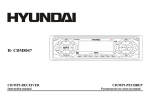
1
Panel controls
Front panel
1.
2.
3.
4.
MUTE button
Press it to cut down the volume output, press it again to resume volume.
PWR button
Press PWR to turn the power on. Press again to turn the power off.
BAND button
Press it repeatedly to select your desired radio band (FM1, FM2, FM3, FM (OIRT), AM1, AM2) during
RADIO mode.
NEXT
/ PREVIOUS
buttons
Use these buttons to search for the beginnings of the next/ previous tracks or manual seek tuning.
7