1
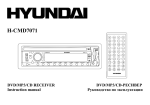
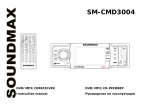
9. PRESET STATION [1-6] AND RPT, RDM BUTTONS.
1. Disc playback: Play/ Pause.
2. Disc playback: Intro play (10 seconds).
3. Disc playback: Track repeat play.
4. Disc playback: Track random play.
5. VIDEO MODE BUTTON (PAL/NTSC).
6. AUDIO CHANEL SWITCH BUTTON (L/R/ST).
10. SRC BUTTON. Press it to select RADIO, CD or AUX mode.
11. DISPLAY SWITCH
12. VOLUME-UP/DOWN, MENU-UP/DOWN.
Back of the front panel
Press the
button to open the panel and press
to eject the disc.
Disc eject
Disc slot: insert a disc for playback here
Reset hole
Panel status indicator
8