1
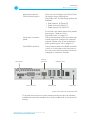
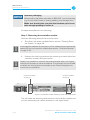
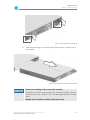
Maintenance Controller Maintenance 5.3 Controller Maintenance During the service life of the R&S DVS system you may have to exchange the controller module (see section “Controller Module” on page 2-10). It may be indicated, for example, if a RAID controller failure occurs. A defective controller module is indicated at the rear of the system by a red status LED (see section “Controller Module” on page 2-10). This section describes how to exchange the controller module. Incorrect maintenance Incorrect exchange of the controller module can cause damages to the system. Before exchanging the controller module, contact the R&S DVS service department. Touching hardware components Computer hardware contains components that are sensitive to electrostatic discharge. If you touch them without precautionary measures, they can be destroyed. Use a wrist strap connected to ground when accessing electronic parts and take care of grounding the system. Avoid touching the internal components of the computer system. The exchange of a controller module can be divided into two steps: 1. 2. Removing the controller module from the system. Reassembling the controller module into the system. Depending on your service contract, different scenarios regarding spare parts are possible: You have ordered spare parts together with the system and have them now available in stock R&S DVS sends you the new spare parts before you send back the hardware part you want to replace (advanced replacement) You first send the hardware part you want to replace and then receive the new one from R&S DVS Please refer to the R&S DVS service department for further information about this. SpycerBox Cell | Hardware Guide | Version 1.0.2 Rohde & Schwarz DVS GmbH 5-13