1
Printer Control Codes
PcOS Series 90PLUS
Programmer's Guide
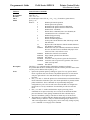
EPOS Codes
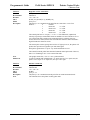
5.17 EPOS Codes
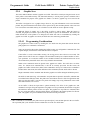
This section lists the EPOS codes that are supported by the Series 90PLUS Printer. Ithaca Peripherals has no
control over of how Epson extends or changes these control codes. Ithaca Peripherals makes no guarantees as
to the operation of our printer when it replaces an Epson printer. The EPOS emulation is intended to make it
as easy as possible to replace an Epson printer with an Ithaca Series 90PLUS Printer.
The following section lists all EPOS commands that are processed. They are as close as possible to Epson
printers. The user must remember that the Series 90PLUS Printer is not designed as a drop-in replacement for
an Epson printer. The Ithaca Peripherals’ Series 90PLUS Printer is designed to bring new and unique features
and functionalities to a POS receipt/validation printer.
5.17.1
Real-time Status
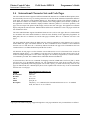
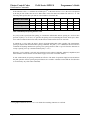
The Series 90PLUS Printer is available in serial and parallel versions. When Epson supports parallel
operation, the company redefines some of the standard IEEE 1284 interface signals to be special status
lines. The Series 90PLUS Printer does not alter the IEEE 1284 standard. If an application requires realtime status from the printer, the IEEE 1284 bidirectional protocol must be used.
The Series 90PLUS Printer supports real-time status. The EPOS real-time status commands [DLE] [ENQ]
and [DLE] [EOT] are processed by the printer. The printer, however, does not support all the response bit
fields. See the descriptions below.
5.17.2
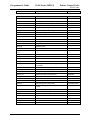
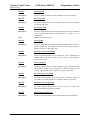
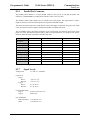
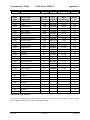
EPOS Command Summary
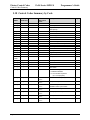
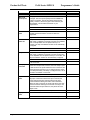
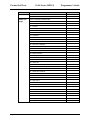
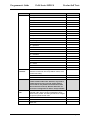
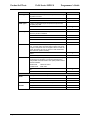
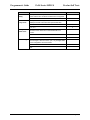
Please refer to the Epson ESC/POS Information Manual for field definitions.
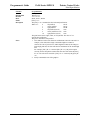
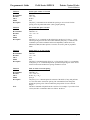
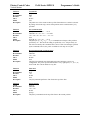
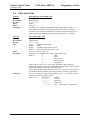
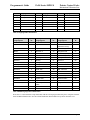
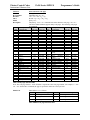
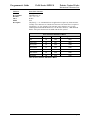
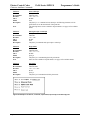
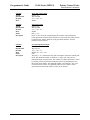
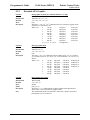
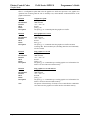
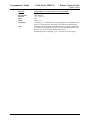
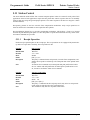
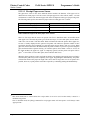
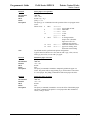
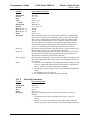
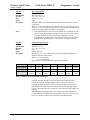
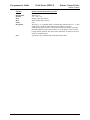
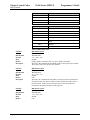
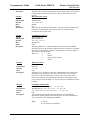
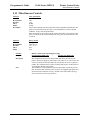
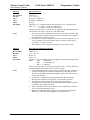
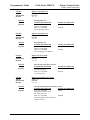
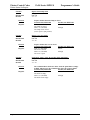
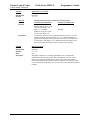
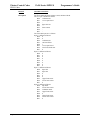
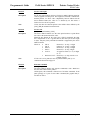
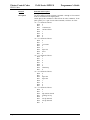
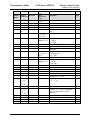
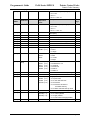
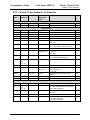
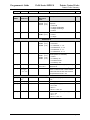
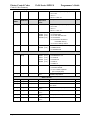
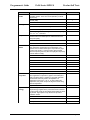
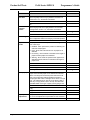
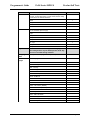
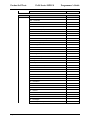
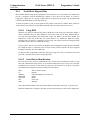
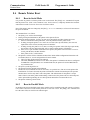
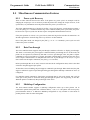
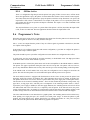
The following is a list of the EPOS commands that are supported:
Command
Description
[LF]
Feed line.
[FF]
Eject form.
[HT]
Set horizontal tab.
[BS]
Extension
Extension
[CR]
Return carriage.
[DEL] [EOT] <n>
Request real-time status.
Not the same
[DEL] [ENQ] <n>
Set real-time command.
Not the same
[CAN]
Cancel print.
Not the same
[ESC] SI
Set 24 cpi.
Extension
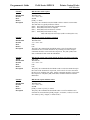
[ESC][SP] <n>
Set right-side character spacing.
[ESC] ! <n>
Select print modes.
[ESC] $ <nl> <nh>
Set absolute print position.
[ESC] % <n>
Not implemented
[ESC] & ...
Not implemented
[ESC] * <m> <n1> <n2>
Page 94
Comment
Select single-density bit image mode.
Rev M
Extended
12/16/99