1
Printer Control Codes
PcOS Series 90PLUS
Programmer's Guide
Extended Diagnostics
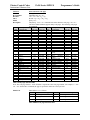
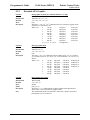
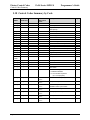
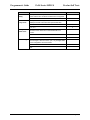
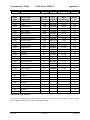
5.16 Extended Diagnostic Commands
Function
ASCII
Hexadecimal
Decimal
IPCL
EPOS
Description
Page 92
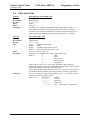
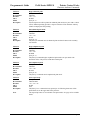
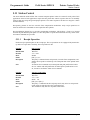
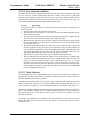
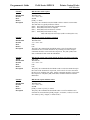
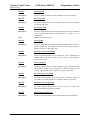
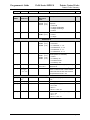
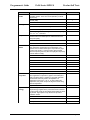
Extended diagnostics
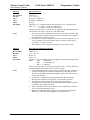
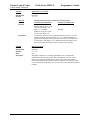
[ESC] ~ <n>
1BH 7EH
<27> <126>
none
[ESC] ~ <n>
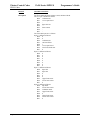
Where n: 0
Prints model, configuration, and serial number
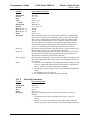
1 <n>
Sets vertical alignment (where <n> is the alignment value)
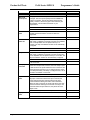
Note: n will be written to the EEPROM if the EEPROM
save sequence is processed.
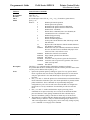
2
Decreases vertical alignment adjustment
3
Increases vertical alignment adjustment
4
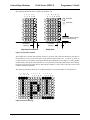
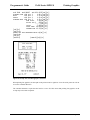
Prints a vertical adjustment alignment chart
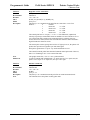
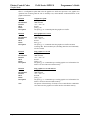
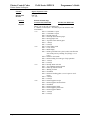
[ACK]
Returns a configuration synchronization code
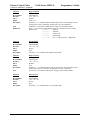
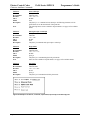
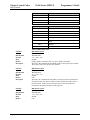
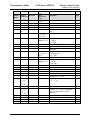
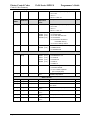
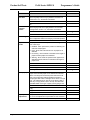
C <a> <d> Changes EEPROM data at <a> to <d> (pass code locked)
D
Returns menu to default (pass code locked)
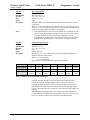
I
Returns ROM ID
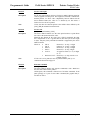
N <l> <h> Forces a MICR speed calibration
M
Sets the MICR calibration from the last calibration
document read. This command is intended to be part of the
self-test MICR calibration procedure.
X
Defines and writes the MICR translation table to the
EEPROM. This command follows the same pattern as the
[ESC] mX command defined above.
F
Resets the MICR calibration and translation table
configuration back to default
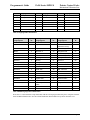
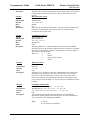
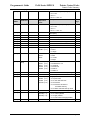
L <adr> <cmd> <len> <data ...> MK Link Diagnostics
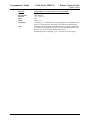
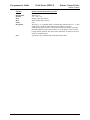
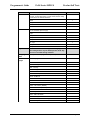
P
Forces parallel, IEEE 1284 mode (This does not alter menu
RAM).
R
Reads and returns the menu RAM
S
Forces serial mode. This does not alter menu RAM.
T
Clears the totals (pass code locked)
W
Writes menu RAM back to EEPROM (pass code locked)
Z
Halts the software
[CAN]
Forces the printer to power cycle
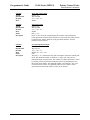
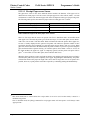
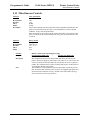
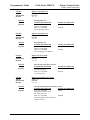
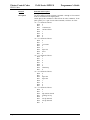
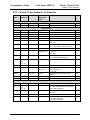
N <l> <h> Forces a MICR speed calibration
M
Sets the MICR calibration from the last calibrated
document read
X
Defines and writes the MICR translation table to the
EEPROM
F
Resets the MICR calibration and translation table
configuration back to default
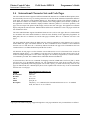
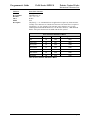
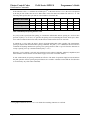
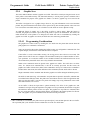
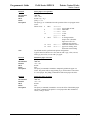
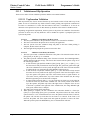
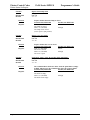
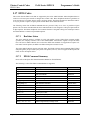
The extended diagnostic commands are designed to be used by Ithaca Peripherals to
help adjust and test the printer. There is no guarantee that these commands are
valid and/or stable. They are not intended for use by the end user. To prevent
accidental use of these commands, they must be enabled by an [ESC] y <8>
command. In some cases, a pass code sequence is also required.
Rev M
12/16/99