1
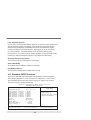
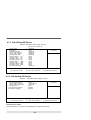
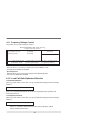
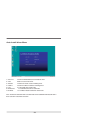
Load Standard Defaults
Use this menu to load the BIOS default values for the optimum system performance.
Standard Defaults settings are relatively more reliable than Optimized Defaults.
All the product verifications, compatibility test reports and manufacture quality
controls are based on "Standard Defaults". We suggest you to use this setting
for normal operation. "Standard Defaults" is not the slowest setting for this
motherboard. If you need to verify an unstable problem, you may manually set the
parameter in "Advanced Chipset Features" to get slower and safer setting.
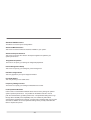
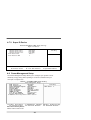
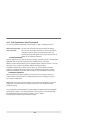
Set Supervisor/User Password
This menu is to set User and Supervisor Passwords.
Save & Exit Setup
Save CMOS values modified to CMOS and exit setup.
Exit Without Saving
Abandon all the CMOS values modified and exit setup.
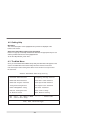
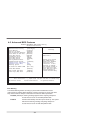
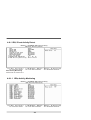
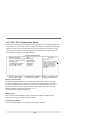
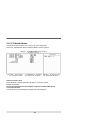
4-4 Standard CMOS Features
The items in Standard CMOS Setup Menu are divided into several categories.
Each category includes no, one or more than one setup items. Use the arrow
keys to highlight the item and then use the <PgUp> or <PgDn> keys to select
the value you want to modify with this item.
Phoenix - AwardBIO S CMOS Setup Utility
Standard CMOS Features
Date (mm:dd:yy)
May
Time (hh:mm:ss)
10 : 59 : 36
IDE
IDE
IDE
IDE
IDE
IDE
Channel
Channel
Channel
Channel
Channel
Channel
0
0
1
1
2
3
[
[
[
[
[
[
Master
Slave
Master
Slave
Master
Master
None
None
None
None
None
None
Item Help
]
]
]
]
]
]
Menu Level >
Change the day, moth,
year and century
[EGA/VGA]
Vid eo
Hal t On
[No
B ase Memor y
Enter:Select
F5:Previous Values
Errors]
640K
65472K
1024K
Extended Memory
Total Mem ory
↑↓→←:Move
5 2006
+/-/PU/PD:Value
F10:Save
F6:Fail-Safe Defaults
38
ESC:Exit
F1:General Help
F7:Optimized Defaults