1
8510702.book Page 100 Thursday, July 7, 2005 11:21 AM
Chapter 4: Installing Components
4
5
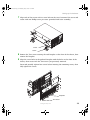
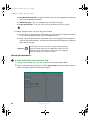
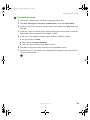
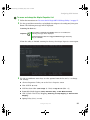
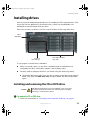
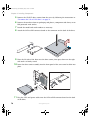
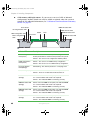
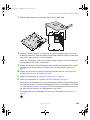
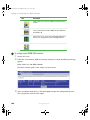
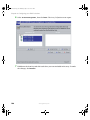
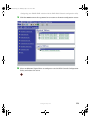
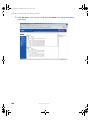
Highlight the device (card) to be removed, then click Stop.
6
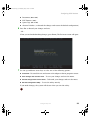
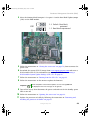
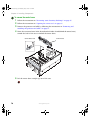
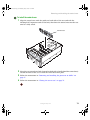
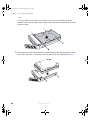
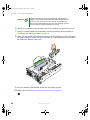
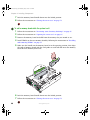
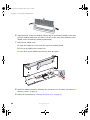
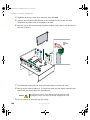
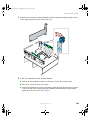
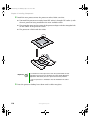
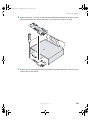
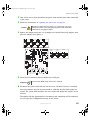
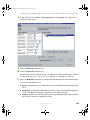
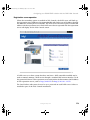
Push the top of the card retention clip down slightly, then rotate it out the back of
the case to open it.
Wait for the PCI power LED adjacent to the selected PCI slot to turn off, then
disconnect any cables that are attached to the card.
Card
retention
clip
7
8
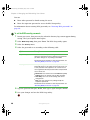
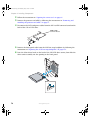
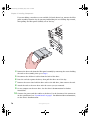
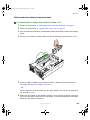
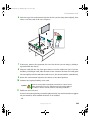
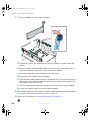
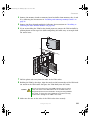
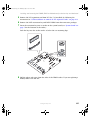
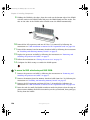
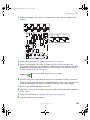
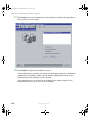
For full-length cards, press the front PCI card retainer to release the card.
Pull up on the card to remove it. To loosen the card you can slightly rock the card
end-to-end, but do not bend the card sideways.
Caution
9
100
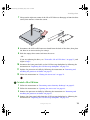
Do not touch the contacts on the bottom part of the expansion card.
Touching the contacts can cause electrostatic damage to the card.
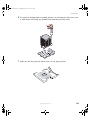
Put the card in an anti-static bag for storage.
www.gateway.com