1
8510702.book Page 72 Thursday, July 7, 2005 11:21 AM
Chapter 4: Installing Components
Closing the server case
To close the server case:
72
1
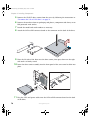
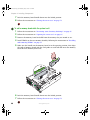
Make sure that all of the internal cables are arranged inside the case so they will not
be pinched when you close the case.
2
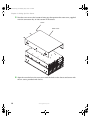
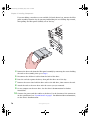
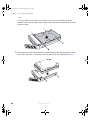
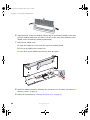
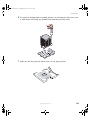
Align the tabs on the top cover with the slots in the chassis, then slide the top cover
toward the front of the chassis until it meets the face plate.
3
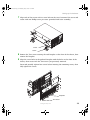
Secure the top cover by tightening the two captive screws in the face plate (see “Torque
settings” on page 64).
4
Reconnect the power cords and all other cables.
www.gateway.com