1
8510702.book Page 143 Thursday, July 7, 2005 11:21 AM
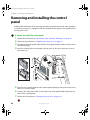
Replacing the front panel I/O board
Replacing the front panel I/O board
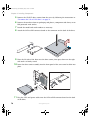
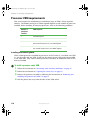
To replace the front panel I/O board:
1
2
3
Follow the instructions in “Preventing static electricity discharge” on page 65.
4
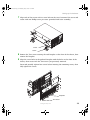
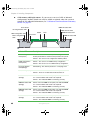
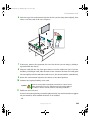
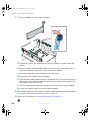
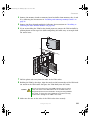
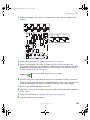
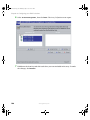
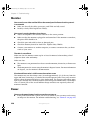
Disconnect the front panel I/O board and control panel cables from the front panel
board.
5
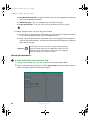
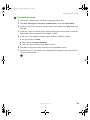
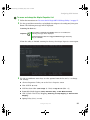
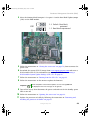
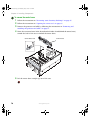
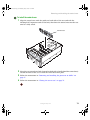
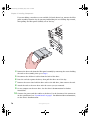
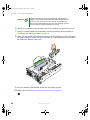
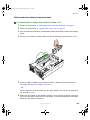
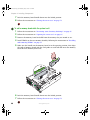
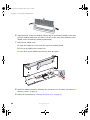
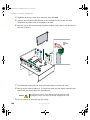
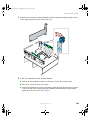
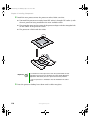
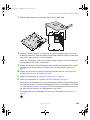
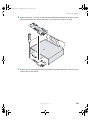
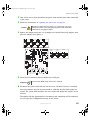
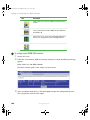
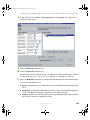
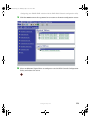
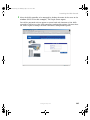
Loosen the blue, captive thumbscrew in the center of the front panel I/O board, then
slide the board back until the mounting tabs disengage from the board.
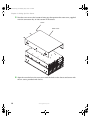
Follow the instructions in “Opening the server case” on page 66.
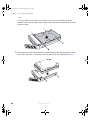
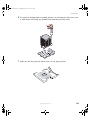
Remove the processor air baffle by following the instructions in “Removing and
installing the processor air baffle” on page 67.
Blue, captive thumbscrew
Mounting
tab
6
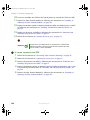
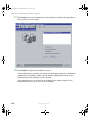
Remove the board from the server and store it in an anti-static bag.
www.gateway.com
143