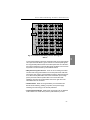
1
SDA Series
Stealth Digital Analyzer
Operation Manual
6510-00-0442, Rev D
May 2001
Notice
Every effort was made to ensure that the information in this document was accurate at the
time of printing. However, information is subject to change without notice, and Acterna
reserves the right to provide an addendum to this document with information not available at
the time that this document was created.
Copyright
© Copyright 2001 Acterna, LLC. All rights reserved. Acterna, The Keepers of Communications, and its logo are trademarks of Acterna, LLC. All other trademarks and registered
trademarks are the property of their respective owners. No part of this guide may be reproduced or transmitted electronically or otherwise without written permission of the publisher.
T r ad e ma r ks
Acterna and Stealth Digital Analyzer™ are trademarks or registered trademarks of Acterna
in the United States and/or other countries.
Acterna and PathTrak™ are trademarks or registered trademarks of Acterna in the United
States and/or other countries.
Acterna and DigiCheck™ are trademarks or registered trademarks of Acterna in the United
States and/or other countries.
Specifications, terms, and conditions are subject to change without notice. All trademarks
and registered trademarks are the property of their respective companies.
Ordering information
This guide is a product of Acterna's Technical Information Development Department, issued
as part of the SDA Series Operation Manual. The ordering number for a published guide is
6510-00-0442, Rev D.
Global Headquarters
20400 Observation Drive
Germantown, Maryland 20876-4023 USA
Toll Free 1-800-638-2049 • Tel +1-301-353-1550 • Fax +1-301-353-0234
www.acterna.com
Fe de r al Co m m uni ca t i on s Co m m i s sio n ( F CC ) N o t i c e
This product was tested and found to comply with the limits for a Class A digital device, pursuant to Part 15 of the FCC Rules. These limits are designed to provide reasonable protection against harmful interference when the equipment is operated in a commercial
environment. This product generates, uses, and can radiate radio frequency energy and, if
not installed and used in accordance with the instruction manual, may cause harmful interference to radio communications. Operation of this product in a residential area is likely to
cause harmful interference, in which case you will be required to correct the interference at
your own expense.
The authority to operate this product is conditioned by the requirements that no modifications be made to the equipment unless the changes or modifications are expressly approved
by Acterna.
I n d u s t ry C a n a d a R e q u i r e m en t s
This Class A digital apparatus complies with Canadian ICES-003.
Cet appareil numérique de la classe A est conforme à la norme NMB-003 du Canada.
E M C D i r ec t i v e C o m p l i a n ce
This product was tested and conforms to the EMC Directive, 89/336/EEC as amended by
92/31/EEC and 93/68/EEC for electromagnetic compatibility. A copy of the Declaration of
Conformity is provided in this manual.
L o w V o l t ag e D i re c t i ve C o mp l i a n c e
This product was tested and conforms to the Low Voltage Directive, 73/23/EEC as amended
by 93/68/EEC. Conformity with this directive is based upon compliance with the harmonized
safety standard, EN60950. A copy of the Declaration of Conformity is provided in this manual.
Important safety instructions
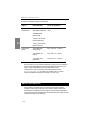
The following table defines safety terms. Failure to observe these precautions
while using the Stealth Digital Analyzer violates the intended use of this product.
Safety definitions
Term
Description
DANGER
Indicates an imminently hazardous situation which, if not
avoided, will result in death or serious injury.
WARNING
Indicates a potentially hazardous situation which, if not
avoided, could result in death or serious injury.
CAUTION
Indicates a potentially hazardous situation which, if not
avoided, may result in minor or moderate injury. It may also
be used to alert against unsafe practices.
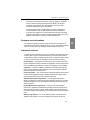
When using the product, basic safety precautions should always be followed to
reduce the risk of fire, shock, and injury to persons, including the following:
1
Read and follow all warning notices and instructions marked on the
product and included in the manual.
2
Use only the AC Adapter/Charger supplied with the product.
3
Do not use AC Adapter/Charger outdoors or in wet or damp locations.
4
Connect the AC Adapter/Charger to the correct mains voltage, as
indicated on the ratings label.
5
This product is intended to be used with a 3-wire grounding-type
plug—a plug that has a grounding pin. This safety feature is vital to
the safe operation of the instrument. Do not defeat the purpose of the
grounding-type plug by modifying the plug or using an adapter.
6
Do not allow anything to rest on the power cord, and do not locate the
product where persons can walk on the power cord.
7
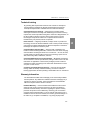
Avoid using this product during an electrical storm. There may be a
remote risk of electric shock from lightning.
8
Do not use this product in the vicinity of a gas leak or in any explosive
environment.
9
Do not attempt to service this product yourself, as opening or
removing covers may expose you to dangerous, high voltage
points and other hazards. Refer all servicing to qualified
service personnel.
10 CAUTION: Danger of explosion if battery is incorrectly
replaced. Replace only with Acterna P/N 1118-00-0358.
Dispose of used batteries according to the manufacturer’s
instructions.
Save these instructions
Contents
Preface
About the Manual............................................................................................ xxi
Section I Introduction ................................................................................. xxi
Section II Field Units.................................................................................. xxi
Section III Headend Units ........................................................................ xxiii
Section IV Appendices ............................................................................. xxiii
Document Conventions ............................................................................. xxiii
Keystroke Conventions.............................................................................. xxiv
Chapter 1
The SDA Family
Introduction .........................................................................................................1
Field Unit .........................................................................................................2
Headend Units .................................................................................................2
Field Unit (SDA-5000) .........................................................................................3
Quickly find entry points for ingress and noise...............................................3
Pinpoint return path problems by analyzing digital
return path signals at any point in the field......................................................4
Align return path amps more quickly and with fewer errors...........................4
New Features and Benefits of the SDA-5000..................................................5
Headend Units (SDA-5500 and SDA-5510) .......................................................5
SDA-5500 Stealth Sweep Transceiver ............................................................5
New Features and Benefits of the SDA-5500............................................6
SDA-5510 Stealth Reverse Sweep Manager ...................................................6
Reverse Sweep Alignment .........................................................................7
Ingress Detection and Troubleshooting .....................................................7
Easy To Read Noise/Ingress Display.........................................................7
Options..................................................................................................................7
Contents
Chapter 2
Description and Basic Operation
Introduction .........................................................................................................9
User Interface Elements....................................................................................10
The Navigator Interface.................................................................................10
Navigator Tabs and Icons ........................................................................11
Key Controls..................................................................................................13
Soft Keys..................................................................................................14
Measurement Mode Keys ........................................................................14
Alphanumeric Keypad .............................................................................16
Cable Connection Ports............................................................................17
Basic Modes of Operation.................................................................................17
Level Measurement .......................................................................................17
Sweep.............................................................................................................18
Proof-of-Performance Measurement Tools ...................................................19
Spectrum Analysis .........................................................................................21
PathTrak Mode (OPT3 Field View) ..............................................................21
Configuring the SDA-5000................................................................................22
Global Configuration .....................................................................................23
Measurements Configuration (Including QAM OPT4).................................25
Digital Analysis (QAM OPT4) Options ..................................................27
Channel Plan Configuration ..........................................................................27
Sweep Configuration .....................................................................................28
PathTrak Configuration (OPT3) ....................................................................28
Diagnostics ....................................................................................................29
System Information .......................................................................................32
Printing Measurements and Files ....................................................................33
Chapter 3
Channel Plans
Introduction .......................................................................................................35
Channel Plan Configuration.............................................................................36
Setting Channel Plan Parameters ....................................................................38
Select Channel Plan .......................................................................................38
Video Signal Type .........................................................................................39
Channel Tuning Sequence .............................................................................40
Build Channel Plan ........................................................................................40
Edit Channel Plan ..........................................................................................43
viii
Contents
Editable Parameters .................................................................................46
Configuring a Digital Carrier...................................................................49
Configuring for Inverted Spectrum..........................................................50
Configuring a QAM Digital Stream Channel ..........................................51
Inverted Spectrum Features .....................................................................52
Delete Unused Channels................................................................................53
Specify Auto Measurements..........................................................................53
Edit Limits .....................................................................................................55
Edit Digital Limits .........................................................................................56
Copy Remote Plan .........................................................................................57
Chapter 4
Field Sweeping with the SDA-5000
Introduction .......................................................................................................59
Test Point Compensation ..................................................................................59
Test Point Compensation Configuration .......................................................60
Sweep Receiver Configuration .........................................................................64
Sweep Configuration .....................................................................................64
SWEEP Menu Options ..................................................................................67
Considerations for Sweep in the Field .............................................................70
Connecting the SDA-5000 to a Test Point ....................................................70
Signal Level Considerations ....................................................................71
Wiring and Levels: Forward Sweep ........................................................71
Wiring and Levels: Reverse Sweep (SDA-5000 OPT1)..........................72
Sweep Setup...................................................................................................74
Reverse Sweep Operation: .......................................................................75
Reverse Telemetry Level: ........................................................................75
Reverse Sweep Insertion Level:...............................................................75
Forward Sweep Operation .............................................................................75
Soft Key Icons: ........................................................................................76
Forward SWEEP Screens ........................................................................77
Frequency Screen ...............................................................................77
Level Screen.......................................................................................79
Limit Screen .......................................................................................80
Tilt Screen ..........................................................................................81
Reverse Sweep Operation (SDA-5000 OPT1) ..............................................82
Reverse Sweep .........................................................................................83
Reverse Injection Levels..........................................................................83
Setting the Sweep Direction.....................................................................84
ix
Contents
Reverse SWEEP Screens .........................................................................85
Reverse Frequency Screen .......................................................................86
Reverse Level Screen...............................................................................86
Reverse Noise Screen ..............................................................................87
Reverse Noise Level Screen ....................................................................88
Reverse Noise Frequency Screen.............................................................89
Reverse Amplifier Alignment Screens ..........................................................90
REV ALIGNMENT Main Screen ...........................................................90
REV ALIGNMENT Level Screen...........................................................91
Sweepless Sweep ................................................................................................92
Loopback Sweep (OPT2) ..................................................................................93
Chapter 5
Reverse Path Troubleshooting
Introduction .......................................................................................................95
Problems in Advanced Services .......................................................................96
Problems in Troubleshooting the Reverse Path.............................................98
Improving Accuracy and Reducing Wasted Time.........................................98
Tools for Combating Reverse Ingress ...........................................................99
CPD (Common Path Distortion) Analysis.....................................................100
Recommended Setup for CPD Analysis......................................................101
Evaluating TDMA Return Path Signals........................................................102
Variable Time Slot TDMA ..........................................................................103
Troubleshooting TDMA ..............................................................................104
Zero Span Measurements.......................................................................104
Chapter 6
Measuring System Performance
Introduction .....................................................................................................109
A Word About Measurement Screens and Icons.........................................109
Measuring Signal Levels .................................................................................110
Level Measurements....................................................................................110
Tilt Measurements .......................................................................................112
Tilt Compensation..................................................................................113
Balancing Amplifiers .............................................................................114
Scan Measurements .....................................................................................115
Scan Rates ..............................................................................................116
x
Contents
Audio Carriers........................................................................................116
LEVEL Submenu...................................................................................117
FREQUENCY Submenu .......................................................................117
TILT Submenu.......................................................................................118
LIMIT Submenu ....................................................................................118
Carrier-to-Noise Measurements.....................................................................119
Modem Carrier-to-Noise Measurements ......................................................121
Why Measure Cable Modem C/N?..............................................................122
Measuring Modem Carrier-to-Noise ...........................................................122
Hum Measurements ........................................................................................124
Modulation Measurements .............................................................................126
CSO/CBT Measurements ...............................................................................128
Chapter 7
Spectrum Analyzer Mode
Introduction .....................................................................................................131
Spectrum Mode Operation .............................................................................131
LEVEL Submenu.........................................................................................134
FREQUENCY Submenu .............................................................................134
AMPLIFIER Submenu ................................................................................135
ZERO SPAN Submenu................................................................................136
AMPLIFIER/LOW-PASS FILTER Submenu ............................................137
TIMEBASE Submenu .................................................................................138
LEVEL Submenu.........................................................................................138
BANDWIDTH Submenu.............................................................................139
Chapter 8
PathTrak Field View (OPT3)
Introduction .....................................................................................................141
PathTrak Configuration .................................................................................141
PathTrak Mode Operation .............................................................................142
AMPLIFIER/LOW-PASS FILTER Submenu ............................................144
LEVEL Submenu.........................................................................................145
Node List Mode ...........................................................................................145
Node Selection .......................................................................................147
Node Information...................................................................................147
Measurement Hold.................................................................................147
xi
Contents
Chapter 9
Digital Analysis (QAM View OPT4)
Introduction .....................................................................................................149
Quick Start .......................................................................................................150
Selecting a Digital Analysis Mode ..............................................................150
Using the Navigator Menu.....................................................................150
Using the Measurement Mode Keys......................................................150
Correcting Signal Lock Errors ...............................................................151
Digital Summary Mode (Quick Start) .........................................................151
QAM Ingress Mode (Quick Start) ...............................................................152
Constellation Mode (Quick Start)................................................................152
Equalizer Mode (Quick Start)......................................................................153
Digital Summary Mode...................................................................................153
Features and Definitions ..............................................................................154
DIGITAL Main Screen Features ...........................................................154
Modulation Error Ratio (MER) .............................................................154
Error Vector Magnitude (EVM) ............................................................154
Bit Error Rate (BER) .............................................................................154
Forward Error Correction (FEC) ...........................................................155
Modulation Format ................................................................................155
Symbol Rate...........................................................................................155
DETAIL Display....................................................................................155
Equalizer Stress......................................................................................156
Carrier Offset .........................................................................................156
Basic Operation ...........................................................................................156
Viewing the DETAIL Display ...............................................................157
Viewing the QAM Level Display ..........................................................157
Editing the Modulation Format..............................................................158
Editing the Symbol Rate ........................................................................159
QAM Ingress Mode .........................................................................................160
Features and Definitions ..............................................................................160
QAM INGRESS Main Screen Features.................................................160
Basic Operation ...........................................................................................161
Measuring QAM INGRESS ..................................................................162
Editing the Modulation Format or Symbol Rate....................................163
Editing the Reference Level...................................................................164
Editing the Scale Parameter ...................................................................164
Selecting the Maximum Hold Function .................................................165
Constellation Mode..........................................................................................166
Constellation Basics.....................................................................................166
xii
Contents
Decision Boundaries ..............................................................................166
Common Impairment Types ..................................................................167
QAM Modulation and Symbol Rates ....................................................169
Modulation Error Ratio (MER) .............................................................169
Bit Error Rate (BER) .............................................................................169
Basic Operation ...........................................................................................169
CONSTELLATION Main Screen Features...........................................170
Viewing the QAM Level Display ..........................................................171
Editing the Modulation Format or Symbol Rate....................................171
Using the Zoom Feature.........................................................................172
Equalizer Mode................................................................................................174
Equalizer Main Screen Features ..................................................................174
Basic Operation ...........................................................................................175
EQUALIZER Main Screen....................................................................175
In-Channel Frequency Response Screen ...............................................177
In-Channel Group Delay Screen ............................................................177
Chapter 10
Automatic Test
Introduction .....................................................................................................179
Test Locations ..................................................................................................180
Parameters and Test Location Types ...........................................................181
Creating and Editing Test Locations ...........................................................182
Entering a New Location .......................................................................183
Deleting an Existing Location ...............................................................183
Editing an Existing Location .................................................................183
Performing an Auto Test ................................................................................184
Choose Location ..........................................................................................184
Edit Location ...............................................................................................185
Select Probe Point........................................................................................186
Compensation ..............................................................................................188
Results File Name........................................................................................188
Type of Test .................................................................................................189
Set Schedule...........................................................................................189
Temperature .................................................................................................190
Canceling an Auto Test ...............................................................................191
Auto Test Results.............................................................................................191
Viewing Intervals.........................................................................................194
xiii
Contents
Chapter 11
Files
Introduction .....................................................................................................197
Storing Files .....................................................................................................198
Viewing and Printing Files .............................................................................200
Sweep References.............................................................................................201
Overlay Mode...................................................................................................203
Selecting a Sweep File to Overlay...............................................................204
Chapter 12
Maintenance
Maintaining Your SDA Equipment ...............................................................207
Visual, Physical, and Mechanical Inspection ..............................................207
RF Connector Replacement.........................................................................207
Battery Terminal Cleaning ..........................................................................208
Charging the Battery....................................................................................208
Cleaning the Instrument...............................................................................209
Annual Calibration.......................................................................................209
Worldwide Support, Sales, and Service ........................................................209
Getting Technical Assistance ......................................................................209
About Our Service...........................................................................................210
Customer service locations ..........................................................................211
Instrument services ......................................................................................211
Product Enhancement Group .......................................................................212
Test systems field engineering and installation ...........................................212
Technical training ........................................................................................213
Warranty information ..................................................................................213
Equipment return instructions......................................................................215
Chapter 13
Description and Basic Operation
of the SDA-5500 and 5510
Introduction .....................................................................................................217
User Interface Elements..................................................................................217
Soft Keys .....................................................................................................218
Navigator .....................................................................................................218
xiv
Contents
Measurement Mode Selection Keys ............................................................218
Support Mode Selection Keys .....................................................................220
Diamond Keys .............................................................................................220
Alphanumeric Entry Keys ...........................................................................220
Alpha Entry Mode..................................................................................221
Numeric Entry Mode .............................................................................221
Multiple Choice Mode ...........................................................................221
Printing ........................................................................................................221
Global Configuration ......................................................................................222
Global Setup ................................................................................................222
Measurements Setup ....................................................................................225
Channel Plan Setup......................................................................................227
Sweep Transceiver (SDA-5500)..................................................................227
Reverse Sweep (SDA-5510)........................................................................228
Basic Modes of Operation...............................................................................228
Level Mode..................................................................................................228
Tuning by Channel or Frequency ..........................................................230
Scale Adjustment ...................................................................................230
Tilt Mode .....................................................................................................230
Level Adjustments .................................................................................231
Scan Mode ...................................................................................................232
Level Adjustments .................................................................................233
Frequency Adjustments .........................................................................233
Scan Rate ...............................................................................................233
Audio Carriers........................................................................................234
Limits .....................................................................................................234
Measuring the Carrier to Noise Ratio ..........................................................235
Bandwidth Adjustments.........................................................................236
Noise Offset Frequency Adjustments ....................................................236
Measuring Hum ...........................................................................................237
Monitoring the Depth of Modulation ..........................................................238
Spectrum Analyzer Mode ............................................................................239
Level Adjustments .................................................................................240
Frequency Adjustments .........................................................................240
How To Make FCC In-Channel Response Measurements ....................240
How To Make CSO/CTB Measurements ..............................................241
Sweep Mode (SDA-5500) ...........................................................................243
Sweep Mode (SDA-5510) ...........................................................................244
Frequency Adjustments .........................................................................246
Level Adjustments .................................................................................246
Working with Files ..........................................................................................247
How to Store, View, and Delete Measurement Files...................................247
xv
Contents
Using Auto Test................................................................................................248
How To Create, Edit, and Delete Test Locations ........................................249
How To Perform An Auto Test ...................................................................252
Auto Test Location ................................................................................253
Auto Test Characteristics .......................................................................253
Test Point Type ......................................................................................254
Voltage Measurements...........................................................................255
Test Point Compensation .......................................................................256
Results File.............................................................................................257
Type Of Test ..........................................................................................257
Immediate.........................................................................................257
Scheduled .........................................................................................258
Viewing and Printing Auto Test Files .........................................................259
Status ................................................................................................................266
Chapter 14
SDA-5500/SDA-5510 Sweep Configuration
Introduction .....................................................................................................267
Forward Sweep Configuration (SDA-5500) .................................................267
Wiring Connections .....................................................................................267
Setting Levels ..............................................................................................269
Setting Forward Telemetry Levels and Frequencies ...................................271
Forward Telemetry Level ......................................................................272
Forward Sweep Insertion Level .............................................................272
Include Audio Carriers...........................................................................273
Enable or Disable Reverse Sweep .........................................................273
Select the Frequency of the Reverse Telemetry Carrier ........................273
Access Reverse Sweep Plans .................................................................273
Creating Channel Plans................................................................................274
Quick Build Channel Plan Procedure ....................................................274
First Channel Plan Procedure.................................................................275
Editing A Channel Plan .........................................................................277
Testing the Transmitter Setup......................................................................283
Configuring Reverse Sweep............................................................................284
Stealth Reverse Sweep Concept ..................................................................284
Basic Reverse Sweep Procedure..................................................................285
Wiring Connections .....................................................................................285
Single Cable - Split Band Network........................................................285
Dual Cable Network ..............................................................................287
xvi
Contents
Reverse Sweep Setup...................................................................................288
Enabling Reverse Sweep (SDA-5500)...................................................288
Setting the Forward Telemetry Frequency (SDA-5510) .......................289
Setting the Forward Telemetry Level (SDA-5510) ...............................289
Setting the Reverse Telemetry Frequency
(SDA-5500 and SDA-5510) ..................................................................289
Reverse Sweep Channel Plans.....................................................................290
Creating a New Reverse Sweep Channel Plan ......................................291
Selecting an Existing Reverse Sweep Plan ............................................294
Editing a Reverse Sweep Plan ...............................................................294
Testing the Transmitter Setup for Reverse Sweep ......................................295
Forward and Reverse Sweep (SDA-5500) .....................................................296
Using Both Headend Units..............................................................................297
Sweep History and Theory .............................................................................298
Forward Sweep Theory................................................................................298
Remote Operation and Channel Plans ...................................................299
Telemetry Channel.................................................................................299
Stealth Sweep.........................................................................................300
Reverse Sweep Theory ................................................................................300
Productivity Tools .......................................................................................301
Markers and Limits ................................................................................301
Sweep References ..................................................................................302
Test Point Compensation .......................................................................303
Reverse Amplifier Alignment................................................................303
Reverse Noise Broadcast .......................................................................304
File Overlay ...........................................................................................305
Choosing Receiver Modes (SDA-5500 and SDA-5510).............................305
Appendix A
Application Notes
Forward Sweep and Balance ..........................................................................307
Step-by-Step Headend Setup for Forward Sweep .......................................307
Forward Sweep Setup ............................................................................307
Build Channel Plan (Configure; Channel Plan).....................................308
Build Sweep Points (Configure; Channel Plan; Build Sweep Points) ...309
Sweep Transceiver (Configure; Sweep Transceiver) ............................309
Copying Channel Plans..........................................................................310
Field Unit Settings .......................................................................................311
Before You Leave the Headend .............................................................311
xvii
Contents
Forward Balancing and Sweeping ...............................................................312
Common Forward Sweep Problems ............................................................313
Standing Waves .....................................................................................313
Spikes.....................................................................................................313
No Communication ................................................................................314
Bad Response.........................................................................................314
Faster Forward Sweep............................................................................314
Frequency Response Identification........................................................315
Other Applications.......................................................................................315
Using the Portable Receiver Transmitter for Forward Activation.........315
Tips & Hints ................................................................................................316
Reverse Sweep and Balance............................................................................318
Step-by-Step Headend Set Up .....................................................................318
Reverse Sweep Setup .............................................................................318
Build Channel Plan (Configure; Channel Plan).....................................319
Sweep Transceiver (Configure; Sweep Transceiver). ...........................320
Field Unit Settings .......................................................................................320
Before You Leave the Headend .............................................................321
Reverse Balancing and Sweeping................................................................321
Another Way ..........................................................................................323
Considerations........................................................................................324
Common Return Sweep Problems...............................................................324
Standing Waves .....................................................................................324
Spikes.....................................................................................................325
No Communication ................................................................................325
Bad Response.........................................................................................326
Faster Reverse Sweep ............................................................................327
Frequency Response Identification........................................................327
Other Applications.......................................................................................327
Stealth Receiver with Transmitter Option .............................................327
The "Noise" Mode .................................................................................327
Tips & Hints ................................................................................................327
Return Path Troubleshooting.........................................................................329
History of CPD ............................................................................................329
Troubleshooting CPD ..................................................................................330
Test Location Considerations ......................................................................330
The Noise Mode ..........................................................................................331
Listening to Ingress for Identification of the Source ...................................332
Return Path Egress/Ingress Testing .............................................................333
Using a Variable Dwell Time to Catch Impulse Noise ...............................333
The "Zero Span" Mode ................................................................................334
Proofing and Testing .......................................................................................335
xviii
Contents
FCC Title 47 Code of Federal Regulations, Subpart K, Section 76.605(a).335
Audio/Video Tests [76.605(a)(2)] .........................................................335
24-hour Variation Test [76.605(a)(3,4,5)] .............................................335
In-Channel Sweeping [76.605(a)(6)] .....................................................336
CNR & Distortions [76.605(a)(7,8)]......................................................337
Terminal Isolation [76.605(a)(9)] ..........................................................340
Hum [76.605(a)(10)]..............................................................................340
Headend Tests [76.605(a)(11)] ..............................................................341
Leakage – Rule [76.609(h) & 76.605(a)(12)] ........................................341
Appendix B
Specifications
Frequency ....................................................................................................343
Level Measurement .....................................................................................343
Carrier-to-Noise ...........................................................................................344
Hum Measurement.......................................................................................344
Depth of Modulation....................................................................................344
Tilt Measurement.........................................................................................344
Scan Mode ...................................................................................................344
Sweep Mode ................................................................................................345
Spectrum Mode............................................................................................345
Zero-Span Mode ..........................................................................................346
Intermodulation Distortion (CSO/CTB) ......................................................346
Reverse Transmitter.....................................................................................346
Telemetry .....................................................................................................346
Data Storage.................................................................................................347
Serial Interface.............................................................................................347
Input Configuration .....................................................................................347
General.........................................................................................................347
Power Sources .............................................................................................347
Forward Transmitter (OPT 2) ......................................................................348
PathTrak Field View (Option 3) ..................................................................348
QAM View Option (Option 4) ....................................................................348
Modulation Type:...................................................................................348
Measurable Input Range (Lock Range): ................................................348
Frequency Tuning: .................................................................................348
MER (Modulation Error Ratio): ............................................................349
EVM (Error Vector Magnitude): ...........................................................350
BER (Bit Error Rate): ............................................................................350
xix
Contents
Measurable QAM Ingress: ....................................................................350
Channel Bandwidth:...............................................................................350
Power Source: ........................................................................................351
Appendix C
Status Indicators and Icons
Status Indicators...........................................................................................353
Soft Key Icons .............................................................................................354
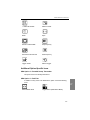
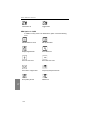
Additional Option-Specific Icons ................................................................357
SDA Option 2 -- Portable Sweep Transmitter .......................................357
SDA Option 3 -- PathTrak .....................................................................357
SDA Option 4 -- QAM ..........................................................................358
Appendix D
User and Error Messages
Introduction..................................................................................................359
Appendix E
Glossary
.....................................................................................................................365
Index
.....................................................................................................................371
xx
Preface
The Stealth Digital Analyzer (SDA) is the new base platform for Acterna’s
family of signal analysis and sweep meters. This manual will guide you
through the theory and operation of the SDA headend and field units,
providing in-depth, step-by-step configuration, operation, and feature
descriptions.
ABOUT THE MANUAL
Section I Introduction
Chapter 1 introduces you to the new SDA family of CATV test equipment. In
this chapter, you learn about the features and capabilities of the SDA field
and headend units, and about the various options available.
Section II Field Units
Chapter 2, "Description and Basic Operation," describes the SDA-5000’s
user interface and its basic modes of operation. You also learn basic
configuration procedures and what you need to print files and screen shots.
Chapter 3, "Channel Plans," shows you how to configure your unit’s channel
plan capability, edit channel plan parameters, create, copy and edit channel
plans, and how to configure a digital carrier.
Preface: About the Manual
Chapter 4, "Field Sweeping with the SDA-5000," begins with coverage of
test point compensation and how to configure your SDA-5000. Sweep
configuration is covered in detail, after which you learn how to connect to
amplifier test points and how to conduct forward, reverse, sweepless, and
loopback sweeps. This chapter also describes reverse amplifier alignment.
Chapter 5, "Reverse Path Troubleshooting," describes the problems most
common to the return path, offers tips to help you more quickly trace the
trouble, and shows you how to use the Zero Span mode to look at TDMA
signals.
Chapter 6, "Measuring System Performance," explains how to evaluate
system performance by measuring key parameters. Operations covered
include Level, Tilt, Scan, Carrier-to-Noise ratio (C/N), Hum, ModulationDemodulation, Composite Second Order (CSO) and Composite Triple Beat
(CTB).
Chapter 7, "Spectrum Analyzer Mode," describes the SDA-5000’s spectrum
analysis capabilities and how it can assist you in general troubleshooting
and in examining TDMA signals with the Zero Span mode. CSO/CTB mode
is covered as well.
Chapter 8, "PathTrak Field View (OPT3)," shows you how to use PathTrak
mode for return path troubleshooting by comparing spectrum measurements
at the node with current conditions at the headend.
Chapter 9, "Digital Analysis (QAM View OPT4)," explains how to use the
new QAM digital channel tool. You’ll learn to measure the most critical
characteristics of a digital channel, and how to use a spectrum view of
ingress. You’ll also learn how to use the constellation view to assist you in
your troubleshooting efforts and how to use the equalizer to correct the
effects of reflections in the transmission path.
Chapter 10, "Automatic Test," explains how to perform automatic system
tests, an easy way to acquire proof-of-performance compliance data. You
learn how to create test locations and how to edit location parameters, as
well as how to set testing schedules and how to view and print test reports.
Chapter 11, "Files," describes how to store, view, or print files created from
field measurement data. Sweep reference files and measurement files are
covered, along with the procedure for comparing a reference file with a "live"
sweep in the field.
Chapter 12, "Maintenance," covers the routine maintenance tasks that a
service technician can perform in the field. Inspection, connector
replacement, battery terminal cleaning, general cleaning, and calibration are
all covered. The chapter ends with a list of Acterna service centers
worldwide.
xxii
Preface: About the Manual
Section III Headend Units
Chapter 13, "Description and Basic Operation of the SDA-5500 and SDA5510," describes the user interface and basic modes of operation for the
SDA headend units (SDA-5500 and SDA-5510). You also learn basic
configuration procedures and what you need to print files and screen shots.
Chapter 14, "SDA-5500/SDA-5510 Sweep Configuration," shows you how
to configure the SDA-5500 for forward sweep and for reverse sweep. It
covers wiring connections, telemetry and frequency settings, channel plan
creation and editing, and how to test the transmitter setup. You’ll also find
important information about using the SDA-5500 and SDA-5510 together. In
addition, this chapter includes a section on sweep history and theory that will
deepen your understanding of what sweeping is and how it works.
Section IV Appendices
Appendix A, "Application Notes," contains the full text of four application
notes that help to clarify many of the issues covered in other chapters in the
manual. The four application notes are: "Forward Sweep and Balance,"
"Reverse Sweep and Balance," "Return Path Troubleshooting," and
"Proofing and Testing."
Appendix B, "Specifications," lists the technical specifications for each unit.
Appendix C, "Status Indicators and Icons," provides a descriptive list of
indicators and icons that you’ll find on the SDA’s screens and used
throughout the manual.
Appendix D, "User and Error Messages," describes many of the messages
that appear on-screen indicating a problem in operation or a malfunctioning
unit.
The Glossary defines many of the terms used throughout the manual.
Document Conventions
Throughout this manual, typeface conventions have been adopted to help
you quickly learn to use the instrument and its associated software:
Soft key and soft key icon names are in bold italic
Keypad key names and the names of icons other than soft icons are in bold
Menu and screen names are in UPPERCASE
Menu items, the options you can select, are in italic, except when they
appear as the lead-in to a bulleted list item, when they’re bold
xxiii
Preface: About the Manual
Additional, important information appears throughout the manual in the form
of Tips, Notes, Cautions, and See Also references:
NOTE: Notes provide additional information related to the
text. They are designed to increase your understanding of
the subject matter.
TIP: Tips suggest an action (an alternative method or
shortcut) you can perform to help make the related
procedure easier or quicker. They are designed to show
you how to increase your efficiency.
CAUTION ! Cautions warn you about hazardous
procedures, pitfalls to avoid, and procedures that must be
done that might not be immediately obvious. They are
designed to help you avoid costly or dangerous mistakes.
See Also
½ Cross references point you to locations anywhere in the
manual where related information appears.
Keystroke Conventions
You frequently need to press several keys in succession to access the
functions of the SDA units. When that is the case, the manual will tell you
something like "press the Function and 2 def keys."
This means that you should first press the Function key, release it, and then
press the 2 def key.
xxiv
Chapter 1
The SDA Family
INTRODUCTION
The Stealth Digital Analyzer (SDA) cable network measurement tools test a
wide range of critical parameters, helping you prove and maintain your
system’s performance. Advanced features include tools to support
preventative maintenance programs for improving network quality.
Applications include aligning amplifiers such as optical nodes, testing the
performance of both forward and reverse path networks, finding and fixing
sources of reverse path ingress, measuring signal quality (both continuous
and bursty digital carriers), and fulfilling FCC and CENELEC proof-ofperformance requirements.
You can perform comprehensive troubleshooting and preventative
maintenance tests with accuracy and ease using Acterna’s SDA products:
• Quickly check frequency response, signal levels, hum, carrier-to-noise
(C/N) ratio, depth of modulation, and monitor the general performance of
the cable system
• Perform tests without interfering with CATV subscribers' service
• Evaluate system performance precisely and diagnose and eliminate
problems quickly to maintain quality operation of your CATV system
equipment.
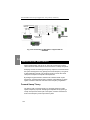
Acterna’s Stealth Sweep System consists of at least two major components:
a headend transmitter and a field receiver.
The SDA Family: Introduction
NOTE: One benefit of the SDA products is the increased
sweep speed provided by the new SDA Stealth Sweep and
SDA Transmit operating modes.
1
Keep in mind that in order to take advantage of these new
features, you must be using SDA equipment both in the
headend (SDA-5500 or SDA-5510) and in the field (SDA5000).
Field Unit
In one lightweight package, the SDA-5000 is a powerful multipurpose
troubleshooting assistant:
• A multipurpose forward and reverse sweep tool
• An advanced field spectrum analyzer that can measure ingress and
noise to 5 microsecond bursts
• A digital carrier analysis tool capable of displaying digital signal
performance characteristics
Headend Units
To check the frequency response of your system, the SDA-5500 headend
transmitter injects low-level signals in the forward downstream path,
inserting signals in vacant channel or spectrum areas. It also monitors the
cable system's carrier levels in occupied spectrum areas for use in the noninterfering Sweepless Sweep, where the carrier itself is used as the sweep
signal. In addition to generating carriers and using existing channels for
sweep test signals, the SDA-5500 sends headend signal level readings to
the downstream receivers with every sweep update. This technique enables
the receivers to compensate for any signal level changes, maintaining the
utmost measurement accuracy. The SDA-5510 performs reverse sweep
functions only, but unlike the SDA-5500, it allows multiple receivers to work
with one headend unit. The SDA-5500 and SDA-5510 can be used together
using separate telemetry data carriers.
2
The SDA Family: Field Unit (SDA-5000)
FIELD UNIT (SDA-5000)
The SDA field receivers conduct a battery of signal level measurements,
including a full scan of the cable spectrum to 1 GHz, in addition to
performing sweep reception. A proprietary digital signal processing (DSP)
technique measures hum and carrier-to-noise (C/N) ratio on modulated
carriers.
The receivers are streamlined, hand-held instruments weighing
approximately 7.5 pounds. A 320 X 240 backlighted dot matrix LCD shows
measurement data in both graphical and numerical formats. An extendedlife Nickel Metal Hydride (NiMH) battery (typically 4-5 hours operating time)
is standard.
Features of the SDA-5000 include:
• Fast scanning and spectrum analysis for ingress and noise detection
(catch bursty noise as fast as 5 microseconds)
• A desired/undesired TDMA (Time Division Multiple Access) digital carrier
analysis allowing you to see the quality and performance of cable
modems and digital set-top boxes in the reverse path
• Simple operation through the expanded and redesigned Navigator
interface
• Built in pre-amp for reverse path alignment and analysis that reduces the
jumper cables and assorted boxes you must carry and simplifies
alignment methods. The pre-amp also allows you to better see ingress
and noise from high value test points
These features address advanced services such as Internet, IP telephony,
digital video, QAM analysis, and DVB.
Acterna offers current Stealth customers upgrade paths for units already
purchased.
Quickly find entry points for ingress and noise
• Fast peak detection circuits see ingress from even transient noise
sources
• Programmable dwell-time in spectrum mode
• “Dwell” on each frequency longer to find more of the noise more quickly
• Zero span offers infinite dwell
• Fast spectrum scanning makes searching for ingress interactive,
eliminating the wait for the trace to ‘acquire’
3
1
The SDA Family: Field Unit (SDA-5000)
• Observe noise signals clearly with the built-in pre-amp. Instead of
needing to guess about a signal that is just above the noise floor, the
built-in pre-amp allows you to clearly see and diagnose noise
1
• Easily see the difference between meter-induced intermodulation and
system intermodulation and CPD (common path distortion). A built-in
low-pass filter strips away higher power forward path signals to examine
just the reverse path
• Save money, connections, and time. Carry just one box with all the tools
needed to find ingress
Pinpoint return path problems by analyzing digital
return path signals at any point in the field
• D/U (desired/undesired) measures signal quality in-service and inchannel when you’re examining TDMA signals
• See data packet collisions
• View relative transmission levels for all the transmitters present in a
cascade
• See how heavy network traffic is in a given amplifier cascade
• Level measurements allow you to align both TDMA and continuous
digital channels
Align return path amps more quickly and with fewer
errors
• Adjust return path amplifier tilt and gain
• Display injection levels and absolute headend signal levels
• Calculate system gain and tilt automatically
• Reliably measure reverse sweep and level with an improved test point
compensation setup
• Compensate for test point loss in complex two-way amps using
improved, informative displays
The SDA-5000 field meter also offers interoperability with Acterna’s
PathTrak Performance Monitoring System. Interoperability is an exciting
feature that enables you to solve return path ingress problems more
effectively. Node spectrum data received at the PathTrak System can be
broadcast to the field unit, allowing you to compare local (field) spectrum
4
The SDA Family: Headend Units (SDA-5500 and SDA-5510)
measurements with remote (PathTrak System/headend) spectrum
measurements.
1
New Features and Benefits of the SDA-5000
• Faster forward sweep with all signals, including 64/256 QAM carriers
• QAM digital analysis (OPT4)
• Improved interoperation with StealthWare
• CW loopback
• Sweep loopback
• Efficient, practical, graphical test point compensation configuration
HEADEND UNITS (SDA-5500 AND SDA-5510)
SDA-5500 Stealth Sweep Transceiver
The SDA-5500 is a standard 19" rack mount unit weighing approximately
fifteen pounds. Its 320 X 240 dot matrix LCD shows measurement data in
both graphical and numerical form. It is a full-featured signal analysis meter
with a complete spectrum display and an analog representation of single
channel measurement data. When tuned to a specific channel, a
comprehensive set of information is provided, including:
• tuned channel
• video frequency and level
• audio frequency and level
• differences between video and audio carrier levels
The SDA-5500 performs essential cable TV system preventive maintenance
tests with accuracy and ease. Signal levels, hum, C/N, and, in tandem with
the SDA-5000, frequency response, can be quickly tested without interfering
with subscribers’ service.
The Sweep System is made up of two components: the field unit (SDA5000), and one or both of the headend units (SDA-5500 and SDA-5510).
Sweep response is tested by injecting a low-level signal in vacant spectrum
areas and by monitoring cable system carrier levels in occupied spectrum
5
The SDA Family: Headend Units (SDA-5500 and SDA-5510)
areas. In addition to generating the sweep test signal, the SDA-5500
continuously monitors the system carriers. It sends headend level readings
to the field receiver with every sweep update. In this way, any headend level
changes are compensated for by the receiver, maintaining measurement
accuracy.
1
Sweep response measurements won’t be affected by changing signal levels
in the headend. The SDA-5500 has the measurement capability of the SDA5000 so you can keep an eye on headend levels.
With the Reverse Sweep option (OPT2), a transmitter is built into the handheld sweep receiver. The headend sweep transmitter (SDA-5500) is set up
to receive the reverse sweep sent from the field. When a reverse sweep is
activated from a field test point, the headend transmitter receives the
telemetry signal indicating which receiver is sending the sweep. The
headend transmitter measures the sweep and sends the results to the field
via its telemetry signal. The field receiver with the tagged serial number then
displays the sweep response as measured in the headend.
New Features and Benefits of the SDA-5500
• Faster forward sweep with all signals, including 64/256 QAM carriers
• New Navigator user interface
SDA-5510 Stealth Reverse Sweep Manager
The SDA-5510 is a standard 19" rack mount unit weighing approximately
fifteen pounds. Its 320 X 240 dot matrix LCD shows measurement data in
both graphical and numerical form. It is a full-featured signal analysis meter,
with a complete spectrum display and an analog representation of single
channel measurement data. When it’s tuned to a specific channel,
comprehensive information is provided:
• tuned channel
• video frequency and level
• audio frequency and level
• differences between video and audio carrier levels.
The SDA-5510 handles the reverse sweep job for up to 10 technicians.
By adding the SDA-5510 to the Sweep System, you take responsibility for
single-user reverse sweep away from the SDA-5500. This speeds the
reverse sweep rate and increases the forward sweep speed. In addition, the
SDA-5510 sends out reverse ingress/noise information with every update of
6
The SDA Family: Options
its forward telemetry, so reverse telemetry need not be received to check the
reverse ingress condition.
1
Reverse Sweep Alignment
Reverse sweep alignment provides an optimum view of the frequency
response in the unoccupied reverse spectrum, leaving nothing to chance. A
reverse sweep can uncover mismatch problems that reveal themselves as
standing waves or as diplex filter roll-offs that can severely hamper the
carriage of services in the reverse band.
Ingress Detection and Troubleshooting
The SDA-5510 provides feedback to the field about the current condition of
noise and ingress in the headend. Even if the noise or ingress is swamping
the telemetry, a picture of the headend noise/ingress is sent out for display to
the receiver via a special forward telemetry carrier.
Easy To Read Noise/Ingress Display
The headend instrument continuously displays the noise/ingress
performance of connected nodes, providing a quick, easy way for you to
verify performance. In addition, the current reverse testing activity can be
monitored.
The SDA-5510 also performs essential cable TV system preventive
maintenance tests with accuracy and ease. Reverse signal levels, hum, C/N,
and frequency response can be quickly tested without subscriber
interference.
OPTIONS
The SDA-5000 can be equipped with several options that extend and
enhance its operation.
• SDA-OPT1:
Reverse Sweep Receiver
• SDA-OPT2:
Portable Sweep Transmitter
• SDA-OPT3A:
PathTrak Field View
• SDA-OPT4A:
64/256 QAM, DVB-C, ITU-T J.83 Annex A
7
The SDA Family: Options
1
• SDA-OPT4B:
64/256 QAM, DVS-031, ITU-T J.83 Annex B
• SDA-OPT5:
75 Ohm BNC Connector option
• SDA-OPT6:
Portable Reverse Sweep Manager
The following optional accessories are available:
8
• SDA-CASE1:
Replacement soft carrying case for units without the
QAM View option installed
• SDA-CASE2:
Replacement soft carrying case for units with the QAM
View option installed
• SDA-NIMH:
Spare extended-life battery
• SDA-NIMCA:
Universal charger/AC adapter for the extended-life
battery
• SDA-NIMK:
Extended-life battery kit, including extended-life battery,
universal charger/AC adapter, and soft carrying case
Chapter 2
Description and Basic Operation
INTRODUCTION
This chapter introduces you to the SDA-5000. The user interface is covered
first, beginning with the redesigned Navigator menu, followed by an
explanation of the buttons and keys on the front panel. Covered next are the
unit’s operational modes, including level measurements, sweep, proof-ofperformance measurements (including QAM analysis), the spectrum
analysis tool, and compatibility with Acterna’s PathTrak performance
monitoring system.
General configuration items such as setting the shut-off timeout period,
setting the time and date format, and so on, are discussed next. Configuring
measurement variables, and brief introductions to channel plan, sweep, and
PathTrak configuration follow.
Next, you’ll find information about diagnostic functions that enable you to
reset the unit to the original factory configuration, test the LCD, and check
the unit’s internal transmitter functions. Finally, you’ll learn how to print
measurement screen information and stored files.
Description and Basic Operation: User Interface Elements
USER INTERFACE ELEMENTS
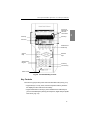
The SDA-5000 has two primary user interface elements, the Navigator
(shown in Fig. 2-1), and the traditional key controls (shown in Fig. 2-2).
The Navigator Interface
2
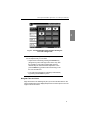
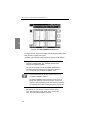
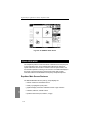
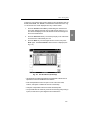
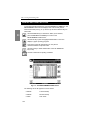
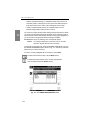
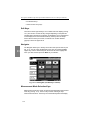
The Navigator is an easy to use self-guided graphical user interface. It can
be displayed at any time by pressing the Nav support key (see Fig.
2-2). There are four tabs on the left side of the screen, each of which, when
selected, displays a set of icons specific to that tab. Each of the icons takes
you to the top-level menu for that function.
NOTE: Your SDA-5000 will not have the fourth tab (Digital
Analysis) if it is not equipped with the QAM option (OPT4).
In addition, the particular icons displayed vary according to
your unit’s options.
To move between the tabs, use the soft keys to the left of the display.
Pressing any of the soft keys to the right of the display (or pressing the Enter
key) takes you to the main screen for the currently selected icon. You can
move the cursor to select icons with the diamond keys.
NOTE: You can also select the icon you want using the
numeric keypad on the front of the unit. Each of the ten
number keys (and the Space and Clear keys) corresponds
to one of the icon positions in the Navigator. If there is no
icon on showing, the cursor won’t move to that spot.
Each of the Navigator’s icons takes you to the top-level menu for that mode
or function.
10
Description and Basic Operation: User Interface Elements
2
Fig. 2-1 The SDA-5000 Navigator Interface Showing the
Files and Configure Tab
NOTE: If you’re having trouble reading the screen, there
are two adjustments you can make:
• Adjust screen contrast by pressing the Function key
(the green key in the lower right corner of the unit), then
the 9 yz key to call up the contrast slider. Use the
diamond keys to make the desired adjustment. Then
press the Enter key (just above the Function key) to set
the new contrast level.
• The LCD screen backlight is activated (or deactivated)
by pressing the Function key twice.
Navigator Tabs and Icons
Page references in the following list point you to the main discussion in the
manual. Note that the icons displayed depend on the unit’s options. Your unit
might not show all of them.
11
Description and Basic Operation: User Interface Elements
Files and Configure tab
Config .......... page 22
Testpoint ...... page 60
View ............. page 200
Info............... page 32
2
Sweep & Spectrum tab
Sweep.......... page 64
Spectrum ..... page 131
PathTrak ...... page 141
Align............. page 90
Modem C/N . page 121
12
RF Measure tab
Level..............page 110
Tilt..................page 112
Scan ..............page 115
C/N ................page 119
Hum...............page 124
Mod ...............page 126
Auto Test .......page 184
Loopback.......page 93
Digital Analysis (QAM OPT4)
Digital ............page 153
Equalizer .......page 174
Constallation .page 166
Ingress ..........page 160
Description and Basic Operation: User Interface Elements
Arrows are
displayed for
one-hand
convenience
Soft Keys
Soft Keys
Soft Icons
Measurement
Mode Keys
Support
Keys
Diamond
Keys
Alphanumeric
Keypad
Enter Key
Function Key
Power On/Off
Fig. 2-2 The SDA-5000 Key Controls
Key Controls
There are five groups of keys that control the SDA field units (see Fig. 2-2):
• Eight soft keys. In many cases, icons that represent soft key functions
are displayed in the LCD next to the soft key.
• Eight measurement mode keys, plus an additional four shifted keys if
you have the QAM option (OPT4) (see Chapter 9, Digital Analysis (QAM
View OPT4), Fig. 9-2).
13
2
Description and Basic Operation: User Interface Elements
• Three support mode keys:
Nav
Test
• Nav calls up the Navigator menu.
• Test accesses the AUTOTEST top-level menu.
• PathTrak enables PathTrak functions. (This requires that your
unit has OPT3, PathTrak Field View.)
2
• Four diamond keys for scrolling menu items, cursors, values, and so on.
• A power button
• A sixteen button alphanumeric keypad.
Soft Keys
Soft keys enable you to access a set of up to eight programmable functions
at a time. The specific functions available change as you change operational
modes. For example, changing from the Level mode to the Tilt mode
changes the soft key functions available to you. Icons represent many soft
key functions.
See Also
½ Appendix C has a complete list of these icons.
Measurement Mode Keys
Measurement modes are activated by pressing one of the eight keys (shown
in Fig. 2-3) immediately below the LCD.
LEVEL
LEVEL
TILT
TILT
SCAN
SCAN
SWEEP
SWEEP
C/N
C/N
HUM
HUM
MOD
MOD
SPECT
SPECT
Fig. 2-3 The Measurement Mode Keys
NOTE: If you have the QAM option, the bottom four keys
(C/N, HUM, MOD, and SPECT) have shifted functions that
you access by pressing the green Function key before
pressing the measurement mode key. Chapter 9, Digital
14
Description and Basic Operation: User Interface Elements
Analysis (QAM View OPT4), has more information about
these keys.
• Press LEVEL to check the audio and video levels of a channel
simultaneously, or to check a specific frequency.
• To balance pilot levels, press TILT. Nine selected video carrier levels are
displayed.
• Press SCAN to see absolute carrier levels on a bar graph. All carriers
are displayed.
• Press SWEEP to test CATV system frequency response. Low-level
signals are injected into vacant spectrum areas by the SDA-5500, and
system carrier reference levels in occupied spectrum areas are
transmitted via telemetry to the SDA unit.
• Press C/N to measure the carrier-to-noise ratio in dB on the tuned
channel or frequency, at a preset noise frequency offset above the video
carrier.
• Press HUM to measure low-frequency hum modulation on the selected
channel. You can select to view the measurement in dB or as a
percentage.
• Press MOD to listen to the audio modulation of the tuned channel or
frequency (AM or FM), and measure the depth of modulation on the
video carrier. Depth is presented as a percentage.
• Press SPECT to activate the spectrum analyzer display, and to measure
CSO/CTB harmonic distortions (in conjunction with the designated soft
key).
See Also
½ Chapters 4, Field Sweeping with the SDA-5000, 6,
Measuring System Performance, and 7, Spectrum Analyzer
Mode, describe these modes in detail.
½ These modes are introduced in “Basic Modes of Operation,”
later in this chapter (page 17).
½ Chapter 9, Digital Analysis (QAM View OPT4), covers the
shifted functions of the measurement mode keys.
15
2
Description and Basic Operation: User Interface Elements
Alphanumeric Keypad
The alphanumeric keypad is augmented with green icons above each key
(see Fig. 2-4). The functions represented by these icons are selected or
activated by first pressing the green Function key at the lower right of the
keypad (see Fig. 2-2), then the key for the desired function.
The alphanumeric keys are used to
2
• Enter numeric values 0 through 9. The Function key makes the 0 key
toggle between +/- when negative entries are allowed in data entry fields.
• Enter a decimal point using the . space key.
• Enter letters in Edit Box data fields that accept alpha characters such as
test point names, operator names, file names, and so on. Press each key
one, two, or three times to choose the letter desired. Pressing a key an
extra time brings up the number assigned to the key.
• Create a space between letters with the arrow keys.
• Move the cursor with the arrow keys.
NOTE: Always finish numeric entries by pressing the
Enter key or the appropriate soft key.
Print
Backup
File
Screen Hold
Configure
Help
Reference
Information
TP Comp
DVM
Contrast
AutoScale
Insert
Toggle ±
Delete
Backlight
Fig. 2-4 The Shifted (or Second) Functions of the Keypad
16
Description and Basic Operation: Basic Modes of Operation
OPT port
IN port
DIGI port
2
Fig. 2-5 Top View of the SDA-5000 Showing the Three
Cable Connection Ports
Cable Connection Ports
SDA units have up to three cable connection ports (see Fig. 2-5). The IN port
allows you to connect the instrument to the cable system. When connected,
you can perform sweep operations, standard analog measurements, and
digital carrier average power measurements. The OPT port is a transmitter
port used when you’re performing reverse sweep, CW Loopback, or Sweep
Loopback measurements. The DIGI port allows you to analyze digital TV
and forward cable modem signals.
BASIC MODES OF OPERATION
This section describes the modes of operation for SDA field units. Some
modes require you to have a particular option on your SDA unit. When that is
the case, the required option is indicated in parentheses next to the mode
name.
Level Measurement
Your SDA-5000 offers several different level displays optimized for many of
the day-to-day tasks of maintaining your cable system.
17
Description and Basic Operation: Basic Modes of Operation
LEVEL mode presents a detailed display about
a single channel. Video and audio levels are
displayed both in bar graph and in numeric
form. The delta between audio and video level
is also computed. When a digital channel is
measured, DigiCheck power measurement
algorithms are used to accurately read
continuous digital carrier levels across the
entire selected channel.
2
TILT mode displays level variations of
selected carriers throughout the band. Up
to nine selected tilt channels are measured
and displayed at the same time. These can
be the pilot carriers or channels. The meter
automatically calculates tilt across these
channels and displays their level.
SCAN mode displays a graph of the level of all
channels in the current channel plan, either
with or without audio and digital carriers. This
mode is very useful when you’re first
connecting to a test point. It allows you to
quickly get a general idea of system specified
signal level accuracy.
See Also
½ Chapter 6, Measuring System Performance, describes
these measurement modes in detail.
Sweep
Sweep is the most complete way to measure the frequency response of your
cable network. SDA products offers a complete set of sweep tools to
maximize your productivity. Forward and reverse sweep can be used to
troubleshoot problems in either signal path. Reverse amplifier alignment is
designed to quickly provide you with the necessary information for setting up
a reverse amplifier, and Sweepless Sweep can be used to gather sweep
information even when there is no sweep transmitter available.
• Stealth forward sweep: Forward sweep uses a headend transmitter to
measure carrier levels and, when necessary, to inject short sweep
pulses. When stable carriers are present, they can be referenced to
18
Description and Basic Operation: Basic Modes of Operation
create a sweep response without injecting any sweep pulses. This
guarantees that no subscriber interference will result from your sweep
testing.
• SDA sweep: SDA sweep operates identically to Stealth sweep, but it is
much faster! It is also critical to note that, for SDA sweep to work, you
must be using SDA equipment both in the headend and in the field.
• Stealth reverse sweep (OPT1): Reverse sweep uses sweep carriers
from a field unit that are sent back to the headend transmitter and
measured to calculate return path frequency response. Stealth offers a
high level of flexibility in setting frequencies and levels to give you the
maximum flexibility in sweeping a return path network without creating
any service interruptions.
• Aligning reverse amplifiers (OPT1): This alignment mode is tailored to
set the gain and tilt of reverse amplifier units. Using the SDA-5500 or
SDA-5510 headend sweep transmitter, this screen shows the absolute
signal levels at two selected frequencies and calculates the gain and tilt
of a return path system. All the information a technician needs to set up a
reverse amplifier or node is displayed in one location.
• Sweepless Sweep: Sweepless Sweep allows you to get sweep
information even if no transmitter is available. If a transmitter is down, or
if something is blocking the telemetry channel, Sweepless Sweep can
still be used. In Sweepless Sweep, the SDA field unit measures the
stable carrier levels, memorizes them, and establishes a reference.
These levels can then be compared with the levels of the same carriers
at a different point in the network, and the differences in frequency
response can be highlighted.
• Loopback Sweep (OPT2): The full sweep local Loopback test enables
you to perform a rough frequency response, gain, and loss test on active
and passive devices in the field using a single meter.
See Also
½ Chapters 4, Field Sweeping with the SDA-5000, and 13,
SDA-5500/SDA-5510 Sweep Configuration, together
provide a complete description of the SDA family’s sweep
capability.
Proof-of-Performance Measurement Tools
The SDA-5000 provides an extensive suite of tools for troubleshooting and
for performing proof-of-performance tests. Carrier-to-noise, hum, and depth
of modulation are all calculated on unscrambled analog video channels in-
19
2
Description and Basic Operation: Basic Modes of Operation
service and in-channel. This allows you to measure the performance
customers really experience, all without any service interruption.
Carrier-to-noise is measured using an
advanced “quiet line” algorithm. The meter
searches for a line of video with no active
signal (this typically happens on one or more
lines during vertical sync of an analog video
channel). This allows the noise measurement
to be made in the middle of the channel rather
than in an unused side band, so the reading
reflects what the CATV subscriber actually
sees.
2
Hum is also measured in-service using
DSP algorithms. Pre-programmed filters
help isolate power supply problems to 1times power-frequency, 2-times powerfrequency, or all low frequency
components.
Depth of modulation can be measured inservice. This display also allows the user to
listen to either AM or FM audio carriers to help
identify a signal or to troubleshoot some types
of problems. If a steady ingress source is
found, this feature can be used to help find out
what is leaking into the cable network.
The SDA-5000 also offers the capability to perform these proof-ofperformance tests on an automated basis. You can perform a complete
battery of tests for any or all channels in the channel plan. The meter can
perform these tests immediately, or it can perform a set of tests over any set
of intervals you desire. This is useful when you’re running the 24-hour tests
required by the FCC in the US, and by other international governing bodies.
See Also
½ Chapter 6, Measuring System Performance, discusses the
proof-of-performance measurement tools in detail.
½ Chapter 10, Automatic Test, explains how to run 24-hour
and interval tests.
20
Description and Basic Operation: Basic Modes of Operation
Spectrum Analysis
The SDA-5000 features an advanced spectrum analysis capability. This is a
simple but extensive tool for tracking down hard-to-find problems in the
cable network. The following list describes the features of this tool:
The spectrum analyzer works over the entire 5
MHz to 1 GHz frequency range.
Tuning can be by channel or by frequency.
Several convenient frequency spans are
available, from 3 to 50 MHz.
Maximum hold and dwell time can be varied to
track down intermittent signals.
A low-pass filter and preamplifier are available
to help find difficult return path problems.
The spectrum mode includes a very powerful Zero Span mode display that
you can use to measure and analyze TDMA (Time Division Multiple Access)
digital channels and difficult ingress signals. Zero Span mode allows you to
perform in-service and in-channel D/U (desired/undesired) measurements
on TDMA channels. You can also see different transmitter levels individually,
view data “collisions,” and see how heavy the traffic is on the coax.
You can also measure CSO (composite second order) and CTB (composite
triple beat) using Spectrum mode. These measurements can help you find
the source of inter-modulation problems and confirm compliance with
system performance specifications.
See Also
½ Chapter 7, Spectrum Analyzer Mode, covers the spectrum
analysis capability of the SDA-5000.
PathTrak Mode (OPT3 Field View)
The PathTrak mode display looks very similar
to the Spectrum Analyzer display. However, the
PathTrak mode has two measurement traces
(Local and Remote) that are displayed
simultaneously along with a Peak Hold trace.
You can toggle the Peak Hold trace to
reference either the Local or Remote trace.
Simultaneous display of both traces allows you
21
2
Description and Basic Operation: Configuring the SDA-5000
to toggle between the Local and Remote traces to compare measurement
data so you can quickly determine if an ingress problem exists, and if it does,
you can isolate its source.
See Also
½ Chapter 8, PathTrak Field View (OPT3), discusses the
PathTrak Mode in detail.
2
CONFIGURING THE SDA-5000
This section describes the configuration options you access from the
CONFIGURE menu. Global, Measurements, and Diagnostic configuration
are discussed here in detail. Channel Plan, Sweep Receiver, and PathTrak
configuration are covered briefly in this chapter, and in detail in their
respective chapters later in the manual.
To call up the CONFIGURE menu shown in Fig. 2-6, turn the unit on and
then either
• Press the Nav support key (see Fig. 2-2), select the Files and Configure
tab, then the crossed-tool Config icon
or
• Press the Function and 3 ghi keys
NOTE: If the internal transmitter requires self-calibration,
you will see a prompt to perform a self-calibration of the
internal transmitter. See page 30 for instructions on how to
do this.
22
Description and Basic Operation: Configuring the SDA-5000
2
Fig. 2-6 The CONFIGURE Menu
Global Configuration
Selecting the GLOBAL option calls up the menu shown in Fig. 2-7. This
menu contains twelve items, described in the list that follows.
• Operator Name: Enter your name, which will appear in the header
section of the Auto Test report (see “Auto Test Results” in Chapter 10,
Automatic Test).
• Contrast Level: Adjust the contrast level of the LCD to the desired
level. The level varies on a scale from 1 to 15.
• Shut-off Time-out Period: To conserve battery life, you can adjust the
automatic shut-off feature to turn off the meter after a pre-set interval of
inactivity of 1, 3, or 5 minutes, or choose Always On.
23
Description and Basic Operation: Configuring the SDA-5000
2
Fig. 2-7 The GLOBAL Menu
• Backlight Time-out Period: You can also conserve battery life using
the screen backlight’s automatic time-out. The time-out period is
programmable: Always Off, 5 sec, 10 sec, or Always On. (You can turn
the backlight on or off manually at any time by pressing the Function key
twice.)
• Time: Use the numeric entry keys to enter the time in HH:MM:SS
format. The time is set using a 24 hour scheme (for example, 18:05:30
for 6:05 and 30 seconds PM).
• Date Format: Use the up and down diamond keys to select the date
format. When you change the date format, the new format will appear
everywhere the date is displayed or printed. The following formats are
available:
MM/DD/YY
DD.MM.YY
YY.MM.DD
• Date: Use the numeric entry keys to enter the date. Select Date Format,
Next . . . to determine which date display format is used.
• Printer: Sets the printer interface. Use the up and down diamond keys
to choose between Diconix, Seiko, IBM, or Epson.
24
Description and Basic Operation: Configuring the SDA-5000
The required serial printer configuration is as follows:
• Baud rate consistent with SDA-5000 Receiver (9600 or 19.2K
recommended)
• 8 data bits
• 1 stop bit
• No parity
2
• Flow control - hardware handshaking
Printing to a parallel printer requires a serial-to-parallel converter such as
the one manufactured by Black Box Corp. (Phone 412-746-5500). The
setup is the same as the serial printer configuration.
• Lines/Page: Use this option to specify the number of lines per page
(min 30, max 255) for text printouts. This determines the number of lines
printed before a form feed command is sent. For no form feeds, enter
zero (0) here.
• Baud Rate: The baud or bit rate establishes the speed of
communications between the SDA-5000 receiver and another device.
Baud values available are 1200, 2400, 4800, 9600, and 19.2k.
• Beeps: Use the diamond keys to turn on or off key-press clicks and
instrument beep functions.
• Splash Screen: Use this option to enable or disable the splash screen
that appears when you turn on the unit.
• Diagnostics: To enter Diagnostics mode, highlight this option and press
the Enter key.
See Also
½ The “Diagnostics” section later in this chapter covers
diagnostics configuration in detail (page 29).
Measurements Configuration (Including QAM OPT4)
When you select MEASUREMENT from the CONFIGURE menu shown in
Fig. 2-6, you’ll see options for adjusting seven variables. If you have the
QAM option (OPT4), you will see an additional four items, as described
below (see Figure 2.8). Use the up and down arrow keys to scroll through
the list, and change the variables as indicated in the Edit Box.
25
Description and Basic Operation: Configuring the SDA-5000
2
Fig. 2-8 The MEASUREMENT Menu
NOTE: The Test Point Compensation item has been
moved to another menu, TESTPOINT, accessible from the
Navigator or by pressing the Function and 7 stu keys.
• Temperature Units: Select the desired temperature units (degrees
Celsius or degrees Fahrenheit).
• Signal Level Units: Select the units to be used for checking signal
power levels (dBmV, dBuV, and dBm).
• Frequency Tuning Step Size: Adjust the Tuning Step Size using the up
and down diamond keys or the numeric entry keys (0.01 to 100.00 MHz
in 10 kHz steps).
• Fundamental Hum Frequency: Select the fundamental hum frequency
to be measured (60 Hz, 50 Hz, 1Hz, or, Auto). With Auto selected, the
unit will automatically switch to 50 Hz on PAL type plans and 60 Hz for
NTSC plans. 1Hz is used in the case of a 1Hz power supply.
• Scan Rate: Two scan rates are available in the Scan mode, Normal and
Fast. The Fast scan feature allows for rapid scan displays, but sacrifices
accuracy. The Normal scan rate is slower but more accurate.
• Scan Audio Carriers: Omitting the audio carriers during the scan
produces a faster scan.
• C/N Calibration: To obtain a valid carrier-to-noise measurement, the
measurement algorithm incorporates a noise floor calibration. To perform
26
Description and Basic Operation: Configuring the SDA-5000
the calibration, select C/N calibration and press the Enter key. To get a
valid measurement, the program prompts you to be sure that no cable is
connected to the RF IN connector. After the measurement is verified,
press the OK soft key to perform the calibration. When the calibration is
complete, the screen displays the noise floor, expressed in the currently
selected units (e.g. dBmV).
Digital Analysis (QAM OPT4) Options
• Digital Signal Quality Meas: This option enables you to select the
digital signal quality measurement you want to use:
• MER (modulation error ratio) is analogous to an analog carrier-to-noise
measurement
• EVM (error vector magnitude) is MER data presented in a percentage
format.
• Number of Constellation Points: You can set the number of
constellation points displayed in Constellation mode to 2000, 4000, or
8000. The unit defaults to 4000.
• Velocity of Propagation: The velocity of propagation is the ratio of the
speed at which light travels down a length of cable compared to its
absolute speed. It is determined by the dielectric material used to
separate the two conductors and is usually specified by the cable
manufacturer. After you have consulted the manufacturer’s
specifications, enter a value between 0.00 and 1.00.
• Distance Units: In Equalizer Mode, this option enables you to set the
units for measuring the distance to the fault in either feet or meters. This
option defaults to feet.
Channel Plan Configuration
Selecting the CHANNEL PLAN option from the CONFIGURE menu takes
you to a screen where you can set nine channel plan configuration options.
These options allow you to
• Select a channel plan
• Set the video signal type
• Set the channel tuning sequence
• Build a channel plan
• Edit a channel plan
27
2
Description and Basic Operation: Configuring the SDA-5000
• Delete unused channels
• Build sweep points
• Specify Auto Test measurements
• Edit Limits
• Edit Digital Limits
2
• Remotely copy a plan from another instrument
See Also
½ Chapter 3, Channel Plans, covers these options in detail.
Sweep Configuration
The SWEEP option of the CONFIGURE main menu enables you to establish
the operating parameters that you want for a specific sweeping application.
The first screen in this menu offers the options and choices available in
either the Stealth, Stealth (SDA COMPATIBLE), Transmit, Transmit (SDA
COMPATIBLE), Loopback, or Sweepless modes of sweeping. Stealth mode
sweeping is the default setup. The number of options available to you
changes depending on which sweep mode you select.
See Also
½ Chapter 4, Field Sweeping with the SDA-5000, covers
sweep configuration and operation in detail.
PathTrak Configuration (OPT3)
From the PATHTRAK option of the CONFIGURE main menu you can set the
parameters that allow communication between Acterna’s PathTrak
performance monitoring system and the SDA field unit.
The PathTrak mode provides increased troubleshooting accuracy by
allowing you to compare spectrum measurements at the node with the
current conditions at the headend.
Options available to you from the PATHTRAK main menu enable you to set
the Telemetry Frequency used to transmit data, and to view the list of nodes
currently available from the PathTrak system.
28
Description and Basic Operation: Configuring the SDA-5000
See Also
½ Chapter 8, PathTrak Field View (OPT3), covers PathTrak
configuration and operation in detail.
Diagnostics
From the DIAGNOSTICS menu shown in Fig. 2-9, you can reset the
instrument to original factory configuration, test the LCD, or, when
applicable, check the field unit’s internal transmitter functions.
2
• Default to Factory Settings: Scroll to Default to Factory Settings and
press the Enter key to automatically set all parameters to the factory
default values. The changes will take effect after power is cycled.
CAUTION ! Executing this function will cause all saved
files, configurations, and memory to be lost.
Fig. 2-9 The DIAGNOSTICS Menu
• Display Test: This option allows you to test the operation of the display.
Select Display Test and press the Enter key to call up the screen shown
in Fig. 2-10. This test merely checks the on/off properties of the screen.
You have two options, which operate as follows:
• Any left soft key toggles the screen on and off.
• Any right soft key moves to the previous screen.
29
Description and Basic Operation: Configuring the SDA-5000
2
Fig. 2-10 The DISPLAY TEST Screen
• Transmitter Diagnostics: Highlight this option and press the Enter key
to access the internal transmitter diagnostic features shown in Fig.
2-11.
Fig. 2-11 The Transmitter Diagnostics Screen
• Transmitter On/Off: When turned on, this feature provides a CW RF
signal that can be used for troubleshooting or during installation. The
signal is present only when the diagnostics screen is displayed.
30
Description and Basic Operation: Configuring the SDA-5000
• Transmitter Attenuator: Use the up and down diamond keys to enter
the amount of attenuation for the CW transmitted signal to a maximum of
30 dB in 2.0 dB increments.
CAUTION ! If you set the transmitter test frequencies too
close to the CATV carrier while you’re connected to the
CATV system, you can create significant interference to the
subscribers.
2
• Transmitter Frequency: Enter the frequency for the transmitted signal
to the nearest 0.01 MHz using the numerical keys and the Enter key.
The up and down diamond keys change the frequency in the increments
established during setup.
• Sweep Telemetry On/Off: When it’s turned on, the SDA-5000 will
modulate the CW signal as it does the telemetry signal.
• Calibrate Transmitter: To calibrate transmitter output, press the Enter
key. You’ll see the screen shown in Fig. 2-12. You will be asked to shunt
or jumper with coax the input (IN) and output (OPT) terminals of the
meter with a short length of cable. When you’re done, press the OK soft
key.
Fig. 2-12 Calibrating Transmitter Output
If you test without a cable attached, the error shown in Fig. 2-13 occurs.
Check your F connectors, BNC connectors (if used), and the cable itself.
31
Description and Basic Operation: Configuring the SDA-5000
2
Fig. 2-13 Calibrate Error (Missing Jumper Cable)
If your connections are correct and you still get the error screen, contact an
authorized Acterna Service Center.
See Also
½ Chapter 12, Maintenance, has a list of Acterna service
centers worldwide.
System Information
You can view the system information for your unit by selecting the Info icon
from the Navigator’s Files and Configure tab. Doing so takes you to the
INFO screen where you’ll find the following information:
• model number
• serial number
• firmware version number
• most recent calibration date
• currently selected channel plan Type (NCTA, PAL, SECAM)
• current temperature
• percentage of memory used
• the options the unit has
32
Description and Basic Operation: Printing Measurements and Files
PRINTING MEASUREMENTS AND FILES
This section describes the procedures for printing screens or files from your
field unit. Before printing, be sure the printer is properly attached.
NOTE: Interface the SDA-5000 to a PC with an SDA-toPC cable, P/N 1217-50-0158. The SDA-to-SDA interface
cable is P/N 1217-50-0149. The SDA-to-Printer interface
cable is P/N 1217-50-0159. These three cables are
different. Pin-outs and connector types are available by
calling Acterna Customer Service at the appropriate
number for your location as listed in Chapter 12
(page 209).
2
• To print any measurement mode screen, press the Function and Print
(1 abc) keys.
• To print a file, press the Nav support mode key and use the arrow keys to
select View mode. Use the soft keys or press the Function and Print
(1 abc) keys.
See Also
½ The “Global Configuration” section earlier in this chapter
discusses setting up your unit for printing to a serial or
parallel printer (page 23).
33
Description and Basic Operation: Printing Measurements and Files
2
34
Chapter 3
Channel Plans
INTRODUCTION
Using a channel plan, the SDA field unit memorizes the frequencies of active
channels on your system.
NOTE: Separate channel plans are required for:
• general measurements (tilt, level, and so on)
• reverse sweep
• loopback sweep
Changing the channel plan on the field unit has no effect on
the sweep. The headend unit’s channel plan is used by
default.
Before you begin, be sure that:
• You have completed the basic setup as described in:
• “Global Configuration” (Chapter 2, page 23)
• “Measurements Configuration” (Chapter 2, page 25)
• “Sweep Configuration” (Chapter 4, page 64)
• You are thoroughly familiar with the instrument’s functions, controls, and
indicators.
Channel Plans: Channel Plan Configuration
CHANNEL PLAN CONFIGURATION
To begin, turn the power on and go to the CONFIGURE menu, either by
pressing the Nav key, selecting the Files & Configure tab, and then the
Config icon, or by pressing the green Function key and then 3 ghi.
Depending on your unit’s options, the CONFIGURE menu includes up to six
items (see Fig. 3-1). Use the arrow keys to select the CHANNEL PLAN item
and then press any soft key.
The screen displays the top-level CHANNEL PLAN menu shown in Fig.
3-2.
3
NOTE: If you have the QAM option, the CHANNEL PLAN
menu will have an Edit Digital Limits option in addition to
those shown in Fig. 3-2.
From this menu you can access submenus that will let you accomplish the
following tasks:
• Select a channel plan
• Set the video signal type
• Set the channel tuning sequence
• Build the channel plan
• Edit the channel plan
• Delete unused channels
• Build sweep points
• Specify Auto Test measurements
• Edit limits
• Edit Digital Limits
• Copy a remote plan from another instrument
The remainder of this chapter will take you through the procedures to
configure each of these functions.
36
Channel Plans: Channel Plan Configuration
3
Fig. 3-1 The CONFIGURE Menu
Fig. 3-2 The CHANNEL PLAN Menu Options
NOTE: If your SDA instrument does not have the QAM
option (OPT4), you will not see the Edit Digital Limits. This
menu item applies only to QAM signals.
37
Channel Plans: Setting Channel Plan Parameters
SETTING CHANNEL PLAN PARAMETERS
To set the channel plan parameters, follow the prompts in the Edit Box and
the directions in the following sections.
NOTE: The Return soft key in the upper left moves the
menu back one screen. Press the soft key next to the Edit
Box at the lower right to enter each Channel Plan
submenu.
3
Select Channel Plan
Selecting the top item, Select Channel Plan, takes you to the screen shown
in Fig. 3-3. This is a list of existing channel plans. If this is the first time
you’ve used your SDA field unit, the only channel plan shown is the standard
NCTA plan.
See Also
½ The “Build Channel Plan” section later in this chapter shows
you how to create and name new channel plans, and add
them to the list displayed here (page 40).
Fig. 3-3 Select a Channel Plan
38
Channel Plans: Setting Channel Plan Parameters
1. Scroll through the list to the plan you want to view, then
press the Load soft key.
2. Press the Info soft key at the upper right of the display to
view the CHANNEL PLAN INFO screen (see Fig. 3-4). This
is a view-only screen, which displays main features of the
plan specified in the top line.
3
Fig. 3-4 Channel Plan Info
3. Press the Delete soft key to delete a plan.
To confirm that you do want to delete the selected plan,
press the OK soft key.
If you change your mind before you hit OK, you can press
the STOP key to prevent the deletion.
4. Press the Return soft key to return to the screen shown in
Fig. 3-2, the CHANNEL PLAN menu.
Video Signal Type
From the CHANNEL PLAN menu (Fig. 3.2), select Video Signal Type and
press the Enter key. The up and down diamond keys toggle between NTSC,
PAL, and SECAM in the Edit Box.
Select the signal type compatible with your system, and press the Enter key
again. The screen returns to the CHANNEL PLAN menu.
39
Channel Plans: Setting Channel Plan Parameters
See Also
½ For more information about these signal types, see the
Glossary at the end of this manual.
Channel Tuning Sequence
At the CHANNEL PLAN menu (Fig. 3.2), select Channel Tuning Sequence
and press the Enter key. The up and down diamond keys toggle between
Numeric Order and Frequency Order.
Select the item desired, press the Enter key again, then use the up or down
diamond keys to scroll to the next parameter.
3
Build Channel Plan
From the CHANNEL PLAN menu, select Build Channel Plan. The SDA unit
creates a channel plan by memorizing the active channels in the system,
and by identifying by default those that are not active.
CAUTION ! Be sure that the SDA is correctly connected to
the cable system at COAX IN.
NOTE: Channels < -10 dBmV will not be recognized as
active channels.
1. As prompted by the Edit Box, press the Continue soft key,
and the screen shown in Fig. 3-5, BUILD PLAN STEP 1,
appears.
40
Channel Plans: Setting Channel Plan Parameters
3
Fig. 3-5 The BUILD PLAN STEP 1 Screen
2. The screen prompts you to name the plan. Use the
alphanumeric keys and the diamond keys to make your
entry, then press the OK soft key to accept it. The screen
warns you if there is already a plan with that name entered
in the unit. After you enter a name for the plan, the BUILD
PLAN STEP 2 screen appears (see Fig. 3-6).
See Also
½ For help using the alphanumeric keypad for text entry, see
the section “Alphanumeric Keypad” in Chapter 2 (page 16).
NOTE: If you make a mistake or change your mind about
the name you entered, you can press the OK soft key
again to overwrite it.
Pressing the Stop soft key before you press OK discards
any entry you made in the edit box and returns you to the
STEP 1 screen.
41
Channel Plans: Setting Channel Plan Parameters
3
Fig. 3-6 The BUILD PLAN STEP 2 Screen
3. At the STEP 2 screen, use the up and down diamond keys
to select a base channel plan to use for building the new
plan. Press the OK soft key to accept your selection. The
screen shown in Fig. 3-7, BUILD PLAN STEP 3, is
displayed.
Fig. 3-7 The BUILD PLAN STEP 3 Screen
4. At the STEP 3 screen, enter the upper frequency at which to
stop searching for channels. Use the keypad or the up and
42
Channel Plans: Setting Channel Plan Parameters
down diamond keys to set the frequency, press the Enter
key, then press the OK soft key. As the plan starts, you’ll see
the basic plan information and the channels being
programmed into the plan.
CAUTION ! You must press the Enter key to register this
frequency as the upper limit.
When it’s building the channel plan, the SDA sequences through all
channels in the selected base plan up to the Stop Frequency you entered.
To halt the process, press the Stop soft key.
When the channel plan is complete, the screen displays the name and
format for the plan, and the number of enabled channels. The display also
confirms that the first and last enabled channels are tilt enabled.
NOTE: The following section discusses the Tilt Channel
option.
Press the OK soft key and you’re returned to the main CHANNEL PLAN
screen shown in Fig. 3-2.
Edit Channel Plan
This feature enables you to scroll through the entire list of channels in the
plan, select each channel, and edit parameters for each. You can also add
and delete channels from your plan.
1. From the main CHANNEL PLAN menu, select Edit Channel
Plan and press the icon to the right of the Edit Box. The
EDIT CHANNEL PLAN screen appears (see Fig. 3-8).
43
3
Channel Plans: Setting Channel Plan Parameters
3
Fig. 3-8 The EDIT CHANNEL PLAN Screen
The eight columns of this screen display the following information about
each channel in the plan, left to right:
Enabled; Type; Channel; Label; Frequency; Sweep; Tilt; Scrambled
NOTE: A check mark in the left margin means that the
channel is enabled; SWP, TLT, and SCR channels have
asterisks to indicate that status.
You can set the sweep, tilt, and scrambled attributes from
this screen using the soft keys to the right of the display, or
you can edit them from the EDIT CHANNEL menu.
2. Press the Edit Channel soft key, and the screen in Fig.
3-9, EDIT CHANNEL, appears.
The EDIT CHANNEL screen presents, one-at-a-time, a
listing of the channels in the current plan in numerical or
frequency order, depending on the channel tuning sequence
you selected (see “Channel Tuning Sequence” on page 40).
NOTE: For each channel there is a list of up to 12
parameters you can examine or adjust. Use the up and
down diamond keys to scroll, select, and to uncover the
10th, 11th, and 12th parameters, if present.
44
Channel Plans: Setting Channel Plan Parameters
Use the left and right diamond keys, or the two arrow icons
at the upper right corner, to scroll through the list of
channels.
3
Fig. 3-9 The EDIT CHANNEL Screen
NOTE: If you want to configure a digital carrier in your
channel plan, follow the instructions in the section
“Configuring a Digital Carrier” at the end of this section.
3. Select the parameter you want to change. (The following
section, “Editable Parameters,” provides a description of
each parameter.) You make adjustments to the highlighted
parameter by pressing the Enter soft key, making the
changes, then pressing Enter again.
4. Press the Add soft key to add a new channel to the plan.
The new channel will be assigned the next channel number
from the one being viewed, and a frequency set to the
smallest in the channel plan (5 MHz).
5. Press the Delete soft key to remove the current channel
from the plan. The screen warns you about the deletion.
6. When you have finished editing the channel/frequency in
this screen, press the Return soft key to return to the EDIT
CHANNEL PLAN menu.
45
Channel Plans: Setting Channel Plan Parameters
Editable Parameters
• Enabled: This enables the instrument to monitor the channel. Select
Yes or No. If the channel is not enabled it will not be included in any
measurement mode. At least one channel must be enabled.
• Type: When you select Type, the program offers six choices in the Edit
Box. Press the Enter soft key to highlight choices, and use the up and
down diamond keys to make the choice. For each of the choices
described below, the screen displays the appropriate channel
parameters for you edit if necessary. Channel type shows in the upper
display to the left of the channel number.
The six choices are described below. Table 3-1, “Carrier Types and
Parameters,” lists the parameters you can set for each type. The parameters
are described following Table 3-1.
3
• Digital Carrier (DIGITAL): Digital Carrier can be used for
continuous digital carriers. DIGI is supported only in the Level,
Sweep, Spectrum, and Scan measurement modes. An RMS
detection mode measures the level of a digital channel.
• QAM Digital Stream (QAM): Use QAM for QAM 64 or 256
digital carriers.
• Video + Dual Audio Channels (DUAL): DUAL is a European
system, incorporating video plus two independent audio carriers.
• Single Carrier (SINGLE): SNGL can be used as a carrier for FM
or data.
• Video Channel (TV): Video Channel includes the standard video
carrier with audio carrier offset.
• Sweep Insertion Point (SWEEP): This type enables the
channel for use as a sweep insertion point.
46
Channel Plans: Setting Channel Plan Parameters
Table 3-1 Carrier Types and Parameters
Digital
Carrier
(DIGI)
QAM
Digital
Stream
(QAM)
Video +
Dual
Audio
Channels
(DUAL)
Single
Carrier
(SNGL)
Video
Channel
(TV)
Sweep
Insertion
Point
(SWP)
Enabled
✔
✔
✔
✔
✔
✔
Type
✔
✔
✔
✔
✔
✔
Frequency (MHz)
✔
✔
✔
✔
✔
✔
Channel Number
✔
✔
✔
✔
✔
Label
✔
✔
✔
✔
✔
Sweep Channel
✔
✔
✔
✔
✔
Measurement
Bandwidth (MHz)
✔
✔
✔
✔
Noise Offset (MHz)
✔
✔
✔
✔
Tilt Channel
✔
✔
✔
Scrambled
✔
✔
Audio Offset 1
(MHz)
✔
✔
Audio Offset 2
(MHz)
✔
✔
Modulation
✔
Symbol Rate
✔
Standard
✔
Spectrum Inversion
✔
3
• Frequency (MHz): This parameter sets the frequency of the carrier (for
TV and DUAL types, this is the frequency of the video carrier). Press the
Enter soft key and enter the frequency by using the numeric keypad or
the up and down diamond keys. Then press the Enter soft key to commit
the entry.
47
Channel Plans: Setting Channel Plan Parameters
• Channel Number: This is the channel number of the carrier. Change
the channel number by pressing the Enter soft key and using the
numeric keypad or the up and down diamond keys. Press the Enter soft
key to save the entry.
• Label: You can create a distinctive label of up to four characters to
attach to the channel’s number. The label associates the channel’s
number to programming. Use the Enter soft key, the keypad or the up
and down diamond keys. The diamond keys allow you to use special
characters. The label appears to the left of the channel number on most
screens.
• Sweep Channel: Sweep Channel designates whether the channel will
be used for Sweep measurements. Use the Enter soft key and the up
and down diamond keys to select Yes or No.
3
• Measurement Bandwidth (MHz): To edit the bandwidth, select
Measurement BW. Adjust bandwidth by using the up and down arrow
keys or by entering a value using the numeric keypad. Use the Enter soft
key to start and finish. On a digital channel, this is the bandwidth of the
carrier to be measured.
NOTE: In the United States, the FCC specification for C/N
measurements is a bandwidth of 4.00 MHz. Cable
Television organizations outside of the United States may
have different requirements.
• Noise Offset (MHz): The frequency at which the noise level is
measured is the carrier frequency plus the noise offset. To adjust the
noise offset, select Noise Offset (MHz). Adjust the offset by using the up
and down diamond keys or by entering a value using the numeric
keypad. Use the Enter soft key to start and finish.
• Tilt Channel: Tilt Channel designates whether or not the channel is to
be used for the Tilt mode. Up to nine channels can be designated as Tilt
channels. Use the up and down diamond keys to select either Yes or No
and the Enter soft key to begin and end data entry.
• Scrambled: The Scrambled item indicates whether the channel is
scrambled. Use the Enter soft key to begin editing, and the diamond
keys to select either Yes or No. Press Enter again to save the setting.
48
Channel Plans: Setting Channel Plan Parameters
TIP: To increase sweep speeds, a stable audio carrier can
be used as a sweep point.
Sweeping and measuring a scrambled channel is slower
than an unscrambled channel. Add a “SINGLE” type
channel at the frequency of the audio carrier and enable
this channel for sweep. For a scrambled channel, a
diamond appears in the LCD title bar to the left of the
channel-type indicator on most screens.
• Audio Offset 1 (MHz): This setting specifies the audio offset of the
channel. Use the up and down diamond keys or the keypad to edit the
setting and the Enter soft key to begin and end the entry.
• Audio Offset 2 (MHz): This specifies the offset for the second audio
carrier of a Dual channel. Use the up and down diamond keys or the
keypad and the Enter soft key to begin and end the entry.
• Modulation: This setting is used to specify the QAM modulation used.
You can select either 64 or 256 QAM.
• Symbol Rate: This specifies the information rate of the channel. This
rate is expressed in “millions of symbols per second” (Msym/s) and may
be edited in the Digital Summary Mode. The default for 64 QAM is 5.057.
The default for 256 QAM is 5.360. Edits to the default symbol rate should
be made only when more accurate data is obtained from equipment
specifications or further analysis of the signal.
• Standard: Standard refers to the signal standard used. Annex A is used
primarily in Europe, Annex B is used in the US, and Annex C is used in
Japan. If your channel plan is NCTA, the unit defaults to Annex B; if your
plan is PAL, it defaults to Annex A. Your choices are Annex A (DVB),
Annex A (DAVIC), Annex B, and Annex C.
• Spectrum Inversion: Spectrum Inversion designates whether or not the
signal is inverted.
Configuring a Digital Carrier
This section walks you through the process for setting up digital channels in
your channel plan.
NOTE: The SDA now simplifies digital channel setup.
When you’re changing a TV type channel to DIGI or QAM,
the unit automatically sets the frequency to the center of
49
3
Channel Plans: Setting Channel Plan Parameters
the digital channel’s bandwidth, and changes the
Measurement BW setting appropriately. If you change from
a DIGI or QAM channel to a TV type, the units also adjusts
these settings for you.
3
1.
From the EDIT CHANNEL PLAN screen (Fig. 3-8), select the channel
that you are going to configure as digital, then press the Edit Channel
soft key or the Enter keypad key.
2.
Highlight the Type item from the list of parameters and press Enter.
3.
Use the diamond keys to select DIGI.
4.
The Frequency (MHz) line in the parameters list will default to the
center frequency of the digital channel bandwidth.
5.
Using the numeric keypad, enter the center frequency of the digital
carrier, then press the Enter soft key.
6.
Highlight the Measurement BW (MHz) item from the parameters list.
7.
Using the numeric keypad, type the bandwidth of the digital carrier,
and then press the Enter soft key.
8.
Now select the Enabled line from the parameters list and verify that
the setting is Yes.
9.
Press the Exit soft key.
10. Highlight the next channel to be configured as digital, and repeat this
procedure.
Configuring for Inverted Spectrum
• Inverted Spectrum and Signal “Lock”: During the modulation and
demodulation of the forward transmission of a digital stream, the
spectrum inverts many times – meaning that it “flips” or mirrors the image
of itself. If the SDA does not properly “lock” onto a selected QAM
channel, the cause may be spectrum inversion.
TIP: You can configure individual QAM channels in the
Channel Plan to correct inverted spectrums when they
occur (See Base Channel Plans and Spectrum Inversion
below).
• Base Channel Plans and Spectrum Inversion: When you select the
Base Channel Plan used by the SDA (NCTA, PAL-UK, etc.), you are also
50
Channel Plans: Setting Channel Plan Parameters
selecting the unit’s default setting for Inverted Spectrum, which is simply
“Yes” or “No”.
• For example, when you select the NCTA channel plan, the SDA defaults
to Annex B and defaults to “No” regarding Inverted Spectrum because
the occurrence of spectrum inversion is not anticipated. If spectrum
inversion does occur, however, the setting can be edited to “Yes” on the
Edit Channel screen.
• The PAL-UK channel plan defaults to Annex A and to “Yes” for Inverted
Spectrum because spectrum inversion is anticipated with PAL-UK
channels. All other Base Channel Plans default to “No” for Inverted
Spectrum (because spectrum inversion is not anticipated).
3
Fig. 3-10 EDIT CHANNEL Menu Screen (Type: QAM)
Configuring a QAM Digital Stream Channel
1.
From the EDIT CHANNEL PLAN screen, select the channel to be
configured as a QAM Digital Stream channel and press the Enter key
on the keypad.
2.
Press the down diamond key to highlight Type from the EDIT
CHANNEL menu and press Enter to edit the current selection. Use
the down diamond key to select QAM Digital Stream and press Enter
(see Figure 3-10).
3.
Press the down diamond key to highlight Modulation and press Enter
to edit the current selection. Use the down diamond key to select 64 or
256 QAM and press Enter.
51
Channel Plans: Setting Channel Plan Parameters
4.
Press the down diamond key to highlight Standard and press Enter to
edit the current selection. Use the down diamond key to select the
appropriate Signal Standard and press Enter.
3
Fig. 3-11 EDIT CHANNEL Menu Screen (Inverted Spectrum)
5.
To edit other channel parameters on the menu as necessary (such as
Frequency, Channel Number, Label, Sweep Channel, Symbol Rate,
and Noise Offset) follow the same process: Press the down diamond
key to highlight the selection to be edited, press Enter, use the down
diamond key to edit the parameter or the keypad to enter the
appropriate data, and press Enter to select it.
6.
If the default setting for Inverted Spectrum is incorrect, press the
diamond key to highlight Inverted Spectrum and press Enter to edit
the current selection. Use the down diamond key to select the
alternate choice, and press Enter (see Figure 3-11).
7.
Repeat this process as necessary to configure each QAM Digital
Stream channel in your channel plan.
Inverted Spectrum Features
• Frequency Tuning: When frequency tuning in the QAM measurement
modes, the QAM signal is demodulated as a non-inverted spectrum.
• Channel Plans: When using the soft key to add a new channel to the
channel plan, the new channel will be assigned the next channel
number. If the initial channel is a QAM channel, the new channel will
receive the initial setting for Inverted Spectrum.
52
Channel Plans: Setting Channel Plan Parameters
• When copying channel plans from unit to unit:
• If both units have the current firmware, all of the channel plan
information, including Inverted Spectrum, is maintained.
• If the unit sending the channel plan is older than SDA v2.5 (no Inverted
Spectrum option), the Inverted Spectrum setting for all QAM channels
will be defaulted to “No”.
• If the unit receiving the channel plan is older than SDA v2.5 and the
sending unit is SDA v2.5 or above, the Inverted Spectrum setting will
be omitted.
• StealthWare: StealthWare does not support the Inverted Spectrum
setting.
• When receiving a channel plan from StealthWare, units with SDA v2.5
or above will default to an Inverted Spectrum setting of “No”.
• When sending channel plans to StealthWare, the Inverted Spectrum
setting in QAM channels will be ignored.
Delete Unused Channels
CAUTION ! Never delete unused channels until sweep
points are made.
After the plan has been built, you can delete unused channels, if
appropriate. Doing this frees memory for other uses and cleans up the
channel plan.
1.
Select Delete Unused Channels in the CHANNEL PLAN menu (see
Fig. 3-2), and press the Continue soft key.
2.
The screen warns you that the deletion cannot be undone, that ALL
channels not enabled will be deleted.
3.
Press the OK soft key to delete unused channels, then press the OK
soft key again to return to CHANNEL PLAN menu.
Specify Auto Measurements
This option enables you to specify one or all of three measurements (C/N,
Hum, Mod) for inclusion with any TV channels in your plan.
53
3
Channel Plans: Setting Channel Plan Parameters
1. Select Specify Auto Measurements from the CHANNEL
PLAN menu and press the Continue soft key. The screen
shown in Fig. 3-12, AUTO MEASUREMENTS, appears.
3
Fig. 3-12 The Auto Measurements Screen
2. Use the up and down diamond keys to scroll through the
listed channels.
3. Use the bottom right icon’s soft key to program all three
measurements for a channel, or use the C/N, Hum, and
MOD soft keys separately. When the lower right icon
changes to a slotted circle, you can use it to cancel all three
tests for a selected channel.
4. Press the backup icon soft key at the upper left to return to
the CHANNEL PLAN menu.
NOTE: Keep in mind:
• C/N, hum, and modulation cannot be measured on a
scrambled channel or a digital carrier.
• Hum measurements include all components < 1 kHz.
• Hum is measured in either % or dB, as established
during setup.
54
Channel Plans: Setting Channel Plan Parameters
CAUTION ! Units cannot be changed after the Auto Test
has been completed!
Edit Limits
Use the Edit Limits option of the CHANNEL PLAN menu to establish
standards to be incorporated into an Auto Test. As the Auto Test
measurements are running, the program compares measured values to the
limits you set for Video Level, Level Delta values, Digital Level, and Max 24hour Level deviation.
3
1. From the CHANNEL PLAN menu shown in Fig. 3-2, scroll to
the Edit Limits item and press the Continue soft key. The
screen shown in Fig. 3-13, EDIT LIMITS, appears.
Fig. 3-13 The Edit Limits Screen
2. Use the up and down diamond keys to select the limit to be
edited.
3. Press the Enter soft key to begin, then use the numeric
keypad or the up and down diamond keys to make the entry.
When you have made the adjustment, press the Enter soft
key again to save the setting and update the display.
55
Channel Plans: Setting Channel Plan Parameters
NOTE: You can use the Factory icon soft key at the upper
right of the screen to set FCC (US) recommended default
values automatically.
NOTE: You cannot use the Factory icon to set FCC
recommended values when you’re setting Digital Limits.
Edit Digital Limits
The Edit Digital Limits option on the CHANNEL PLAN menu appears only if
your SDA unit is equipped with the QAM option (OPT4). The parameters you
set here are compared to the measurements displayed in the Digital
Summary and digital Detail screens in QAM Mode.
3
See Also
½ Chapter 9, Digital Analysis (QAM View OPT4), describes
these modes in detail.
1. From the CHANNEL PLAN menu shown in Fig. 3-2, scroll to
the Edit Digital Limits item and press the Continue soft key.
The screen shown in Fig. 3-14, EDIT DIGITAL LIMITS,
appears.
Fig. 3-14 The Edit Digital Limits Screen
56
Channel Plans: Setting Channel Plan Parameters
2. Use the up and down diamond keys to select the limit to be
edited.
3. Press the Enter soft key to begin, then use the numeric
keypad or the up and down diamond keys to make the entry.
When you have made the adjustment, press the Enter soft
key again to save the setting and update the display.
NOTE: You can use the Factory icon soft key at the upper
right of the screen to set all measurements in this screen to
the factory recommended default values.
3
Copy Remote Plan
This selection enables you to copy a channel plan from one meter to
another.
1.
Confirm that each unit’s baud setting is the same. Although the default
is 9600, Acterna recommends a baud of 19.2k for copying plans. Then
connect a cable between the serial ports of two meters (this is a
special cable from Acterna).
2.
From the CHANNEL PLAN menu, scroll to the Copy Remote Plan
item, and press the Enter soft key next to the Edit Box. A list of plans
located in the remote meter’s memory appears on the screen.
3.
Select the plan that you want to copy and press the Copy soft key.
4.
The selected plan is transferred from the remote meter and stored in
the meter that you are operating.
5.
If there is a problem with the transfer, the screen notifies you.
57
Channel Plans: Setting Channel Plan Parameters
3
58
Chapter 4
Field Sweeping with the SDA-5000
INTRODUCTION
This chapter explains the SDA field units’ sweep function. You’ll first be
introduced to test point compensation. Next you learn how to configure the
field unit to compensate for test point losses and how to calculate those
losses. Configuring your receiver for sweep is covered next, after which you
learn about connecting the SDA-5000 to test points and how to perform
forward and reverse sweeps in the field. Finally, Sweepless and Loopback
sweeping are discussed.
See Also
½ Chapter 14, “SDA-5500/SDA-5510 Sweep Configuration,”
covers the sweep process in detail, as well as providing
information about how the headend and field units work
together to sweep the system.
TEST POINT COMPENSATION
In aligning a cable network, the important levels, the ones you should care
about, are the system levels within the coax and amplifiers. However, in
Field Sweeping with the SDA-5000: Test Point Compensation
order to perform tests without cutting off service, it is necessary to use test
points. Test points are ports that tap off enough signal for monitoring, but
leave most of the signal in the system where it is needed. Typical test points
have 20-30dB of loss between the signal being measured and the port
output.
Additionally, it is sometimes necessary to inject or read signals in locations
other than the exact point of interest. If a signal is to be injected into a
reverse amplifier, there are usually some internal amplifier losses between
the test point and the actual amp input. It is also sometimes necessary to
use external pieces of hardware to combine or split signals from the field
meter before you connect to the system being tested.
Test point compensation accounts for these factors and allows the meter to
display true system levels, even though hardware between the system and
the meter may affect what the meter really sees. For example, if a forward
test point were 30dB lower than the coax line it tapped into, normal meter
readings would be 30dB below real system levels. Using test point
compensation, you can cancel out this effect. Though this simple example
would be easy to work out in your head, more complex configurations can be
far more challenging. Meter test point compensation can help insure that you
interpret meter results correctly, with accurate results.
4
Test Point Compensation Configuration
NOTE: Test point compensation configuration has been
significantly changed and improved over previous
implementations. The new graphical displays for forward
and reverse test point compensation provide an at-aglance, simplified schematic of the test point connections
you must make and where test point losses are generated.
This information is designed to help you better see
relationships among the various entries, and to help you
enter correct data for each test point loss location.
Test point compensation allows the SDA-5000 to show actual levels in the
cable network, even though some losses exist between the meter and the
network lines. The SDA-5000 allows for separate adjustment of both forward
and reverse test point losses. The following steps show you how to configure
the SDA-5000 for test point compensation.
1.
60
1.To adjust and review these levels, press the and 7 stu keys to call
up the FWD COMPENSATION screen shown in Fig. 4-1. (You can
also use the NAVIGATOR interface’s TESTPOINT item to get to the
FWD COMPENSATION screen.)
Field Sweeping with the SDA-5000: Test Point Compensation
Use the top right-hand soft key to toggle between
forward and reverse test point displays.
Use the top left-hand soft key to return to the previous
screen.
Use the bottom right-hand soft key to enter the current
value from the Edit Box into the test point loss table.
2.
The forward test point display has two entries:
• The top item (EXTERNAL) is to allow for external pads, coupling
networks, or any amplifiers you might use. It is important to note that a
pad has a positive value (loss), while an amplifier has a negative value.
• You should enter the amplifier test point loss in the second line
(PROBE). Typically this is 20, 25, or 30dB. Positive values represent
loss, and are the norm. A negative value represents an amplifier.
Fig. 4-3 shows a 20dB test point, and an external splitter provides 3.5dB
additional loss.
Fig. 4-1 The FWD COMPENSATION Screen
3.
The reverse test point display contains more adjustments and
information (see Fig. 4-2).
The soft keys for this screen have the same function as those on the
FWD COMPENSATION screen, with the addition of an Information
soft key.
61
4
Field Sweeping with the SDA-5000: Test Point Compensation
Press this soft key to call up the TESTPOINT INFO
screen shown in Fig. 4-4. This screen provides
information for telemetry and sweep about transmitted
output levels, total losses, and actual and desired levels
and the delta between them.
4.
To accurately calculate reverse test point loss, it’s helpful to have a
block diagram of the amplifier to be adjusted. When you’re balancing
constant inputs to the hybrid, the Internal entry represents the internal
losses from the injection point to the hybrid. These losses (the top
entry box in the display) arise from the various splitters, diplexers, and
so on, in the amplifier between the injection point and the amplifier
input. Test point, or probe, loss (the entry box third from the top in the
display) is the DC value of the test point.
4
Fig. 4-2 The REV COMPENSATION Screen
CAUTION ! Resistive test points should not be used for
reverse sweep. You might get inaccurate results because
of the presence of standing waves.
External losses represent the components used to connect to the test
point. For these values, positive numbers represent loss, which is the
norm. Negative values represent gain (a very rare event). This value
is entered in the box second from the top in the display.
Add all test point losses to get a total.
62
Field Sweeping with the SDA-5000: Test Point Compensation
As an example, consider the amplifier shown in Fig. 4-3:
Test Point
20dB
PAD
H
L
PAD
PAD
3.0dB PAD
PAD
EQ
INPUT
OUTPUT
0.5dB
H
L
H
L
0.5dB
Test Point
20dB
OUTPUT
3.5dB
EQ
PAD
4
Fig. 4-3 Test Point Compensation Values
Measured at the test points available at the output of the amplifier, the
forward test point loss is 20dB. If you’re balancing constant inputs to
the hybrid, the reverse test point loss is 20dB for the test point, plus
1.0dB for a diplexer, plus 3.5dB for a splitter, plus the pad value at the
input to the reverse amplifier (for example, assume 3dB). This would
be entered as 20dB of test point loss and 7.5dB of “internal” losses.
This value would be entered in the top data box in the display. In this
configuration, a splitter would be required to combine the two output
ports of the SDA-5000. This would be entered as 3.5dB of loss in the
external entry for both forward and reverse test point compensation.
5.
The telemetry and sweep generation and injection levels are
displayed in the TESTPOINT INFO screen (see Fig. 4-4). The
generated levels are calculated based on the desired system levels
set at the main SWEEP configuration menu (see “Sweep
Configuration” on page 64), and the test point losses entered here.
The telemetry level is calculated precisely for a specific frequency and
level. This value can be used with the headend display to perform
absolute level alignment, so it is calculated to 0.1dB resolution.
63
Field Sweeping with the SDA-5000: Sweep Receiver Configuration
Fig. 4-4 Telemetry and Sweep Generation and Injection Levels
4
The sweep injection level is a nominal value that is not corrected for
transmitter calibration because more than one frequency is used for
the pulses. For this reason, it is displayed only to the nearest 2dB.
When test point compensation changes, the output level of the
transmitter changes automatically to keep the system level of the
injected pulses the same. For example, if the test point values in Fig.
4-3 changed to 25dB, the transmitted output levels would move to
approximately 47dBmV to keep the system levels close to the same.
SWEEP RECEIVER CONFIGURATION
This section covers the configuration for sweeping, and presents details of
using the various controls and indicators provided by the SDA-5000 to
improve your efficiency.
Sweep Configuration
The SWEEP menu of the CONFIGURE main menu enables you to establish
the operating parameters that you want for a specific sweeping application
(see Fig. 4-5). The first menu in this screen offers the options and choices
available in Stealth, Stealth (SDA COMPATIBLE), Transmit, Transmit (SDA
64
Field Sweeping with the SDA-5000: Sweep Receiver Configuration
COMPATIBLE), Loopback, or Sweepless sweep modes. The number of
options available to you changes depending on which sweep mode you
select. Table 4-1, “Sweep Options,” lists your choices.
he Edit Box is
sed for data
ntry and mode
nd option
election
4
Fig. 4-5 The SWEEP Menu (Stealth Mode)
NOTE: When SDA Sweep mode is selected, Forward
Telemetry Freq (3ST) and Forward Telemetry Freq (3HRV)
become Forward Telemetry Freq (5500) and Forward
Telemetry Freq (5510) to remind you that you must be
using SDA equipment in both the headend and in the field
to use SDA Sweep mode.
NOTE: Stealth mode sweeping is the default setup.
65
Field Sweeping with the SDA-5000: Sweep Receiver Configuration
Table 4-1 Sweep Options
4
Stealth
Stealth
(SDA
Compatible)
Transmit
(OPT2)
Transmit
(SDA
Compatible)
(OPT2)
Loopback
(OPT2)
Sweepless
Sweep Mode
Sweep Mode
Sweep Mode
Sweep Mode
Sweep Mode
Sweep Mode
Sweep Limit
Variable
Sweep Limit
Variable
Forward
Telemetry
Freq
Forward
Telemetry
Freq
Show
Horizontal
Markers
Sweep Limit
Variable
Show
Horizontal
Markers
Show
Horizontal
Markers
Forward
Sweep
Insertion
Level
Forward
Sweep
Insertion
Level
Sweep File
Overlay
Show
Horizontal
Markers
Forward
Telemetry
Freq (3ST)
Forward
Telemetry
Freq (5500)
Forward
Telemetry
Level
Forward
Telemetry
Level
Sweep
Insertion
Level
Include
Audio
Carriers
Forward
Telemetry
Freq (3HRV)
Forward
Telemetry
Freq (5510)
Include
Audio
Carriers
Include
Audio
Carriers
Loopback
Sweep Plan
Sweep File
Overlay
Reverse
Sweep
Operation
Reverse
Sweep
Operation
Enable
Reverse
Sweep
Enable
Reverse
Sweep
Sweep
Direction
Sweep
Direction
Enable Live
Headend
Ingress View
Enable Live
Headend
Ingress View
Reverse
Levels
Reverse
Levels
Reverse
Telemetry
Level
Reverse
Telemetry
Level
Sweep File
Overlay
Sweep File
Overlay
Reverse
Sweep Plans
Reverse
Sweep Plans
66
Field Sweeping with the SDA-5000: Sweep Receiver Configuration
SWEEP Menu Options
• Sweep Mode: Use the up and down diamond keys to select Stealth,
Stealth (SDA COMPATIBLE), Transmit, Transmit (SDA COMPATIBLE),
Loopback, or Sweepless. Table 4-1 lists the range of choices in each
mode for each of the SDA options.
• Sweep Limit Variable: The Sweep Limit Variable is x in the response
flatness expression (n/10 + x) used during sweep measurements to
compare actual system response to the formula. x is adjustable from 0.0
to 5.0 (the default is 1.0). Use the up and down diamond keys or the
numeric keypad to enter a value.
• Show Horizontal Markers: The horizontal markers continuously track
maximum and minimum values in the area of the graph between the
vertical markers (see Fig. 4-10). Use the up and down diamond keys to
display the markers.
• Forward Telemetry Frequency: Use the up and down diamond keys or
the numeric keypad to enter the forward telemetry frequency
corresponding to the SDA-5500.
NOTE: For successful Stealth mode operation, the SDA5000 telemetry frequency must match the transmit
telemetry frequency setting of the SDA-5500 transmitter.
CAUTION ! Do not place the telemetry signal too close to
the diplex filter cut-off frequency. Roll-off may attenuate the
telemetry signal to the degree that communication fails.
This same caution applies to placing the signal in the highend roll-off region.
• Forward Telemetry Frequency: Use the up and down diamond keys or
the numeric keypad to enter the forward telemetry frequency
corresponding to the SDA-5510.
NOTE: For successful operation, the SDA-5000 telemetry
frequency must match the forward telemetry frequency
setting of the SDA-5510.
CAUTION ! To prevent the SDA-5510 reverse sweep from
contending with the SDA-5500, disable the SDA-5500’s
67
4
Field Sweeping with the SDA-5000: Sweep Receiver Configuration
reverse sweep and reverse noise features. This will speed
up the SDA-5500’s forward sweep. Also, be sure the
telemetry frequencies of the headend units are different.
• Forward Sweep Insertion Level (Transmit and SDA Compatible
Transmit (OPT2) modes only): This is the level at which sweep
insertion points will be inserted; 40 or 50 dBmV is the max. Sweep points
should be 14-16 dB below the video reference level. Sweep points fall on
the video and/or audio frequency of unused channels by default, but can
be moved.
• Forward Telemetry Level (Transmit and SDA Compatible Transmit
(OPT2) modes only): This setting determines the level of the telemetry
signal (FSK). This should be set 10 dB below the video reference level.
The telemetry level is adjustable from 20-50 dBmV in 2 dB increments.
The max is 50 dBmV, however some older units may have a max of 40
dBmV.
4
• Enable Reverse Sweep (Transmit and SDA Compatible Transmit
(OPT2) modes only): This setting allows reverse sweep to operate in
the Transmitter. If it’s disabled, forward sweep will be faster but reverse
sweep will be inoperable.
• Enable Live Headend Ingress View (Transmit and SDA Compatible
Transmit (OPT2) modes only): When enabled, this setting allows
reverse noise to be transmitted on the forward telemetry. If it’s disabled,
the forward sweep will be faster.
• Reverse Sweep Operation (Stealth and SDA Compatible Stealth
modes only): Select Single User for reverse operations associated with
a SDA-5500. Select Multiple Users for reverse operations associated
with a SDA-5510.
• Sweep Direction (Stealth and SDA Compatible Stealth modes only):
There are two possible sweep directions on SDA-5000 field units with the
reverse sweep option (OPT1): Forward and Reverse. Use the Edit Box to
select the direction desired, and then press the Enter key.
NOTE: When sweeping, you can change direction by
simply pressing the left diamond key for reverse, or the
right diamond key for forward sweeping.
• Reverse Telemetry Level (Transmit and SDA Compatible Transmit
(OPT2) modes only): The reverse telemetry level is the level of the
carrier that the SDA-5000 uses to transmit telemetry data. Use the Edit
68
Field Sweeping with the SDA-5000: Sweep Receiver Configuration
Box to set the Reverse Telemetry Level to an appropriate value. When
adjusting the Reverse Telemetry Level, set the level to the desired
insertion level after loss. The value used includes test point
compensation.
• Reverse Levels: This option takes you to the REV COMPENSATION
screen. From this screen you can set test point losses and the reverse
telemetry and reverse sweep insertion levels.
• The reverse telemetry level is the level of the carrier that the SDA-5000
uses to transmit telemetry data. Use the Edit Box to set the Reverse
Telemetry Level to an appropriate value. When adjusting the Reverse
Telemetry Level, set the level to the desired insertion level after loss.
The value used includes test point compensation.
NOTE: The frequency of the reverse telemetry carrier is
set on the headend unit. There is no Reverse Telemetry
Frequency setting available from the field unit.
4
• The reverse sweep insertion level is the level at which the unit inserts
(transmits) sweep points. All sweep points are inserted at the same
level. Use the Edit Box to set the Reverse Sweep Insertion Level to an
appropriate value. (Typically this is at a maximum of +50 dBmV to
overcome test point loss, not including the test point compensation
setting.)
NOTE: The reverse sweep plan, which is set on the
headend unit, defines the frequencies at which the sweep
points are inserted. The sweep point frequencies cannot be
adjusted on the field unit.
• Reverse Sweep Plans (Transmit and SDA Compatible Transmit
(OPT2) modes only): Reverse sweep plans are built and/or edited for
the upstream direction. The reverse channel plan must be set up on the
Transmitter. It will be automatically communicated to the field unit via the
forward telemetry.
• Sweep File Overlay: Sweep file overlay enables you to view a stored
sweep response simultaneously with a “live” sweep response for direct
comparison. The sweep file overlay option must be enabled for viewing
both traces simultaneously. With this option disabled, stored files are
displayed for normal viewing without the live response superimposed. If
the sweep file overlay option is enabled, the live response overlays the
69
Field Sweeping with the SDA-5000: Considerations for Sweep in the Field
stored response during viewing. Use the up and down diamond keys to
enable the option.
• Include Audio Carriers (Transmit (OPT2) and Sweepless modes
only): This selection allows the audio carriers to be excluded, resulting
in a faster sweep. Use the up and down diamond keys to include (Yes) or
exclude (No) audio carriers.
• Sweep Insertion Level (Loopback (OPT2) mode only): This is the
level transmitted for each Loopback sweep point. The value entered here
is determined by the signal level units specified in the MEASUREMENT
configuration screen (see “Measurements Configuration” in Chapter 2,
page 25). This level is adjustable from 20 dBmV to 50 dBmV with a
stepsize of 2; the default is 20 dBmV.
• Loopback Sweep Plans (Loopback (OPT2) mode only): This
selection allows you to create and edit the Loopback Sweep Plan.
4
CONSIDERATIONS FOR SWEEP IN THE FIELD
The Sweep function has four operating modes, Stealth, Transmit, Loopback,
and Sweepless. The current sweep mode is indicated in the upper righthand corner of the screen (see Fig. 4-10). The Stealth mode allows sweep
insertion points to be injected in vacant spectrum areas. The Loopback
mode enables you to perform a rough frequency response, gain, and loss
test on active and passive devices in the field. The Sweepless mode only
measures actual system carriers. Any system carrier can be used as a data
point, even scrambled or digital carriers. In either mode, a previously stored
response can be used as a reference to the current measurement. Sweep
references are selected in the File setup menu (see “Sweep References” in
Chapter 11, page 201). The Transmit mode operates the same as the Scan
mode with these exceptions: sweep telemetry is transmitted, sweep points
are injected, and sweep point levels are displayed (see “Scan
Measurements” in Chapter 6, page 115).
Connecting the SDA-5000 to a Test Point
This section covers signal level issues and shows you how to interface with
different network architectures.
70
Field Sweeping with the SDA-5000: Considerations for Sweep in the Field
Signal Level Considerations
At amplifier test points, the same basic connection and signal level rules
apply to the SDA-5000 as apply to the headend unit. Too much signal level
on the input of the unit can cause inconsistent sweep readings. The forward
telemetry level should be 0dBmV±12dB at the input of the SDA-5000. This
can be verified by checking the lower right corner of the unit’s display while
sweeping forward (see “Forward Sweep Operation” on page 75). If the
telemetry level is too high, adding in-line attenuators or pads on the unit’s
input is a quick way to reduce signal level.
See Also
½ Chapter 14, “SDA-5500/SDA-5510 Sweep Considerations”
discusses the connection and signal level issues for
headend units.
If both the SDA-5500 and SDA-5510 units are in service, telemetry
frequencies for both the headend and field units must be entered during the
setup of the field units.
NOTE: The field units must also be set to the multiple user
mode (if you’re using the SDA-5510), even if only one of
the maximum ten people are sweeping.
Wiring and Levels: Forward Sweep
Only one cable is required for forward sweep testing. Simply connect a test
point from the output of the amplifier to be aligned or tested to the IN port of
the SDA field unit. If the video carriers in the signal are above +20 dBmV in
the signal after test point loss, then you should use an inline pad to drop the
level to no more than +10dBmV video carrier levels. (Typically this will be the
case only when direct connections to an amplifier output are used.)
NOTE: Remember, as stated previously, too much signal
level on the input can cause inconsistent sweep readings.
The forward telemetry level should be 0dBmV ± 12dB on
the input of the SDA field unit. This can be verified by
checking the lower right corner of the unit’s display while
sweeping forward. Inline pads provide a quick way to
reduce the signal level on the input.
71
4
Field Sweeping with the SDA-5000: Considerations for Sweep in the Field
Wiring and Levels: Reverse Sweep (SDA-5000 OPT1)
You can use several connection methods for reverse sweep, depending on
system engineering methods and equipment.
• Split band networks: Most networks are split band network
architectures, where one set of frequencies is used for forward signals
(typically the higher frequencies above 50-80MHz), and another set is
used for reverse path signals (typically the lower frequencies from 5MHz
to below the start of forward path signals at 30-65MHz). These signals
are combined on the same piece of coax, and special amplifiers increase
selected bands in different directions. In a split band system, the most
reliable and accurate method is to use two test points, one for forward
path signals (to receive the sweep telemetry signal), and a second for
reverse path signal injection. An example of this connection is shown in
Fig. 4-6.
4
Fig. 4-6 SDA-5000 Connected in a Network with Two Test Points
When two separate test points are not available, you can use a splitter or
diplex filter to combine the two SDA field unit ports and connect them to a
single point. An example of this connection is shown in Fig. 4-7.
It is important to use a directional test point of some sort for reverse sweep
injection. False standing waves and level inaccuracies can result from trying
to sweep with resistive reverse test points. This is not a sweep system
72
Field Sweeping with the SDA-5000: Considerations for Sweep in the Field
problem, but an artifact of the type of test point used and impedance
mismatches in the network.
If the video carriers at the forward test point are above +20dBmV, then use a
pad to drop the levels. (Typically this will be the case only when there are
direct connections to an amplifier output.)
4
Fig. 4-7 SDA-5000 Connection in a Network with One Bi-directional Test
Point
• Dual cable networks: Dual cable networks are a second type of
forward/reverse network. Although this is a less common configuration, it
can also be swept in both directions.
Two separate pieces of coax are run to all points in the network. One is used
for forward path signals, the other for reverse path signals. This type of
network is more expensive to build, but it offers more return bandwidth.
Two cables can be used to sweep this type of system in both directions with
the same setup. A sample setup is shown in Fig. 4-9.
73
Lasers or
Distribution
Amps
PAD
PAD
Forward Path Lines
TP
IN
OUT
SDA-5500
PAD
OUT
IN
Optical Rcvr
or
Combiners
PAD
Combining Network
Field Sweeping with the SDA-5000: Considerations for Sweep in the Field
Reverse Path Lines
TP
IN
OUT
SDA-5510
SDA-5000
4
Note: Pads may be omitted if not required
for proper levels.
Reverse path ALC must be turned off.
Fig. 4-9 Dual Cable Network Test Setup
The same information about levels and directional test points apply to a dual
cable network as to a split band network.
Sweep Setup
Before you attempt a sweep in the field, configure and check the settings
described in this section.
74
1.
Call up the CONFIGURE menu (use either the Navigator or the
Configure (Function and 3 ghi) key on the keypad) and select
SWEEP from the list.
2.
At the SWEEP menu, use the arrow keys to select Stealth mode if it is
not already selected. (Stealth will appear in the Edit Box when it’s
selected.)
3.
Forward Telemetry Frequency: Use the up and down diamond keys or
the numeric keypad to enter the forward telemetry frequency
corresponding to that of the headend unit.
4.
If you’re using reverse sweep (SDA-5000 OPT1), you need to
configure the following additional settings:
Field Sweeping with the SDA-5000: Considerations for Sweep in the Field
Reverse Sweep Operation:
• Select Single User for operation with an SDA-5500.
• Select Multiple Users for operation with an SDA-5510.
Reverse Telemetry Level:
This should be calculated by the system engineer and set before you start
sweep testing. This value is the system level for telemetry signals after test
point connection losses. Reverse test point compensation can then be used
to create the correct input levels for various amplifiers and test points.
Reverse Sweep Insertion Level:
This value should also be calculated by the system engineer and set before
you begin sweep testing. It is the required input level to the amplifier for
reverse sweep signals. Generally, reverse telemetry and reverse sweep
levels will be the same. Reverse test point compensation can then be used
to create the correct input levels for various amplifiers and test points.
See Also
½ “Reverse Injection Levels” (page 83) and “Test Point
Compensation Configuration” (page 60) provide more
information.
NOTE: The information in the following sections regarding
sweep operation is valid for both Stealth and SDA
Compatible Stealth sweeping.
However, keep in mind that for SDA Compatible Stealth
sweep to work, you must be using SDA equipment in both
the headend (SDA-5500 and/or SDA-5510) and in the field
(SDA-5000).
Forward Sweep Operation
You can get to the SWEEP screen (see Fig. 4-10) through the NAVIGATOR
or by pressing the SWEEP measurement mode key under lower right corner
of the screen.
This screen provides the following information (numbers correspond to
figure callouts:
75
4
Field Sweeping with the SDA-5000: Considerations for Sweep in the Field
4
1.
The vertical light bar just above REF at the top of the graph blinks on
and off with each trace refresh.
2.
The ref level in dB appears in the left top of the graph.
3.
The scale in dB/div appears next to the ref level in the middle top of
the graph.
4.
The upper right corner identifies the kind of sweep: FWD or REV;
STEALTH, SDA STEALTH, or SWEEPLESS.
5.
Horizontal markers enclose the min/max vertical deflection of the
sweep trace. You can choose to display them from the SWEEP menu
(see “Sweep Menu Options” on page 67).
6.
You can move the vertical markers with the arrows along both sides,
or you can activate the marker and type in the frequency, then press
Enter.
7.
The title of the current sweep reference is at the lower right corner. If
there is no current reference, this entry reads None.
8-9. The numbers at the A and B lines are the frequency positions of the
two vertical markers, followed by their relative levels in dB and the
difference between those levels.
Soft Key Icons:
10. Calls up the LEVEL submenu
11. Calls up the FREQ submenu
12. Calls up the LIMIT submenu
13. Calls up the TILT submenu
76
Field Sweeping with the SDA-5000: Considerations for Sweep in the Field
1
2
3
4
5
6
10
8
9
12
11
13
7
Fig. 4-10 The SWEEP Screen
NOTE: Most of the displays in this section use these same
icons and submenus. The text explains how to use the new
ones as they appear.
Appendix C contains a listing of the icons referenced
throughout this manual.
Forward SWEEP Screens
The next four figures and their accompanying descriptions show you how to
make maximum use of the forward sweep features that your SDA-5000
provides. The screens covered are Frequency, Level, Limit, and Tilt.
Frequency Screen
You set the sweep frequency limits on the screen shown in Fig. 4-11.
Call up the frequency screen from the SWEEP screen (Fig. 410) by pressing the soft key in the lower left corner.
77
4
Field Sweeping with the SDA-5000: Considerations for Sweep in the Field
When the lower Start Frequency icon is highlighted, set the
lower frequency limit. Press the Enter key to begin, then use
the up or down diamond keys, or the numeric keypad, to enter
the frequency, and then press Enter again.
NOTE: Entering a value outside the sweep plan made in
the SDA-5500 will cause the start or stop frequencies to
default to the channel plan start or stop frequency.
4
Fig. 4-11 The SWEEP Frequency Screen
When the Stop Frequency icon is highlighted, set the upper
frequency limit. Press the Enter key to begin, then use the up or
down diamond keys, or the numeric keypad, to enter the
frequency, and then press Enter again.
You can return to values previously set with the icon in the lower
right of the display.
When you’re finished, press the soft key next to the Frequency
Submenu icon on the left side of the display to return to the
SWEEP screen.
Before you can store a reference sweep, you must wait for enough traces to
accumulate and verify a stable sweep. At that time, the icon (above and to
the left of 0dB at the top of the screen in Fig. 4-11), will disappear. The unit
has then developed stable data for use.
78
Field Sweeping with the SDA-5000: Considerations for Sweep in the Field
Level Screen
You can set the reference levels from the screen shown in Fig. 4-12, or you
can use the diamond keys.
Call up the level screen from the SWEEP screen (Fig. 4-10) by
pressing the soft key above the Frequency Submenu icon.
Press the soft key next to the Reference Level icon on the right
side of the display for manual reference level adjustment. Use
the up or down diamond keys, or the numeric keypad, to enter
the level, and then press Enter. Note the changes in the graph
as you adjust the values.
Press the Autoscale soft key to auto reference the level. This
automatically sets the scale to a convenient level for optimum
viewing in the center of the screen.
Press the Scale soft key to adjust the graph’s scaling. Use the
up and down diamond keys to scroll through the values
available (1, 2, 5, and 10 dB/div). Typically, this value should be
set to 2 dB/div for proper sweep displays. Notice what happens
to the display as you change the scale factor. The change takes
effect from the center of the screen.
4
Press the Level Submenu icon to return to the main SWEEP
screen.
Fig. 4-12 The SWEEP Level Screen
79
Field Sweeping with the SDA-5000: Considerations for Sweep in the Field
Limit Screen
The screen shown in Fig. 4-13 is where you set the value for n in the
equation n/10+x, and set the Limit in dB.
NOTE: You set the x in n/10+x from the main SWEEP
menu’s Sweep Limit Variable option. (See “SWEEP Menu
Options” on page 67.)
Call up the limit screen from the SWEEP screen (Fig. 4-10) by
pressing the top soft key on the right side of the screen.
Press the soft key next to the Amplifier icon to set the amplifier
number. Use the up and down diamond keys to make the
adjustment.
Use the Limit Set icon to manually edit the limit number in +/dB; adjust with the up and down diamond keys.
4
NOTE: In Loopback mode, the Amplifier and Limit Set
icons do not appear.
NOTE: There should be no need to edit the limit number
because the unit calculates the value automatically.
The Limit box
Fig. 4-13 The SWEEP Limit Screen
80
Field Sweeping with the SDA-5000: Considerations for Sweep in the Field
Press the Enable/Disable icon to turn the limit on or off. Notice
LIMIT box immediately to the left of the LIMIT icon under the
lower right corner of the graph.
When you’re done here, use the Limit Submenu icon to return
to the main SWEEP screen.
NOTE: Notice the Limit box at the lower right of the graph
next to the Limit Submenu icon. A check mark means pass,
an X means fail.
Tilt Screen
The Tilt screen (shown in Fig. 4-14) is used to set Tilt values for the sweep.
NOTE: This works only if at least 2 tilt channels have been
programmed into the channel plan.
4
Call up the tilt screen from the SWEEP screen (Fig. 4-10) by
pressing the bottom soft key on the right side of the screen.
Use the Enabled/Disabled icon to turn Tilt compensation on and
off, and to set the Tilt compensation value. Enter values using
the up and down diamond keys or the alphanumeric keypad;
press the Enter key when you’re done. (Enter positive values
for a negative delta and negative values for a positive delta.)
Press the Tilt Submenu soft key to return to the Sweep main
menu.
81
Field Sweeping with the SDA-5000: Considerations for Sweep in the Field
Tilt compensation
is displayed here
4
Fig. 4-14: The SWEEP Tilt Screen
Reverse Sweep Operation (SDA-5000 OPT1)
Sweeping the reverse path is a little different from sweeping the forward
path. Because the system is designed with appropriate spacing for the
forward high frequency range, the reverse path might not require
amplification at each station. The lower frequencies are not attenuated in
cable as much as the higher frequencies. In sweeping the forward path, the
amplifier is aligned such that its output is within certain limits (the amplifier
compensates for the cable before it). However, in sweeping the reverse
path, the amplifier is aligned such that the response at the headend is within
certain limits from this amplifier alignment point. In the reverse path, the
amplifier compensates for loss characteristics in the cable after of it.
It is best to transmit the sweep from the amplifier test point and measure it in
the headend. This ensures that the system is properly aligned to carry
signals in the reverse path.
NOTE: The information in the following sections regarding
sweep operation is valid for both Stealth and SDA
Compatible Stealth sweeping.
However, keep in mind that for SDA Compatible Stealth
sweep to work, you must be using SDA equipment in both
82
Field Sweeping with the SDA-5000: Considerations for Sweep in the Field
the headend (SDA-5500 and/or SDA-5510) and in the field
(SDA-5000).
See Also
½ Chapter 14, “SDA-5500/SDA-5510 Sweep Considerations,”
goes into more detail about the concept of reverse
sweeping.
½ “Reverse Sweep and Balance” in Appendix A provides
more information about reverse sweep setup, operation,
troubleshooting, and tips & hints (page 318).
Reverse Sweep
To sweep the reverse path, you first need to set the following options from
the main SWEEP menu:
1.
Adjust the reverse telemetry level.
2.
Adjust the reverse sweep insertion level.
3.
Set the sweep direction to reverse.
The sections that follow explain procedures for doing this, and then cover
each of the functions and screens involved in conducting a reverse sweep.
See Also
½ Point 4 in “Sweep Setup” covers reverse sweep setup
issues (page 74).
½ Also, “Sweep Configuration,” covers the SWEEP menu
options you need to set before beginning your sweep
(page 64).
Reverse Injection Levels
The reverse sweep signal level is controlled by the Reverse Levels settings
which are set at the main SWEEP menu (see “SWEEP Menu Options” in the
“Sweep Configuration” section on page 67). It is important to remember that
the levels set in these menus are the system levels after all test point losses,
not the transmitter output level.
83
4
Field Sweeping with the SDA-5000: Considerations for Sweep in the Field
See Also
½ “Test Point Compensation Configuration” provides an
example of test point loss calculation (page 60).
CAUTION ! Setting the correct reverse sweep signal level
is critical to achieving accurate results without creating
interference for reverse path services.
In general, both the reverse telemetry and reverse sweep levels can be set
to the same value and system specs. For reliable operation, the reverse
telemetry frequency should have a S/N ratio of about 20dB. Higher levels will
produce more accurate readings, but you must be careful not to drive the
return path lasers or amplifiers into clipping. Lower levels might not provide
adequate S/N ratios for stable readings.
4
Setting the Sweep Direction
You can get to the reverse SWEEP screen (see Fig. 4-15) through the
NAVIGATOR or by pressing the SWEEP measurement mode key under
lower right corner of the screen. To be sure you’re at the reverse SWEEP
screen, hit the left diamond key. Use the up and down diamond keys to set
the direction to Reverse.
NOTE: Sweep direction is indicated in the upper right
hand corner of the Sweep screen. The letters FWD or REV
respectively represent a forward or reverse sweep in
progress. The two small arrows also indicate the sweep
direction. When they’re pointing right, a forward sweep is in
progress, and when they’re pointing left, a reverse sweep
is in progress.
NOTE: Many of the icons and other display features of the
reverse SWEEP screen are identical to those shown in Fig.
4-10.
Appendix C contains a list of the icons appearing in this
manual.
84
Field Sweeping with the SDA-5000: Considerations for Sweep in the Field
This icon shows whether the unit is
Sweep or Noise enabled
Sweep
direction is
indicated here
4
Fig. 4-15 Reverse SWEEP Screen
Notice the small icon at the upper right corner of the graph. This icon shows
whether the unit is Sweep or Noise enabled. (Fig. 4-18 shows a Noise
enabled screen.)
Press the Sweep Enable soft key to display the reverse sweep
trace.
Press the Noise Enable soft key to display the noise trace.
Use the Frequency Submenu icon to call up the Frequency
screen.
Use the Level Submenu icon to call up the Level screen.
Reverse SWEEP Screens
The next five figures and their accompanying descriptions show you how to
make maximum use of the reverse sweep features that your SDA-5000
provides. The screens covered are Frequency, Level, Noise, Noise Level,
and Noise Frequency.
85
Field Sweeping with the SDA-5000: Considerations for Sweep in the Field
Reverse Frequency Screen
From the Frequency screen you can set the start and stop reverse
frequencies (see Fig. 4-16).
4
Fig. 4-16 The Reverse SWEEP Frequency Screen
Call up the frequency screen from the SWEEP screen by
pressing the soft key in the lower left corner.
Use the Start Frequency icon to set the lower frequency limit.
Set the value with either the numeric keypad or the up and
down diamond keys. Save your setting by pressing the Enter
key.
Use the Stop Frequency icon to set the upper frequency limit.
Set the value with either the Alphanumeric keypad or the up
and down diamond keys. Save your setting by pressing the
Enter key.
You can return to values previously set with the icon in the lower
right of the display and to zoom between the markers.
When you’re finished, press the soft key next to the Frequency
Submenu icon on the left side of the display to return to the
SWEEP screen.
Reverse Level Screen
You can set the reference levels from the screen shown in Fig. 4-17 or by
using the up and down diamond keys.
86
Field Sweeping with the SDA-5000: Considerations for Sweep in the Field
Call up the level screen from the SWEEP screen (Fig. 4-10) by
pressing the soft key above the Frequency Submenu icon.
Press the soft key next to the Reference Level icon on the right
side of the display for manual reference level adjustment. Use
the up or down diamond keys, or the numeric keypad, to enter
the level, and then press Enter. Note the changes in the graph
as you adjust the values.
4
Fig. 4-17 The Reverse SWEEP Level Screen
Press the Autoscale soft key to auto reference the level. This
automatically sets the scale to a convenient level for optimum
viewing in the center of the screen. You can also perform
autoscaling by pressing the Function and Enter keys.
Press the Scale soft key to adjust the graph’s scaling. Use the
up and down diamond keys to scroll through the values
available (1, 2, 5, and 10 dB/div). Notice what happens to the
display as you change the scale factor. The change takes effect
from the center of the screen.
Press the Level Submenu icon to return to the main SWEEP
menu.
Reverse Noise Screen
The noise screen enables you to check the noise levels in the headend while
you’re in the field. If noise is enabled in the headend, you can get to the main
noise screen (see Fig. 4-18), by pressing the Noise Enable soft key when
you’re running a reverse sweep.
87
Field Sweeping with the SDA-5000: Considerations for Sweep in the Field
The display will change to a noise response indicating the noise level at the
marker frequencies.
See Also
½ For more information, see “The Noise Mode” in Appendix A
(page 331).
Press the Noise Enable soft key to display the noise trace.
Press the Sweep Enable soft key to display the reverse sweep
trace.
Use the Frequency Submenu icon to call up the Noise
Frequency screen.
Use the Level Submenu icon to call up the Noise Level screen.
4
Fig. 4-18 The Reverse SWEEP Noise Screen
Reverse Noise Level Screen
Use the screen shown in Fig. 4-19 to adjust the reference levels.
Press the soft key next to the Reference Level icon on the right
side of the display for manual reference level adjustment. Use
the up or down diamond keys, or the numeric keypad, to enter
88
Field Sweeping with the SDA-5000: Considerations for Sweep in the Field
the level, and then press Enter. Note the changes in the graph
as you adjust the values.
4
Fig. 4-19 The Reverse SWEEP Noise Level Screen
Press the Autoscale soft key to auto reference the level. This
automatically sets the scale to a convenient level for optimum
viewing in the center of the screen.
Press the Scale soft key to adjust the graph’s scaling. Use the
up and down diamond keys to scroll through the values
available (1, 2, 5, and 10 dB/div). Typically, 10 dB/div is
appropriate for viewing. Notice what happens to the display as
you change the scale factor. Note the changes to the display as
you change the values.
Press the Level Submenu icon to return to the main SWEEP
menu.
Reverse Noise Frequency Screen
From the screen shown in Fig. 4-20 you can set the start and stop
frequencies.
Use the Start Frequency icon to set the lower frequency limit.
Set the value with either the Alphanumeric keypad or the up
and down arrow keys. Save your setting by pressing the Enter
key.
Use the Stop Frequency icon to set the upper frequency limit.
Set the value with either the Alphanumeric keypad or the up
89
Field Sweeping with the SDA-5000: Considerations for Sweep in the Field
and down diamond keys. Save your setting by pressing the
Enter key.
4
Fig. 4-20 The Reverse SWEEP Noise Frequency Screen
You can return to values previously set with the icon in the lower
right of the display.
When you’re finished, press the soft key next to the Frequency
Submenu icon on the left side of the display to return to the
SWEEP menu.
Reverse Amplifier Alignment Screens
To ensure the proper operation of the reverse path, the amplifiers must be
correctly aligned so that the digital signals are not clipped or compressed.
You get to the Reverse Amplifier Alignment mode using the Navigator’s
ALIGN option. The screens and descriptions shown in this section enable
you to align the amplifiers.
See Also
½ For more information, see “The Noise Mode” in Appendix A
(page 331).
REV ALIGNMENT Main Screen
Use the screen shown in Fig. 4-21 to set the low and high frequencies for tilt/
gain.
90
Field Sweeping with the SDA-5000: Considerations for Sweep in the Field
Use the LO soft key to set the low frequency for tilt/gain to the
current marker.
Use the HI soft key to set the high frequency for tilt/gain to the
current marker.
4
Fig. 4-21 The REV ALIGNMENT Main Screen
The upper soft icon on the right side of the display does not
have an assigned function in this screen.
Use the Level Submenu icon to enter the Reverse Amplifier
Alignment Level screen.
REV ALIGNMENT Level Screen
Use the screen shown in Fig. 4-22 to adjust the reverse amplifier reference
level.
Press the soft key next to the Reference Level icon on the right
side of the display for manual reference level adjustment. Use
the up or down diamond keys, or the numeric keypad, to enter
the level, and then press Enter. Note the changes in the graph
as you adjust the values.
Press the Autoscale soft key to auto reference the level. This
automatically sets the scale to a convenient level for optimum
viewing in the center of the screen.
Press the Scale soft key to adjust the graph’s scaling. Use the
up and down diamond keys to scroll through the values
91
Field Sweeping with the SDA-5000: Sweepless Sweep
available (1, 2, 5, and 10 dB/div). Notice what happens to the
display as you change the scale factor. Note the changes to the
display as you change the values.
Press the Level Submenu icon to return to the main REV
ALIGNMENT screen.
4
ach H.E. value
s the level
eceived in the
eadend at the
ndicated
requency (LO
r HI).
Each IN value
represents
the sweep
and telemetry
levels
inserted after
test point
losses.
Fig. 4-22 REV ALIGNMENT Level Menu
SWEEPLESS SWEEP
Sweepless sweep allows you to get sweep information even if no transmitter
is available. In Sweepless sweep, the SDA-5000 measures the stable carrier
levels and memorizes them. You can then compare these levels with the
levels of the same carriers at a different point in the network, and the
differences in frequency response can be highlighted.
After connecting to the test point and calculating test point loss as described
in “Test Point Compensation Configuration” (page 60), enter the main
SWEEP menu and use the up and down diamond keys until Sweepless
appears in the Edit Box.
With sweepless sweep selected, the sweep display measures active carriers
to create the sweep response. When sweep is first entered, the first set of
sweep readings will be used as a “NONE” reference. This is just a startup
92
Field Sweeping with the SDA-5000: Loopback Sweep (OPT2)
mode. Sweepless sweep must always be performed using references. After
several traces have been acquired, press the Function and 6 pqr keys to
store a reference. This will now be used as a sample of the ‘perfect’ system
levels against which other test points will be compared.
See Also
½ “Sweep References” in Chapter 11 has more information
about storing sweep references (page 201).
When you reach another test point, press Sweep again. If the desired
reference is not already in use, press the Function and 6 pqr keys to select
the appropriate reference. The sweep display will now show the level of
carriers at this point relative to the levels at the point where the reference
was stored.
It is important to remember that Sweepless sweep data is only as stable as
the carrier levels in your system. Because no transmitter is available to
cancel out headend drift, any change that happens in a channel level will
show up as a frequency response problem. For this reason it is very
important to use only stable channels as sweep points for sweepless sweep.
Also, you won’t see a frequency response where there are no carriers.
LOOPBACK SWEEP (OPT2)
Loopback sweep is a new feature of the SDA-5000 with OPT2 (transmit).
With Loopback testing, you can perform a rough frequency response, gain,
and loss test on active and passive devices in the field. It can be used for
amplifier pre-alignment and for testing amplifiers in isolation from the rest of
the system. It is also useful for testing the integrity of a cable before it is
installed.
You set the sweep insertion level and create the loopback sweep plan from
the main SWEEP configuration menu after selecting Loopback as the sweep
mode.
After connecting to the test point, use the up and down diamond keys to
select Loopback from the main SWEEP menu.
The Loopback SWEEP screen shown in Fig. 4-23 is displayed when you
press the Sweep measurement mode key after you have selected Loopback
from the main SWEEP menu.
93
4
Field Sweeping with the SDA-5000: Loopback Sweep (OPT2)
Fig. 4-23 The Loopback SWEEP Screen
4
The title of the current Loopback sweep reference is at the bottom right of
the screen. If no sweep reference is selected, this will read NONE. If a
previously stored reference is selected, all levels are displayed in dB. When
the reference is NONE, levels are displayed in the units selected at the
MEASUREMENT configuration screen during Global setup (see
“Measurements Configuration” in Chapter 2, page 25).
See Also
½ “Sweep References” in Chapter 11 has more information
about storing sweep references (page 201).
The Frequency, Level, Limits, and Tilt submenus are available in Loopback
mode, and function as they do in for forward Stealth sweep, with the
exception that under the Limit submenu, the Amplifier and Limit Set soft keys
are not available.
See Also
½ “Forward Sweep Operation” earlier in this chapter explains
the operation of the Frequency, Level, Limits, and Sweep
submenus (page 75).
94
Chapter 5
Reverse Path Troubleshooting
INTRODUCTION
This chapter outlines some reverse path troubleshooting problems and
discusses techniques you can employ with the SDA-5000. For future
application notes outlining more techniques, please see your local Acterna
CATV sales representative.
Table 5-1 offers some ideas on the best application of the SDA-5000’s
capabilities to help you troubleshoot reverse path problems.
Table 5-1 Troubleshooting Reverse Path Problems
Problem
Use This Tool
Ingress
Spectrum mode
Modem channel high BER
Zero Span mode
Signal levels unbalanced
Reverse alignment techniques
Poor signal level in some channels
Reverse sweep mode
Return path ingress
PathTrak mode (OPT3) or Noise mode
Reverse Path Troubleshooting: Problems in Advanced Services
PROBLEMS IN ADVANCED SERVICES
For two-way systems, ingress and noise are far greater problems in the
reverse path than they are in the forward path. The reasons— accumulation
of noise, many diverse ingress sources, random noise, physical plant
problems, and CSO intermodulation—are fairly common:
• Accumulation of Noise: Accumulation of noise means that problems
compound far more quickly than in the forward path. In a forward path
network, noise or interference generated at one point in the network
affects everyone "downstream" from the noise source (see Fig. 5-1).
F ib e r
5
Fig. 5-1 Customers Affected by a Forward Path Ingress
Source
In order to limit these problems, hardline and better quality equipment
are used at the upstream connections, and less expensive equipment is
used downstream.
In the reverse path system, however, a noise problem affects everyone
in the same "leg" of the network all the way back to the headend receiver
(see Fig. 5-2). This means that the concept “quality first close to the
headend and cost first close to the customer” no longer works.
96
Reverse Path Troubleshooting: Problems in Advanced Services
F ib e r
Fig. 5-2 Customers Affected by a Return Path Ingress
Source
To see how this affects noise floors, think about how much of the network
can inject noise that affects a given customer. For forward path signals,
the only potential problem areas are the direct path from the customer’s
home to the headend. For reverse path signals, problems can come from
anywhere in the area served by one headend receiver.
• Many Diverse Ingress Sources: There are an increasing and varied
number of RF energy transmitters in the reverse path bands. CB radio,
short-wave, ham, paging, and land mobile all use the same frequencies
as a cable reverse path. Rather than a few transmitters (even at high
power) at known locations (where better care can be taken with
shielding), there are lots of transmitters that can be right next to the
network that are not controlled.
• Random Noise: Noise can be generated by non-transmitters too.
Electric motor switching, welding, computers, even power supply
switching can have energy in the reverse path band.
• Physical Plant Problems: Small cracks in powered coax or dissimilar
metal "diodes" can create CPD (common path distortion) or noise.
97
5
Reverse Path Troubleshooting: Problems in Advanced Services
• CSO (Composite Second Order) Intermodulation: A clustering of
second-order beats in the video bandwidth can cause distortion in the
system.
Problems in Troubleshooting the Reverse Path
Troubleshooting noise in the reverse path is more complex than it is in the
forward path, and can require far more time and energy to correct, as well as
being much more frustrating.
When a customer experiences a problem with the reverse path, there is a
much wider area that must be searched to find it compared to a forward path
problem. In the forward path, the problem must be somewhere in the direct
line from the customer to the headend. A reverse path problem, however,
can be caused anywhere in the entire area served by this customer’s
receiver. This means there are many more test points to check, a far greater
possibility for error, and much more money can be wasted if the problem
remains incorrectly diagnosed. The forward path technique of "walking back
up the system" and replacing everything until the problem goes away simply
doesn’t work. You must have a tool that accurately indicates whether the
problem is "here" or "there."
The problem is that the sources of interference come and go. CB, ham, and
mobile transmitters are not continuous, and they move around. Switching
noise is transient, and may last only a few microseconds, but repeat at
irregular intervals and render a network useless. As you can see, there is a
lot of ground to cover when you're searching for reverse path problems.
5
To have any chance of successfully troubleshooting reverse noise problems,
you need a fast (peak detecting) spectrum analysis display. You need to be
able to catch transient noise spikes. It is also essential to have a "peak hold"
capability so that a passing burst can be captured and viewed—because
you can’t find the source of something you can’t see. These are the bare
minimum criteria, but many other tools can help even the odds when a
system does battle with ingress.
Finally, tracking down one source of ingress is relatively easy, but tracking
many sources together at the same frequency poses a much more difficult
problem.
Improving Accuracy and Reducing Wasted Time
The following list describes the steps you can take to improve the accuracy
with which you trace reverse path problems and thus reduce the time you
spend returning trouble-free service to your customers:
98
Reverse Path Troubleshooting: Problems in Advanced Services
• Compare the headend noise spectrum to the local spectrum. This allows
you to determine whether a problem you see in the field matches the
headend problem.
• Use Dwell Time in spectrum analysis. The more time a meter spends
looking for ingress, the more likely it is to catch a random/transient
problem.
• Fast scanning gets data in real time, and makes diagnosis much faster.
• Low-pass filters allow you to separate intermod problems from forward
channels so you can make a correct diagnosis of CPD.
• Use preamps so that you can use an amp test point and still see noise
accurately above the test equipment noise floor. This way, the reverse
network won't have to be taken down to get a high level signal for
analysis.
• Using the SDA-5000 means you have fewer things to carry, which in turn
means less work. Long battery life means fewer trips back to the
headend or truck for a new battery. Light weight means faster connection
times.
5
Tools for Combating Reverse Ingress
The following list outlines the tool options you can select for your reverse
path troubleshooting tasks:
• An SLM/sweep meter with spectrum display is the best solution.
• A spectrum analyzer with battery and filters means more stuff to carry,
but it still works.
• You can also use a spectrum analyzer in the headend, a spare video
channel, a modulator, and a TV. You'll have to disconnect the legs of the
return path and look at the noise to see if the problem went away. This is
the least desirable of your options because it creates service outages
and it doesn’t work very well.
99
Reverse Path Troubleshooting: CPD (Common Path Distortion) Analysis
CPD (COMMON PATH DISTORTION) ANALYSIS
CPD (Common Path Distortion) is a form of intermodulation distortion that
occurs as the RF spectrum is mixed as it passes through a non-linear
junction. This phenomenon results in beat products that appear in the
reverse spectrum and impair communication.
CPD has a variety of causes, including corrosion at a dissimilar metals
interface, bad solder connections, and even loose hold-down screws on
amplifier modules or motherboards. The following quotes from the SCTEList (used by permission of the authors) provide some practical insight into
causes and methods for combating CPD.
“Other distortion-generating mechanisms include the use of feed-through
connectors and cable with copper-clad aluminum center conductor. When
an active or passive device’s seizing screw cuts through the cable’s center
conductor and penetrates the copper, the screw will make contact with the
aluminum. The result can be a dissimilar metals interface (depending on the
composition of the seizing screw) that may create a diode effect. This is a
good case for using only pin connectors in the RF distribution plant.
5
One possible cause of distortion in the reverse path that is not well
understood may be related to the isolation (or lack thereof) between the
downstream amplifier module output and the reverse amplifier module input
in the same housing. Considering the high feeder levels now available with
Mini Bridgers, DAs, and similar multi-output feeder amps, it is possible that
the isolation in the diplex filter may be insufficient, particularly when singleended circuitry is used in the reverse amp module. This would result in the
downstream spectrum being present at the reverse module input, albeit at a
fairly low level, but which may be enough to cause beats to be generated in
the reverse amp." (Ron Hranac, HSA, ([email protected]))
“My experiences with CPD have been due to corrosion or oxidation on
connections. So, one thing that should indicate that you are getting close is
the white powder that is a symptom of oxidation of aluminum housings; often
aluminum darkens when oxidation is taking place. These instances can be
due to port caps left off, missing gaskets or gaskets which have slipped out
of their channel, warped or cracked housings or cracked or broken
connectors. Seals have to be air-tight, otherwise, normal heating/cooling
cycles can bring in moist air which dumps its moisture when the temperature
cools. One of the symptoms associated with CPD is hum in the signal. This
is due to the semi-conductor properties of some of the junk which forms
when connections oxidize. CPD can also be a symptom when coax
experiences annular cracks (although usually the ingress is more noticeable
than the CPD).
100
Reverse Path Troubleshooting: CPD (Common Path Distortion) Analysis
Technicians need to be able to associate seemingly “unconnected”
symptoms. For example, someone notices a minor amount of hum in the
picture of a customer; two blocks away error rates start going up on a data
modem or DMX box. Somewhere in the area you find a connector cracked at
the housing entry which has allowed moisture entry and oxidation to occur.
Note that this can and does happen to F connectors in homes or institutions.
To solve such problems, the source of the moisture ingress needs to be
found and removed, the moisture removed and the oxidation or corrosion
removed. It’s likely to be cheaper, easier and faster to remove and replace
an entire device (tap, directional coupler or amplifier) than to determine and
fix the cause of the moisture ingress. If a bad F connector is found, it is good
practice to also replace the device to which the F connector was attached. In
the case of F connectors, relocation of equipment to be out of the path of
water and/or use of higher cost F connectors with better water seals is
recommended (it’s silly to save 25 cents on an F connector and generate a
50 dollar trouble call). (David Devereaux-Weber, University of Wisconsin Madison, ([email protected]))
Recommended Setup for CPD Analysis
If the test point is not band limited to the reverse spectrum (in other words,
on the low band side of a diplex filter) a low pass filter may be needed to
eliminate the possibility of instrument related intermodulation products that
mimic CPD. The susceptibility to intermod is dependent on the total number
of carriers present on the input to the instrument. The measurement
technique is similar to using a band pass filter for intermodulation tests
(composite second/third order).
See Also
½ "CSO/CTB Measurements" in Chapter 6 explains how to
make composite second/third order measurements
(page 128).
The objective is to avoid bombarding the RF input of the instrument with a
large number of relatively high level signals (typically 78 channels in a 550
MHz system), while looking for low level signals. The problem is that when
attenuation is removed to see the low level beat products more clearly, the
front end of the instrument may be overloaded with the high level signals on
the same test point, and generate beat products of its own.
You might need a low pass filter when you're connecting the instrument to a
bi-directional amplifier test point—a test point with both forward and reverse
signals present. This phenomenon may present itself when performing a
reverse noise test using the SDA-5500 transmitter. To minimize the
101
5
Reverse Path Troubleshooting: Evaluating TDMA Return Path Signals
likelihood of this occurring, the transmitter should be configured such that
the video signal input level is at approximately 0 dBmV. In the event that
instrument related intermodulation occurs, the reverse channel plan may be
set up such that the frequencies at which the intermod products appear are
not included. Alternatively, an SDA-5510 can be used. This instrument is
used for reverse testing only, and as no forward signals are present on its
input, it is not susceptible to this phenomenon.
EVALUATING TDMA RETURN PATH SIGNALS
Time Division Multiple Access (TDMA) is a term commonly used in reference
to D-AMPS or IS-54B mobile telephone systems. Time Division Multiple
Access implies a signal assigned to a particular frequency that has multiple
time-slots for multiple transmitters.
TDMA modems have specifically assigned times to send and receive
information. The controller deciphers the messages by knowing when each
modem is talking.
5
Fig. 5-3 shows how TDMA timing works. As you can see, in this scheme
each user is assigned a distinct time slot.
Fig. 5-3 Nominal TDMA Timing
TDMA signals were introduced to the commercial electronic world a few
years ago with the advent of digital cellular phones. Data compression and
102
Reverse Path Troubleshooting: Evaluating TDMA Return Path Signals
quadrature modulation are used to increase the available modulation
bandwidth so that a TDMA cell-phone sends the same information in onethird the time of an AMPS cell-phone. Through time-interleaving, three cellphones now occupy the same frequency bandwidth that one occupied just a
few years ago.
Another area of rapid growth using TDMA is CATV reverse path. Today’s
CATV system includes many different signal and modulation types. Each
advanced service can have one or many different TDMA signals assigned to
a particular frequency. To improve the efficiency of bandwidth usage in
cases where more than one signal is assigned to a frequency, a method of
varying the transmit time allotted to each signal based on need—variable
time slot TDMA—was developed.
Variable Time Slot TDMA
When multiple users are accessing a network via modems, an enormous
amount of bandwidth would be occupied if each modem were assigned one
frequency channel. The majority of time the user is hooked up to a network
is spent idle. Most of the bandwidth would be wasted. For example, the ratio
of authoring a typical email to transmitting a typical email is at least a
hundred to one. One possible answer would be to use a low transfer rate.
This system would work if no large files need to be transmitted. A better
answer is variable time TDMA. Variable time TDMA gives more bandwidth
when needed and takes just a little bandwidth the rest of the time. More
flexibility can be achieved on cable modems because of the high fidelity
connection. Therefore, unlike IS-54B, the talk times can be variable. Fig. 5-4
illustrates that user ‘a’ is sending more data than users ‘b’ and ‘c’.
Fig. 5-4 Variable Time Slot TDMA
103
5
Reverse Path Troubleshooting: Evaluating TDMA Return Path Signals
Troubleshooting TDMA
Current reverse path troubleshooting strategies are not capable of detecting
problems inside of a TDMA modem’s frequency allocation. While checking
the level at each frequency is a good start for characterizing the reverse path
performance, a spectrum graph only looks at each frequency for a small
percentage of the total time. This leads to two uncertainties:
• When the spectrum analyzer is at the TDMA frequency will the carrier be
there?
• When a signal is seen in the spectrum graph, the question of origin
remains. Was that a carrier or some ingress?
While installing and characterizing your system, you realized that certain
frequencies were going to be unusable because of the frequent,
uncontrolled ingress. The spectrum around these frequencies is wasted.
Why spend time measuring these frequencies instead of looking at the
frequencies the system is using? What you really want to know is, is there
anything wrong with my modem signals?
5
TDMA signals have two modulation techniques—QPSK or 16 QAM. This
modulation includes overhead and data at the approximate rate of 2 to 4
times the bandwidth allocated. The second modulation is pulse modulation.
Pulse modulation allows the modem to turn off the signal when no
transmission is required. This allows multiple modems to transmit at the
same frequency. There are two states to these TDMA signals:
• When all modems are idle, there should be low noise at the modem’s
frequency.
• When a modem is active the power level should be at a predetermined
level.
Both of these states must be met for optimum operation of the modem.
Another state occurs in some of the older technology. This is called a
collision. Collisions occur when two or more modems try to access the same
frequency at the same time. When a collision occurs all messages are lost
and must be retransmitted.
Zero Span Measurements
The best way to look at a TDMA signal is using a Zero Span on a spectrum
analyzer. Zero Span uses the spectrum analyzer’s tuner in a special way.
Instead of providing a frequency versus level graph, Zero Span provides a
time versus level graph at a particular frequency. Zero Span can be thought
of as a tuned oscilloscope, displaying the level fluctuations of only frequency
you're interested in. It is very important to have rising edge triggering when
104
Reverse Path Troubleshooting: Evaluating TDMA Return Path Signals
viewing TDMA signals. This will allow the capture of the TDMA events for
analysis.
Zero Span mode shows a number of parameters from a TDMA signal,
including the power of the carrier, the noise floor, and interference. Fig. 5-5
shows the Zero Span display of a TDMA signal with an ideal noise floor. The
“D” marker shows the power of the TDMA desired signal. The “U” marker
shows the power of the undesired or noise floor. Very seldom are 56 dB
desired to undesired (“D/U”) ratios achieved.
5
Fig. 5-5 Time Domain Signal with No Ingress in Zero Span
A more realistic case is shown in Figure 5-6. This shows that the noise floor
is much higher than in Fig. 5-5. In this case the undesired signal has
increased in power from –43 to –30dBmV. This would represent a 45 dB
“D/U”.
105
Reverse Path Troubleshooting: Evaluating TDMA Return Path Signals
Fig. 5-6 Signal with High Noise Floor in Zero Span
5
Intermittent ingress along with the TDMA signal is a pesky problem when
troubleshooting return path issues. This is a hit-or-miss game. With a
spectrum graph you are completely at the mercy of luck. As you can see,
when there is a signal with intermittent ingress (see Fig. 5-7), there are
additional pulses. The “U” marker in this screen clearly shows a peak “D/U”
of 30 dB. The average noise floor is still well over 50 dB down. These
impulses are a mere 10 uSec every 5 mSec. This leaves the probability of
catching these in the spectrum graph less than 0.2%. However, they are
readily apparent in the ZERO SPAN screen.
106
Reverse Path Troubleshooting: Evaluating TDMA Return Path Signals
Fig. 5-7 Time Domain Signal with Intermittent Ingress in
Zero Span
Looking at TDMA signals can be confusing. Implementing return path
modem is necessary to keep current customers and attract new revenue.
Viewing the reverse path in a spectrum graph can give you a good idea of
overall system health. To manage TDMA signals cost-effectively, you need a
time domain view. TDMA desired signal power, undesired noise power and
impulse interference could all be quantified from a Zero Span time domain
view.
See Also
½ Chapter 7, "Spectrum Analyzer Mode," explains the
operation of the Zero Span mode in more detail.
107
5
Reverse Path Troubleshooting: Evaluating TDMA Return Path Signals
References
5
108
1.
Cable Television Laboratories, “Data-Over-Cable Service Interface
Specification”, SP-RFI-102-971008, Interim Specification, 1997.
2.
Cable Television Laboratories, “Characterization of Upstream
Transient Impairments on Cable Television Systems”, February 12,
1997.
3.
Kevin J. Oliver, “Preventing Ingress in the Return Path”, CED
Magazine, Oct. 1997.
4.
Ron Hranac, “Making Two-Way Work”, Cable-Tec Exposition
Workshop Proceedings 1996.
5.
Ron Hranac, “Making Two-Way Work (Part II)”, Cable-Tec Exposition
Workshop Proceedings 1997.
6.
Thomas J. Staniec, “Making Two-Way Work”, Cable-Tec Exposition
Workshop Proceedings 1996.
7.
Thomas J. Staniec, “Making Two-Way Work, A Continuation”, CableTec Exposition Workshop Proceedings 1997.
8.
Dan Chappell and Jon Vincent, “Troubleshooting Reverse Ingress
With Swing & Clear Path”, Broadband System & Design, April, 1998.
Chapter 6
Measuring System Performance
INTRODUCTION
This chapter explains how to evaluate system performance by measuring
key parameters, both as part of routine monitoring and corrective
maintenance. Operations covered include performing Level, Tilt, Scan,
Carrier-to-Noise ratio (C/N), Hum, Modulation-Demodulation, Composite
Second Order (CSO) and Composite Triple Beat (CTB) measurements.
A Word About Measurement Screens and Icons
You can start these measurements from the Navigator menu or by simply
pressing the appropriate measurement mode key.
During many of the following measurements, you will notice that for a given
procedure, the display remains essentially the same, but the icons that guide
you through the test change from screen to screen within the same test.
Press the soft key adjacent to the icon to activate that specific function.
The icon will partially darken or “gray out” to indicate change-of-state.
Measuring System Performance: Measuring Signal Levels
MEASURING SIGNAL LEVELS
You measure signal levels in the Level, Tilt, and Scan modes. In Level and
Scan, the process measures the difference between video and audio for a
channel and displays the difference in dB. In Tilt mode, the difference, or tilt,
refers to the difference in dB between the upper and lower pilot channels.
Keep in mind that measurement configuration parameters for Level,
Frequency, and Tilt interact, and are important factors in all three
measurements.
Level Measurements
With Level mode selected, you can tune by channel or frequency.
• Tune by channel: When you press the CHAN key on the keypad, the
channel number and label appear at the top of the display (see Fig.
6-1). Use the left and right diamond keys to decrement and increment
the channel number. You can also enter the channel number by using the
numeric keys, followed by CHAN.
• If you were in the Frequency screen, CHAN tunes to the nearest channel
in the channel plan.
• Tune by frequency: To tune by frequency, use the numeric keys to
enter a frequency, followed by the FREQ key (see Fig. 6-2). Use the left
and right diamond keys to decrement and increment the frequency. The
step size for these frequency changes is programmed during setup.
6
See Also
½ The "Measurements Configuration" section in Chapter 2
covers setting the frequency tuning step size (page 25).
• If you are tuning by channel, the FREQ key tunes to the video frequency
of the current channel or to the of a digital channel. (For digital channels
set up in the channel plan, the measurement algorithm is used.)
In Level, Chan mode, you can measure the difference in video and audio
level (dBmV) for a specific channel, expressed as dB. If one of the readings
is off scale (low or high), use the up and down diamond keys to see both
readings on the screen, or press the Function and Enter keys to Autoscale
the readings. Use the left and right diamond keys to scroll through the
channels one at a time.
110
Measuring System Performance: Measuring Signal Levels
1
2
5
3
4
6
Fig. 6-1 The LEVEL Measurement Mode Screen
The following information is displayed in the Level measurement mode
screen (numbers correspond to callouts in Fig. 6-1):
1.
Channel number or frequency
2.
Channel label, video carrier frequency, and level dBmV (or dBuV—
this is a configuration parameter)
3.
Audio carrier frequency in MHz and level
4.
Delta between audio and video levels (dB)
5.
Graphical display of carrier levels (dBmV)
6.
Forward test point compensation (only if a non-zero value is
programmed during setup) compensates for the test point loss or
probe loss from the measurement result to show the signal level on
the system. (20.0 dB in this instance.)
6
Fig. 6-2 shows the display for tuning by frequency. With only a single
frequency involved, there is no Delta value. The display is a graphical view
of the Level measurement, referred to dBmV.
111
Measuring System Performance: Measuring Signal Levels
Fig. 6-2 LEVEL Mode Display, Specific Frequency Only
Note that dual audio carrier channels display two audio graphs.
Scrambled channels have the same appearance as non-scrambled
channels (but with a different icon—see page 46 for a list of channel type
icons). You must designate scrambled channels in the EDIT CHANNEL
PLAN submenu of the CHANNEL PLAN menu.
See Also
½ The "Edit Channel Plan" section in Chapter 3 explains how
to designate scrambled channels (page 43).
6
Tilt Measurements
Tilt is transmission loss in a coaxial cable. Transmission loss increases in
proportion to the square root of frequency, thus affecting the tilt. As
displayed by an SDA field unit, Tilt mode shows levels across a band of
channels. Tilt appears as the slope between lowest to highest channel.
Levels for each intermediate channel should reach the line.Tilt
compensation adjusts amplifier frequency/gain response to offset Tilt
attenuation.
112
Measuring System Performance: Measuring Signal Levels
Tilt Compensation
The Tilt compensation feature allows you to enter the cable loss for a
particular section of coax and then, using the scan display, you can adjust
the gain of the amplifier to compensate for this loss. You can turn Tilt
compensation on or off in the TILT submenu.
The SDA-5000 enables you to designate up to nine Tilt channels.
See Also
½ "Edit Channel Plan" in Chapter 3 explains how to designate
Tilt channels (page 43).
The slope for tilt is a straight line from the lowest (in frequency) to the
highest designated tilt channel. The low and high frequency channels are
the pilot channels. Pilot carriers’ levels establish the slope of the tilt graph
that you see on the LCD.
You can enter Tilt measurement mode through the Navigator menu or by
pressing the Tilt mode key.
Fig. 6-3 shows the TILT screen. Use the LO and HI soft keys to select the LO
and HI pilot channels for your Tilt adjustment.
Use the icons in this screen as follows:
The LO or HI icons will darken when either is selected.
6
Pressing this icon brings up the following three useful functions,
then returns the main TILT menu.
Reference Level allows you to use the up and down diamond
keys to make discrete adjustments to the reference level within
in pre-set range(+/-).
Scale allows you to adjust the dB/div on the vertical scales,
using the up and down diamond keys to scroll through the preset values for best presentation on the screen.
Establishes an optimized Autoscale presentation, based on the
previous two settings.
NOTE: The Reference Value level is limited by the units
selected and the Scale setting.
113
Measuring System Performance: Measuring Signal Levels
The Tilt adjustment uses amplifier gain to compensate for the attenuation of
signals moving through the cable. Higher frequencies are attenuated more
than lower frequencies. This accounts for the slope of the line in Fig. 6-3. Tilt
mode simplifies the actual balancing by displaying a bar graph with a
representation of up to nine video carrier levels. Tilt adjustment
compensates for unequal attenuation, so that each channel reaches a
customer with about the same level.
The following information is displayed in Tilt measurement mode (numbers
correspond to callouts in Fig. 6-3):
1.
Reference scale
2.
High and low carrier frequencies
3.
High and low carrier levels
4.
Tilt measurement
5.
Reference level
6.
Test point compensation (appears only if a non-zero value is
programmed during setup).
1
5
6
2
3
4
6
Fig. 6-3 The TILT Measurement Mode Screen
Balancing Amplifiers
A cable system is designed for unity gain, and the output level of each type
of amplifier (trunk, bridger/line extender) should be set or adjusted to be as
close to the same output as possible. The amplifiers are set up with
114
Measuring System Performance: Measuring Signal Levels
specified levels for signals at the high and low end of the spectrum, used for
Automatic Gain Control (AGC) or Automatic Slope Control (ASC),
respectively. In the amplifier balancing process, these signals are measured
and adjusted to specification.
In practice, before adjusting compensation of the amp, first check that there
are no problems in the system requiring repair. Gain control affects all
frequencies about equally; but slope control affects lower frequencies more
than the high end.
To balance the amplifier for Tilt:
1.
Observe the nine Tilt channels by pressing the Tilt measurement
mode key. To include or exclude a channel in the nine Tilt channels,
you must choose desired video carriers as Tilt Channels in the EDIT
CHANNEL PLAN submenu of the CHANNEL PLAN menu.
2.
Select the TILT display, and then select the HI pilot channel.
3.
Use the up and down diamond keys to adjust the reference level of
the graph.
Adjust amplifier tilt as follows:
1.
Switch off the amplifier, AGC, and ASC.
2.
Adjust the HI pilot channel to the specified level, using the Manual
Gain control.
3.
Adjust the LOW pilot channel to specified level using manual Slope
control.
4.
Because of the interaction between these controls, repeat the process
until you have the prescribed balance.
5.
Switch AGC and ASC on and wait briefly to be sure AGC and ASC
maintain the balance.
Scan Measurements
The Scan measurement mode displays the absolute carrier levels across
part or all of the CATV spectrum. The SDA-5000 displays a bar graph
showing the video and audio levels of carriers within the span of selected
frequencies. The narrow vertical marker designates levels of the carrier
being measured. Frequency, video, and audio levels, as well as the Delta
between levels, are displayed on the bottom half of the screen.
115
6
Measuring System Performance: Measuring Signal Levels
Scan Rates
Two scan rates can be selected in Scan mode, normal and fast. Select Scan
Rate in the MEASUREMENT menu (from the Global Configuration menu).
The fast scan feature allows for rapid scan displays, at reduced accuracy (as
much as 2 dB on scrambled channels.) Normal scan rate is slower, but is
much more accurate. When fast is selected, a speeding bullet icon appears
in the upper left hand corner of the SCAN screen.
Audio Carriers
You can omit audio carriers for a faster scan. In the MEASUREMENT
submenu, scroll to Scan Audio Carriers and use the up and down diamond
keys to change to No. An “X’d out” audio icon indicator appears in the upper
left hand corner of the SCAN screen when audio carriers are omitted.
• Use the up and down diamond keys to change the reference level in
dBmV.
• Use the left and right diamond keys to move the marker.
• At the top left of he screen are reference level value in dBmV and the
scale in dB/div.
• At the lower left and lower right corners of the graph you see the Start
and Stop frequencies currently in effect for the scan.
6
Fig. 6-4 The SCAN Measurement Mode Screen
Scan measurement includes submenus for Level and Tilt, each with
adjustments for frequency and limits.
116
Measuring System Performance: Measuring Signal Levels
• If Tilt compensation is on, you will see a small version of the tilt icon at in
the top center of the screen, and at the bottom-center of the screen, the
Tilt compensation value.
• Immediately below the graph, numerical values are displayed.
• The basic display shows the following information:
• Channel number
• Video carrier frequency and level (numerical)
• Audio carrier frequency and level (numerical)
• Histogram graph of carrier levels
• Delta between audio and video levels
• Test point compensation (appears only if a non-zero value is
programmed during setup)
• Limits annunciator (If out-of-tolerance conditions exist)
In the LEVEL, FREQ, TILT, and LIMIT submenus, use the icons as follows:
LEVEL Submenu
Press to bring up the LEVEL submenu, then to return to the
main SCAN screen.
Press to use Auto Reference Level
6
Press for manual Reference Level adjustment. Use either the
numeric keys or the up and down diamond keys, then press
Enter.
Press to adjust the scaling of the graph. Use the up and down
diamond keys to scroll through the available adjustments.
Changing the scale factor changes the display.
FREQUENCY Submenu
Press to bring up the FREQUENCY submenu, then to return to
the main SCAN screen.
When this is active, set the start frequency, and press the Enter
key.
When this is active, set the stop frequency, and press Enter.
117
Measuring System Performance: Measuring Signal Levels
Pressing this resets the start and stop frequencies to full span.
Press this to zoom to values previously set.
TILT Submenu
Press to bring up the TILT submenu, then to return to the main
SCAN screen
Press to turn Tilt compensation on or off.
LIMIT Submenu
Press to bring up the LIMIT submenu, then to return to the main
SCAN screen.
Press to turn Limit on or off.
Limit errors are shown as:
<CHAN>
Adjacent channel error
VIDEO ∨
Video level too low or high
DVA ∧
Delta between video and audio too low or high
Press to run auto check.
6
Fig. 6-5 The LIMITS Screen
118
Measuring System Performance: Carrier-to-Noise Measurements
The Limit feature allows for comparison of the current scan measurement
with the FCC or other conformance/test limits defined during setup and
configuration. There are two parts to this feature:
• When an out-of-tolerance condition exists, a set of annunciators will
appear below the graph. Updated with each scan update, the
annunciators indicate the following out of tolerance conditions:
<CHAN>
VIDEO ∨
DVA ∧
Adjacent Channel Error
Video Level Too High or Low
Delta between video and audio too high or low
• You can display an aggregate result summary by pressing the Limit soft
key. This performs a limit check of all channels contained within the
scan, and reports an overall pass/fail conclusion. The aggregate limit
check is not performed with each scan update; however, you can press
the Check soft key to run the test any time. When Limit is off, the
annunciators do not appear.
• When scanning a digital channel, digital signal limits are checked against
the limits you set in the channel plan.
CARRIER-TO-NOISE MEASUREMENTS
Although it’s not necessary, it is good CATV engineering practice to use a
band pass filter on the input of the SDA-5000 when making C/N
measurements. This ensures accuracy and extends measurement range. If
a preamplifier is used to boost test point levels prior to measurement, it
should be placed between the band pass filter and the SDA unit.
The C/N measurement is simply a comparison in amplitude between the
video carrier reference signal and the noise (FCC limit: > 43 dB). The noise
measurement should be made at a frequency offset (displacement from the
video center frequency) of least 2 to 2.5 MHz from any other carrier on the
system.
The C/N measurement mode displays the carrier-to-noise ratio of the tuned
channel or frequency. You can set C/N measurement bandwidth and the
frequency offset for the noise measurement from the screen. A proprietary
DSP technique allows C/N measurements, in-service, on modulated carriers
(non-scrambled channels). The C/N measurement measures the video
carrier level and then tune to the offset frequency, searching for a quiet line.
After a quiet line is found, the SDA-5000 measures four consecutive frames,
119
6
Measuring System Performance: Carrier-to-Noise Measurements
then averages the values. This value is then corrected for the selected
bandwidth, and the C/N ratio is computed.
CAUTION ! If you select C/N mode before a carrier is
available at the input of the SDA-5000, the readings will be
wrong. If this occurs, change to another mode or channel
and then return to the channel you want. Also, be sure you
wait long enough for the C/N calibration to finish to be sure
you have accurate readings.
The following information is displayed on the C/N screen:
• Channel number
• Channel label
• Carrier frequency
• Noise offset frequency
• Noise frequency
• Bandwidth
• C/N ratio
To make a C/N measurement, select a channel, and press the C/N
measurement mode key.
6
If the result of C/N measurement is outside the specified range, the
numerical result will change from black to gray.
Use the icons from this screen as follows:
Enter AMPLIFIER/LOW-PASS FILTER submenu; return to C/N
main menu.
Enable or disable 13 dB amplifier
Enable or disable 50 MHz low-pass filter (icon shows
disabled)
Enter OFFSET submenu; return to C/N main menu.
Store current measurement offset to current channel
parameters in current channel plan.
Store current measurement offset to all channels in the
current channel plan.
120
Measuring System Performance: Modem Carrier-to-Noise Measurements
Enter the BANDWIDTH submenu; return to C/N main menu.
Enable or disable 13 dB amplifier
Enable or disable 50 MHz low-pass filter (icon shows
disabled)
Fig. 6-6 Carrier-to-Noise Measurement
6
NOTE: The US FCC specification for C/N measurements
is a bandwidth of 4.000 MHz. CATV organizations outside
of the United States may have different requirements.
MODEM CARRIER-TO-NOISE MEASUREMENTS
Measuring carrier-to-noise (C/N) on return-path cable modem signals has
never been an easy assignment. One difficulty has been the detailed set-up
of the test equipment required to make the modem C/N measurement. The
test equipment is usually a spectrum analyzer used in a zero-span operating
mode, which requires you to be well acquainted with set-up parameters such
121
Measuring System Performance: Modem Carrier-to-Noise Measurements
as trigger level threshold, sweep time, measurement bandwidth, video
bandwidth, and resolution bandwidth. You must also be proficient at RF
signal evaluation in the time-domain mode (versus the standard frequency
domain mode).
To overcome the confusing test equipment set-up process, Acterna has
introduced a new instrument feature that allows technicians at all skill levels
to perform accurate return-path cable modem C/N measurements.
Why Measure Cable Modem C/N?
The modem C/N of the return cable plant can determine whether the return
network is capable of reliably carrying cable modem traffic. The US DOCSIS
standard states that the C/N for upstream (return) digital signal types is 15
dB for QPSK and 25 dB for QAM-16. Although most QPSK and QAM-16
signals are robust enough to transmit through noisier return path
environments, complying with the DOCSIS C/N standard will ensure that
cable modems will reliably operate on the return network.
Measuring Modem Carrier-to-Noise
From the Sweep & Spectrum tab in the Navigator, select the Modem C/N
icon. The screen shown in Fig. 6-7 will appear
.
6
Fig. 6-7 The Modem C/N main screen
There are four items that you can set up for the measurement: Center
Frequency, Pre-Amp state, Low Pass Filter State, and Measurement
122
Measuring System Performance: Modem Carrier-to-Noise Measurements
Bandwidth. If any of these parameters change, the measurement cycle will
start over from the beginning, so it is not necessary to force the unit to restart its measurement manually.
To keep the display free from clutter, not all measured values are displayed:
Only the average power of each signal detected is displayed. If two signals
overlap in such a way that the unit cannot determine where one ends and
the other begins, the average power of both signals together will be
displayed. This way, only one signal shows instead of several.
Use diamond keys move the cursors from one signal level to another without
traversing the empty space between in order to save time in navigation.
Use these keys for moving the graph’s reference level
up and down.
The A/B toggle key controls which cursor is active and can be
moved by the diamond keys.
This soft key takes you to the setup area for the measurement.
When you press this key, you’re taken to a screen where you
can set the following options:
Center Frequency: You can edit the center frequency
for the carrier with the up and down diamond keys or the
numeric keypad when you enter this screen.
Measurement Bandwidth: This option defaults to the
NTSC modem carrier bandwidth of 2.000 MHz. Adjust
this as necessary with the up and down diamond keys,
or enter a value with the numeric keypad.
6
Percent Cutoff: In the detailed display, this option
enables to you limit the display to a percentage of the
total signal level measured. If set to 50% of the total
scan time, you will see only those signal levels that
occur in 50% of each scan cycle.
Display Type: Toggle between Summary and Detailed
display.
Use the Pre-Amp/LPF soft key to control the state of the PreAmp and the low pass filter.
The Auto Scale soft key allows you to change the reference
level of the graph to show the highest measured signal at the
top of the graph.
The peak to valley soft key will automatically place the A marker
on the highest measured level and the B marker on the lowest
measured value. It will also change the active marker to the B
123
Measuring System Performance: Hum Measurements
marker so that it is more convenient for the user to select the
desired (example: worst case) noise floor level.
The reset soft key will cause the measurement to recycle. This
action is desired if the same input has been monitored for a
long period of time, and the user wants to monitor the input to
catch ingress.
HUM MEASUREMENTS
Hum is undesirable modulation of the television video carrier by power line
frequencies and harmonics (50, 60, 100, 120 Hz), or other low frequency
disturbances (FCC limit: < 1kHz). When you’re using Hum measurement
mode, the icons at the left of the display screen show the hum test
frequencies (see Fig. 6-8). When you press the related hum frequency soft
key, the left side of the icon darkens. The dB/% icon toggles the displayed
value between dB and percentage.
When there is an undetectable level of hum the following message appears
on the screen:
ERROR
INSUFFICIENT SIGNAL LEVEL TO
PERFORM THE MEASUREMENT
6
To measure hum, simply press the HUM measurement mode key when
you’re tuned to any non-scrambled channel.
Soft keys allow you to select 50, 60, 100, 120 Hz, or <1,000 Hz filters for this
measurement. A 60 Hz modulation component suggests a possible
corroded connector, a 120 Hz component tends to indicate a possible failure
related to the DC supply in the amplifier—possibly a capacitor failing and
thus causing ripple to increase.
124
Measuring System Performance: Hum Measurements
Fig. 6-8 The HUM Measurement Screen
A proprietary DSP technique enables hum measurements, in-service, on
modulated carriers (non-scrambled channels).
The SDA-5000 can measure the 1 Hz hum component. To activate this
feature, set the fundamental hum frequency in the MEASUREMENT screen
to 1 Hz. The filter options on the Hum display will then become 1 Hz, <50 Hz,
and <1 kHz.
See Also
6
½ "Measurements Configuration" in Chapter 2 explains how to
set the fundamental hum frequency (page 25).
NOTE: The <1 kHz setting does not include the 1 Hz
component, it only includes 50 to 1,000 Hz.
CAUTION ! Hum measurements taken while the desktop
charger is in use will affect the Hum reading. For the most
accurate reading disconnect the charger prior to taking
Hum measurements.
125
Measuring System Performance: Modulation Measurements
MODULATION MEASUREMENTS
The MODULATION screen allows you to monitor the video depth of
modulation in graphical and precise numerical format. The software shows a
marker at the optimal modulation level (NTSC 87.5%, PAL 90%) to assist
you in making adjustments. You can also listen to the audio modulation of
the tuned channel or frequency.
Fig. 6-8 shows the screen for Video Depth of Modulation, which is the ratio
of peak downward change in modulation to carrier amplitude, expressed as
a percentage.
To measure modulation, use the Navigator menu or press the MOD
measurement mode key.
Fig. 6-9 shows the Video screen. Notice the index arrow on the
left side of the vertical bar graph—(87.5%)—indicates the Video
icon is active.
6
Fig. 6-9 The MODULATION Video Screen
In the event of weak or bad signal, the screen displays:
ERROR
INSUFFICIENT SIGNAL LEVEL TO
PERFORM THE MEASUREMENT
Pressing the Audio soft key activates the screen shown in Fig.
6-10. A built-in 13 dB amplifier and/or 50 MHz low-pass filter
can also be activated.
126
Measuring System Performance: Modulation Measurements
Fig. 6-10 The MODULATION Audio Menu
Use icons from the Audio screen as follows:
Enter the Amplifier/Low-Pass submenu and return to the main
Audio sub-menu when appropriate.
Enable or disable 13 dB amplifier
Enable or disable 50 MHz low-pass filter (icon shows
disabled)
6
Increase speaker volume
Decrease speaker volume
Switch between FM (audio of video channels and some reverse
ingress) and AM (most reverse ingress such as CB and Ham)
demodulation
Enable Audio Demodulation (shown disabled)
Enable Video Modulation (shown enabled). Notice the AM/FM
indicator in the center of the screen (enabled selection is
darkened).
127
Measuring System Performance: CSO/CBT Measurements
CSO/CBT MEASUREMENTS
CSO (Composite Second Order) is a clustering of second order beats at
certain frequencies in the spectrum. These beats cause interference to
picture quality when they fall within the video bandwidth. CTB (Composite
Triple Beat) is a clustering of third order distortion products usually around
the video carrier frequency.
The capability to make these measurements enables you to troubleshoot
and correct the cause of this unwanted distortion.
NOTE: Acterna recommends that a < 12 MHz band pass
filter be used to limit the amount of intermodulation
distortion caused by overload of the RF input of the SDA5000. If used, a preamplifier should be placed between the
band pass filter and the receiver.
In Spect mode, press the CSO/CTB soft key to initiate CSO/CTB
measurements. The SDA-5000 first switches to a 30 kHz resolution
bandwidth (see Fig. 6-11), measures the carrier, and then prompts you to
turn the carrier off. The signal must be unmodulated.
6
Fig. 6-11 CSO/CTB, Carrier ON
Press OK when the carrier has been turned off.
128
Measuring System Performance: CSO/CBT Measurements
After a brief interval, the screen shown in Fig. 6-12 appears, showing the
measurement traces.
Fig. 6-12 CSO/CTB, Carrier OFF
The light trace represents the carrier prior to its being turned off. The dark
trace represents the distortion products. The measurement value is
computed by the ratio of the peak level of the video carrier to the peak of the
distortion products of the second and third order beats. The worst case CSO
value is highlighted. This is the overall CSO value.
Notice that CSO and CTB ratios are about equal, and well above any
reasonable minimum.
6
Press the CSO/CTB Setup soft key to adjust the offset values
for the CSO measurement.
129
Measuring System Performance: CSO/CBT Measurements
Fig. 6-13 CSO/CTB Offsets
Using the up and down diamond keys, select the CSO Offset number to
change. Use the numeric entry keys or the up and down diamond keys to
enter a new CSO Offset value.
Upon exiting the CSO/CTB measurement, the SDA-5000 prompts you to
turn the carrier back on.
6
130
Chapter 7
Spectrum Analyzer Mode
INTRODUCTION
In the Spectrum Analyzer mode, the instrument displays all or part of the
CATV system spectrum, with variable spans from 3 to 50 MHz. A dynamic
range better than 60 dB over the six vertical subdivisions of the display
graph allows for comprehensive troubleshooting utility. Spectrum
measurement mode reveals ingress spikes as brief as 5 µs.
The Zero-Span mode of the spectrum analyzer displays a single frequency
over time. You can examine individual TDMA (modems, most return path
signals) and continuous carriers (digital video, most forward path signals).
SPECTRUM MODE OPERATION
Pressing the Spect measurement mode key activates the spectrum
analyzer, or you can get to the SPECTRUM screen through the Navigator
menu (see Fig. 7-1).
Spectrum Analyzer Mode: Spectrum Mode Operation
Fig. 7-1 The SPECTRUM Mode Main Screen
Below are the primary functions of the soft keys in the SPECTRUM screen.
Notice that the Ref Level in dBmV and Scale Factor in dB/div are always
displayed at the top of the graph. The center frequency is displayed below
the title bar in the top right corner. The span is displayed in the status bar
above the graph.
Press the Amplifier/Low Pass Filter soft key to enter the
AMPLIFIER/LOW PASS FILTER screen.
Press the Frequency soft key to get to the FREQUENCY
screen
The Level soft key takes you to the LEVEL screen.
7
Use this soft key to change between markers A and B. These
are two vertical markers on the display. The dotted line is the
active marker; the solid line does not move. You can move the
active marker with the left and right diamond keys The A and B
marker lines below the graph show the difference in level
between the two selected frequencies.
This soft key will reset the Maximum Hold algorithm in the
instrument. When grayed, the Maximum Hold is disabled.
This mode displays an amplitude versus time screen.
132
Spectrum Analyzer Mode: Spectrum Mode Operation
This mode guides the user through the measurement of
Composite Second Order and Composite Triple Beat products.
Fig. 7-2 shows the instrument’s capability as spectrum analyzer. The full
range is 5 MHz to 1,000 MHz, with a span of ± 1.5, 2.5, 5, 10, or 25 MHz
around the specified center frequency. For use along the return path, with
low pass filters engaged, the spectrum is reduced to 5 MHz to 50 MHz.
Notice that the reference level (represented by the top graticule line) value is
in dBmV and scale factor is in dB/div (typically 10dB/div for spectrum
viewing), and are displayed at the top of the graph.
Fig. 7-2 Spectrum Mode Full Sweep
There are five submenus available from the SPECTRUM screen: LEVEL,
FREQUENCY, AMPLIFIER/LOW-PASS FILTER, ZERO SPAN, and CSO/
CTB.
See Also
½ Zero Span mode is also covered in Chapter 5, "Reverse
Path Troubleshooting" (page 104).
½ CSO/CTB mode operation is covered in Chapter 6, in the
section "CSO/CTB Measurements" (page 128).
The following sections describe the soft key functions and operation of the
these submenus.
133
7
Spectrum Analyzer Mode: Spectrum Mode Operation
LEVEL Submenu
Press this to enter the LEVEL submenu, then to return to the
main menu. Use the Level soft key to adjust the vertical
parameters of the graph. These parameters include the
following:
The reference level is located at the top of the screen. You can
adjust it using the up and down diamond keys, or by entering a
numeric value with the keypad and then pressing the Enter key.
The scale parameter (1, 2, 5, and 10 dB/div) can be adjusted
only with up and down diamond keys. For example, if the
reference level is set to 0 dB and the scale is set at 10 dB/div,
the first horizontal grid line above the center equals -30 dB.
After setting the scale, press the Level soft key to return to the
main spectrum analyzer display.
The Maximum Hold function ensures that the highest amplitude
at each frequency over multiple sweeps is displayed. If
Maximum Hold is on, the small icon at the upper right corner of
the display will be darkened. As multiple sweeps occur, the
maximum level trace will change only if new sweep levels
exceed the levels of the current trace. A half-tone trace will
show you the current data when Maximum Hold is enabled.
These are two vertical markers on the display. The dotted line is
the active marker; the solid line does not move. This icon
toggles between the two. You can move the active marker with
the diamond keys. The A and B lines below the graph show the
difference in level between the two selected frequencies.
FREQUENCY Submenu
7
Press this soft key to enter the FREQUENCY submenu, and
again to return to the SPECTRUM main menu. The
FREQUENCY submenu enables you to select and adjust
center frequency, set the span, and move the A and B cursors
as required to evaluate any part of the display.
Press this soft key to select and adjust the center frequency.
Use the numeric keypad, then press the Enter soft key to place
the frequency you want into the Edit Box.
Use this soft key to select the span of coverage. If any
frequency becomes lower than 5 MHz or higher than 1,000
MHz, then the lowest or highest center frequency will be used.
134
Spectrum Analyzer Mode: Spectrum Mode Operation
Selects trace Dwell-Time (the time that the instrument looks for
signal on each frequency). Longer dwell-time enables you to
check for transient ingress. Use either the numeric keypad, the
Enter key, or the up and down diamond keys to adjust this
value from 64 µSec to 25 mSec. Scan time will increase to a
maximum of approximately seven seconds when dwell-time is
set to 25 mSec.
Press to select the A and B markers, and to move them as
required with the left and right diamond keys.
AMPLIFIER Submenu
Press to enable or disable the 13 dB amplifier as necessary to
better examine the signal “in the noise”. (The right side darkens
when this is enabled.)
Press this to enter the AMPLIFIER/LOW-PASS FILTER
submenu, then to return to the main SPECTRUM submenu.
Press to enable or disable the 50 MHz low-pass filter, which,
when enabled, filters out all frequencies above 50 MHz. This is
useful for return path examination.
Press to change the center frequency to the value of the active
marker.
Press to place the active marker at the frequency with the
greatest amplitude.
Press to select the A and B markers, and move them as
required with the left and right diamond keys.
7
135
Spectrum Analyzer Mode: Spectrum Mode Operation
Fig. 7-3 The Spectrum Analyzer ZERO SPAN Screen
ZERO SPAN Submenu
Press this to enter the ZERO SPAN submenu.
In Zero Span mode, the instrument displays the trace of one
discrete frequency over time. Sweep time is on the x-axis, and
amplitude (dBmV) is on the y-axis. You can change the sweep
time for either a closer or a wider look, as necessary.
Zero Span incorporates a large menu of useful features. As with
other modes, you can use the 13 dB amplifier and the 50 MHz
low-pass filter. You can also use the active and inactive (A/B)
markers. In addition, there are elements unique to this
operation available to you. You can trigger the sweep either
manually or automatically to examine the signal. You can also
average successive traces for accurate level measurements.
7
Notice that the markers change to ‘D’ and ‘U’ (Desired and
Undesired). The marker values are corrected for white noise
and detector crest factor. This will improve the marker accuracy
when you're measuring digital modulated signals and noise
floor.
Press this to enter AMPLIFIER/LOW-PASS FILTER submenu,
then again to return to the ZERO SPAN main menu.
136
Spectrum Analyzer Mode: Spectrum Mode Operation
Press to enter the TIMEBASE submenu, then to return to ZERO
SPAN main menu. Use the up and down diamond keys to scroll
through sweep times offered in the Edit Box, and to turn the
auto sweep trigger on or off.
Press to enter the LEVEL submenu, then again to return to the
ZERO SPAN screen.
Press to change the active marker between Desired (Signal)
and Undesired (Noise). Typically, these markers are used in
Zero Span to clearly identify TDMA digital carriers and transient
signals.
Press this to enter the BANDWIDTH submenu. The
BANDWIDTH menu allows you to set the resolution bandwidth,
video bandwidth, and carrier measurement bandwidth.
This soft key will reset the trace averaging algorithm.
Press to turn sweep trigger on or off using the up and down
diamond keys. With the trigger off, the instrument displays
continuous update. When it’s on, the display does not update
until the incoming signal is above the center line of the graph.
Press this soft key to return to previous mode.
AMPLIFIER/LOW-PASS FILTER Submenu
Press this to enter the AMPLIFIER/LOW-PASS FILTER
submenu. This submenu allows you to enable and disable the
internal low pass filter and amplifier, as well as peak search on
the markers.
Press to enable or disable the 13 dB amplifier when working
with low level signals. The right side darkens when it’s enabled.
7
Press to enable or disable the 50 MHz low-pass filter. When
enabled, the filter attenuates frequencies above 50 MHz for
better evaluation of the return path. This filter eliminates
downstream carriers from the input, which improves dynamic
range.
Press to place the active marker at the time with the greatest
amplitude.
Press to toggle the D and U markers between active and
inactive, as appropriate.
137
Spectrum Analyzer Mode: Spectrum Mode Operation
TIMEBASE Submenu
Press the Timebase soft key to enter the TIMEBASE submenu.
Press this soft key to set sweep time. Increments are entered
using the up and down diamond keys. Options include
• 20, 10, 05, 02, 01 seconds
• 500, 200, 100, 50, 20, 05, 20, 10, 02, 01 milliseconds
• 500, 200, 100 microseconds
Press to turn sweep trigger on or off using the up and down
diamond keys. With the trigger off you get a continuous update.
With the trigger on you get updates when the carrier level has a
rising edge that crosses the horizontal center grid-line. If the
signal level never reaches trigger point, the Manual Trigger
soft key (just above this on the right side of the screen) can be
used.
This soft key adjusts the amount of level the signal must
change for a rising edge to cause a trigger event.
Edit the Desired and Undesired levels with the right and left
diamond keys.
LEVEL Submenu
Use the Level soft key to enter the LEVEL submenu, and to
return to the previous mode.
The reference level is on the top of the graph. You adjust the
reference level using the up and down diamond keys, or by
entering a numeric value followed by the Enter key.
7
The scale parameter (1, 2, 5, and 10 dB/div) can be adjusted
only with the up and down diamond keys. If the reference level
is set to 0 dB and the scale is set at 10 dB/div, the horizontal
grid line at the center equals -30 dB
This soft key enables and disables Trace Averaging. Use it
when you're measuring the power levels of TDMA (bursty)
transmitters such as cable modems. It's also useful when you're
measuring D/U (Desired to Undesired) signal quality.
Press to change active marker between Desired (Signal) and
Undesired (Noise). Typically, these markers are used in ZeroSpan to clearly identify digital carriers and TDMA signals.
138
Spectrum Analyzer Mode: Spectrum Mode Operation
BANDWIDTH Submenu
Press to set Resolution Bandwidth at values of 30 kHz, 280
kHz, or 2 MHz. A value of 280 kHz is used as the nominal
value. When carrier spacing is very narrow or very wide, 30 kHz
or 2 MHz, respectively, may be used.
Press to set the Video Bandwidth at values of Auto, 100 kHz, 10
kHz, or 100 Hz. Auto should be used to prevent aliasing. You
might want to change to a low value when looking at carrier
power.
Press to adjust the Measurement Bandwidth. Any value from
0.01 to 99.999 MHz may be entered. This value is used to
correct the power level for losses caused by a narrower
resolution bandwidth compared to actual signal bandwidth.
Correction = 10log(MBW/RBW)
Press to toggle the active marker between Desired (Signal) and
Undesired (Noise). Typically, these markers are used in Zero
Span to clearly identify digital carriers and TDMA signals (see
Fig. 7-5).
7
Fig. 7-5 Example D/U Display
139
Spectrum Analyzer Mode: Spectrum Mode Operation
7
140
Chapter 8
PathTrak Field View (OPT3)
INTRODUCTION
PathTrak mode operation is available only if your unit has OPT3, Field View.
The PathTrak mode provides increased troubleshooting accuracy by
allowing the technician to compare spectrum measurements at the node
with the current conditions at the headend. In the PathTrak mode, the SDA5000 field receiver displays all or part of the return path spectrum in the
5MHz to 65MHZ range.
Press the PathTrak key or choose the PathTrak icon from the Navigator to
activate the PathTrak mode.
PATHTRAK CONFIGURATION
The PATHTRAK configuration menu items shown in Fig. 8-1 must be set
to allow communication between the PathTrak system and the SDA field
unit.
PathTrak Field View (OPT3): PathTrak Mode Operation
Fig. 8-1 The PATHTRAK Configuration Screen
To get to the PATHTRAK configuration screen, select the PATHTRAK option
from the main CONFIGURE menu.
• Telemetry Frequency: Select this option from the PATHTRAK
configuration screen. A telemetry carrier is used to transmit data from the
PathTrak Headend Stealth Modem to the field unit. Set the telemetry
frequency between 5 MHz and 1000 MHz by using the numeric keypad
and then press the Enter key.
NOTE: The telemetry frequency must be set to match the
frequency at which the PathTrak Headend Stealth Modem
is broadcasting data.
• Node List: There are no initial configuration procedures for the Node
List option. For information on how to use the node list, see "Node List
Mode" later in this chapter (page 145).
8
PATHTRAK MODE OPERATION
The PathTrak mode has two measurement traces, Local and Remote, that
are displayed together on a spectrum analyzer graph. The Local trace
142
PathTrak Field View (OPT3): PathTrak Mode Operation
displays the spectrum in the field, and the Remote trace displays the
spectrum taken at the PathTrak System (See Figures 8-2 and 8-3). The
SDA-5000 field receiver displays the spectrum of any node that is currently
monitored by the PathTrak System and that is selected for broadcast.
Local Trace – Field Measurement
Remote Trace – PathTrak Measurement
Press the Trace soft key to toggle between the Local and Remote trace. The
name and icon of the selected trace will appear in the upper right corner of
the display screen. The measurements for the selected trace will appear on
the bottom center of the screen.
Fig. 8-2 PathTrak Mode – Local Trace
8
143
PathTrak Field View (OPT3): PathTrak Mode Operation
Fig. 8-3 PathTrak Mode – Remote Trace
The following sections describe the functions of the soft keys available in the
PathTrak mode.
AMPLIFIER/LOW-PASS FILTER Submenu
Press this soft key to access the Built-in Amplifier and Low-pass
Filter submenu. This option is available in Local trace
measurement only. Press again to return to the PATHTRAK
main menu.
NOTE: The amplifier and low-pass filters will retain their
settings while disabled in the Remote trace measurement.
Press to enable/disable the 13 dB amplifier as necessary to
more accurately examine the signal “in the noise”. Right side
darkens when enabled.
Press to enable or disable the 50 MHz low-pass filter. When
enabled, it filters out all frequencies above 50 MHz. (The right
side darkens when it's enabled.)
8
Press to select the Marker mode. You have the choice of either
Single Marker mode or Dual Marker mode using the up and
down diamond keys. Select the Single Marker mode when you
want to compare the difference in amplitude between the Local
and Remote trace at a specific frequency.
144
PathTrak Field View (OPT3): PathTrak Mode Operation
When you’re in the Dual Marker mode, this key toggles the
cursor between A and B. Select this when you want to compare
the amplitude at two different frequencies for either the Local or
the Remote trace.
This soft key selects the Peak Search function. When selected,
the active marker is automatically positioned at the frequency of
the highest amplitude in the spectrum graph of the current
active trace. This option is available in both Single and Dual
Marker modes.
LEVEL Submenu
Selects the LEVEL submenu. Use the Level soft key to adjust
the vertical parameters of the graph. These parameters include
reference level, scale, and maximum hold.
The reference level is located on the top line graph. You adjust
it using the up and down diamond keys, or by entering a
numeric value using the keypad and pressing the Enter key.
The scale parameter (1, 2, 5, 10, and 20 dB/div) can be
adjusted only with the up and down diamond keys. After you’ve
set the scale, press the Level soft key to return to the
PATHTRAK screen.
The Maximum Hold function ensures that the highest amplitude
at each frequency over multiple sweeps is displayed. If
Maximum Hold is on, you will see that the small icon at the
upper right corner of the display is darkened. As multiple
sweeps occur, the maximum level trace will change only if new
sweep levels exceed the levels of the current trace. A half-tone
trace will show you the saved data when Maximum Hold is
enabled.
Node List Mode
The Node List contains the current list of nodes available from the PathTrak
system. The Node List can be viewed at any time; however, the SDA-5000
field receiver must be connected to the amplifier/node test point in order to
update the list. After it’s updated, the list is stored in memory.
Use this soft key to view the Node List. This screen displays a
list of nodes available from the PathTrak system. You can view
either all nodes in the system or only the broadcast nodes. If the
node you want to view is not being broadcast, contact the
PathTrak system administrator to request activation. You must
145
8
PathTrak Field View (OPT3): PathTrak Mode Operation
provide the PathTrak system administrator with the
identification (ID) number of the requested node. The ID
number is located on the bottom-left of the screen (see Fig. 84).
Select the Node Toggle soft key to toggle between the
Broadcast Nodes view (See Fig. 8-4) and the All Nodes view
(See Fig. 8-5).
Fig. 8-4 Broadcast Node View
8
Fig. 8-5 All Nodes View
146
PathTrak Field View (OPT3): PathTrak Mode Operation
Node Selection
NOTE: Only Broadcast nodes can be selected for viewing.
Broadcast nodes are indicated by a dot to the left of the
node.
Highlight the node you want to view and press this soft key. A
check mark will appear next to the selected node. Once the
desired node is selected for viewing, press the Enter key to go
directly to the PathTrak mode.
Node Information
Select the Information soft key to view measurement
parameters associated with the selected node. These
parameters are established by the PathTrak system
administrator and cannot be changed locally.
Measurement Hold
You can freeze the current measurement at any time by pressing the
Function and 5 mno keys. The measurement is retained even if the jumper
cable is disconnected from the amplifier/node test point. The mode icon in
the upper left-hand portion of the screen flashes when the measurement is
on hold.
8
147
PathTrak Field View (OPT3): PathTrak Mode Operation
8
148
Chapter 9
Digital Analysis (QAM View OPT4)
INTRODUCTION
This chapter reviews the features and operation of the SDA digital analysis
option (QAM View OPT4). In addition to a Quick-Start overview, four primary
operational modes are discussed, including Digital Summary, QAM Ingress,
Constellation, and Equalizer.
Digital Analysis operation is available only if your SDA is equipped with QAM
(Quadrature Amplitude Modulation) View (SDA Option 4).
Before attempting any digital measurements
• connect the cable to the digital port on the SDA
• assign digital channels in the channel plan
• review the default digital values in the channel plan and edit these
values, if necessary, to meet your system requirements.
See Also
½ Chapter 3, “Channel Plans,” contains more information
about channel plan configuration and editing default limits.
Digital Analysis (QAM View OPT4): Quick Start
QUICK START
For experienced users of the Stealth Digital Analyzer, or for users familiar
with other types of digital analysis equipment, this section provides a brief
overview of the functionality of the SDA’s four digital modes. Use this section
to quickly begin analyzing aspects of the digital signal and refer to the
sections that follow for a more detailed review of each digital mode.
Selecting a Digital Analysis Mode
Select a Digital Analysis mode using the Navigator Menu or the
Measurement Mode keys.
Using the Navigator Menu
Fig. 9-1 Navigator Interface
To select one of the four Digital Analysis modes using the Navigator Menu,
press the Nav Support key, press the Digital Analysis softkey, use the
diamond keys to highlight the desired icon on the Navigator menu (see Fig.
9-1), and press the Enter key on the keypad.
Using the Measurement Mode Keys
9
The Measurement Mode keys (See Fig. 9-2) also provide convenient access
to the four Digital Analysis modes.
150
Digital Analysis (QAM View OPT4): Quick Start
Fig. 9-2 Digital Measurement Mode Keys
To activate DIGITAL Summary Mode, press the green Function key and
then press the C/N Measurement Mode key.
To activate EQUALIZER Mode, press the green Function key and then
press the Hum Measurement Mode key.
To activate CONSTELLATION Mode, press the green Function key and
then press the Mod Measurement Mode key.
To activate QAM INGRESS Mode, press the green Function key and then
press the Spect Measurement Mode key.
Correcting Signal Lock Errors
The SDA will automatically attempt to lock-on to the QAM signal of the
designated channel (or frequency). Lock errors may result from a variety of
conditions, including improper unit configuration or cable connection.
Connect the cable to the digital port on the unit before using any of the four
digital modes.
If initially unsuccessful, the following error message will appear:
“ERROR … Signal Unlocked! Confirm Connection to Dig Port. Retry.”
Press this softkey to retry to lock onto the QAM signal. This key
will appear in the lower right corner of the screen when lock
errors occur, otherwise the key will remain blank.
Digital Summary Mode (Quick Start)
This mode measures and summarizes the most critical quality
characteristics of a digital signal. The modulation format used to lock onto
the digital signal and symbol rate may be edited within this mode. QAM
Level and digital DETAIL also are available in this mode. The digital DETAIL
151
9
Digital Analysis (QAM View OPT4): Quick Start
display shows the channel, modulation format, the symbol rate, the carrier
offset (in KHz), the equalizer stress.
Press this key to view the digital DETAIL display.
Press this key to view the QAM Level display.
QAM Ingress Mode (Quick Start)
QAM INGRESS Mode provides a spectrum view of ingress noise,
CSO/CTB, and other coherent (in-band) noise occurring at levels beneath
the digital signal.
Measurement data is shown on two lines, A and B, below the graph. These
two lines show the readings of the vertical markers on the graph.
Press this key to select the active vertical marker. The dotted
line is the active marker. The solid line (other marker) does not
move. The active marker moves with the left and right diamond
keys.
Press this key to automatically place the active marker at the
frequency with the greatest amplitude.
Constellation Mode (Quick Start)
CONSTELLATION Mode shows a picture of the quality of the demodulated
digital signal. Identifying a specific constellation pattern and associating this
pattern with a specific type of impairment quickly leads to troubleshooting
options that minimize or eliminate the impairment. (A good QAM signal will
show a tight grouping of dots in the center of each square on the grid.)
Use the Zoom feature to examine the constellation in more detail. In 64
QAM, three grids are available for viewing – 8x8, 4x4, and 2x2. In 256 QAM,
four grids are available for viewing – 16x16, 8x8, 4x4, and 2x2.
Press this key to view the QAM Level display.
Press this key to enter the Zoom Submenu.
9
The top left quadrant of the constellation grid will be framed by a dark
outline. Use the diamond keys to move this frame to the desired quadrant.
152
Digital Analysis (QAM View OPT4): Digital Summary Mode
Press this key to Zoom-In one level on the framed quadrant.
Equalizer Mode (Quick Start)
The Adaptive Equalizer corrects the effects of reflections in the transmission
path. The Equalizer Mode indicates the strength of specific reflections, their
location in relation to the test point location, and how hard the equalizer is
working to correct them.
A primary function of this mode is to help the user maintain low levels of
equalizer stress by locating excessive equalization at specific QAM
demodulator digital filter coefficients that require correction.
The In-Channel Frequency Response Screen is used to see magnitude
impairments in the channel by displaying the amplitude response. The
In-Channel Group Delay Screen is used to identify phase impairments.
Press this key to select the In-Channel Frequency Response
Screen.
Press this key to select the In-Channel Group Delay Screen.
DIGITAL SUMMARY MODE
This mode measures and summarizes the most critical quality
characteristics of a digital signal. The modulation format and symbol rate
may be edited within this mode.
When channel tuning, the Digital Summary mode will tune only to channels
assigned as QAM channels in the channel plan. When frequency tuning, the
Digital Summary mode will assume that all channels are digital signals.
The digital DETAIL display (see Fig. 9-4), accessible from the DIGITAL Main
Screen, offers additional data and pass/fail values regarding equalizer
stress, the carrier offset, and the symbol rate.
The QAM Level display (see Fig. 9-5), also accessible from the DIGITAL
Main Screen, shows the QAM signal level in units of dBmV, dBm, or dBuV.
Total forward testpoint compensation is displayed on the bottom information
bar between the date and battery meter.
153
9
Digital Analysis (QAM View OPT4): Digital Summary Mode
Features and Definitions
DIGITAL Main Screen Features
The DIGITAL Main Screen (see Fig. 9-3) displays the:
• channel number and modulation format
• Modulation Error Ratio (MER) / Error Vector Magnitude (EVM)
• Bit Error Rate (BER) before Forward Error Correction (FEC)
• Bit Error Rate after Forward Error Correction.
This screen also assigns a Pass or Fail value to these measurements in
relation to user-defined error limits.
See Also
½ Chapter 3, “Channel Plans,” contains more information
about channel plan configuration and editing default limits.
Modulation Error Ratio (MER)
The Modulation Error Ratio measurement is analogous to signal-to-noise
(S/N) or carrier-to-noise (C/N) measurements made in analog systems. It is
the ratio of equalized signal power to total signal degradation. Non-transient
impairments (system noise, CTB, CSO, ingress) are detected early by MER
measurements.
Expressed in dB, a high MER reading means a smaller level of impairment
and a better signal; a low MER reading means a higher degree of
impairment. Because 64 QAM will stop working around 22 dB MER and 256
QAM will stop working around 28 dB MER, the SDA has default thresholds
of 28 dB MER and 32 dB MER respectively to allow a 4-6 dB margin of
safety in the Pass/Fail value (see Fig. 9-3).
Error Vector Magnitude (EVM)
Some system designers prefer to view system performance in terms of Error
Vector Magnitude, which is essentially MER data provided in a percentage
format. The MER format may be changed to the EVM format on the
CONFIGURE MEASUREMENT screen (see Chapter 2).
9
Bit Error Rate (BER)
With each digital data transmission, some bits will not be received correctly.
The Bit Error Rate is the number of bits in error divided by the total number
154
Digital Analysis (QAM View OPT4): Digital Summary Mode
of bits in the data transmission. This ratio is expressed in scientific notation,
where 1e-3 equals one error in every 1000 bits transmitted. One error in
every 1,000,000 bits transmitted is expressed as 1e-6. A more negative
exponent value indicates a lower error rate.
BER is another good indicator of overall system performance. The SDA has
Pass/Fail BER default thresholds of 1e-8 before Forward Error Correction
and 1e-9 after Forward Error Correction.
Forward Error Correction (FEC)
Forward Error Correction adds redundant information to the data stream to
decrease the number of bit errors introduced by the transmission channel.
The BER before FEC is the sum of all bit errors (correctable and
uncorrectable). The BER after FEC indicates the number of uncorrectable
errors only -- that is, those errors that FEC was unable to correct and that
were passed on to the decoding circuitry. The difference between pre- and
post-FEC, therefore, will indicate how hard the FEC function is working and
how close the system is to failure.
Modulation Format
The SDA analyzes two Quadrature Amplitude Modulation formats, 64 QAM
and 256 QAM. Changes to the modulation format should be made only when
it is certain that the modulation of the digital signal is not compatible with the
current setting. Edits to the modulation format may be saved to the Channel
Plan (see Fig. 9-6).
Symbol Rate
The Symbol Rate corresponds to the size and shape (bandwidth) of the
digital signal. This rate is expressed in “millions of symbols per second”
(Msym/s) and may be edited in the Digital Summary Mode. The default for
64 QAM is 5.057. The default for 256 QAM is 5.360. Edits to the default
symbol rate should be made only when more accurate data is obtained from
equipment specifications or further analysis of the signal. Edits to the symbol
rate may be saved to the Channel Plan (see Fig. 9-7).
DETAIL Display
For additional information, the digital DETAIL display (see Fig. 9-4) shows
the channel and modulation format, the symbol rate, the carrier offset (in
KHz), the equalizer stress, and a Pass/Fail value for each of these
measurements based on default settings or user-defined limits.
155
9
Digital Analysis (QAM View OPT4): Digital Summary Mode
Equalizer Stress
Equalizer stress is ranked as Low, Medium, or High on the DETAIL Display.
The Equalizer Mode provides more specific information about equalizer
stress.
Carrier Offset
The Carrier Offset value shown in the digital DETAIL Display indicates how
far off center (in kHz) the digital signal is from the tuned frequency of the
SDA.
Basic Operation
To activate DIGITAL Summary Mode, press the green Function key and
then press the C/N Measurement Mode key.
Fig. 9-3 DIGITAL Main Screen
9
The SDA will automatically attempt to lock-on to the QAM signal of the
designated channel (or frequency). Lock errors may result from a variety of
conditions, including improper unit configuration or cable connection.
156
Digital Analysis (QAM View OPT4): Digital Summary Mode
Connect the cable to the digital port on the unit before using any of the four
digital modes.
If initially unsuccessful, the following error message will appear:
“ERROR … Signal Unlocked! Confirm Connection to Dig Port. Retry.”
Press this soft key to retry to lock onto the QAM signal. This key
will appear in the lower right corner of the screen when lock
errors occur, otherwise the key will remain blank.
Viewing the DETAIL Display
Press this key to view digital DETAIL display (see Fig. 9-4).
Fig. 9-4 Digital DETAIL Display
Press this key to return to Digital Summary Mode.
Viewing the QAM Level Display
Press this key to view the QAM Level display.
9
157
Digital Analysis (QAM View OPT4): Digital Summary Mode
Fig. 9-5 QAM Level Display
Press this key to return to Digital Summary Mode.
Editing the Modulation Format
Press this key to edit the modulation format.
Changes to the modulation format should be made only when it is
certain that the modulation of the digital signal is not compatible with
the current setting.
Use the up or down diamond keys to select the alternate modulation format.
Edits to the modulation format may be saved to the Channel Plan.
9
158
Digital Analysis (QAM View OPT4): Digital Summary Mode
Fig. 9-6 Editing the Modulation Format
Press this key to save the new modulation format to the
channel plan.
Press this key to return to the main Digital Summary Mode
display.
Editing the Symbol Rate
Press this key to edit the Symbol Rate.
Edits to the default rate should be made only when more accurate data is
obtained from equipment specifications or further analysis of the signal.
Use the alphanumeric keypad to define the new symbol rate, and then press
the Enter key. Edits to the symbol rate may be saved to the Channel Plan.
9
159
Digital Analysis (QAM View OPT4): QAM Ingress Mode
Fig. 9-7 Editing the Symbol Rate
Press this key to save the symbol rate to the channel plan.
Press this key to return to the main Digital Summary Mode
display.
QAM INGRESS MODE
QAM INGRESS Mode provides a spectrum view of ingress noise,
CSO/CTB, and other coherent noise occurring at levels beneath the digital
signal. It allows a view “under the signal” by removing the QAM signal and
displaying the remaining spectrum. By isolating specific noise impairments
at particular channels and frequencies, this mode displays the size and
location of ingress in relation to the digital carrier without taking the carrier
out of service.
Features and Definitions
9
QAM INGRESS Main Screen Features
The QAM INGRESS Main Screen (see Fig. 9-8) displays the:
160
Digital Analysis (QAM View OPT4): QAM Ingress Mode
• channel number and modulation format
• graph reference and scale values
• left, center, and right frequencies on the graph
• two cursor frequency and level (in relation to the carrier) values
• Delta of the two cursor values.
This screen also shows the interference level in dBc values for each cursor.
This value, called “decibels with respect to the carrier,” indicates the noise
power with respect to the signal power. The dBc value must be interpreted in
relation to the Reference Level value (in dBc) located in the upper left corner
of the screen. Editing the Reference Level is discussed below in this section.
NOTE: Resolution and video bandwidths are fixed by the
algorithm and graph size. Frequency span is fixed by the
symbol rate of the channel.
Basic Operation
To activate QAM INGRESS Mode, press the green Function key and then
press the Spect Measurement Mode key.
9
161
Digital Analysis (QAM View OPT4): QAM Ingress Mode
Fig. 9-8 QAM INGRESS Main Screen
The SDA will automatically attempt to lock-on to the QAM signal of the
designated channel (or frequency). Lock errors may result from a variety of
conditions, including improper unit configuration or cable connection.
Connect the cable to the digital port on the unit before using any of the four
digital modes.
If initially unsuccessful, the following error message will appear:
“ERROR … Signal Unlocked! Confirm Connection to Dig Port. Retry.”
Press this soft key to retry to lock onto the QAM signal. This key
will appear in the lower right corner of the screen when lock
errors occur, otherwise the key will remain blank.
Measuring QAM INGRESS
QAM INGRESS Mode operates much like SPECTRUM Mode. From the
Main Screen you can
• select the active marker
• move the marker to a desired measurement point
• select the Peak Search function
• edit the modulation format and symbol rates
• move to the LEVEL submenu to edit the Reference Level, Scale
parameter, or select the Maximum Hold graph/plot.
9
162
Digital Analysis (QAM View OPT4): QAM Ingress Mode
Measurement data is shown on two lines, A and B, below the graph. These
two lines show the readings of the vertical markers on the graph.
Press this key to select the active vertical marker. The dotted
line is the active marker. The solid line (other marker) does not
move. The active marker moves with the left and right diamond
keys.
Press this key to automatically place the active marker at the
frequency with the greatest amplitude.
Editing the Modulation Format or Symbol Rate
Press this key to edit the modulation format.
The SDA analyzes two quadrature amplitude modulation formats, 64 QAM
and 256 QAM. Changes to the modulation format should be made only
when it is certain that the modulation of the digital signal is not
compatible with the current setting.
Use the up or down diamond keys to select the alternate modulation format,
and then press the Enter key. Edits to the modulation format may be saved
to the Channel Plan.
Press this key to edit the Symbol Rate.
The Symbol Rate corresponds to the size and shape (bandwidth) of the
digital signal. This rate is expressed in “millions of symbols per second”
(Msym/s) and may be edited in the Digital Summary Mode. The default for
64 QAM is 5.057. The default for 256 QAM is 5.360.
Edits to the default rate should be made only when more accurate data is
obtained from equipment specifications or further analysis of the signal.
Use the alphanumeric keypad to define the new symbol rate, and then press
the Enter key. Edits to the symbol rate may be saved to the Channel Plan.
Press this key to select the LEVEL submenu, where the
following items may be edited:
• Reference Level
• Scale Parameter
9
• Maximum Hold Function.
163
Digital Analysis (QAM View OPT4): QAM Ingress Mode
These three parameters may be edited to allow different views
of the QAM ingress signal on the graph.
Editing the Reference Level
By adjusting the reference level, the signal plot can be vertically centered on
the graph to show both the noise floor and the peak of the highest amplitude.
Press this key to select the Reference Level edit option (see
Fig. 9-9).
Use the alphanumeric keypad to define the desired level and press the
Enter key. Levels may be selected in 1 dB increments.
Fig. 9-9 Editing the QAM Ingress Reference Level
Press this key to return to the QAM INGRESS Main Screen.
Editing the Scale Parameter
By adjusting the scale value, the signal plot can be viewed in more detail
(appearing closer) or less detail (appearing further away) on the graph.
Press this key to select the Scale Parameter edit option (see
Fig. 9-10), and then use the up or down diamond keys to adjust
the level. The dB/div scale options are 0.5, 1, 2, 5, and 10. The
graph will display the new values automatically as selected by
the diamond key.
9
164
Digital Analysis (QAM View OPT4): QAM Ingress Mode
Fig. 9-10 Editing the QAM Ingress Scale Parameter
Press this key to return to the QAM INGRESS Main Screen.
Selecting the Maximum Hold Function
When this option is selected, the graph compiles successive signal plots to
show variances in the signal over time. Press the reset key (shown below) to
clear the graph of collected data and restart the Maximum Hold function.
Press this key to select the Maximum Hold edit screen (see Fig.
9-11), and then use the up or down diamond keys to select or
deselect the function.
Press this key to reset the Maximum Hold trace on the graph.
9
165
Digital Analysis (QAM View OPT4): Constellation Mode
Fig. 9-11 Maximum Hold Function Selected
Press this key to return to the QAM INGRESS Main Screen.
CONSTELLATION MODE
CONSTELLATION Mode shows a picture of the quality of the demodulated
digital signal prior to error correction. Identifying a specific constellation
pattern on the grid and associating this pattern with a specific type of
impairment quickly leads to troubleshooting options that minimize or
eliminate the impairment. (A good QAM signal will show a tight grouping of
dots in the center of each square on the grid.)
Constellation Basics
Decision Boundaries
9
The dots representing QAM symbols on the constellation display should be
well within the grid lines (decision boundaries). When the dots approach or
exceed these boundaries, significant errors are occurring in the transmission
of the signal.
166
Digital Analysis (QAM View OPT4): Constellation Mode
Common Impairment Types
Figures 9-12 through 9-14 show constellation displays depicting three
common impairments – thermal (system) noise, phase noise, and coherent
interference. Gain compression and I/Q imbalance (not shown here) are
examples of two other impairment types with specific graphic signatures.
Thermal noise impairments cause the dots on the graph to spread out
toward the grid lines (decision boundaries), indicating significant errors (see
Fig. 9-12). The zoom feature would show more detail about the position of
these dots in relation to the grid lines.
Fig. 9-12 Thermal Noise Impairment
Phase noise impairments cause the dots on the graph to form a circular
pattern (see Fig. 9-13). Phase noise is best seen on the grid without the use
of the zoom feature.
9
167
Digital Analysis (QAM View OPT4): Constellation Mode
Fig. 9-13 Phase Noise Impairment
Coherent interference impairments -- such as CTB, CSO, and spurs -cause the dots on the graph to cluster with an empty space in the middle
(see Fig. 9-14).
Fig. 9-14 Coherent Interference Impairment
9
168
Digital Analysis (QAM View OPT4): Constellation Mode
QAM Modulation and Symbol Rates
The SDA analyzes two Quadrature Amplitude Modulation formats, 64 QAM
and 256 QAM.
The Symbol Rate corresponds to the size and shape (bandwidth) of the
digital signal. This rate is expressed in “millions of symbols per second”
(Msym/s) and may be edited in the Digital Summary Mode. The default for
64 QAM is 5.057. The default for 256 QAM is 5.360.
Modulation Error Ratio (MER)
A Modulation Error Ratio measurement is analogous to signal-to-noise (S/N)
or carrier-to-noise (C/N) measurements made in analog systems. It is the
ratio of equalized signal power to total signal degradation. Non-transient
impairments (system noise, CTB, CSO, ingress) are detected early by MER
measurements.
Expressed in dB, a high MER reading means a smaller level of impairment
and a better signal; a low MER reading means a higher degree of
impairment. Because 64 QAM will stop working around 22 dB MER and 256
QAM will stop working around 28 dB MER, the SDA has default thresholds
of 28 dB MER and 32 dB MER respectively to allow a 4-6 dB margin of
safety.
Bit Error Rate (BER)
With each digital data transmission, some bits will not be received correctly.
The Bit Error Rate is the number of bits in error divided by the total number
of bits in the data transmission. This ratio is expressed in scientific notation,
where 1e-3 equals one error in every 1000 bits transmitted. One error in
every 1,000,000 bits transmitted is expressed as 1e-6. A more negative
exponent value indicates a lower error rate.
BER is another good indicator of overall system performance. The SDA has
Pass/Fail BER default thresholds of 1e-8 before Forward Error Correction
and 1e-9 after Forward Error Correction.
Basic Operation
9
To activate CONSTELLATION Mode, press the green Function key and
then press the Modulation Measurement Mode key.
169
Digital Analysis (QAM View OPT4): Constellation Mode
CONSTELLATION Main Screen Features
From the CONSTELLATION Main Screen (Fig. 9-15) you can
• view a graphic depiction of the signal
• examine MER and BER data
• select closer views of the impairment
• edit the modulation format and symbol rates
• access the QAM Level display.
Fig. 9-15 CONSTELLATION Main Screen
The SDA will automatically attempt to lock-on to the QAM signal of the
designated channel (or frequency). Lock errors may result from a variety of
conditions, including improper unit configuration or cable connection.
Connect the cable to the digital port on the unit before using any of the four
digital modes.
If initially unsuccessful, the following error message will appear:
“ERROR … Signal Unlocked! Confirm Connection to Dig Port. Retry.”
Press this soft key to retry to lock onto the QAM signal. This key
will appear in the lower right corner of the screen when lock
errors occur, otherwise the key will remain blank.
9
170
Digital Analysis (QAM View OPT4): Constellation Mode
Viewing the QAM Level Display
Press this key to view the QAM Level display.
Fig. 9-16 QAM Level Display
Press this key to return to Digital Summary Mode.
Editing the Modulation Format or Symbol Rate
Press this key to edit the modulation format.
Changes to the modulation format should be made only when it is certain
that the modulation of the digital signal is not compatible with the current
setting.
Use the up or down diamond keys to select the alternate modulation format,
and then press the Enter key. Edits to the modulation format may be saved
to the Channel Plan.
Press this key to edit the Symbol Rate.
Edits to the default rate should be made only when more accurate data is
obtained from equipment specifications or further analysis of the signal.
171
9
Digital Analysis (QAM View OPT4): Constellation Mode
Use the alphanumeric keypad to define the new symbol rate, and then press
the Enter key. Edits to the symbol rate may be saved to the Channel Plan.
Using the Zoom Feature
Use the Zoom feature to examine the constellation in more detail. In 64
QAM, three grids are available for viewing – 8x8, 4x4, and 2x2 (see Figures
9-17 through 9-19). In 256 QAM, four grids are available for viewing –
16x16, 8x8, 4x4, and 2x2.
Press this key to enter the Zoom Submenu.
The top left quadrant of the constellation grid will be framed by a dark outline
(see Fig. 9-17). Use the diamond keys to move this frame to the desired
quadrant.
Press this key to Zoom-In one level on the framed quadrant.
In 64 QAM, a 4x4 grid will replace the original 8x8 grid, and a dark outline
will frame four of the blocks (see Fig. 9-18). Press this key again to see a
2x2 grid with only one block framed (see Fig. 9-19). This is the highest level
zoom in either modulation mode.
Press this key to Zoom-Out one level from the current view.
Press this key to Zoom-Out to the largest view possible on the
current channel.
Press this key to return to CONSTELLATION Main Screen.
9
172
Digital Analysis (QAM View OPT4): Constellation Mode
Fig. 9-17 64 QAM 8x8 Zoom Screen
Fig. 9-18 64 QAM 4x4 Zoom Screen
9
173
Digital Analysis (QAM View OPT4): Equalizer Mode
Fig. 9-19 64 QAM 2x2 Zoom Screen
EQUALIZER MODE
The Adaptive Equalizer corrects the effects of reflections and “frequency tilt”
in the transmission path. The Equalizer Mode indicates the strength of
specific reflections, their location in relation to the test point location, and
how hard the equalizer is working to correct them. Two additional displays in
this mode, in-channel frequency response and group delay, provide
information about the characteristics of frequency and phase response.
Equalizer Main Screen Features
The EQUALIZER Main Screen (see Fig. 9-20) displays the:
• channel number and modulation format
• velocity of propagation (VOP) value
• graphical display of the filter coefficients and the “high” mask line
• coefficient, distance, and dBc values
9
• equalizer stress level (low, medium, or high).
174
Digital Analysis (QAM View OPT4): Equalizer Mode
A primary function of this mode is to help the user maintain low levels of
equalizer stress by locating excessive equalization at specific QAM
demodulator digital filter coefficients that require correction.
Each vertical bar on the graph represents an equalizer filter coefficient. The
highest bar represents the test point location, and the descending line to the
right of this bar is the “high” mask. Vertical bars approaching or exceeding
this line will register a “high” stress reading on the display. The “medium” and
“low” masks are not shown on the graph, but each filter coefficient registers
readings with these masks in the same manner.
Basic Operation
To activate EQUALIZER Mode, press the green Function key and then
press the Hum Measurement Mode key.
EQUALIZER Main Screen
From the EQUALIZER Main Screen (Fig. 9-20) you can
• use the right or left diamond keys to place the marker over the desired
measurement coefficient
• move to the LEVEL Submenu to edit the Reference Level or Scale
Parameter of the graph
• select the In-Channel Frequency Response Screen
• select the In-Channel Group Delay Screen.
Use the left and right diamond keys to place the vertical marker over the filter
coefficient to be measured.
9
175
Digital Analysis (QAM View OPT4): Equalizer Mode
Fig. 9-20 EQUALIZER Main Screen
The SDA will automatically attempt to lock-on to the QAM signal of the
designated channel (or frequency). Lock errors may result from a variety of
conditions, including improper unit configuration or cable connection.
Connect the cable to the digital port on the unit before using any of the four
digital modes.
If initially unsuccessful, the following error message will appear:
“ERROR … Signal Unlocked! Confirm Connection to Dig Port. Retry.”
Press this soft key to retry to lock onto the QAM signal. This key
will appear in the lower right corner of the screen when lock
errors occur, otherwise the key will remain blank.
Press this key to move to the LEVEL Submenu to edit the
Reference Level or Scale Parameter of the graph.
Press this key to select the Reference Level edit option. Use
the alphanumeric keypad to define the desired level and press
the Enter key. Levels may be selected in 1dB increments.
Press this key to select the Scale Parameter edit option, and
then use the up or down diamond keys to adjust the level. The
dB/div scale options are 0.5, 1, 2, 5, and 10. The graph will
display the new values automatically as selected by the
diamond key.
9
Press this key to return to the EQUALIZER Main Screen.
176
Digital Analysis (QAM View OPT4): Equalizer Mode
In-Channel Frequency Response Screen
This screen is used to observe the signal amplitude in relation to the
frequency. Use the arrow soft keys to adjust the position of the vertical
markers.
Press this key to select the In-Channel Frequency Response
Screen (Fig. 9-21).
Press this key to move to the LEVEL Submenu to edit the
Reference Level or Scale Parameter of the graph.
Fig. 9-21 In-Channel Frequency Response Screen
Press this key to return to the EQUALIZER Main Screen.
In-Channel Group Delay Screen
This screen is used to identify phase impairments. Use the arrow soft keys to
adjust the position of the vertical markers.
Press this key to select the In-Channel Group Delay Screen
(Fig. 9-22).
Press this key to move to the LEVEL Submenu to edit the
Reference Level or Scale Parameter of the graph.
9
177
Digital Analysis (QAM View OPT4): Equalizer Mode
Fig. 9-22 In-Channel Group Delay Screen
Press this key to return to the EQUALIZER Main Screen.
9
178
Chapter 10
Automatic Test
INTRODUCTION
Automated tests are easy and provide a convenient way of acquiring proofof-performance compliance data. Tests can be executed immediately or
scheduled over a time period (to conserve battery life, the unit shuts itself off
between scheduled intervals). When you’re configuring an Auto Test, you
can record information about the location at which the test is being
performed. Files can be created for commonly tested locations so you need
enter the information only once.
Auto Test mode’s results are time, date, and temperature stamped and can
be viewed on the LCD screen. Limits are applied to the measurement data
with out-of-tolerance conditions concisely indicated. You can print a test
report for each interval or a comprehensive 24-hour report that summarizes
data collected from up to four intervals. Auto Test result files can be
uploaded to StealthWare.
Auto Test performs video and audio carrier level measurements for each
enabled channel. Optionally, you can select C/N, hum, or mod tests for each
channel. The unit will run these tests in accordance with the setup you
specify during configuration.
The basic procedure for initiating an Auto Test is as follows:
1.
Record information about the test location (optional).
2.
Log voltage measurements (optional).
Automatic Test: Test Locations
10
3.
Enter a compensation value for local measurements.
4.
Enter a name for the results file.
5.
Select the type of test, either Immediate or Scheduled.
6.
If a Scheduled test, set the schedule.
7.
Enter the ambient temperature.
While the Auto Test is in progress, the display indicates the measurement
currently being performed (level, hum, modulation, etc.). Progress is
displayed during the test. A bar graph on the display shows the percentage
of completion.
To operate in Auto Test, press the Test key. This activates the AUTOTEST
screen (see Fig. 10-1). The AUTOTEST menu consists of three submenus:
TEST LOCATIONS, PERFORM AUTO TEST, and AUTO TEST RESULTS.
Fig. 10-1 The AUTOTEST Main Menu
TEST LOCATIONS
Test locations allows you to record location parameter specific data to the
test location. You can create a new location, or select one from the list.
There are five location types: Headend, Trunk Amp, Line Extender, Fiber
Node, and Field Test. You can create test locations directly on the instrument
180
Automatic Test: Test Locations
or use the SteathWare Data Analysis software and download information to
the unit. In either case the Auto Test Reports include test location data.
10
Parameters and Test Location Types
Tables 10-1 and 10-2 provide information about the five types of test
locations (Headend, Trunk Amp, Line Extender, Fiber Node, and Field Test),
and the parameters that apply to each type. Table 10-1 lists the ten Units and
Limits of Changes for each type. Table 10-2 shows which parameters apply
for each type.
NOTE: The Headend type has no parameters; a Field Test
Location has only the Area Field.
Table 10-1 Parameters
Parameter
Minimum
Maximum
Default
Area
15 character alpha-numeric field
Amp ID
15 character alpha-numeric field
Power Configuration
Feeder Maker Config
Trunk Termination
Units
IN / OUT/ THROUGH
1
9
1
NO
YES
NO
Voltage Setting
LOW / MID / HIGH
Reverse Pad
-100.0
+100.0
0.0
dB
Reverse Equalizer
-100.0
+100.0
0.0
dB
Forward Pad
-100.0
+100.0
0.0
dB
Forward Equalizer
-100.0
+100.0
0.0
dB
181
Automatic Test: Test Locations
Table 10-2 Parameters and Test Location Types
10
Parameter
Trunk Head
Extender
Fiber
Field
Area
✔
✔
✔
✔
Amp ID
✔
✔
✔
Power Configuration
✔
✔
✔
Feeder Maker Config
✔
✔
✔
Trunk Termination
✔
✔
✔
Voltage Setting
✔
✔
✔
Reverse Pad
✔
✔
✔
Reverse Equalizer
✔
✔
✔
Forward Pad
✔
✔
Forward Equalizer
✔
✔
Creating and Editing Test Locations
Use the up and down diamond keys to select Test Locations from the main
AUTOTEST menu, then press any soft key and the TEST LOCATIONS
screen appears (see Fig. 10-2).
182
Automatic Test: Test Locations
10
Fig. 10-2 The TEST LOCATIONS Screen
Press the Step Back soft key at the upper left to return to
the main AUTOTEST menu.
Use the up and down diamond keys to scroll through the list and select an
existing location.
Entering a New Location
To establish a new test location, perform the following steps:
Press the Add Location soft key. The Edit Box appears and the
program prompts you to name the location.
Enter the name and press the Enter soft key. The TEST
LOCATIONS screen appears (see Fig. 10-3).
Scroll through the list of characteristics, make the necessary
adjustments, and press the OK soft key
Deleting an Existing Location
Press the Delete Location soft key to delete the highlighted
location from the file.
Editing an Existing Location
Press the Edit Location soft key to edit the characteristics of a
selected test location. This calls up the TEST LOCATIONS
183
Automatic Test: Performing an Auto Test
screen shown in Fig. 10-3. If you are about to overwrite an
existing location, the following warning appears:
WARNING: A location with this name already exists.
Overwrite?
10
Fig. 10-3 Editing Test Location Characteristics
Scroll through the list of characteristics and make any
necessary adjustments.
When you are satisfied with the adjustments, press the OK soft
key and the display returns to the main TEST LOCATIONS
screen shown in Fig. 10-2.
PERFORMING AN AUTO TEST
Use the NAVIGATOR menu or press the Test support mode key, then use
the up and down diamond keys to select Perform Auto Test, and press any
soft key. You are now ready to configure the Auto Test.
Choose Location
Fig. 10-4 shows the CHOOSE LOCATION screen. At this screen you can log
information about the location at which you are performing the test. The
184
Automatic Test: Performing an Auto Test
information is stored in the Auto Test file along with the measurement data,
and will be available during viewing and when you’re printing Auto Test
results. This first screen presents you with a list of available locations.
NOTE: If you are not interested in logging the information,
select NONE from the list. The instrument will present you
with only the steps required to configure the test.
Fig. 10-4 The CHOOSE LOCATION Screen
• To select an existing location, scroll with the up and down diamond keys
to the desired test location and press OK.
• To configure a new location, press the Add Location (+Flag) soft key and
follow the directions in “Creating and Editing Test Locations” for entering
a new location.
Edit Location
At the NEW LOCATION screen shown in Fig. 10-5, enter the information for
a new or existing location. Use the up and down diamond keys to select the
item to be edited. The items that appear in the list depend on the type of
location you have selected.
If you regularly perform tests at this location, you can save it for future use so
that you only need to enter the information once. To do this, press the Save
185
10
Automatic Test: Performing an Auto Test
10
Location soft key (with the picture of a document going into a folder, near
the top right of the screen) and enter a name for the location.
When you are done editing, press OK to continue configuring the Auto Test.
NOTE: The instrument reminds you when you have not
stored the location. You need to store it only if you think you
will return for another test.
Fig. 10-5 The NEW LOCATION Screen
Select Probe Point
Some location types have multiple points at which you can make test
measurements. If you have selected such a type, the PROBE POINT screen
shown in Fig. 10-6 will appear. Use the up and down diamond keys to
choose the appropriate probe point from the list, then press the OK soft key.
186
Automatic Test: Performing an Auto Test
10
Fig. 10-6 Select Probe Points from this Screen
You can log voltage measurements in the field using the MEASURE
VOLTAGE screen shown in Fig. 10-7. These will appear when you’re viewing
or printing the results of the Auto Test. When you have finished entering the
measurements, press the OK soft key.
Fig. 10-7 The MEASURE VOLTAGE Screen
187
Automatic Test: Performing an Auto Test
Compensation
10
Compensation is added directly to the signal level measurements. You can
use this to compensate for losses associated with probe points found on
certain amplifiers. The default is the value specified in the TESTPOINT
screen. Enter a different value in the COMPENSATION screen shown in Fig.
10-8 if necessary, and press the OK soft key to continue.
Fig. 10-8 The COMPENSATION Screen
Results File Name
Enter the name you want to use for the results file at the RESULTS FILE
NAME screen (see Fig. 10-9). The Auto Test software will let you know if you
already have used the name. You can overwrite an existing file of the same
name. When you are ready for the next step, press the OK soft key
188
Automatic Test: Performing an Auto Test
10
Fig. 10-9 The RESULTS FILE NAME Screen
Type of Test
Tests can be executed immediately or scheduled over a time period. You can
select either by the Immediate or the Scheduled soft key.
Set Schedule
The screen shown in Fig. 10-10 will appear only if you have selected a
scheduled test. The default schedule will perform tests at four intervals over
a twenty-four hour period beginning with the present time and date. If you
require a different schedule, use the up and down diamond keys to edit the
schedule and then press the OK soft key.
189
Automatic Test: Performing an Auto Test
10
Fig. 10-10 The SET SCHEDULE Screen
Temperature
The ambient temperature at which the test is performed is recorded. The
instrument contains an internal temperature sensor for this purpose. If you
prefer, you can use your own thermometer and manually enter the
temperature in the TEMPERATURE screen shown in Fig. 10-11.
NOTE: For scheduled tests, the manual temperature entry
is used for the first interval only. Subsequent intervals will
record the temperature as measured by the internal
sensor. For accurate measurements, the instrument reads
the internal temperature sensor immediately upon powerup.
190
Automatic Test: Auto Test Results
10
Fig. 10-11 The TEMPERATURE Screen
When you are ready to begin the test, press the OK soft key.
Canceling an Auto Test
While performing an Auto Test, you will not be able to select other
measurement modes without first canceling the test in progress. Doing this
will result in an incomplete Auto Test. You will not be able to resume the
previously configured test.
Press the Cancel soft key to cancel the Auto Test. The instrument will
display a warning message and ask you to confirm your request.
AUTO TEST RESULTS
Upon completion of the Auto Test, the display shows the AUTOTEST
RESULTS screen. From there you can view or print Auto Test results.
• Use the up and down diamond keys to select a file, then press the View
soft key.
• The Print All soft key is available to print all intervals from all files in
the directory.
191
Automatic Test: Auto Test Results
• The Info soft key displays the test location characteristics for the
selected file. This is the information that was logged when you
configured the test. The items presented depend on the location type
that you selected.
10
• When you have selected an Auto Test file, you are presented with a list
of intervals that are contained within the file. The list includes the interval
number, date, time, and temperature when the interval was recorded,
and the Pass/Fail results.
• An "X" in the Pass/Fail column indicates an overall failure of the
measurements taken during that interval. A check mark indicates that
all measurements were within the specified limits.
NOTE: Immediate Auto Test sequence runs consist of one
interval only.
• A 24-hour report is available to assist you in documenting proof-ofperformance compliance measurements. Pressing the 24hr Report soft
key causes the instrument to automatically format and print the
highlighted interval plus the next three intervals. The following is an
example of a 24-Hour Test Report:
------------------------------------------------------------------Acterna 24 HOUR TEST REPORT
Model: SDA-5000
Serial No: 1234567
Cal Date: 01/07/00
------------------------------------------------------------------Operator: JOHN
File: T1
------------------------------------------------------------------Location Name:
1028_ELM_ST
Location Type:
Trunk
Test Point Type:
Forward Trunk In
Test Point Compensation: +0.0 dB
------------------------------------------------------------------Area:
00A7
Amp ID:
12-275Z
Power Config:
In
Feeder Maker Config:
1
Trunk Termination:
No
Voltage Setting:
Low
Reverse Pad: +0.0 dB
Reverse Equalizer: +0.0 dB
Forward Pad: +0.0 dB
Forward Equalizer: +0.0 dB
------------------------------------------------------------------AC Voltage: 110 V
DC Voltage (reg): 14.8 V
(unreg): 20.9 V
-------------------------------------------------------------------
192
Automatic Test: Auto Test Results
#1
Date:
Time:
Temp:
Chan
#2
#3
#4
10
07/04/99 07/04/99 07/05/99 07/05/99
17:00:00 23:00:00 05:00:00 11:00:00
+75 F
+61 F
+59 F
+83 F
Carrier
Type
Video
Level
(dBmV)
Video
Level
(dBmV)
Video
Level
(dBmV)
Video
Level
(dBmV)
24 Hr
Deviation
(dB)
2 *
TV
+9.6
+8.8
-17.7 LO +10.7
28.4 HI
3 *
TV
+9.9
+8.6
-5.8 LO
+8.9
15.7 HI
4
TV
+9.2
+8.3
-2.9 LO
+10.1
13.0 HI
5
TV
+9.3
+8.2
+9.3
+11.5
3.3
6
TV
+8.1
+9.1
+8.6
+11.0
2.9
14
TV
+9.7
+8.7
+9.0
+11.0
2.3
15
TV
+9.3
+7.6
+9.6
+10.6
3.0
16
DIGI
+10.2
+8.0
+10.7
+10.5
2.7
17
DIGI
+9.6
+7.4
+9.4
+10.8
3.4
18
DIGI
+9.2
+8.0
+10.0
+10.2
2.2
------------------------------------------------------------------LIMIT CHECK
Limit
1
2
3
4
Max Video Carrier Level:
+15.0 dBvM X
Fail
Min Video Carrier Level:
+0.0 dBmV X
Fail
Max Delta Video Levels:
10.0 dB
X
Fail
Min Delta V/A:
6.5 dB
X
X
Fail
Max Delta V/A:
17.0 dB
X
X
X
Fail
Max Delta Adjacent Channels:
3.0 dB
X
X
X
Fail
Max Digital Carrier Level:
Min Digital Carrier Level:
+15.0 dBvM
+0.0 dBvM X
Pass
Fail
24 Hour Video Deviation:
8.0 dB
Fail
Conclusion:
F A I L
------------------------------------------------------------------Reviewed: ______________________________
Date__________________
• The channels with asterisks exceeded the Max Delta Adjacent Channels
limit. The limits that the readings were compared to are printed at the
bottom of the report. To the right of the limits, the report displays each
interval that failed the specific limit. If a particular measurement was not
within the specified limit, a HI/LO marker is printed next to the reading
indicating the direction that the measurement was out of specification.
Digital limit information for the digital channels in your plan is also
included in the report.
193
Automatic Test: Auto Test Results
NOTE: Channel 5 will always pass the adjacent channels
test because it is not recognized as an adjacent channel
with channel 4.
10
Viewing Intervals
To view the measurement data from an interval, use the up and down
diamond keys to highlight the interval then press the Load File soft key.
The first screen displayed is a tabular list that includes the video and audio
carrier levels along with the Delta V/A for each channel. Use the up and
down diamond keys to scroll through the list. Indicators appear within the list
to flag out-of-limit conditions. The following table explains each indicator.
* adjacent channel limit violation
↑ over limit violation
↓ under limit violation
> over range measurement error
< under range measurement error
E unlocked measurement error
• Use the More soft key to toggle between level, C/N, hum, and
modulation measurements.
• If an error occurred, the following symbols replace the measurement
values when you're viewing the list of level, C/N, hum, and modulation
measurements:
< UNDER - under range
> OVER
- over range
E ERROR - synthesizer unlocked
• Use the Print soft key to print out the following report:
------------------------------------------------------------------Acterna Autotest REPORT
Model: SDA-5510
Serial No: 1234567
Cal Date: 01/20/00
------------------------------------------------------------------Operator: JOHN
File: PROOF1
Interval: 1
Date: 07/20/99
Time: 15:18:09
Temp: 75 F
-------------------------------------------------------------------
194
Automatic Test: Auto Test Results
------------------------------------------------------------------Location Name:
1028_ELM_ST
Location Type:
Trunk
Test Point Type:
Forward Trunk In
Test Point Compensation:
+0.0 dB
------------------------------------------------------------------Area:
00A7
Amp ID:
12-275Z
Power Config:
In
Feeder Maker Config:
1
Trunk Termination:
No
Voltage Setting:
Low
Reverse Pad: +0.0 dB
Reverse Equalizer: +0.0 dB
Forward Pad: +0.0 dB
Forward Equalizer: +0.0 dB
------------------------------------------------------------------AC Voltage: 110 V
DC Voltage (reg): 14.8 V
(unreg): 20.9 V
------------------------------------------------------------------Chan
Label
Video
Audio
Delta V/AC/N
Hum
Mod
(dBmV)
(dBmV)
(dB)
(dB)
(%)
(%)
2 *
QVC
-17.7 LO -18.4
0.7 LO
43.9
1.4
86.3
3 *
TNN
-5.8 LO -13.9
8.1
------4
USA
-2.9 LO -15.6
12.7
--0.9
--5 *
ESPN
+0.1
-16.1
16.2
48.2
----6 *
MTV
+7.9
-20.3
28.2 HI ----88.2
7
FMLY
+9.9
-10.6
20.5 HI ------8
CMDY
+6.9
-11.5
18.4 HI --12.7
--9
LIFE
+9.1
-11.1
20.2 HI ------10 *
VH1
+8.5
-13.3
21.8 HI 57.9
----11 *
CNN
+4.1
-12.0
16.1
------12
A&E
+4.3
-3.4
7.7
----87.5
13
CINE
+7.1
-4.2
11.3
--2.1
--14 *
SHOW
+6.3
-7.5
3.8
------15 *
NICK
+10.2 HI -8.2
18.4 HI 55.1
--86.9
------------------------------------------------------------------LIMIT CHECK
Limit
Actual
Min Video Carrier Level:
+0.0 dBmV
CH 2 - 17. 7dBmV Fail
Max Delta Video Levels:
10.0
CH 2 & 15 27.9 dBFail
Min Delta V/A:
6.5 dB
CH 2
0.7 dB
Fail
Max Delta V/A:
17.0 dB
CH 6
28.2 dB Fail
Max Delta Adjacent Channels:3.0
Fail
Conclusion:
F A I L
------------------------------------------------------------------Reviewed: ______________________
Date:
___________
195
10
Automatic Test: Auto Test Results
10
196
Chapter 11
Files
INTRODUCTION
The SDA-5000 is equipped with non-volatile memory that is used to store
data from field measurements for viewing at a later time. You can retain
these files in the unit for later review, or, with Acterna’s StealthWare PC
software, you can upload them to a PC. Files loaded on a PC can be viewed,
printed, and archived with the computer. Additionally, these files can be
downloaded to another SDA-5000 for viewing in the field. Viewing files in the
field is useful when you're comparing the past and current measurements of
a given CATV system test point.
In addition to viewing files, they can be printed, either directly from the
instrument, or, as mentioned, from a PC using StealthWare. These printouts
are useful for proof-of-performance reports, troubleshooting and analysis,
and for other documentation purposes.
The following types of measurements can be stored as files:
• Auto Tests
• Scans
• Sweeps—including forward sweep, reverse sweep, reverse amplifier
alignment, Sweepless sweep, Loopback sweep, and all sweep
references.
Files: Storing Files
• Spectrum scans—including regular, zero-span, and CSO/CTB
measurements. Regular measurements can also include peak-hold
values.
• Tilt measurements
• PathTrak measurements—including Local and Remote traces.
Channel plans and Spectrum mode settings can be stored as files, too.
11
All the files stored in your unit exist in a common pool of non-volatile
memory. When a file is stored, the instrument uses only the memory actually
required for the data. Different file types, or different settings within the same
type, can use different amounts of memory. To see a display of how much
memory is still available, press the Function key, followed by the Chan key.
The bar graph next to the File soft icon shows what percentage of memory is
currently used.
You can use the Navigator menu to gain access the VIEW screen.
To work with the VIEW menu, press the green Function key, then the 2 def
key. Alternatively, you can enter the VIEW menu through the Navigator. You
can store, view, and print sweep, spectrum, and PathTrak files.
1.
There are three basic displays in View mode:
• File: store measurement files
• View: view measurement files
• The display for the Measured File being viewed
2.
If you press the Function and 2 def keys during a measurement, the
measurement can be stored as a file. The instrument enters File mode
to store the current measurement. If you press these keys while you
are in a mode that does not produce files (such as Level mode), the
instrument enters View mode to allow you to review existing files.
STORING FILES
The SDA-5000 enables you to store measurements made with the Scan,
Spect (Spectrum Analyzer Mode), Tilt, Sweep, PathTrak, and the shifted
QAM measurement mode keys.
198
Files: Storing Files
To store any one of these types of files, switch to File mode directly from the
SCAN, SPECTRUM, TILT, SWEEP, or PATHTRAK measurement menu. Fig.
11-1 shows the FILE screen displayed from any of these modes.
1.
Press the Function and 2 def keys while taking the measurement.
The screen displays the FILE menu for that test type (see Fig. 11-1).
The instrument displays a list of all files that are of the same type as
the current measurement.
2.
Press the Store File soft key. The screen prompts you for a file name
and warns if the name already is in use.
3.
Press the Enter key. Use the keypad to enter a name, then press
Enter again. The MEASUREMENT FILES screen is displayed (see
Fig. 11-2).
Fig. 11-1 The FILE Screen (for Sweep)
• All stored files except Sweep Reference and Modem C/N files can be
uploaded to Acterna’s StealthWare PC software.
• Each Sweep Reference file is unique in terms of the meter used,
location, and system conditions at the time of the Sweep.
• Test point compensation values are saved with Sweep files.
• The uploaded files are extremely useful for documenting and proofing a
system, as well as for system alignment and maintenance.
199
11
Files: Viewing and Printing Files
VIEWING AND PRINTING FILES
To view stored measurement files, press the Function and 2 def keys. The
MEASUREMENT FILES screen displays a list of all currently stored
measurement files (see Fig. 11-2). Use the up and down diamond keys to
select a file.
Use the Load soft key to view the file. When you’re finished,
press the Function and 2 def keys to return to the
MEASUREMENT FILES screen.
11
Use this soft key to print the highlighted/marked file. The screen
displays a graph of printing progress.
This soft key prints all marked files. You can print all
measurement files except Scan Files.
Use this soft key to delete marked files. Press the Cancel soft
key to stop.
Use this to mark files for printing or deletion.
Fig. 11-2 The MEASUREMENT FILES Screen
The following are the file types that can be viewed:
200
• FDSWP
Forward Sweep
• RVSWP
Reverse Sweep
• SCAN
Scan mode
Files: Sweep References
• TILT
Tilt mode
• SPECT
Normal Spectrum Mode
• ZSPAN
Zero Span Mode
• CSO
CSO/CTB
• F_CFG
Spectrum Configuration (this stores settings for
display purposes)
• PTRAK
PathTrak mode
• SWPLS
Sweepless sweep
• LOOP
Loopback sweep
• QAM
QAM Constellation files
• Q_ING
QAM Ingress measurements
• DIGI
Digital summary files
• MODCN
Modem Carrier-to-Noise files
NOTE: QAM constellation files can take a long time to
save and to view. While saving, the SDA-5000 displays a
message dialog informing you to wait until the process
finishes. The unit employs a streaming file load and
display.
SWEEP REFERENCES
Sweep References enables you to select, store, or delete sweep reference
files. There are four categories of sweep reference files:
• FWDSWP (Forward Sweep) In Forward Sweep the instrument
communicates with the headend, but does not transmit. A headend
transmitter provides the sweep signal downstream.
• REVSWP (Reverse Sweep) (OPT2): In Reverse Sweep, the SDA-5000
does transmit a signal upstream to the headend, and communicates with
the headend.
201
11
Files: Sweep References
• SWPLS (Sweepless Sweep): In Sweepless Sweep, the instrument is
completely passive, sweeping its receiver across the allotted spectrum.
Only active carriers in the CATV system will register in the sweep.
• LOOP (Loopback Sweep) (OPT2): In Loopback Sweep, the unit
transmits a signal that it analyzes when it returns.
11
You can store a sweep reference after making a sweep measurement. When
you do this, several sweep traces are averaged, so the instrument must be
in Sweep mode until the wait indicator above the sweep graph disappears. If
you do not wait for enough traces before entering the SWEEP
REFERENCES menu, the following error message will appear:
SORRY. . .not enough sweeps have occurred to store an accurate
reference. Please allow more time to sweep
To work with sweep references, press the Function and 6 pqr keys to go to
the SWEEP REFERENCES menu shown in Fig. 11-3. Use the up and down
diamond keys to select a reference.
To use the currently highlighted file as a reference, press Enter.
To mark several reference files, use the Mark soft key.
To delete all the files marked, or the currently selected file if
none are marked, press the Delete soft key.
Fig. 11-3 The SWEEP REFERENCES Screen
202
Files: Overlay Mode
Different types of sweeps can be stored as references. The SDA instruments
mark them differently, and display FDSWP for forward references, RVSWP
for reverse references, LOOP for Loopback references, and SWPLS for
Sweepless references. The file name and date stored are also shown for
each file.
If the channel plan has changed since a reference was stored, the reference
is obsolete and can no longer be used. If you select an obsolete reference, a
warning message appears when the program enters Sweep mode, and the
default reference will be used. Acterna recommends that obsolete
references be deleted to free memory for additional references and files.
OVERLAY MODE
With Overlay mode selected, you can compare a stored sweep file with the
current system sweep response. This allows you to compare two locations in
the cable system, or to compare two sweeps from the same point, but from
different times. By overlaying the files on each other, you can quickly see
any differences.
Activate Overlay mode in the main SWEEP configuration menu by turning
on Sweep File Overlay.
See Also
½ The Sweep File Overlay option is covered in Chapter 4, in
"Sweep Configuration" (page 64).
With Overlay mode on, a sweep file selected for viewing modifies the current
display (see Fig. 11-4). The sweep file is displayed as a gray area (instead of
the usual black), and the current sweep response is displayed as a black line
in front of the file.
203
11
Files: Overlay Mode
11
Fig. 11-4 A Sweep Reference with a Live Sweep
In the file shown above, a ‘trap’ was added after the file was stored. It is very
easy to see the change caused by the trap. You can also see the location of
the trap in the sweep response. During a file overlay view, you can use the
same controls normally available for sweep. Marker values are calculated
from the current sweep response. The file name (FILE in this case) and
reference (TEST_REF) are displayed near the bottom of the screen next to
the folder icon.
Selecting a Sweep File to Overlay
If you enabled the Sweep File Overlay feature in the SWEEP configuration
menu, you can select a sweep measurement file to be viewed
simultaneously with the "live" sweep.
The sweep file is selected from the VIEW menu's MEASUREMENT FILES
screen just as if it were to be viewed. To view the Sweep screens, press the
Load soft key. When the Sweep File Overlay option has been enabled, the
live response will overlay the stored response, if the following conditions are
met:
• The current sweep mode matches the mode under which the sweep file
was stored.
• The channel plans for the stored and live sweep match. If sweep overlay
is not possible, a message appears, explaining the situation.
Additional considerations during Sweep File Overlay operation include the
following:
204
Files: Overlay Mode
• The names of the file being viewed and the currently selected reference
appear beneath the marker information.
• The Level and Frequency adjustments affect both the stored and live
sweeps.
• Reference Limits Checking and Test Point Compensation affect the live
sweep only.
11
• The marker values indicate the levels of the live sweep.
• Auto Scale affects the live sweep data.
• The stored sweep response display is a gray-filled area. The live
response appears as a solid line superimposed, or overlaid, on top of the
stored sweep response.
• The live response is updated continuously.
• Test point compensation values are saved and can be uploaded to
StealthWare
205
Files: Overlay Mode
11
206
Chapter 12
Maintenance
MAINTAINING YOUR SDA EQUIPMENT
This chapter covers routine tasks that a Service Technician can perform on
the SDA instruments.
Visual, Physical, and Mechanical Inspection
Make sure all hardware is properly installed and tightened.
RF Connector Replacement
The RF connector attaches the unit to the cable system, and over time this
frequent usage causes wear on the connectors and they should be replaced.
To replace the connector:
1. Carefully unscrew the connector from the unit using a 7/16-inch
wrench.
2. Screw the short end of the new connector into the unit. A longer
connector could cause internal damage to the unit. Remember to
use a lockwasher.
3. Torque the connector to not more than 5.0 - 6.0 IN.-LBS.
Maintenance: Maintaining Your SDA Equipment
Battery Terminal Cleaning
Clean the battery terminal regularly. You should examine it weekly for signs
of corrosion or contamination. One acceptable method of cleaning it is to use
a hard type eraser, such as one for erasing ink; do not use the soft
"moldable" types.
Charging the Battery
12
SDA field units come with an extended-life battery that you can charge with
the supplied charger via the charger port on the battery housing (see Figure
12.1). With the battery inserted in the unit, the port is visible at the bottom of
the SDA, on the opposite end from the cable connection ports shown in
Figure 2.5 on page 17.
Battery Charger Port
Fig. 12.1 The Battery Charger Port on the Bottom of the
Extended Life Battery
On these units, the charger port visible on the unit chassis when the battery
is removed is not functional (see Figure 12.2).
Battery Charger Port
Fig. 12.2 The Charger Port on the Unit Housing (Battery
Removed)
208
Maintenance: Worldwide Support, Sales, and Service
Cleaning the Instrument
Do not apply water directly to the instrument. Moisten a soft cloth with water
and a gentle detergent, then wring any excess water out of it by hand until it
is much too dry to drip. Wipe the instrument gently; dry the display screen to
prevent spots. Do not use any type of cleanser or polish on the display!
Annual Calibration
This instrument should be calibrated annually to ensure accurate
performance. If it’s subjected to harsh conditions (temperature, humidity,
physical stress, or damage), more frequent calibration and service is
appropriate.
WORLDWIDE SUPPORT, SALES, AND SERVICE
Getting Technical Assistance
If you need assistance or have questions related to the use of this product,
call or email Acterna’s Technical Assistance Center for customer support
Technical assistance centers
Region
Phone Number
Hours of Operation
Americas
1-800-346-6332
M-F, 8:00 a.m. - 5:00 p.m. EST
1-941-752-9222
M-F, 8:00 a.m. - 6:00 p.m. EST
209
12
Maintenance: About Our Service
Technical assistance centers (Continued)
Region
Phone Number
Hours of Operation
Europe, Africa,
and Mid-East
00800 882 85822
(European Freephone)
M-F, 8:30 a.m. - 5:00 p.m.
GMT
+800 882 85822
(Acterna UK)
+49 (0) 7121 86 1262
(Acterna Germany)
12
+33 (0) 1 39 30 24 24
(Acterna France)
Asia and the
Pacific
+852 2892 0990
(Hong Kong)
M-F, 9:00 a.m. - 5:30 p.m.
+86 10 6833 7477
(China)
M-F, 9:00 a.m.- 5:30 p.m.
+61 3 9690 6700
(Australia)
M-F, 8:30 a.m. - 5:30 p.m.
During off-hours you can request assistance by doing one of the following:
leave a voice mail message at the Technical Assistance number in your
region; email North American Technical Assistance Center,
[email protected], or European Technical Assistance Center,
[email protected]; or submit your question using our online
Technical Assistance Request form at www.acterna.com.
ABOUT OUR SERVICE
Acterna offers unmatched services to support purchased equipment,
including a wide range of customer care, technical support, instrument
maintenance, and training services. Acterna customer service specialists
are fully trained to help customers find the answers they are looking for. Call
Customer Services for the following:
210
Maintenance: About Our Service
• Information on products and services, including upgrades, calibration,
training, software enhancement agreements (SEAs), and product
maintenance agreements. Our representatives can also provide
assistance with product returns and repairs.
• Expert technical support, including help with product configuration,
circuit qualification, and complete network trouble sectionalization.
Acterna is also available on a contractual basis to provide customized
application development, network consulting and management services,
software customization, and test procedure development.
Customer service locations
For questions regarding Acterna products and services, including return
authorizations and repairs, technical support, training, and all other available
services, contact your local distributor or Acterna Customer Service.
Instrument services
To maintain your organization’s long-term investment, Acterna will structure
a service plan to fit your network performance goals and budget. Acterna
understands the impact of equipment down time on operations and is staffed
to ensure a quick turnaround. Available services include the following:
Product Repair — All equipment returned for service is tested to the same
rigorous standards as newly manufactured equipment. This ensures products
meet all published specifications, including any applicable product updates.
Calibration — Acterna’s calibration methods are ISO 9001 approved and
based on NIST standards. Each calibration comes with a dated certificate,
instrument stickers, and a data sheet.
Factory Upgrades — Any unit returned for a hardware feature enhancement
will also receive applicable product updates and will be thoroughly tested,
ensuring peak performance of the complete feature set.
Software Enhancement Agreements — These agreements assist in
keeping equipment up to date with the latest software features, by providing
automatic notification of any new software enhancements and changes for
Acterna products.
Product Maintenance Agreements — Yearly service and calibration
maintenance agreements simplify billing and help ensure the equipment is
always operating at optimum levels. Product maintenance agreements can
be used to extend a current warranty or provide protection for out-of-warranty
units.
Other Pricing Options — For out-of-warranty repairs, Acterna offers two
additional pricing options: time and material pricing and flat rate pricing.
211
12
Maintenance: About Our Service
Under time and material pricing, customers are billed for the actual cost of the
repair, making this a cost-effective method for minor repairs. Under flat rate
pricing, customers pay a fixed service charge to repair unit failures (excluding
damage or abuse), resulting in simplified paperwork and easier budgeting.
Consulting Services
Our Consulting Services offer one of the broadest and most experienced
resource portfolios in the communications testing industry. This team of
professionals offers expertise in software development, test procedure
development, and network consulting, as well as years of expert test
knowledge. Support is available for all core Acterna product lines:
12
Network Consulting and Management — Provides services such as
productivity analysis, test strategy assessment, on-site applications
assistance, and specialized training.
Software Customization — Develops scripts for remote and automated
testing, statistics, and emulation.
Test Procedure Development — Creates procedures for automated testing,
network testing, and compliance testing.
Test systems field engineering and installation
Acterna offers a range of support services for our centralized test systems,
designed around the needs of the customer’s network. These services help
preserve the investment over the life of the equipment. Available services
include the following:
Critical Services Program — Provides technical support at any time, 7 days
a week, 24 hours a day. Replacement parts are guaranteed to arrive within 48
hours of contacting Acterna.
Maintenance Contracts — Cost-effective management for networks with
multiple test systems.
Out-of-Warranty Service Agreement — Covers the test system for failures
after the warranty expires, including all time and material costs and return
shipping costs to the customer site.
Field Engineering and Installation Service — Provides a variety of options
for implementing the test system into the network, including installation,
configuration, upgrades, and on-site technical support.
212
Maintenance: About Our Service
Technical training
By providing both experienced instructors and a hands-on atmosphere,
Acterna training is designed to optimize test strategies and employee
development requirements. Available services include the following:
Customized Technical Training — Designed to incorporate real-life
challenges technicians face daily, while addressing the customer’s training
requirements, Acterna provides training at the customer’s designated site, so
the whole staff is trained at one time. Step-by-step reviews of current
technologies and products enable new or experienced technicians to
translate theory into practical, hands-on expertise.
Public Courses — Regularly scheduled, in-depth, hands-on product and
technology courses are offered worldwide. Public courses provide a learning
environment that allows individuals from different companies to share their
knowledge and experience with their peers.
Computer-Based Training (CBT) — Acterna’s CBT complements our
hands-on technical training. With CBT, customers can learn about emerging
communications technologies at their own convenience — at work, at home,
or while traveling. Acterna’s CBT courses cover technology topics such as
ATM, frame relay, ISDN, LAN basics, and more.
Customized Multimedia Course Development — Multimedia courseware
can be created to customer specifications, making it easier to learn new test
instruments or applications. These custom packages provide consistent
educational content and training for the entire staff. Students learn at their
own pace on their own PC.
Consulting and Needs Analysis Services — Acterna can help identify
training needs and develop customized training curricula to maximize
learning opportunities, all while providing a measurable return on investment.
Warranty information
The warranties described herein shall apply to all commercially available
Acterna products. Any additional or different warranties shall apply only if
agreed to by Acterna in writing. These warranties are not transferable
without the express written consent of Acterna.
Hardware Warranty — Acterna warrants that Hardware Product sold to
customer shall, under normal use and service, be free from defects in
materials and workmanship. Information regarding the specific warranty
period for this product can be obtained by contacting your local Acterna
Customer Service Representative, or at our web site www.acterna.com. If
installation services have been ordered, the warranty period shall begin on
the earlier of (1) completion of installation, or (2) thirty (30) days after
213
12
Maintenance: About Our Service
shipment to Customer. If Installation Services have not been ordered, the
warranty period shall begin upon shipment to Customer. Hereafter these
periods of time shall be collectively referred to as the “Initial Warranty Period.”
12
Acterna’s obligation and customer’s sole remedy under this Hardware
Warranty is limited to the repair or replacement, at Acterna’s option, of the
defective product. Acterna shall have no obligation to remedy any such defect
if it can be shown: (a) that the Product was altered, repaired, or reworked by
any party other than Acterna without Acterna’s written consent; (b) that such
defects were the result of customer’s improper storage, mishandling, abuse,
or misuse of Product; (c) that such defects were the result of customer’s use
of Product in conjunction with equipment electronically or mechanically
incompatible or of an inferior quality; or (d) that the defect was the result of
damage by fire, explosion, power failure, or any act of nature.
Acterna warrants that Products returned to Acterna for repair shall be
warranted from defective materials and workmanship for one (1) year for the
same repair issue, and ninety (90) days for a different repair issue from date
of shipment from Acterna to customer, or until the end of the Initial Warranty
Period, whichever is longer. Risk of loss or damage to Product returned to
Acterna for repair or replacement shall be borne by customer until delivery to
Acterna. Upon delivery of such product, Acterna shall assume the risk of loss
or damage until that time that the product being repaired or replaced is
returned and delivered to customer. Customer shall pay all transportation
costs for equipment or software shipped to Acterna for repair or replacement.
Acterna shall pay all transportation costs associated with returning repaired
or replaced product to customer.
Software Warranty — Acterna warrants that Software Products licensed to
Customer shall, under normal use and service, and for a period of ninety (90)
days from the date of shipment of the Software to Licensee (the “Warranty
Period”), perform in all material respects in accordance with the published
specifications for such Software as established by Acterna. However, Acterna
does not warrant that the Software will operate uninterrupted or error free,
operate in the combination with other software, meet Customer’s
requirements, or that its use will be uninterrupted.
Acterna’s obligation and Customer’s sole and exclusive remedy under this
Software Warranty is limited to, at Acterna’s option, either (i) correcting the
material errors reported to Acterna in writing by Customer during the
Warranty Period and which Acterna is able to reproduce, (ii) replacing such
defective Software, provided that Acterna received written notice of such
defect within the Warranty Period, or (iii) provided that Acterna received
written notice of such defect within the Warranty Period, terminating the
License and, upon return to Acterna of the Software, Documentation and all
other materials provided by Acterna under the applicable License, providing
Customer with a refund of all charges paid with respect thereto. Acterna shall
have no warranty obligations hereunder if (a) the Software is altered or
214
Maintenance: About Our Service
modified or is merged with other software by Customer or any third party or
(b) all or any part of the Software is installed on any computer equipment
other than the Designated Server or used with any operating system for
which the Software is not designed.
Services Warranty — Acterna warrants that the Services provided by
Acterna, if any, shall be performed promptly, diligently and in a professional
manner in accordance with the commercial standards of the industry. Acterna
shall not, however, be responsible for any delays that are not due to Acterna’s
fault or negligence or that could not have reasonably been foreseen or
provided against.
WARRANTY DISCLAIMER — FOR HARDWARE, SOFTWARE, AND/OR
SERVICES FURNISHED BY ACTERNA, THE FOREGOING WARRANTIES
ARE IN LIEU OF ALL OTHER WARRANTIES AND CONDITIONS,
EXPRESS OR IMPLIED. ACTERNA SPECIFICALLY DISCLAIMS ALL
OTHER WARRANTIES, EITHER EXPRESS OR IMPLIED, ON ANY
HARDWARE, SOFTWARE, DOCUMENTATION OR SERVICES INCLUDING
BUT NOT LIMITED TO WARRANTIES RELATING TO QUALITY,
PERFORMANCE, NONINFRINGEMENT, MERCHANTABILITY OR
FITNESS FOR A PARTICULAR PURPOSE, AS WELL AS THOSE ARISING
FROM ANY COURSE OF DEALING, USAGE OR TRADE PRACTICE.
UNDER NO CIRCUMSTANCES WILL ACTERNA BE LIABLE FOR ANY
INDIRECT OR CONSEQUENTIAL DAMAGES RELATED TO BREACH OF
THIS WARRANTY.
Equipment return instructions
For each piece of equipment returned for repair, attach a tag that includes
the following information:
• Owner’s name, address, and telephone number.
• The serial number, product type, and model.
• A detailed description of the problem or service requested.
• The name and telephone number of the person to contact regarding
questions about the repair.
• The return authorization (RA) number or reference number.
If possible, return the equipment using the original shipping container and
material. If the original container is not available, the unit should be carefully
packed so that it will not be damaged in transit; when needed, appropriate
packing materials can be obtained by contacting Acterna Customer
Services. Acterna is not liable for any damage that may occur during
shipping. The customer should clearly mark the Acterna-issued RA or
215
12
Maintenance: About Our Service
reference number on the outside of the package and ship it prepaid and
insured to Acterna.
12
216
Chapter 13
Description and Basic Operation
of the SDA-5500 and 5510
INTRODUCTION
This chapter explains the user interface, basic operational modes,
configuration, and printing capabilities of the SDA-5500 and SDA-5510. Not
all the options covered are available on both headend units. In those cases
where an option is only available on a particular unit, it will be noted.
USER INTERFACE ELEMENTS
The SDA headend units have two primary user interface elements: the
Navigator menu (a graphical user interface), and a 40-key keypad. The
keypad consists of
• eight soft keys
• eight measurement mode selection keys
• four support mode selection keys
Description and Basic Operation of the SDA-5500 and 5510: User Interface Elements
• four diamond keys
• sixteen numeric entry keys
Soft Keys
There are a total of eight soft keys, four on either side of the display (see Fig.
13-1). The function of each soft key changes depending on the particular
operation being performed. The function is indicated by an icon that appears
on the display next to the associated soft key. Soft keys are not always
active. When a soft key is inactive, it’s indicator icon is either dimmed
(grayed) or does not appear at all.
Navigator
13
The Navigator allows you to directly access the unit’s top-level menus (see
Fig. 13-1). You can call up the Navigator at any time by pressing the Nav
support key. Use the diamond keys on the face of the unit to highlight the
menu you want and then press the Enter key to activate it.
Fig. 13-1 The Navigator (and Soft Key Locations)
Measurement Mode Selection Keys
Measurement modes are chosen by pressing the appropriate measurement
mode key (see Fig. 13-2). There is a key for each of the eight major
measurement functions. These keys are located directly below the display.
218
Description and Basic Operation of the SDA-5500 and 5510: User Interface Elements
Fig. 13-2 The Eight Measurement Mode Keys
• LEVEL: Signal level measurements on individual channels are made by
entering a specific channel number and pressing the channel key.
Measurements can also be made by selecting the carrier with a marker
in the Scan mode and pressing the Level key.
• TILT: The Tilt mode simplifies the balancing of pilot levels by displaying
a bar graph with a representation of up to nine different user selected
video carrier levels.
• SCAN: Use the Scan mode to get a good look at absolute carrier levels.
This mode displays a bar graph showing all carrier levels.
• SWEEP (SDA-5500): Sweep mode injects a low level signal in vacant
spectrum areas, and transmits telemetry to any SDA-5000 field units that
are connected to the system. Cable system carrier levels in occupied
spectrum areas are monitored and displayed in bar graph format.
• SWEEP (SDA-5510): Sweep mode monitors the signals injected into
vacant spectrum areas by the field units. Also, through telemetry, this
mode transmits to connected receivers in the field the current condition
of noise and ingress.
NOTE: Telemetry occurs only while the unit is in Sweep
mode. Selecting another mode will result in a loss of
telemetry to any Receivers connected to the system.
• C/N: Measures and displays the C/N (carrier to noise) ratio of the tuned
channel or frequency.
• HUM: Measures the hum modulation of the tuned channel. It displays
the results in either % or dB as selected by the operator.
• MOD: Allows the user to listen to the modulation of the tuned channel or
frequency and measure a video carrier's depth of modulation.
219
13
Description and Basic Operation of the SDA-5500 and 5510: User Interface Elements
• SPECT: Provides a Spectrum Analyzer display, and CSO/CTB
measurements.
Support Mode Selection Keys
Support modes are accessed using the support mode selection keys. There
is a key for each of the four support functions. These keys are located to the
right of the display and to the left of the diamond keys.
• Nav: Press this key to access the Navigator interface.
• Test: This key provides access to the main AUTOTEST menu.
• PathTrak: This key enables PathTrak functions (on units with the
PathTrak option).
• Print: Allows the user to print the current measurement screen.
13
Diamond Keys
The four diamond keys are used for various purposes, including scrolling
through menu options and incrementing input options in the Edit Box. Their
specific functions are described in the individual sections for each operating
mode. These keys are located to the right of the support mode selection
keys.
Alphanumeric Entry Keys
The alphanumeric keys are used to enter data as needed during the
operation of the unit (see Fig. 13-3). There are three indicators associated
with keypad entry. These indicators appear in the title bar to the left of the
time. The three are as follows:
• ABC - alpha entry mode
• 123 - numeric entry mode
•
220
- multiple choice mode
Description and Basic Operation of the SDA-5500 and 5510: User Interface Elements
Fig. 13-3 The Alphanumeric Keys
Alpha Entry Mode
Most numeric keys have alphabetic characters printed on them. These
characters can be accessed when the alpha entry indicator appears in the
title bar. In the alpha entry mode, a cursor appears below the active position.
Repeated pressing of an alphanumeric key sequences through the values
printed on the key. After the desired character is selected, the cursor is
moved to the next position using the left or right diamond keys. Special
characters are available using the up and down diamond keys.
Numeric Entry Mode
In the numeric entry mode, only the numerals 0 through 9 and the decimal
point can be entered. When negative values are allowed, pressing the FCN
and +/- keys toggles between positive and negative values. The numeric
value may also be increment and decremented using the up and down
diamond keys.
Always finish numeric entries by pressing the Enter key.
Multiple Choice Mode
This mode allows you to use the diamond keys to sequence through a series
of choices that appear in the Edit Box.
Printing
Any measurement mode screen can be printed directly. When you press the
Print key, the current measurement screen is printed. To print a
measurement file, simply view the file and print it as you would a current
measurement screen.
221
13
Description and Basic Operation of the SDA-5500 and 5510: Global Configuration
GLOBAL CONFIGURATION
This section describes the six setup modes for the SDA-5500 and SDA-5510
accessible from the main CONFIGURE menu shown in Fig. 13-4: Global,
Measurements, Channel Plan, Sweep Receiver, PathTrak, and Diagnostics.
13
Fig. 13-4 The Main CONFIGURE Menu (SDA-5500)
Global setup allows you to configure aspects of the unit not specifically
related to measurements. Measurements setup permits the operator to
setup parameters specific to measurements. Channel Plan setup allows you
to configure channel tuning for a particular cable system. Sweep Transceiver
setup lets the operator setup sweep transmission parameters. PathTrak
accesses the PathTrak parameters, and Diagnostics allows you to test the
unit’s operation.
Global Setup
To enter the GLOBAL setup screen (Fig. 13-5), select GLOBAL from the
main CONFIGURE menu. There are eleven options available from the
GENERAL setup screen. Use the up and down soft keys to scroll to
additional setup items. When lists are being displayed, the up arrow dims
when the first item in the list is reached, and the down arrow soft key dims
upon reaching the last item.
222
Description and Basic Operation of the SDA-5500 and 5510: Global Configuration
Fig. 13-5 The GLOBAL Configuration Menu
13
Operator Name: The Operator Name option allows the user to enter the
operator’s name. This name will appear in the header section of the Auto
Test report.
Contrast Level: Use the Contrast Level option to adjust the contrast level
of the LCD for optimum viewing. The level is adjustable on a scale from 1 to
15. Use the up and down diamond keys to adjust the contrast.
Backlight Time-out Period: The Automatic Backlight Time-Out Period
option adjusts the length of time the LCD backlight will stay on. The time-out
period is programmable to Always Off, 5 sec, 10 sec, or Always On. Use the
up and down diamond keys to set the time-out period. You can turned on
and off the backlight manually at any time by pressing the FCN (light) twice.
Time: Use the Time option the enter the current time. The numeric entry
keys are used to enter the time in the HH:MM:SS format (24 hour).
Date Format: Use the up and down diamond keys to select the desired
date format. When the date format is changed, the new format will appear
everywhere the date is displayed or printed. The following date formats are
available:
• MM/DD/YY
• DD.MM.YY
• YY.MM.DD
223
Description and Basic Operation of the SDA-5500 and 5510: Global Configuration
Date: Select this option to enter the date using the numeric entry keys. The
date will be displayed in the format you select in the DATE FORMAT setup
menu.
Printer: The Printer option sets the printer interface to the specific type of
printer used. Use the up and down diamond keys to select the desired
printer. The required serial printer configuration is as follows:
• baud rate consistent with SDA-5500 and SDA-5510 (recommend 9600
or 19.2K)
• 8 data bits
• 1 stop bit
• no parity
• flow control - hardware handshaking
13
A serial to parallel converter (such as the one manufactured by Black Box
Corp.) is required for printing to a parallel printer. The setup is the same as
for the serial printer configuration.
Lines/Page: The number of lines per page (min 30, max 255) can be
specified for text printouts. This determines the number of lines printed
before a form feed command is sent. If no form feeds are desired, enter
zero.
Baud Rate: The baud rate is used when establishing communications
between the SDA-5500 or SDA-5510 and another device. The baud rates
available are 1200, 2400, 4800, 9600, and 19.2k. Use the up and down
diamond keys to set the baud rate.
Beeps: The SDA headend units produce beeps to alert you of certain
operating conditions. Use the diamond keys to turn beeps on or off as
desired.
Diagnostics: Select Diagnostics and press the Enter key to enter the
diagnostic mode. If this option does not appear on the SETUP screen, press
the down arrow until it scrolls onto the list.
From the Diagnostics mode you can perform the following functions:
Default to Factory Settings: When this item is selected and you press the
Enter key, the unit will automatically reset all parameters to the factory
default values.
224
Description and Basic Operation of the SDA-5500 and 5510: Global Configuration
CAUTION ! Executing this function will cause all saved
files, functions, and memory to be lost.
Display Test: This option allows you to test the operation of the display.
With this option highlighted, press the Enter key and follow the instructions
displayed.
Transmitter Diagnostics: With Transmitter Diagnostics highlighted, press
the Enter key to access the following features:
• Transmitter On/Off: When the transmitter is turned on, this option
provides a CW RF signal that can be used as a troubleshooting or
installation aid.
• Transmitter Attenuator: Use the up and down diamond keys to enter
the amount of attenuation for the CW attenuated signal.
• Transmitter Frequency: Enter the frequency for the transmitted signal.
CAUTION ! Subscriber interference could result if the
frequency is set to a local carrier frequency.
• Sweep Telemetry On/Off: When this is turned on, the unit will modulate
the CW signal similar to the telemetry signal.
PathTrak Demo On/Off: This setting allows you to activate or deactivate a
demo of the PathTrak feature.
Measurements Setup
To enter the MEASUREMENTS setup menu (Fig. 13-6), select
MEASUREMENTS from the main SETUP menu. You will see options for
adjusting eight variables.
225
13
Description and Basic Operation of the SDA-5500 and 5510: Global Configuration
13
Fig. 13-6 The MEASUREMENTS Setup Screen
Temperature Units: Use the up and down diamond keys to select the
desired temperature units in degrees Celsius or degrees Fahrenheit.
Signal Level Units: Select the units to be used for checking signal power
levels (dBmV, dBuV, and dBm).
Frequency Tuning Step Size: Adjust the Tuning Step Size using the up
and down diamond keys or the numeric entry keys (0.01 to 100.00 MHz in
10 kHz steps).
Fundamental Hum Frequency: Select the fundamental hum frequency to
be measured (60 Hz, 50 Hz, 1Hz, or, Auto). With Auto selected, the unit will
automatically switch to 50 Hz on PAL type plans and 60 Hz for NTSC plans.
1Hz is used in the case of a 1Hz power supply.
Scan Rate: Two scan rates are available in the Scan mode, Normal and
Fast. The Fast scan feature allows for rapid scan displays, but sacrifices
accuracy. The Normal scan rate is slower but more accurate.
Scan Audio Carriers: Audio carriers can be omitted during the scan to
produce a faster scan. This feature is toggled between Yes and No using the
up and down diamond keys.
C/N Calibration: To perform the calibration, select C/N calibration and
press the ENTER key. To get a valid measurement, be sure that no cable is
connected to the RF IN connector. After the measurement is verified, press
226
Description and Basic Operation of the SDA-5500 and 5510: Global Configuration
the OK soft key. The screen displays the noise floor, expressed in the
currently selected units (e.g. dBmV).
Channel Plan Setup
Selecting the CHANNEL PLAN option from the CONFIGURE menu takes
you to a screen where you can set nine (SDA-5510) or ten (SDA-5500)
channel plan configuration options. These options allow you to
• Select a channel plan
• Set the video signal type
• Set the channel tuning sequence
• Build a channel plan
• Edit channel plan parameters
• Delete unused channels
13
• Build sweep points (SDA-5500)
• Specify Auto Test measurements
• Edit Auto Test limits
• Copy a remote plan from another instrument
See Also
½ Chapter 14, "SDA-5500/SDA-5510 Sweep Configuration,"
covers these options in detail.
Sweep Transceiver (SDA-5500)
Selecting the SWEEP TRANSCEIVER option from the main
CONFIGURATION menu takes you to a screen where you can select and
adjust the following seven options:
• Scan mode
• Forward Telemetry Frequency
• Forward Telemetry Level
• Forward Sweep Insertion Level
• Include Audio Carriers
• Enable Reverse Sweep
227
Description and Basic Operation of the SDA-5500 and 5510: Basic Modes of Operation
• Enable live headend ingress
• Reverse Telemetry Frequency
• Reverse Sweep Plans
See Also
½ Chapter 14, "SDA-5500/SDA-5510 Sweep Configuration,"
covers these options in detail.
Reverse Sweep (SDA-5510)
Selecting the REVERSE SWEEP option from the main CONFIGURE menu
takes you to a screen where you can select and adjust the following options:
• Sweep Mode
• Forward Telemetry Frequency
13
• Forward Telemetry Level
• Reverse Telemetry Frequency
• Reverse Sweep Plans
• Enable live headend ingress
See Also
½ Chapter 14, "SDA-5500/SDA-5510 Sweep Configuration,"
covers these options in detail.
BASIC MODES OF OPERATION
This section describes the modes of operation for the SDA-5500 and SDA5510 headend units.
Level Mode
Signal levels are measured in both the Level and Scan modes. The Level
display provides both a numeric indication of signal level and an analog
meter. The audio and video carrier levels of a channel are displayed
228
Description and Basic Operation of the SDA-5500 and 5510: Basic Modes of Operation
simultaneously. Alternatively, an individual carrier can be measured (as in
the case for a data or pilot carrier), or the unit can be tuned to a specific
frequency.
Information displayed in the Level mode is as follows (numbers correspond
to Fig. 13-7 callouts):
1.
Channel number or frequency
2.
Channel label (appears where indicated)
3.
Video carrier frequency and level (numerical)
4.
Audio carrier frequency and level (numerical)
5.
Analog meter of carrier levels
6.
Delta between audio and video levels
7.
Type (TV, Single, Digital, or Dual)
8.
Test point compensation, which appears only if a nonzero value is
programmed during setup, is used to eliminate the test point loss or
probe loss from the measurement result to show the signal level on
the system.
2
1
3
4
5
6
8
Fig. 13-7 The LEVEL Measurement Screen
229
13
Description and Basic Operation of the SDA-5500 and 5510: Basic Modes of Operation
Tuning by Channel or Frequency
When the level mode is selected, you can tune the unit by channel or by
frequency. In the channel mode, the channel and channel label will appear at
the top of the display. The left and right diamond keys can be used to
decrement and increment the channels. Channels can also be entered using
the numeric keys followed by the CHAN key.
To tune by frequency, use the numeric keys to enter a frequency followed by
the FREQ key. The frequency can then be decremented by using the left
diamond key or incremented using the right arrow keys. The step size when
tuning by frequency is programmed during setup.
Scale Adjustment
The up and down arrow keys can be used to adjust the reference level on
the analog meter. This is helpful when the audio and video levels differ by
large amounts.
13
To automatically scale the analog meter, press the FCN key followed by the
Enter (Scale) second function key.
In channel mode, the level is represented using dual analog meters: one for
the video carrier and one for the audio carrier (two in the video + dual audio
channels mode).
In the frequency or single channel mode, the level is indicated by a single
meter.
Tilt Mode
A cable system is designed for unity gain, and the output of each like type of
amplifier (trunk, bridger/line extender) should be as close to identical as
physically possible. The amplifiers are set up with specified levels for signals
at the high and low end of the spectrum. These are used for Automatic Gain
Control (AGC) or Automatic Slope Control (ASC). In the amplifier balancing
process, these signals are measured and adjusted to specification. Before
making an adjustment, you must ensure that there are no problems in the
system that should be repaired rather than compensated for with an
adjustment.
Information displayed in the Tilt mode is as follows (see Fig. 13-8):
• High and low carrier frequencies
• High and low carrier levels
• Tilt measurement
230
Description and Basic Operation of the SDA-5500 and 5510: Basic Modes of Operation
• Reference level and scale
• Test point compensation (appears only if a nonzero value is programmed
during setup)
13
Fig. 13-8 The TILT Measurement Screen
When the TILT key is pressed the screen will automatically display up to
nine video carrier levels that were defined in the EDIT CHANNEL
PARAMETERS screen of the CHANNEL PLAN setup menu.
The up and down diamond keys can be used to adjust the graph's reference
level.
Level Adjustments
Press the LVL soft key to edit the scale and reference level of the Tilt display.
To adjust the scale, use the up and down arrow keys to select a scale that
will provide the best viewing of the Tilt levels.
To adjust the reference level, press the Ref Level soft key. The reference
level can be changed by using the up and down arrow keys or by entering a
numeric value followed by the Enter key. The reference level is at the top of
the graph.
NOTE: The reference value is limited by unit and the scale
setting.
231
Description and Basic Operation of the SDA-5500 and 5510: Basic Modes of Operation
Pressing the Auto Scale soft key will automatically set the reference level
for an optimum Tilt display. The FCN and Scale key can also be used to
automatically set the reference level.
Scan Mode
Use the Scan mode to get a good look at the whole spectrum of absolute
carrier levels. In this mode, a bar graph showing all carrier levels is
displayed (see Fig 13-9). A marker selects which carrier level is displayed on
the bottom of the screen.
Information displayed in the Scan mode is as follows:
• Channel number
• Channel label
• Video carrier frequency and level (numerical)
13
• Audio carrier frequency and level (numerical)
• Histogram graph of carrier levels
• Delta between audio and video levels
• Test point compensation (appears only if a nonzero value is programmed
during setup)
• Limits annunciators
Fig. 13-9 The SCAN Screen
232
Description and Basic Operation of the SDA-5500 and 5510: Basic Modes of Operation
When the SCAN key is pressed, a graph showing all carrier levels is
displayed. Use the right and left diamond keys to position the marker to the
desired channel. The channel numbers can also be entered directly using
the numeric entry keys.
The up and down diamond keys can be used to adjust the reference level of
the graph.
Level Adjustments
Press the LVL soft key to edit the scale and reference level of the Scan
display. To adjust the scale, use the up and down diamond keys to select a
scale that will provide the best viewing of the carrier levels. To adjust the
reference level, press the Ref Level soft key. Now the reference level can be
changed by using the up and down diamond keys or by entering a numeric
value followed by the Enter key. The reference level is on the top line of the
graph.
Pressing the Auto Scale soft key will automatically set the reference level
for an optimum Scan display. The FCN + Scale key can also be used to
automatically set the reference level.
Frequency Adjustments
Press the FRQ soft key to edit frequency range parameters of the Scan
display. Press the start soft key and then use the up and down diamond keys
or the numeric entry keypad to set the start frequency. Press the Stop soft
key to adjust the stop frequency. The Full Span soft key can be used to set
the start and stop frequency to the full range of the unit.
Press the Tilt soft key to turn tilt compensation on or off. Tilt channels must
be programmed from the EDIT PARAMETERS screen of the CHANNEL
PLAN menu before this function can be used. The tilt is based on the levels
of the highest and lowest channels configured for tilt.
When turned on, the compensation value can be adjusted using the up and
down diamond keys or by entering a numeric value followed by the Enter
key. When tilt compensation is in effect, a TILT ON indicator appears in the
upper left portion of the scan screen.
Scan Rate
Two scan rates are available in the Scan mode, normal and fast. The scan
rate is selected in the MEASUREMENT setup menu. The fast scan feature
allows for rapid scan displays, while sacrificing accuracy (as much as 2 dB
on scrambled channels). Normal scan rate is slower, but much more
accurate. An indicator appears in the upper left hand corner of the Scan
screen when the Fast Scan mode is selected.
233
13
Description and Basic Operation of the SDA-5500 and 5510: Basic Modes of Operation
Audio Carriers
If desired, the audio carriers can be omitted resulting in a faster scan. This
feature is selected in the MEASUREMENT setup menu. An indicator
appears in the upper left hand corner of the Scan screen when audio carriers
are omitted.
Limits
The Limits feature (Fig. 13-10) allows for comparison of the current scan
measurement with the limits that are defined in setup. There are two parts to
this feature:
• When an out of tolerance condition exists a set of annunciators will appear
below the scan graph. The annunciators indicate the following out of
tolerance conditions:
• Adjacent Channel Error
13
• Video Level Too High/Low
• ∆VA Too High/Low
The limit annunciators are updated with each scan update.
Fig. 13-10 The Limit Check Screen
An aggregate result summary can be accessed by pressing the LIM soft key.
This performs a limit check of all channels contained within the scan and
reports an overall pass/fail conclusion. The aggregate limit check is not
234
Description and Basic Operation of the SDA-5500 and 5510: Basic Modes of Operation
performed with each scan update. However, a Check soft key is provided to
repeat the limit check whenever desired.
The Limits On/Off soft key toggles the limit check feature on and off. When
turned off, the limit annunciators do not appear.
Measuring the Carrier to Noise Ratio
It is a good engineering practice to use a bandpass filter on the input of the
receiver when making C/N measurements to ensure accuracy and extend
measurement range. If a preamplifier is used to boost test point levels prior
to measurement, it should be placed between the bandpass filter and the
receiver. This measurement is simply a comparison in amplitude between
the video carrier reference signal and the noise (FCC limit: > 43 dB). The
noise measurement should be made at least 2 to 2.5 MHz from any other
carrier on the system.
In C/N mode, the carrier to noise ratio of the tuned channel or frequency is
displayed (see Fig 13-11). The C/N measurement bandwidth and the
frequency offset for the noise measurement may be controlled from the
screen. A proprietary DSP technique allows C/N measurements on
modulated carriers (non-scrambled channels). The measurement is made
by measuring the video carrier level and then tuning to the offset frequency.
Once a line is found, the unit will then measure four consecutive frames and
average the values together. The value is then corrected for the selected
bandwidth, and the C/N ratio is computed. If the mode is selected before a
carrier is available on the input, it will cause the readings to be wrong. If this
occurs, change to another mode or channel and then return to the desired
channel.
Information displayed in the C/N mode is as follows:
• Channel number
• Channel label
• Carrier frequency
• Noise offset frequency
• Noise frequency
• Bandwidth
• C/N ratio
• Channel plan
235
13
Description and Basic Operation of the SDA-5500 and 5510: Basic Modes of Operation
Fig. 13-11 The C/N Screen
13
To make a carrier to noise measurement, press the C/N measurement mode
key. The C/N ratio of the tuned channel or frequency will be displayed.
Bandwidth Adjustments
To edit the bandwidth, press the BW soft key. The bandwidth can be
adjusted by using the up and down diamond keys or by entering a value
using the numeric keypad and then pressing the Enter key. The FCC
specification for C/N measurements is a bandwidth of 4.2 MHz. CATV
organizations outside of the United States may have different requirements.
Noise Offset Frequency Adjustments
The frequency at which the noise level is measured is the carrier frequency
plus the noise offset. To adjust the noise offset, press the OFFSET soft key.
The offset can be adjusted by using the up and down diamond keys or by
entering a value using the numeric keypad and then pressing the Enter key.
NOTE: BW and Noise Offset values can be defined
individually for each channel. When tuning by channel
number, the BW and Noise Offset values can be adjusted
using the Offset and BW soft keys. However, these
adjustments will affect the C/N screen only and will not
change the setup value in the channel plan.
236
Description and Basic Operation of the SDA-5500 and 5510: Basic Modes of Operation
Measuring Hum
Hum is undesirable modulation of the television video carrier by power line
frequencies and harmonics (e.g., 60 or 120 Hz), or other low frequency
disturbances (FCC limit: < 3%). To measure hum, simply press the Hum key
when tuned to any non-scrambled channel (see Fig. 13-12). In the Hum
mode the hum modulation of the tuned channel or frequency will be
displayed in either % or dB as selected by the operator. Soft keys allow the
operator to select 60, 120 (50, 100 Hz), or <1,000 Hz filters for this
measurement to help in troubleshooting. A 60 Hz modulation component
suggests a possible corroded connector, a 120 Hz component tends to
indicate a possible failure related to the DC supply in the amplifier—possibly
a capacitor going bad and aggravating the ripple. A proprietary DSP
technique enables hum measurements on modulated carriers (nonscrambled channels).
13
Fig. 13-12 The HUM Measurement Screen
Stealth has the capability of measuring the 1Hz hum component. To activate
this feature, set the fundamental hum frequency in the MEASUREMENTS
setup screen to 1Hz. The filter options on the hum screen will then become;
1Hz, <50Hz, and, <1kHz.
237
Description and Basic Operation of the SDA-5500 and 5510: Basic Modes of Operation
NOTE: The <1kHz setting does not include the 1Hz
component, it only includes 50 to 1000Hz.
CAUTION ! Hum measurements taken while the desktop
charger is in use will affect the hum reading. For the most
accurate reading, disconnect the charger prior to taking
hum measurements.
Monitoring the Depth of Modulation
This function allows you to monitor the video depth of modulation in
graphical and precise numerical format (see Fig. 13-13). A marker is placed
at the optimal modulation level (NTSC 87.5%, PAL 90%) to assist
technicians while making adjustments.
13
An Audio and Depth soft key is used to select the type of modulation to be
displayed.
Fig. 13-13 The MODULATION Measurement Screen
An additional feature is the ability to listen to the audio modulation of the
tuned channel or frequency (Fig 13-14). Use the Audio soft key to listen to
the audio modulation.
238
Description and Basic Operation of the SDA-5500 and 5510: Basic Modes of Operation
Fig. 13-14 The Audio MODULATION Screen
13
Use the up and down diamond soft keys to adjust the volume.
Spectrum Analyzer Mode
The spectrum analyzer display provides a view of the system spectrum with
variable spans from 50 MHz to 3 MHz and a dynamic range of better than 60
dB. When the Spect key is pressed, the screen shown in Fig. 13-15 is
displayed.
Fig. 13-15 The SPECTRUM Screen
239
Description and Basic Operation of the SDA-5500 and 5510: Basic Modes of Operation
Level Adjustments
A LVL (level) soft key is used to adjust the vertical parameters of the graph.
These parameters include Max Hold, Ref Level and Scale.
The Max Hold function ensures that the highest signal over multiple sweeps
is displayed. When the Max Hold soft key is pressed, as indicated in the left
hand corner of the display, the highest signal level is displayed. The M1/M2
readings correspond to the max hold levels. As multiple sweeps are
performed, the maximum level trace will only change if new sweep levels
exceed the existing levels.
The reference level is located at the top line of the graph. The Ref Level can
be adjusted using the cursor keys or by entering a numeric value followed by
the enter key.
13
The scale parameter (1,2,5, & 10 dB/div) can only be adjusted with the
cursor keys. For example, if the reference level was set at 0 dB and the
scale was set at 10 dB/div the first horizontal grid line above the center
would be equal to -30 dB. Press the LVL soft key to return to the main
spectrum analyzer display.
Frequency Adjustments
Press the FRQ soft key to edit frequency range parameters of the Spectrum
Analyzer display. Use the up and down arrow keys or the numeric entry
keypad to set the center frequency. Press the Span soft key to adjust the
span frequency. The Full Span soft key can be used to set the start and stop
frequency to the full range of the unit. Press the FRQ soft key to return to the
main spectrum analyzer display.
How To Make FCC In-Channel Response Measurements
(FCC limit: + 2 dB)
The frequency response of any channel can be measured using the
Spectrum Analyzer mode. A flat signal source must be inserted at the input
of the modulator or processor. In testing a modulator, this source may be a
full field multiburst signal, or a sweeping function generator. For a processor,
a bench sweep generator or a broadband noise source may be used. The
response is monitored with the receiver in the Spectrum Analyzer mode. A 5
or 10 MHz span may be used. The “Max Hold” function is used to ensure
that the peak levels are measured at all frequencies. The scale can be set as
low as 0.5 dB/div, but you will use the appropriate scale setting to enable
display of the full response on screen. Then position the markers at the
maximum and minimum points of the display and read the delta indicated at
the bottom of the screen. The FCC requirement is a window of ±2.0 dB,
which means the delta should be < 4 dB.
240
Description and Basic Operation of the SDA-5500 and 5510: Basic Modes of Operation
How To Make CSO/CTB Measurements
CSO (Composite Second Order) is a clustering of second order beats at any
frequency in the spectrum, which causes interference to picture quality when
they fall within the video bandwidth. CTB (Composite Triple Beat) is a
clustering of third order distortion products usually around the video carrier
frequency.
By making these measurements, you can troubleshoot and correct the
cause of this unwanted distortion.
NOTE: A < 12 MHz band pass filter is recommended to
limit the amount of intermodulation distortion caused by
overload of the RF input on the receiver. If you use a
preamplifier, it should be placed between the bandpass
filter and the receiver.
Press the CSO/CTB soft key to initiate CSO/CTB measurements. The unit
will first switch to a 30 kHz resolution bandwidth, measure the carrier, and
then prompt you to turn the carrier off (Fig.13-16).
Fig. 13-16 The Carrier Measurement Screen
Press the OK soft key after the carrier has been turned off. The CSO/CTB
measurement will be displayed (Fig.13-17).
241
13
Description and Basic Operation of the SDA-5500 and 5510: Basic Modes of Operation
Fig. 13-17 The CSO/CTB Measurement Screen
13
The light trace represents the carrier prior to it being turned off. The dark
trace represents the distortion products. The measurement value is
computed as a ratio of the peak level of the video carrier to the peak of the
distortion products of the second and third order beats. The "worst case"
CSO value is highlighted and is the overall CSO value. Press the CSO
Setup soft key to adjust the offset values for the CSO measurement (Fig 1318).
Using the up and down arrow keys, select the CSO Offset number you want
to change. Use the numeric entry keys or the up and down arrow keys to
enter a new CSO Offset value.
242
Description and Basic Operation of the SDA-5500 and 5510: Basic Modes of Operation
Fig. 13-18 The CSO SETUP Screen
When exiting out of the CSO/CTB measurement, the unit will prompt you to
turn the carrier back on.
Sweep Mode (SDA-5500)
The Transmitter Sweep mode operates the same as the Scan mode with the
following exceptions:
• Sweep telemetry is transmitted
• Sweep points are injected
• Sweep point levels are displayed in the graph
243
13
Description and Basic Operation of the SDA-5500 and 5510: Basic Modes of Operation
Fig. 13-19 The SWEEP Mode Screen (SDA-5500)
13
NOTE: Sweep telemetry will cease when another mode is
selected.
Sweep Mode (SDA-5510)
The Sweep mode displays information about the current condition of noise
and ingress in the headend and provides feedback to the field (see Fig. 1319 and 13-20). Even if the noise or ingress is swamping the telemetry, a
picture of the headend noise/ingress is sent out to the receiver via a special
forward telemetry for display.
244
Description and Basic Operation of the SDA-5500 and 5510: Basic Modes of Operation
Fig. 13-20 The SWEEP Mode Screen (SDA-5510)
The number of active users accessing return sweep information is indicated
by the number of icons displayed below the level information. The SDA-5510
can handle up to 10 different technicians on the same headend unit.
NOTE: Sweep telemetry will cease when another mode is
selected.
SDA-5510 operator information can be accessed by pressing the INFO soft
key (Fig. 13-21). The information screen displays the active user names,
instrument serial numbers, and the reverse telemetry level reaching the
SDA-5510.
245
13
Description and Basic Operation of the SDA-5500 and 5510: Basic Modes of Operation
Fig. 13-21 The Operator Information Screen
13
Frequency Adjustments
The FRQ soft key is used to set the start and stop frequency (for display
purposes only). A Start and Stop soft key is displayed to select the
parameter to be changed. You can be increment or decrement the frequency
with the diamond keys, or enter a specific value using the numeric keys
followed by the Enter key.
From the FREQUENCY submenu, you can use the Marker Zoom function to
change the start and stop frequencies so that they coincide with the marker
value. Use the Undo soft key to return to the original start and stop values.
Press the FRQ soft key again to return to the main sweep display.
Level Adjustments
The LVL soft key is used to adjust the vertical parameters of the graph.
These parameters include the reference level and the scale. The reference
level is the midpoint level displayed on the graph. It can be adjusted using
the diamond keys or by entering a numeric value followed by the Enter key.
The scale parameter (1,2,5, & 10 dB/div) can be adjusted only with the
cursor keys. For example, if the reference level was set at 2 dB and the
scale was set at 5 dB/div, the first horizontal grid line above the center would
be equal to 7 dB. Use the Auto Scale soft key to set the reference level
automatically for an optimum sweep display. Pressing the FCN and Scale
keys will also automatically scale the sweep display. Press the LVL soft key
to return to the main sweep display.
246
Description and Basic Operation of the SDA-5500 and 5510: Working with Files
WORKING WITH FILES
The SDA headend units are equipped with non-volatile memory that is used
to store data from field measurements for viewing at a later time. You can
retain these files in the unit for later review, or, with Acterna’s StealthWare
PC software, you can upload them to a PC. Files loaded on a PC can be
viewed, printed, and archived with the computer. The main FILE menu is
shown in Fig. 13-22.
When a file is stored, the instrument uses only the memory actually required
for the data. Different file types, or different settings within the same type,
can use different amounts of memory. To see a display of how much memory
is still available, press the Function key, followed by the Chan key. The bar
graph next to the File soft icon shows what percentage of memory is
currently used.
13
Fig. 13-22 The Main FILE Menu (SDA-5500)
How to Store, View, and Delete Measurement Files
To store files, switch to File mode directly from the SCAN, SPECTRUM,
TILT, SWEEP, or PATHTRAK measurement menu.
1.
Press the Function and 2 def keys while taking the measurement.
The screen displays the FILE menu for that test type. The instrument
displays a list of all files that are of the same type as the current
measurement.
247
Description and Basic Operation of the SDA-5500 and 5510: Using Auto Test
2.
Press the Store File soft key. The screen prompts you for a file name
and warns if the name already is in use.
3.
Press the Enter key. Use the keypad to enter a name, then press
Enter again. The MEASUREMENT FILES screen is displayed (see
Fig. 11-2).
All stored files, except Sweep Reference files, can be uploaded to Acterna’s
StealthWare PC software. Each Sweep Reference file is unique in terms of
the meter used, location, and system conditions at the time of the Sweep.
The uploaded files are extremely useful for documenting and proofing a
system, as well as for system alignment and maintenance.
To view stored measurement files, press the Function and 2 def keys. The
MEASUREMENT FILES screen displays a list of all currently stored
measurement files (see Fig. 11-2). Use the up and down diamond keys to
select a file.
Use the Load soft key to view the file. When you're finished,
press the Function and 2 def keys to return to the
MEASUREMENT FILES screen.
13
Use this soft key to print the highlighted/marked file. The screen
displays a graph of printing progress.
This soft key prints all marked files. You can print all
measurement files except Scan Files.
Use this soft key to delete marked files. Press the Cancel soft
key to stop.
Use this to mark files for printing or deletion.
USING AUTO TEST
The Auto menu (Fig. 13-23) consists of three submenus: TEST
LOCATIONS, PERFORM AUTO TEST, and AUTO TEST RESULTS.
248
Description and Basic Operation of the SDA-5500 and 5510: Using Auto Test
Fig. 13-23 The Main AUTO Menu
13
How To Create, Edit, and Delete Test Locations
Test locations allow you to create specific test point location parameters for
the Auto Test report (see Fig. 13-24). Test locations can be created directly
on the SDA unit, or by using the StealthWare Data Analysis software and
then downloaded to the SDA unit. The test location is used to identify where
the data is collected. You then simply select the corresponding location, and
the location data is automatically included in the Auto Test report.
Fig. 13-24 The TEST LOCATIONS Menu
249
Description and Basic Operation of the SDA-5500 and 5510: Using Auto Test
Press the New soft key to create a new test location file (Fig. 13-25). The
unit will then prompt you for a file name. After a name is entered, press the
OK soft key.
13
Fig. 13-25 Naming a Test Location
Each location in the list has an associated type along with values for the
descriptive parameters. The parameters are shown in Table 13-1.
250
Description and Basic Operation of the SDA-5500 and 5510: Using Auto Test
Table 13-1 Test Location Parameters and Values
Parameter
Minimum
Maximum
Default
Area
15 character alpha-numeric field
Amp ID
15 character alpha-numeric field
Power Configuration
Feeder Maker Config
Trunk Termination
Units
IN / OUT/ THROUGH
1
9
1
NO
YES
NO
Voltage Setting
LOW / MID / HIGH
Reverse Pad
-100.0
+100.0
0.0
dB
Reverse Equalizer
-100.0
+100.0
0.0
dB
Forward Pad
-100.0
+100.0
0.0
dB
Forward Equalizer
-100.0
+100.0
0.0
dB
13
Fig. 13-26 Test Location Parameters
There are five types of locations associated with a cable system: Trunk Amp,
Headend, Line Extender, Fiber Node, and Field Test. Some of the
parameters do not apply to certain types of locations. The following table
251
Description and Basic Operation of the SDA-5500 and 5510: Using Auto Test
shows which of the parameters in the table above apply to each of the
location types.
Table 10-2 Parameters and Test Location Types
Parameter
13
Trunk Head
Extender
Fiber
Field
Area
✔
✔
✔
✔
Amp ID
✔
✔
✔
Power Configuration
✔
✔
✔
Feeder Maker Config
✔
✔
✔
Trunk Termination
✔
✔
✔
Voltage Setting
✔
✔
✔
Reverse Pad
✔
✔
✔
Reverse Equalizer
✔
✔
✔
Forward Pad
✔
✔
Forward Equalizer
✔
✔
Editing of location files is done by pressing the Edit soft key (Fig.13-26). The
optional fields will be enabled or disabled according to the location type
selected (see table above).
Use the up and down arrow keys to scroll to the desired parameter. Use the
up and down diamond keys or the numeric entry keypad to enter the desired
value. Once all the desired parameters have been edited, press the OK soft
key.
The Delete soft key is used to delete a specific location file.
How To Perform An Auto Test
The Auto Test mode provides automated FCC 24 hour testing capabilities.
Video and audio carrier levels will be measured for each enabled channel.
Additionally, the following can be selectively measured for each channel: C/
N, hum, and modulation.
252
Description and Basic Operation of the SDA-5500 and 5510: Using Auto Test
See Also
½ "Creating Channel Plans" (page 274) and "Reverse Sweep
Channel Plans" (page 290) in Chapter 14 cover enabling
these measurements.
Tests can be made immediately or they can be made at timed intervals with
the instrument sleeping between tests to conserve battery life. Upon test
completion, the results can be viewed on the LCD display before printing or
downloading to a PC.
Select Perform Auto Test to enter the Auto Test mode. The instrument
provides step-by-step instructions on how to perform an Auto Test.
Auto Test Location
Using the up and down arrow keys, select an Auto Test location (see Fig. 1327).
13
Fig. 13-27 Selecting an Auto Test Location
Select NONE if location information is not desired. Press the OK soft key
when you’re finished. To create a new Auto Test location, press the New soft
key.
Auto Test Characteristics
Use up and down arrow keys to scroll through the location characteristics for
the test being performed (Fig. 13-28).
253
Description and Basic Operation of the SDA-5500 and 5510: Using Auto Test
Fig. 13-28 Configuring Auto Test Location Parameters
13
Press the Enter key after each parameter is entered to update the display. If
changes are made and you want them updated in the location file, press the
Save soft key. If changes are made and the Save soft key is not pressed, the
changes will only affect the Auto Test that is about to be performed. Press
the OK soft key when completed.
Test Point Type
Use the up and down arrow keys to select the Test Point type (Fig.13-29).
254
Description and Basic Operation of the SDA-5500 and 5510: Using Auto Test
Fig. 13-29 Selecting the Test Point Type
13
When the desired Test Point type is selected, press the OK soft key. The
following is a list of Test Point types available:
Trunk Amp:
Forward Trunk In
Forward Trunk Out
Bridger
Reverse Trunk In
Reverse Trunk Out
Line Extended:
Line Extended In
Line Extended Out
Voltage Measurements
Use the numeric entry keys to enter the following system voltage
measurements (Fig. 13-30):
• AC Voltage
• DC Voltage (regulated)
• DC Voltage (unregulated)
255
Description and Basic Operation of the SDA-5500 and 5510: Using Auto Test
Fig. 13-30 Entering System Voltage Measurements
13
The voltage measurements are printed in the Auto Test report. Press the OK
soft key when you’re done.
Test Point Compensation
Test Point Compensation is used to account for loses associated with certain
amplifiers. Use the up and down arrow keys or the numeric entry keys to
enter the Test Point Compensation (Fig. 13-31). (-100.0 to +100.0 dB in 0.1
dB steps).
Fig. 13-31 Entering the Test Point Compensation
256
Description and Basic Operation of the SDA-5500 and 5510: Using Auto Test
Press the OK soft key when the desired value has been entered.
Results File
Enter a name for the Auto Test results file (Fig 13-32).
13
Fig. 13-32 Naming the Results File
If you enter an existing file name, a warning message will appear prompting
you to overwrite the existing file or create a new one. When the desired file
name has been entered, press the OK soft key to proceed with the Auto
Test.
Type Of Test
Press the Immediate soft key to commence the Auto Test. Press the
Scheduled soft key to perform the Auto Test repeatedly at scheduled
intervals.
Immediate
If the Immediate mode is selected, the unit will commence the Auto Test
sequence. Prior to starting the test, the unit will prompt you to enter the
ambient temperature. The temperature displayed is the temperature sensed
by the unit. Use the numeric entry keys to enter the ambient temperature.
Press the OK soft key when the desired temperature has been entered.
While the Auto Test is in progress, the screen shown in Fig. 13-33 is
displayed.
257
Description and Basic Operation of the SDA-5500 and 5510: Using Auto Test
Fig. 13-33 The AUTO TEST IN PROGRESS Screen
13
While the Auto Test is in progress, the measurement currently being
performed (i.e. Level, C/N, Hum, or Modulation) is indicated on the screen
Fig. 13-33). A bar graph showing the percentage of completion is displayed.
Scheduled
If the Scheduled mode is selected, the start, stop, and interval information
must be entered prior to commencing the Auto Test (Fig 13-34).
Fig. 13-34 Running a Scheduled Auto Test
258
Description and Basic Operation of the SDA-5500 and 5510: Using Auto Test
Using the numeric entry keys, enter the start and stop information for the
date and time as well as the interval amount. Press the Enter key after each
parameter is entered to update the display. Use the up and down arrow keys
to select the parameter to be entered. Press the OK soft key to commence
the Schedule Auto Test. If the first interval is to commence immediately, the
unit will prompt you to enter the ambient temperature. The temperature
displayed is the temperature sensed by the unit. Use the numeric entry keys
to enter the ambient temperature. Press the OK soft key when the desired
temperature has been entered. If the first interval is to commence
immediately, the AUTO TEST IN PROGRESS screen is displayed. When the
unit is between testing intervals, the screen shown in Fig. 13-35 is displayed.
13
Fig. 13-35 A Scheduled Test Interval
When the unit is between testing intervals it will enter a sleep mode in order
to conserve battery life. All other unit functions are disabled during the
performance of the Auto Test.
Viewing and Printing Auto Test Files
Upon completion of the Auto Test, the unit will enter the Auto Test Results
mode to display the Auto Test files (Fog. 13-36). This enables you to view or
print the Auto Test results. Use the up and down arrow keys to select a file,
then press the View soft key. A Print All soft key is available to print all
intervals from all files in the directory to the printer. The Info soft key displays
the Test Location Characteristics for the selected file.
259
Description and Basic Operation of the SDA-5500 and 5510: Using Auto Test
Fig. 13-36 The Auto Test Results Mode
13
A table with all testing intervals and test site information is now displayed. If
the Auto Test was performed immediately, then only one interval is
displayed. If the Auto Test was performed using scheduled intervals, then all
the interval numbers are displayed (Fig. 13-37). The Print All soft key is
used to send all intervals in the directory to the printer.
Information provided on each interval includes:
• Interval number
• Date measurement was made
• Time measurement was made
• Temperature
• Pass/Fail test results
260
Description and Basic Operation of the SDA-5500 and 5510: Using Auto Test
Fig. 13-37 Interval Auto Test Results
An X in the Pass/Fail column indicates an overall failure of the
measurements taken during that interval. A check mark indicates that all
measurements were within the specified limits.
The 24hr Report soft key is provided to comply with FCC 24 hour testing
requirements. When the 24hr Report soft key is pressed, the unit
automatically formats and prints the highlighted interval plus the next three
intervals. The following is an example of a 24 Hour Test Report:
------------------------------------------------------------------Acterna 24 HOUR TEST REPORT
Model: SDA-5000
Serial No: 1234567
Cal Date: 01/07/00
------------------------------------------------------------------Operator: JOHN
File: T1
------------------------------------------------------------------Location Name:
1028_ELM_ST
Location Type:
Trunk
Test Point Type:
Forward Trunk In
Test Point Compensation: +0.0 dB
------------------------------------------------------------------Area:
00A7
Amp ID:
12-275Z
Power Config:
In
Feeder Maker Config:
1
Trunk Termination:
No
Voltage Setting:
Low
Reverse Pad: +0.0 dB
Reverse Equalizer: +0.0 dB
Forward Pad: +0.0 dB
Forward Equalizer: +0.0 dB
261
13
Description and Basic Operation of the SDA-5500 and 5510: Using Auto Test
------------------------------------------------------------------AC Voltage: 110 V
DC Voltage (reg): 14.8 V
(unreg): 20.9 V
------------------------------------------------------------------#1
Date:
Time:
Temp:
Chan
13
#2
#3
#4
07/04/99 07/04/99 07/05/99 07/05/99
17:00:00 23:00:00 05:00:00 11:00:00
+75 F
+61 F
+59 F
+83 F
Carrier
Type
Video
Level
(dBmV)
Video
Level
(dBmV)
Video
Level
(dBmV)
Video
Level
(dBmV)
24 Hr
Deviation
(dB)
2 *
TV
+9.6
+8.8
-17.7 LO +10.7
28.4 HI
3 *
TV
+9.9
+8.6
-5.8 LO
+8.9
15.7 HI
4
TV
+9.2
+8.3
-2.9 LO
+10.1
13.0 HI
5
TV
+9.3
+8.2
+9.3
+11.5
3.3
6
TV
+8.1
+9.1
+8.6
+11.0
2.9
14
TV
+9.7
+8.7
+9.0
+11.0
2.3
15
TV
+9.3
+7.6
+9.6
+10.6
3.0
16
DIGI
+10.2
+8.0
+10.7
+10.5
2.7
17
DIGI
+9.6
+7.4
+9.4
+10.8
3.4
18
DIGI
+9.2
+8.0
+10.0
+10.2
2.2
------------------------------------------------------------------LIMIT CHECK
Limit
1
2
3
4
Max Video Carrier Level:
+15.0 dBvM X
Fail
Min Video Carrier Level:
+0.0 dBmV X
Fail
Max Delta Video Levels:
10.0 dB
X
Fail
Min Delta V/A:
6.5 dB
X
X
Fail
Max Delta V/A:
17.0 dB
X
X
X
Fail
Max Delta Adjacent Channels:
3.0 dB
X
X
X
Fail
Max Digital Carrier Level:
Min Digital Carrier Level:
+15.0 dBvM
+0.0 dBvM X
Pass
Fail
24 Hour Video Deviation:
8.0 dB
Fail
Conclusion:
F A I L
------------------------------------------------------------------Reviewed: ______________________________
Date__________________
The channels with the asterisks indicate those channels that exceeded the
Max Delta Adjacent Channels limit. The limits that the readings were
compared to are printed at the bottom of the report. To the right of the limits,
the report displays each interval that failed the specific limit. If a particular
measurement was not within the specified limit, a HI/LO marker is printed
262
Description and Basic Operation of the SDA-5500 and 5510: Using Auto Test
next to the reading indicating the direction that the measurement was out of
specification.
Each interval can be selected and viewed as desired. Use the up and down
arrow keys followed by the View soft key to view specific interval test results
(Fig.13-38).
13
Fig. 13-38 Viewing Interval Test Results
The test results along with the limits comparison is displayed. The asterisks
and up and down arrows have the same meaning as on the single interval
report printout. The limit that was exceeded along with the measurement
reading is displayed on the lower portion of the screen.
When you’re viewing the list of Level measurements, the following symbols
will appear to the right of the measurement if an error occurred:
• < under range
• > over range
• E synthesizer unlocked
Use the More soft key to toggle between Level measurements, C/N, Hum,
and Modulation measurements (Fig. 13-39).
263
Description and Basic Operation of the SDA-5500 and 5510: Using Auto Test
Fig. 13-39 Viewing Measurements Results
13
When viewing the list of C/N, Hum, and Modulation measurements, the
following symbols will replace the measurement value if an error occurred:
• UNDER - under range
• OVER - over range
• ERROR - synthesizer unlocked
The Print soft key can be used to print out the following report:
------------------------------------------------------------------Acterna Autotest REPORT
Model: SDA-5510
Serial No: 1234567
Cal Date: 01/20/00
------------------------------------------------------------------Operator: JOHN
File: PROOF1
Interval: 1
Date: 07/20/99
Time: 15:18:09
Temp: 75 F
------------------------------------------------------------------Location Name:
1028_ELM_ST
Location Type:
Trunk
Test Point Type:
Forward Trunk In
Test Point Compensation:
+0.0 dB
------------------------------------------------------------------Area:
00A7
Amp ID:
12-275Z
Power Config:
In
Feeder Maker Config:
1
Trunk Termination:
No
Voltage Setting:
Low
Reverse Pad: +0.0 dB
Reverse Equalizer: +0.0 dB
264
Description and Basic Operation of the SDA-5500 and 5510: Using Auto Test
Forward Pad: +0.0 dB
Forward Equalizer: +0.0 dB
------------------------------------------------------------------AC Voltage: 110 V
DC Voltage (reg): 14.8 V
(unreg): 20.9 V
------------------------------------------------------------------Chan
Label
Video
Audio
Delta V/AC/N
Hum
Mod
(dBmV)
(dBmV)
(dB)
(dB)
(%)
(%)
2 *
QVC
-17.7 LO -18.4
0.7 LO
43.9
1.4
86.3
3 *
TNN
-5.8 LO -13.9
8.1
------4
USA
-2.9 LO -15.6
12.7
--0.9
--5 *
ESPN
+0.1
-16.1
16.2
48.2
----6 *
MTV
+7.9
-20.3
28.2 HI ----88.2
7
FMLY
+9.9
-10.6
20.5 HI ------8
CMDY
+6.9
-11.5
18.4 HI --12.7
--9
LIFE
+9.1
-11.1
20.2 HI ------10 *
VH1
+8.5
-13.3
21.8 HI 57.9
----11 *
CNN
+4.1
-12.0
16.1
------12
A&E
+4.3
-3.4
7.7
----87.5
13
CINE
+7.1
-4.2
11.3
--2.1
--14 *
SHOW
+6.3
-7.5
3.8
------15 *
NICK
+10.2 HI -8.2
18.4 HI 55.1
--86.9
------------------------------------------------------------------LIMIT CHECK
Limit
Actual
Min Video Carrier Level:
+0.0 dBmV
CH 2 - 17. 7dBmV Fail
Max Delta Video Levels:
10.0
CH 2 & 15 27.9 dBFail
Min Delta V/A:
6.5 dB
CH 2
0.7 dB
Fail
Max Delta V/A:
17.0 dB
CH 6
28.2 dB Fail
Max Delta Adjacent Channels:3.0
Fail
Conclusion:
F A I L
------------------------------------------------------------------Reviewed: ______________________
Date:
___________
This report is similar to the 24 hour report with only one interval reported,
and the 24 hour video deviation information is not present.
265
13
Description and Basic Operation of the SDA-5500 and 5510: Status
STATUS
To view the Status screen, press the FCN and Status keys. The Status
screen provides unit information (Fig.13-40).
13
Fig. 13-40 The SDA-5500 Status Screen
An important feature is the amount of memory currently being used. This
allows the user to decide if unwanted files should to be deleted to make
more memory available for newer files.
266
Chapter 14
SDA-5500/SDA-5510 Sweep
Configuration
INTRODUCTION
This chapter tells how to connect to a headend for sweeping and details all
procedures involved in setup and use, for system commissioning and for
maintenance. It concludes with coverage of the history and theory of
sweeping.
FORWARD SWEEP CONFIGURATION (SDA-5500)
The following sections show you how to connect the SDA-5500 to the
headend, how to set the proper levels and telemetry for forward sweep, how
to create a channel plan, and how to conduct the sweep.
Wiring Connections
Either of the configurations shown in Figures 14-1 and 14-2 will work for
SDA-5500 forward-only sweep.
IN
OUT
SDA
5500
Lasers / D istribution Amps
PAD
PAD
Combining Network
SDA-5500/SDA-5510 Sweep Configuration: Forward Sweep Configuration (SDA-5500)
Note: Pads can be omitted if
they’re not needed for
proper levels.
SDA
5500
Lasers/Distribution Amps
IN
OUT
PAD
Combining Network
14
PAD
Fig. 14-1 Wiring for SDA-5500 Forward-only Sweep
Note: Pads can be omitted if they’re
not needed for proper levels.
Fig. 14-2 Wiring for SDA-5500 Forward-only Sweep
The SDA-5500 is quite flexible with regard to sweep insertion, in that the
sweep level relative to the other carriers is not extremely critical. A key
principle to keep in mind is that the transmitter measures the levels of the
video and audio carriers simultaneously to the receiver. It also measures its
own injected sweep carrier. In order to do this, the sweep must be injected
prior to the tap which samples the system signal for the transmitter’s
measurements.
268
SDA-5500/SDA-5510 Sweep Configuration: Forward Sweep Configuration (SDA-5500)
The SDA-5500’s output can be injected using a directional coupler at the
output of the combining network, or it can be injected at an input to the
combining network. With an output level set such that the sweep is 14 to 16
dB below video carrier level, good response measurements can be made
without interference to subscriber TV pictures.
CAUTION ! It is important that the IN connection be
downstream from the OUT connection for proper operation
in all modes.
It is also very important to use correct signal levels when
connecting a sweep transmitter. Worksheets 1 and 2 below
provide guidelines for calculating the value of couplers and
pads when you’re installing an SDA-5500 for proper
forward sweep.
Properly connecting the SDA-5500 and establishing the right sweep and
telemetry levels are probably the two most critical steps in installing the
Stealth sweep system. Mistakes in SDA-5500 connections or wrong levels
on either input or output can cause the SDA unit to produce erroneous or
inconsistent results. A simple and common method of connecting the SDA5500 in the system at the headend works for both forward and reverse
sweeping.
Setting Levels
In Sweep mode, the SDA-5500 input should never see video or carrier levels
above +12 dBmV. The forward sweep points being inserted into the system
by the SDA-5500 should be 14 to 16 dB below the video carrier levels at the
SDA-5500 input. The forward telemetry signal generated by the SDA-5500
should be 4 dB higher than the sweep insertion points, or 10 dB below the
video carrier levels. Figure 14-3 shows a graphical display of the relationship
of the system’s video carriers, the sweep insertion points, and the forward
telemetry signal. When you are sweeping, you can see this relationship on
the SDA-5500 display, except for telemetry.
269
14
SDA-5500/SDA-5510 Sweep Configuration: Forward Sweep Configuration (SDA-5500)
Fig. 14-3 Relationship of Video Carriers, Sweep Insertion
Point, and Forward Telemetry Signals
The following worksheets will help you calculate the required levels for SDA5500 forward sweep.
14
Worksheet 1 Input Level Calculation
1.
Enter the system level at the tap-off point
(video carrier level)
2.
Subtract the directional coupler (DC) value
3.
Subtract the pad value
4.
Subtract the diplex filter loss (when used
it’s usually 1dB)
Input Level (best
between +4dBmV
and +10dBmV;
12dBmV max)
270
SDA-5500/SDA-5510 Sweep Configuration: Forward Sweep Configuration (SDA-5500)
Worksheet 2 Output Level Calculation
1.
Enter the system level at the sweep
injection point (video carrier level)
2.
Subtract the relative level of sweep
points (-15dB recommended)
3.
Add the directional coupler (DC) value
4.
Add the pad value
Sweep output level
(must be between
+20dBmV and +50dBmV
for high output level
SDA-5500 units)
Worksheet 3 Sweep Level Calculation
1.
Enter the system level at the sweep injection
point (video carrier level)
2.
Subtract the relative level of sweep points
(-10dB recommended)
3.
Add the directional coupler (DC) value
4.
Add the pad value
14
Sweep output level
(must be between
+20dBmV and +50dBmV
for high output level
SDA-5500 units)
Setting Forward Telemetry Levels and Frequencies
The SDA-5500’s forward telemetry signal can be set to any frequency in the
band that is to be swept, providing it is at least 500kHz from any CATV
carrier. Common places for forward telemetry are 52-54MHz, 72-76MHz, in
the FM band, or above the last used channel. The level must be set such
that it is 10 dB below the video carrier level at the SDA-5500 input, and
reads between +12 dBmV and –12 dBmV on the SDA field unit while
sweeping.
Figure 14-4 shows the options provided by the main SWEEP
TRANSCEIVER menu.
271
SDA-5500/SDA-5510 Sweep Configuration: Forward Sweep Configuration (SDA-5500)
Fig. 14-4 The SWEEP TRANSCEIVER Main Menu
Use the up and down arrow keys or the numeric keypad to enter the
telemetry frequency.
14
Do not place the telemetry signal too close to the diplex filter cut-off
frequency in that roll-off may attenuate the telemetry signal to the degree
that communication fails. This same caution applies to placing the signal in
the high end roll-off region. Take care not to place the telemetry too far into
the edges of the forward path band. Inconsistent operation may result if the
telemetry channel is too close to the band edge. In order to sweep with an
SDA-5500, an SDA field unit must have matching telemetry frequency
values.
Forward Telemetry Level
This is the level of the carrier that the SDA-5500 uses to transmit telemetry
data. Use the Edit Box to set the telemetry level to an appropriate value.
When adjusting the telemetry level, take into consideration the following
losses: system, summing network, test point, and amplifier desired input.
Use the up and down arrow keys or the numeric keypad to enter the
telemetry level (20-50 dBmV).
Forward Sweep Insertion Level
This is the level at which the SDA-5500 inserts (transmits) sweep points. All
sweep points are inserted at the same level. Use the Edit Box to set the
sweep insertion level to an appropriate value (This will typically be at
maximum (+50 dBmV) to over come test point loss.).
272
SDA-5500/SDA-5510 Sweep Configuration: Forward Sweep Configuration (SDA-5500)
Use the up and down arrow keys or the numeric keypad to enter the sweep
insertion level (20-50 dBmV).
Include Audio Carriers
This selection allows the audio carriers to be excluded resulting in a faster
sweep. Use the up and down arrow keys to include (Yes) or exclude (No)
audio carriers.
Enable or Disable Reverse Sweep
When Reverse Sweep is enabled, both Forward and Reverse sweeping can
be performed. Only Forward sweeping is possible when Reverse Sweep is
disabled.
NOTE: Reverse sweep should be disabled when there are
no field units being used with OPT1(Reverse Sweep). This
will optimize the update rate of the forward sweep. It should
also be disabled if you are using an SDA-5510 for reverse
sweeping.
14
Select the Frequency of the Reverse Telemetry Carrier
This is the frequency at which SDA-5000 units with the Reverse Sweep
option will transmit telemetry data. Optimally this will be in a portion of the
reverse frequency band with at least 1 MHz free, and at best case, in the
high end of the return band to avoid potential interference from ingress.
NOTE: The frequency of the reverse telemetry carrier
should be carefully selected such that it will not interfere
with any existing carriers on the reverse plant or be in the
roll-off.
Access Reverse Sweep Plans
Reverse sweep plans are used to define the frequencies at which sweep
points will be inserted by SDA-5000 units with the Reverse Sweep option. To
access reverse sweep plans, select the Reverse Sweep Plans option and
then press the Enter key.
273
SDA-5500/SDA-5510 Sweep Configuration: Forward Sweep Configuration (SDA-5500)
See Also
½ For more information about reverse sweep plans, see
"Reverse Sweep Channel Plans" (page 290).
Creating Channel Plans
After the transmitter is properly connected, the next step is to build a channel
plan. This channel plan will designate which channels are active in the
system, which channels are scrambled, and which channels are inactive and
therefore can be converted to sweep injection points. The channel plan can
be edited to indicate which channels are to be tested in the Tilt mode, and to
label the channels with the programming content or call letters of the
broadcaster.
To get accurate sweep results without creating any interference to cable
network users, you must have a well-designed channel plan. This is one of
the most critical areas of sweep system setup. Time spent carefully
considering channel plan setup will be well rewarded with accurate, quick,
and non-interfering tests. The remainder of this section shows you how to
set up a forward channel plan quickly, and then make sure that the system
installation is complete and all hardware is working.
14
NOTE: Acterna strongly encourages the headend
technician or system engineer to study Chapter 3,
"Channel Plans," and edit the channel plan created during
setup to optimize it for your particular application.
CAUTION ! Scrambled channels will not be read as stable
points in this initial channel plan. See "Editable
Parameters" in Chapter 3 for more information. (page 46)
Quick Build Channel Plan Procedure
1.
Press the Function and 3 ghi keys to enter the CONFIGURE menu.
You can also use the Navigator to call up the CONFIGURE menu.
2.
Use up and down diamond keys to select CHANNEL PLAN.
NOTE: You also use the up and down diamond keys to
scroll through CHANNEL PLAN menu, and through
choices in the Edit Box.
274
SDA-5500/SDA-5510 Sweep Configuration: Forward Sweep Configuration (SDA-5500)
The soft key next to the chevron icon in the upper left takes
you back to the main CHANNEL PLAN menu.
3.
From the CHANNEL PLAN menu, highlight Select Channel Plan, and
press the Enter key.
4.
Press the designated soft key, then choose NCTA plan. At this point
ignore the File Icon and the Information Icon, and return to the
CHANNEL PLAN menu.
NOTE: If this is the first time you’ve used the unit, the
standard NCTA plan will be the only one available. In that
case, perform the steps in "First Channel Plan Procedure"
and "Editing a Channel Plan" that follow this list.
5.
Select Video Signal Type, and choose NTSC
6.
Select Channel Tuning Sequence, and choose FREQUENCY Order
Tuning
7.
Select Build Channel Plan, press the icon to build a new plan.
8.
Step 1 Press OK for Default Name
9.
Step 2 Press OK (even if your are overwriting another plan)
14
10. Step 3 (Stop Frequency) Use the keypad to enter 1000.00 MHz, then
press Enter and the OK soft key.
First Channel Plan Procedure
1.
Call up the CONFIGURE menu from the Navigator and select the
CHANNEL PLAN option.
2.
Press the Channel Plan soft key and select Build Channel Plan from
the list (see Figure 14-5).
275
SDA-5500/SDA-5510 Sweep Configuration: Forward Sweep Configuration (SDA-5500)
Fig. 14-5 The Channel Plan Main Menu
Options available in this list include:
• Select Channel Plan: Press the Enter key to call up a list of existing
channel plans. If the unit is being used for the first time, the only channel
plan available will be the standard NCTA plan. Use the up and down
arrow keys to scroll through the list. When the desired channel plan is
highlighted, press the Exit soft key to activate the selected channel plan.
Channel plans can also be deleted from the list using the Delete soft key.
An OK and Stop soft key are then displayed to confirm or stop the
deletion of the channel plan.
14
The currently active channel plan (as indicated in the lower right hand
corner of the screen) cannot be deleted. To delete this plan, first select a
different plan by using the arrow keys to highlight another plan and then
press the Load soft key. The previously active channel plan can now be
deleted.
Press the Info soft key to view the following channel plan information:
• Plan name
• The Channel Plan that the plan was based on
• The number of enabled channels
• Date the plan was last modified
• Video Signal Type: The type of video signal to be measured can be
selected using the up and down arrow keys (NTSC, PAL, or SECAM).
276
SDA-5500/SDA-5510 Sweep Configuration: Forward Sweep Configuration (SDA-5500)
• Channel Tuning Sequence: Use the up and down arrow keys to select
either numeric order or frequency order for the channel tuning sequence.
• Build Channel Plan: Press the Enter key to begin the Build Channel
Plan sequence. This sequence allows the user to create a channel plan
by "learning" the channels on a cable system. Ensure that the SDA-5500
is connected to the cable system.
• Step 1: Enter a name for the new channel plan that will be built. Use
the alphanumeric keypad to enter a channel plan name. Press the OK
soft key when completed.
• Step 2: Select a fixed channel plan to use for building the new plan.
Use the up and down arrow keys to select a fixed channel plan to build
the new plan from. Press the OK soft key when completed.
• Step 3: Enter the frequency at which to stop searching for channels.
Press the Enter key followed by the OK soft key to set the stop
frequency.
• The SDA-5500 will sequence through all channels in the selected fixed
plan until the stop frequency is reached. This operation can be
terminated by pressing the Stop soft key. When completed, individual
channels contained in the newly built plan can be edited.
3.
Press the ENTER key, and you will be prompted at the first step to
name the channel plan to be built. The name should be a logical one
that will be easy to remember. The location of the headend is usually a
good name for the channel plan. When the name is typed in, press the
ENTER key.
4.
The next step is to choose a channel plan from the built-in list that
most closely resembles the plan of your system. Typically your system
channel plan will be a subset of the built-in plan. Cursor down to the
appropriate channel plan and press the ENTER key or the OK soft
key.
5.
You then will be prompted to enter the highest frequency that you
would like to scan. Type in the frequency and press the ENTER key
followed by the OK soft key. The unit will scan for the presence of
channels. After the scan is finished, this phase of the channel plan
building process is complete. Press the Exit soft key to return to the
main CHANNEL PLAN menu.
Editing A Channel Plan
The next step is to edit the channel plan to characterize it for your particular
system. Fig. 14-6 shows the EDIT PARAMETERS screen.
277
14
SDA-5500/SDA-5510 Sweep Configuration: Forward Sweep Configuration (SDA-5500)
1.
From the main CHANNEL PLAN menu, scroll to Edit Channel Plan
and press ENTER. A listing of all the channels within the frequency
range designated in the Build Channel Plan phase will appear on the
screen. Notice that there are columns for enabled, channel type,
channel number, label, frequency (video carrier), sweep, tilt, and
scrambled.
2.
Check the listed channels to ensure that channels that you know are
not video are not listed as video channels. If, during the Build Channel
Plan phase, the receiver detects a signal at a video carrier frequency,
it assumes it is a video channel. Some FM carriers might fall at video
carrier frequencies for channels 95-97. Be sure these channels are
properly designated as video or single carriers. FM signals may be
entered as channels, but they must be designated as Single Carriers.
14
Fig. 14-6 The EDIT PARAMETERS Menu
3.
Edit each parameter as necessary by scrolling to the channel to be
edited and pressing the Edit soft key.
• Enabled: If the channel is not enabled it will not be included in any
measurement modes. At least one channel must be enabled. If a
channel is not enabled, it will be converted to sweep points in the "Build
Sweep Points" process.
• Channel Type:
TV - Includes standard video carrier with audio carrier offset.
DUAL - European system which incorporates video plus two
independent audio carriers.
278
SDA-5500/SDA-5510 Sweep Configuration: Forward Sweep Configuration (SDA-5500)
Single Carrier - Can be used for an FM or data carrier or CW.
Sweep Insertion Point - Used to insert sweep points into vacant
spectrum areas.
Digital Carrier - Can be used for digital carrier power
measurement. Only supported in the Level, Sweep, and
Spectrum measurement modes. An RMS detection mode is
used when measuring the level of a digital channel.
• Frequency: The frequency of the carrier (for TV and DUAL types, this is
the frequency of the video carrier, for Digital it's center) Enter frequency
by using the numeric entry keys or the arrow keys.
• Channel Number: The channel number of the carrier. Enter channel
number by using the numeric entry keys or the arrow keys.
• Label: The label is provided to associate a channel's number with it's
programming. Using the alpha keys, label the channel with a desired
name (up to four characters). "Special" characters can be selected using
the up/down arrow keys. The label will appear to the left of the channel
number on most screens.
• Sweep Channel: Y/N - Designates that the channel will be used for
Sweep measurements.
14
NOTE: Adding sweep points at increments other than 250
kHz will increase the dwell time by 15 msecs per non-250
kHz increment.
• Measurement Bandwidth Adjustments: To edit the bandwidth, cursor
to the Measurement BW selection. The bandwidth can be adjusted by
using the up and down arrow keys or by entering a value using the
numeric keypad and then pressing the Enter key. The FCC specification
for C/N measurements is a bandwidth of 4.200 MHz. CATV
organizations outside of the United States may have different
requirements.
• Noise Offset Frequency Adjustments: The frequency at which the
noise level is measured is the Carrier frequency plus the noise offset. To
adjust the noise offset, cursor to the Noise Offset selection. The offset
can be adjusted by using the up and down arrow keys or by entering a
value using the numeric keypad and then pressing the Enter key.
• Tilt Channel: Designates which channels are used for the Tilt mode. Up
to nine channels can be designated as Tilt channels.
279
SDA-5500/SDA-5510 Sweep Configuration: Forward Sweep Configuration (SDA-5500)
• Scrambled: Select Yes if the channel is scrambled. When a channel is
designated as scrambled, the sweep will only look at the video carrier as
a sweep reference, instead of both the video and audio carrier. Note: a
diamond will appear to the left of the channel type indicator on most
screens.
• Audio Offset: Specifies the audio offset of the channel.
• Audio Offset 2: Specifies the offset for the second audio carrier of a
Dual type channel.
• An Add and Delete soft key allows for adding new channels to the plan
or deleting existing channels from the plan.
• Press the Exit soft key to return to the Edit Channel Parameters display.
• Delete Unused Channels: After the channel plan has been built,
unused channels can be deleted if desired. Doing this frees memory for
other uses and "unclutters" the channel plan. Select the Delete Unused
Channels in the CHANNEL PLAN menu and press ENTER.
CAUTION ! Don't delete unused channels until sweep
points are built.
14
• Build Sweep Points: After the channel plan has been built, the build
sweep points function will convert all disabled channels to sweep
insertion points. Select Build Sweep Points from the menu and press the
ENTER key.
• The display will prompt you to enter the number of sweep points that
each disabled channel will be converted to. (Acterna recommends you
convert each disabled channel into 1, 2, or 3 sweep points.)
• If sweep points are entered in the following frequency ranges, they will
be automatically shifted to avoid measurement inaccuracies (all
frequencies in MHz):
280
197.88 to 198.12
lower to 197.87
385.63 to 385.87
lower to 385.62
441.13 to 441.37
lower to 441.12
496.13 to 496.37
lower to 496.12
524.38 to 525.62
raise to 525.63
620.13 to 620.37
lower to 620.12
703.63 to 703.87
lower to 703.62
SDA-5500/SDA-5510 Sweep Configuration: Forward Sweep Configuration (SDA-5500)
827.63 to 827.87
lower to 827.62
882.63 to 882.87
lower to 882.62
938.13 to 938.37
lower to 938.12
• Specify Auto Measurements: Press the Enter key to specify the
measurements to be taken during the performance of an Auto Test (see
Fig. 14-7). This feature allows the user to specify which channels C/N,
Hum, and Modulation measurements are made on.
14
Fig. 14-7 The AUTO MEASUREMENTS Screen
• Use the up and down arrow keys to scroll to a channel. Use the C/N,
HUM, and MOD soft keys to select the desired Auto Test measurements.
NOTE: C/N, Hum, and Modulation cannot be measured on
a scrambled channel or a sweep point. Hum and
Modulation cannot be measured on a Digital type carrier.
Use the All/None soft key to quickly select or deselect Auto Test
measurements. If a test is selected, the None soft key is displayed. If no
tests are selected for a particular channel, then the All soft key is
displayed.
• Edit Limits: The Edit Limits function works in conjunction with the
performance of an Auto Test. As the Auto Test measurements are made,
the values are compared to the above limits (Fig. 14-8).
281
SDA-5500/SDA-5510 Sweep Configuration: Forward Sweep Configuration (SDA-5500)
Fig. 14-8 The EDIT LIMITS Screen
• Use the up and down arrow keys to select the limit to be edited. Use the
numeric entry keys or the up and down arrow keys to enter a value.
Once the value has been entered, press the Enter key to update the
display.
14
• Copy Remote Plan: This selection allows you to copy a channel plan
from one unit to another (Fig. 14-9).
Fig. 14-9 The COPY REMOTE PLAN Screen
282
SDA-5500/SDA-5510 Sweep Configuration: Forward Sweep Configuration (SDA-5500)
Connect a special Acterna cable between the serial ports of two units.
Ensure that the baud rate is set the same for each unit. A baud rate of
19.2K is recommended for uploading plans.
Select Copy Remote Plan from the menu and press the Enter key. A list
of plans located in the remote units memory will appear. Select the plan
that you want to copy and press the Copy soft key. The selected plan will
be transferred from the remote unit and stored in the unit that you are
operating. It will also become the active plan.
4.
At this time, be sure to edit each scrambled channel to ensure that it is
designated appropriately.
5.
You can also designate tilt channels and label the channels with call
letters, but this is not essential to begin the sweep process.
6.
You might have noticed that the channel plan list included some
channels that were not marked "Enabled". These channels can be
converted automatically to sweep points using the Build Sweep Points
selection from the main CHANNEL PLAN menu. Before doing this,
make sure that these "disabled" channels do not encompass an area
of digital or other signals that you want to avoid sweeping. If they do,
simply edit these particular channels and toggle the Sweep Channel
selection to NO. When this is completed, select Build Sweep Points
from the CHANNEL PLAN menu. Build Sweep Points can convert
each disabled channel into 1, 2, or 3 sweep points.
7.
After building the channel plan, you’ll see a display that tells you how
many enabled channels there are, what type of plan it is, and other
information. You can now make measurements, sweep, and perform
other functions that Stealth enables.
Testing the Transmitter Setup
It is best to test the transmitter setup and connection at the headend before
proceeding into the field. The following tips should help in the debugging
process.
• Perform a Scan on the SDA-5500 to verify that signal input levels are
close to what was calculated in Worksheet 1 (above) and that all
channels are present in this Scan. If they're not, use Spectrum mode to
check that they are present, then edit the channel plan to add any stable
and unscrambled channels that are missing.
• Select a test point at a location after all forward path signals are
combined. Connect this to the IN port of an SDA-5000. If the channel
levels are above +20dBmV, pad them down to 0 to +10dBmV.
283
14
SDA-5500/SDA-5510 Sweep Configuration: Configuring Reverse Sweep
• Using the TX diagnostics menu of the SDA-5500, generate a CW signal
at the same level and frequency that will be used for forward telemetry.
Use the Frequency mode of the SDA-5000 to measure this telemetry
level. It should be 10dB below video signal levels. Verify that when the
CW transmission stops, the level drops by at least 20dB.
• The next step is to test the sweep by connecting an SDA-5000 receiver
to a test point and pressing the SWEEP key (Be sure that the SDA-5500
transmitter is also in the Sweep mode). After telemetry is found, the
receiver will begin sweeping. If telemetry is not found, make sure the
SDA-5500 and the SDA-5000 are configured for the same telemetry
frequency. Check to ensure the level of the sweep, seen in empty
spectrum areas, is 15 dB below video carrier level. At first there will be
no references for the normalized comparison.
CONFIGURING REVERSE SWEEP
14
This section covers the operation of the SDA-5500 and SDA-5510 reverse
sweep option. Included are detailed descriptions of how to connect to the
headend, set levels and telemetry, create a reverse sweep channel plan,
and perform a reverse sweep.
See Also
½ If you are using both the SDA-5500 and SDA-5510, see
"Using Both Headend Units," for important information
about how to use the two units together (page 297).
Stealth Reverse Sweep Concept
With the reverse sweep option, a transmitter is built into the hand-held
sweep receiver. The headend sweep transmitter (SDA-5500) or reverse
sweep receiver (SDA-5510) is set up to receive the reverse sweep sent from
the field. When a reverse sweep is activated from a field test point, the
headend unit receives the telemetry signal that indicates which receiver is
sending the sweep. The headend unit measures the sweep, and, via its
telemetry signal, sends the results to the field along with the serial number of
the sending receiver. Only one receiver at a time can perform reverse
sweeping with a SDA-5500. Up to ten receivers can perform reverse
sweeping with a SDA-5510. If additional receivers attempt to sweep, a
message is displayed. During reverse sweep with the SDA-5500, receivers
284
SDA-5500/SDA-5510 Sweep Configuration: Configuring Reverse Sweep
sweeping in the forward direction will experience a slightly slower sweep
time.
Basic Reverse Sweep Procedure
Sweeping the reverse path is a little different from sweeping the forward
path. Because the system is designed with appropriate spacing for the
forward high frequency range, the reverse path may not require amplification
at each station. The lower frequencies aren’t attenuated in cable as much at
the higher frequencies. In sweeping the forward path the amplifier is aligned
such that its output is within certain limits (the amplifier compensates for the
cable behind it). However in sweeping the reverse path the amplifier is
aligned such that the response at the headend is within certain limits from
this amplifier alignment point. So, in the reverse path the amplifier
compensates for loss characteristics in the cable after it.
This is why it is best to transmit the sweep from the amplifier test point and
measure it in the headend. This ensures that the system is properly aligned
to carry signals in the reverse path.
Wiring Connections
14
Single Cable - Split Band Network
The SDA-5500 or SDA-5510 is connected in the headend as shown in
Figure 14-10. The output is connected to the combining network. At the
input, the system signals, along with the transmitted signals, are tapped off
and coupled together with the reverse signals using a splitter. This enables
the SDA-5500 to receive both forward and reverse telemetry and sweep
signals (the SDA-5510 can receive the reverse telemetry and sweep
signals).
285
SDA-5500/SDA-5510 Sweep Configuration: Configuring Reverse Sweep
Combining
Network
out
SDA-5500 or
SDA-5510
in
Store a
reference here
before aligning
field amplifiers
Align forward and
reverse at this test
Check here to point
make sure
cable is good
before aligning
amplifier
SDA-5000
Fig. 14-10 Single Cable – Split Band Network Reverse
Sweep Configuration With Bi-Directional Test Points.
14
In the field on systems with bi-directional test points (forward and reverse
signals both present on the same test point), a summing network (provided
with each reverse sweep option) is used to enable reception of forward
telemetry and sweep, as well as inject reverse telemetry and sweep. This
summing network simplifies the connection of the field receiver to the test
point (Fig. 14-11).
286
SDA-5500/SDA-5510 Sweep Configuration: Configuring Reverse Sweep
Distribution Amplifiers
Combining
Network
in
in
out
out
SDA-5500 or
SDA-5510
SDA-5000
Fig. 14-11 Single Cable – Split Band Network Reverse
Sweep Configuration With Bi-Directional Test Points.
Systems with directional test points are set up as shown in Figure 14-11. The
directional coupler on the input side should be designed for at least the
frequency range of the forward bandwidth of the network under test. (This
coupler network should never be connected to the system without the SDA5000 attached, or the resulting lack of isolation might cause signals from the
forward path to bleed over to the reverse path.)
Dual Cable Network
Another possible, though rare, network configuration is the dual cable
network, in which a full bandwidth is used for both forward and reverse path
signals (see Fig. 14-12). In other words, it consists of essentially two cable
systems overlaying each other with signals carried in opposite directions.
Two cables can be used to sweep this type of system in both directions with
the same setup. A sample setup is shown in Figure 14-12.
287
14
Lasers or
Distribution
Amps
IN
SDA-5500
PAD
OUT
IN
Optical Rcvr
or
Combiners
OUT
AD
AD
AD
Combining Network
SDA-5500/SDA-5510 Sweep Configuration: Configuring Reverse Sweep
Forward Path Lines
TP
Reverse Path Lines
TP
IN
OUT
SDA-5510
SDA-5000
Note: Pads may be omitted if not required
for proper levels.
Reverse path ALC must be turned off.
14
Fig. 14-12 Dual Cable Network Test Setup
The same information about levels and directional test points apply to a dual
cable network as to a split band network.
Reverse Sweep Setup
To setup reverse sweep on the SDA-5500 or the SDA-5510, call up the
CONFIGURE menu from the Navigator (or press the Function and 3ghi
keys). With the SDA-5500, select the Sweep Transceiver option. With the
SDA-5510, select the Reverse option. In the menu that appears, you can set
the following parameters. (The unit to which the parameter applies appears
in parentheses.)
Enabling Reverse Sweep (SDA-5500)
Scroll to the Enable Reverse Sweep option and press Enter. When reverse
sweep is enabled, both forward and reverse sweeping can be performed.
Only forward sweeping is possible when reverse sweep is disabled.
288
SDA-5500/SDA-5510 Sweep Configuration: Configuring Reverse Sweep
NOTE: Reverse sweep should be disabled when no SDA5000 OPT1 units are being used. This will optimize the
update rate of the forward sweep. It can also be disabled if
you are using the SDA-5510 for reverse sweeping.
Setting the Forward Telemetry Frequency (SDA-5510)
Use the up and down keys to enter the forward telemetry frequency. Be sure
that the telemetry frequency entered here matches the forward telemetry
frequency entered on the SDA field unit.
CAUTION ! Do not place the telemetry signal too close to
the diplex filter cut-off frequency because roll-off can
attenuate the telemetry signal to the degree that
communication fails. This also applies to placing the signal
in the high end roll-off region.
Setting the Forward Telemetry Level (SDA-5510)
This is the level of the carrier that the SDA-5510 uses to transmit telemetry
data. Use the Edit Box to set the telemetry level to an appropriate value.
When adjusting the telemetry level, take into consideration the following
losses: system, summing network, test point, and amplifier desired input.
Setting the Reverse Telemetry Frequency
(SDA-5500 and SDA-5510)
This is the frequency at which SDA-5500 and SDA-5510 units transmit
telemetry data. Although the reverse telemetry channel can be placed
anywhere in the reverse path band, it’s best if placed in a portion of the
reverse frequency band with at least 1 MHz free. To avoid potential
interference from ingress, place it in the high end of the return band.
CAUTION ! The reverse telemetry carrier frequency
should be carefully selected so that it will not interfere with
any existing carriers on the reverse plant.
NOTE: The Stealth sweep system requires 500kHz of free
spectrum on either side of the telemetry frequency.
289
14
SDA-5500/SDA-5510 Sweep Configuration: Configuring Reverse Sweep
During reverse sweeping using only the SDA-5500 in the headend, the level
of the telemetry (the telemetry coming back upstream from the SDA-5000)
needs to hit the input of the SDA-5500 at 0 dBmV +/-10 dB. You can verify
this easily by checking the telemetry level in the lower right corner of the
display. Again, if additional attenuation is required, you can use an in-line
pad on the low side of the diplex filter. If multiple nodes are being combined,
a pre-amplifier may be required.
Take care not to place the telemetry too far into the edges of the reverse
path band. The reverse telemetry signal needs to have a S/N > 20 dB
(300kHz measurement bandwidth), which effectively limits the number of
return nodes that can be combined on the input of the SDA-5500. A diplex
filter is used instead of a splitter because of better isolation and impedance
matching.
Stealth headend transmitters control reverse telemetry frequency. During
reverse sweep, the headend transmitter sends the reverse telemetry
frequency and channel plan to the field unit via the forward telemetry
channel. This means that only the forward telemetry frequency must be set
before reverse sweeping starts.
Reverse Sweep Channel Plans
14
Reverse sweep plans are used to define the frequencies at which sweep
points will be inserted by SDA-5500 units with the Reverse Sweep option.
The following points will help you prepare to create a reverse channel plan:
• If the frequency bands of the active return services are known, the
reverse channel plan can achieve a 250 kHz resolution. Then the active
service frequencies can be quickly edited out. However, if you're
uncertain about the frequency bands occupied by the active services,
you can use the SDA-5500 or SDA-5510 to collect this information in
Spectrum Analyzer mode, with a 50 MHz span and a center frequency of
30 MHz. A “max-hold” spectrum over an extended period can be
analyzed to determine which frequencies in the reverse path contain
active services so you can avoid interference.
• The “max hold” spectrum scan shown in Figure 14-13 is an example of a
fully-loaded reverse band. Services carried include telephony, data
(cable modem), and PCS. You can also see a few CW signals at the high
and low ends of the band, providing a consistent signal for the reverse
laser. The spectrum scan is 45 MHz wide (5 to 50 MHz) or 4.5 MHz per
division. A look at the spectrum indicates that these frequencies and
bands should be omitted: 6, 15-16.5, 18.5-20, 22.5-27.5, 29-30.5, 3132.5, 33-36, 36.5-38, 40 and 41-42.5.
290
SDA-5500/SDA-5510 Sweep Configuration: Configuring Reverse Sweep
• The best way to set up the reverse sweep channel plan is to build a plan
with 250 kHz sweep insertion points from 5 to 45 MHz and then delete
points that fall within the service frequencies. A close look at the peak
held scan, using a marker, may indicate frequencies within the bands
specified above for insertion points (34.5 MHz, for example).
14
Fig. 14-13 Max-Held Spectrum Display
Creating a New Reverse Sweep Channel Plan
1.
To access your reverse sweep plans, select the Reverse Sweep Plans
option and press the ENTER key. At the REVERSE SWEEP PLANS
menu, press the New soft key. The CREATE A NEW PLAN menu will
appear (see Figure 14-14). Enter a name for the plan using the
alphanumeric keys and press the Enter key. Then press the OK soft
key to continue.
NOTE: A warning message will appear if a reverse sweep
plan currently exists with the same name as the plan you
are creating.
291
SDA-5500/SDA-5510 Sweep Configuration: Configuring Reverse Sweep
Fig. 14-14 Creating a New Reverse Sweep Plan, Step 1
2.
Enter the start frequency (see Figure 14-15). This will be the
frequency of the first sweep point in the plan. Use the numeric keys
followed by the ENTER key. Then press the OK soft key to continue.
14
Fig. 14-15 Creating a New Reverse Sweep Plan, Step 2
3.
292
Enter the interval (see Figure 14-16). This interval determines the
spacing between sweep points. Use the numeric keys followed by the
ENTER key. Then press the OK soft key to continue.
SDA-5500/SDA-5510 Sweep Configuration: Configuring Reverse Sweep
Fig. 14-16 Creating a New Reverse Sweep Plan, Step 3
4.
Finally, enter the stop frequency (see Figure 14-17). There will be no
sweep points generated beyond the stop frequency. Use the numeric
keys followed by the ENTER key. Then press the OK soft key to
continue.
Fig. 14-17 Creating a New Reverse Sweep Plan, Step 4
293
14
SDA-5500/SDA-5510 Sweep Configuration: Configuring Reverse Sweep
Sweep points are generated beginning at the start frequency and continuing
until the stop frequency is reached. The frequency of each point is calculated
by adding the step interval to the frequency of the previous point.
After it has been created, the new plan will appear in the REVERSE SWEEP
PLAN list.
Selecting an Existing Reverse Sweep Plan
The REVERSE SWEEP PLAN screen presents a list of all reverse sweep
plans stored in memory. The currently active reverse sweep plan is
displayed beneath the list of plans. Use the up and down keys to select the
plan you want, then press the Load soft key to load the selected plan into
memory for use. Press the EXIT soft key to return to the previous screen or
the SWEEP key to begin sweeping.
Editing a Reverse Sweep Plan
As necessary, you can view and modify a selected Reverse Sweep Plan.
CAUTION ! You should verify that none of the sweep
points in the reverse sweep plan will interfere with existing
carriers on the reverse plant.
14
294
1.
Press the Edit soft key to display the EDIT REVERSE PLAN screen
shown in Fig. 14-18.
2.
This screen shows a list of sweep points contained in the selected
reverse sweep plan. The list consists of the sweep point number
followed by the frequency of the sweep point. Use the up and down
keys to scroll through the list.
SDA-5500/SDA-5510 Sweep Configuration: Configuring Reverse Sweep
Fig. 14-18 The EDIT REVERSE PLAN Screen
3.
Notice that the frequency of the selected sweep point also appears in
the Edit Box below the list. You can change the frequency by using the
numeric keys followed by the Enter key. The list will be updated when
the Enter key is pressed.
4.
To remove a sweep point, use the up or down keys to select the
point, then press the Delete soft key.
5.
Press the Add soft key to insert a new sweep point into the plan. The
new point will be at the same frequency as the point that was selected
when the Add soft key was pressed. You must set the new point to the
correct frequency using the Edit Box.
6.
When you are finished editing the reverse sweep plan, press the EXIT
soft key to return to the previous screen.
Testing the Transmitter Setup for Reverse Sweep
It is best to test the transmitter setup and connection within the headend
before proceeding into the field. The following tips should help in the
debugging process:
1.
Find an available input on the return path combining network. Connect
this point to the OPT port of the SDA-5000 you’re using for reverse
sweep. Leave in place the forward path connection described in
"Testing the Transmitter Setup for Forward Sweep" (page 283).
295
14
SDA-5500/SDA-5510 Sweep Configuration: Forward and Reverse Sweep (SDA-5500)
2.
Set the reverse telemetry and sweep levels of the SDA-5000 so that,
in the combining network, they will be about 10dB below the reverse
path signal levels. Make sure that test point compensation is set to 0
for this test.
3.
Using the TX diagnostics menu in the SDA-5000, generate a CW
signal at the same level and frequency as the telemetry. Verify that the
expected level reaches the SDA-5500 or SDA-5510 used for reverse
sweep. Remove the CW signal and verify that the level drops by at
least 20dB at the SDA-5500.
4.
Enter Sweep mode with both the SDA-5500 and the SDA-5000. Verify
that reverse sweep works.
FORWARD AND REVERSE SWEEP (SDA-5500)
Figures 14-19 and 14-20 show the wiring connection to use if you’re using
the SDA-5500 for both forward and reverse sweep.
14
SDA-5500
Fig. 14-19 Connecting the SDA-5500 for Forward and
Reverse Sweep
296
SDA-5500/SDA-5510 Sweep Configuration: Using Both Headend Units
SDA-5500
Fig. 14-20 A Second Method of Connecting the SDA-5500
for Forward and Reverse Sweep
14
USING BOTH HEADEND UNITS
The addition of the SDA-5510 to the Stealth sweep system takes the
responsibility for reverse sweep away from the SDA-5500, and serves to
speed both forward and reverse sweep rates. In addition, the SDA-5510
sends reverse ingress and noise information with every update of its forward
telemetry, so reverse telemetry need not be received to check the reverse
ingress condition.
To take full advantage the sweep speed increases in a system using both
units, be sure to disable the SDA-5500’s reverse sweep. Multi-user
contention can be eliminated by offsetting reverse channel plans, and by
using different telemetry frequencies.
The wiring configuration for a system using both units is shown in Figure 1421. Refer to Figure 14-12 for an example of a connection in a dual cable
network.
297
SDA-5500/SDA-5510 Sweep Configuration: Sweep History and Theory
Forward Combining
Network
out
in
Nodes
Reverse Node
Combiner
SDA-5500
SDA-5000
out
in
SDA-5510
Fig. 14-21 Connecting an SDA-5510 in a System with an
SDA-5500
14
SWEEP HISTORY AND THEORY
What is sweep testing, and why do it? The most accurate way to align a
cable network for either forward or reverse services is to ‘sweep’ the system.
Sweeping consists of measuring the frequency response over the bands that
the system is designed to carry, plotting level versus frequency. The goal of
a cable distribution network is to provide unity gain (or some other fixed
value) from all inputs to all outputs at all frequencies.
By testing throughout the band, instead of at a limited number of pilot
frequencies, ‘sweeping’ detects many problems. Used efficiently, a sweep
system can detect "suckouts" and other narrow frequency irregularities.
Forward Sweep Theory
The primary goal of a sweep system is to accurately measure a cable
system's frequency response. Sweeping accomplishes this by injecting a
‘sweep’ of frequencies at the input to the system, and then measures the
level of each frequency at the output of the system.
298
SDA-5500/SDA-5510 Sweep Configuration: Sweep History and Theory
A sweep transmitter injects a signal of a known level and frequency at the
input of the network. At the output of the network, a receiver measures the
level at the transmitter’s frequency and saves it in a table. Plotting the level
at each frequency makes it possible to calculate the frequency response of
the network. This is the most basic definition of sweep. However, in practice
this testing becomes more complex, as the following sections explain.
Remote Operation and Channel Plans
The first condition that must be satisfied to perform a forward sweep is that
the transmitter and receiver must be in different, or remote, locations. Prior
to the sweep, you must create a channel plan to coordinate the operation of
the transmitter and receiver. This channel plan must define exactly how the
network will be measured by establishing the frequencies to be measured,
how they will be measured, and for how long. A channel plan common to
both receiver and transmitter allows for the exact timing and frequency of
each pulse at both places. The receiver and transmitter move through each
frequency in unison, measuring the frequency response one point at a time.
See Also
½ "Creating Channel Plans" covers channel plans in more
detail (page 274).
14
½ Chapter 3, "Channel Plans," covers channel plan
configuration and creation with the SDA field units.
Telemetry Channel
Because it is important to minimize manpower requirements, the Stealth
sweep system allows the transmitter to work automatically and continuously
at the headend without an attending operator. This is possible because of a
telemetry channel that is set up to synchronize the transmitter and receiver.
Before beginning to sweep, the transmitter sends a synchronizing pulse,
which initiates a single sweep of the network. After this synchronizing pulse,
the transmitter and receiver both step, one frequency at a time, through the
channel plan. At each frequency the transmitter generates a pulse of a
known level, and the receiver measures the received level. Because the
channel plans are identical in receiver and transmitter, no human
intervention is required to keep the units synchronized, and the
measurements can be made far more quickly than if they were performed
manually.
Additionally, to be certain that the channel plan used by the receiver and
transmitter match, channel plan data are also sent over the telemetry
299
SDA-5500/SDA-5510 Sweep Configuration: Sweep History and Theory
channel. The only element that must be configured to match receiver and
transmitter prior to starting a sweep is the telemetry frequency.
Stealth Sweep
Early cable sweep systems worked by injecting sweep pulses at the points
to be measured. Unfortunately, the pulses generated by sweep transmitters
interfered with the video channels that customers were paying to watch.
The design of Acterna’s Stealth sweep system enables you to sweep
through most continuous carrier channels without injecting any signal. This
means there is absolutely no chance of interference. To accomplish this,
Stealth sweeping uses the channel carrier as the pulse that is measured. At
the designated time (when the channel plan dictates), the transmitter and
receiver both measure the appropriate carrier. In the telemetry channel, the
measured headend level is transmitted to the receiver. The difference
between the two simultaneous measurements is calculated, and thus the
frequency response of the system is measured without injecting sweep
pulses. It is important to note that this system can work only when a carrier
has a fairly stable power level. If the level changes too quickly and randomly,
the measurements in the headend might not match those in the field, and
sweep instability will result.
14
Reverse Sweep Theory
Sweeping the reverse path is different from sweeping the forward path. In
sweeping the forward path, the amplifier is aligned such that its output is
within set limits (the amplifier compensates for the cable closer to the
headend, before it in the distribution path). In sweeping the reverse path, the
amplifier still compensates for the cable closer to the headend, but this cable
is now after the amplifier in the distribution path. Thus, in sweeping the
reverse path, the amplifier is aligned such that the response at the headend
is within set limits from this amplifier alignment point. This is why it is
necessary to transmit the sweep from the amplifier test point and measure it
in the headend. This ensures that the system is correctly aligned to transmit
signals in the reverse path.
You align a return path system in much the same way as you do a forward
path system. The first point to be aligned is the optical node, or first
distribution amplifier. Sweep pulses are injected from the input to this amp,
then measured at the headend. The system is aligned so that the received
sweep pulses arrive with correct level and tilt. This first test point is now the
reference. Then each amplifier one level further away from the headend is
aligned in order, using the reference from the first test point. At each amp,
the system is aligned to match the response from the first test point as
closely as possible.
300
SDA-5500/SDA-5510 Sweep Configuration: Sweep History and Theory
Another difference between forward and reverse sweep alignment is that
signals in a reverse path plant are TDMA digital channels: multiple
transmitters are sending to one receiver at the headend. For these systems
to work, the reverse carriers must be turned off when not in use. Accordingly,
the sweep methodology that allows accurate forward path sweep without
injecting any signal cannot be used here. Sweep pulses must be injected.
To prevent any chance of system interference, Acterna recommends that
you not put any sweep pulses within active return path channels. However,
due to the narrow frequency pulse used by the Stealth system, the edges of
channels can almost always be used without creating any interference
problem. For example, if two return path telephony carriers are located at
21.0 to 21.6MHz, and 21.6 to 22.2MHz, sweep points can be injected
between and around the two channels at 21MHz, 21.6MHz, and 22.2MHz.
Because cable systems are designed with appropriate spacing for the
forward high frequency range, the reverse path may not require amplification
at each station. In the cable, lower frequencies are attenuated less than
higher frequencies.
Productivity Tools
Stealth sweep incorporates several productivity tools, described below, that
help you work more effectively.
Markers and Limits
• Stealth sweep systems incorporate several Marker and Limit functions.
• Vertical markers: Two vertical markers enable you to check frequency
and level at specified points on the sweep. The display also shows the
difference values. These vertical markers define the minimum and
maximum frequency range to measure.
• Horizontal markers: Two horizontal markers can be turned on or off.
When they are enabled, the horizontal markers show the maximum and
minimum response values on the sweep curve between the vertical
markers. Use these to automate maximum/minimum testing to find a
system’s flatness.
• Sweep limits: You can set a limit value for the largest deviation from
flat, and the meter will automatically display whether the current test
point passes or fails. Activate this by selecting the Limit Check mode
within sweep, and then setting the Limit Value (in dB).
• Sweep Limit Variable: A common formula for system flatness is “N/
10+X.” This means that the response at the Nth amplifier in the system
301
14
SDA-5500/SDA-5510 Sweep Configuration: Sweep History and Theory
should be within N/10+X dB of flat at its output. Stealth sweep can
automatically calculate whether an amplifier passes this test. X is set in
the SWEEP configuration menu as the Sweep Limit Variable. Within the
sweep display, entering the Limit Check mode allows the amplifier
number (N) to be set. A limits check box appears with a check mark for a
good amp, and an X for a bad one.
Sweep References
The accuracy of a cable system sweep can be improved using references.
Since the goal of the cable network is usually to have unity gain throughout,
a sweep reference can be used to remove both measurement error and
response problems in parts of the network that are not currently being
adjusted.
14
To understand how this works, consider Figure 14-22. The goal of the
network is to provide the same signal as A at B, C, and D. However, during
adjustment of the system amplifiers (downstream from the optical node), the
frequency response of headend and optical node cannot be adjusted. Use of
references can eliminate their contribution to frequency response problems.
When you have no control over the parts of the network "upstream" from B,
think of B as having a perfect, or flat, response. The goal is to make C and D
match B as closely as possible.
Headend
A
Optical Node
B
C
D
Fiber
Fig. 14-22 A Small Cable Cascade
To take a reference, perform a system sweep at point B and store this in the
sweep receiver’s memory. After sweeping at points C and D, compare their
response to the memorized trace from B (the reference sweep), rather than
using an unreferenced trace from the headend. Using an unreferenced
trace, you would be trying to cancel out problems in the headend, fiber, or
node with the downstream amplifiers, instead of just trying to minimize the
impairments from system amplifiers themselves.
When they're used correctly, references can also reduce measurement
error. Because the relative measurement accuracy of sweep equipment is
much better than its absolute accuracy, a more accurate sweep is possible
using references. Taking the reference trace with the same transmitter and
302
SDA-5500/SDA-5510 Sweep Configuration: Sweep History and Theory
receiver used for later alignments also enables cancellation of absolute
value meter errors. The absolute error at C will be almost the same as the
error at B. If B is used as a perfect reference, then any absolute level error
will be adjusted out. In order to maximize this effect, Acterna recommends
that you frequently refresh the reference to be used in sweep testing (at
least once a shift).
Test Point Compensation
In aligning a cable network, the important levels, the ones you should care
about, are the system levels within the coax and amplifiers. However, in
order to perform tests without cutting off service, it is necessary to use test
points. Test points are ports that tap off enough signal for monitoring, but
leave most of the signal in the system where it is needed. Typical test points
have 20-30dB of loss between the signal being measured and the port
output.
Additionally, it is sometimes necessary to inject or read signals in locations
other than the exact point of interest. If a signal is to be injected into a
reverse amplifier, there are usually some
internal amplifier losses between the test point and the actual amp input. It is
also sometimes necessary to use external pieces of hardware to combine or
split signals from the field meter before you connect to the system being
tested.
Test point compensation accounts for all of these factors and allows the
meter to display true system levels, even though hardware between the
system and the meter may affect what the meter really sees. For example, if
a forward test point were 30dB lower than the coax line it tapped into, normal
meter readings would be 30dB below real system levels. Using test point
compensation, you can cancel out this effect. Though this simple example
would be easy to work out in your head, more complex configurations can be
far more challenging. Meter test point compensation can help insure that you
interpret meter results correctly, with accurate results.
See Also
½ Chapter 4, "Field Sweeping with the SDA-5000," covers test
point compensation procedures for the SDA field units.
Reverse Amplifier Alignment
The first alignments required when commissioning a reverse path system
are tilt and gain for the system amplifiers.
Though a sweep system can be used for these adjustments, it is not
optimized for the process. A sweep system is generally optimized to take
303
14
SDA-5500/SDA-5510 Sweep Configuration: Sweep History and Theory
relative readings among several system test points and to allow referencing
to cancel some errors. For this reason, sweep systems usually do not
display absolute levels.
Acterna’s Stealth sweep, however, has adapted the reverse sweep system
to provide the right information for quick alignment of reverse gain and tilt.
The screen displays absolute values for injection levels and headend
receiver levels at high and low frequency tilt markers. A chart below the
sweep response curve displays absolute levels, system gain (delta) and tilt
between the tilt markers.
Reverse Noise Broadcast
When you are troubleshooting reverse path problems in the field (including a
sweep system that is not working), it can be very helpful to see a spectrum
display from the headend. You can set up the SDA-5510 and SDA-5500 to
record a spectrum display of their reverse path input. The spectrum data can
then be sent out into the field over the Stealth telemetry channel for viewing
by field units. The SDA-5510 automatically performs this task; the SDA-5500
allows it as an option.
NOTE: Activating the feature in an SDA-5500 slows down
forward sweep response by roughly 0.5 seconds per
refresh.
14
Because this display is sent in the forward telemetry channel, it is available
even if reverse sweep is not working from the current location. The most
important use for this information is reverse path ingress troubleshooting.
You can compare the reverse path spectrum at the current location with what
the headend sees. If the noise causing reverse path problems at the
headend matches what is seen locally, then the noise source is probably
downstream from the current test point. This can be confirmed by reducing
the gain on the leg in question, or by momentarily disconnecting it.
CAUTION ! Disconnecting the leg will cause an
interruption in service.
See Also
½ For more information about reverse path troubleshooting,
see Chapter 5.
304
SDA-5500/SDA-5510 Sweep Configuration: Sweep History and Theory
Another use for this information is to see whether noise is blocking the
reverse telemetry. By checking the reverse telemetry frequency of the
spectrum data, you can find out if a rogue signal has leaked into the network
and disabled reverse sweep.
You can also use the reverse spectrum display to be certain that the reverse
connection is still intact. A CW signal can be injected at an unused
frequency. Then you can check that the signal is being received at the
headend via the reverse noise display.
File Overlay
When you’re troubleshooting a sweep problem, it is sometimes helpful to
compare two sweep response curves while you are still in the field. Stealth
sweep offers the ability to do just this with File Overlay mode. When you
view a sweep file with File Overlay mode active, a current sweep trace is
superimposed over the viewed file. You can then quickly compare the exact
frequencies, as well as the amplitudes, of any impairments.
Choosing Receiver Modes (SDA-5500 and SDA-5510)
Before you connect your Stealth sweep system, you need to decide which
sweep modes you want to use for each transmitter.
The SDA-5500 can be used for forward sweep, reverse sweep, or both. The
SDA-5510 can be used for multi-user reverse sweep.
When you’re deciding which modes to use, consider the following:
• If you want to use sweep to help maintain the forward path plant, you will
want to set up the SDA-5500 for forward sweep. This is the most
common configuration. The only benefit in not setting up an SDA-5500
for forward sweep is that you'll have slightly fewer connections in
headend wiring.
• If you do not use the SDA-5510 and you want to use reverse sweep, set
up the SDA-5500 for reverse sweep.
• If you use an SDA-5510 for reverse sweep, you might want to enable
reverse sweep and noise for the SDA-5500. Enabling SDA-5000 reverse
sweep and noise will give you the following benefits:
• With both headend transmitters active, different nodes or combinations
of nodes can be directed to each. For example, if the noise in one node
is particularly bad, that node could be sent to the SDA-5500, and
Reverse Noise Broadcast mode could be used to help troubleshoot the
node.
305
14
SDA-5500/SDA-5510 Sweep Configuration: Sweep History and Theory
See Also
½ For more information about reverse path troubleshooting,
see Chapter 5.
• With both transmitters active, a different reverse sweep plan can be used
with each. If different types of information are required, try the following
procedure. The SDA-5510 can be set up for a sweep point every 1mHz
of reverse bandwidth to get fast sweep updates. The SDA-5500 can be
set up with a very dense sweep every 50kHz through a modem channel
that is being commissioned for service.
NOTE: While Acterna does not recommend a dense
sweep of an active reverse channel, during commissioning
more information may be helpful.
• The drawbacks to using both transmitters for reverse sweep are:
• A more complex set of connections in the headend.
• Slower forward sweep update rates when the SDA-5500 is used for
reverse sweep or noise broadcast.
14
NOTE: In a SDA-5500/SDA-5510 system, it is easiest to
set the SDA-5500 for forward only sweep, and the SDA5510 for reverse only sweep.
When you have selected active modes for your sweep transmitters, you can
proceed to wiring the transmitters accordingly.
306
Appendix A
Application Notes
FORWARD SWEEP AND BALANCE
Step-by-Step Headend Setup for Forward Sweep
Forward Sweep Setup
A diplex filter is used to combine reverse signals into the rack mount unit
instead of a splitter or DC-12 because of isolation issues, and the return fiber
receiver is more than likely 5-200 MHz. This could cause jitter on the forward
sweep if not properly set up. Because the Stealth transmitter must see itself,
be careful with what is in this "loop", such as launch amps, filters, etc; it
could cause problems.
NOTE: Be sure input levels are between 4 and 12 dBmV.
The recommended is 6 dBmV ± 2. If levels are too high,
channels may be enabled that aren’t even there. Levels too
low will leave channels disabled that otherwise should be
there. The Stealth Headend Transmitter (Tx) and Multiple
User Reverse Receiver (Rx) recommended input for
reverse RF is 0 dBmV ± 2. It may work between ± 10
dBmV, but it depends on the aggregate noise floor.
Application Notes: Forward Sweep and Balance
Tx=Stealth Headend Transmitter
Rx=Multiple User Reverse Receiver
Build Channel Plan (Configure; Channel Plan)
If a channel plan has already been made, choose it from the list under
"Select Channel Plan".
NOTE: The newest Stealth field meter replaced many of
the menus with icons. The "Setup" button has been
replaced with a "Configure" mode, which can be accessed
through the "Navigator" mode, or by pressing "func" (green
key) and the number 3 key. Channel plans and files names
are limited to 15 characters.
A
TIP: It’s faster to build a channel plan using StealthWare.
Version 6.0 is the latest.
1.
Video Signal Type
NTSC for North America, PAL for Europe, SECAM for France, the
Middle East, and most of Eastern Europe.
2.
Build Channel Plan
The forward channel plan should be set up on the Tx or StealthWare.
a. Enter Plan Name
b. Type of Plan (NCTA is common in North America, but could be HRC
or IRC)
c. Stop Frequency (be sure to press "enter" then "ok")
308
Application Notes: Forward Sweep and Balance
d. Enter Tilt Channels (yes)
3.
Edit Channel Parameters
Enable or disable channels appropriately
Enter tilt channels, sweep channels and/or scrambled channels
Enter the type of channel
(CW = Single, TV, Dual, Digital, Sweep Insertion Point)
TIP: When making labels, the up and down diamond keys
can be used to access special symbols.
To get to a certain channel quicker than scrolling, go to the
"Level" mode, type in the channel number, than go back to
"Edit Channel Plan."
NOTE: Do not delete unused channels until sweep points
are made. If all disabled channels are deleted, there will be
no sweep points made.
Build Sweep Points (Configure; Channel Plan; Build Sweep Points)
This is an option on the Tx only. Sweep insertion points are for vacant
bandwidth and channels which are disabled to allow sweeping of the entire
spectrum. The default is ch. 2 to 1 GHz for the sweep, but sweep points can
be inserted anywhere between 5 MHz and 1 GHz. Sweep insertion points
are not automatically inserted in the FM band. You must do this manually if
required.
Build insertion points for disabled channels; 2 is the default, 1 is sufficient in
most cases. Sweep points are approximately 2.8 ms in duration and
approximately 100 kHz wide.
NOTE: Ensure that no sweep insertion points are built
within 6 MHz of either side of the ALC frequency. This
could cause problems with the ALC circuitry in certain
amplifiers.
Sweep Transceiver (Configure; Sweep Transceiver)
Forward Telemetry Frequency must be in the vacant spectrum and at least
500 kHz from any other carrier; must also be within the bandwidth of the
309
A
Application Notes: Forward Sweep and Balance
downstream spectrum. The factory default is 51 MHz on the Tx and 52 MHz
on the Rx.
NOTE: If diplex filters in the actives have a sharp roll-off, it
may be wise to move the telemetry to a frequency that is
more reliable.
Forward Telemetry Level determines the level of the telemetry signal (FSK).
This should be set 10 dB below the video reference level. The telemetry
level is adjustable from 20-50 dBmV in 2 dB increments. The max is 50
dBmV, however some older units may have a max of 40 dBmV.
Forward Sweep Insertion Level is the level at which sweep insertion points
will be inserted; 40 or 50 dBmV is the max. Sweep points should be 14-16
dB below the video reference level. Sweep points fall on the video and/or
audio frequency of unused channels by default, but can be moved.
NOTE: Initially, set the Telemetry and Sweep Insertion
levels to the minimum of 20 dBmV each. Change the
sweep insertion level until the sweep insertion points are 416 dB below the closest visual carrier. Once the sweep is
set correctly, change the Telemetry level to 4 dB above the
Sweep Insertion level.
A
Include Audio Carriers means that the references will include all audio
carriers; if you chose no, the sweep will be faster but will display less
resolution.
Enable Reverse Sweep allows reverse sweep to operate. If disabled, the
forward sweep will be faster.
Enable Live Headend Ingress View allows reverse noise to be transmitted
on the forward telemetry. If disabled, the forward sweep will be faster.
Reverse Telemetry Frequency is not applicable for forward sweeping.
Reverse Sweep Plans is not applicable for forward sweeping.
Copying Channel Plans
Ensure the sweep receiver is connected to the Tx by means of the 9 pin, RS232 connector on the back of the receiver and the front of the Tx. This cable
is supplied by Acterna and has a specific pin configure (refer to manual for
310
Application Notes: Forward Sweep and Balance
cable pin configure). Also be sure that the Baud rate is identical on both
pieces of equipment.
NOTE: The headend unit’s channel plan does not have to
be downloaded to the Stealth field unit to achieve sweep.
Only the telemetry has to be the same. The channel plan
affects the other measurement modes.
NOTE: If a channel plan is made on the SDA field meter
and copied to the Tx, the Tx will freeze up and must be
shut off to reset. Only copy channel plans from field unit to
field unit or Tx to field unit.
On the receiver, select (Configure; Channel Plan; Copy Remote Plan) and
enter the forward plan for the system you are working on. The Tx then
downloads the plan you have built, but "sweep points" don’t show up in the
hand-held channel plan.
On the receiver, select (Configure; Sweep Receiver) and set the forward
sweep telemetry frequency to be the same as the Tx. Set for "Stealth" sweep
mode instead of "Sweepless".
Field Unit Settings
Select (Configure; Measurement) and insert all the required information
(Temperature Units, Signal Level Units, Fundamental Hum Frequency, Scan
Rate, etc.).
NOTE: Select “func” and “7” to enter the Test Point
compensation. There is a toggle button to select forward or
reverse Test Point compensation.
Before You Leave the Headend
Be sure the Tx is in the sweep mode.
When at the headend, ensure that your forward tilt channels are working
correctly by pressing the “Tilt” key. Then check the sweep. The sweep
direction can be changed on the receiver by using the left and right diamond
keys or selecting the following sequence: (Configure; Sweep Receiver;
Sweep Direction).
311
A
Application Notes: Forward Sweep and Balance
A forward sweep reference can also be taken at this time. Press “func” and
“6” and enter a name for your reference. Some systems may want to use this
reference for tap output responses.
NOTE: Be careful with forward fiber optic transmitters in
the headend. The test point may be aligned for the input to
the "box" or the actual input to the laser diode. This could
give a faulty reference.
TIP: The Tilt mode is simple and makes selecting EQ very
easy.
Forward Balancing and Sweeping
First, balance the signal levels at the node using your Tilt and Level modes
at the band edge frequencies. Press "Sweep" and verify all is well. Press the
right diamond key for forward sweeping.
Build your reference using the same procedures you used to build the
reference at the headend. Store a reference for each leg of the node that has
actives attached.
NOTE: It’s good to compare "apples" to "apples". Don’t
change things like in-line pads and test leads once a
reference has been stored. Store a new reference
otherwise.
A
Proceed to the next active in line. Use a directional test point on the active
for forward balancing and sweeping. Most forward balancing is based on
unity gain at the output. If the design slope is different than the node design
slope, use tilt compensation (Sweep; Tilt; Tilt On/Off).
TIP: The "Tilt Compensation" mode of the field unit makes
it easy to get a true peak-to-valley no matter what the tilt of
the reference. The highest tilt channel programmed in your
channel plan is the most affected point, and the lower tilt
channel would be the pivot point. If no tilt channels have
been enabled, tilt compensation won’t work.
312
Application Notes: Forward Sweep and Balance
NOTE: The "max/min" displays the peak-to-valley
between the markers. The delta displays the difference in
level and frequency at the markers.
In forward sweep, the field unit has a max input of approximately 20 dBmV/ch for a fully loaded system. This is usually not a problem on the high loss test points, but could be
an issue when connecting directly to a seizure screw.
256-QAM is a more complex modulation scheme and
requires a higher C/N than 64-QAM. It also doesn’t have as
much guardband. The default option is to dwell on the
carrier (Stealth unit must have digital option installed),
which could slow down the sweep update time depending
on the total number of carriers.
Common Forward Sweep Problems
Standing Waves
• Use a directional test point if available. Standing waves could still occur if
a mismatch is severe and close enough.
• Read from a tap. Some lower value taps may still give reflections
depending on port-to-port isolation and port-to-output isolation.
• Use a plug-in test point not a probe. Probes will always be bi-directional
unless they are in series with the circuit and a directional coupler is used.
• Install a terminating tap (4 port 8 or 8 port 11) if you have the luxury. It’s
an easy way to isolate the system.
• Verify test leads, connectors, F-81 barrels, etc. Use an in-line pad to see
if the standing wave goes away. If so, there is a reflection being created
between the field unit and test point.
Spikes
• Keep the resolution to approximately 6 MHz for forward sweep. This
lowers the probability of inadvertent, over-lapping sweep points and
transients. A sweep point every 6 MHz is sufficient in most situations for
forward sweeping. It also creates a faster sweep update.
• Verify proper setup, levels, channel types, no overlapping sweep and
actual channels, etc.
• Avoid common problem areas such as strong off-air broadcasts and
certain FM channels.
313
A
Application Notes: Forward Sweep and Balance
No Communication
• Verify the appropriate telemetry; keep it high and located in the
passband. Watch out for sharp diplex filter roll-off and old 550 MHz
passives in a 750 MHz system. The minimum level for telemetry is
approximately 15 dBmV and the max is approximately +12 dBmV. We
sometimes lose communication on input test points because of the lack
of gain from the active and the test point loss. Use the spectrum mode
with "max hold" on to verify the existence of the telemetry and the level.
Make sure test point compensation is 0.
• Verify test equipment connections, amplifier continuity, active gain, and
that no terminators are installed. Just use the "level" mode to see if
actual channels are present. If so, then there must be continuity.
• Verify the instrument is sweeping in the correct direction. Press the right
diamond key and look in the upper right corner of the field unit display.
• Press "Sweep" on the Tx. (Sometimes it’s the little things that kill.)
• Firmware versions must be the same on the transmitters and receivers.
Bad Response
• Verify accessories are operating correctly such as cable, push-ons,
DDC-20, pads, etc.
• Low sweep points may get confused with the noise floor, especially after
going through more actives with their associated noise figures. This
could cause the "grassy" effect on the sweep display. Increase the
sweep insertion level on the Tx to verify.
A
• Use "Stealth" sweep instead of "Sweepless" sweep. The wrong mode
could lead to problems.
• If input levels are too high, this could cause extreme intermodulation
distortions, which could affect the associated sweep points.
Faster Forward Sweep
CAUTION ! These are only suggestions and discretion
must be used.
• Disable the Reverse Sweep and Ingress Broadcast if present
(CONFIGURE; SWEEP TRANSCEIVER.)
• Don’t sweep the video frequency of a scrambled channel. Leave it
enabled, but don’t use it as a sweep point. Insert another channel at the
audio frequency, change the type to "single channel" instead of
"scramble", and use it as a sweep point. This assumes the audio is
stable.
314
Application Notes: Forward Sweep and Balance
• Disable all audio readings; only use single insertion points
(CONFIGURE; SWEEP TRANSCEIVER.)
• Place sweep points in the lower sideband of analog channels, especially
sync suppressed scrambled channels, and in the guardband of digital
channels. 1.1 MHz below the analog channels seems to be the "sweet
spot”. Dwell times are set at 4 ms for a standard channel, 2.8 ms for a
sweep point, and 158 ms for a scrambled or digital channel.
• This new plan doesn’t have to be loaded or enabled in the field unit for
sweep to be achieved.
Frequency Response Identification
• Low End Roll-Off
• Usually caused by loose seizure screws, bad EQs/CSs, or diplex filters.
• Standing Waves
• Created from reflections from impedance mismatches. This is seen
when viewing a sweep display from a resistive/bi-directional test point.
Directional test points have enough isolation to block the reflected wave
(depending on the severity) from adding in and out of phase with the
main wave, which creates the standing wave appearance. They can
even be created between the test point and test equipment. If you use
the formula 492*Vp/f, it will tell you the "ballpark" distance in feet to the
fault. Vp is the velocity of propagation of the cable and is typically .87 for
most foam dielectric, hardline cable. Using this formula, "f" is the
distance in MHz between two peaks on the sweep display; 492 is derived
by the speed of light, which is 984 Mft/s and the fact that the reflection is
180 degrees out of phase for 984/2 = 492.
• Suck-Outs
• Caused by grounding issues or multiple impedance mismatches at
perfect intervals. Sometime this also manifests itself as spikes because
of signals adding in-phase. Spikes are also caused by oscillations.
• High End Roll-Off
• Associated with bad accessories, water, or amplifier band edge roll-off.
Other Applications
Using the Portable Receiver Transmitter for Forward Activation.
Acterna’s portable transmitter and receiver can be utilized to perform the
following:
• Segmented sweeping; Moving the transmitter out in the field to sweep
certain spans or legs of a cable plant.
315
A
Application Notes: Forward Sweep and Balance
• Balancing inactive plant; One could insert the receiver transmitter into
the node where the optical receiver usually inserts. Store a reference at
the Node output. Proceed to the next active in cascade and balance
back to the same reference line and telemetry level, which was achieved
at the node. This is assuming that the next amplifier will be running the
same tilt and output levels as the node. Otherwise, offset accordingly.
• Single amp bench alignment; When in the transmitter mode, the portable
sweep transmitter/receiver reads its own signals just like the headend
transmitter when sweeping. One could use it to see the frequency
response and gain of a single amplifier. Set up a channel plan with
sweep points every 250 kHz for better resolution.
Tips & Hints
1.
Because the Stealth default setup uses the actual channels for sweep,
and inserts sweep points where there are no active carriers, there is
no interference to the TV picture.
2.
The field unit is capable of a frequency agile, CW carrier at 50 dBmV
(40 dBmV for the older version). Select (Configure; Diagnostics;
Transmitter Diagnostics) and set the Tx frequency, attenuation, and
turn the Tx on.
NOTE: You must leave the field unit in this mode for the Tx
to stay active. The cable must be attached to the "OPT"
port on the field unit.
A
316
3.
If headend channel levels change, a new reference will NOT be
required because the Tx will automatically compensate. It can’t
compensate for continuously fluctuating levels though.
4.
The sweep file overlay is a nice feature to view an existing stored file
and see the actual sweep trace overlaid. Select (Configure; Sweep
Receiver, Sweep File Overlay) and turn it on.
5.
Select "Func" & "i" for instrument information such as calibration date,
serial number, options installed, etc.
6.
The field unit is dc blocking to 200V peak-to-peak. This equates to
approximately 100 Vac.
7.
Once a trace is stored, you can alter the dB/div, start & stop freq., tilt
compensation, etc. To print this altered trace, hit "Func" & "Print". (Use
the printer serial cable supplied by Acterna.)
Application Notes: Forward Sweep and Balance
8.
The defacto standard is 2 dB/div for sweeping and 10 dB/div for
spectrum analyzer viewing.
9.
Version 9.3 firmware has added a few features worth mentioning.
There is a hard key for Test Point Compensation (func. 7) a hard key
to Select Previous Screen (func. 1) and Password Protection. Also,
the spectrum analyzer is faster and has variable dwell times (only in
the latest generation of Stealth and 4040D meters).
10. You can change the start and stop frequencies in the sweep mode of
the field unit, which makes it easier to move your markers around.
11. Type in the frequency and hit “enter” to make a marker jump to that
frequency.
12. Use "Zoom" to zoom in between the markers.
13. If you don’t know the frequency of a certain channel, use the level
mode. Type in the channel number, hit the "Channel" key, then hit the
"Freq" key.
14. The Tx will transmit/broadcast the ingress from all the return amplifiers
connected to it back to the field unit. This will be transmitted on the
forward telemetry with 280 kHz of resolution. Return continuity is not
needed for this reception. The noise mode on the Rx transmits the
total noise in the headend also, but with a resolution based off the
return channel plan resolution.
15. You can sweep without downloading the channel plan, but other
measurement modes won’t operate correctly, such as the "Tilt" mode.
You must assure the same telemetry frequency.
16. The unit sweeps 4 times before a reference can be taken.
17. The number of sweep points is limited to 500, but inserting too many
will make the refresh of the sweep display slower. The sweep update
time is dependent on the setup.
18. Show Horizontal Markers (Configure, Sweep Receiver) is a nice
feature to view the max peak and valley between the vertical markers.
317
A
Application Notes: Reverse Sweep and Balance
REVERSE SWEEP AND BALANCE
Step-by-Step Headend Set Up
Reverse Sweep Setup
A diplex filter is used to combine the reverse signals into the rack mount unit,
instead of a splitter or DC-12, because of isolation issues and the return fiber
receiver is more than likely 5-200 MHz. This could cause jitter on the forward
sweep if not set up properly. Because the Stealth Transmitter (Tx) must see
itself, be careful with what is in this "loop", such as launch amps, filters, etc.
It could cause problems.
NOTE: Be sure input levels are between 4 and 12 dBmV.
The recommended is 6 dBmV ± 2. If levels are too high,
distortions will be created in the Tx, which appear as
common path distortions (CPD) when viewing the "Noise"
mode. The recommended input for reverse RF is 0 dBmV ±
2. It may work between ± 10 dBmV, but it depends on the
aggregate noise floor.
A
318
Application Notes: Reverse Sweep and Balance
A
TIP: When making labels, the up and down diamond keys
can be used to access special symbols.
Build Channel Plan (Configure; Channel Plan)
NOTE: The newest Stealth field meter replaced many of
the menus with icons. The "Setup" button has been
replaced with a "Configuration" mode, which can be
accessed through the "Navigator" mode or by pressing
"func" (green key) and the number 3 key. Channel plan and
file names are limited to 15 characters.
319
Application Notes: Reverse Sweep and Balance
Sweep Transceiver (Configure; Sweep Transceiver).
Forward Telemetry Frequency must be in the vacant spectrum and at least
500 kHz from any other carrier; must also be within the bandwidth of the
downstream spectrum. The factory default is 51 MHz on the Tx and 52 MHz
on the Rx.
NOTE: If diplex filters in the actives have a sharp roll-off, it
may be wise to move the telemetry to a frequency that is
more reliable. Make sure that the Tx and Rx have different
telemetry frequencies.
Forward Telemetry Level determines the level of the telemetry signal (FSK).
This should be set 10 dB below the video reference level. The telemetry
level is adjustable from 20-50 dBmV in 2 dB increments. The max is 50
dBmV (40 dBmV max on some older units).
Forward Sweep Insertion Level is not applicable for reverse sweeping.
Include Audio Carriers is not applicable for reverse sweeping.
Enable Reverse Sweep allows reverse sweep to operate in the Tx. If
disabled, the forward sweep will be faster but reverse sweep will be
inoperable.
A
Enable Live Headend Ingress View allows reverse noise to be transmitted
on the forward telemetry. If disabled, the forward sweep will be faster.
Reverse Telemetry Frequency is set up on the Tx or Rx and not on the field
unit. Be sure to select a reliable frequency void of interference in the most
stable part of the passband.
Reverse Sweep Plans are built and/or edited for the upstream direction. The
reverse channel plan must be set up on the Tx. It will automatically be
communicated to the field unit via the forward telemetry. Notice this menu is
found under CONFIGURE; SWEEP TRANSCEIVER; REVERSE CHANNEL
PLANS.
Field Unit Settings
On the field unit select (CONFIGURE; MEASUREMENTS) and insert all the
required information (Temperature Units, Signal Level Units, Fundamental
Hum Frequency, Scan Rate, etc.).
320
Application Notes: Reverse Sweep and Balance
NOTE: Select “func” and “7” to enter the Test Point
compensation. There is a toggle button to select forward or
reverse Test Point compensation.
Before You Leave the Headend
On the receiver select (CONFIGURE; SWEEP RECEIVER) and set the
forward sweep telemetry frequency to be the same as the Tx and/or Rx. Also
set the reverse sweep insertion and telemetry levels as close to the system
specifications as possible, taking into consideration insertion losses.
NOTE: Sweep and telemetry levels >15 dB above the
recommended input could cause return laser clipping and
erroneous balancing and sweep traces. This depends
upon the type of laser and return hybrids used.
Put in "Single User" mode if using the Tx for reverse sweeping, or in
"Multiple User" mode if using the Rx. Be sure the Tx is in the sweep mode
and the reverse is enabled.
Reverse Balancing and Sweeping
TIP: The quickest way to determine if your field unit has
reverse capability is to verify that there are two connections
on the top of the field unit.
A
First, balance the forward path and press "Sweep" to verify all is well, then
proceed with reverse.
Check the sweep in both directions. Change the sweep direction on the
receiver to reverse by using the left diamond key or selecting the following
sequence: (Configure; Sweep Receiver; Sweep Direction).
NOTE: The NS-6 or DDC-20 is necessary for firmware
version 8.5 or earlier. A summation network for return path
sweeping is not necessary for versions 9.x or later. There
must be a place to inject the sweep, which will make its
way to the Tx or Rx. Record the reverse telemetry level,
recommended reverse input, and test point loss. A reverse
sweep reference can also be taken at this time by selecting
321
Application Notes: Reverse Sweep and Balance
the sequence: (“func” and “6”). A name must be entered for
your reference.
Take a normalized reference at the node and at each leg if warranted.
NOTE: It’s good to compare "apples" to "apples". Don’t
change things like in-line pads and test leads once a
reference has been stored. Store a new reference
otherwise.
If you use the internal, directional test point, it must be an injection test point.
You may be able to sweep in reverse using the forward test point if it is on
the outside of the diplex filter. Otherwise, bi-directional test points can be
used, but may give misleading displays because of standing waves. Use a
tap if possible. You must use the DDC-20, splitter, or diplex filter for Version
9.x when using the same TP for injection and reading.
NOTE: Be sure to turn off the ALC in the reverse rack
mount receiver if present. Also turn off the ALC in any LAN
return amplifiers. Each ALC sensitivity will have to be
adjusted after balancing is completed.
NOTE: The "max/min" displays the peak-to-valley
between the markers. The delta displays the difference in
level and frequency at the markers.
A
Proceed to the first amplifier from the node and reverse sweep and balance
to a flat line using an EQ. Use the corresponding node reference for the leg
being balanced.
Use a pad to achieve a telemetry level X dB higher than what was
documented when the reference was stored. X = (A-B) where A = the
recommended reverse input of the active where the reference was taken +
test point loss + accessory losses + Summation Network loss. B = the
recommended reverse input of the amplifier being balanced + test point loss
+ accessory losses + Summation Network loss. Only losses in the reverse
injection path are considered.
NOTE: The recommended injection level is dependent
upon if you are balancing constant inputs to the port or
hybrid, and where the actual injection point is located.
Many systems balance constant inputs to the port and take
322
Application Notes: Reverse Sweep and Balance
into account extra accessory losses such as internal
"feedermakers" and input pads if warranted. The reasoning
behind constant inputs to the port vs. hybrid is beyond the
scope of this application note.
The reference line on the display should also be X dB. Look at M1 and M2
on the Stealth field unit display to verify. The "Ref" on the sweep display is
the middle graticule line, not the actual sweep level.
NOTE: The sweep trace displayed on the field unit will
change if someone in the headend changes the test point
compensation on the Tx. This also affects the Reverse
Alignment mode on the field unit.
Others may use test point compensation and change the injected telemetry
level to account for different test points, different recommended injection
levels, and extra accessories. They then balance to a 0 dB reference line
and the same telemetry reading as was achieved at the reference.
NOTE: The SDA unit works a little differently. The reverse
test probe value adds to the telemetry and sweep values to
give the actual output of the field unit. It also has a Reverse
Alignment mode, which can only be accessed through the
Navigator mode. The markers give actual received levels in
the Headend as if using 2 CW carriers with a "Raw" sweep
behind it.
A
Another Way
Suppose you have a node with 20 dB test points and a recommended in of
15 dBmV, and a trunk amp with 25 dB TPs and recommended in of 17
dBmV. The Bridger amp with 25 dB TPs has a recommended in of 15
because you are balancing constant inputs of 10 dBmV to the hybrid, and
the internal loss from the test point to the hybrid is 5 dB vs. 7 dB for the trunk
amp. There is also an LE with a 26 dB tap for injection and a recommended
in of 12 dBmV.
After adding all the numbers and the extra loss of 3.5 dB from the
summation network (splitter) used in reverse balancing, the total generator
output would be:
Node = 20+15+3.5=38.5, Trunk = 25+17+3.5=45.5,
Bridger = 25+15+3.5=43.5, LE = 26+12+3.5=41.5
323
Application Notes: Reverse Sweep and Balance
Find the highest number and set the Sweep and Telemetry close to this. For
instance, the highest number is 45.5 so they are set for 46 dBmV.
Store a reference at the node with a 7 dB in-line pad installed. This will
automatically knock down the sweep and telemetry level without having to
change the generator output and the associated problems with doing that
(explained later). Store a reference and record the telemetry.
Go to the trunk amp, disconnect the in-line pad, and reverse balance to the
same reference and telemetry. Go to the bridger amp and install an in-line 2
pad. Balance to the same telemetry and reference. Go to the LE and install a
4 dB in-line pad. Balance back to the same reference of 0 and telemetry that
was recorded when the reference was stored.
The one caveat to this is the inconsistency with in-line pads. One more
variable is added to the equation!
Considerations
There are some things to consider when changing the sweep and telemetry
levels on the field unit for different balancing scenarios. This may influence
your balancing method.
A
1.
Changing the sweep insertion level on the field unit does not change
where the sweep is displayed. The display is gain or loss, not the
headend unit received.
2.
Changing TP compensation changes where the sweep is displayed
on the screen.
3.
Changing the telemetry insertion may not have a 1 for 1 effect, and it’s
only in 2 dB increments.
NOTE: Because this is a sweep, ingress can affect the
outcome. It may be advantageous to terminate all reverse
port pads or keep all amplifiers terminated until activation.
Common Return Sweep Problems
Standing Waves
• Use a directional, injection test point if available. Standing waves could
still occur if a mismatch is close and severe enough.
• Inject into a tap. Some lower value taps may still give reflections
depending on port-to-port isolation and port-to-output isolation.
324
Application Notes: Reverse Sweep and Balance
• Use a plug-in test point, not a probe. Probes will always be bi-directional
unless they are in series with the circuit and a directional coupler is used.
• Keep all proceeding actives terminated for return sweeping. Don’t prestuff the reverse pad and EQ. The noise funneling may hamper your
ability to sweep properly. A high value pad or terminator is
recommended.
• Terminate all low value tap ports. Even an unterminated splitter in a
subscriber’s house a few thousand feet away can cause standing waves.
Coax attenuation at the lower frequencies is slight, which allows the
reflected wave to make it back without much loss.
• Install a terminating tap (4 port 8 or 8 port 11) if you have the luxury. It’s
an easy way to isolate the system.
• Verify that test leads, connectors, F-81 barrels, etc. are good. Use an inline pad to see if the standing wave goes away. If so, there is a reflection
being created between the field unit and test point.
Spikes
• Keep the resolution to -1 MHz for reverse sweep. This lowers the
probability of inadvertent, overlapping sweep points and transients. A
sweep point every 1 MHz is sufficient in most situations for reverse
sweeping. It also creates a faster sweep update.
• Verify proper setup, levels, no overlapping sweep and actual channels,
etc.
• Avoid common problem areas (strong off-air shortwave, ham, and CB)
No Communication
A
• Check forward sweep to confirm communication path between the
transmitters and field unit.
• Set to "Single User" for Tx return sweeping and "Multiple User" for Rx.
• It could be collisions with other people reverse sweeping on the same
Tx. Use a Rx if warranted.
• Verify the appropriate telemetry, keep it high & located in the passband.
Watch out for sharp diplex filter roll-off and old 550 MHz passives in a
750 MHz system. The minimum level for forward telemetry is
approximately 15 dBmV, but can also overload with greater than
approximately +12 dBmV. We sometimes lose communication on input
test points because of the lack of gain from the active and the test point
loss. Use the spectrum mode with "max hold" on to verify the existence
of the telemetry and the level. Make sure test point compensation is 0.
• Check return path continuity. Verify test equipment connections, amplifier
continuity, active gain, and that no terminators are installed. Look at the
325
Application Notes: Reverse Sweep and Balance
noise floor level on the reverse input and compare with the reverse
output. It should be higher by the amount of gain of the amplifier, but not
necessarily. The noise reading could be affected by the test equipment
noise floor. It may be warranted to inject a carrier and read the output to
verify continuity. Use "Diagnostics" to send a CW carrier to the headend.
Have someone in the headend use the Tx “Level” mode to read the
reverse carrier level. Be sure to put it back in “Sweep” mode when
finished!
• Reverse telemetry must have >20 dB S/N. To calculate the S/N for the
reverse, find the telemetry level at the headend read on the field unit
while sweeping, activate the "Noise" mode and move the marker to the
same frequency. Record the difference.
NOTE: The number of node returns is limited for the
Stealth reverse setup because the reverse telemetry signal
needs to have > 20 dB S/N. Probably less than 40 nodes
should be combined into the headend unit. This may also
influence where you place the telemetry. Stay away from 515 MHz because of the inherent noisy nature of this
passband. Stay away from 27 MHz because of CB ingress
and any multiple of 6 MHz because of common path
distortions (CPD).
• Verify the instrument is sweeping in the correct direction. Press the left
diamond key and look in the upper right corner of the field unit display.
• Press "Sweep" on the Tx and make sure reverse is enabled. (Sometimes
it’s the little things that kill.)
A
• Firmware versions must be the same on the transmitters and receivers.
Bad Response
• Verify accessories are operating correctly such as cable, push-ons,
DDC-20, pads, etc.
• Low sweep points may get confused with the noise floor, especially from
the total noise funneling. This could cause the "grassy" effect on the
sweep display. Increase the sweep insertion level on the field unit to
verify.
• Use "Stealth" sweep instead of "Sweepless" sweep. The wrong mode
could lead to problems.
• High forward levels into the meter can cause severe intermodulation that
can affect the reverse sweep.
326
Application Notes: Reverse Sweep and Balance
Faster Reverse Sweep
• Make a bogus forward sweep plan on the Tx with only 1 sweep point. By
sweeping the forward faster, the reverse will also be faster, but forward
sweep will not be usable.
• Use a Rx for up to 10 concurrent sweepers. This will decrease the
probability of collisions with other sweepers off the same device. It also
eliminates the chance of forward level overload.
Frequency Response Identification
• Refer to “Frequency Response Identification” on page 315
Other Applications
Stealth Receiver with Transmitter Option
• Segmented sweeping; Moving the transmitter out in the field to sweep
and balance certain spans or legs of a cable plant.
• Active gain and frequency verification; Since the portable receiver /
transmitter in the transmitter mode reads its own signals, just like the Tx
when sweeping, one could use it to see the frequency response and gain
of a single amplifier. Set up a channel plan for the reverse frequencies.
• Segmented "Noise" mode for troubleshooting; Instead of getting the
aggregate noise from many receivers being combined in the headend,
one could use the portable transmitter in the field for better segmentation
of the aggregate noise. You could also get a PathTrak system for remote
analyzing and performance archiving. Contact Acterna for more
information.
The "Noise" Mode
• See page 331, “The Noise Mode.”
Tips & Hints
1.
The field unit is capable of a frequency agile, CW carrier at 40 dBmV
(50 dBmV for the newer version). Select (Configure; Diagnostics;
Transmitter Diagnostics) and set the transmitter frequency,
attenuation, and turn the Tx on.
327
A
Application Notes: Reverse Sweep and Balance
NOTE: You must leave the field unit in this mode for the Tx
to stay active. The cable must be attached to the "OPT"
port on the field unit.
A
2.
The field unit is dc blocking to 200V peak-to-peak. This equates to
approximately 100 Vac.
3.
Once a trace is stored, you can alter the dB/div, start & stop freq., etc.
To print this altered trace, hit "Func" & "Print". (Use the printer serial
cable supported by Acterna.)
4.
The sweep file overlay is a nice feature to view an existing stored file
and see the actual sweep trace overlaid. (Configure; Sweep File
Overlay).
5.
The defacto standard is 2 dB/div for sweeping and 10 dB/div for
spectrum analyzer viewing.
6.
Select "Func" & "i" for information about the instrument such as
calibration date, serial number, options installed.
7.
Version 9.3 firmware has added a few features worth mentioning.
There is a hard key for Test Point Compensation (func. 7). A hard key
to Select Previous Screen (func. 1) and Password Protection. There is
no need for a summation network now, and the spectrum mode is
faster and has variable dwell times (only in the latest generation of
Stealth and 4040D meters).
8.
The Tx will transmit/broadcast the ingress from all the return amplifiers
connected to it back to the field unit. This will be transmitted on the
forward telemetry with 280 kHz of resolution. Return continuity is not
needed for this reception. The noise mode on the Rx transmits the
total noise in the headend also, but with a resolution based off the
return channel plan resolution.
9.
You can change the start and stop frequencies in the sweep mode of
the field unit, which makes it easier to move your markers around.
10. Type in the frequency and press “enter” to make a marker jump to that
frequency.
11. Use "Zoom" to zoom in between the markers.
12. Ten people can reverse sweep at the same time with the Rx. The
Stealth receiver unit must be set for the correct telemetry and for
"Multiple Users".
13. The Rx not only displays the noise received, but can also be used to
determine who is reverse sweeping.
328
Application Notes: Return Path Troubleshooting
14. The number of sweep points is limited to 500, but inserting too many
points will make the refresh of the sweep display slower. The sweep
update time is dependent on the setup.
RETURN PATH TROUBLESHOOTING
History of CPD
CPD is created by non-linear mixing from a diode junction created by
corrosion and dissimilar metal contacts. It’s caused not by just dissimilar
metals, but also by dissimilar metal groups.
There are 4 main groups of metals:
• Magnesium and its alloys
• Cadmium, Zinc, Aluminum and its alloys
• Iron, Lead, Tin, & alloys (except stainless steel)
• Copper, Chromium, Nickel, Silver, Gold, Platinum, Titanium, Cobalt,
Stainless Steel, and Graphite
CPD occurs when second and third order intermods from the forward
channels intermix and create distortions which fall everywhere. CPD will
make CSO/CTB worse for forward performance.
Separation depends on the forward channel plan. NCTA, HRC, and IRC
plans that use NTSC 6 MHz spacing will have beats every 6 MHz. PAL could
have beats every 7 or 8 MHz.
The original culprit was the old feed-through connectors, which used
dissimilar metals: the copper clad, aluminum center conductor and the
stainless steel seizure screw.
Housing terminators are notorious because of higher levels to mix and
intermodulate, not to mention that a few bad varieties were manufactured.
Colder weather makes CPD worse because the diode works better. Electron
funneling is better with heat so there isn’t as much non-linear mixing.
Because of contraction and expansion, CPD could become worse with heat.
Another impairment that manifests itself like CPD, but with separation that is
a little different is called transient hum modulation. An RF choke can
saturate with too much current draw and cause the ferrite material to break
329
A
Application Notes: Return Path Troubleshooting
down. The same thing can happen in customer installed passives unless
they have voltage blocking capacitors installed.
Troubleshooting CPD
• Pull a forward pad to see if the return "cleans-up". This is definitely CPD,
but very intrusive when doing this and may disrupt CPD temporarily.
• Try not to disturb anything in this tracking process. Vibrations and
movement can temporarily "break away" the diode/corrosion causing this
CPD.
• Voltage surges can also destroy the diode. At least long enough to
warrant a return visit!
• The test point locations will determine the outcome. If CPD is on any of
the downstream output TPs, it may be the output seizure screw or
connector. Otherwise, continue down that leg. Look for housing
terminators.
• If CPD is on the Fwd input TP and not on the output TP, the problem
could be the input seizure screw or connector. It could also be
downstream, though.
• The levels on the reverse input test point may be too low to see, which
might warrant a pre-amp. Otherwise, attach to the reverse output and
terminate reverse input pads one at a time to determine the offending
reverse input leg.
• If you view the reverse spectrum from a bi-directional test point with an
analyzer, you could overdrive the frontend of the analyzer with too much
forward path signal and cause intermodulation within the test equipment.
In order to see the reverse ingress, the instrument is in its most sensitive
mode. Both forward and reverse signals are going directly into the mixer
input. The high level forward channels will cause intermodulation
products in the frontend of the meter. This will happen on any type of
analyzer.
A
• Use a low pass filter to block all the forward channels. You can use a
diplex filter, but it’s cumbersome. The insertion loss may not be
calibrated, and it may not be DC blocked. This is why Acterna built the
SDA units with a built-in, switchable, low-pass filter to block the forward
channels.
Test Location Considerations
Because the return path signals are low in level, it may be warranted to use
a preamp.
330
Application Notes: Return Path Troubleshooting
The preamp is used to raise the signal above the noise floor of the test
equipment. This is especially a problem on the return signals that are read
from high loss test points.
The SDA-5000 has a preamp built-in and compensates all measurements
accordingly.
If the problem is at the output of a tap when testing at the seizure screw,
continue on.
Some new probes from SignalVision and Gilbert create a good ground and
quick connect.
NOTE: One caveat to this is a probe will always be bidirectional and will cause an impedance mismatch itself.
This is something to keep in mind when troubleshooting.
Sometimes an in-line pad can be attached to decrease the
amount of energy be tested, which is turn, may create a
better match. Be careful when probing seizure screws,
though. The AC present will harm in-line pads and certain
test equipment. The Acterna equipment is AC blocked for ~
100 Vac.
If the problem of a tap is at the input and not the output, then the problem is
from one of the drops.
Disconnect one drop at a time to determine the point of entry.
A
The Noise Mode
The ability to switch between a headend mode and a remote analyzer mode
has many advantages. You can successfully use the “divide and conquer”
technique to quickly find the source of the problem so that you will not have
to rely on another person’s interpretation. This also eliminates inefficient use
of resources and employee time.
NOTE: Be careful with spectrum analyzer, noise level
readings. 2 dB/div is a good scale for sweeping and 10 dB/
div is good for the spectrum mode. The level displayed is
based on the RBW setting and will be very different from
one setting to another. A -20 dBmV noise floor with 30 kHz
RBW is really 1.2 dBmV in a 4 MHz bandwidth and there’s
usually a correction factor associated with it. That’s why
measurements with no point of reference are very
331
Application Notes: Return Path Troubleshooting
misleading. If there’s a reference carrier present, you can
make a relative measurement, such as desired-toundesired ratio (D/U).
The field unit has a "noise/ingress" feature, which can be used for
troubleshooting. This displays the noise seen in the headend with optimum
resolution of 280 kHz. This simplifies reverse troubleshooting and testing of
headend reverse noise or ingress. The headend unit will transmit/broadcast
the ingress from all the return amplifiers connected to it back to the field unit.
This transmits the ingress seen in the headend on the forward telemetry
frequency. So if no reverse communication is achieved, you will still get a
display of the noise/ingress floor. The noise mode on the multiple user
reverse receiver (Rx) transmits the total noise in the headend also, but with a
resolution based on the return channel plan resolution.
NOTE: The Noise mode can take up to a minute to track if
the reverse is not connected.
NOTE: The Spectrum mode is not the same as a true
spectrum analyzer. The RBW is set at 280 kHz and a VBW
> 1 MHz. This is optimized for analog carriers and burst
noise measurements. It has a peak noise detector so the
noise reading may be significantly higher than a normal
spectrum analyzer with the same RBW setting.
A
Be sure forward input levels to the headend transmitter (Tx) are between 4
and 12 dBmV. If levels are too high, distortions will be created in the Tx,
which appear as common path distortions (CPD) when you're viewing the
Noise mode.
Listening to Ingress for Identification of the Source
• Use FM demod for the audio of forward channels and certain shortwave
radio.
• Use AM demod for reverse interference and ingress, such as CB, Ham,
and shortwave radio.
This may give you some insight into the location of the source or at least the
nature of the source. You may be able to get the call signs of a ham radio
operator or a mile marker from a truck driver using his CB. This could aid in
pinpointing the ingress location.
332
Application Notes: Return Path Troubleshooting
Return Path Egress/Ingress Testing
The FCC states that the maximum allowable limit for egress from dc up to 54
MHz is 15 µV/m at 30 meters.
By utilizing forward path egress techniques, it may be possible to
characterize the return path ingress points to some extent. Testing
stringently at 5-10 uV/m everywhere, including the drops, is probably a
better indication of return path integrity.
Forward path leakage does not necessarily equal ingress, however. Some
sources of leakage and ingress are frequency selective. This would lead us
to believe that a reverse frequency would be better to monitor.
The problem with this is that signals on the return path are only present
when communication is taking place. They are usually very low in level and
bursty in nature.
We can’t insert a reverse frequency carrier at the headend because the
diplex filters would block the carrier.
We can’t insert a carrier at the EOL and look for egress, because sources of
ingress inhibit accurate measurements, but most importantly, the antenna
would be huge; ~23.4’ for 20 MHz!
Using a Variable Dwell Time to Catch Impulse Noise
One problem with a longer dwell time on a spectrum analyzer is that it takes
longer to scan.
If the scan time is too fast, it may skip over fast impulse noise.
The nice thing about a longer dwell time is that it’s easier to catch
intermittent signals because it displays the carrier peak. This is similar to a
peak hold every scan, which makes it great for troubleshooting impulse
noise.
333
A
Application Notes: Return Path Troubleshooting
Fig. Reverse ingress spectrum trace after 30 sec. with
traditional settings.
A
Fig. Reverse ingress spectrum trace after 6 sec. with dwell
time = 20 ms.
The "Zero Span" Mode
In this mode, you can view desired-to-undesired ratios and see peak bursts
of TDMA data. You can also measure peak digital levels, observe high traffic
334
Application Notes: Proofing and Testing
periods & collisions, and see ingress in the data packet without taking the
service off-line.
Refer to the Feb. ’99 issue of Acterna’s bi-annual newsletter, Wavelengths.
PROOFING AND TESTING
FCC Title 47 Code of Federal Regulations, Subpart K,
Section 76.605(a)
Records must be kept on file for 5 years and they must be open to the FCC
or the local franchiser upon request. Rule 76.614 states that leakage logs
must be kept on file for 2 years for a typical CATV system, but 5 years for
systems that don’t fall under normal FCC regulations. This would include a
system with less than 1000 subscribers. This system would not be
considered a typical CATV system.
You must select 6 widely separated test points for the first 12,500
subscribers and 1 extra test point for each increment of 12,500 subscribers.
At least one third of the test points shall represent subscribers most distant
from the headend.
Subsections 76.605 (a) 3, 4, and 5 require tests to be done on all NTSC
channels.
All other subsections require 7 channels for 400 MHz systems and 1 extra
channel for every increment of 100 MHz.
Audio/Video Tests [76.605(a)(2)]
The audio carrier will be 4.5 MHz above the video ± 5 kHz.
24-hour Variation Test [76.605(a)(3,4,5)]
Measurements shall be made every 6 hours (intervals > 5 and < 7 hours) in
January or February and July or August. This represents the coldest and
hottest months. So we have a 2 hour window every 6 hours, and a 2 month
window every 6 months to complete these tests.
335
A
Application Notes: Proofing and Testing
The video level for each channel at the end of a 100 foot drop will have:
• > 3 dBmV [76.605(a)(3)].
• < 8 dB variation over 24 hours & 6 months [76.605(a)(4)].
• < 3 dB of variation between adjacent channels [76.605(a)(4)].
• < 12 dB of difference between any 2 channels in a 500 MHz system and
1 dB allotted for each 100 MHz above 500 MHz. This is tilt and peak-tovalley [76.605(a)(4)].
• A maximum level is stated that doesn’t overload the subscriber’s
receiver [76.605(a)(4)].
• The audio will always be lower than the associated video. The audio to
video delta shall be between 10 and 17 dB. One exception to this rule is
if a baseband converter is used, then the delta is specified for 6.5 to 17
dB [76.605(a)(5)].
In-Channel Sweeping [76.605(a)(6)]
If you want to perform an In-Channel Response (ICR) test, there are two
scenarios to choose from:
A
1.
Use your existing sweep transmitter or
2.
Obtain a function generator that will sweep, at a line rate (approx.
20ms to 50ms), from 250 kHz to 6 MHz.
Adjust the output level to meet the requirements of the modulator's video
input (~ 1 Vp-p).
NOTE: As of 12-30-99, In-Channel Response testing must
be done after the customer premise equipment, which
means after the setup box. The FCC rule is ± 2 dB of
flatness.
You must create a new channel plan for each channel that you will be doing
the test on. This is done on the Transmitter (Tx) or on the field unit if using a
function generator.
When building this channel plan, create ten (10) scrambled channels, 500
kHz apart, starting approximately .75 MHz above the lower boundary of the
cable channel continuing 5 MHz above.
After you have created the channel plan, select the appropriate mode from
the SWEEP RECEIVER menu. Select the Stealth mode if using the Tx or the
336
Application Notes: Proofing and Testing
Sweepless mode if using a function generator. Connect the Tx or function
generator to the Video In port on the modulator that you are going to test.
Next, connect your field unit to the modulator output and press the SWEEP
button. Once you have adjusted your Start and Stop frequencies to match
the particular channel plan, you will see the response of the channel under
test.
Press the “func” and “6” key to store this trace as a Sweep Reference.
Proceed out into the system, connect your field unit to the appropriate
location and press the SWEEP button. You will again see the response of
the channel under test.
The MAX/MIN reading on your unit is the In-Channel Response of that
channel and dependent upon the marker locations. Below is an example of a
channel plan to do the ICR test on channel 2.
Chan
Ch.
Type
Freq.
(MHz)
Audio
(MHz)
Meas
BW
Noise
Offset
Ena
201
TV
54.7
4.50
4.0
2.50
202
TV
55.2
4.50
4.0
203
TV
55.7
4.50
204
TV
56.2
205
TV
206
Tilt
Swp
Scr
4
4
4
2.50
4
4
4
4.0
2.50
4
4
4
4.50
4.0
2.50
4
4
4
56.7
4.50
4.0
2.50
4
4
4
TV
57.2
4.50
4.0
2.50
4
4
4
207
TV
57.7
4.50
4.0
2.50
4
4
4
208
TV
58.2
4.50
4.0
2.50
4
4
4
209
TV
58.7
4.50
4.0
2.50
4
4
4
210
TV
59.2
4.50
4.0
2.50
4
4
4
CNR & Distortions [76.605(a)(7,8)]
To get the best carrier-to-noise ratio (CNR) readings for a 79 channel loaded
system, the RF level should be between 10 and 14 dBmV. The dynamic
337
A
Application Notes: Proofing and Testing
range of the field unit is 52 dB. The FCC specification is for CNR > 43 dB.
Most systems design for ~ 48 dB CNR at the end-of-line to account for
house amps, bigger TV screens, and to allow some headroom for digital
loading affects.
Use a bandpass filter and lab amp otherwise, or when doing CSO and CTB.
The FCC specifies that these coherent distortions should be > 51 dBc
(below the reference carrier) for NCTA and > 47 for HRC systems.
NOTE: Stealth firmware versions before 9.3 measured
CTB related to peak distortions when it should be RMS.
This may give a worse reading than anticipated.
CNR can be measured on a modulated carrier, but not scrambled. This is a
gated measurement for in-service tests. If noise is already present on the
signal, or there are no quiet lines, it may be warranted to insert a real “quiet”
line or use another channel.
TIP: Line 25 is recommended for a quiet line insertion
when testing after a setup box.
For more detailed information, log-on to www.tvms.net.
Signal-to-Noise for the Return Path
A
To calculate the S/N for reverse, find the telemetry level at the headend read
on the field unit, activate the Noise mode and move the marker to the same
frequency. Record the difference.
NOTE: The Spectrum mode RBW is set at 280 kHz and a
VBW > 1 MHz. This is optimized for analog carriers and
burst noise measurements. It has a peak noise detector so
the noise reading may be significantly higher than a normal
spectrum analyzer with the same RBW setting. Don’t do
manual C/N measurements with the SDA unit.
Digital S/N
Set up a "Digital" channel for 280 kHz of measurement bandwidth (MBW).
Set up another "Digital" channel with 280 kHz of MBW at a frequency that is
just noise. Label it "NOIS".
338
Application Notes: Proofing and Testing
NOTE: Measuring digital "haystacks" with a spectrum
analyzer is very misleading. The level reading is based on
the RBW of the analyzer and there are correction factors
associated with this. A simple calculation is not adequate
because of the shape of the "haystack." Refer to the
"Digital vs. High Speed Data" article that was published in
Communications Technology’s Dec. ’98 issue.
Measure levels of both channels and calculate the difference. This is the S/
N. Because the test equipment noise floor may give faulty readings, a preamp may be warranted.
Perform a "Noise Near Noise Test". Remove the input cable from the field
unit and record the level from the NOIS channel again. Subtract this from the
original NOIS measurement.
Locate the difference between the two readings on the "X" axis of the graph
below and find the corresponding correction factor on the "Y" axis. Add this
correction factor to the S/N value.
8
A
orrection ( m)
3
2
0
0
1
2
3
4
5
6
measured_above m
7
8
9
10
Fig. Noise Near Noise Correction Chart
Any correction factor > 6 dB will be less reliable since a very small change in
amplitude causes a large change in correction.
339
Application Notes: Proofing and Testing
Terminal Isolation [76.605(a)(9)]
Terminal isolation shall be at least 18 dB. In reality, it’s usually much better
than this. Depending on the source of the purchase!
Ground Loops & Voltage Potential Differences
Use a device called a 188A to test for dangerous voltage potentials before
touching anything.
You could also use a voltmeter in the ammeter mode. Connect one lead to
the cable sheath/connector and another lead to a known good ground. If
current is flowing, there is an obvious voltage potential difference. You may
want to establish a ground before disconnecting the only ground you have
going. Call the electric company if the ground is in question.
Common bonding is required for the elimination of ground loops, but if the
power ground becomes dislodged a more serious problem could occur. If the
power company entrance into the house becomes disconnected from
corrosion or whatever, the house powering will use the cable grounding as
its neutral. Eventually the dielectric will melt.
Assure the house is grounded and bonded correctly for safety and
elimination of ground loops, which can cause hum related problems and
impulse burst noise.
A
To eliminate hum bars, try common mode coiling, ghost busters, or drop
isolators. Drop isolators have capacitors installed to block the voltage from
traveling on the sheath or center conductor while still allowing RF to pass.
We could also use common mode coiling, which is used to eliminate
common mode currents from entering through a breach in the cable sheath.
Take 10 feet of cable and coil into 7 turns approximately 5-6 inches in
diameter. If impulse noise or hum gets in at the TV tuner or from the power
ground, it will travel on the cable braiding until it dissipates or is induced onto
the center conductor. Coiling the drop cable prior to insertion into the house
appliance will "choke" out this reverse ingress before it finds that breach.
SigVision also makes a snap-on ferrite bead to attach to the coax, which will
impede common mode currents. One way to make a drop isolator would be
to connect two 75/300 ohm transformers back-to-back. This may be good for
troubleshooting, but may not conform to bonding ordinances and will cause
signal loss and leakage.
Hum [76.605(a)(10)]
Acterna equipment can measure hum on an unscrambled, active channel.
This is a peak-to-peak measurement. The definition of FCC hum is any low
frequency disturbance (< 1 kHz) and must be < 3%. This is usually caused
340
Application Notes: Proofing and Testing
by power pack filter failure, bad solder connections, corroded connectors,
impulse noise, etc.
Diagnosis for 1 or 2 bars slowly scrolling up on the TV is as follows: If it’s one
hum bar (50/60 Hz), check for bad connections where voltage is ac. If it’s 2
hum bars (100/120 Hz), check the dc power pack for proper ac input, check
for power-pack ripple (possible filter cap or diode failure). This is achieved by
using an ac-coupled voltmeter and measuring ac voltage on the dc test
point. It should be < 15 mVac. Two hum bars can be produced by any power
supply that rectifies ac into dc and could include battery chargers.
If hum is only on 1 channel, suspect the headend. If it's only on a few lower
channels, it could be a bad power transformer humming along outside. If it's
on one house and not the neighbors, or on a digital channel, suspect the
house grounding.
Headend Tests [76.605(a)(11)]
Headend proofing consists of chrominance-luminance delay (<170 ns),
differential gain ( < ± 20 %), and differential phase (< ± 10 degrees). This is a
triennial test requirement.
Leakage – Rule [76.609(h) & 76.605(a)(12)]
This measurement can be taken directly from an aircraft above the system
and reported directly. 90% of leakage points shall not exceed 10 uV/m at an
altitude of 450 meters.
Measurements may be taken on the ground and entered into a formula that
simulates the interference it would cause at aircraft altitudes. The former
method is called the fly-over and the latter is called cumulative leakage index
(CLI).
If you opt to perform CLI instead of the fly-over, you must include at least 75
percent of the strand mileage of the cable, including all the cable that can be
expected to have the least leakage integrity. You must substantially cover
the plant in three months for a quarterly test.
A dipole antenna must be used 3 meters from the leak and 3 meters above
the ground. The dipole should be rotated about a vertical axis and the
maximum reading recorded.
Other conductors must be 10 or more feet away from the measuring
antenna. See 76.609 through 76.616 for the complete regulation series.
A single source of radio-frequency leakage must not exceed a certain field
strength, measured in microvolts per meter at a given distance with a "cut
341
A
Application Notes: Proofing and Testing
dipole". Leaks in excess of these strengths at respective distance and
frequency must be repaired in a timely manner.
The formula to determine the full size of the dipole antenna in inches is:
5616 / f
(“f” is the frequency in MHz)
A
342
Frequency
Field Strength
Distance
Up to 54 MHz
15 ∝V/m
30 meters
54 to 216 MHz
20 ∝V/m
3 meters
216 MHz and up
15 ∝V/m
30 meters
Appendix B
Specifications
Frequency
Range:
5 to 1,000 MHz
Accuracy:
±10 ppm at 25°C; ± 10 ppm drift over temp.;
± 3 ppm/year aging
Resolution bandwidths:
30, 280 kHz and 2MHz (30 kHz for CTB/CSO
only)
Tuning resolutions:
10 kHz
Sweep resolution:
250 kHz maximum
Level Measurement
Range:
-40 to +60 dBmV
Resolution:
0.1 dB
Accuracy:
±1.0 dB from -20 to +50°C
Log linearity:
±0.5 dB
Flatness:
±0.5 dB
Signal types:
CW, single carrier, video (single or dual
audio/NICAM), audio, digital
Specifications
Uncertainty for
digital carrier:
Additional ±0.5 dB (digital types 16/32/64/256
QAM, QPR, QPSK, VSB, CAP-16, DVB/
ACTS and TDMA using zero-span spectrum
mode) @ 280 kHz RBW
Carrier-to-Noise
In-service measurement. Non-scrambled channels only. No preselection
required for 78 channels or less. Best dynamic range at +10dBmV or
higher input.
Range:
≥ 52 dB
Resolution:
< 0.5 dB
Hum Measurement
In-service measurement. Carrier > 0 dBmV. Non-scrambled channels
only.
Range:
0 to 10%
Resolution:
<0.2%
Accuracy:
+/- 0.7%
Depth of Modulation
Assumes presence of white reference on any VITS line. Non-scrambled
channels only. Audio demodulation of AM and FM carriers.
B
Range:
80 to 100%
Resolution:
<0.5% at 85%
Audio demodulation:
AM and FM Carriers
Tilt Measurement
Up to 9 pilot carriers or video channels with tilt and level measurements
on the highest and lowest. The SDA-5000 allows measurement on any 2
of the 9. (Tilt mode is not available on the SDA-5510).
Scan Mode
All video, audio, pilot carrier, and digital channel levels displayed.
344
Specifications
Sweep Mode
(Forward sweep not available on SDA-5510)
Frequency range:
5-1000 MHz
Display span:
user definable
Display scale/range:
6 vertical divisions 1, 2, 5, or 10dB/ division
Sweep pulse
occupied bandwidth:
30 kHz
Stability:
+/- 0.5 dB, normalized (dependent on stability
of referenced carriers)
Sweep Rate:
~1 second (78 Channels, including
scrambled and digital signal types)
Channel Plan
Templates (editable):
NCTA; NTSC-Broadcast; OIRT-D/K; HDTPNL; NCTA-IRC; NCTA-IRL; NCTA-SUB;
Jerold; Jerold-HRC; Jerold-IRC PL-B/G; PALUK; Ireland; Japan; China-1; China-2;
SECAM
Spectrum Mode
Spans:
3, 5, 10, 20, and 50 MHz
(0.3, 0.5, 1, 2, and 5 MHz/div.)
Sweep rates:
~1 second updates with spans of
50, 20, 10, and 5 MHz
~1.7 second updates with 3 MHz
span
Display scaling
and range:
0.5, 1, 2, 5, and 10 dB/div.; 6 vertical divisions
Dwell:
programmable 0-25 ms N/A
Spurious free
dynamic range:
60 dB @ 25° C and +20dBmV
Sensitivity w/o preamp:
-40 dBmV 5 - 550 MHz
-35 dBmV 550 - 1000 MHz
Sensitivity with preamp:
-50 dBmV 5 - 550 MHz
-45 dBmV 550 - 1000 MHz
Max. level with preamp:
+50 dBmV
345
B
Specifications
Zero-Span Mode
Video BW:
>1MHz, 100 kHz, 10 kHz, 100 Hz
Resolution BW:
2 MHz, 280 kHz, 30 kHz
Measurement BW
compensation:
programmable 1 kHz - 99 MHz
Pulse measurement
accuracy:
Sweep times:
nominal level in 10 µs
+/- 2 dB from nominal in 5 µs (>1 MHz VBW,
280 kHz RBW)
100 µs to 20 s (1, 2, 5 settings)
Intermodulation Distortion (CSO/CTB)
Range:
≥ 60 dB
Resolution:
0.1 dB
Reverse Transmitter
(Available only on SDA-5000 with OPT2)
Frequency range:
5 to 1,000 MHz
Output level:
+20 to +50 dBmV, adjustable in 2dB
increments
Spectral purity:
Hars -30 dBc; Spurs -35 dBc
Telemetry
B
346
Frequency range:
5 to 1,000 MHz
Modulation:
FSK, 100 kHz deviation
Spectrum required:
1.0 MHz vacant bandwidth recommended
Spectral purity:
Hars -30 dBc; Spurs -35 dBc
Specifications
Data Storage
Files stored:
Autotests, tilt, channel plans, scan, and
forward sweep. Also reverse sweep and
reverse amp alignment. Spectrum mode
(regular with max hold and CSO/CTB).
Zero-span. Allocated on demand.
Storage capability:
Simultaneous- more of one file Reference
Storage type can be "traded" for less of
another. All files stored as database, not as
screen picture.
Typical mix of files
for 78-channel plan:
8 channel plans, 16 sweep references, 80
sweep traces; 40 scan files, 20 spectrum
displays; 20 autotests.
Serial Interface
RS232; Epson, IBM, and Diconix Printers
Input Configuration
Connector type:
Maximum sustained
voltage:
75Ω Type F Female
(Optional 75Ω Type BNC Female)
AC: 100 V; DC: 140 V
General
Display:
320x240 dot matrix LCD, selectable back
light
Operating temperature:
SDA-5000
-20 to +47°C (-4 to 117°F)
SDA-5500 and 5510
0 to +50°C (32 to 120°F)
Power Sources
Battery:
Extended-life replaceable nickel metal
hydride, 12V / 3.5A-hr, 4 hours continuous
use on single charge
347
B
Specifications
AC line (SDA 5000)
Charger input:
100-250 VAC 50 - 60 Hz, 0.5A
Charger output:
Aux out: 16V @ 750 mA
Charge: 15V @ 750 mA
AC line (SDA 5500)
Charger input:
100 to 265 to 63 Hz ~ 100 VAC
47 to 63 Hz ~ 100 VA
Forward Transmitter (OPT 2)
(Available only on SDA-5500 and SDA-5000 with OPT2)
Frequency range:
5 to 1,000 MHz
Output level:
+20 to +50 dBmV, adjustable in 2 dB
Spectral purity:
Hars -30 dBc; Spurs -35 dBc
PathTrak Field View (Option 3)
(Not available on SDA-5510)
Update rate:
2x/second (remote trace); ~1x/second (local
trace)
QAM View Option (Option 4)
Modulation Type:
64/256 QAM, DVB-C, ITU-T J.83 Annex A (Option 4A)
64/256 QAM, DVS-031, ITU-T J.83 Annex B (Option 4B)
B
Measurable Input Range (Lock Range):
64 QAM:
-20 to +50 dBmV
256 QAM:
-15 to +50 dBmV
Frequency Tuning:
348
(Digital QAM mode):
50 to 860 MHz
Resolution:
50 kHz
Specifications
MER (Modulation Error Ratio):
64 QAM / Option 4A:
Accuracy:
22-35 dB
±2.0 dB (typical, see chart below)
64 QAM / Option 4B:
Accuracy:
21-35 dB
±1.5 dB
256 QAM / Option 4A:
Accuracy:
28-35 dB
±2.0 dB (typical, see chart below)
256 QAM / Option 4B:
Accuracy:
28-35 dB
±1.5 dB
MER Accuracy
Worse Case Condition, QAM 64, Annex A, 6.89 MSPS
Actual MER
(dB)
MER Reading (dB)
B
349
Specifications
EVM (Error Vector Magnitude):
64 QAM / Option 4A:
Accuracy:
1.2% - 5.2%
± 0.5% (1.2% - 2.0%)
± 1.0% (2.1% - 4.0%)
± 1.4% (4.1% - 5.2%)
64 QAM / Option 4B:
Accuracy:
1.2% - 5.8%
± 0.5% (1.2% - 2.5%)
± 1.1% (2.6% - 5.8%)
256 QAM / Option 4A:
Accuracy:
1.1% - 2.5%
± 0.6%
256 QAM / Option 4B:
Accuracy:
1.1% - 2.5%
± 0.5%
BER (Bit Error Rate):
B
64 QAM Pre-FEC
Options 4A and 4B:
10-4 - 10-9
64 QAM Post-FEC
Options 4A and 4B:
10-4 - 10-9
256 QAM Pre-FEC
Option 4A:
10-4 - 10-6
256 QAM Post-FEC
Option 4A:
10-4 - 10-9
256 QAM Pre-FEC
Option 4B:
10-4 - 10-8
256 QAM Post-FEC
Option 4B:
10-4 - 10-9
Measurable QAM Ingress:
64 QAM
-25 to -40 dBc
256 QAM
-30 to -40 dBc
Accuracy:
±3.0 dB
Channel Bandwidth:
350
Option 4A
8 MHz
Option 4B
6 MHz
Specifications
Power Source:
Battery:
Extended life nickel metal hydride
12V / 3.5A-hr
Charge time:
~4 hours
Operating Time: 2.5 hours continuous use
(typical) in QAM View mode
Universal AC
Charger/Adapter:
Input:
100-250 VAC, 50-60 Hz, 0.5A
Output:
15V @ 750 ma
B
351
Specifications
B
352
Appendix C
Status Indicators and Icons
Status Indicators
The following status indicators are displayed in the title bar:
Unlocked
Low Battery
Function Key Pressed
Alpha Entry Mode
Numeric Entry Mode
Arrow Key Selection Mode
Backlight On (Manual Operation)
Backlight On (Auto Operation)
Status Indicators and Icons
Video Carrier
Audio Carrier
Single Carrier
DUAL Carrier
Band Pass Filter (Hum screen)
Low Pass Filter (Hum screen)
Noise (C/N screen)
Soft Key Icons
C
Amplifier / Low Pass
Filter Submenu
Sweep Enable
Video Enable
Offset Submenu
Level Submenu
Bandwidth Submenu
Noise Scan Enable
Limit Check Submenu
Frequency Submenu
354
Status Indicators and Icons
Enable / Disable
Start Zero Span
Check Limits
A or B Marker Toggle
Maximum Hold
Start CSO/CTB Test
Reference Level
Select High Tilt Pilot Channel
Tilt Compensation
Submenu
Select Low Tilt
Pilot Channel
Hysteresis
Autoscale
Video Bandwidth
Scan Time
Resolution Bandwidth
Restart Maximum Hold
C
355
Status Indicators and Icons
C
Measurement Bandwidth
Demodulation Toggle
Scale
Volume Up
Return to Last Mode
Volume Down
Audio Enable
Cancel
Restart
Center Frequency
60 Hz Filter
Enable / Disable
Desired / Undesired
Marker Toggle
120 Hz Filter
Enable / Disable
Low Pass Filter Enable
Log / Linear Toggle
Pre-Amp Enable
356
Status Indicators and Icons
<1 KHz Filter Enable
Marker to Peak
Dwell
Span
Save this Channel BW
Stop Frequency
Save BW to All Channels
Start Frequency
Trigger On/Off
Manual Trigger
Additional Option-Specific Icons
SDA Option 2 -- Portable Sweep Transmitter
This option uses icons already listed above.
SDA Option 3 -- PathTrak
In addition to many of the icons listed above, Option 3 uses the following
icons:
Select Marker Mode
Toggle Marker (Dual Marker Mode)
357
C
Status Indicators and Icons
View Node List
Toggle Node
SDA Option 4 -- QAM
In addition to many of the icons listed above, Option 4 uses the following
icons:
Edit Modulation Format
Edit Symbol Rate
Display Digital Detail
Zoom Submenu
Zoom-In One Level
Zoom-Out One Level
Zoom-Out to Largest View
Frequency Response Screen
Group Delay Screen
QAM Level
C
358
Appendix D
User and Error Messages
Introduction
The SDA is equipped with helpful messages that may appear to indicate
improper operation or unit malfunction. This appendix provides an
explanation of the condition causing a message to appear and the
suggested response.
ERROR... No STEALTH telemetry!
Condition: No telemetry established between Transmitter and Receiver
Response: Check connection and ensure telemetry frequencies are
matched.
SORRY... The selected reference cannot be used!
Condition: The channel plan has been changed or a different channel
plan has been selected since storing the reference.
Response: Delete the incompatible reference and select another or store
a new reference.
ERROR... The synthesizer has become unlocked!
Condition: The PLL synthesizer has become unlocked.
Response: Indicates a problem with the circuitry, service is required.
User and Error Messages
ERROR... The noise frequency is out of range!
Condition: The noise offset frequency plus the carrier frequency exceeds
the range of the unit.
Response: Choose a smaller noise offset frequency value.
ERROR... Insufficient signal level to perform the measurement!
Condition: A minimum carrier level is required for C/N and HUM
measurements.
Response: Choose another channel or frequency with greater than the
minimum level.
SORRY... This is an illegal name and cannot be used.
Condition: An illegal name has been entered.
Response: Choose another name.
WARNING...A reference with this name already exists. Overwrite?
Condition: A reference with the same name currently exists.
Response: Overwrite the existing reference or choose another name.
SORRY... This is an invalid name. Please try again.
Condition: An invalid name has been entered.
Response: The name must contain at least one character.
SORRY... There is not enough memory to store a new reference!
Condition: Memory is currently at maximum capacity.
Response: Delete unwanted files to make more memory available.
WARNING... The selected reference will be deleted!
Condition: A reference file is about to be deleted.
Response: Press OK to delete.
ERROR... The selected reference has been corrupted!
Condition: The reference cannot be used because of a non-volatile
memory failure.
Response: Delete the corrupted reference and select another.
D
360
User and Error Messages
SORRY... Not enough sweeps have occurred to store an accurate reference. Please
allow more time in SWEEP.
Condition: An attempt to store a reference without sufficient sweeps.
Response: Allow more time in Sweep Mode.
ERROR... A system error has occurred!
Condition: A system error has been detected.
Response: Restart the unit and try again.
ERROR... There is no Response: from the printer!
Condition: The printer is not responding to the unit.
Response: Check printer connection and compatibility.
SORRY... There is nothing to print! Please select a measurement mode before
attempting to print.
Condition: An attempt to print was made without being in a measurement
mode.
Response: Choose a measurement mode.
WARNING... A sweep file with this name already exists. Overwrite?
Condition: A sweep file with the same name currently exists.
Response: Overwrite or choose another name.
SORRY... There is not enough memory to store a new file!
Condition: Memory is currently at maximum capacity.
Response: Delete unwanted files to make more memory available.
WARNING... The selected sweep file will be deleted!
Condition: A sweep file is about to be deleted.
Response: Press OK to delete.
ERROR... The selected sweep file has been corrupted!
Condition: The file cannot be used because of a non-volatile memory
failure.
Response: Delete the corrupted file and select another sweep file.
D
361
User and Error Messages
ERROR... A system error has occurred! Please select another mode.
Condition: A system error has been detected.
Response: Select another measurement mode or restart the unit and try
again.
ERROR... At least two tilt channels must be programmed and enabled! Please
select another mode.
Condition: Tilt mode is selected with less than two tilt channels
programmed.
Response: Edit channel plan to program at least two tilt channels.
WARNING... The selected plan will be deleted.
Condition: A channel plan is about to be deleted.
Response: Press OK to delete, STOP to cancel.
SORRY... The active plan cannot be deleted!
Condition: An attempt to delete the active channel plan.
Response: Select a different plan as the active plan, then delete the
desired plan.
ERROR... This plan is corrupted and cannot be used!
Condition: The plan cannot be used because of a non-volatile memory
failure.
Response: Delete the plan and then choose another.
WARNING... A plan with this name already exists. Overwrite?
Condition: A channel plan with the same name currently exists.
Response: Overwrite or choose another name.
SORRY...This is the name of a fixed plan and cannot be used.
Condition: An attempt was made to name a channel plan with the name
of a fixed plan.
Response: Choose another name.
ERROR... The stop frequency has been set too low.
Condition: The stop frequency has been set below the lowest channel in
the selected fixed plan.
D
Response: Enter a higher stop frequency.
362
User and Error Messages
SORRY... This cannot be completed due to a system error.
Condition: A system error was detected.
Response: Restart the unit and try again.
WARNING... This channel will be deleted!
Condition: A channel is about to be deleted.
Response: Press OK to delete, STOP to cancel.
SORRY... The last channel cannot be deleted!
Condition: An attempt was made to delete the last channel of a plan.
Response: A channel plan must contain at least one channel. If desired,
delete the entire plan.
WARNING... This operation cannot be undone!
Condition: An operation has been selected that will make permanent
changes to a stored file.
Response: Press OK to execute, STOP to cancel.
SORRY... There is not enough memory to store the new plan!
Condition: Memory is currently at maximum capacity.
Response: Delete unwanted files to make more memory available.
WARNING... There is not enough memory to save the changes!
Condition: Memory is currently at maximum capacity.
Response: Delete unwanted files to make more memory available.
SORRY... Some channels may not have been converted due to a system error.
Condition: A system error was detected.
Response: Restart the unit and try again.
WARNING... All files and stored settings will be lost!
Condition: The unit is being reset to the factory default settings.
Response: Press OK to reset settings, STOP to cancel.
ERROR... C/N cannot be measured on a scrambled channel!
Condition: A channel that has been programmed as scrambled in setup
has been selected in C/N mode.
Response: Select a channel that is not scrambled. C/N measurements
are not possible on a scrambled channel.
363
D
User and Error Messages
ERROR... Hum cannot be measured on a scrambled channel!
Condition: A channel that has been programmed as scrambled in setup
has been selected in Hum mode.
Response: Select a channel that is not scrambled. Hum measurements
are not possible on a scrambled channel.
SORRY... No more tilt channels can be programmed.
Condition: The maximum number of tilt channels has been reached.
Response: To program another tilt channel, an existing tilt channel must
be reprogrammed as a non-tilt channel.
ERROR... QAM board did not power up!
Condition: The QAM digital board is not receiving power to operate.
Response: Restart the unit and try again.
ERROR... Incorrect QAM version.
Condition: The firmware version of this unit is incompatible with QAM
OPT4 software.
Response: Upgrade the firmware.
ERROR... Signal Unlocked. Confirm Connection to Dig Port. Retry.
Condition: The unit is unable to lock onto a digital signal.
Response: Confirm connection to digital port and accuracy of channel
plan setup. (Also confirm sufficient signal strength using the analog port
and level mode.)
D
364
Appendix E
Glossary
This glossary covers terminology used in the manual, as well as other terms,
that will help to clarify discussion and procedures in the manual. Sources
include Acterna proprietary documents; the Jones Dictionary for Cable
Television and Information Infrastructure, 4th Edition; and the IEEE Standard
Dictionary of Electrical and Electronic Terms, 4th Edition, and other
electronics authorities.
Analogue-VSB Vestigial Sideband Modulation: prescribed partial
suppression of one of the sidebands. This technique uses less bandwidth
than double sideband transmission, and preserves the signal’s waveform.
Amplitude Modulation Amplitude of the high-frequency carrier varies
according to the instantaneous value of the low-frequency modulating signal.
Baseband The band of frequencies occupied by the signal in a carrier
before the signal is modulated in the carrier to form the transmitted signal.
BPF Band Pass Filter
Bursty Data streams that are sporadic: bursts of data transmission
interspersed with periods of little or no activity.
BW Bandwidth: A measure of information-carrying capacity of a
communications channel. BW is the difference between the highest and
Glossary
lowest frequencies carried by a channel. Also the speed (bit-rate velocity at
which data can be transferred and presented.
E
C/N; also CNR Carrier-to-Noise ratio, normally expressed in dB: the ratio of
peak carrier power to root mean square (RMS) noise power (noise floor at
video bandwidth) adjacent to the carrier.
½ See Noise Offset.
CATV Community Antenna Television, commonly used to refer to Cable
Television.
Channel In the US a 6 MHz-wide band of frequencies allocated for use in
television broadcasting, designated by number. For example, Channel 7
occupies the band from 174 to 180 MHz.
In Europe the standard is 8 MHz
Channel Plan Analysis and enumeration/identification of television channels
present on a CATV system.
CPD Common Path Distortion: a form of inter-modulation distortion caused
by mixing when an RF spectrum passes through a non-linear junction. Also
caused by material deterioration and irregularities in the transmission line.
CSO Composite Second Order: clustering of second-order beats at any
frequency of the spectrum. CSO in the video bandwidth can cause distortion
of video in cable systems. Measured as the ratio, in dB, of the peak level of
the visual carrier to the peak of the average level of CSO.
CTB Composite Triple Beat: spurious frequencies generated by the sum and
difference products of any three carriers passing through s non-linear circuit
or device. Detected as a voltage.
CW Continuous Wave. Under steady-state conditions, successive CW
oscillations are identical.
D/U Desired/Undesired, also called Carrier to Garbage
DVA Ratio of video level to audio level, expressed in dB.
Depth of Modulation Ratio of peak downward change in modulation to
carrier amplitude, expressed as a percentage. (Roddy/Coolen)
DSP Digital Signal Processor: converts digital input into analogue or pulserate outputs.
DTV Digital TV
366
Glossary
Edit Box On many LCD screens you are required to make changes, or have
the option of making changes to system parameters. In these instances the
Edit box appears as the last line of the LCD screen. It also carries
instructions, when appropriate. such as “Press ENTER….”
Equalization Reducing distortion of frequency and/or phase by
compensating for attenuation and/or time-delay at frequencies within the
transmission band.
Frequency Modulation (FM) A modulating signal varies the frequency of
the carrier wave.
HDTV High Definition TV: can be either analogue or digital.
Headend The control center of a cable television system. The headend
receives incoming signals from satellites, broadcast antennae, etc., then
amplifies, converts, processes and combines signals as required for
transmission along cable lines to hubs or nodes for distribution to cable
subscribers’ house drops.
HFC Hybrid Fiber Coax
HPF High Pass Filter
HSM Headend Stealth Modem. Transmits spectrum data stored in the
PathTrak System Headend Control Unit to the StealthTrak meter via the
forward RF telemetry path.
Hub A signal distribution point that receives signals directly from the
headend; a sub-station comprising a collection of nodes. A hub facilitates
trouble-shooting and changes within the overall system. Larger cable
systems have multiple hub sites.
Hum Low-Frequency Modulation of a carrier when it passes through an
active or passive component. Shows on TV screen as bar(s) scrolling slowly
up through the picture. Measured in Stealth as dBmV or as a percentage.
Ingress RF “leaking in” to a reverse path, interfering with transmission.
Interruption into the cable line by through breaks in the integrity of the cable
Inter-modulation Modulation of a TV carrier frequency by power line
frequencies and harmonics, or other low-frequency disturbances.
Inter-modulation Distortion Nonlinear distortion produced by the presence
of inter-modulation. Harmonics are not included in this category.
IPPV Impulse Pay-Per-View
367
E
Glossary
Level Level is a measurement of signal and reference voltages in the cable
system, expressed in dBmV or as a ratio expressed in dB
E
LPF Low Pass Filter
Modem Modem” is a contraction of Modulator-Demodulator. A Modem
converts computer digital signals to analogue for data transmission, or
demodulates upon receipt, for use within a computer.
Modulate To regulate, or adjust, and specifically in the case of
communications, to regulate some parameter of a high-frequency carrier
wave by means of a low-frequency information signal. (Roddy/Coolen)
NCTA National Cable Television Association: the trade association for the U.
S. cable television industry. Formerly called National Community Television
Association.
Node A point of connection and distribution downstream from the hub. A
node supports an average of about 500 subscribers
Noise Offset For a true indication of Mean Noise value in the system,
measure C/N ratio at about 2.4/2.5 MHz above the lower band edge,
between video and chrominance modulation.
Overlapping Channel Many countries have similar but slightly different
frequency allocation for channels.To accommodate all possible variations,
Stealth base channel plans have some overlapping frequencies. Carrier
frequencies are different, but there is some bandwidth overlap. if you use
one of these channel plans, delete unused channels that overlap active
channels.
NTSC National Television System Committee: the organization that
established a color television standard with the same name used by the US
and several other countries. The standard uses a 525-line screen at a rate of
sixty fields/thirty frames per second, with a broadcast bandwidth of 4 MHz.
Horizontal resolution is approximately 768 pixels.
PAL Phase Alternate Line: a European color television system, not
compatible with the NTSC system used in the United States
PAM Pulse Amplitude Modulation produces a sequence of possibly
overlapped pulses with the amplitude of each modulated by a symbol. QAM,
PSK, BPSK, PRK, QPSK, DPSK, and AM-PM are all special cases of
passband PAM
Pass band The range of frequencies accommodated by a given filter,
amplifier, or circuit.
368
Glossary
Pilot Channel The Lowest and Highest of the channels (9 max total)
selected as criteria for TILT.
E
Pilot Level Level in dBmV of Pilot Channel used for TILT.
Pixel A Pixel (Picture Element) is the smallest area of a television picture
capable of being delineated by a signal passing through the system.
PSK Phase-Shift Keying modulation: shifting the carrier frequency plus or
minus 90- degrees in phase to represent “0” and “1”, respectively, for digital
transmissions.
QAM Quadrature Amplitude Modulation (QAM) changes both amplitude and
phase simultaneously from symbol to symbol QAM is a special case of pass
band pulse amplitude modulation (PAM), two carriers on the same
frequency, but 90 degrees out of phase and modulated by the real and
imaginary parts of a complex-valued baseband signal. A polar plot of
amplitude and phase for each discrete modulation level produces a
constellation of points representing the amplitude of the in-phase and
quadrature components of the transmitted Cartesian coordinates.
Reverse Sweeping Sweeping upstream toward the Headend of a CATV
system. Usually limited to within 5-42 or 5-65 MHz. See Sweeping.
Reference Level In Stealth SPECT Mode, the reference level is the top of
the screen/graph. In SWEEP mode the reference level is the middle of the
screen/graph.
Roll Off A gradual or sharp attenuation of gain at either or both ends of a
transmission pass band.
SCAN In the Stealth system, SCAN Mode shows on one display the voltage
levels of all carriers across a given spectrum. Video and Audio carrier levels
are shown, separately, in dBmV.
SECAM The television broadcast standard used in France, the Middle East,
and most of Eastern Europe. SECAM broadcasts an analog signal at 625
lines of resolution, 25 interlaced frames a second, and uses sequential
encoding of primary colors in alternating scan lines.
SLM Signal Level Meter
Slope Difference in gain between the ends of a band of frequencies.
Spectrum Inversion Spectrum Inversion designates whether or not the
signal is inverted.
369
Glossary
E
Suck-Out Excessive cable transmission loss that affects or several
channels acutely as a function of frequency due to sharp kinks or bends, or
to minor imperfections regularly spaced in the line.
Sweeping Injecting into the cable and transmitting downstream in a CATV
system at selected points in the spectrum a series of output signals that vary
in frequency between preset or adjustable limits, at a rate that is also
adjustable. Used in conjunction with suitable peripheral equipment, the
swept signal can be used for comprehensive testing of a CATV plant.
Sweepless Mode Passive examination of carrier frequencies.
TASO Television Allocation Study Organization
TDMA Time Division Multiple Access: an access methodology that assigns
bandwidth only when/as required.
Telemetry Frequency Frequency selected to transmit data downstream/
upstream in a CATV system.
Tilt Transmission loss in a coaxial cable. Tilt increases in proportion to the
square root of frequency. Tilt compensation adjusts amplifier frequency/gain
response to offset tilt attenuation. As displayed in a Stealth System, TILT
mode shows levels in dBmv across a band of channels; TILT shows up as
the slope between lowest to highest channel. Levels for each Intermediate
channel should reach the line from lowest to highest channel.
Title Bar The top line or bar of all LCD screens: shows the name of the Test/
Measurement on the left; and the time on the right. When Alpha/Numeric or
Multiple Choice adjustments are offered by the menu, the icon appears in
the Title Bar to the left of the time.
370
Index
Symbols and Numbers
13 dB amplifier, enabling (Spectrum Analyzer
mode) 135
16 QAM modulation 104
24-hour reports (Autotests) 192-193, 261-265
reading 193
24-hour tests, FCC regulations 335-336
256 QAM, modulation 313
50 MHz low-pass filter, enabling (Spectrum Analyzer mode) 135
A
absolute carrier levels 15
advanced services, reverse path
troubleshooting 96-98
AGC (Automatic Gain Control) 115
alignment
reverse amplifiers 303-304
reverse sweep 7
alignment mode 19
alpha entry mode 221
alphanumeric keys 16
SDA-5500 220-221
SDA-5510 220-221
AM/FM audio carriers 20
amplifiers
balancing 114-115
forward sweep 312
inactive, balancing 316
preamps, reverse path troubleshooting 99
reverse alignment 303-304
Reverse Amplifier Alignment screen 90
single amp alignment 316
test point loss 61
amplitude modulation 365
Analogue-VSB 365
ASC (Automatic Slope Control) 115
attenuation (CW signal), setting 225
audio carriers
including/excluding 70
levels 117
MEASUREMENT submenu 116-117
omitting 234
scanning 26
tilt 118
audio levels 15
Level mode 18
audio modulation 15
Audio Offset 49
Audio Offset 2 option 280
Audio Offset option 280
audio/video tests (FCC regulations) 335
auto measurements 53-54
auto referencing levels 87-89
Auto support mode key 220
auto tests 179
24-hour reports 261-263
Edit Limits 55-56
errors 263
files, viewing/printing 259-265
headend units 248-265
intervals
printing 264
viewing 263
operator name, setting 223
results files 257
test locations 249
characteristics 253
creating 250
deleting 252
editing 252
parameters 250
selecting 253
types 251
test point compensation 256
test point types, selecting 254
test types 257-259
voltage measurements 255
Autotest mode 179
basic procedure 179
configuration
cancelling tests 191
editing locations 185
location information 184-185
Index
results file names 188
saving locations 185
selecting probe points 186
temperature 190
test point compensation 188
test types 189
voltage measurements 187
headend units 252-259
measurements, failure indicator 192
performing tests 184-191
results
24-hour reports 192-193, 261-262
displaying 191
displaying intervals 194-195, 264265
interval information 192
location information 192
printing 191
reading 193
test locations
creating/editing 182-184
deleting locations 183
location types 180-181
new locations 183
B
backlight 24
Backlight Timeout Period option 223
balancing amplifiers 114-115, 312
inactive 316
Band Pass Filter (BPF) 365
bandwidth (BW) 365
editing 48
bandwidth adjustments, C/N mode 236
baseband 365
battery
charging 208
terminal cleaning 208
baud rate 25
Baud Rate option 224
Beeps option 224
BER (Bit Error Rate) 154
Constellation mode 169
372
Build Channel Plan 40-43
Build Channel Plan option 277, 308
Build Sweep Points option 280, 309
bursty 365
BW (bandwidth) 365
C
C/N (carrier-to-noise) 366
calibration 26
measurement 119-121
modems 121-124
zero-span 121
MER and 169
ratio 15, 20
FCC regulations 337-339
C/N mode
headend units 235-236
SDA-5500 219
SDA-5510 219
cable connection ports 17
calibration 209
transmitter 31
carrier offset
digital analysis 156
carrier types, parameters 47
carrier-to-noise. See C/N
CATV (Community Antenna Television) 366
Center Frequency, C/N measurement 123
channel 366
Channel Number 48
Channel Number option 279
channel plan
setup
headend units 227
Channel Plan configuration 27
Channel Plan Info screen 39
Channel Plan menu, options 308-309
channel plans 35-57, 299, 366
Build Channel Plan 40-43
channel tuning sequence 40
configuration 36
QAM 51-52
copying 310
SDA-5500 282-283
creating 320
SDA-5500 274-283
deleting 39
Edit Channel Plan 43-50
Index
editing
SDA-5500 283
editing, SDA-5500 277-283
files, storing 198
Inverted Spectrum 50
Stealthware 53
parameters 38-57
editing 46-49
reference files 203
remote, copying 56
reverse sweep
creating 291-294
editing 294-295
headend units 290-295
selecting 294
setup, headend units 227
softkey
QAM channel 52-53
tilt compensation 312
video signal type 39
Channel Tuning Sequence 40
Channel Tuning Sequence option 277
Channel Type option 278
channels
audio levels 15
deleting, unused 53
overlapping 368
pilot channel 369
tuning by
headend Level mode 230
Level mode 110
video levels 15
charging, battery 208
cleaning, battery 208
coaxial cable
tilt 112
transmission loss 112
coherent interference impairments 167-168
collision, modem signals 104
Common Path Distortion. See CPD
Composite Second Order. See CSO
Composite Triple Beat. See CTB
configuration 22-32
Autotests
cancelling tests 191
editing locations 185
location information 184-185
results file names 188
saving locations 185
selecting probe points 186
temperature 190
test point compensation 188
test types 189
voltage measurements 187
channel plans 27, 36
CPD analysis setup 101, 102
diagnostics 29
digital carrier 49-50
forward sweep
SDA-5500 267-284
general
headend units 222
general, headend units 222-228
global 23-25
Inverted Spectrum 50-53
measurements 25-27
PathTrak 28
PathTrak mode 141-142
printers 224
QAM digital stream channel 51-52
reverse sweep 75
SDA-5500 284-290, 291
SDA-5510 284-290, 291
sweep 64
test points 60-64
Configure menu 22, 36
Constellation Mode 27, 166-174
digital analysis 151-152
main screen 170
Continuous Wave. See CW
Contrast Level option 223
contrast level, LCD 23
Copy Remote Plan option 282-283
CPD
troubleshooting reverse path
setup 102
CPD (Common Path Distortion) 100, 329-330,
366
troubleshooting reverse path 100-101
setup 101
CSO (Composite Second Order) 128-130, 168,
366
measurements performing 241-243
reverse path troubleshooting 98
CTB (Composite Triple Beat) 128-130, 168,
366
measurements performing 241-243
CW (Continuous Wave) 366
signal attenuation, setting 225
373
Index
D
D/U (Desired/Undesired) 366
date format 24
Date Format option 223
Date option 224
dBc values 161
DC-12 307, 318
decibels with respect to the carrier levels 161
decision boundaries, constellation display 166
Default to Factory Settings option 224
Delete Unused Channels option 280
deleting
channels, unused 53
sweep reference files 202
depth of modulation 366
Desired/Undesired (D/U) 366
Detail display 155-157
diagnostics
configuration 29
Diagnostics mode 25
Diagnostics option 224
diamond keys 220
digital analysis 149
BER 154
Carrier Offset 156
Digital display 155-157
equalizer stress 156
EVM 154
FEC 155
MER 154
mode selection 150-151
modulation format 158
QAM 27
reference level 164
summary modes 153-171
Symbol Rate 159
Digital Carriers 46
digital carriers
configuration 49-50
Digital Limits, editing 56
Digital Main Screen 154
Digital Signal Processor. See DSP
digital signal quality 27
DIGITAL Summary mode 156-171
Digital Summary mode
digital analysis 151
374
Digital TV (DTV) 366
diplex filters 307, 318
display test 29
Display Test option 225
distance units, Equalizer Mode 27
downloading, files 197
DSP (Digital Signal Processor) 366
Hum measurements 125
DTV (Digital TV) 366
Dual 46
dual cable networks
reverse sweep 73
wiring connections
SDA-5500 287-288
SDA-5510 287-288
DVA 366
dwell time, reverse path troubleshooting 99
E
Edit Box 367
Edit Channel Parameters option 309
Edit Channel Plan 43-50
Edit Digital Limits 56
Edit Limits option 281
egress, FCC limits 333
Enable Live Headend Ingress View 68
Enable Live Headend Ingress View option 310,
320
Enable or Disable Reverse Sweep option 273
Enable Reverse Sweep 68
Enable Reverse Sweep option 288, 310, 320
Enabled option 278
equalization 367
Equalizer Mode 174-178
distance units 27
Equalizer Mode, digital analysis 151-153
Equalizer screen 175-176
equalizer stress 156
error messages
obsolete reference files 203
sweep references 202
Index
Error Vector Magnitude (EVM) 27, 154
errors, Autotests 263
external losses, test points 62
F
factory settings, defaulting to 29
fast scan rate 116
fast scanning, reverse path troubleshooting 99
FCC
24-hour tests 335-336
audio/video tests 335
carrier to noise ratio readings 337-339
egress limits 333
headend proofing 341
hum measurements 340-341
in-channel response measurements 240
in-channel sweeping 336-337
leakage measurements 341-342
proofing and testing regulations 335-342
record keeping regulations 335
terminal isolation 340
FEC (Forward Error Correction) 155
field sweeping 59-94
field units
features 2-4, 5
maximum input 313
reverse sweep settings 320
sweep and telemetry levels, changing 324
File mode 199, 247-248
files
Autotests
interval information 192
results file names 188
viewing/printing 191, 259-265
channel plans 198
downloading 197
measurement types 197
measurements, storing 198, 248
Overlay mode 203-204
overlaying 305
printing 33, 197, 200, 248
results, Autotests 257
selecting, Overlay mode 204-205
Spectrum mode 198
storing, memory 197-198, 247
sweep reference
categories 201-202
deleting 202
identification 203
obsolete 203
storing 202
uploading 199, 248
uploading
PCs 197, 247
viewing 200, 248
FM (Frequency Modulation) 367
FM/AM audio carriers 20
Forward Error Correction (FEC) 155
forward path, noise accumulation 96
forward sweep 18, 75-76, 296-300
amplifiers, balancing 312
channel plans 299
common problems 313-315
configuration, SDA-5500 267-284
efficiency considerations 316-317
field units
maximum input 313
settings 311
forward sweep identification 315
headend considerations 311
increasing speed 314-315
levels 71
screens 77-81
setting telemetry, SDA-5500 271-273
setup, headend units 307-311
signal levels, SDA-5500 269
telemetry 299
Tilt values 81
wiring 71
wiring connections, SDA-5500 267-271
Forward Sweep Insertion Level 68
Forward Sweep Insertion Level option 272, 310,
320
forward telemetry frequency 74-75
Sweep 67
Forward Telemetry Frequency option 289, 309,
320
Forward Telemetry Level 68
Forward Telemetry Level option 272, 289, 310,
320
forward test points 61
External 61
frequencies 15
audio carriers 117
forward telemetry 74-75
sweep 67
fundamental hum 26
noise offset 48
375
Index
parameters 47
Sweep key 15
telemetry frequency 370
transmitter 31
tuning step sizes 26
frequency adjustments
Scan mode 233
Spectrum Analyzer mode 240
Sweep mode 246
Frequency Modulation (FM) 367
Frequency option 279
frequency response identification 315
Frequency screen, forward SWEEP 77
Frequency Submenu icon 88
frequency tuning
QAM 52
QAM measurement mode 52
Frequency Tuning Step Size option 226
Function keys
QAM 14
screen contrast 11
fundamental hum frequency 26
Fundamental Hum Frequency option 226
FWD Compensation screen 60
G
gain compression impairments 167
General setup screen, accessing 222
global configuration 23-25
graphs, scaling 87-89
H
HDTV (High Definition TV) 367
Headend 367
headend proofing (FCC) regulations 341
Headend Stealth Modem (HSM) 367
headend units
Autotest mode 252-259
Autotests 248-265
baud rate, setting 224
beeps, turning on/off 224
C/N mode 235-236
channel plan setup 227
configuration
general 222
configuration, general 222-228
376
CW signal, setting attenuation 225
date
formatting 223
setting 224
defaulting to factory settings 224
features 2, 5-6, 7
forward and reverse sweep, setup 296
forward sweep, setup 307-311
Hum mode 237
input levels 307
LCD
backlight timeout 223
contrast level 223
testing 225
Level mode 228
measurements setup 225-227
Mod mode 238
printers
configuration 224
lines/page setting 224
reverse signals
connections 307
reverse sweep, setup 228, 318
Scan mode 232-235
Spectrum Analyzer mode 239-243
Status screen 266
Sweep mode 243-246
sweep telemetry, turning on/off 225
sweep transmitter setup 227, 228
Tilt mode 230-231, 232
time, setting 223
transmitter diagnostics 225
using both units 297
HFC (Hybrid Fiber Coax) 367
High Definition TV (HDTV) 367
High Pass Filter (HPF) 367
horizontal markers 301
HPF (High Pass Filter) 367
HSM (Headend Stealth Modem) 367
Hub 367
hum 20, 367
FCC regulations 340-341
fundamental hum frequency 26
Hum measurement
DSP 125
Hum measurements 124-125
Hum mode
headend units 237
SDA-5500 219
SDA-5510 219
Index
hum modulation 15
Hybrid Fiber Coax. See HFC 367
IPPV (Impulse Pay-Per-View) 367
K
I
I/Q imbalance impairments 167
icons
Frequency Submenu 88
Level Submenu 88
measurement screens 109
Navigator Interface 10, 11
Start Frequency 86, 89
Stop Frequency 78, 86, 89
immediate Autotests 257-259
impairments, constallation display 167
impulse noise, troubleshooting 333
Impulse Pay-Per-View (IPPV) 367
In-Channel Frequency Response Screen, Equalizer Mode 177
In-Channel Group Delay Screen, Equalizer
Mode 177
In-channel sweeping (FCC regulations) 336337
Include Audio Carriers option 273, 310, 320
ingress 367
headend 7
identifying source 332
preventing, reverse sweep 324
reverse path troubleshooting 97
troubleshooting 331-332
Ingress Mode, QAM 160-166
input level calculation worksheet 270
input levels 307
intermodulation 367
distortion 367
troubleshooting
CPD analysis 102
troubleshooting, CPD analysis 101
internal transmitter, self-calibration 22
interval reports, displaying 194-195, 264-265
intervals, Autotests
printing 264
viewing 263
Inverted Spectrum
channel plans 50
configuration 50-53
frequency tuning 52
StealthWare 53
Key controls
Test key 14
key controls 13-17
alphanumeric keys 16
measurement mode keys 13-14
Nav key 14
PathTrak 14
soft keys 13-14
L
Label option 279
Label parameter 48
LCD
backlight timeout
setting on headend units 223
contrast level 23
setting on headend units 223
testing, headend units 225
leakage measurements (FCC regulations) 341342
level adjustments
Scan mode 233
Spectrum Analyzer mode 240
Sweep mode 246
Tilt mode 231
level measurement 17-18
Level mode 18
headend units 228
SDA-5500 219
SDA-5510 219
tuning 110
Level screen, forward Sweep 79
Level Submenu icon 88
levels 368
audio carriers 117
auto referencing 87-89
forward sweep 71
measuring 110-112
reverse sweep 72-74
Limit screen, forward SWEEP 80
limits 301
audio carriers 118-119
editing digital 56
377
Index
Scan mode 234
Lines/Page option 224
Local measurement trace 142
Loopback sweep 19, 93-94
Low Pass Filter State, C/N measurement 123
low pass filters, CPD analysis 101
M
maintenance 207-209
Maximum Hold Function, QAM Ingress 165
Measurement Bandwidth (MHz) 48
Measurement Bandwidth Adjustments option
279
Measurement Bandwidth, C/N measurement
123
measurement files
printing 200, 248
viewing 200, 248
measurement hold, PathTrak mode 147
Measurement menu 116
measurement mode keys 13-14
Measurement mode, digital analysis 150
measurement screens, icons 109
measurement traces, PathTrak mode 142
measurements
auto measurements 53-54
Autotests
failure indicator 192
voltage 187
configuration 25-27
CSO 241-243
CTB 241-243
files 197
storing 198-248
viewing 198
Hum 124-125
levels 110-112
Modulation 126-127
QAM Ingress 162
Scan measurement mode 115
screens, printing 221
setup, headend units 225-227
signal levels 110-119
spectrum, PathTrak mode 141
storing 198
Tilt 112
voltage, Autotests 255
378
memory
availability, checking 198, 247
files, storing 197-199, 247
menus
Channel Plan, options 308-309
Configure 36
File 199, 247
Sweep references 202
MER (Modulation Error Ratio) 27, 154
Constellation 169
Mod mode
headend units 238
SDA-5500 219
SDA-5510 219
modems 368
C/N measurement 121-124
collision 104
pulse modulation 104
TDMA 102
variable time slot TDMA 103
Zero Span mode 131
modulate 368
modulation
256 QAM 313
QAM 49
Modulation Error Ration (MER) 154
modulation format 155, 158
Constellation 171
QAM Ingress 163-164
Modulation measurements 126-127
Modulation screen 126-127
modulation techniques, TDMA 104
multiple choice mode 221
N
Nav key 14
Nav support key, tabs 10
Navigation menu, digital analysis 150
Navigator Interface 10-12
icons 11
tabs 11
Navigator menu, measurement screens 109
NCTA (National Cable Television Association)
368
Node List
PathTrak mode 145-147
node information 147
updating 145
Index
Node List option 142
nodes 368
noise
accumulation, forward path 96
headend 7
impulse, troubleshooting 333
reverse broadcast 304-305
reverse noise 68
reverse path troubleshooting 96-97
segmented 327
Spectrum Analyzer mode, cautions 331
troubleshooting 331-332
Noise Enable 88
noise offset 368
Noise Offset (MHz) 48
noise offset frequency adjustments
C/N mode 236
Noise Offset Frequency Adjustments option 279
noise trace 88
normal scan rate 116
NTSC (National Television System Committee)
368
numeric entry mode 221
O
Operator Name option 223
options
PathTrak Field View 141
SDA-5000 7
output level calculation worksheet 271
overlapping channels 368
Overlay mode
sweep files 203-204
selecting 204-205
P
PAL (Phase Alternate Line) 368
PAM (Pulse Amplitude Modulation) 368
parameters
audio offset 49
bandwidth 48
carrier types 47
Channel Number 48
channel plans 38-57
editing 46-49
Digital Carriers 46
Dual 46
Frequency (MHz) 47
Label 48
modulation 49
noise offset 48
QAM 46
Scrambled 48
signal standard 49
SNGL 46
sweep 46
Sweep Channel 48
symbol rate 49
tilt channels 48
Video Channel 46
Pass band 368
PathTrak key 14
PathTrak mode 21-22, 141
Amplifier/Low-Pass Filter submenu 144145
configuration 141-142
Level submenu 145
measurement hold 147
measurement traces 142
Node List 145-147
node information 147
updating 145
PathTrak, configuration 28
PCs, files uploading 197, 247
Peak Hold trace 21
phase noise impairments 167
physical plant, reverse path troubleshooting 97
pilot channel 369
Pilot Level 369
pixels 369
Pre-Amp state, C/N measurement 123
preamps, reverse path troubleshooting 99
preventative maintenance, see troubleshooting
Print support mode key 220
Printer option 224
printers 24
compatibility 224
printing
Autotest files 259-265
Autotest results 191
files 33, 197
measurement files 200, 248
measurement mode screens 221
screens 33
probe points (Autotests)
selecting 186
379
Index
probe points (Autotests), selecting 186
proofing and testing, FCC regulations 335-342
proof-of-performance tests 19-20
proof-of-performance, automatic tests 179
PSK (Phase-Shift Keying) modulation 369
Pulse Amplitude Modulation (PAM) 368
pulse modulation 104
Q
QAM (Quadrature Amplitude Modulation) 52,
149, 155, 158, 369
channel plans
softkey 52-53
digital stream 46
channel, configuration 51-52
Function keys 14
Ingress Mode 160-166
modulation 49
modulation format 155
signal lock errors 151
symbol rates 169
QAM Ingress
digital analysis 151-152
Maximum Hold Function 165
scale parameter 164
QPSK modulation 104
R
random noise, troubleshooting 97
receiver modes, selecting 305-306
record keeping regulations 335
reference files, sweep
categories 201-202
deleting 202
identification 203
obsolete 203
storing 202
uploading 199, 248
reference level 369
digital analysis 164
references 302-303
reverse sweep 322
380
remote channel plans, copying 56
Remote measurement trace 143
results files, Autotests 188, 257
return path
ingress/egress, testing 333
PathTrak mode 141
test location considerations 330, 331
troubleshooting, CPD 329-330
Zero Span mode 131
REV Compensation screen 69
reverse amplifier alignment 19, 303-304
Reverse Amplifier Alignment screen 90-92
Reverse Frequency screen 86
reverse injection levels 83
Reverse Level screen 86
Reverse Levels 69
reverse noise 68
reverse noise broadcast 304-305
Reverse Noise Frequency 89
Reverse Noise Level screen 88
Reverse Noise screen 87
reverse path troubleshooting
advanced services 96-97
comparing headend to local noise spectrum 99
CPD 100-101
setup 101, 102
CSO 98
ingress sources 97
locating source 98
methods 98-99
noise 96-97
physical plant 97
SDA-5000 95
spectrum analysis 98
TDMA 102-106, 107
intermittent ingress 106
tools 99
reverse sweep 19, 68, 82-92, 300-301, 369
alignment 7
channel plans
creating 291-294, 320
editing 294-295
SDA-5500 290-295
SDA-5510 290-295
selecting 294
common problems 324-326
concept 284-285
configuration 75
SDA-5500 284-290, 291
Index
SDA-5510 284-290, 291
dual cable networks 73
efficiency considerations 327-329
field unit settings 320
headend considerations 321
increasing speed 327
ingress, preventing 324
insertion level 69
levels 72-74
procedure 321-324
SDA-5500 285-288
SDA-5510 285-288
procedures 324
references 322
resistive test points 62
setup
headend units 318
SDA-5500 288-290
SDA-5510 288-290
split band networks 72
transmitter, testing 295-296
wiring 72-74
wiring connections
SDA-5500 285, 287
SDA-5510 285, 287
Reverse Sweep Operation 68
Reverse Sweep plans 69
Reverse Sweep Plans option 310, 320
reverse sweep plans, accessing 273
reverse sweep setup, headend units 228
reverse telemetry carrier frequency, selecting
273
Reverse Telemetry Frequency option 289, 310,
320
Reverse Telemetry Level 68
reverse test points 61
loss 62
RF connector replacement 207
RF energy transmitters, troubleshooting ingress
97
roll off 369
S
S/N (signal-to-noise) measurements
MER and 169
scale parameter, QAM Ingress 164
scale, adjusting (headend level mode) 230
scaling graphs 87-89
scan audio carriers 26
Scan Audio Carriers option 116-117
Scan measurement mode 115
SCAN Mode 369
Scan mode
headend units 232-235
SDA-5500 219
SDA-5510 219
scan rate 26
Scan Rate option 226
scan rates 116
setting 233
scans (audio carriers), omitting 234
scheduled Autotests 257-259
scheduled tests, Autotests 189
temperature entry 190
Scrambled option 280
Scrambled parameter 48
screen contrast 11
screens
Channel Plan Info 39
Constellation Mode 170
Digital Main Screen 154
Edit Box 367
Equalizer 175-176
forward sweep 77-81
FWD Compensation 60
In-Channel Frequency Response 177
In-Channel Group Delay 177
measurement 109
Modulation 126-127
printing 33
REV Compensation 69
Reverse Amplifier Alignment 90-92
Reverse Frequency 86
Reverse Level 86
Reverse Noise 87
Reverse Noise Frequency 89
Reverse Noise Level 88
Testpoint Info 62
Tilt 113
View, accessing 198
SDA
sweep 65
SDA Sweep 19
SDA-5000
options 7
381
Index
PathTrak Field View 141
signal level considerations 71
test points, connecting to 70
troubleshooting, reverse path 95
SDA-5500
alphanumeric keys 220-221
C/N mode 219
CDP analysis 101
channel plan setup 227
channel plans
creating 274-283
editing 277-283
configuration
forward sweep 267-284
general 222-228
reverse sweep 284-290, 291
features 5-6
Hum mode 219
Level mode 219
measurement mode keys 218-220
measurements setup 225-227
Mod mode 219
modes, basic operation 228-246
printing, measurement mode screens 221
reverse sweep
channel plans 290-295
procedure 285-288
setup 288-290
reverse sweep setup 228
Scan mode 219
soft keys 218
Spectrum Analyzer mode 220
Support mode keys 220
Sweep mode 219
sweep transmitter setup 227, 228
Tilt mode 219
user interface 217-221
SDA-5510
alphanumeric keys 220-221
C/N mode 219
CDP analysis 102
channel plan setup 227
configuration
reverse sweep 291
configuration, reverse sweep 284-290
features 6, 7
headend ingress/noise detection 7
Hum mode 219
Level mode 219
measurement mode keys 218
382
measurements setup 225-227
Mod mode 219
modes
basic operation 246
modes, basic operation 228-246
reverse sweep
channel plans 290-295
procedure 285-288
setup 288-290
Scan mode 219
soft keys 218
Spectrum Analyzer mode 220
Support mode keys 220
Sweep mode 219
sweep transmitter setup 227-228
Tilt mode 219
troubleshooting, capabilities 7
user interface 217-221
SECAM 369
segmented noise mode 327
segmented sweep 327
segmented sweeping 315
Select Channel Plan 38-39
Select Channel Plan option 276, 308
self-calibrating internal transmitter 22
setup, sweep 74-75
Show Horizontal Markers, sweep 67
shut-off time-our period 23
Signal Level Meter (SLM) 369
signal level units 26
Signal Level Units option 226
signal levels
forward sweep, SDA-5500 269
measuring 110-119
SDA-5000 71
signal lock errors, QAM 151
signal quality, digital 27
signal standard 49
SLM (Signal Level Meter) 369
slope 369
SNGL 46
soft keys 13-14
Specify Auto Measurements option 281
Spect mode, CSO/CTB soft key 128
spectrum analysis
TDMA signals, Zero Span mode 104
troubleshooting reverse path 98
spectrum analyzer 21
C/N measurement 121
Index
spectrum analyzer display 15
Spectrum Analyzer mode 131
Amplifier submenu 135
Amplifier/Low-Pass Filter submenu 137
Bandwidth submenu 137, 139
files 198
Frequency submenu 134-135
headend units 239-243
Level submenu 134, 138
noise level readings, cautions 331
SDA-5500 220
SDA-5510 220
setting dwell time 135
spectrum range 133
Timebase submenu 138
Zero Span 131
Zero Span submenu 136
spectrum range 133
Spectrum screen 131-133
spikes 325
troubleshooting 313
split band networks
reverse sweep 72
wiring connections 285-287
splitters 307, 318
spurs 168
standing waves 324, 325
troubleshooting 313
Start Frequency icon 86, 89
Status screen
headend units 266
Status screen, headend units 266
stealth sweep 300
productivity tools 301-302
Stealth Sweep System 1
StealthWare 197, 247
Inverted Spectrum 53
Stop Frequency icon 78, 86, 89
suck-out 370
Support mode keys
SDA-5500 220
SDA-5510 220
sweep 18-19, 46, 298, 370
active gain and frequency verification 327
channel plans
copying 310
configuration 28, 64
direction 84
files
Overlay mode 203, 204
overlaying 305
selecting in Overlay mode 204, 205
forward 75-76
functions 70
headend considerations 311
headend units
forward and reverse setup 296
horizontal markers 301
limits 301
Loopback 93-94
menu options 67-70
receiver modes
selecting 305, 306
reference files
categories 201, 202
deleting 202
identification 203
obsolete 203
storing 202
responses, stored 69
reverse 68
insertion level 69
plans 69
reverse alignment 7
reverse amplifier alignment 303-304
reverse noise broadcast 304-305
SDA 65
segmented 315, 327
setup 74-75
speeds 49
stealth 300
productivity tools 301-302
sweep limit variable 301
sweepless 92-93
concept 284-285
telemetry, turning on/off 225
test point compensation 303
vertical markers 301
Sweep Channel 48
Sweep Channel option 279
Sweep Enable 88
Sweep File Overlay 69
Sweep Insertion Level
Loop sweep points and 70
Sweep key 15
Sweep level calculation worksheet 271
Sweep Limit Variable 67, 301
Sweep mode
headend units 243-246
SDA-5500 219
383
Index
SDA-5510 219
Sweep References 302-303
Sweep References menu 202
sweep speeds 49
Sweep telemetry 31
Sweep Telemetry On/Off option 225
Sweep Transceiver setup
headend units 227
Sweepless Mode 370
Sweepless Sweep 19
Sweepless sweeps 92-93
Symbol Rate 49
symbol rate
Constellation 171
QAM Ingress 163-164
Symbol Rate, digital analysis 159
digital analysis, symbol rate 155
symbol rates, QAM 169
system information 32
T
tabs
Nav support key 10
Navigator Interface 11
TASO (Television Allocation Study Organization) 370
TDMA (Time Division Multiple Access) 21,
102, 370
analyzing, Zero Span mode 104-106
modulation techniques 104
troubleshooting 334
troubleshooting reverse path 102-106
intermittent ingress 106
variable time slot 103
Zero Span 131
telemetry
changing levels, considerations 324
forward sweep 299
reverse carrier frequency, selecting 273
setting for forward sweep, SDA-5500 271273
384
telemetry frequency 370
Telemetry Frequency option 142
temperature units 26
Temperature Units option 226
temperature, Autotests 190
terminal isolation (FCC regulations) 340
Test key 14
test locations 249
characteristics 253
creating 250
creating/editing 182-184
deleting 183, 252
editing 252
location types 180
parameters 181
new 183
parameters 250
selecting 253
types 251
test point compensation 59-64, 303
amplifier test point loss 61
Autotests 188, 256
configuration 60-64
external losses 62
reverse sweep 62
test point types, selecting 254
test points, connecting to 70
testing
ingress/egress 333
transmitter, forward sweep 283-284
transmitter, reverse sweep 295-296
Testpoint Info screen 62
thermal noise impairments 167
Tile Channel option 279
Tilt 370
amplifier balance 115
audio carriers 118
Scan Audio Carriers and 117
tilt channels 18, 48
tilt compensation 113-114, 312
Tilt measurements 112
Tilt mode 18
headend units 230-231, 232
SDA-5500 219
SDA-5510 219
Tilt screen 113
forward SWEEP 81
Index
time 24
Time Division Multiple Access, see TDMA
Time option 223
time-out period 23
title bar 370
transmission loss, coaxial cable 112
transmitter
calibration 31
forward sweep, testing 283-284
frequency 31
reverse sweep, testing 295-296
Transmitter Attenuator option 225
Transmitter Diagnostics option 225
Transmitter Frequency option 225
Transmitter On/Off option 225
troubleshooting
bad response 314, 326
CPD 329-330
forward sweep 314-315
impulse noise 333
ingress, identifying source 332
ingress/egress, testing 333
intermodulation, CPD analysis 101
no communication 314, 325-326
noise, forward path 96
noise/ingress 331-332
reverse path
advanced services 96-97, 98
CPD 100-101
CSO 98
ingress sources 97
locating source 98
methods 98-99
noise 96-97
physical plant 97
SDA-5000 95
spectrum analysis 98
TDMA 102-106, 107
tools 99
SDA-5510, capabilities 7
spikes 313, 325
standing waves 313, 324, 325
TDMA 334
tuning, Level mode 110
U
sweep reference 199, 248
user interface
SDA-5500 217-221
measurement mode keys 218-220
soft keys 218
SDA-5510 217-221
measurement mode keys 218
soft keys 218
V
variable time slot TDMA 103
velocity of propagation 27
vertical markers 301
Video Channel 46
Video Depth of Modulation 126
video levels 15
Level mode 18
Video Signal Type 39
Video Signal Type option 276, 308
View screen
accessing 198
visual inspection 207
voltage measurements (Autotests) 187
VSB (Vestigial Sideband Modulation) 365
W
wiring
forward sweep 71
reverse sweep 72-74
wiring connections
forward sweep 267-271
reverse sweep 285-287
worksheets, sweep level calculations 270
Z
Zero Span mode 21, 131, 137
TDMA
ideal noise floor 105
signals 104-106
troubleshooting 334
Zoom, Constellation 172
uploading files
PCs 197, 247
385
Index
386