1
Interface Overview
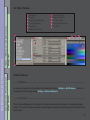
The “Less” Interface
11
The “More” Interface
12
Common Features
––––– Saving Views
––––– View Selectors
––––– View Pop-up
––––– Snapshot
Short Cut Keys:
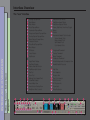
TABLE OF CONTENTS
Quick Start
11
12
12
12
13
14
14
15
Sample the Backing Area
15
(FOREGROUND VIEW)
Matte Correction (default ENABLED)
15
Enable Video Correction (if applicable)
15
Set Roto-Screen Correction Controls (if necessary) (suggested: Screen Overlay view)
Set Matte Density Controls (if necessary)
Set Spill Controls (if necessary)
19
(suggested: matte & composite views)
Set Shadow and Clean Up Controls (if necessary)
16
(suggested: foreground, matte, & composite views)
19
20
Set Color Conformance Controls (if necessary)
(suggested: composite view)
20
2