1
mx2301_ex_qck.book
49 ページ
2009年8月7日 金曜日 午後4時6分
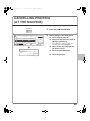
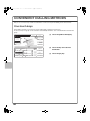
CANCELLING PRINTING
(AT THE MACHINE)
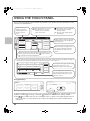
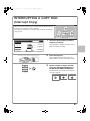
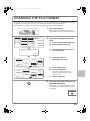
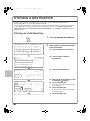
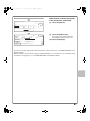
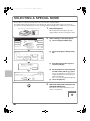
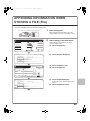
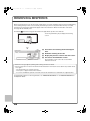
You can cancel a print job if you cancel before printing actually begins.
JOB STATUS
Job Queue
Sets / Progress
Spool
Status
1
Copy
020 / 001
Copying
2
Copy
020 / 000
Waiting
1/1
Job Queue
Complete
(2)
Detail
3
Computer01
020 / 000
4
0312345678
002 / 000
(3)
Print Job
Waiting
Priority
Waiting
Stop/Delete
Scan
(4)
Fax Job
I-Fax
(1)
1
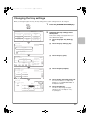
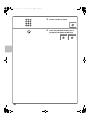
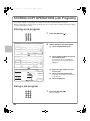
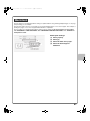
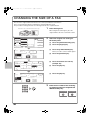
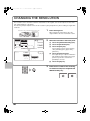
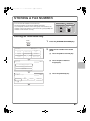
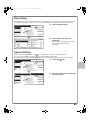
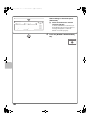
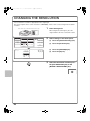
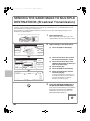
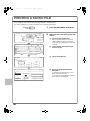
Press the [JOB STATUS] key.
2
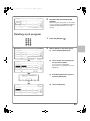
Select settings in the touch panel.
(1) Touch the [Print Job] tab.
(2) Change the print job status mode to
[Spool] or [Job Queue].
Touch this key to change modes. The
selected mode will be highlighted.
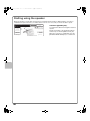
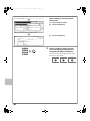
(3) Touch the key of the print job that
you wish to cancel.
(4) Touch the [Stop/Delete] key.
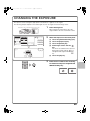
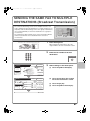
Delete the job?
Computer01
No
Yes
(5) Touch the [Yes] key.
(5)
49