1
MR-2100/2200 Programming Manual
2.8 Options Dialog
Overview
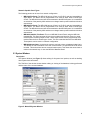
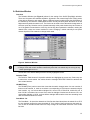
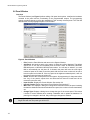
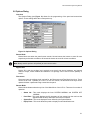
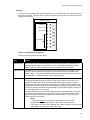
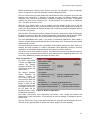
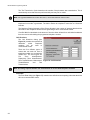
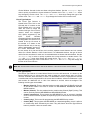
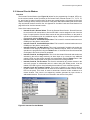
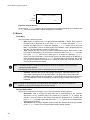
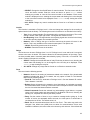
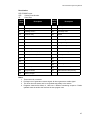
The Options Dialog (see Figure 12) allows for the programming of the panel and annunciator
options. These settings affect the current panel only.
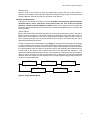
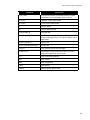
Figure 12: Options Dialog
Buzzer Mode
Buzzer Mode sets when the panel buzzer sounds. Normal causes the buzzer to sound for new
supervisory and trouble conditions. All causes the buzzer to sound for all new conditions.
Note: Always set this option to All (default) to meet current codes.
Bypass Priv
Bypass Priv. sets the privilege level required to set circuit and device bypasses, and manual
control of relays, control modules and switches. This privilege can be set to Level 2 (default) or
Level 1.
Disconnect
Disconnect sets the privilege level required for the Disconnect and Test Mode Hot Keys. These
can be set to Level 1 (default) or Level 0. If Level 0 is chosen, the Disconnect Hot Keys can be
operated without a passcode being entered into the panel.
Banner Mode
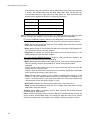
Banner Mode dictates what the top line of the Main Menu of the LCD is. There are four modes of
operation:
•
•
•
•
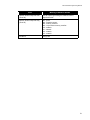
Status Ind.: This mode displays the lines SYSTEM NORMAL and SYSTEM OFF
NORMAL.
Panel Ban.: This mode displays the 20 characters of text entered into the text box that
appears below the drop down while this mode is selected.
System Ban.: This mode displays the text defined by the System Banner.
Equip. Desc.: This mode allows the panel to display its own identification text.
21