1
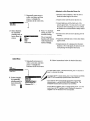
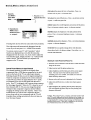
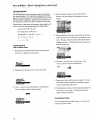
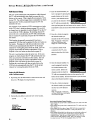
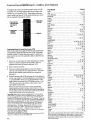
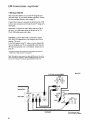
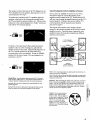
SETUP MENU
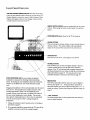
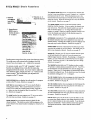
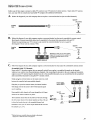
3 Follow instructions
Repeatedly press MENUto
select SETUP
MENUand then
press + to display the
functions in the SETUP
•Mt,ae • .
Vi_o ldehti:
Audio Men_ _
_..._,,_,,,
MENU,
I
I
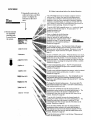
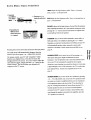
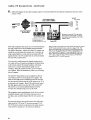
Press + to display the ALARMfunctions.
Turn ALARMON and OFFby pressing +.
Enter ON TIME and OFFTIMEby pressing - to
set the hour and + to set the minutes. Enter
CHANNELyou want TV to tune by pressing
CHANNEL
up or down and then pressing +.
Details are on page 20.
:;€IP._,CtrI: Normal
!
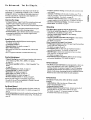
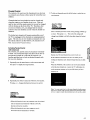
The CAPTIONINGfeature lets you display a program's sound as
words on the TV screen. Four types of closed captioning are
available. Select CAPTIONS1 for full translation of the primary
language in your area. Select CAPTIONS2 or secondary language
translation, simplified English, or nothing at all. Both TEXT1 and
TEXT2 display on-screen boxes containing general information not
related to closed captioning. Details are on page 19.
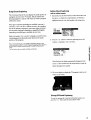
To set the SLEEPTIMER,repeatedly press + or - to select the length
of time you want the TV to stay on. To cancel, press + or - to
change the setting to 0:00.
Details are on page 19.
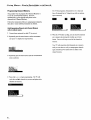
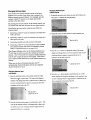
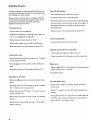
2 Select function
by repeatedly
pressing MENU
to move down
the screen.
MENU
below for desired function.
Mere:Stored.,
_
Narr_On
On Time: 6:_0AI_
Off Tmle:
1t .'OOPM
imlmlllZ_m@
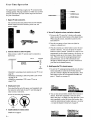
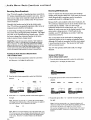
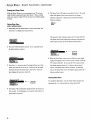
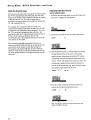
To label channels press +. Four blank letter blocks will appear.
Press and hold VOLUMEup or down button on remote until the
letter you want in the first block appears. Then press + to move to
the next block. Repeat until name is complete. Details are on
page 22.
To turn on PARENTALCTRL,press +. When this function is set to ON,
all channels that have been LOCKEDout with the next function called
CHANCTRLwill not be viewable. To lock out channels, select the
CHANCTRLfunction. Then press CHANNELup or down to select the
channel and press + to change the setting from NORMALto LOCKED.
Details are on page 23.
To start autoprogramming, press +. The TV will automatically
cycle through all channels and place active channels in memory.
Details are on page 24.
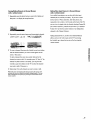
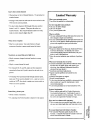
To add or erase individual channels from memory, select the channel
with the number buttons and then press + to add or- to erase.
Details are on page 25.
To switch antenna inputs, press + or -. You will probably not use
this function unless you have something connected to both the
ANTENNAA and ANTENNABinputs on the back of the 'IV. Details,_
are on page 21.
,°
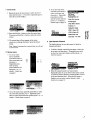
To change the CABLE/AIR
setting, press +. If you have cable-TV,
this function should be set to CABLE.If you have a home antenna,
this function should be set to AIR.
"ClOck Set -HR
+MIN
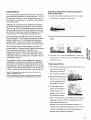
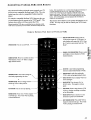
To set the VCR1 CHANNEL
first enter the channel number by
pressing two number buttons on the remote and then press +. The
channel you enter here is the channel to which the TV will
automatically tune when you later press the VCR_button on the
remote. Details are on page 26.
To set the VCR2 CHANNELfirst enter the channel number by
pressing two number buttons on the remote and then press +. The
channel you enter here is the channel to which the TV will
automatically tune when you later press the VCR2button on the
remote. Details are on page 26.
To set the CABLECHANNEL
first enter the channel number by
pressing two number buttons on the remote and then press +.
The channel you enter here is the channel to which the TV will
automatically tune when you later press the CABLEbutton on the
remote. Details are on page 27.
°
°
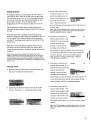
To set the clock, press and hold - to set the hour. Then press and
hold + to set the minutes.


![DML-1200 [v04]](http://vs1.manualzilla.com/store/data/005824987_1-7e9516eac06e792a0e8f27802b417a45-150x150.png)