1
Table of Content
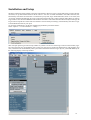
Installation and Setup ................................................................................................................................................ 6
Relative control resolution ................................................................................................................. 7
Use multiple controls per parameter .................................................................................................. 7
Show long names while editing: .......................................................................................................... 7
Maximum MIDI bandwith (%). ........................................................................................................... 8
Button assignement in Logic Control mode ............................................................................................................. 8
Jog Wheel Buttons ............................................................................................................................. 8
Transport Field .................................................................................................................................... 8
SAC Mixer Mode Buttons ................................................................................................................... 9
The Software Navigation Buttons ....................................................................................................... 9
The Master Select Button .................................................................................................................. 10
The Channel Strip Buttons ................................................................................................................ 10
The Mute and Select Buttons ............................................................................................................. 11
The View Modes of the SAC ..................................................................................................................................... 11
First contact – the status of the SAC after loading the Logic Audio 5.1 Autoload Song. ....................................... 11
View Modes
........................................................................................................................................................ 11
1)Track View ....................................................................................................................................... 11
2)Global View ....................................................................................................................................... 11
3)Extended Track View ........................................................................................................................ 11
Assignment Buttons, „Channel Strip” display and „Multi Channel“ Display ...................................................... 13
1)Multi Channel display ...................................................................................................................... 13
2)Channel Strip display ....................................................................................................................... 14
Encoders and Faders in LGC Mode .......................................................................................................................... 14
Callup of Preset Values...................................................................................................................... 14
Editing in Fine Mode .......................................................................................................................... 14
Calling up Maximum and Minimum Values ...................................................................................... 14
Fader-Flip Mode .................................................................................................................................. 14
Motorfader Off ................................................................................................................................... 15
Overview of the Assignment buttons........................................................................................................................ 15
Recording of Track Automation .............................................................................................................................. 16
Software Navigation ................................................................................................................................................. 16
The function buttons ................................................................................................................................................ 16
The Cursor and Zoom functions .............................................................................................................................. 19
The Track Mixer Element functions ........................................................................................................................ 20
Setting Markers ...................................................................................................................................................... 22
1)Programming Markers .................................................................................................................... 22
2)Loading stored Marker Positions .................................................................................................... 22
3)Erasing a Marker Position............................................................................................................... 22
Nudge Operation ...................................................................................................................................................... 22
1)Moving the object by a fixed value..................................................................................................... 23
2)Direct Moving ................................................................................................................................... 23
3)Moving to the Song Position ............................................................................................................. 23
Drop-In Programming ............................................................................................................................................. 23
1)Determining a Drop In/Drop Out Zone ............................................................................................ 23
2)Editing the Drop Zone....................................................................................................................... 23
Cycle Mode Editing................................................................................................................................................... 23
1)Quickly repositioning the Cycle Locator ........................................................................................ 23
2)Cycle Editing .................................................................................................................................... 23
Transport Overview .................................................................................................................................................. 24
Attention!!
If a Logic Audio presents you with a dialog box when it recognizes the SAC-2K/2.2, suggesting you
update the firmware, press [Cancel].
5