1
Initial Scanner Setup
Note
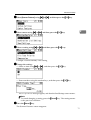
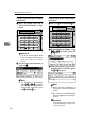
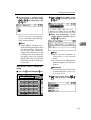
❒ When [On] is selected, all
records are deleted after printing. When [Off] is selected,
records that exceed the limit are
automatically deleted from the
oldest records.
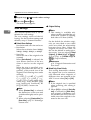
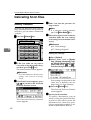
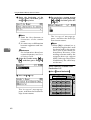
❖ Max. E-mail Size
Select whether the size of an e-mail
with a scan file attached is limited
or not.
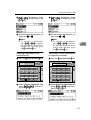
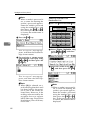
When [On] is selected, enter the
size limit (64 - 8580 KB) with the
number keys.
Note
❒ When the SMTP limits the size,
match that setting.
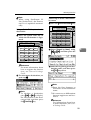
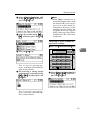
❖ Divide&Send Mail
This function is effective only
when [On] is selected for [Max. Email Size].
When an e-mail with an attached
file exceeds the size specified in
[Max. E-mail Size], select whether or
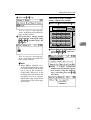
not to divide the file and send using more than one e-mail. Select either [On (per page)], [On (per max.
size)], or [Off]. When [On (per max.
size)] is selected, enter the maximum number of divisions (2-130)
with the number keys.
Note
❒ When [Multi-page:TIFF] or [Multipage:PDF] is selected for [File
Type Priority], an attached scan
file will not be divided even if
[On (per page)] is selected.
❒ When [On (per max. size)] is selected, some received files may
not be able to be restored, depending on the type of e-mail
software.
❒ When [Off] is selected, the email is not sent if its size exceeds
the limit, and an error message
appears. The scan file is discarded.
❒ Set the maximum e-mail size
within the capacity of the SMTP
server.
2
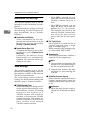
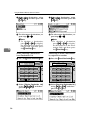
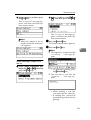
❖ E-mail Informatn. Language
Select a language for E-mail Information Language for message,
date, key operator's e-mail address
to be sent.
Select one of the following 20 languages: British English, American
English, German, French, Italian,
Spanish, Dutch, Portuguese,
Polish, Czech, Swedish, Finnish,
Hungarian, Norwegian, Danish,
Japanese, Simplified Chinese, Traditional Chinese, Russian, and
Hangul.
Note
❒ “E-mail Information Language”
is as follows (Example: When
[British English] is selected):
“This E-mail was sent from. ”,
“Scan Date”, and “Queries to:”.
These messages cannot be
changed.
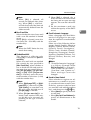
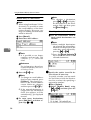
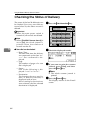
❖ Sender's Name Default
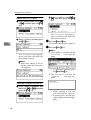
Select whether to register an administrator as a sender or to specify a sender each time e-mail is sent.
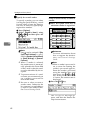
If the key operator code has been
set, enter the code with the number
keys, and then press the {OK}
} key.
• Select [None] to specify the sender each time.
• Select [Key Op's E-mail Address] to
specify an administrator as the
sender.
15