1
SYSTEM SETTINGS
OPERATION PANEL (ADMINISTRATOR)
Security Settings
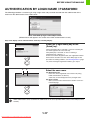
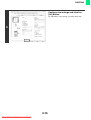
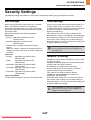
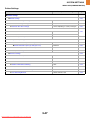
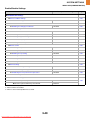
The following settings are related to security. Select the [Security Settings] key to configure the settings.
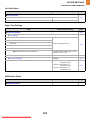
SSL Settings
IPsec Settings
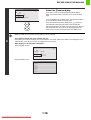
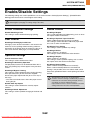
SSL can be used for data transmission over a network.
SSL is a protocol that enables the encryption of
information communicated over a network. Encrypting
data makes it possible to transmit and receive sensitive
information safely.
SSL can be enabled for the following protocols:
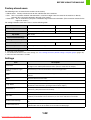
IPsec can be used for data transmission/reception on a
network. When IPsec is used, data can be sent and
received safely without the need to configure settings for
IP packet encryption in a Web browser or other
higher-level application.
This setting is only used to enable or disable IPsec;
detailed IPsec settings are configured in the Web pages.
Some Web page settings may not allow connection to
the machine, or the settings may not allow printing or
Web page display. In this case, deselect this setting and
change the Web page settings.
Server Port
• HTTPS: Apply SSL encryption to HTTP
communication.
• IPP-SSL: Apply SSL encryption to IPP
communication.
• Redirect HTTP to HTTPS in Device Web Page
Access:
When this setting is enabled, all communication that
attempts to access the machine by HTTP is redirected
to HTTPS.
Client Port
• HTTPS:
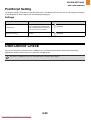
Advanced IPsec settings are configured by clicking
[Security Settings] and then [IPsec Settings] in the
Web page menu.
IEEE802.1X Setting
Apply SSL encryption to HTTP
communication.
• FTPS:
Apply SSL encryption to FTP
communication.
• SMTP-SSL: Apply SSL encryption to SMTP
communication.
• POP3-SSL: Apply SSL encryption to POP3
communication.
• LDAP-SSL: Apply SSL encryption to LDAP
communication.
Level of Encryption
The encryption strength can be set to one of three levels.
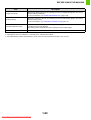
IEEE802.1X can be used to authenticate a user to allow
use of the machine.
IEEE802.1X protocol defines port-based authentication
for both wired and wireless networks.
Use IEEE802.1X authentication to allow only
authenticated devices to use network, and protect
against network abuse by third parties.
This setting is only used to enable or disable
IEEE802.1X; detailed IEEE802.1X settings are
configured in the Web pages.
Some Web page settings may not allow connection to
the machine, or the settings may not allow printing or
Web page display. In this case, deselect this setting and
change the Web page settings.
Advanced IEEE802.1X settings are configured by
clicking [Security Settings] and then [IEEE802.1X
Settings] in the Web page menu.
3-27
Downloaded From ManualsPrinter.com Manuals