1
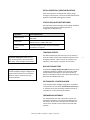
TIME ZONE SETTINGS
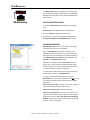
Select “Time Zone Configuration” window. This window
displays a list of Time Zones, including descriptions to help
with the selection. Select your offset and select OK to close
this window.
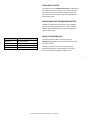
ADMINISTRATIVE FUNCTIONS
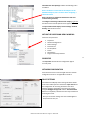
From the “Device Settings” window, click the
[Administrative Functions] button to view the following
choices.
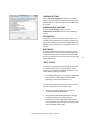
SET TIME/DATE
This feature may be most useful for demonstration, in lab
situations, environments where an external reference time
signal is not available, when the built-in TIME CODE client is
disabled or when a connection to a TIME CODE server is not
available.
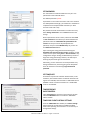
RESET DEVICE
The Masterclock Display may need a “soft reset” to allow
the device to clear its current communications buffer and
re-initialize its processing. This feature is intended to allow
the user to remotely reset the unit and does not restore the
factory default state.
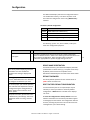
“SOFT” RESTART
A soft restart may periodically be performed by the TCDS-A
to automatically attempt to rectify a problem it may be
experiencing. The Masterclock Display will perform a soft
restart under the following conditions:
1.
If the Masterclock Display is not receiving a TIME CODE
poll response or a TIME CODE broadcast response
depending on which mode the display is in.
The timeout before doing a soft restart is not less than ten
minutes. Several factors can increase this time.
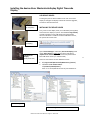
1.
The soft restart will be delayed by two hours if a
connection is made by WinDiscovery.
2.
The soft restart could be delayed if the user changes
the default parameters for TIME CODE poll
retries/timeouts or the TIME CODE broadcast times
out. For example, if the TIME CODE broadcast timeout
is increased to 60 minutes the soft restart timeout will
also be increased to 60 minutes.
Masterclock TCDS-A User Manual – Original – 2013-04-19
16