1
First Things
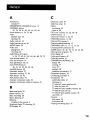
First
...................................................................................3
Using the QuickSet Guide ...................................................................5
Setting
Up theVCR
.............................................................................7
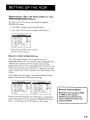
Using the Menus to Set Up Features ................................................8
Language.............................................................................................
8
Setup for a Digital Satellite Receiver ...........................................9
Cable Box Setup .............................................................................I 0
VCR Channels List ..................................;...................................... 12
Auto Channel Searching .........................................................12
Changing the Signal Type .........................................................13
Adding or Removing Channels .............................................. 13
Time and Date ................................................................................14
Auto Clock Set Feature ..........................................................14
SettingTime and Date Manually ............................................ 15
VCR Plus+@ GOLD Programming System .............................. 16
MappingVCR Plus+ System Channels Manually ................ 17
VCR Plus+ System Worksheet .........................................18
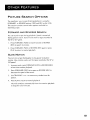
Additional Set Up Features in the Preferences Menu ............ 19
Remote VCRI/VCR2 Option .................................................19
Auto Play ....................................................................................20
Auto TV/VCR ............................................................................20
EnergySaver ................................................................................20
Front Panel Brightness (VCR Display) .................................2 I
Tape Speed .................................................................................
2I
Set Auto Repeat ........................................................................21
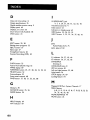
VCR
Basics ..............................................................................................
23
Remote Buttons ...................................................................................
24
Component Buttons .....................................................................24
VCR Function Buttons ..................................................................25
"IV Function Buttons .....................................................................26
Playing a Tape ........................................................................................27
Automatic Rewind .........................................................................27
Tape Eject .........................................................................................
27
Recording ..............................................................................................
28
Recording
.................................................................................................
29
Recording Features .............................................................................30
Express Recording (XPR) .............................................................30
Program Express ............................................................................3 I
Timer Recording ............................................................................3 I
Timer RecordingWith
the VCR Plus+ System .................. 33
Setting Up the Channel List ..............................................33
Using the VCR Plus+ Programming System ...................33
Stopping a Timer Recording ...................................................34
Reviewing and Clearing Programs ........................................35
Editing a Timer Program ...............................................................35
Recording Broadcast StereoTV or SAP (Second Audio
Program) .......................................................................................
35
Recording Audio Only .............................................................36
Playing Back Audio Only .........................................................37
Using Two VCRs for Copying and Editing Tapes ......................37
Using Dual Remote with AutoEdit .............................................38