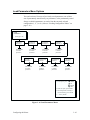
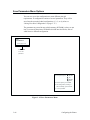
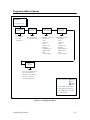
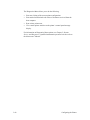
1
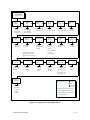
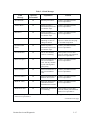
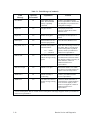
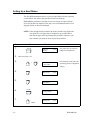
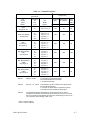
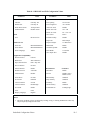
Step
1.
2.
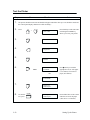
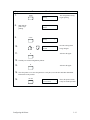
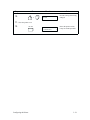
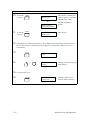
Press
Press:
ON LINE
Off–Line
Ready
Notes
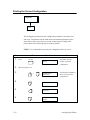
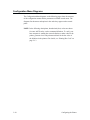
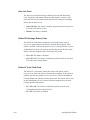
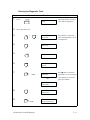
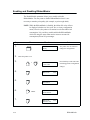
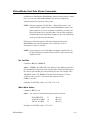
The printer must be off-line
to load a configuration.
1
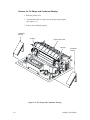
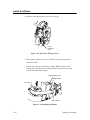
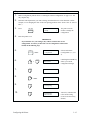
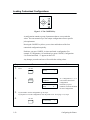
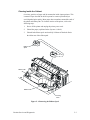
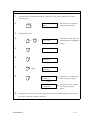
Raise the printer cover.
3.
+
4.
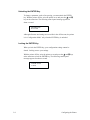
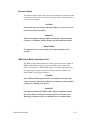
Unlocking the ENTER key
allows you to load a
configuration.
ENTER Switch
Not Locked
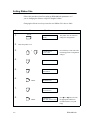
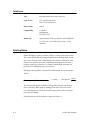
Ribbon Life
5.
UNTIL
6.
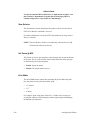
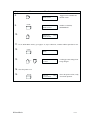
Load Parameters
First of series.
Load Saved
Parameters 1
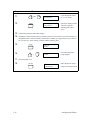
7.
UNTIL
8.
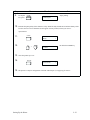
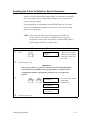
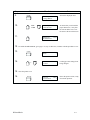
Result
ENTER
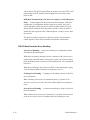
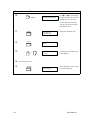
Press the key until you reach
the appropriate parameter set
(IGP, IBM 3287, IBM 5225,
or Factory).
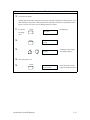
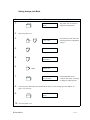
Load Factory
Parameters
Displays for about one
second (message varies,
depending on the parameter
set you are loading). The
printer loads the requested
parameters.
Load Factory
Completed
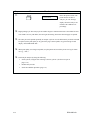
IMPORTANT
Factory parameters are loaded only into Configuration 1, not saved. If you turn
the printer off and then on, the saved Configuration 1 values will be restored.
9.
3–20
CLEAR
Off–Line
Ready
1
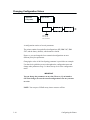
Configuring the Printer